من الصفر إلى الاحتراف: الأخطاء الخمسة التي تنهي جلسة البناء الأولى الخاصة بك
تجنب أخطاء برمجة الـ vibe الأكثر شيوعًا التي تعرقل جلسات البناء الأولى. تعلم كيفية إصلاح المطالبات الغامضة، وإعادة الكتابة الكاملة، والمزيد للبناء بشكل أسرع.
You have the prompt. You have the idea. Here is what gets in the way — and how to skip it entirely.
So you have had your first build session. Something appeared on the screen. Maybe it looked great. Maybe it was close but not quite there. Maybe you found yourself stuck in a loop, not sure why things were not working the way you expected.
That is completely normal. Vibe coding is a new way of working, and like any new skill, there are a handful of patterns that trip people up almost every time — especially in the first few sessions. The good news: they are the same five patterns, every time. Once you know them, you can see them coming.
This article is about giving you that shortcut.
Our goals for this article are simple:
-
Name the five mistakes that end most first build sessions early
-
Explain why each one happens (it is never about the AI)
-
Show you exactly how to fix each one before it costs you another hour
Mistake 1 — The Vague Loop
What it looks like
You generate something and it is not quite right. So you type "make it look better" or "improve the design." The AI produces something different. Still not right. You type "make it look better" again. It changes again. Thirty minutes in, you have gone through four versions and none of them are what you had in your head.
This is the vague loop. And it is the most common first session mistake by far.
Why it happens
The AI is not holding back on you. It genuinely does not know what better means to you. It has no reference for your taste, your audience, or the specific thing that is bothering you. So it guesses — and a guess against an unclear brief is almost never right.
The fix: stop giving judgments, start giving directions
A judgment tells the AI something is wrong. A direction tells it what to do instead.
Vague → "Make it look better." Specific → "The heading font is too thin and hard to read — make it heavier and increase the size to something that dominates the top of the page."
Before you type a refinement prompt, ask yourself: what specifically is wrong, and what specifically should replace it? Answer that question first. Then type it.
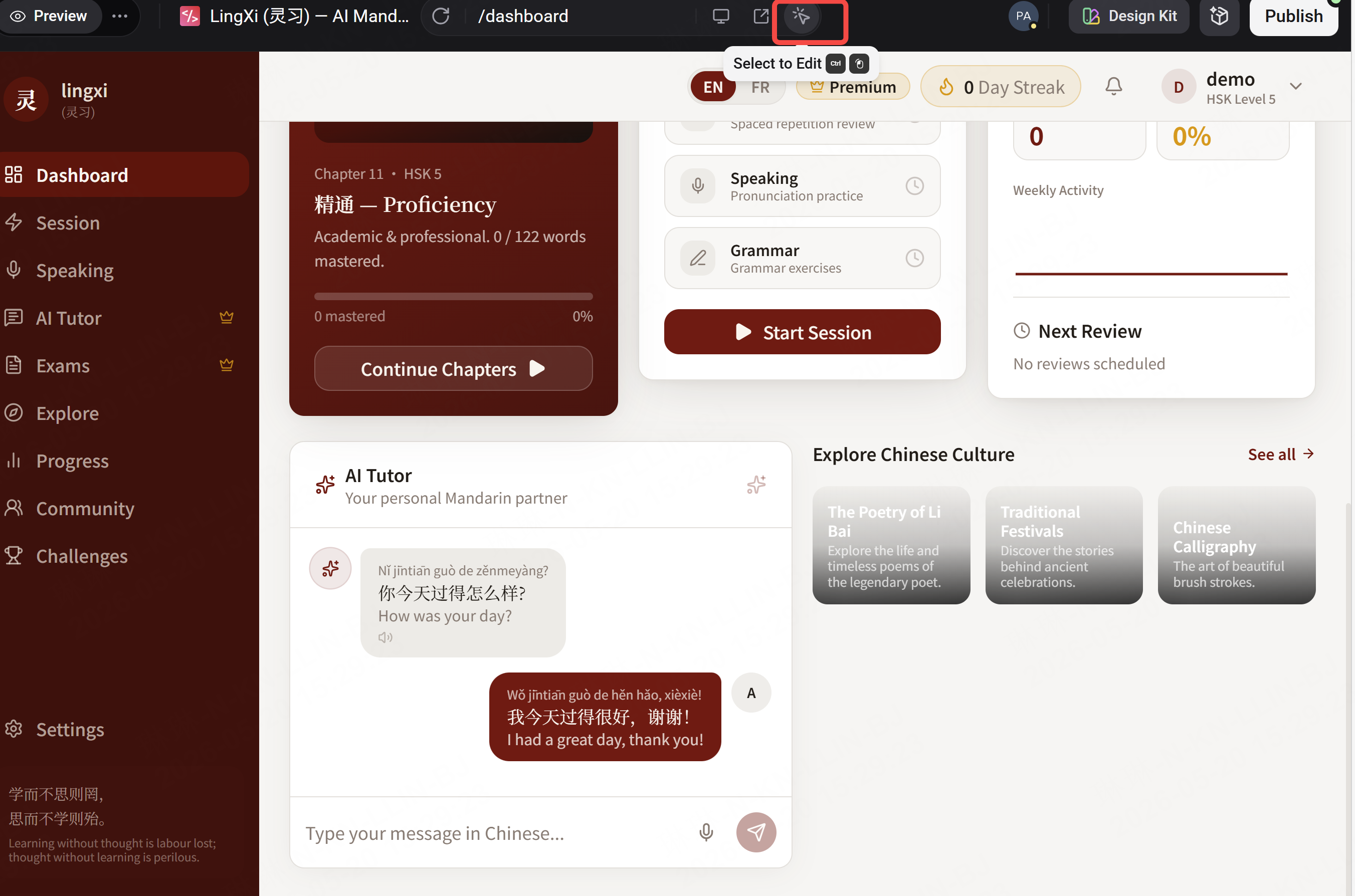
And if you cannot name what is wrong yet — use Enter's Visual Editor. Click the element that is bothering you, adjust it directly, and once it feels right, describe what you just changed as your next prompt. That combination of clicking and describing is faster than guessing through prompts alone.
Mistake 2 — The Full Rewrite Trap
What it looks like
Something is not working, so you ask the AI to start over. The new version has different problems. You ask it to start over again. An hour later, you have seen five completely different versions — and you have also lost everything that was working in the previous ones.
Why it happens
Starting over feels decisive. It feels like progress. It is neither.
Every full rewrite throws away not just what was wrong, but everything that was right. The layout you almost liked. The heading that felt close. The structure that was nearly there. You are back at zero, with a brand new set of problems to solve.
The fix: surgical, not nuclear
Before you ask for a rewrite, ask yourself this: is the whole thing broken, or is one specific element broken?
Almost always, it is one specific element. Find it. Name it. Fix only that.
Vague → "Start over, I don't like this." Specific → "The navigation bar is taking up too much space at the top — reduce its height and make the links smaller. Everything else stays."
The second prompt fixes the problem. The first one creates new ones. When something is off, resist the urge to blow it up. Fix the specific thing. Keep what is working.
Mistake 3 — Feature Creep
What it looks like
The core of your product is working — not perfectly, but working. So you add something. A user profile page. An onboarding flow. A sharing feature. Now you are building on top of a foundation you have not fully finished. The new feature introduces a bug somewhere else. You are debugging something you should not have built yet.
Why it happens
When something works, the instinct is to expand. The core feels solved, so your attention jumps to what is missing. But the core is never as solid as it feels in the moment you decide to move past it.
The fix: finish one thing before you build the next
Ask yourself this before adding any feature: does the core work well enough that adding this makes it better — or am I adding this to avoid finishing the core?
In a first build session, the answer is almost always the second one.
Define what done looks like for the core. What is the minimum version of this product that would be genuinely useful to one real person? Not impressive — useful. Build that first. Make sure it works end to end. Then, and only then, add the next thing.
The best builds are not the ones with the most features. They are the ones where every feature that exists actually works.
Mistake 4 — The Perfectionist Pause
What it looks like
You have something that works. But the button color is not exactly right, so you spend twenty minutes on that. Then the heading spacing is slightly off. Another twenty minutes. The font weight. The padding. Two hours pass. The product looks marginally better than it did when you started, and you have not shown it to a single person.
Why it happens
Perfecting feels safer than shipping. When you are still working on it, it cannot be wrong yet. The moment someone else sees it, they might not get it — and that is harder to face than a button that is slightly the wrong shade.
The fix: good enough to show is the goal
The feedback you will get from thirty seconds of someone else using your product is worth more than two hours of solo refinement. Their confusion in the first ten seconds — where they click, where they stop, what they miss — tells you exactly what to fix next. Your own eye, after staring at the same screen for hours, cannot tell you that.
Set a rule for your sessions: when it is good enough to show to one real person, stop refining and show it. Not when it is perfect. Good enough to show is the milestone.
Ship the imperfect thing. Learn from it. Then improve.
Mistake 5 — The Solo Silo
What it looks like
You build alone, refine alone, iterate alone. You know what everything is for, why every button is there, what every section does. The product makes complete sense to you. When you finally show it to someone, they are confused within the first ten seconds.
You could have learned that three hours ago.
Why it happens
Building feels personal, especially when it is your first time. Showing something unfinished creates vulnerability. What if they do not get it? What if they think it is badly designed?
Those are real fears. They are also exactly the things you need to find out.
The fix: publish early, share the link, watch what happens
Enter deploys your project instantly to a live URL. That link is the fastest feedback mechanism you have. Send it to one person — not for approval, for observation. Watch how they navigate it. Notice where they pause. Notice what they click that you did not expect. Notice what they miss that you assumed was obvious.
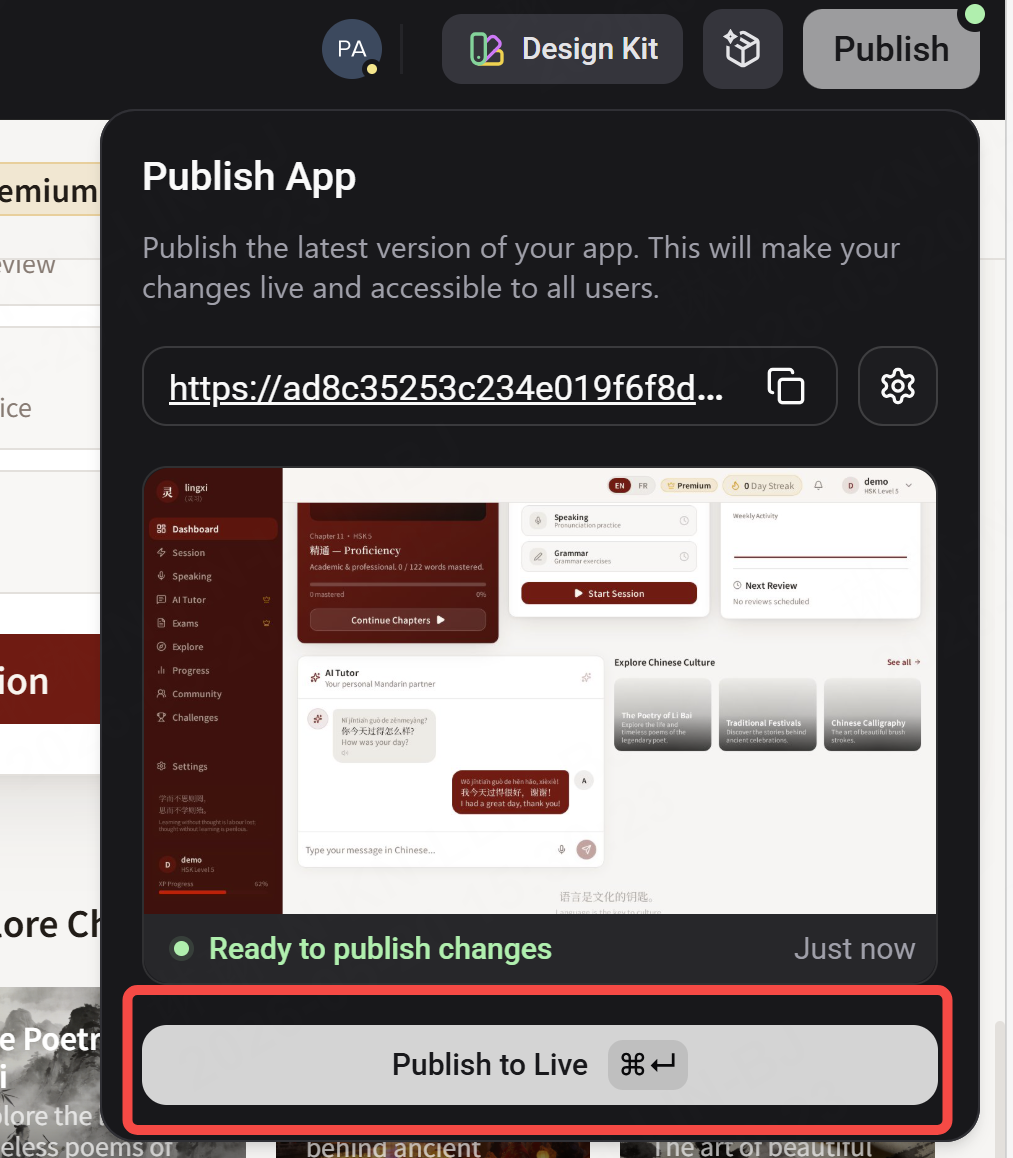
You do not need a hundred users. One person navigating your product as a stranger for sixty seconds will show you more than a week of solo refinement. The confusion they feel in the first ten seconds is signal. Act on it.
Publishing early is not vulnerability — it is the fastest way to know what to build next.
The Pattern Underneath All Five
Read them together and you will see the same thing in five different forms: the instinct to stay inside your own head instead of testing against reality.
The vague loop: describing a feeling instead of a direction. The full rewrite: replacing everything instead of fixing the specific thing. Feature creep: expanding before the foundation is solid. The perfectionist pause: refining instead of shipping. The solo silo: building instead of learning.
Every one of them is a way of avoiding the feedback loop that makes building fast and effective. And the fix, in every case, is the same: be specific, be surgical, and get your work in front of reality as fast as possible.
Now you know what to watch for. Your next session will be different.
What's Next in the Series
You know the mistakes. You know how to avoid them. The foundation is getting stronger.
See you soon!