
Rapid Prototyping Explained - Benefits, Types, Use Cases, and More
Discover what rapid prototyping is, its benefits, types, and use cases. Enter Pro is an excellent AI tool that helps you with AI-powered digital prototyping.
Rapid prototyping helps you quickly turn ideas into testable product versions, saving time and reducing development costs. Explore rapid prototyping, its benefits, types, manufacturing methods, applications, and practical tips for making the best prototypes. Learn how AI-powered tools like Enter Pro simplify rapid prototyping and help you build high-quality websites and apps from simple prompts.
What is rapid prototyping?
Rapid prototyping is the process of quickly creating a basic version of a product in order to test its features and functionality. It lets developers identify problems, get feedback, and make necessary improvements before building the final product. AI-powered tools help by quickly producing digital designs.
Benefits of rapid prototyping
- Make products quickly: Rapid prototyping lets you create an early version of a product faster than traditional development. In this way, you can test ideas quickly and move towards the final product more quickly.
- Communicate ideas effectively: Rapid prototype development gives developers, designers, clients, and stakeholders something concrete to review. Rather than relying only on the written descriptions, everyone can know how the product might work and suggest improvements.
- Design iteratively and incorporate changes: Iterative design lets you improve a prototype through rapid testing, adjustments, and feedback. You can incorporate changes at each stage, refine existing features, and create a more efficient, user-friendly final product.
- Create high-quality products: Repeated testing and refinement help you develop a product that meets users' needs. Each version gives you an opportunity to improve flexibility, usability, and overall performance.
- Test thoroughly and minimize design flaws: Testing enables you to identify design flaws, functional problems, and usability issues before developing the final product. By testing and refining the prototype repeatedly, you can make early improvements and ensure your product works as intended.
Rapid prototyping vs traditional prototyping
| Aspect | Traditional prototyping | Rapid prototyping |
|---|---|---|
| Cycle | Takes weeks or months | Takes hours or days |
| Scope | Focuses on detailed, refined prototypes | Focuses on quick models and iterative testing |
| Cost | Requires higher upfront investment | Reduces initial costs with faster iterations |
| Best for | Complicated products requiring extensive validation | Early concept testing and quick design testing |
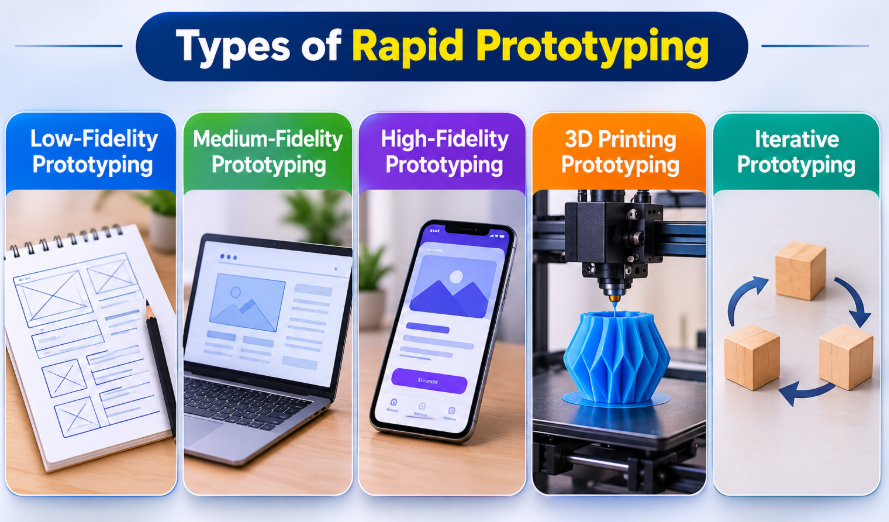
Types of rapid prototyping
| Type | Overview | Main purpose | Best suited for |
|---|---|---|---|
| Low-fidelity | Simple sketches, paper models, or basic wireframes | Exploring ideas and testing layouts | Early-stage development |
| Medium-fidelity | Structured layouts, clickable wireframes, or basic models | Testing workflows and core features | Refining design and navigation |
| High-fidelity | Detailed models that resemble the final product | Testing usability, performance, and design | Final design validation |
| 3D printing | Physical models created from digital 3D designs | Testing shape, dimensions, and fit | Engineering and product development |
| Iterative | Repeated cycles of building, testing, and improving | Finding issues and refining the product | Continuous design improvement |
Rapid prototyping tools and methods
3D printers for rapid prototyping
3D printers convert digital designs into physical prototypes within hours. They allow teams to evaluate a product's shape, size, and overall design before production. Quick printing helps with faster testing and design revisions. They also lessen development costs by minimizing expensive tooling. It makes them vital for modern rapid prototyping workflows.
Fused Deposition Modeling (FDM)
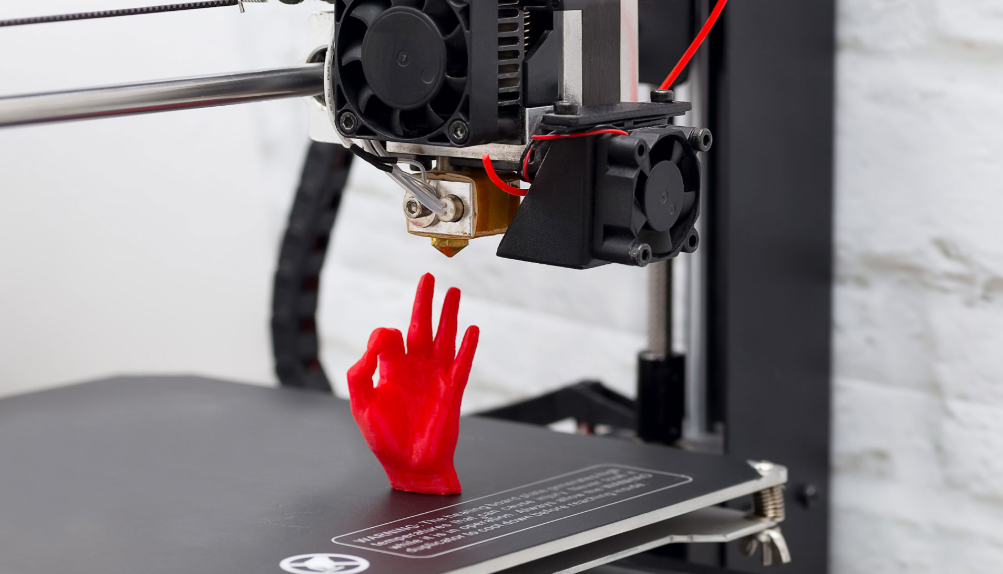
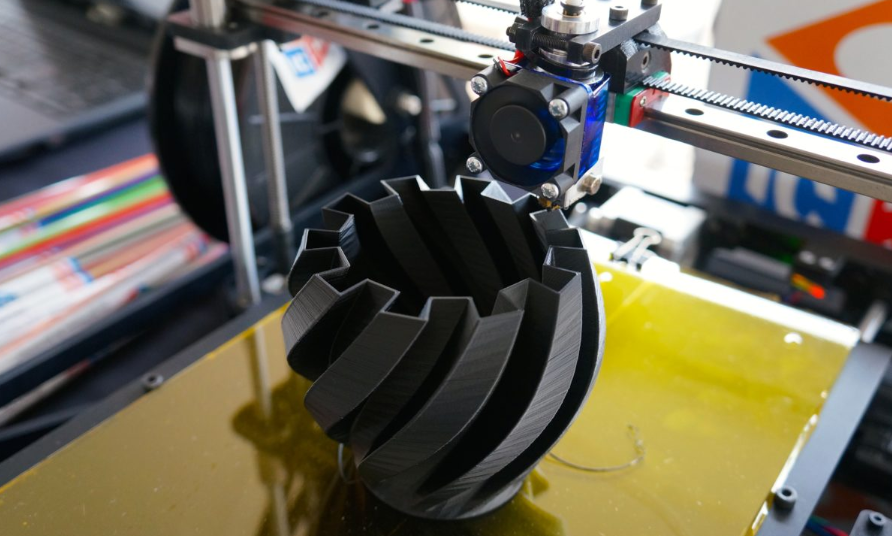
Fused Deposition Modeling builds objects by melting and depositing plastic filament layer by layer. It is one of the best and most affordable printing methods available. Designers utilize it to make functional prototypes for early testing. The process offers quick modifications and repeated iteration. FDM is perfect for concept models and mechanical parts.
Stereolithography (SLA)
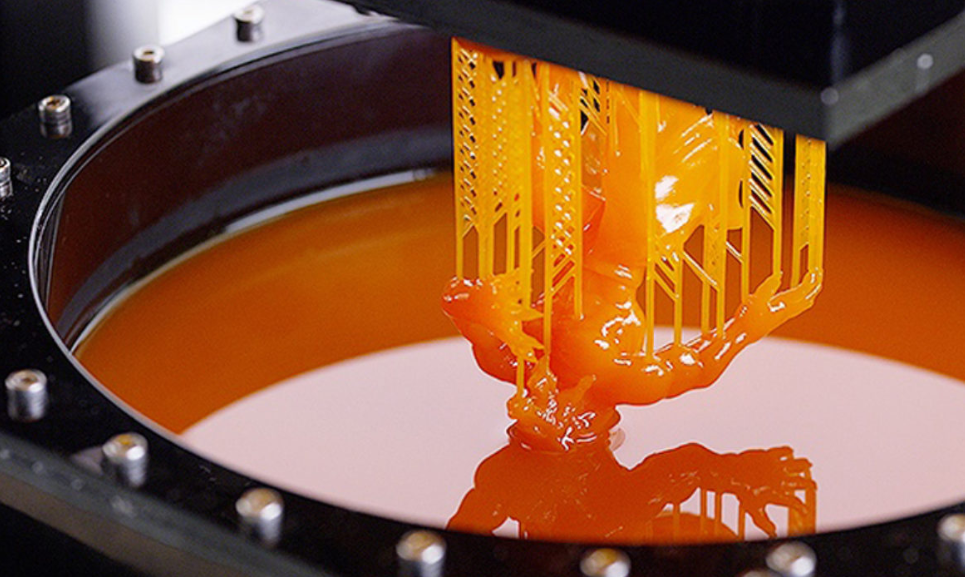
Stereolithography utilizes a laser to harden the liquid resin into precise 3D layers. It creates smooth surfaces with great accuracy and detail. This method is mostly used for prototypes that need a premium finish. It works well for medical models, jewelry, and product design. SLA is perfect when visual quality is the top priority.
Selective Laser Sintering (SLS)
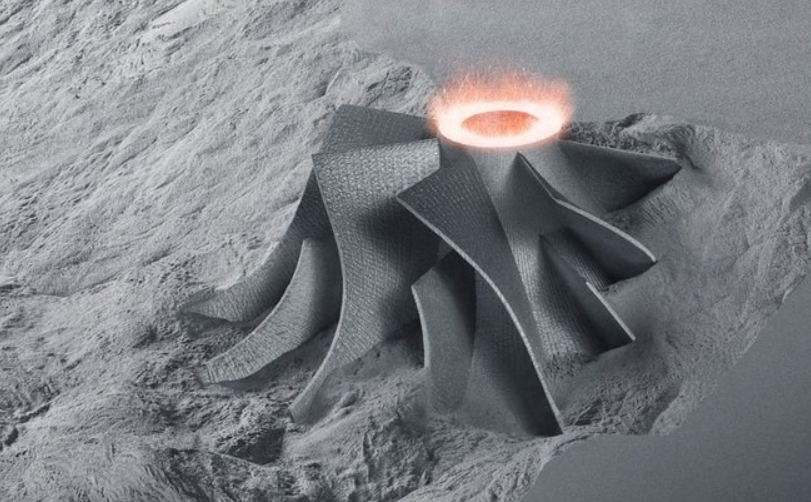
Selective Laser Sintering transforms powdered materials into durable parts using a laser. It makes complex models without requiring support structures. Engineers utilize it for strong functional testing and prototypes. The method handles intricate geometries with high precision. SLS is commonly used in aerospace, automotive, and industrial manufacturing.
From physical to digital prototyping
Traditional rapid prototyping methods, such as CNC machining and 3D printing, enable teams to test physical designs, shapes, and mechanical fits before manufacturing. Digital prototyping is equally critical for validating user flows, functionality, and interfaces. In 2026, AI-powered tools are speeding up digital prototyping, letting teams create interactive website and app prototypes in hours instead of weeks.
Traditional methods are quite beneficial for testing physical products. However, Enter Pro, an AI-powered tool, offers a quicker way to prototype digitally. It lets you build high-quality apps from text prompts, making it the best software for rapid prototype generation in 2025 and 2026.
Digital rapid prototyping with Enter Pro
Enter Pro is an advanced, AI-powered platform that lets you turn ideas into interactive website and app prototypes with natural-language prompts. It offers impressive features, like an AI website builder, a real-time visual editor, and one-click publishing, making it effortless to validate product ideas and test customer-facing web experiences. You can also build MVPs and internal tools to test functionality before investing in native development.
| Component | CTA Button |
|---|---|
| Web.Text | Build Your Apps/Websites Online |
| Web.Href | https://enter.pro/workspace/ |
Why should you choose Enter Pro?
- 100% code ownership: Enter Pro gives you complete ownership of the generated code, enabling you to export, edit, and host your projects independently. This provides more flexibility and control over future development.
- Rich AI models: Enter Pro supports a range of AI models for different coding and development needs, like DeepSeek V4 Pro and GPT 5.4.
- Prompt to website/app building: Transform natural-language prompts into functional websites and applications without creating everything from scratch. Customize designs, add features, and test ideas faster.
- Website templates: Begin with ready-made designs, rather than creating every page from scratch. Edit the layouts and content to match your goals using website templates.
How to rapidly prototype an AI-powered app with Enter Pro
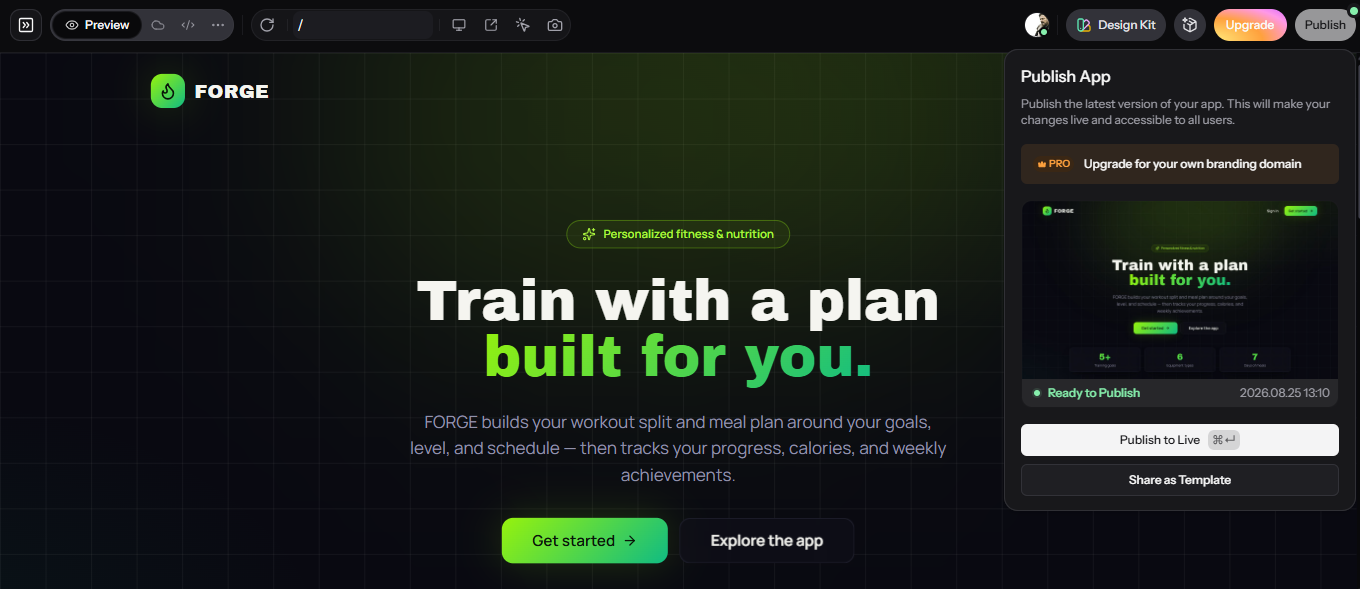
To understand how rapid prototyping works in practice, let's use an AI-powered fitness app as an example. Instead of spending weeks planning and developing the entire application, you can use Enter Pro to quickly turn your initial idea into a functional prototype. This allows you to visualize the app's core features, test its layout and user flow, and make adjustments based on your needs before moving into full development.
Step 1: Enter your prompt
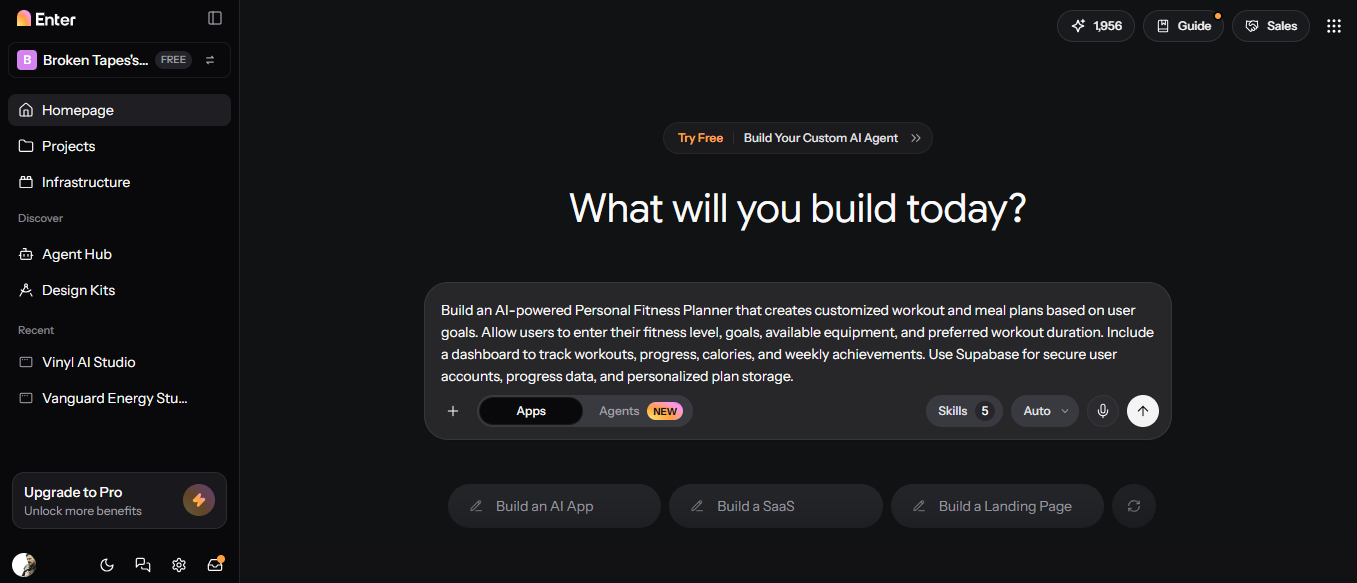
Start by turning your fitness app concept into a prototype. First, log in to your Enter Pro account, start a new project, and enter AI chat. After that, clearly describe the app you want to build in the provided dialogue box. For example, "Build an AI-Powered Personal Fitness Planner..." Choose your preferred AI method, then click the "Generate" button to create your app.
Step 2: Customize the app
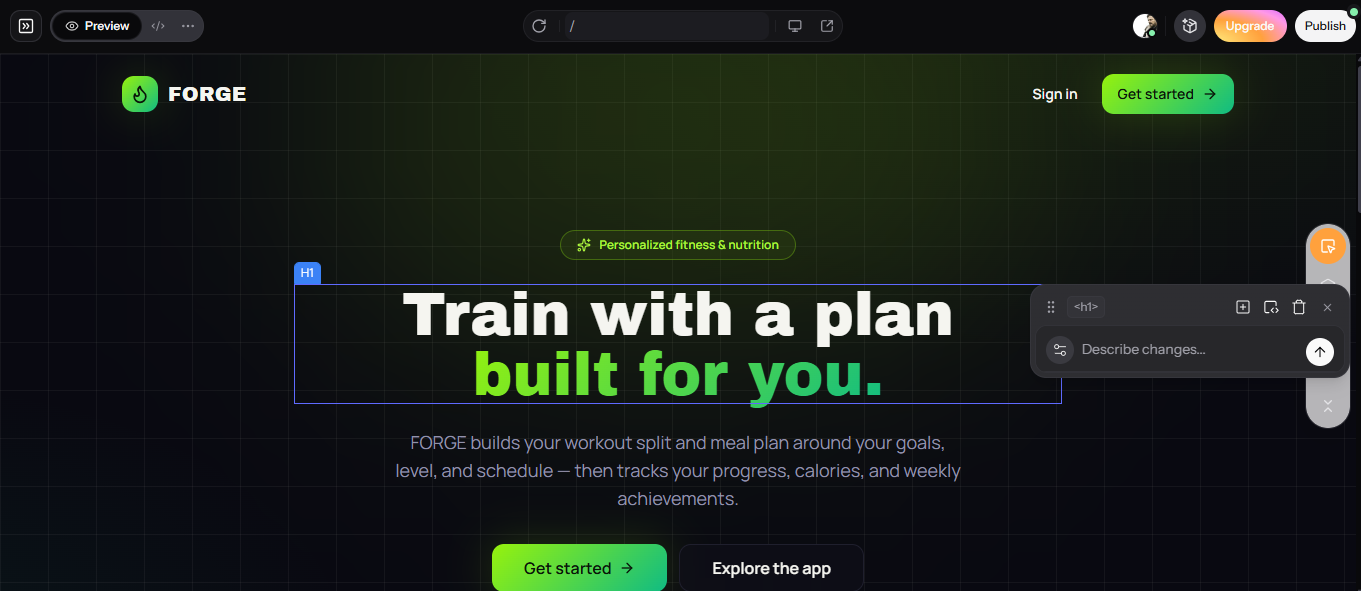
The AI will generate your app prototype within seconds. Once Enter Pro generates the initial version, you can use the visual editor to make changes, such as editing specific areas with AI and applying different design kits. You can also refine the app with recommendations.
Step 3: Publish the app
Review the app on mobile, desktop, and tablet to ensure it meets your needs. Make any final necessary adjustments, then click the "Publish" option in the top-right corner of the screen. Then, click "Publish to Live" to make the app live.
You can now share the working prototype with potential users or stakeholders, gather feedback, and validate the idea before moving on to full-scale development. Thus, instead of spending weeks developing a fitness application from scratch, Enter Pro helps you to quickly turn an idea into a working prototype.
| Component | CTA Button |
|---|---|
| Web.Text | Build Your Apps/Websites Online |
| Web.Href | https://enter.pro/workspace/ |
Rapid prototyping applications and use cases
- Proof of concept models
Rapid prototyping turns initial ideas into tangible models to test their feasibility. Through these designs, teams can identify design flaws, gather feedback, and refine concepts before investing in full-scale development. It reduces risk and validates product ideas quickly. It also helps stakeholders determine whether an idea is worth pursuing.
- Industrial designs
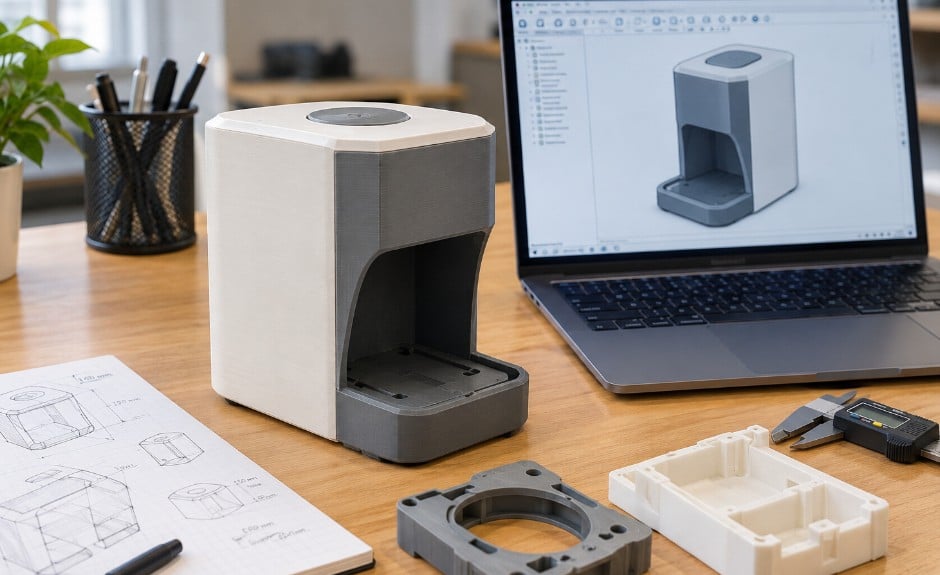
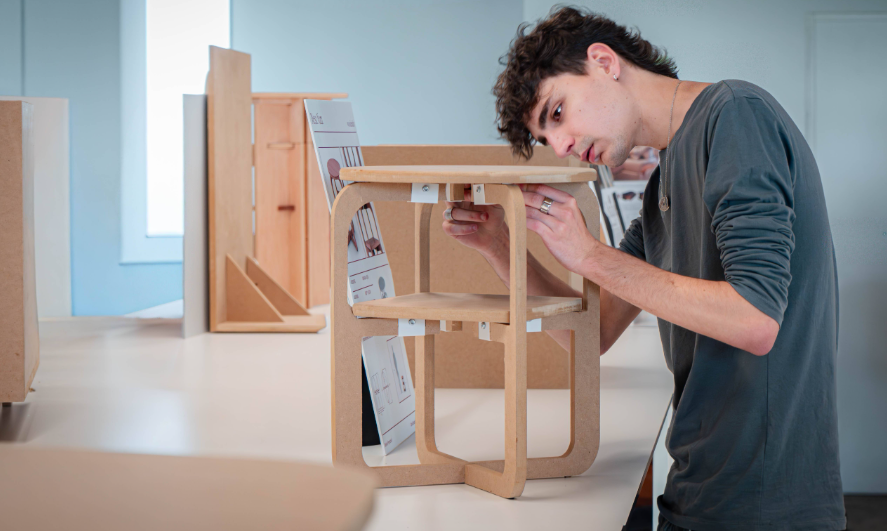
Industrial designers utilize rapid prototyping to evaluate a product's appearance, ergonomics, and dimensions. They can compare the design variations, test user comfort, and make improvements before manufacturing. Some common applications include furniture, electronics, and household appliances. This process helps in making more attractive, practical, and user-friendly products.
- Functional prototypes
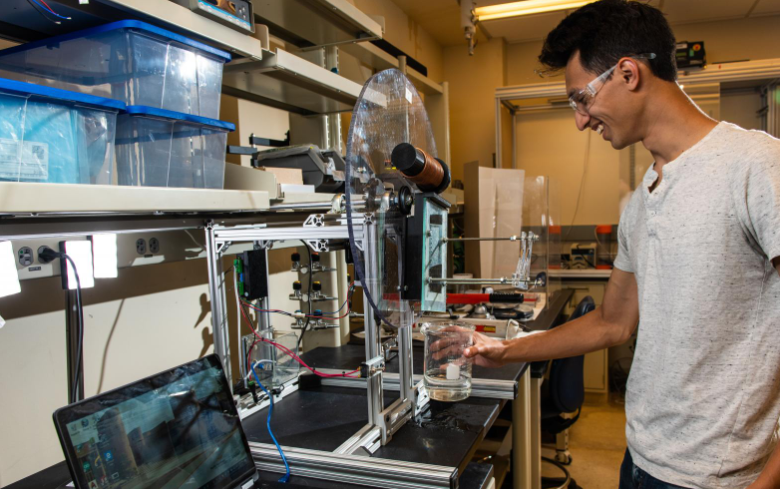
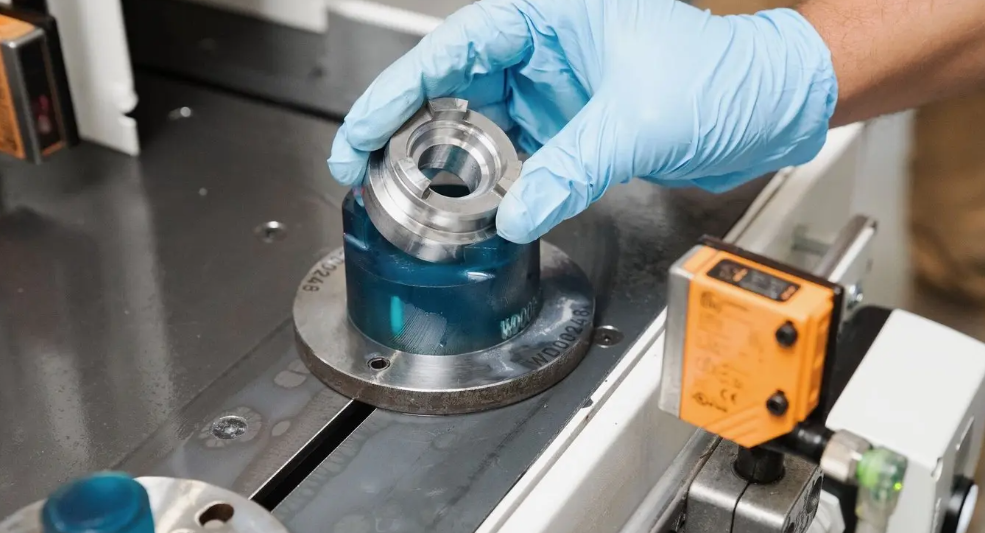
Functional prototypes allow engineers to test how a product performs in real-world conditions. They reveal issues with mechanical systems, moving parts, and component capability. Teams can adjust the designs before final production. Performance testing also helps verify stability, durability, and reliability.
- Custom tools and manufacturing parts
Rapid prototyping lets manufacturers quickly make custom fixtures, tools, jigs, and replacement parts. Manufacturers can test these components for fit and functionality before broader use. It reduces tooling costs and enhances production efficiency. It also offers customized solutions for specialized manufacturing needs.
- Software and web application prototypes
Rapid prototyping lets developers create wireframes and interactive mockups of mobile apps, websites, and software. Teams can test the layouts, navigation, and user workflows before coding the complete product. Early feedback reduces costly revisions and improves usability. It also helps developers align the end product with user needs and business goals.

Pro tips for rapid prototyping
- Start with a clear objective: Define the issue your prototype needs to solve before you start developing. Identify your target users, expected outcomes, and vital requirements. A clear objective keeps the process focused and prevents unnecessary work.
- Keep the initial prototype simple: Begin with a basic version that showcases your core idea without adding unwanted details. Simple prototypes are quicker to build, test, and modify. You can introduce more advanced features once your concept develops.
- Focus on core features first: Prioritize the features that give the most value to users. Don't spend time on the secondary functions before validating the key concept. This process helps you test feasibility quickly and use development resources efficiently.
- Test early and gather feedback: Share your early prototype with users as quickly as possible. Gather feedback about functionality, usability, and design to identify areas for improvement. Use what you learn to refine your prototype through repeated testing cycles.
- Use the right tools to speed up development: Select the tools that match your project requirements, budget, and technical skills. Enter Pro lets you turn text prompts into websites and applications, making it easy to prototype MVPs and digital products. Its AI-powered building capabilities speed up development and reduce manual work.
| Component | CTA Button |
|---|---|
| Web.Text | Build Your Apps/Websites Online |
| Web.Href | https://enter.pro/workspace/ |
Conclusion
In conclusion, rapid prototyping lets you turn ideas into testable products quickly, reduce development costs, and catch design flaws before full-scale production. From low-fidelity wireframes and iterative designs to 3D printing and functional prototypes, these methods support faster testing and continuous improvement. For digital products, Enter Pro simplifies rapid prototype development with its AI-powered website and app building, multiple AI models, and complete code ownership. So, whether you want to validate a product idea, build an MVP, or make an interactive web application, Enter Pro is the best tool to help you move from concept to prototype smoothly.
FAQs about rapid prototyping
How does rapid prototyping reduce development costs?
Rapid prototyping identifies the design problems before expensive manufacturing starts. It decreases material waste, costly revisions, and tooling expenses. Teams can test the ideas early and make changes with fewer resources. For digital products, Enter Pro helps build website and app prototypes faster with AI.
Explain the difference between rapid prototyping services and in-house prototyping?
Rapid prototyping services outsource prototype creation to specialized providers with professional expertise and equipment. In-house prototyping offers greater control over design changes, testing, and timelines. Outsourcing reduces equipment costs, while in-house development provides greater flexibility.
How long does rapid prototyping take?
Rapid prototyping can take from two hours to several weeks, depending on the complexity, testing, and materials needs. Simple 3D-printed parts may be ready within a day, while complex functional prototypes take longer. Meanwhile, digital prototypes can often be developed much quicker. Enter Pro offers digital prototyping, letting you create high-quality websites and apps from text prompts.
Which industries use rapid prototype parts?
Many industries, like aerospace, electronics, healthcare, and consumer goods, use rapid prototyping. It lets engineers test components, evaluate designs, and improve product performance before manufacturing. Many software and technology companies also prototype digital products to validate user experiences.
Can rapid prototyping be used for mass production?
Yes, some rapid prototyping technologies, especially additive manufacturing, can also create customized parts and small batches. However, traditional manufacturing is more cost-effective for large production volumes. The best method depends mainly on your material requirements, unit costs, and production speed. For digital products, Enter Pro enables teams to develop MVPs and prototypes before scaling their applications.
What are the main limitations of rapid prototyping?
Rapid prototyping has specific limitations, such as material constraints, surface-finish issues, and reduced durability compared with production-grade components. Complicated designs also require expensive equipment, post-processing, and repeated testing. Digital prototypes may also not fully represent real-world scalability or performance. Enter Pro speeds up digital prototyping. However, applications require testing before launch.