Mureka V8 and Suno V5 Are Now Live in Enter Pro
Mureka V8 and Suno v5 are now in Enter Pro AI All. Generate production-ready music directly in your dashboard — no API keys. Long-form tracks or fast polished audio, pick your model and build.
Two professional AI music generation models — Mureka V8 and Suno V5 — are now available in Enter Pro.
If you're building apps, prototypes, or content that requires custom audio, you can now generate production-ready music directly from your Enter Pro dashboard — no separate subscriptions, no API keys, no platform switching.
What's New
Mureka V8 is built for long-form, expressive music generation. It produces complete songs up to 4+ minutes in length, with studio-quality vocals, advanced emotional expression, and professional-level arrangement. Whether you need a full-length track for a demo video or custom background music for a web app, Mureka V8 delivers high-fidelity audio suitable for production use.
Suno V5 focuses on speed and clarity. It processes 10x faster than earlier versions while delivering dramatically improved audio quality — clearer instrument separation, smoother vocal integration, and enhanced stereo imaging. The result is polished, mix-ready music that sounds professional out of the box.
What This Means for Enter Users
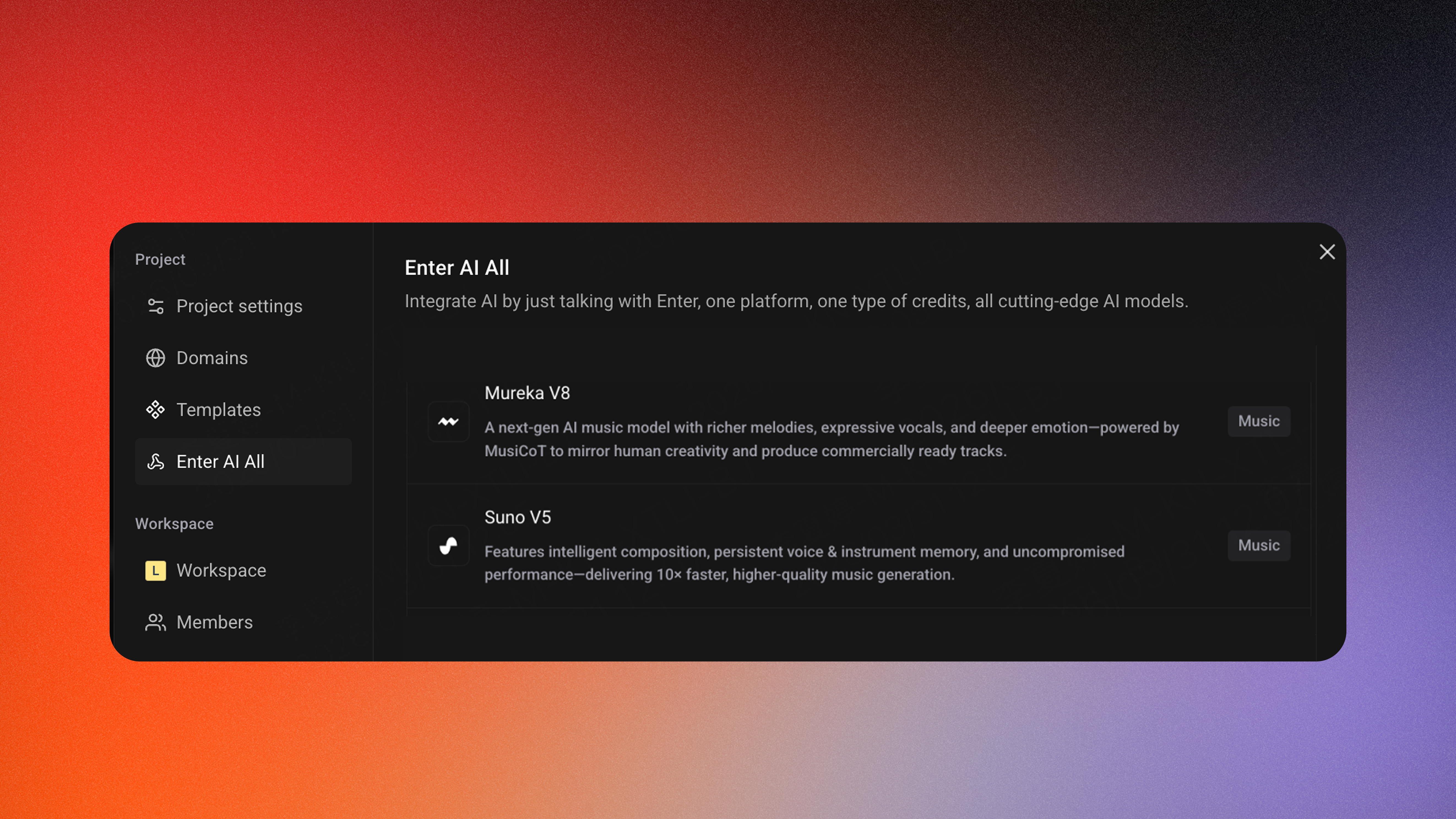
Inside Enter Pro, AI All now gives you direct access to both models:
-
Generate custom soundtracks while building your app — no need to leave the platform
-
No separate subscriptions or API keys — both models are included in your Enter Pro plan
-
Production-ready audio for demos, MVPs, content, and shipped products
-
Flexible model selection — choose Mureka V8 for expressive, long-form tracks, or Suno v5 for fast, polished output
Whether you're prototyping a mobile app that needs UI sound design, building a SaaS landing page that needs ambient music, or creating a video demo that needs a custom soundtrack — you can now generate it inside Enter Pro without switching tools or managing multiple accounts.
Available Now
Mureka V8 and Suno V5 are live in** Enter Pro AI All.**
How to Access
1️⃣ Open your Enter Pro 2️⃣ Enable AI All → Choose Mureka V8 or Suno V5 3️⃣ Describe your track and generate
We'd love to hear how these models perform in your projects — try them out and share your feedback.