Enter's Changelog
Every change, big or small, in one place — to make things feel just a bit nicer.
Update:Enter Weekly Update: Enter × Framia V1.0 and a Smoother Experience
The week, let's move from building to content creation with Enter × Framia—plus a smoother everyday experience:
- Enter × Framia V1.0
- One Click to Create: Jump from Enter to Framia with one click to create assets for your projects.
- Connected Asset Libraries: Type @assets in Enter Chat to access your Framia creations and use them in your project.
- A Smoother Experience
- Faster Workspace Loading: Spend less time waiting and start creating sooner.
- Refined Display and Previews: Enjoy improved multilingual display, refined layouts, and smoother previews.
- Clearer Feedback: Stay informed with clearer error messages and more accurate status updates.
Try it out and bring your next idea to life! 🚀
Update:Enter Weekly Update: AI All, Upgraded Visual Edit, New Models and a Refined Experience
This week, Enter rolled out several new features and experience improvements:
-
Upgraded Visual Edit: Edit text directly with Visual Edit—even on websites using i18n.
-
AI All in Infrastructure: Monitor and manage Model Credits usage across your AI Apps.
-
Pause Enter Cloud Manually: Gain more control over your running projects.
-
New Models: GPT6 Astra and DeepSeek V4 Flash Vision Exp are now available.
-
A Brand-New Onboarding Experience: New users can get started more smoothly.
-
Improved Reliability: Better model stability and more reliable Preview access for generated projects.
Stay tuned for more updates! 🚀
Update:A Smarter Experience for Models and Design Kit
From choosing the right AI model to working with professional design resources, Enter now delivers a clearer and more consistent Pro experience.
-
Consistent Model Selection: Workspace Models now powers model selection and saving across New Chat, project details, and Agent Builder.
-
Clear Model Access: Enter identifies model availability and guides you when a selected model is not available in your workspace.
-
Easier Pro Resource Discovery: Premium Design Kit templates and components now include Pro badges and filtering, helping you quickly find the right resources.
-
A Smoother Return Journey: When you return to Enter, your previous workflow context is restored so you can continue where you left off.
Update:Explore the Frontier with 4 New Models in Enter Pro
Discover the latest generation of AI with four newly added models—giving you more ways to move faster, reason deeper, and take on ambitious Agent workflows.
-
Gemini 3.6 Flash: Move quickly with an efficient multimodal model built for coding, visual and spatial reasoning, and multi-step Agent execution.
-
Claude Opus 5: Take on complex challenges with advanced reasoning, agentic coding, and long-running professional workflows.
-
DeepSeek V4 Flash: Get fast, cost-efficient reasoning for everyday tasks and lightweight Agent workflows.
-
Qwen 3.8 Max Preview: Explore Qwen’s latest preview model for advanced reasoning, visual understanding, and tool-enabled workflows.
Choose a model in Enter Pro and start exploring what’s possible at the frontier of AI.
Update:Agents Can Now Work with Your Files
Custom Agents can now receive, process, and return files—bringing complete document workflows directly into your conversations.
-
Upload Files Directly: Add files when testing a Custom Agent or interacting with one through its public site.
-
Get Downloadable Results: Agents can process uploaded content and return finished files through a convenient download link.
-
Work Across Popular Formats: Initial support includes DOCX, XLSX, PPTX, and PDF, unlocking workflows for documents, spreadsheets, presentations, and more.
Update:Experts Are Now Available in Agents
Experts are Agents equipped with specialized domain knowledge and designed for professional tasks, providing more precise and focused support.
-
Discover Experts: A new Experts tab is now available in the Experts Kit, bringing all available Experts together in one place.
-
Browse and Filter: Explore Experts by category and quickly find the right one for your needs.
-
Try Instantly: Open any Expert to explore its capabilities and start a conversation right away.
Update:Kimi K3 Now Available in Enter Pro
Kimi K3 is now available in Enter Pro. It can be selected from the model picker and used directly in your projects.
-
Kimi K3: Moonshot AI’s latest model for long-horizon coding, knowledge work, visual understanding, and deep reasoning.
-
Model availability: Added to the model selector
-
Model access: Switch to Kimi K3 directly inside your project
Update:GPT‑5.6 Sol, Terra, and Luna are now available in Enter Pro
Enter Pro now includes three new GPT-5.6 variants from OpenAI: Sol, Terra, and Luna. Each model is optimized for different workload needs so teams can choose faster based on task type.
-
GPT-5.6 Sol is OpenAI’s flagship GPT-5.6 model, built for complex reasoning, coding, and production workflows.
-
GPT-5.6 Terra balances strong reasoning with efficient performance.
-
GPT-5.6 Luna is the most cost-efficient GPT-5.6 variant, optimized for high-volume and cost-sensitive workloads. All three models are available inside Enter Pro and can be selected directly based on speed, depth, and budget needs.
Update:Light Theme and New User Onboarding
-
Light Theme: The long-awaited light theme is now live. Clean, lightweight, and professional — already well received during internal testing.
-
Better First Experience: A new onboarding flow helps new Enter users get started faster with a simpler, more direct path.
-
A More Comfortable Workspace: Whether you prefer dark mode or light mode, Enter now gives you a workspace that better matches your focus and workflow.
Update:Custom Agents Now Connect Deeper Into Your Workflow
-
One-Click Project Integration: Custom Agents can now be smoothly embedded into your Enter projects and connected with a single click.
-
Workspace Skills Support: Custom Agents now support installing Skills from your Workspace, making them better aligned with your team’s workflow and standards.
-
IM Integrations: Connect Custom Agents to mainstream workplace IM tools such as Lark and Slack, bringing your Agents directly into daily collaboration.
-
Official Skill for External Products: Use Enter’s official Skill to integrate Enter Custom Agents into your other products and business systems.
Update:Enter Infra Is Now Live
-
Dedicated Infra Panel: Enter now has a standalone Infra section, giving you a clearer and more structured way to manage the cloud resources behind your sites.
-
Cloud Management First: Cloud management is the first service available in Infra, with support for sharing the same Cloud instance across multiple projects.
-
More Services Coming: Analytics, AI All, Knowledge Base, and other core services will be gradually added to Infra.
Update:AI All Adds GLM-5.2, MiniMax-M3, and Kimi-K2.7-Code
-
GLM-5.2: Built for long-horizon tasks with a solid 1M-token context, stronger coding capability, and flexible thinking effort levels to balance quality and latency.
-
MiniMax-M3: A native multimodal model with 1M context, powered by MiniMax Sparse Attention for faster long-context processing. Strong fit for multimodal understanding, coding, and agent cowork workflows.
-
Kimi-K2.7-Code: A coding-focused agentic model built on Kimi K2.6, with stronger real-world long-horizon coding performance and about 30% lower thinking-token usage.
More Choice in AI All, Pick the right model for the job — GLM-5.2 for long-context engineering, MiniMax-M3 for multimodal agent work, and Kimi-K2.7-Code for deep coding workflows.
Update:Multi-Session Support Is open to all of you!
-
Multi-Session Parallel Work: Run multiple Agent sessions in the same project and move different tasks forward at the same time.
-
No More Waiting: While one Agent is building, debugging, or running a long task, start another session immediately.
-
Faster Project Delivery: Enter brings multi-session workflows to web-based coding agents, making complex project delivery much more efficient.
Update:Enter Agents Is Now Live
-
Custom Agents: Build your own Agent in Enter and package business logic, knowledge, and tools into a reusable workflow.
-
Connect to Your Business: Plug Agents into your own products, internal systems, or workplace IM tools.
-
Production Ready, Fast: Build and integrate Agents at extremely low cost, moving from idea to production much faster.
Update:Site Status Control
-
Site Publishing Control: You can now freely control whether a site is online or offline.
-
Safer Publishing: Take a site offline quickly when it needs updates, checks, or temporary protection.
-
More Flexible Operations: Keep launch, maintenance, and customer delivery fully under your control.
Update:Enter i18n Extension — One-Click Internationalization for Your Project
Enter i18n is a new extension panel in Enter Infra Stack that automates the full website multi-language workflow — from framework detection to translation management in a visual editor. Enable it once, and Enter handles the rest.
-
Auto-setup: Detects your framework (React, Vue, etc.), installs the right i18n library, and initializes locale files — no manual configuration required.
-
Visual translation editor: Browse all text keys, edit translations side-by-side, and flag missing translations across all configured languages.
-
Missing translation auto-fill: One-click Auto-Translate fills in gaps across all configured languages.
-
URL internationalization: Select and confirm your URL strategy (prefix, subdomain, etc.) directly within the panel.
-
Save and rebuild: Changes sync and the project rebuilds automatically.
Update:5 New Models: Seedance 2, Seedream 5, Wan 2.7, Qwen 3.6 Max Preview, Qwen 3.6 Plus
Five new models are now available in Enter across video generation, image generation, and language model categories.
-
Seedance 2: Cost-efficient video generation with stable motion, flexible aspect ratios, and clear subject consistency
-
Seedream 5: High-quality, production-ready image generation with flexible aspect ratios and resolutions
-
Wan 2.7: High-quality 720p and 1080p video generation from text or images, with audio support
-
Qwen 3.6 Max Preview: High-performance preview LLM with strong reasoning, coding, instruction following, and agent task capabilities
-
Qwen 3.6 Plus: High-performance general-purpose LLM with strong reasoning, coding, instruction following, and agent task capabilities
Update:Enter Analytics Is Now Live
Enter Analytics is now available across all Enter projects. Enable it from the Analytics panel — the Agent handles initialization automatically. Your project begins collecting data from the first visit, with no external tools or configuration required.
-
Automatic traffic collection: page views, sessions, visitor identification, traffic sources (including full UTM parameter parsing — source, medium, campaign, content, term), and device context captured out of the box
-
Live event feed: a real-time stream of every event hitting your site as it happens
-
Custom event tracking via Agent: describe what you want to track in plain language — form submissions, button clicks, purchase completions — and the Agent configures it without code
-
Analytics panel with four views: Explore (traffic overview — volume, sources, pages, countries, devices), Live (real-time monitoring), Data (granular user and event history), Settings (custom event management)
-
Unified event framework: all traffic events and custom events share the same structure, queryable in one place
Update:Enter Code: Windows Support
Enter Code is now available on Windows. Developers can install and run Enter Code on Windows using the standard npm installation process, with the same functionality available on macOS and Linux.
-
Windows compatibility: Enter Code now runs on Windows via npm install -g @enter-pro/enter-code
-
Cross-platform parity: Enter Code now supports macOS, Linux, and Windows with identical feature availability
-
No additional configuration: Windows installation follows the same process as other platforms — no OS-specific setup required
-
Model access unchanged: Models available through Enter Code remain accessible on Windows.
Update:5 New Models Added to Enter Code + AI All
Enter Code and AI All have expanded their model roster with 5 new additions. The update covers cost efficiency, frontier capability, and models optimized for Chinese developer workflows.
-
DeepSeek V4 Pro: 1M context window at 1/70 the cost of GPT-4. Suited for long-context tasks, document processing, and high-volume pipelines.
-
GPT-5.4: Native Computer-Use support with human-level UI control. For use cases requiring the highest capability ceiling.
-
MiniMax M2.7: Self-evolving agent framework with top-tier code generation. Built for complex, multi-step automation workflows.
-
Kimi K2.6: 12-hour autonomous Agent Swarm mode with a 256K context window. Designed for extended, self-directed agent tasks.
-
GLM 5.1: 754B MoE architecture supporting up to 8-hour autonomous agent engineering sessions. Primary option for Chinese developers requiring enterprise-grade performance.
AI All now supports two LLM API protocols — /responses and /chat/completions — compatible with OpenAI-standard SDKs and frameworks, with no code changes required.
Enter Code is installed via npm install -g @enter-pro/enter-code and works with your existing Enter account, with no separate provider API key required.
Update:Enter CLI v1.0: Let Your Agent Run enter.converge.ai
The official CLI + skill for enter.converge.ai is live. Paste one prompt into Claude Code, Codex, Cursor, or OpenClaw — your agent installs itself, logs in, and operates enter.converge.ai end-to-end. Your chat window replaces the dashboard.
-
One Paste, Zero Setup: Drop the install prompt into any agent. CLI installed, skill loaded, browser login in one click.
-
Works With Any Agent: Verified with Claude Code, Codex, Cursor, and OpenClaw — and any agent that reads Markdown skills.
-
Every enter.converge.ai Action, Callable: Build, edit, publish, attach domains, switch models — all by chat. AI All models included, no API keys to manage.
-
Cloud-Native: Only a thin CLI binary runs locally, while your project runs in Enter's managed cloud environment.
Update:Enter Code v1.0: Your AI Super Agent, in the Terminal
Enter Code is live. A local AI super agent that runs in your terminal — reads your codebase, plans changes, writes code, runs tests, and helps you debug through natural-language conversation. Any stack. Any project. Any output.
-
Install Once, Use Anywhere:
npm install -g @enter-pro/enter-code, then runenterinside any project. Your browser opens for auth automatically — no extra commands. macOS and Linux supported today; Windows coming soon. -
Same Account: Sign in with your existing enter.converge.ai account and continue in the same workspace.
-
Local-First: Your code stays on your machine. Only the LLM conversation crosses the wire.
-
Autonomous Delivery Loop: Short prompts turn into
read → edit → verifycycles. Enter Code reads the relevant files, makes the edits, runs the tests, and only hands work back when the suite is green. -
Codebase Understanding: Ask about architecture, data flow, or side effects — get precise answers grounded in the code that actually exists. Multi-file reasoning, real symbol references, no hallucinated APIs.
-
Root Cause & Regression Coverage: Bugs get traced to the actual root cause, patched, and shipped with a regression test that fails before the fix and passes after.
-
Any Stack, Any Output: Go, Python, Rust, Java, TypeScript — backend services, CLI tools, mobile apps, data pipelines, infra-as-code. If it lives in a repo, Enter Code can build it.
-
Skills — Your Team's Coding DNA: Define coding standards, architecture patterns, and test strategies in Markdown. Enter Code reads your Skills before every task — your conventions, not generic best practices.
-
Memory — Context That Persists: Your tech stack, architecture decisions, and naming conventions are remembered across sessions. Not chat history — structured knowledge that compounds.
-
Rewind — Fearless Iteration: Every file change creates an automatic checkpoint. One command restores code and conversation state together. Try the bold approach — rollback is instant.
-
MCP — Extensible Tool Ecosystem: Connect issue trackers, databases, design tools, and internal APIs through Model Context Protocol. Enter Code reaches beyond the codebase into every part of your workflow.
Update:Voice Coding & Cloud Config Upgrades
Two new capabilities are live today — code with your voice and fine-tune your backend setup.
-
Voice Coding: Code by speaking. Automatic language detection, intelligent prompt refinement, and near-instant responses — go from idea to implementation just by talking.
-
Cloud Config Upgrades: Functions and Storage now support richer configuration options with more granular controls, enabling more complex backend setups.
Update:Enter Now Speaks Chinese and German
Enter's interface is now available in English, Chinese, and German. Your browser language is detected automatically — so Enter greets you in the right language from the start, no manual switching needed.
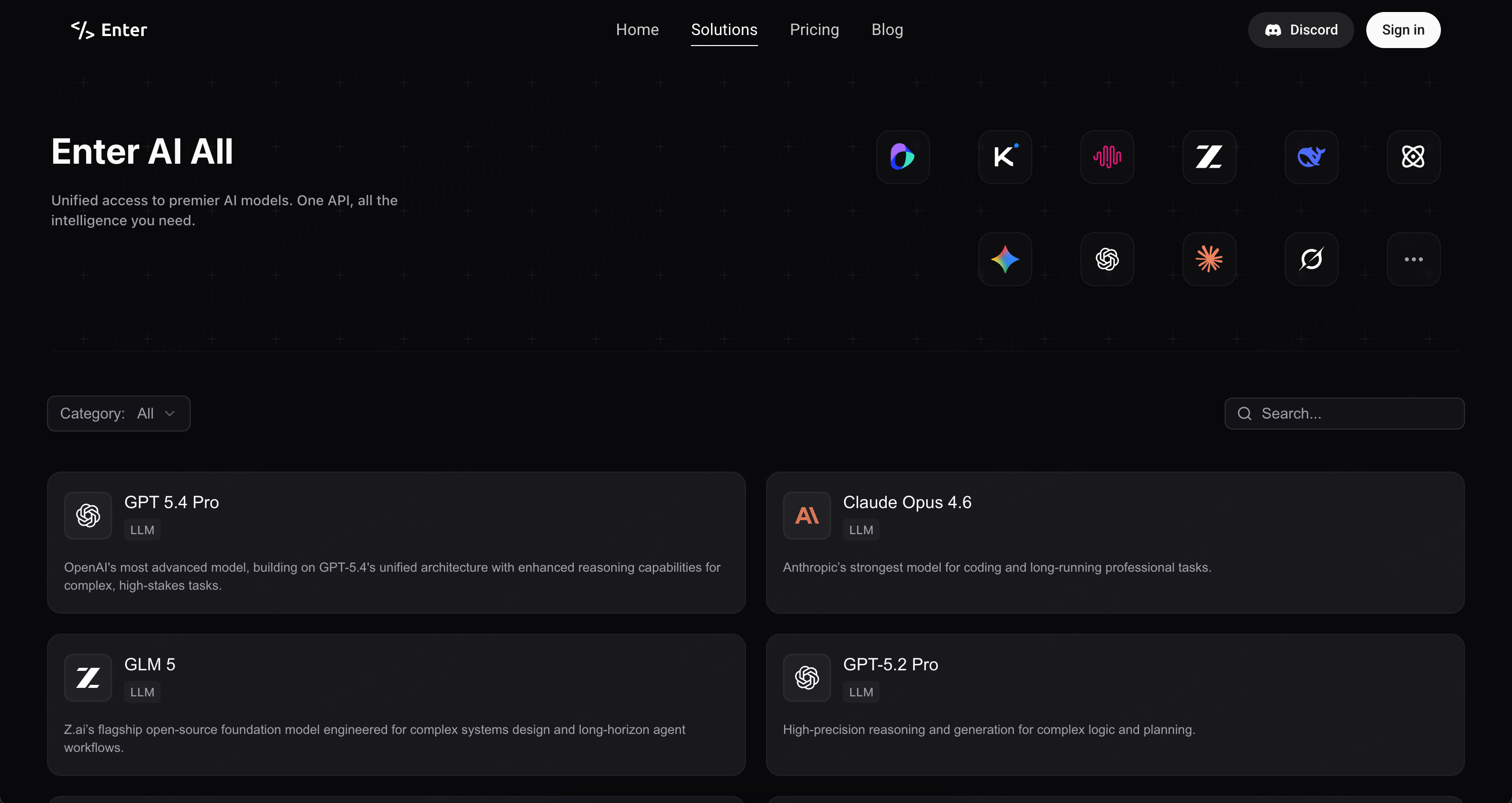
Update:AI All is Now Enter MaaS — Use It Anywhere
AI All has a new home. It's now a first-class panel inside your project, with a dedicated management page and a big new capability: you can call Enter's models from outside Enter too.
-
Bigger, Clearer Presence: AI All now lives as a dedicated panel in your project — not buried in Settings. Browse every available model, understand its strengths, and get oriented fast.
-
Clear Model Details: Every model card explains the model's capabilities and intended use. Know the cost before you call.
-
Use It Outside Enter: Your Enter API key now works in any external project. If you build beyond Enter, your MaaS access comes with you.
Update:Enter Cloud: Your Backend, Built In
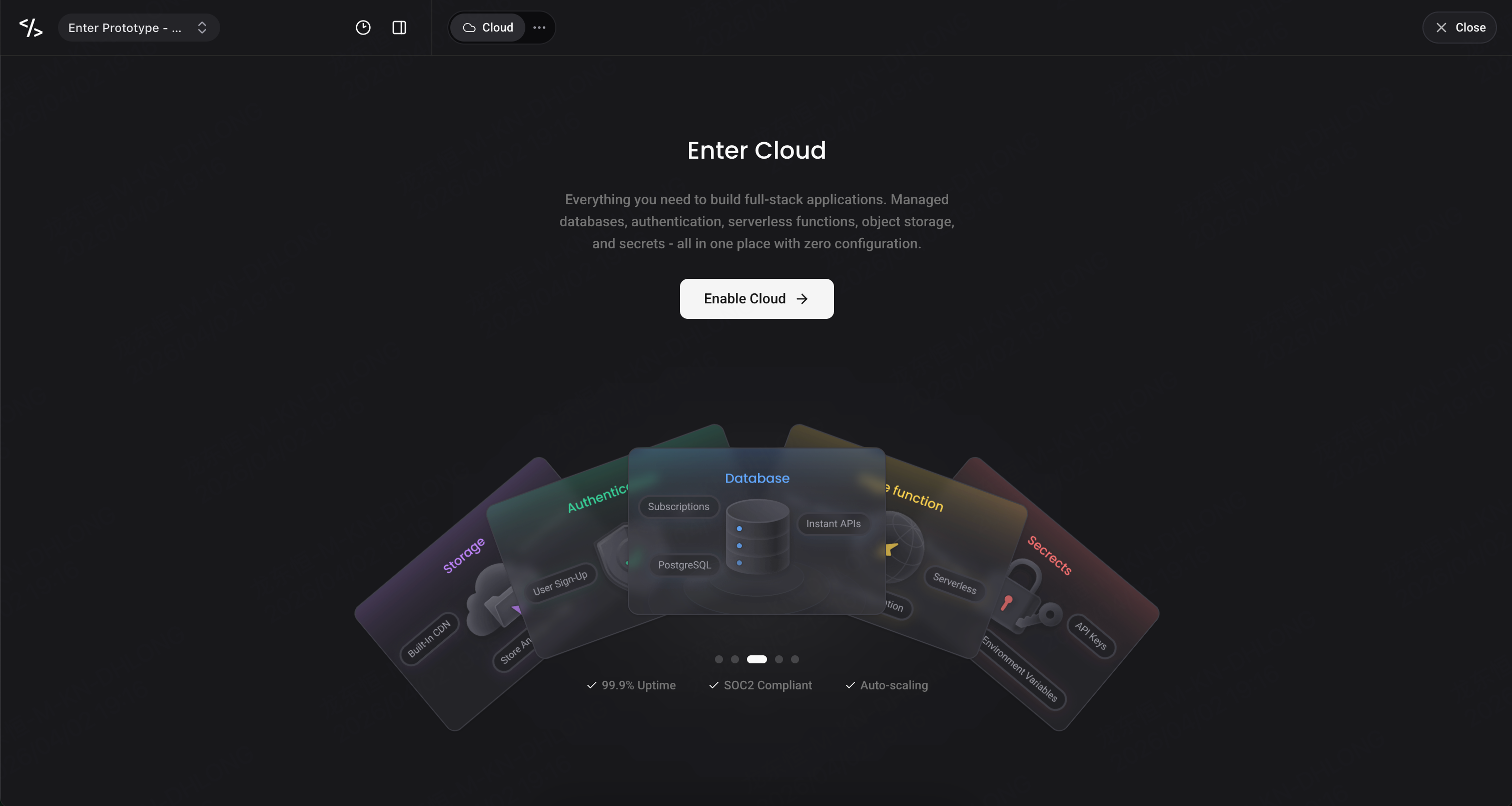
No more Supabase. Enter now comes with a native cloud layer — Database, Storage, Functions, and Secrets — all inside your project. Manage everything through the Cloud Panel, or just ask the Agent.
-
Cloud Panel: Database, Storage, Functions, and Secrets — one panel, zero setup.
-
Agent-Native: Create tables, write functions, query data — just ask. The Agent handles the complexity.
-
Context-Aware Chat: Chat auto-scopes when you're in Cloud —
@Storage,@Users— so every prompt lands in the right place.
Update:AI Music Generation Now in Enter AI All
We’ve integrated two professional AI music generation models into Enter Pro AI All:
-
Mureka V8 — Long-form, expressive music generation up to 4+ minutes in length. Studio-quality vocals, advanced emotional expression, and professional-grade arrangement. Built for full-length tracks and production-ready audio.
-
Suno V5 — Fast, polished music output. 10x faster processing with cleaner instrument separation, smoother vocal integration, and enhanced stereo imaging. Mix-ready out of the box.
Both models are available in Enter Pro with no separate provider API keys. Generate custom soundtracks, ambient music, or UI audio directly from your dashboard without switching tools.
Update:MCP Support: Connect Your Agent to Everything
Enter now supports user-configured MCP (Model Context Protocol) Servers. Connect your Agent to external services like Notion, Supabase, Context7, and more — expanding your Agent's capabilities far beyond code generation.
• URL-Based Connection (Streamable HTTP / SSE): Add any MCP Server that provides an HTTP endpoint via a simple JSON config with a "url" field. Compatible with both Streamable HTTP and SSE Legacy transports. Note: command /stdio- based MCP configs (used by desktop clients like Cursor) are not supported on Enter's web platform.
• Built-in OAuth Flow: For services like Notion that require OAuth, Enter handles the full authorization flow automatically — redirect, authorize, and connect without leaving the platform.
• Manage from Agent Panel: Add, enable, disable, or remove MCP Servers from Agent Settings or the MCPs section in the Agent Panel. Each entry shows its name, available tools, and live connection status.
• Transparent Tool Calls in Chat: When your Agent uses an MCP tool, the tool's icon and name are displayed in Chat — so you always know which external service is being called and what it's doing.
Update:Plan Mode Is Now Smarter, Faster, and Cheaper
Plan Mode has been fully overhauled. AI now acts as a true planning partner — detecting complex tasks automatically, clarifying direction with structured Q&A, and producing cleaner plans more efficiently.
-
AI-Initiated Planning: Enter Pro automatically detects when a task involves multi-file changes, architectural decisions, or unclear requirements — and proactively enters Plan Mode before writing any code. Simple tasks still execute directly.
-
More Efficient Planning: Prompt cache now stays intact throughout the entire planning phase, reducing repeated work during complex projects.
-
Cleaner, More Actionable Plans: Plans now focus on exactly three things: what to build, which files to touch, and how to verify the result. No fluff, no vague time estimates.
-
Structured Q&A — Click to Align: When AI needs to clarify direction, it surfaces a choice card with 2–4 options, highlights its recommendation, and supports multi-select or custom input. A few clicks to align — no back-and-forth typing required.
-
Git-Tracked Plans, Fully Reversible: Plans are saved inside your project directory and versioned alongside your code. Roll back your code, the corresponding plan rolls back with it.
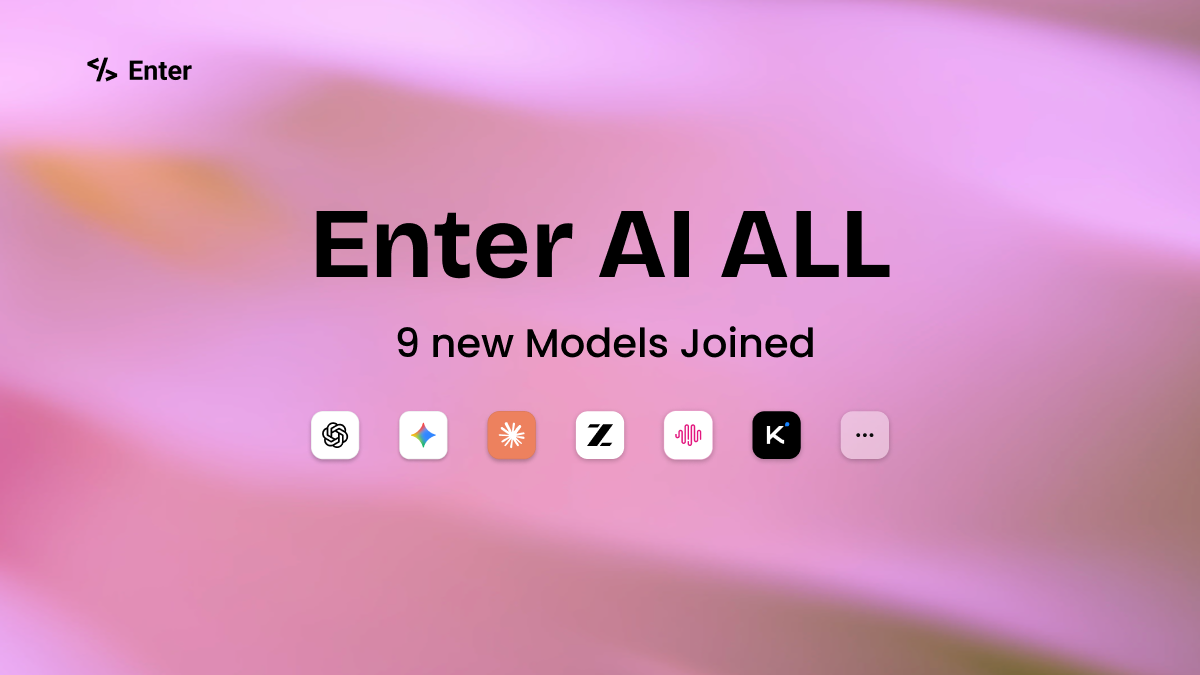
Update:9 New Models Just Joined AI All
We recently integrated 9 powerful new models:
• GPT 5.4 — Latest frontier reasoning for complex tasks
• GPT 5.4 Pro — Most advanced model for high-stakes work
• Claude Sonnet 4.6 — Frontier coding & professional work
• Claude Opus 4.6 — Strongest for long-running professional tasks
• Gemini 3.1 Flash Lite — High-efficiency for volume use cases
• GLM 5 — Complex systems design & agent workflows
• Minimax M2.5 — Lightweight coding & modern development
• Kimi K2.5 — Visual coding & multimodal agents
• Nano Banana 2 — Advanced image generation & editing
Update:GPT-5.4 in Enter AI All: Elite Coding & Stronger Knowledge
Enter has integrated GPT-5.4 into AI All. This update delivers stronger multi-step logic, better context handling, and more reliable outputs.
-
Elite Coding Performance**:** Excels at code generation, debugging, and technical problem-solving across multiple programming languages and frameworks.
-
Stronger World Knowledge**:** More reliable outputs and accurate professional insights—ideal for research, analysis, and content creation.
-
Enhanced Multi-Step Reasoning**:** Handles complex logic chains better—ideal for technical planning, architectural design, or multi-layered problem-solving.
-
Better Context Retention**:** Maintains coherence across long sessions—perfect for iterative writing, troubleshooting, or projects that build on prior context.
Update:Claude Sonnet 4.6 is now live on Enter!
Enter now supports Claude Sonnet 4.6, bringing the perfect balance of speed and advanced intelligence to your coding workflows. Key improvements include:
-
Lightning-fast code generation: Accelerated execution for everyday programming tasks and rapid prototyping.
-
Enhanced context handling: Smarter logic resolution and tighter accuracy across large, multi-file codebases.
-
Streamlined agent reliability: Greater consistency and efficiency in fast-paced, multi-step agent operations.
Update:Claude Opus 4.6 is now live on Enter!
Enter now supports Claude Opus 4.6, bringing adaptive reasoning to agent workflows. Key improvements include:
-
Faster execution on simple tasks
-
Deeper reasoning and planning for complex, long-running builds
-
Improved stability across multi-step agent workflows
Update:Enter Components — Build Apps Piece by Piece
-
Modular UI Building: Assemble apps with ready-to-use components — no blank canvas.
-
Aesthetic by Default: Clean, mature designs that are production-ready out of the box.
-
Fully Customizable: Copy prompts to fine-tune styles and visual details.
-
130+ Components, 10+ Categories: Organized building blocks for faster layout and flo.
Update:Closing the Loop — From Build Recovery to Instant Delivery
-
Intelligent Build Diagnostics: Automated warning indicators for failed builds, enabling one-click** Enter Agent** activation to analyze logs and fix build errors instantly.
-
Rapid Delivery Workflow: Call the modal via** Cmd/Ctrl + P** and hit** Publish to Live (Cmd/Ctrl + Enter); Version Cards now support Online** status identification and direct-publish actions.
-
Change Status Awareness: A** green dot** appears on the Publish button when updates are pending, eliminating deployment anxiety with precise** Last published** timestamps.
Update:Visual Productivity & Multimodal Intelligence
-
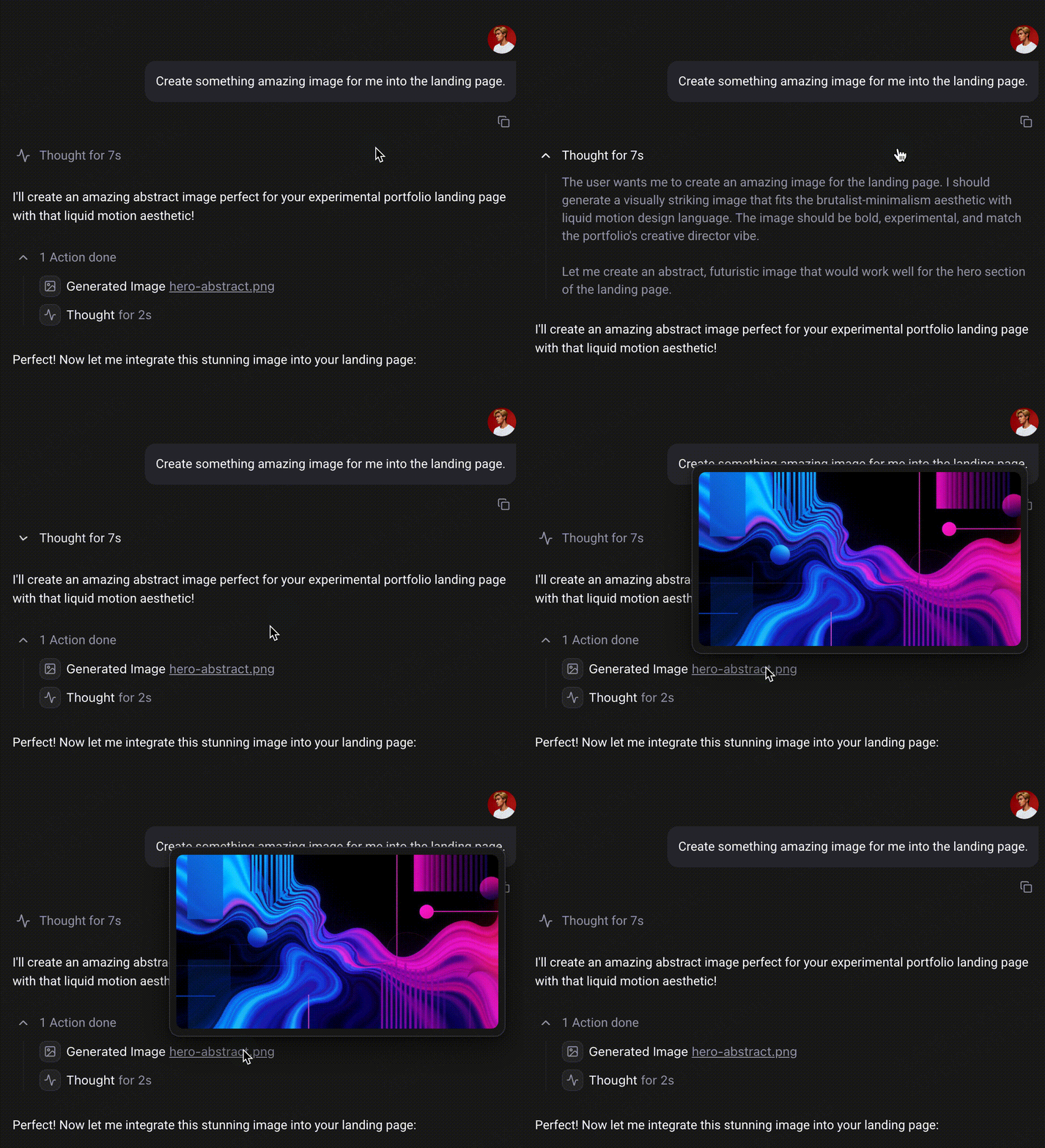
Native Image Generation (Powered by Nano Banana Pro) Generate visual assets directly via prompts or reference images, ensuring a seamless transition from prototype design to static assets
-
Comprehensive Document Analysis Enter now supports deep parsing of PDF, PPT, and other mainstream office documents. Upload your requirements or design drafts, and let Enter handle the logic breakdown and code construction based on the content
Update:Search & UX Improvements
-
Code Search & Retrieval:Easily search through code files and snippets. Locate specific logic instantly for faster, more efficient edits.
-
Smart Chat Restore:Smoother interruptions. When you cancel a generation, your original prompt is automatically restored to the input box—no more retyping.
-
Unified Visual Edit:Visual Edit chat is now integrated into the main Chat interface. UI adjustments now share full context history for smarter results.
-
Community Forum Live:The new Forum section is officially open. It's now easier than ever to submit bugs, share ideas, and connect with the team.
Update:GitHub Integration & New Onboarding
-
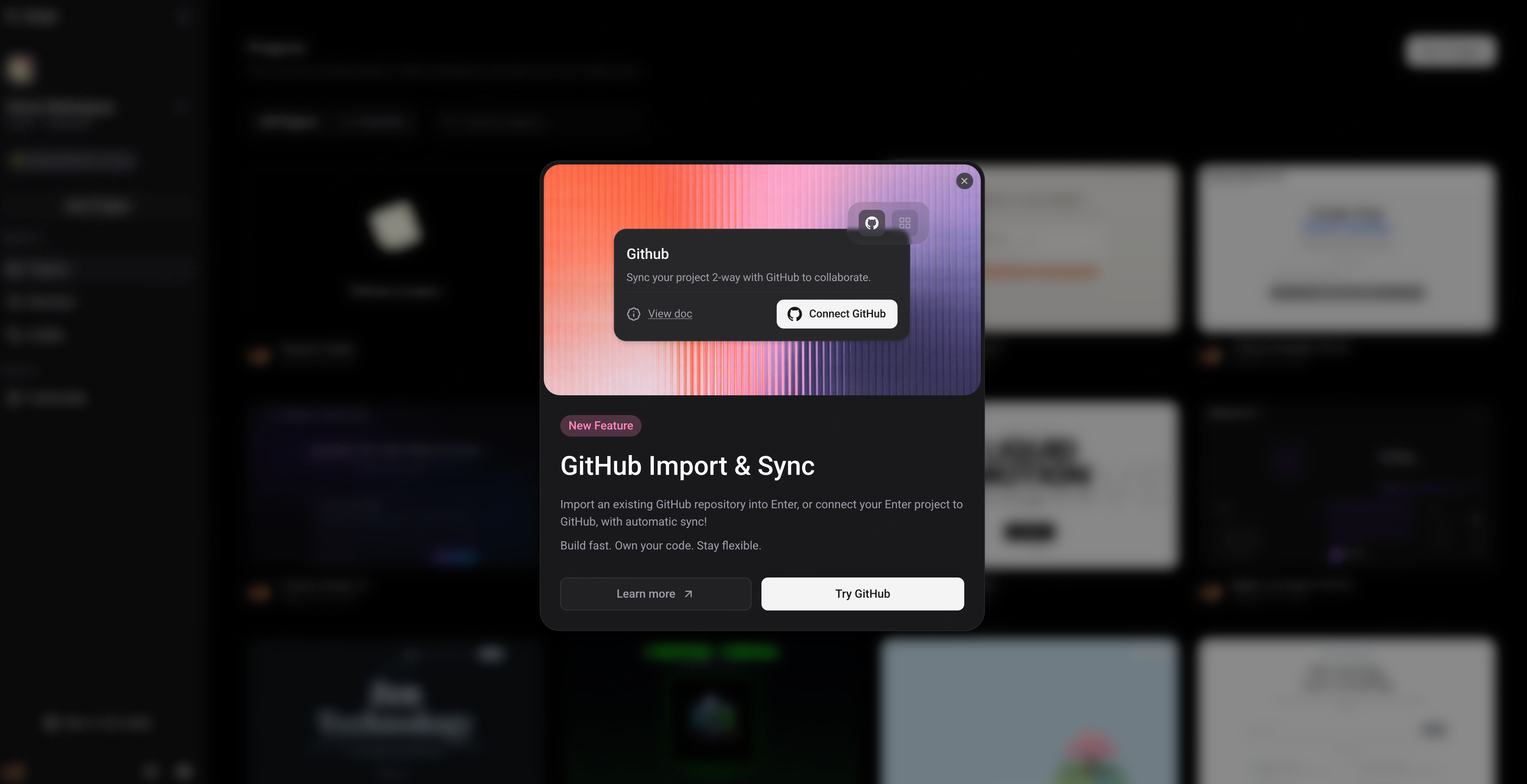
GitHub, In Sync: Import GitHub repositories into Enter, edit them directly, or export Enter projects back to GitHub. Once connected, everything stays automatically in sync.
-
New Onboarding Flow: A short guided setup that asks a few simple questions to understand your needs and help you get familiar with what Enter can do.
Update:New Payment Options & Volume Discounts
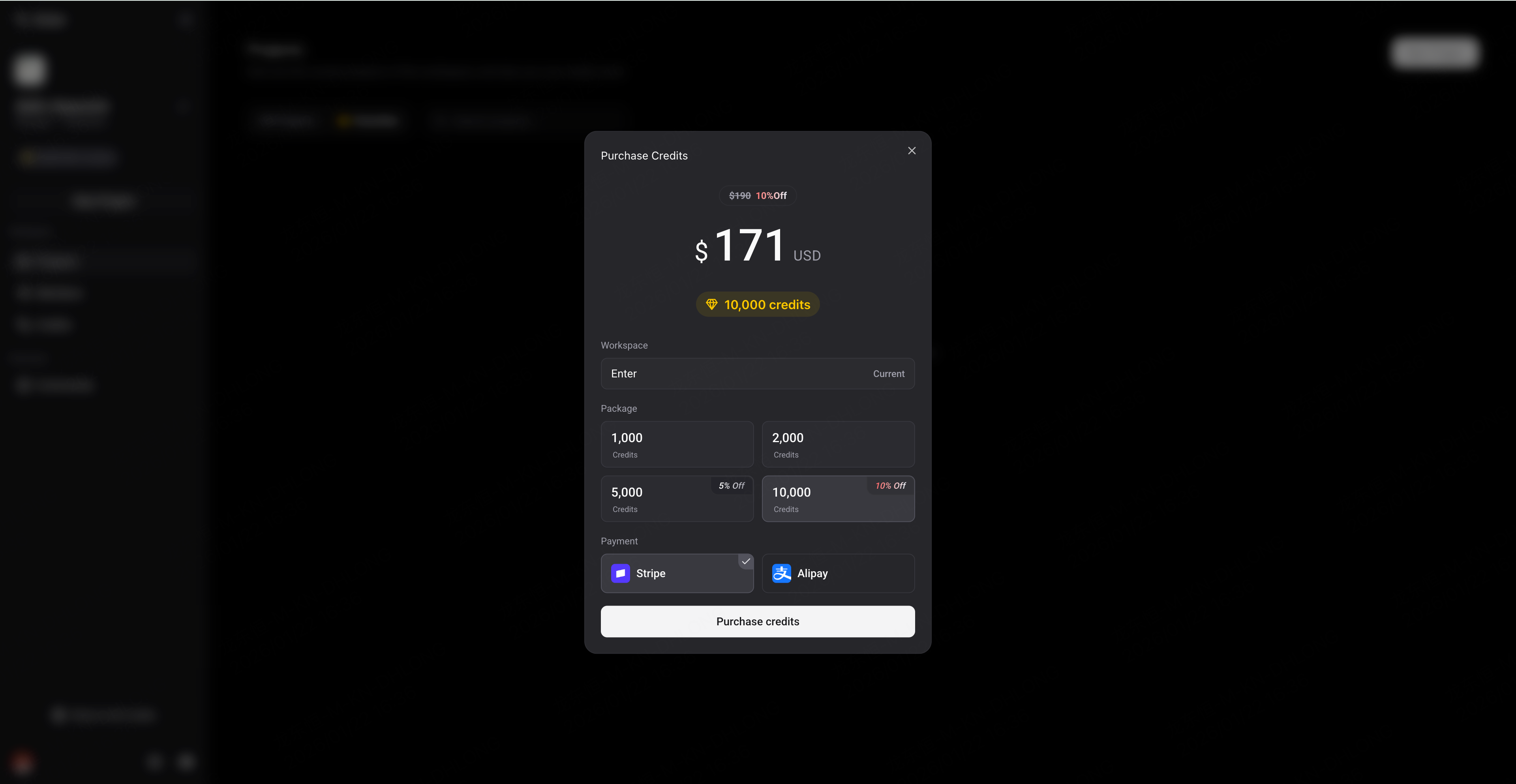
- Flexible Payments Added: support for more payment methods (including Alipay) to make checkout smoother for our global users.
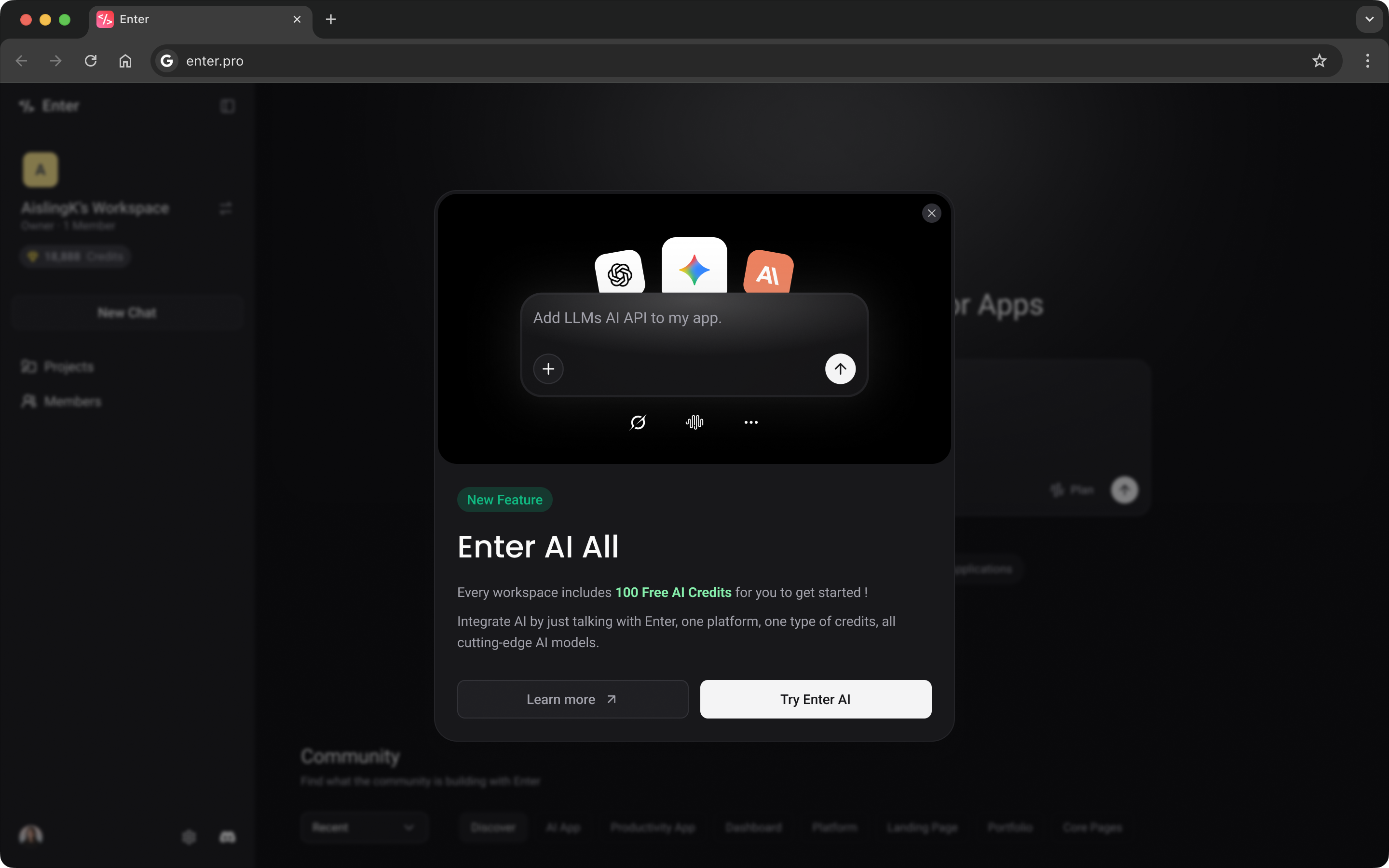
Update:Major Release: Introducing Enter AI All!
-
All Top Models, One Click: Access a vast library of top-tier models instantly. We support everything from** GPT-5.2 Pro**, Claude Sonnet 4.5, and** Gemini 3 Pro** to creative powerhouses like Sora—and this is just the tip of the iceberg. Integrate state-of-the-art AI into your app instantly—no separate API keys required.
-
Zero Friction: Forget about managing vendor dashboards. Focus on your product, and let Enter handle the infrastructure.
Update:Mobile Support & Better Management!
-
Code on Mobile: Full mobile optimization. Build and edit apps anytime, anywhere.
-
Search & Bookmark: Locate projects instantly and pin your favorites for quick access.
Update:Smart Notifications & Visual Performance Boost!
-
Smart Notifications: The Agent now has a stronger presence! When a task is done or needs your attention, the** browser tab title will dynamically update**, accompanied by a** crisp notification sound**. You’ll never miss a beat, even when multitasking in other tabs.
-
Visual & Performance Upgrades: Better looking, faster running. We’ve rolled out a brand-new** Enter Agent card style** for clearer readability and optimized the core architecture (Next.js) for** significantly faster load times** and smoother interactions.
-
Mobile Experience: The mobile guide now features a "Copy Link" button, making the handoff from phone to desktop seamless.
-
Polished Experience: We’ve squashed several bugs and refined interaction logic to ensure every build is stable and reliable.
Update:Gemini 3 Flash & Enhanced Plan Card View!
-
New Model: Gemini 3 Flash. If you're looking for lightning-fast responses and maximum cost-efficiency, Flash is your new go-to. It's now available in the model list—experience the perfect balance of speed and quality.
-
Immersive Plan Card: You can now expand the Plan Card into a** large modal view**. Get a bigger picture of your execution plan and cross-reference code changes with total ease.
Update:All-New Homepage & Team Workspaces Now Live!
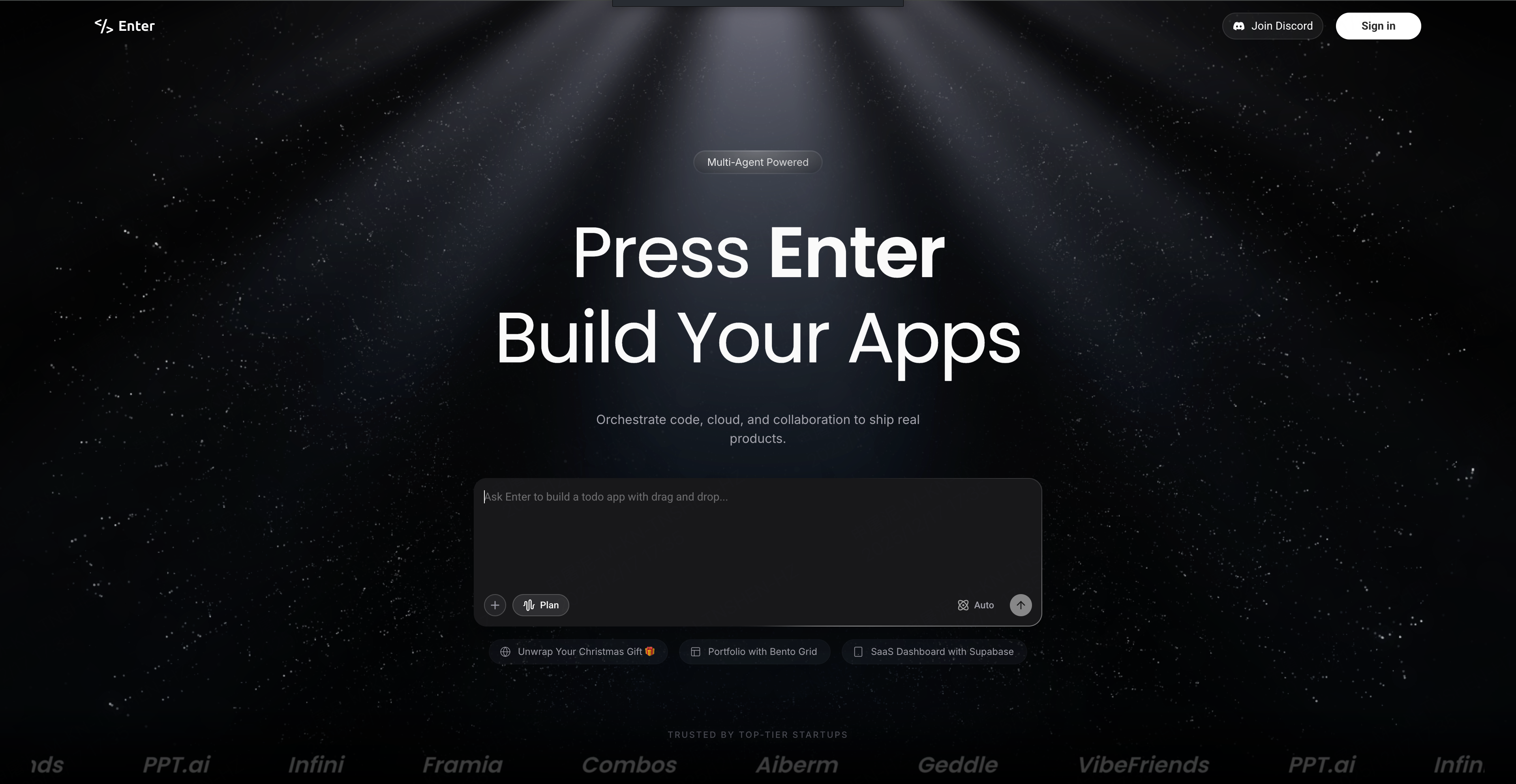
- All-New Homepage: Enter is evolving beyond just AI Coding into your full-stack delivery platform. As our new slogan states: "Orchestrate code, cloud, and collaboration to ship real products."
-
Workspaces: Built for team collaboration. Manage members and projects more efficiently.
-
**Model Freedom: **Enter provides immediate access to the market's best models. You can now freely choose your preferred model—Gemini 3, Claude 4.5 Opus, and Claude 4.5 Sonnet are all live, delivering a faster and more stable building experience.
-
Agent Transparency: A major upgrade to streaming output. You can now preview the Agent's specific actions in real-time—generating images, executing SQL, and creating code files—making every build clear and controllable.
-
Other Optimizations: We have also fixed known bugs to ensure a more stable and smoother overall chat experience.
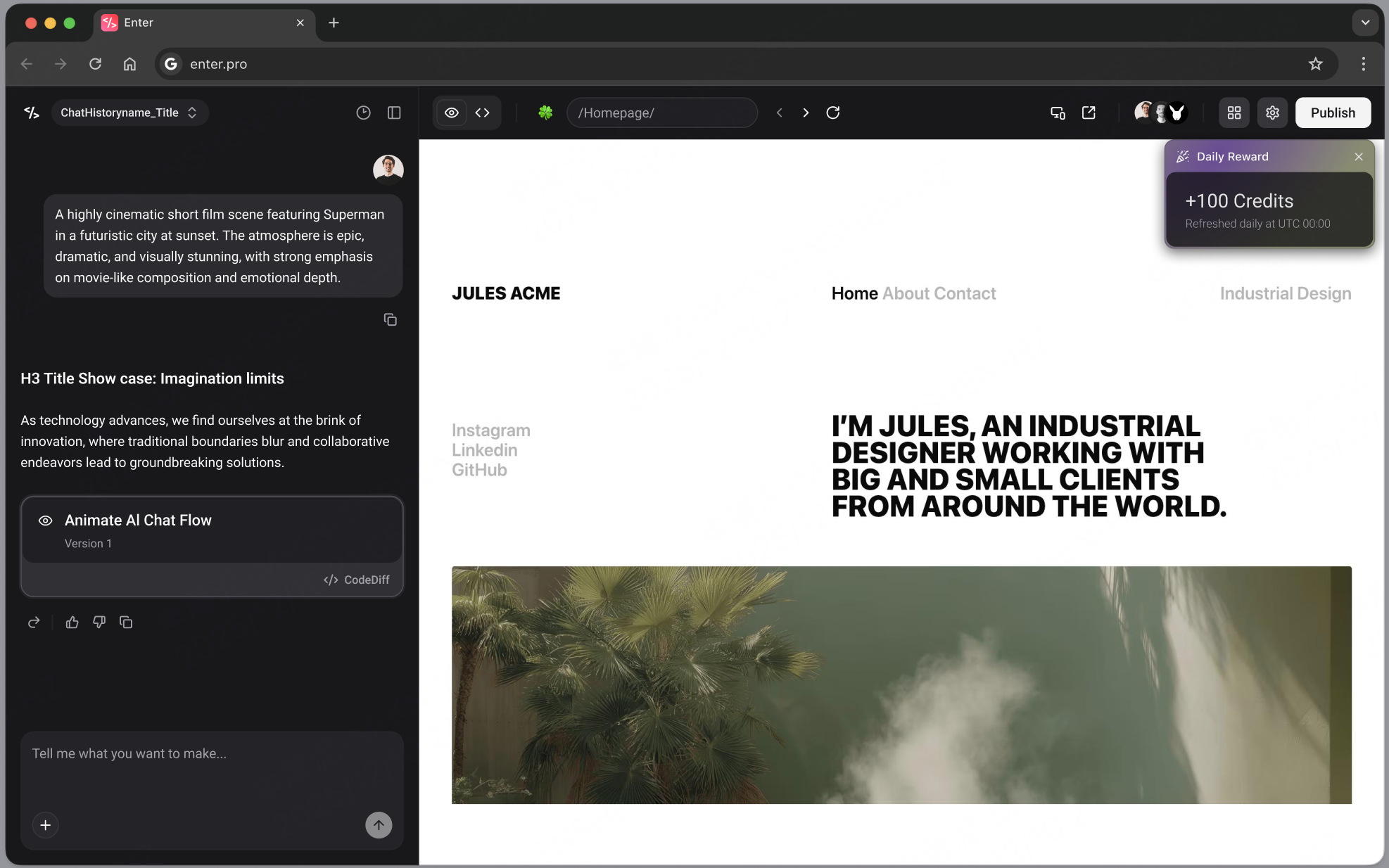
Update:Daily Rewards & Chat Upgrades !
-
Revert Message: Reverted messages now automatically collapse and grey out, preserving only the active context you need. This keeps your workspace pure and your thought process clear.
-
History Bookmarks: You can now Bookmark history versions. Mark your satisfactory milestones for easy backtracking at any time.
-
Other Optimizations: Version management now includes Go to message and Code Diff, and Agent messages now support Upvote/Downvote interactions.
Update:Plan Mode & Chat Improvements
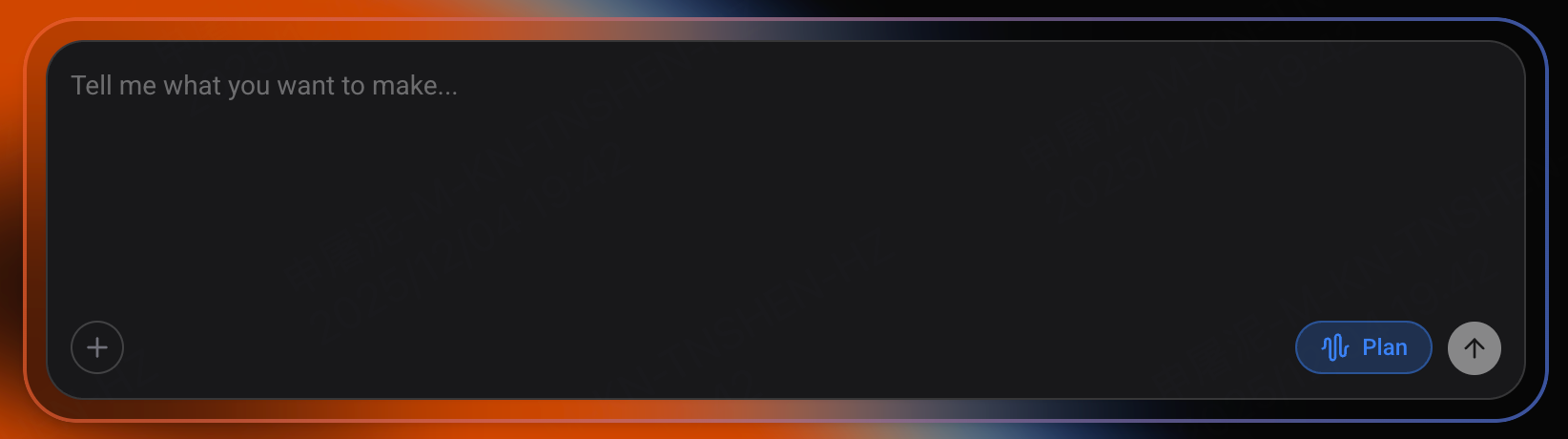
- Plan Mode: Enter checks details, generates a complete plan, and asks for confirmation before coding.
-
Smarter Long Conversations: Better summaries of previous messages help Enter understand follow-ups and keep chats flowing naturally.
-
Chat Improvements: Jump to the latest message, sticky new messages, and fixed minor streaming/context-summary issues for a smoother experience.
Update:Universal File Support, Task Queues, Custom Domains & AutoFix
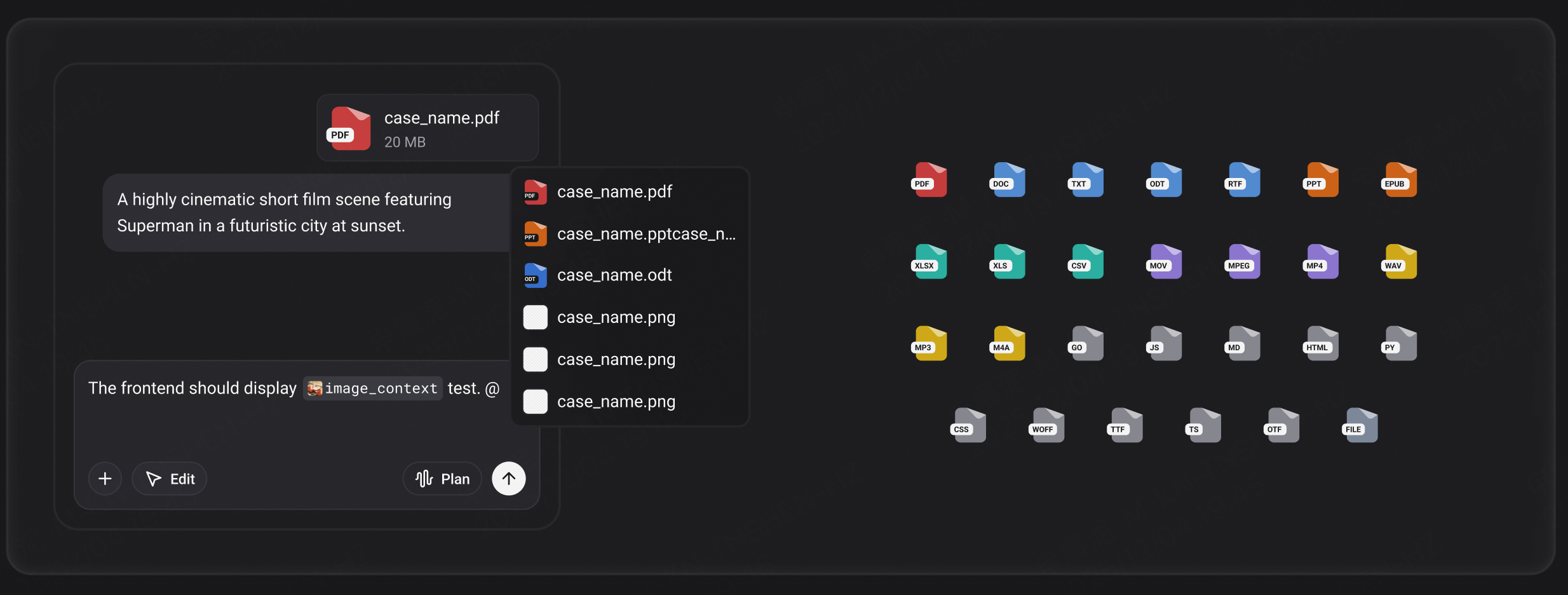
- Universal File Support: Upload nearly any file type (docx/pdf/mp4, etc.) directly in chat for processing.
-
Chat Queue: Send multiple instructions; Agent handles tasks sequentially, eliminating wait time.
-
Custom Domains: Link your own domain to projects for a professional touch.
-
Error AutoFix: One-click runtime error detection and quick fixes.
Update:Streaming Agents, Visual Edit & Template Marketplace
-
Real-Time Agent Streaming: Watch your Agent think and act instantly.
-
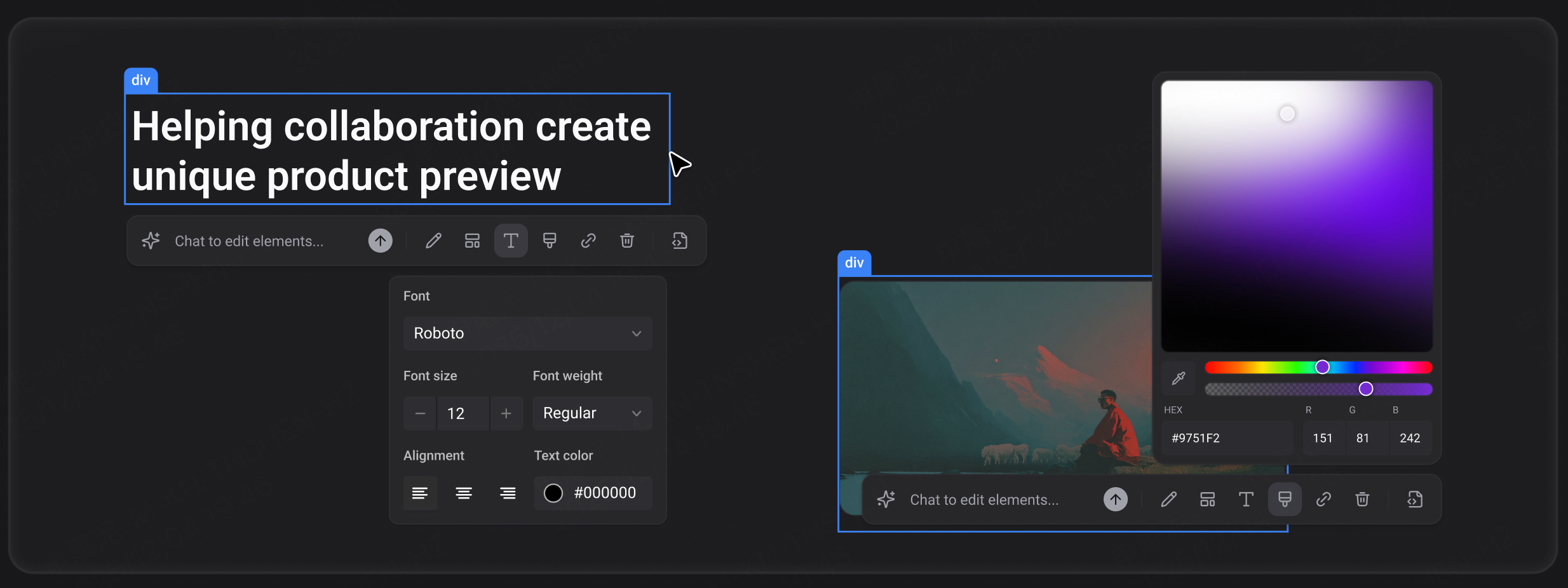
Visual Edit: Edit generated content directly in a WYSIWYG interface.
-
Template Marketplace: Browse, reuse, and publish community templates.
-
Stripe Integration: Add payments with support for one-time and subscription purchases.
Update:Community Templates LIVE
-
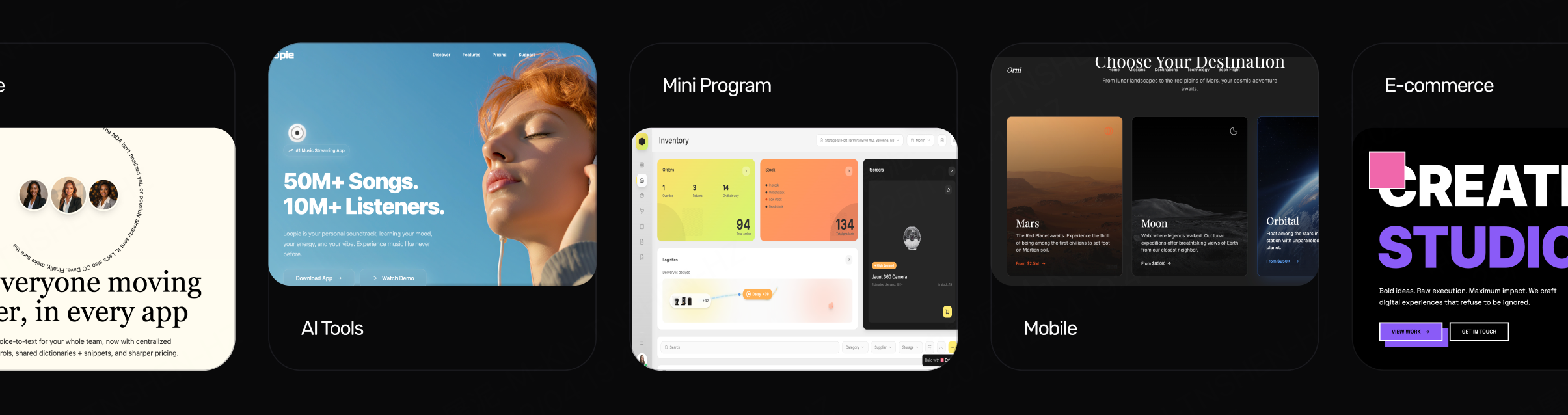
Explore a live gallery of remixable AI apps, dashboards, and portfolios.
-
Clone any project with a single click.
-
Open platform resources encourage all creators to build and share templates.
Update:Code Editor & Turbo Speed
-
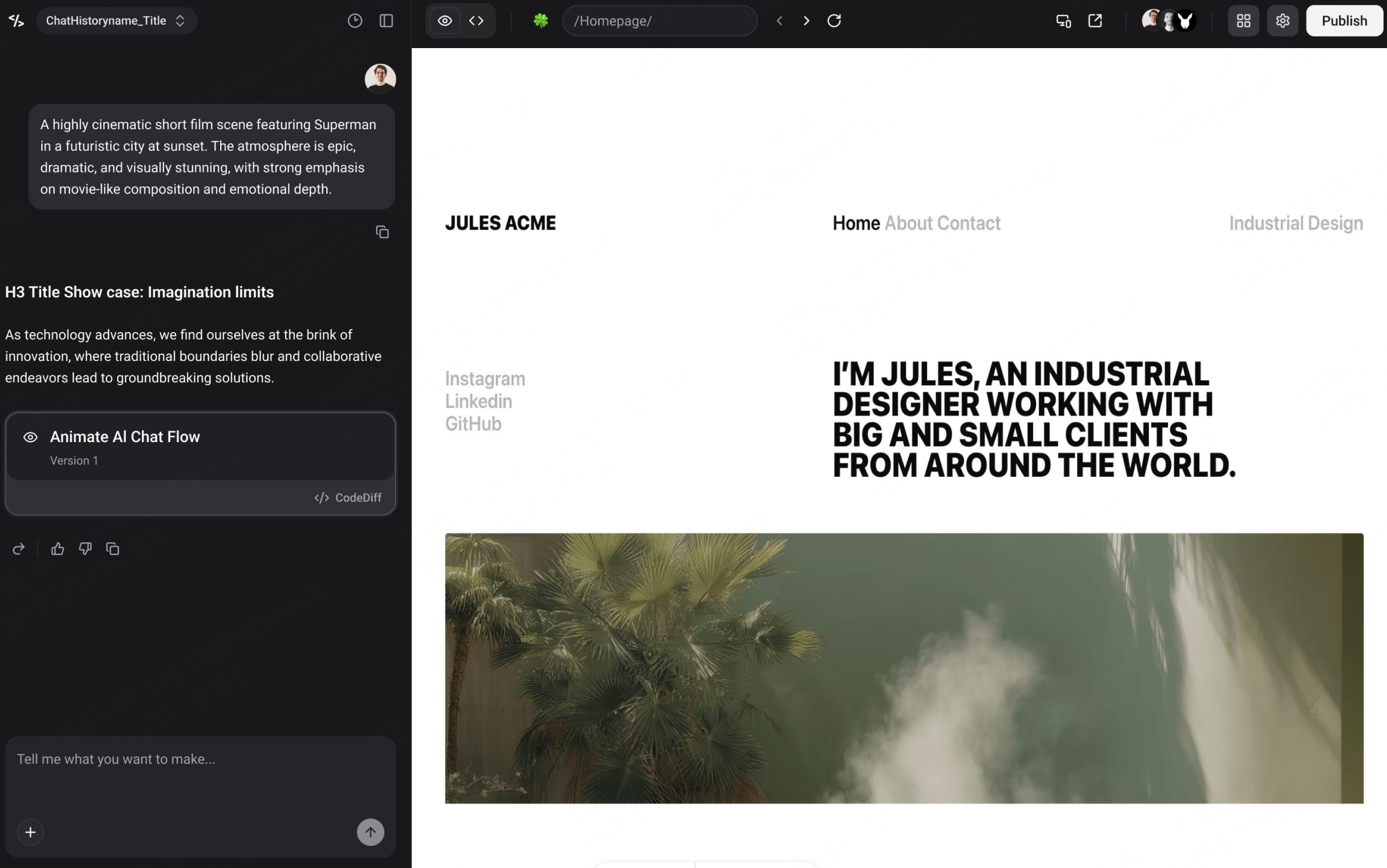
Chat Integrations: Connect external services through chat, log LLM API keys, and integrate Supabase databases easily.
-
Full Code Editor: Customize, fine-tune, and fully control AI-generated code.
-
Blazing Fast Performance: Site-wide optimizations make everything load faster, respond quicker, and feel smoother.