
Best AI for Coding Compared by Task, Cost and Workflow
Compare the best AI for coding by workflow, models, free-plan limits, and real costs, then evaluate one Enter Pro app with clear tests and evidence shown.
The best AI for coding is the tool that helps you finish a change you can understand, review, and maintain. A quick function suggestion, a repository-wide repair, and a working app involve different kinds of assistance. Choosing by a single model score can hide the editor, execution tools, usage limits, and review work that determine the result.
I would shortlist by the work first, then run a small comparison on representative tasks. This guide separates tools from models, compares six development environments, examines free access and published evidence, and explains a repeatable evaluation. Near the end, the captured FixTrack project in Enter Pro brings the app-building checks together through a private issue-tracker interface, with visible results kept separate from backend checks still to complete.
What Is the Best AI for Coding for Your Actual Work?
Choosing the best AI for coding starts with the task and the environment you need to keep. An assistant that fits an established repository can be a better choice than an app generator for a maintenance ticket. A browser builder can remove setup work for a new prototype. The following are starting points for evaluation, rather than measured performance rankings.
Keep your editor and GitHub workflow: evaluate GitHub Copilot for suggestions, code questions, and delegated repository work.
Investigate and change several files: compare Cursor, Claude Code, or Codex using the same repository snapshot and acceptance tests.
Try an agent-centered environment: evaluate Google Antigravity against its current account eligibility, supported models, and rate limits.
Build a browser-based prototype: compare Replit’s project workflow with an app-building workspace such as Enter Pro, including data and deployment requirements.
The best AI tools for coding can overlap across these jobs. Avoid paying for several subscriptions until you can identify a concrete task that one tool handles better in your workflow.
To answer 'what is the best AI for coding?' use a task you already know how to assess. A beginner can predict a small function's output; a maintainer can reproduce a bug; a founder can follow a complete customer action. That known reference keeps fluent explanations from replacing evidence. Keep an ordinary manual implementation or existing test as a baseline when possible, so you can see whether assistance saved work after review and repair.
Separate the Model From the Tool and the Agent
A Model Produces the Reasoning and Code
A model receives inputs and generates outputs. A tool adds the interface and project context. An agent combines the model with an execution loop that can inspect files, run commands, and revise work. Two products offering a similar model can still behave differently because they provide different context, tools, permissions, and feedback.
Context and Verification Matter as Much as Generation
A large context window is capacity, not evidence that the right files were used. For a login bug, the useful context includes the failing route, authentication configuration, relevant tests, and expected behavior. A convincing explanation without a reproduced failure or inspected change is weaker evidence than a narrow fix that passes a meaningful check.
For a cross-file change, ask the agent to identify the route, schema, caller, and existing test before editing. Then compare its map with the repository. If it misses a shared helper or invents a file path, correct the context before implementation. The best AI tools for coding are useful partly because they shorten this investigation, but a confident summary is not enough. Relevant context must appear in the actual patch and verification.
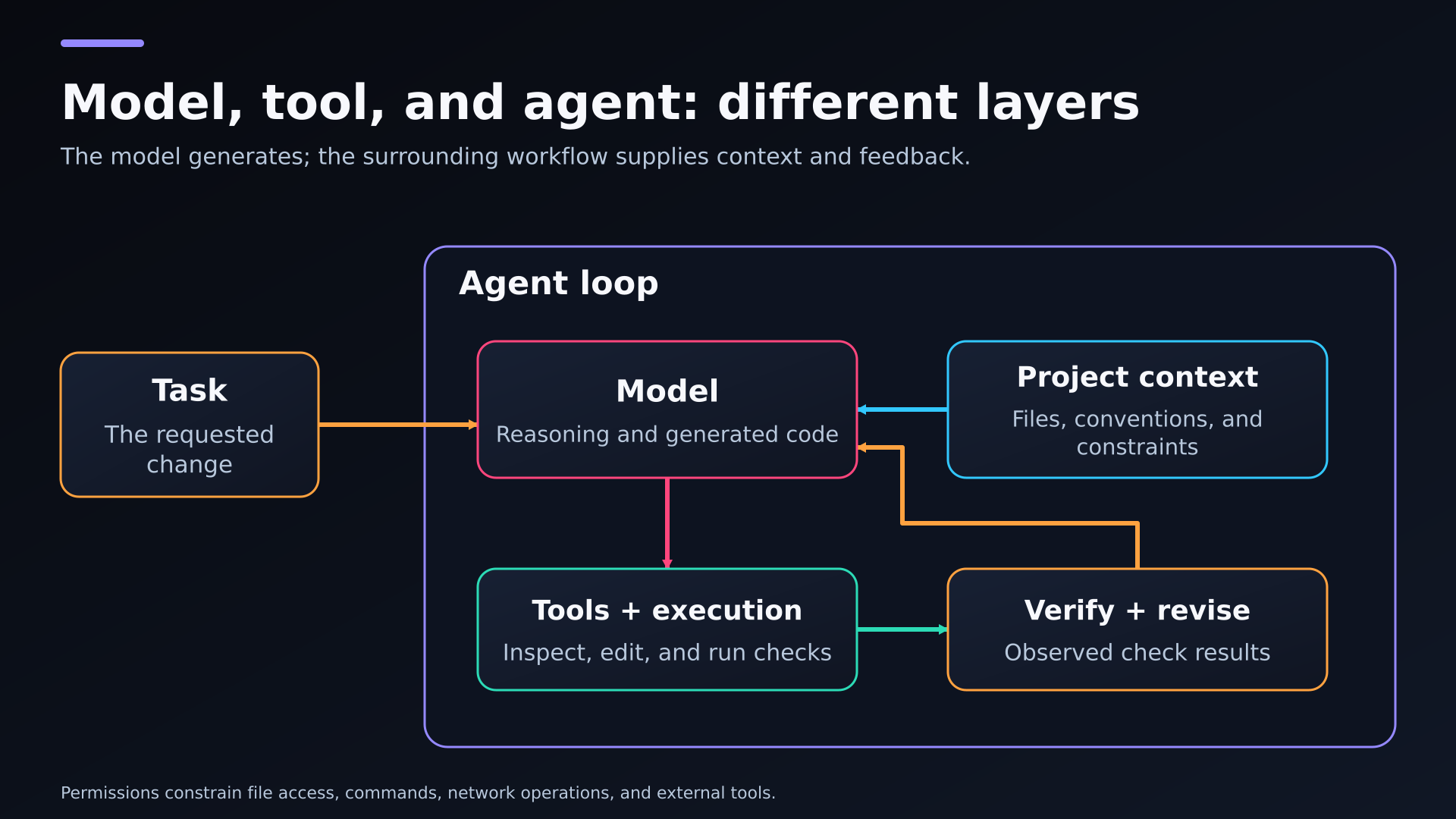
A conceptual agent loop showing project context, a model, tool execution, and verification.
Compare Six AI Coding Tools by Their Working Environment
GitHub Copilot for an Existing Editor and Repository Workflow
Copilot offers inline suggestions, codebase questions, review, and agentic tasks within supported development workflows. It is a useful candidate when you want assistance around an existing editor, issue, or pull request. Evaluate the features available in your selected plan and editor; local agent mode and a cloud-created pull request are different capabilities.
A useful trial is a helper with an established type signature and nearby callers. Check whether suggestions follow the project rather than introduce another validation library. Then try a repository question that requires following an import across modules. Treat inline assistance and delegated tasks as separate results; a tool may be convenient for one even when you prefer another agent for broader changes.
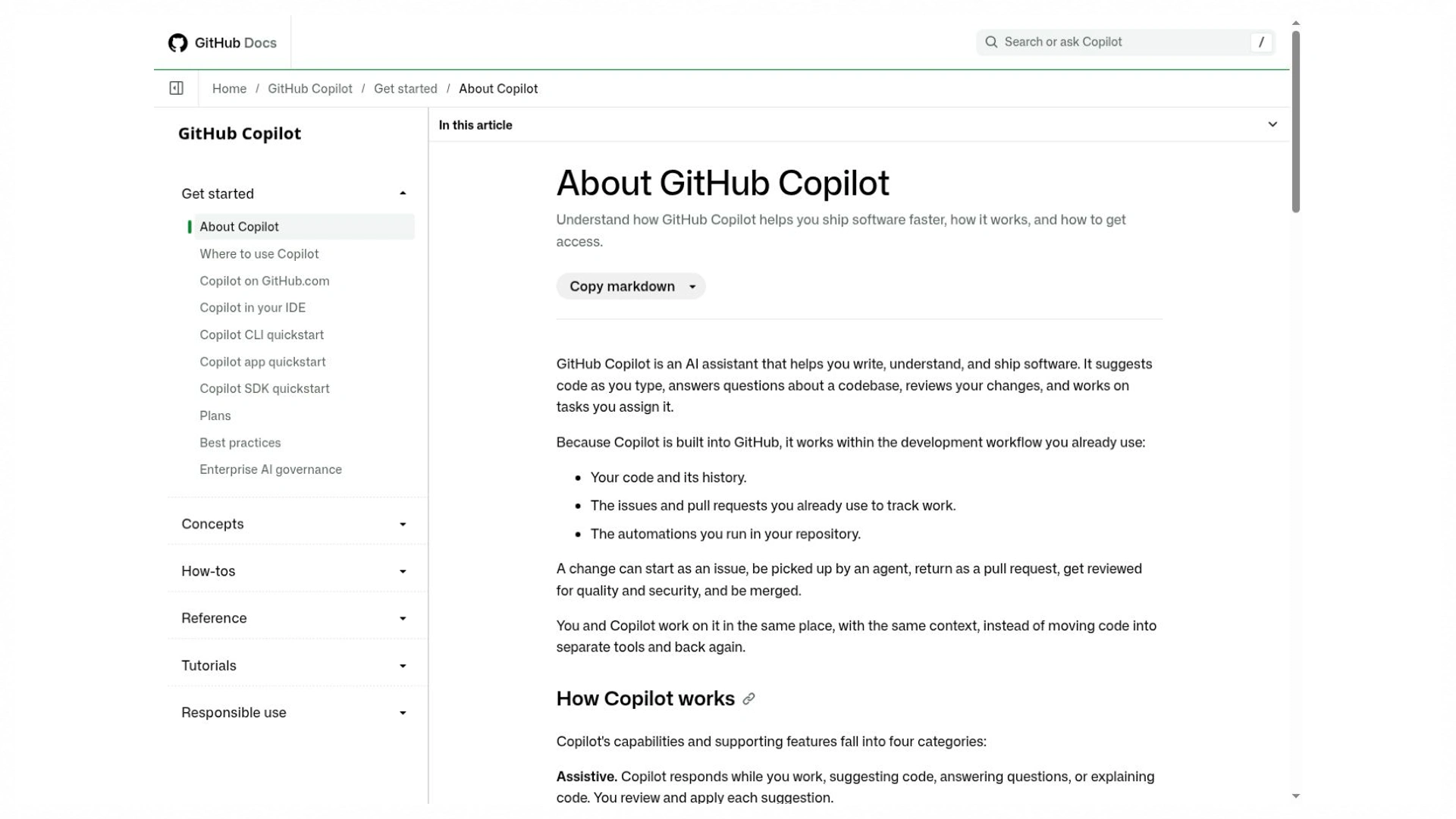
The overview describes supported assistance and agent workflows. Feature availability depends on the documented environment and plan.
Cursor for Planning and Reviewing Changes Across a Project
Cursor’s documentation covers repository understanding, planning, implementation, debugging, and change review. Consider it when the job crosses files and you want those activities connected. Give it the failing behavior and repository conventions, then inspect the resulting diff. Check the current model and usage arrangement instead of assuming an older subscription includes unrestricted third-party models.
For example, a settings toggle may need component state, a server update route, and a persisted preference. Ask Cursor to preserve the current fetching and validation patterns, then inspect those three points. A changed checkbox alone is incomplete. Keep a check for reload behavior so the task does not end at an attractive interaction that disappears when the page is refreshed.
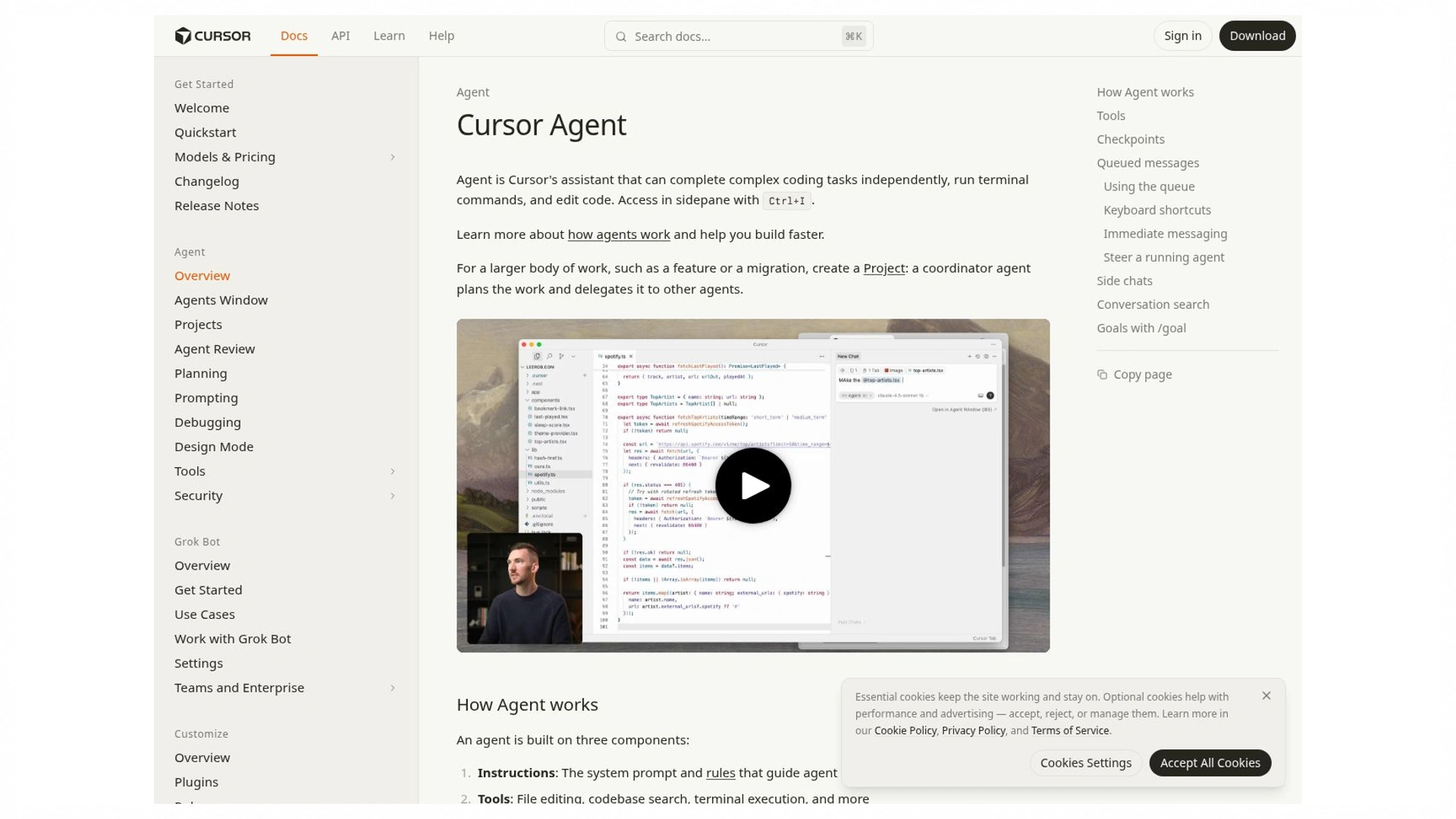
Official Cursor documentation
The agent overview describes planning, implementation, and related workflow capabilities. Documentation capture, not a measured coding result.
Source: cursor.com · captured 25 October 2026
Claude Code for File and Command-Based Development
Claude Code reads code, edits files, runs commands, and works through terminal, IDE, desktop, and browser surfaces. It is a candidate for investigating unfamiliar modules or coordinating a scoped refactor. Ask it to identify dependencies and the verification plan before changing them. Its ability to run a command does not establish that the command or proposed architecture is appropriate.
A terminal-oriented task can begin with the failing command and a concise reproduction. Give the agent the project's normal environment and ask it to identify the cause before proposing a refactor. Review shell operations and new dependencies in the same way as code. Successfully running a test command is useful only if the relevant assertion still exists and the environment resembles the one you deploy.
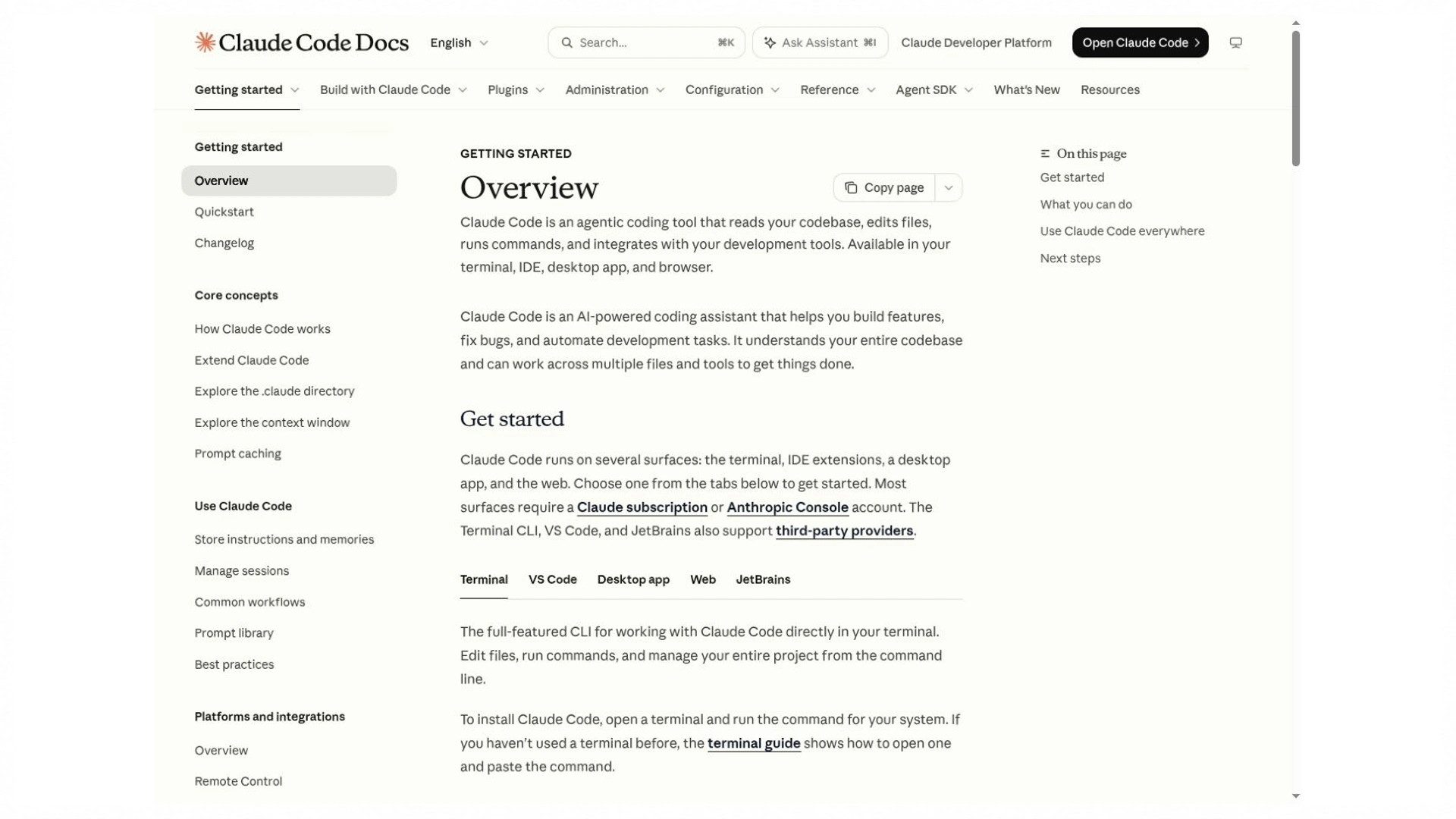
The overview explains its development surfaces and file-and-command workflow. It does not establish a performance ranking.
Codex for Delegating a Bounded Software Task
Codex combines coding models with a harness for context, tool use, execution, and review boundaries. Its app, CLI, and IDE extension support different ways of working. A useful evaluation task has a stated outcome, relevant files, and checks that can fail. Compare the completed patch and remaining review work, rather than the length of the agent’s explanation.
For Codex, keep the outcome bounded: repair one regression, update a small API contract, or add a focused test. Identify which files or services it may change and which behavior must remain compatible. A useful handoff includes the patch, verification output, and unresolved limitations. The developer still decides whether the implementation fits the repository's architecture and release process.
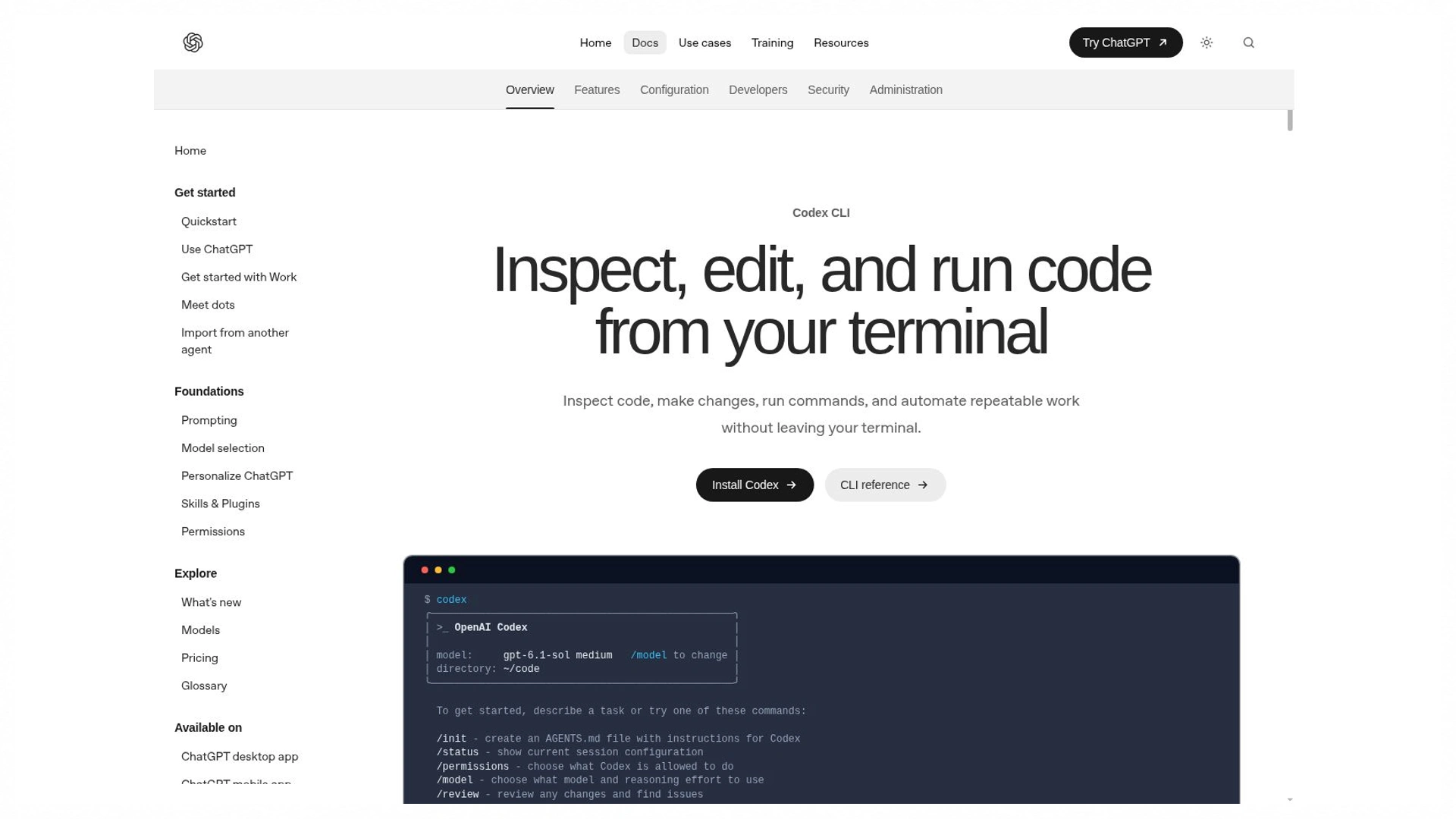
The CLI is one documented route for a bounded coding task. Check execution settings and review the resulting patch.
Google Antigravity for an Agent-Centered Workflow
Antigravity documents an agent-centered development workflow across its supported surfaces. Consider it when you want to evaluate planning, execution, and review together, then check current setup, account eligibility, and allowances. Ask it to investigate one reproducible issue and inspect the resulting artifacts and diff. A product's ability to coordinate several activities does not establish that it completes your specific task correctly or needs less supervision.
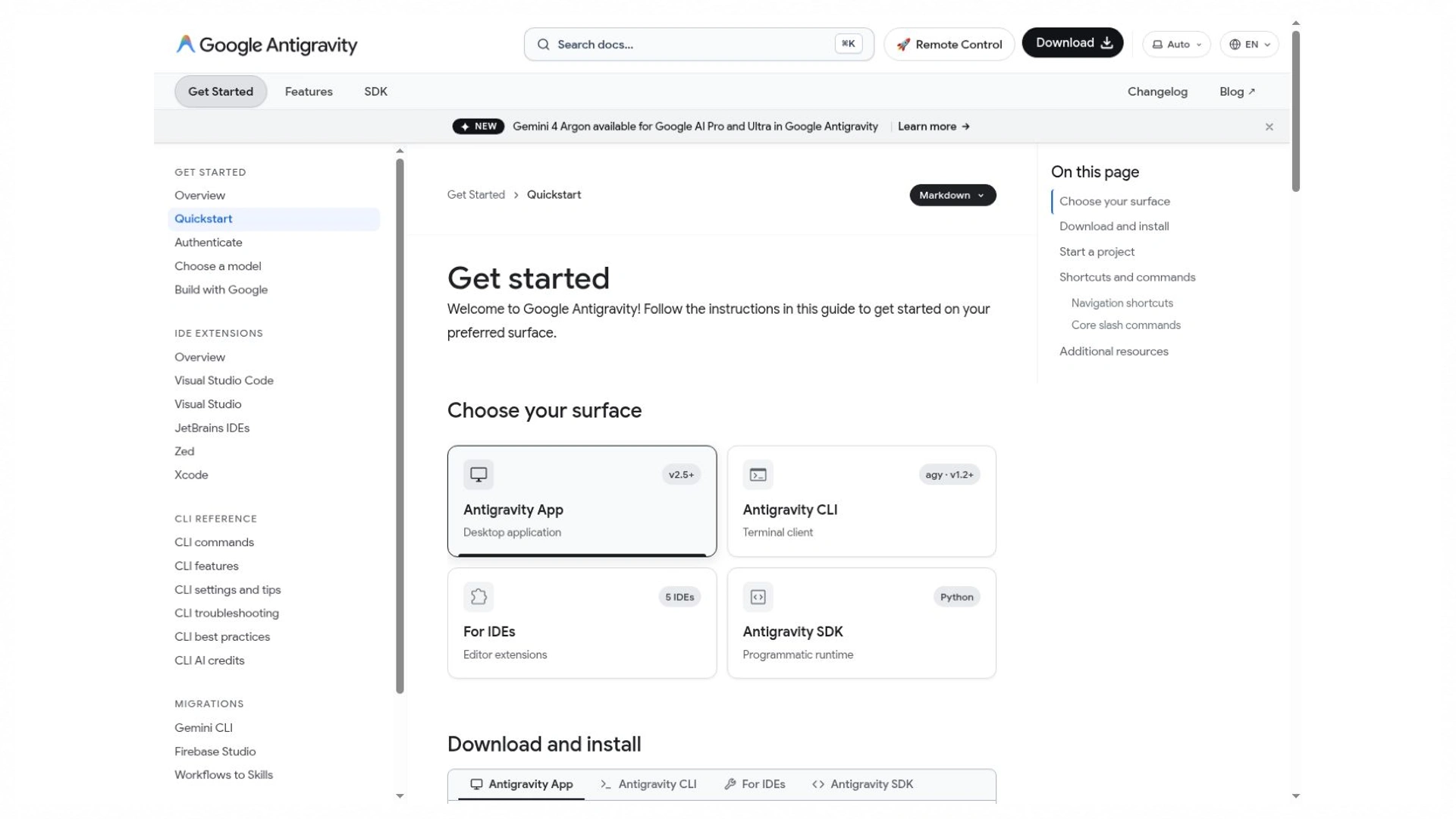
Getting-started guidance describes setup and the agent workflow. Confirm the current account arrangement before a trial.
Replit for Starting and Publishing a Browser Project
Replit Agent can generate code, set up project infrastructure, and help test and publish an app in its workspace. Evaluate it when local environment setup is a barrier. Review the actual generated stack, persistence, and publishing behavior. Separately inspect usage charges and operational requirements; an attractive preview alone does not demonstrate a reliable application.
For a hosted prototype, reopen the published route in a separate session and inspect its data destination. Development fixtures, preview storage, and production records can differ. Keep authentication redirects and environment-variable names in the handoff notes. Those details often determine whether the application remains usable after the initial generation session ends.
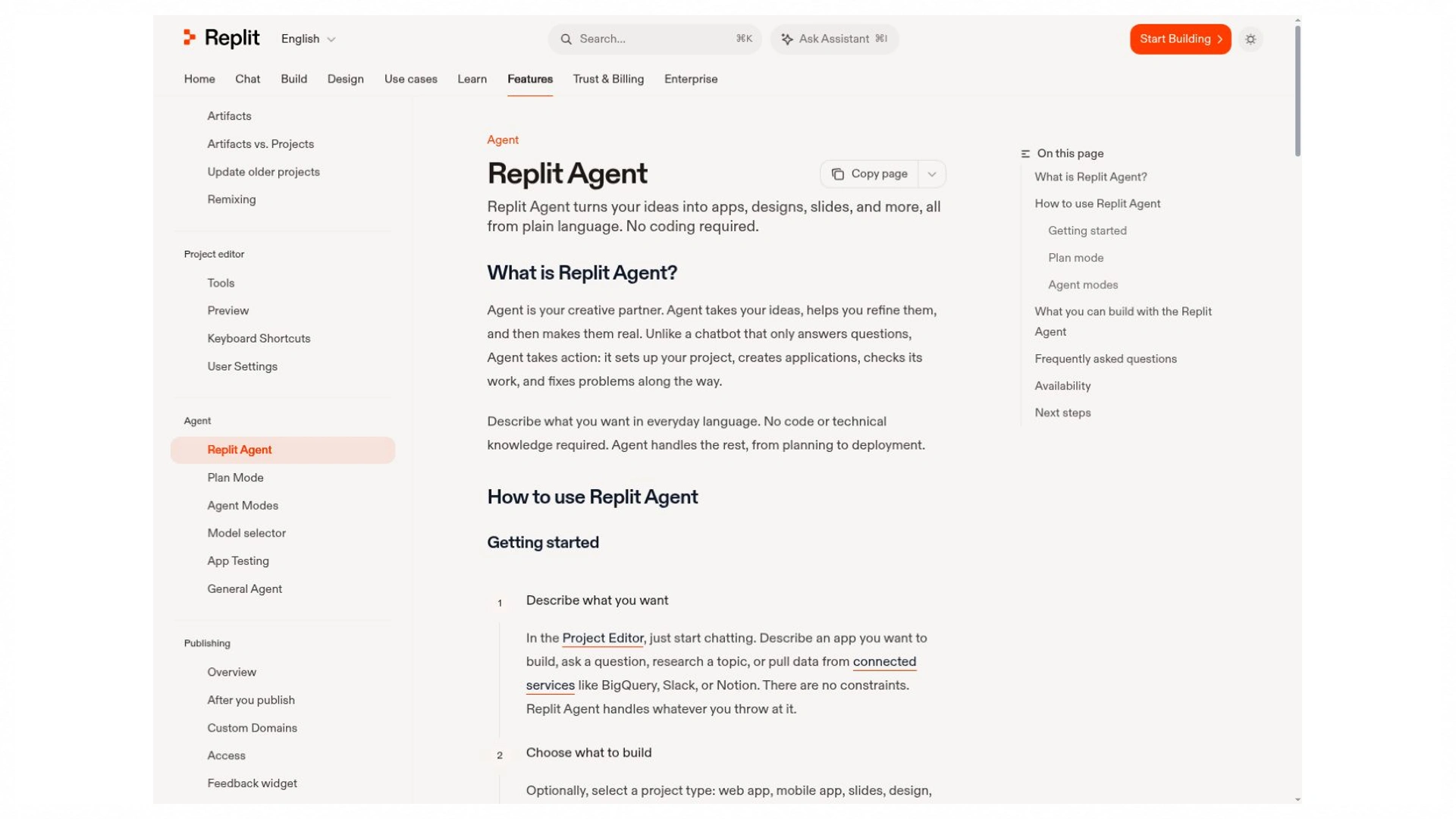
The documentation describes the hosted project workflow. Preview, publishing, and resource usage need their own checks.
Compare each candidate against the same four questions: Where does it run? What can it inspect? What can it execute? How do you verify and retain the work? Examples include a legacy Python repair, a React settings screen, a failing SQL migration, and a small internal dashboard. These examples test different strengths without requiring four separate case studies.
Choose the Best AI Model for Coding With a Task-Level Check
Use Current Model IDs Rather Than Old Product Labels
Choose the model IDs exposed in your actual tool and account. OpenAI's current documentation identifies GPT-6.1 Sol as a candidate for complex coding; other providers also offer models with different reasoning, latency, and price trade-offs. Availability in a chat product does not guarantee availability through your coding agent. Record the exact selected ID, any automatic routing, and effort settings. These are candidates for your pilot, not results from a head-to-head test performed for this article.
The best AI model for coding may differ between a narrow transformation and a difficult repository investigation. Try the default model first, then a more capable reasoning option on the cases it misses. Keep the same inputs and check whether the extra latency and charge produce an accepted improvement. A larger or more expensive model is not automatically a better purchase for every repeated task.
Read Benchmarks With Their Test Conditions
SWE-bench Verified contains 500 human-filtered software issues. Its results concern a specified evaluation setting, not every language or app-building task. Record the benchmark variant, agent setup, model version, and date before comparing scores. OpenRouter’s supplied coding collection measures recent token usage on its service; usage popularity is not a correctness benchmark.
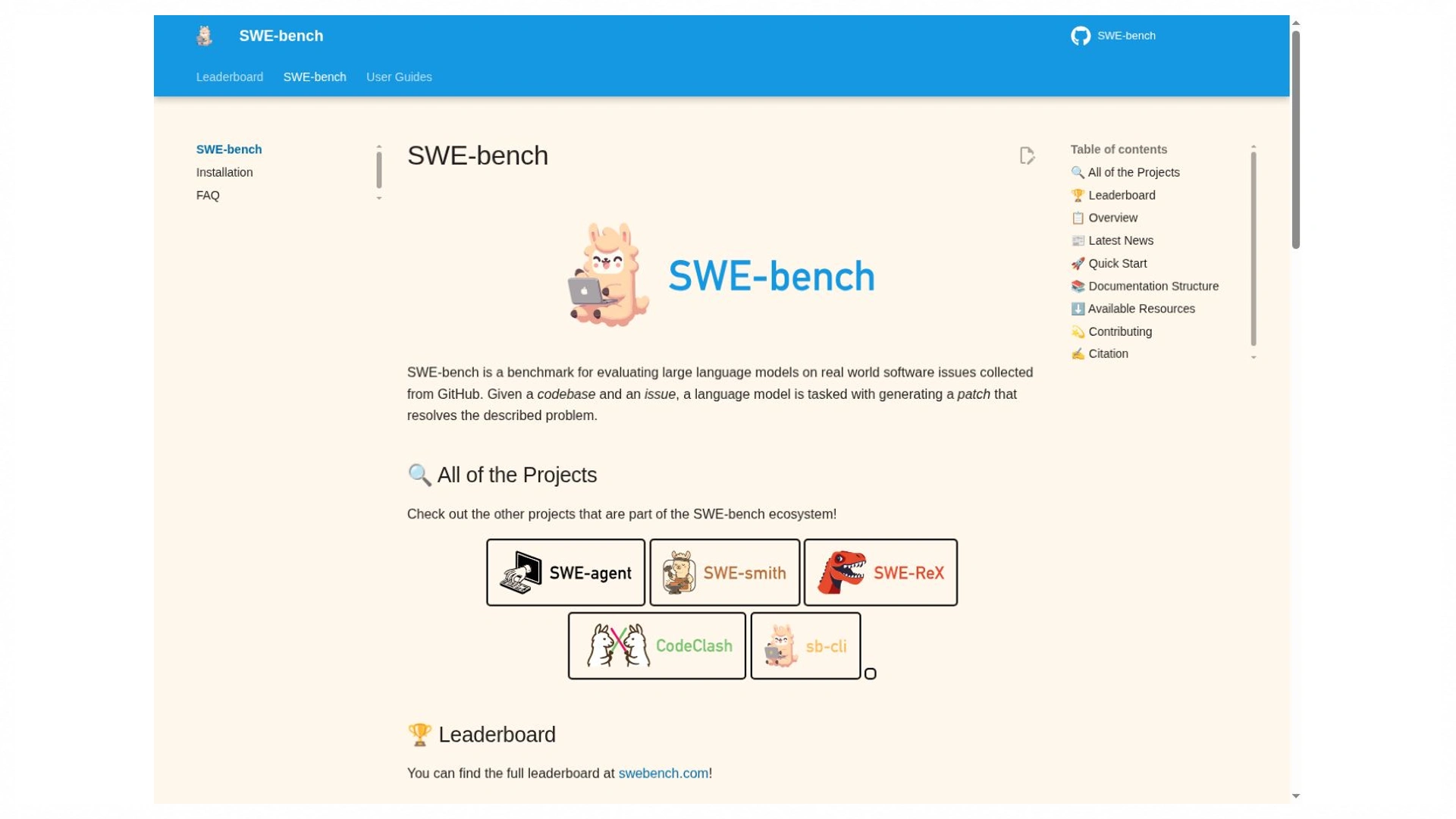
Official SWE-bench project page
Benchmark variants and evaluation conditions matter. Published scores do not replace a task in your own repository.
Source: www.swebench.com · captured 25 October 2026
Find the Best AI for Coding Free of Subscription Costs
Separate a Free Plan From Included Agent Usage
Current official pages describe limited free access for products such as GitHub Copilot and Cursor. Antigravity's availability and limits also depend on the documented account arrangement. Check the feature you will use: inline completions, chat, agent actions, and hosted execution can have different allowances. A free tool interface may still invoke a paid provider. Date the check and inspect remaining usage after one complete task instead of assuming an older monthly quota still applies.
A search for best AI for coding free is most useful when you define the entire free workflow. Include the editor, model calls, execution environment, and any hosted resources. A local model can remove a provider bill but still require capable hardware and setup. Keep the first trial small enough to complete within the current allowance, then check what continued use or publishing would cost.
Include Review Time, Retries, Hosting, and API Costs
A useful calculation is cost per accepted task = attributable tool and usage charges divided by accepted tasks, with review time tracked separately. For illustration, $12 of attributable charges across four accepted tasks is $3 per task. That arithmetic is hypothetical. Include failed attempts in the charges and define “accepted” before testing so a visually finished but broken feature does not count.
Judge Productivity With Evidence Rather Than Output Volume
Use Research Statistics Within Their Original Scope
In Stack Overflow’s 2025 survey, 46% distrusted AI-tool accuracy and 33% trusted it among respondents to that question. This measures reported trust, not code defects. It supports a practical question for your pilot: how much verification and correction does the output require before you can use it?
METR’s early-2025 experiment involved 16 experienced developers and 246 tasks and found tasks took 19% longer with the tools studied. Its February 2026 update reported selection and measurement problems that made the later experiment unreliable for estimating the current effect. Neither finding establishes a universal speed penalty or gain for today’s tools.
Record Correctness, Review Work, and Time to an Accepted Change
To identify the best AI for coding in your project, record the starting commit, prompt, model, plan, elapsed time, active review time, charges, and remaining defects. Run each candidate from a clean copy. Repeat representative tasks when possible and record failures. A short pilot can guide a purchase, but it cannot justify a universal accuracy percentage or a claim that one product is always fastest.
Use must-pass checks before convenience scores. An endpoint that leaks another user's record fails even if its patch is small and its explanation is excellent. After correctness, compare active review minutes, interruptions, and maintenance burden. Keep a record of unsuccessful runs instead of reporting only the best attempt. That makes a small pilot more informative without pretending it represents every repository or developer.
Decide Which AI Is Best for Coding in Your Situation
Match the Example to the Work You Need to Finish
Learning a function: ask for an explanation, predict its output, then modify it without assistance.
Repairing a bug: provide a reproduction and expected result; retain the failing check as regression coverage.
Changing several modules: request dependency tracing and a small patch before a broad rewrite.
Building a prototype: verify the complete customer action, data destination, and access rules.
Working on proprietary code: check the applicable plan’s data handling and organizational controls before providing repository access.
This makes the best AI for coding a decision you can explain: the candidate meets your constraints and requires acceptable review work on representative tasks. Keep evidence and a viable handoff path as the project grows.
When deciding which AI is best for coding, include your team's recovery path. Can another developer run the project, inspect the diff, and continue without the original chat? Keep architecture decisions, checks, and setup in the repository. For the best AI for vibe coding, that same question matters after a prototype begins storing real records: ease of generation should lead to an application you can understand and maintain.
Evaluate Enter Pro by Building a Private Issue Tracker
For readers evaluating the best AI for vibe coding, FixTrack provides one concrete Enter Pro app-building example. The plan defines user-owned issues and status changes, while the supplied preview shows a fictional high-priority issue in Open status. It gives you an inspectable interface and a small set of acceptance checks. The images do not show a second-account test, a captured backend record, or an issue successfully moving to Resolved.
Step 1 Plan the Issue Tracker and Its Acceptance Checks
The planned first release has a private issue list, create form, detail view, and status filters. Fields are title, description, priority, and status: Open, In Progress, or Resolved. Define success before generation: a valid issue survives refresh, an authorized update is preserved, and another account cannot read or change it. Keep team invitations and integrations outside this first task so an apparently complete interface does not obscure its basic data boundary.
Copyable prompt — Plan a fictional FixTrack issue tracker. Signed-in users can create, read, and update only their own issues. Use title, description, Low/Medium/High priority, and Open/In Progress/Resolved status. Define routes, schema, authorization, and acceptance tests. Stay in Plan Mode until the plan is approved; do not invent reviews or results.
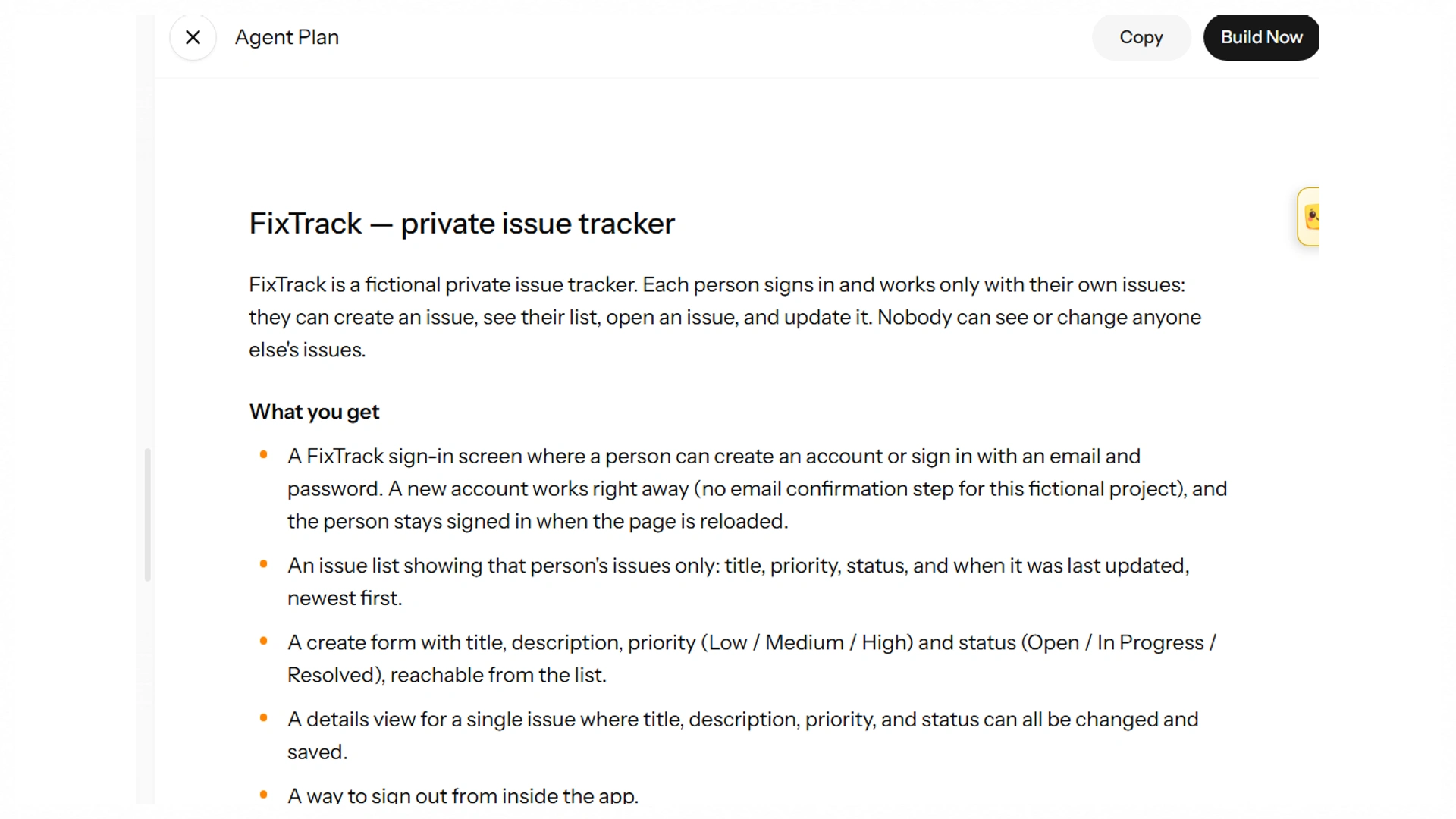
The plan defines user-owned issues and acceptance checks. It is the specification for the later verification.
Step 2 Build the Interface and Enforce Record Ownership
The captured preview contains Checkout error on mobile, marked High priority, Open, and Fictional demo data. The counters show All 1, Open 1, In Progress 0, and Resolved 0. That makes a useful starting fixture because the expected counts are easy to inspect. The description states the report is invented and involves no real customer. Check the empty list and create-form errors as separate states; the supplied image establishes the visible issue, not every route in the plan.
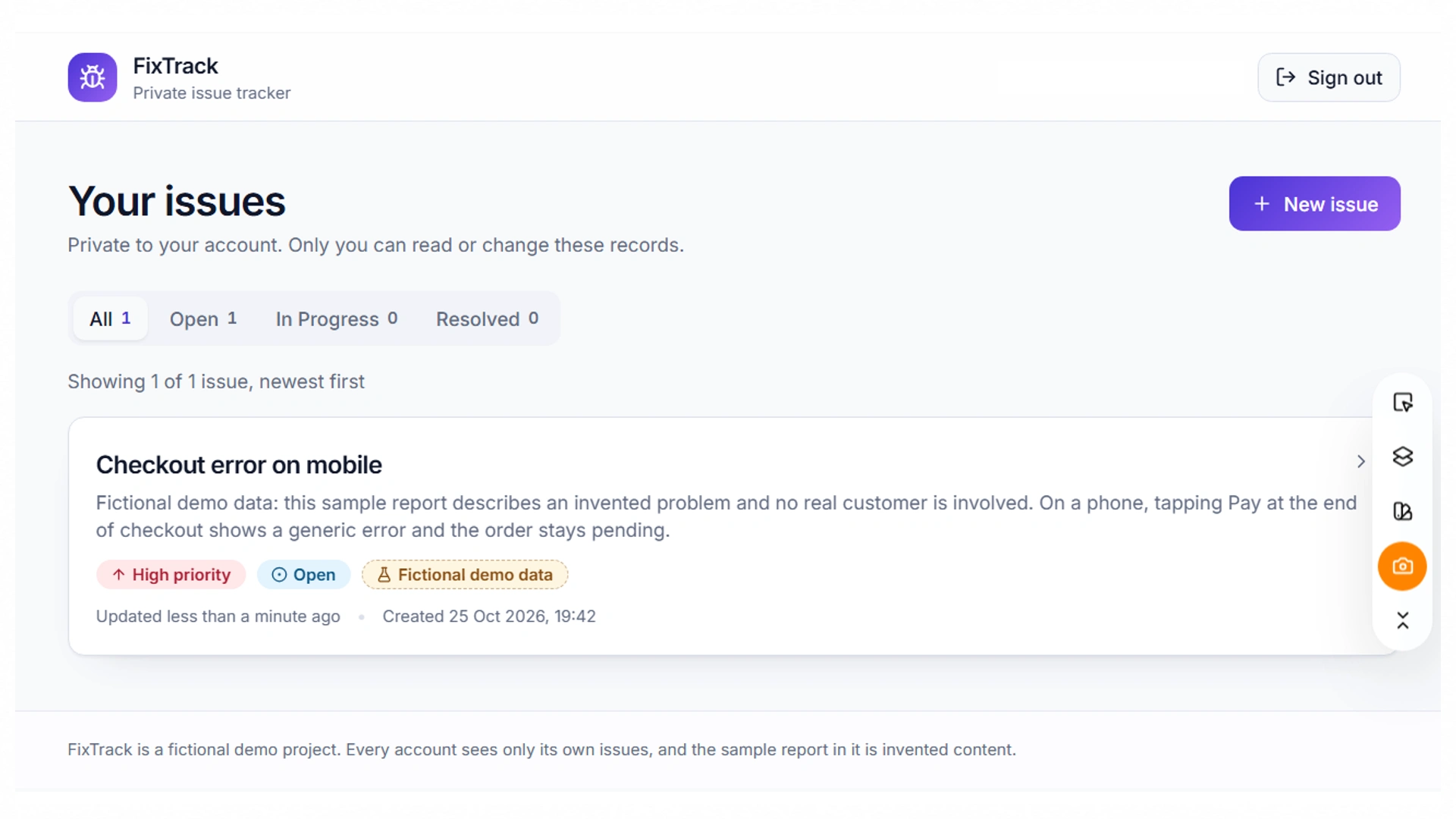
FixTrack in Enter Pro — issue list
Checkout error on mobile is labeled High priority, Open, and Fictional demo data. Counts are All 1, Open 1, In Progress 0, Resolved 0.
An issues table needs a server-established owner identifier and timestamps, with backend rules restricting reads and updates. Derive the owner from the authenticated session instead of trusting an owner_id submitted by the browser. Validate priority and status against their allowed values. The preview says records are private to your account, but this notice is an interface promise. A direct unauthorized request and the stored ownership values are the evidence needed to verify it.
Step 3 Check One Bounded Refinement
The visible list already includes All, Open, In Progress, and Resolved filters. Use a bounded refinement request to verify their behavior rather than claiming the screenshots show a newly added filter. After creating a second owned issue in a different status, each filter should return the expected subset and All should restore both records. Preserve the create/update path and owner authorization. If a count is wrong, report the actual input and observed mismatch instead of asking for a broad redesign.
Copyable refinement prompt — Check the existing All/Open/In Progress/Resolved filters against two owned demo issues in different statuses. Preserve authorization, validation, and create/update behavior. Explain the changed files if a fix is needed. Verify that filters neither lose records nor expose another user's data, and distinguish commands you ran from checks you could not execute.
Step 4 Verify Failure States and Record the Handoff
Test an empty title, an unsupported status, a repeated submission, and a controlled save failure. Decide the expected retry behavior, then check it deliberately. Sign in as a second test user and request the first user's issue directly; repeat while signed out. Check an unauthorized update as well as a read. No supplied screenshot records these backend outcomes, so keep them as outstanding acceptance checks until responses and stored state can be inspected.
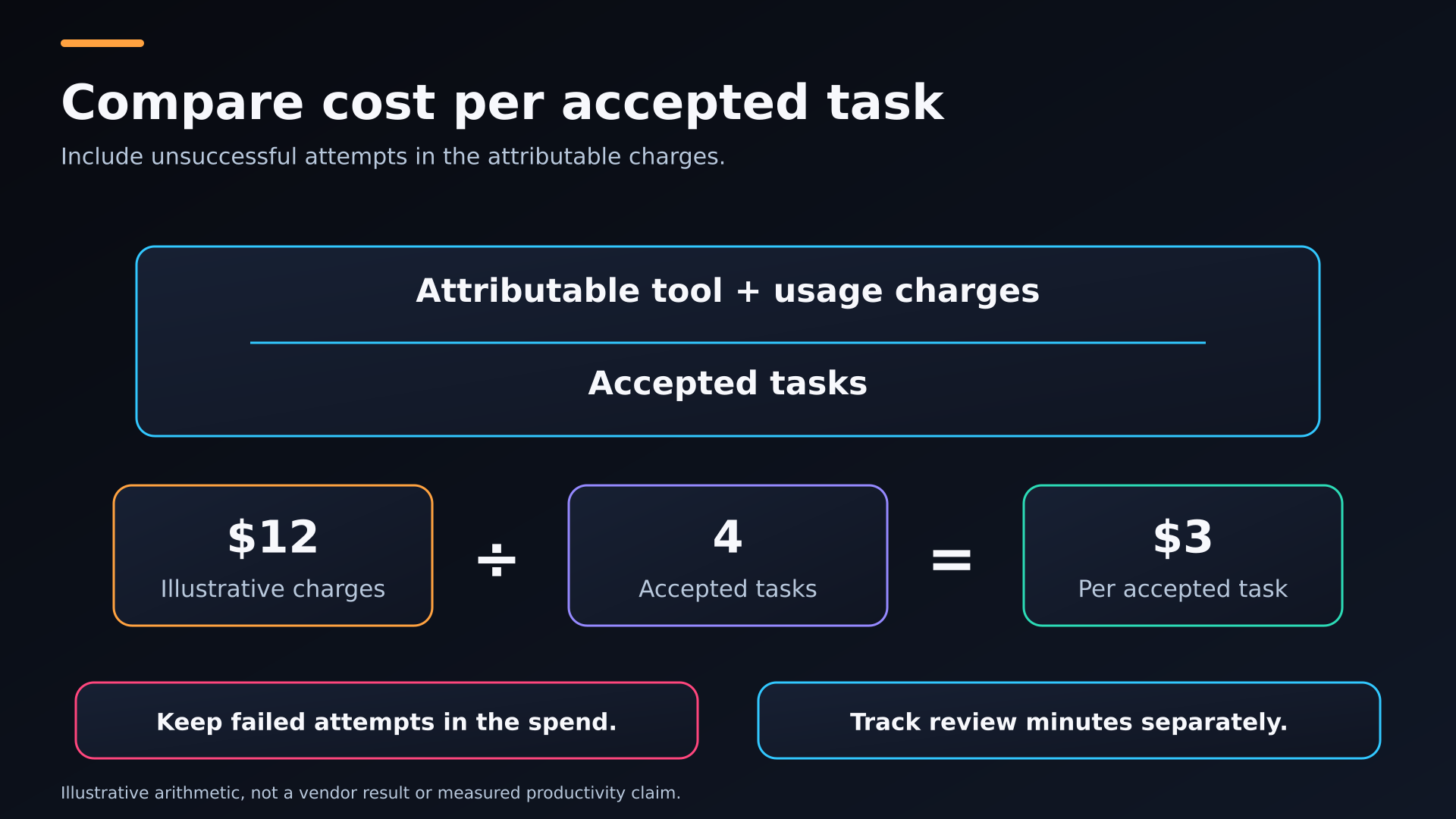
Compare cost per accepted task: A cost-per-accepted-task formula and the article’s hypothetical $12 divided by four example.
The visible outcome is a generated issue-tracker plan and one Open demo issue with matching filter counts. Record persistence, status-change, and cross-account results when you run them, along with elapsed time, active review time, and attributable charges. Retain source, setup requirements, and outstanding defects for a developer handoff. This small project can establish whether the workflow suits your prototype; it cannot prove that Enter Pro outperforms every coding agent or supports every existing framework.
Make the Final Choice With a Small Repeatable Pilot
The best AI for coding is a practical fit between your task, environment, budget, and ability to verify the result. Shortlist two candidates, use the same brief, and compare accepted changes rather than generated lines. Start with a small pilot in Enter Pro, retain your source and checks, and expand usage when the evidence supports it.
FAQ About Best AI for Coding
Can a Coding Assistant Work Without Access to My Entire Repository?
Often, you can limit context to the relevant package or files for a narrow task, subject to the tool's capabilities and settings. That can reduce irrelevant material and unnecessary exposure. A change spanning shared types or authentication may need a broader dependency path. Ask the tool what it needs and verify the referenced files rather than providing the entire repository by default.
Should I Pay for a Coding Tool and a Separate Model Subscription?
Only when the combination solves a real access or workflow requirement. An editor subscription, API account, and consumer chat subscription can cover different products and billing routes. Check which account the coding session actually uses. Compare the combined cost against accepted tasks and review effort; do not assume paying twice means the same calls are covered twice or that usage is unlimited.
Can a Local Model Replace a Hosted Coding Assistant?
A suitable local model can support some coding tasks, but hardware capacity, context handling, tool use, and language performance matter. The local runtime also needs integration with your editor or agent. Evaluate it with the same task and acceptance checks as a hosted route. Local inference can change data flow and provider charges without automatically improving correctness or reducing total effort.
Does a Higher Benchmark Score Guarantee Better Results in My Language?
No. A benchmark measures a specified task set under a particular setup. Check the language, repository types, test harness, model version, and agent tools. Your application may require a different framework, interactive editing, or an unavailable external service. A high score is a reason to investigate a candidate, not a substitute for a representative task in your own environment.
How Often Should I Reevaluate My AI Coding Setup?
Revisit it when the model, pricing, usage policy, repository, or task mix changes enough to affect your work. Retain one short evaluation brief and its checks so the next comparison is repeatable. The best AI model for coding in your team can change as your project moves from scaffolding to maintenance; switching constantly without evidence also consumes time.
Can I Use AI-Generated Code in a Commercial Project?
Commercial use depends on the applicable product terms and the licenses of dependencies and source material in the project. Review unfamiliar packages, retain required notices, and document unresolved provenance questions for a client handoff. Those checks are separate from whether the generated code works. A commercially usable patch can still need security, compatibility, and maintainability review.
Can I Continue an Enter Pro Project in GitHub?
Enter Pro documents a GitHub integration for source synchronization and developer collaboration. Confirm the connected repository and branch, then review the source and setup instructions before continuing. FixTrack's supplied images do not show that handoff completed. Hosted database settings, secrets, and migrations can require additional transfer or configuration beyond the code repository.
Does Enter Pro Support Every Existing Repository and Framework?
Do not assume universal repository or framework compatibility. Check the documented project route and inspect the generated stack and integration requirements. FixTrack demonstrates one application workflow, not support for every legacy service. For an existing project, verify compatibility and a small round trip before committing the main repository or planning a migration around the tool.