1789646770940-Bg_Img

AI Resume Creator to Build a Resume That Fits Your Goals

Turn your experience into a professional resume with Enter Pro. Refine your content with AI, and shape a resume around your career goals.

Key Features of Enter Pro AI Resume Creator

Generate Tailored Resumes in Seconds

Turn your work history, skills, and career goals into a professionally structured resume instantly. Eliminate the stress of starting from a blank page and create job-ready resumes faster than ever.

Start for free
Generate Tailored Resumes in Seconds
Create ATS-Friendly Resume Content

Create ATS-Friendly Resume Content

Many companies use applicant tracking systems to screen resumes. Enter Pro helps you structure your content with standard section names, clear headings, and a simple single-column layout that these systems read more easily. Every ATS works a little differently, so when an application asks for a file, submit a clean PDF version of your resume rather than a link.

Try Enter now

Customize Every Section Easily

Refine job descriptions, skills, summaries, certifications, and achievements through chat, and fine-tune each section to match a specific role. For quick changes to fonts, spacing, or colors, the Visual Editor lets you click and edit directly while keeping the layout clean.

Start for free
Customize Every Section Easily
Generate Multiple Resume Versions

Generate Multiple Resume Versions

Applying to different industries or positions? Create a separate resume version for each role without rewriting everything from scratch. Keep your core experience the same and shift the emphasis, so each version speaks to the job in front of you.

Try Enter now

Export and Share Professionally

Publish your resume as a live page with a shareable link, or save it as a PDF from your browser when an application asks for a file. You can even connect a custom domain, like yourname.com, so recruiters always find your latest version.

Start for free
Export and Share Professionally

How to Create a Resume with Enter Pro in Three Steps

Here's how Jordan, a retail store manager moving into project coordination, used Enter Pro's AI resume creator to build a resume for her career change.

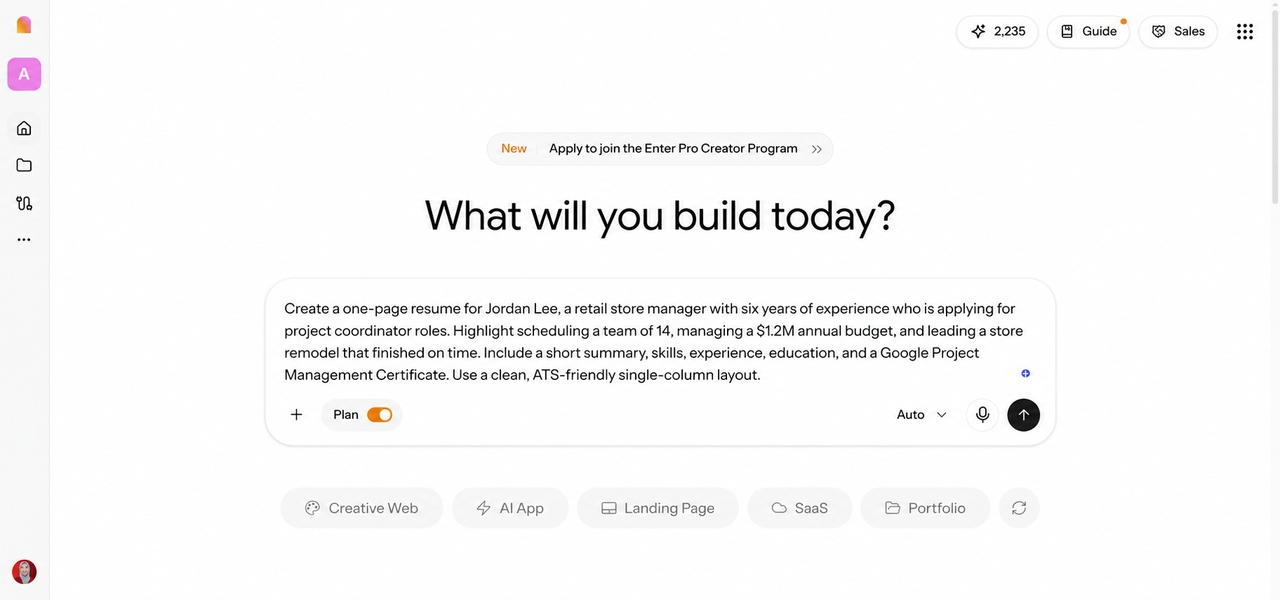
Enter Pro AI resume creator showing a natural-language prompt to build a project coordinator resume for a retail manager changing careers.

Step 1: Describe Your Background and Career Goals

Open the Enter workspace, keep Plan Mode switched on, and explain the resume you want, the role you're aiming for, and what information you already have. Include your work history, education, skills, projects, and any achievements with numbers. Pasting in your old resume or a job description works too. Example prompt: Create a one-page resume for Jordan Lee, a retail store manager with six years of experience who is applying for project coordinator roles. Highlight scheduling a team of 14, managing a $1.2M annual budget, and leading a store remodel that finished on time. Include a short summary, skills, experience, education, and a Google Project Management Certificate. Use a clean, ATS-friendly single-column layout.
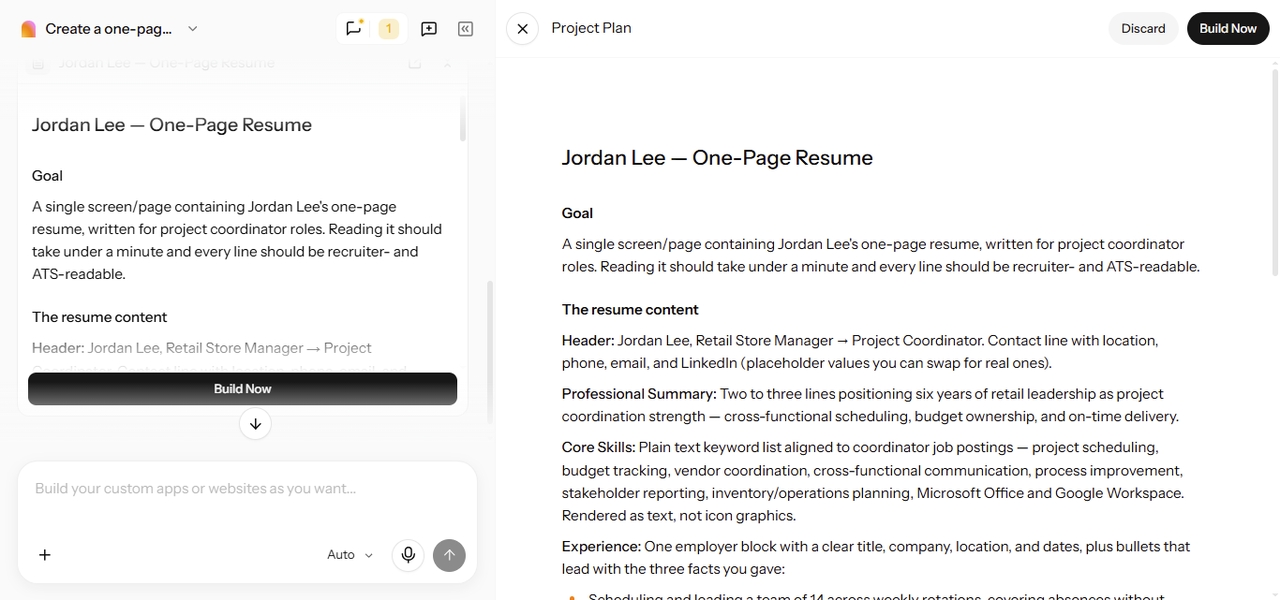
Enter Pro AI Resume Creator showing a generated project plan for Jordan Lee's one-page project coordinator resume, including career goals, resume sections, and the Build Now option.

Step 2: Clarify Requirements and Generate Your Resume

Enter Pro may ask follow-up questions before it builds, such as which achievements matter most for the new role, whether to include older jobs, or which tone fits your industry. Answer with real details, since the more context you give, the more the draft reflects your actual experience. Then review the plan and click "Build now."

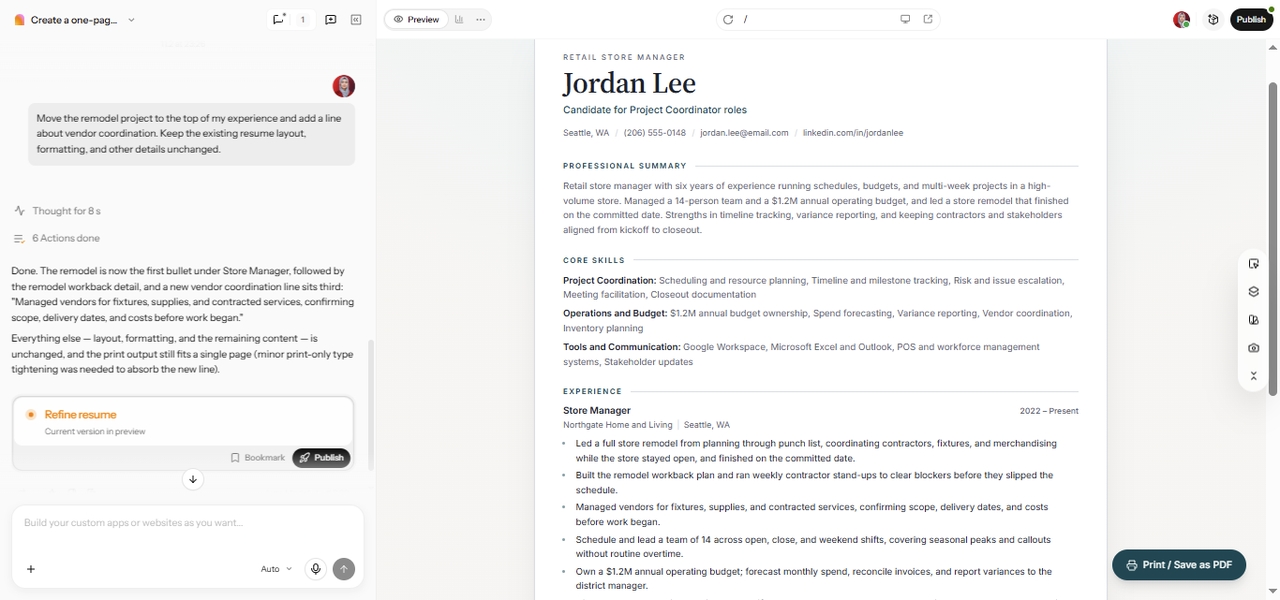
Enter Pro AI Resume Creator showing a resume refinement prompt alongside Jordan Lee's updated project coordinator resume with vendor coordination details.

Step 3: Review, Customize, and Finalize Your Resume

Read every section carefully. Correct anything inaccurate, refine the wording, and shift the emphasis toward your target role through chat, for example: "Move the remodel project to the top of my experience and add a line about vendor coordination." Before you apply, double-check dates, qualifications, job titles, and any numbers, because your resume must reflect what you've really done.

What You Can Build with an AI Resume Creator

1

Entry-Level Resume for Recent Graduates

New graduates often have more to offer than they think. Build a structured resume that puts coursework, internships, projects, and transferable skills front and center, without overstating professional experience you don't have yet.

2

Career Change Resume for Experienced Professionals

Switching fields means translating what you've done into what a new employer needs. Shape a resume that shows how your past responsibilities, like managing budgets or leading teams, connect to the role you're aiming for next.

3

Targeted Resume for a Specific Job Description

Paste in a job description and build a version that lines up your real experience with what the role asks for. The goal is clearer alignment, not copied keywords or claims you can't back up in an interview.

Why Choose Enter Pro as Your Resume Creator AI?

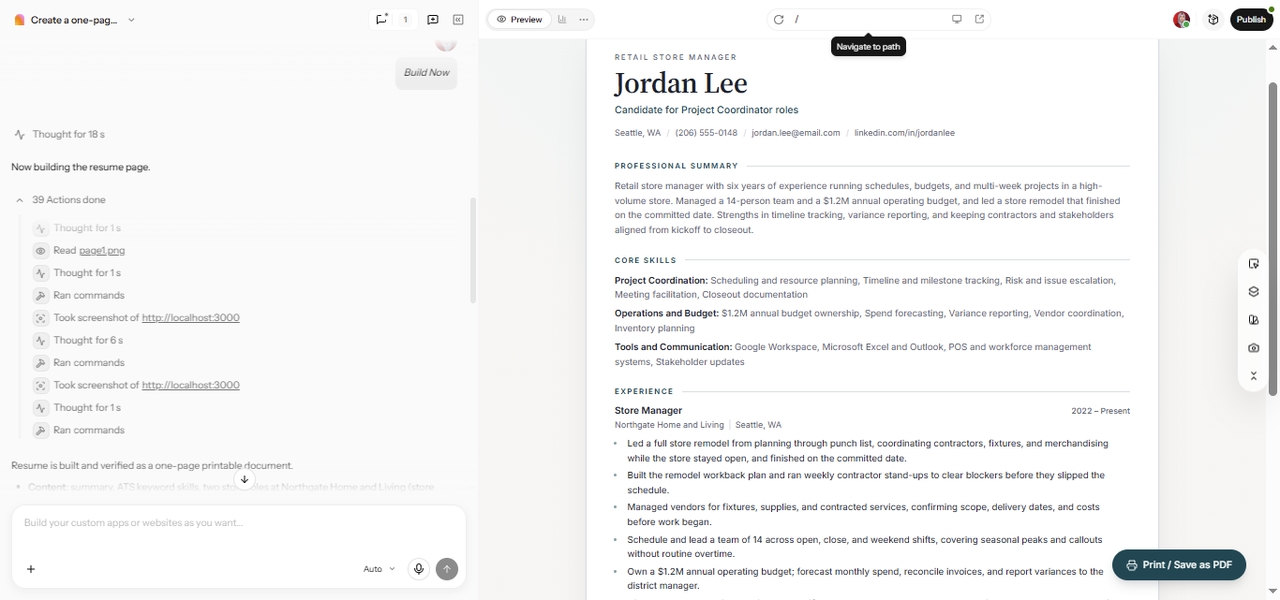
Enter Pro AI Resume Creator showing completed AI development actions alongside Jordan Lee's generated project coordinator resume.

Save Hours of Resume Writing

Follow-up questions do a lot of heavy lifting. Enter Pro asks about the details you might forget, such as results, tools you used, or the size of your team, and turns your answers into a solid draft. You spend your time reviewing, not starting over.

Improve ATS Compatibility

Standard section names, clear headings, and a simple layout make your resume easier for applicant tracking systems to read. No tool can guarantee that a resume passes every ATS, but a clean structure gives your experience a better chance of reaching a recruiter.

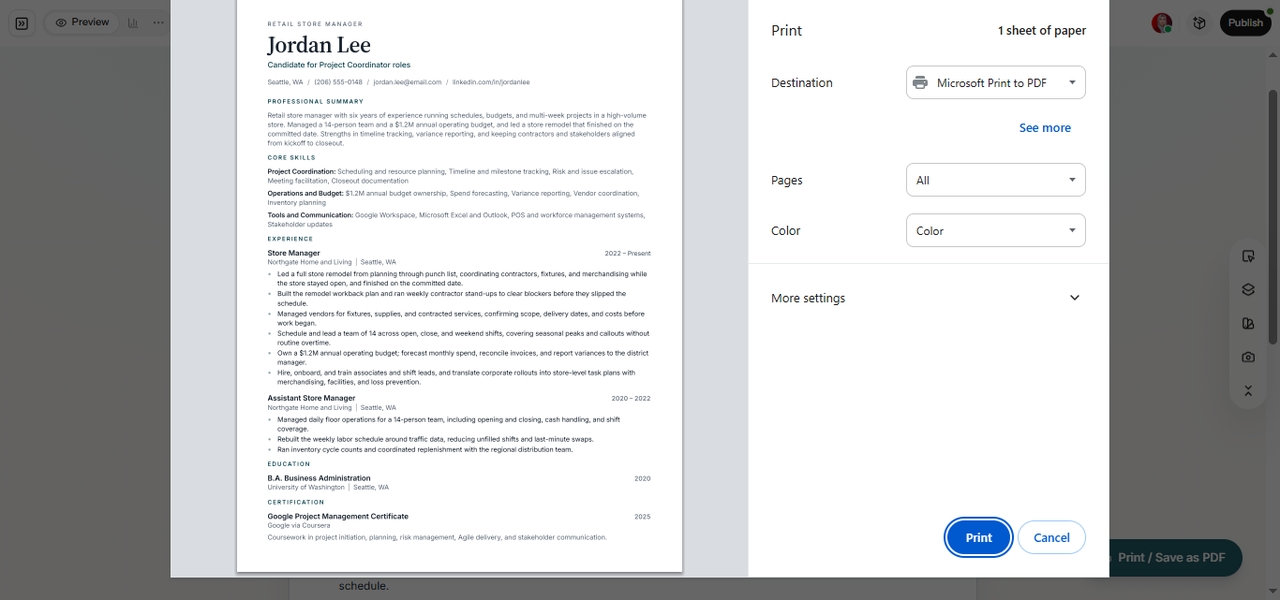
Enter Pro AI Resume Creator showing Jordan Lee's single-column resume in a one-page PDF print preview with professional summary, skills, and experience.
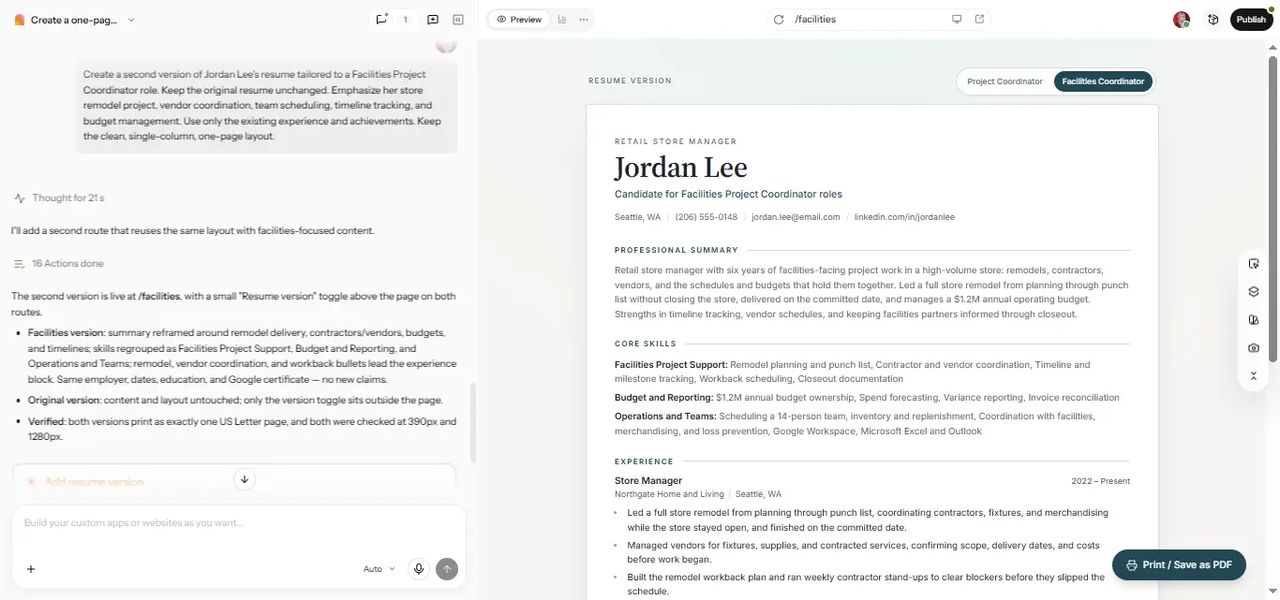
Enter Pro AI Resume Creator showing a tailored Facilities Project Coordinator resume alongside AI customization instructions and a resume version switcher.

Tailor Applications Faster

A resume should reflect you, not a generic template. Create role-specific versions in minutes, so you can apply to more opportunities while keeping each one relevant and accurate.

Bring Resume Creation into a Broader AI Workflow

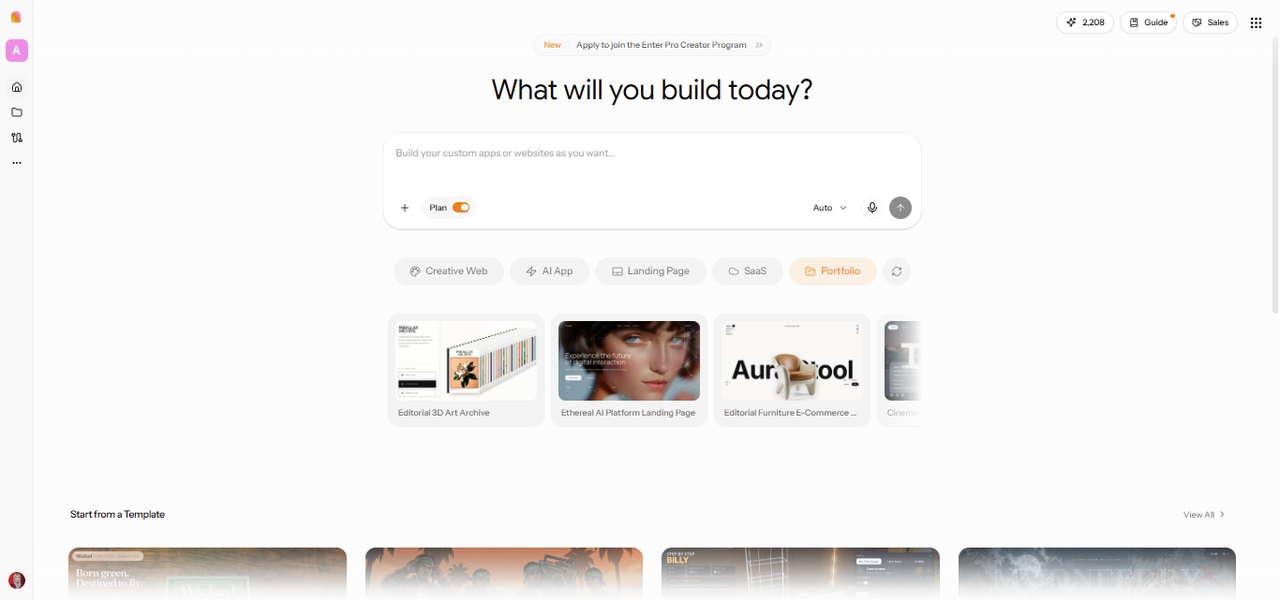
Your resume is often just the start. Use Enter's AI portfolio builder to show your work in more depth, or the AI website builder to create a personal site that links to your resume. Everything stays in one workspace.

Enter Pro workspace showing Portfolio and Creative Web options for building a professional online presence alongside an AI-generated resume.

How Users Rate Our AI Resume Generator

Read what professionals are saying about their experience with Enter Pro.

I was able to create a highly professional resume in less than twenty minutes. The content suggestions were relevant and helped me highlight accomplishments I would have otherwise overlooked.

Sophia Martinez

Sophia Martinez

Human Resources Specialist

Customizing my resume for multiple job applications became incredibly easy. I received noticeably more interview requests after using Enter Pro.

Ethan Walker

Ethan Walker

Software Engineer

The AI-generated summaries saved me a tremendous amount of time. My resume now looks more polished and professional than ever before.

Olivia Carter

Olivia Carter

Marketing Manager

I appreciated how quickly I could tailor my resume for different industries. The ATS-friendly structure gave me additional confidence when applying.

Daniel Brooks

Daniel Brooks

Financial Analyst

The platform simplified every step of resume creation. I no longer worry about formatting issues or missing important sections.

Ava Mitchell

Ava Mitchell

Project Coordinator

Creating multiple resume versions for different clients and opportunities became effortless. The quality exceeded my expectations.

Noah Bennett

Noah Bennett

Business Consultant

FAQs

Ready to Create a Resume That Reflects Your Potential?

Your experience already tells a strong story. It just needs the right structure. With Enter, you can describe your background, answer a few questions, and shape a resume around the role you want next. Try Enter Pro's AI resume creator, review every line, and apply with a resume that's accurate and clearly yours.