AI for Finance: Create Smarter Financial Workflows

Turn finance workflows into practical AI-powered tools for reporting, planning, and daily operations, built around the way your team works.

Key Features for Building AI-Powered Finance Tools

Turn Finance Requirements into Custom Tools

Many off-the-shelf AI tools for finance come with predefined workflows that teams have to adapt to. Enter Pro flips that around. You describe the workflow in plain language, including the fields you track, the calculations you need, and the status labels your team already uses, and Enter builds an app around it. If your month-end checklist has a column no off-the-shelf tool offers, that's fine. It goes in.

Start for free
Real, functioning backends
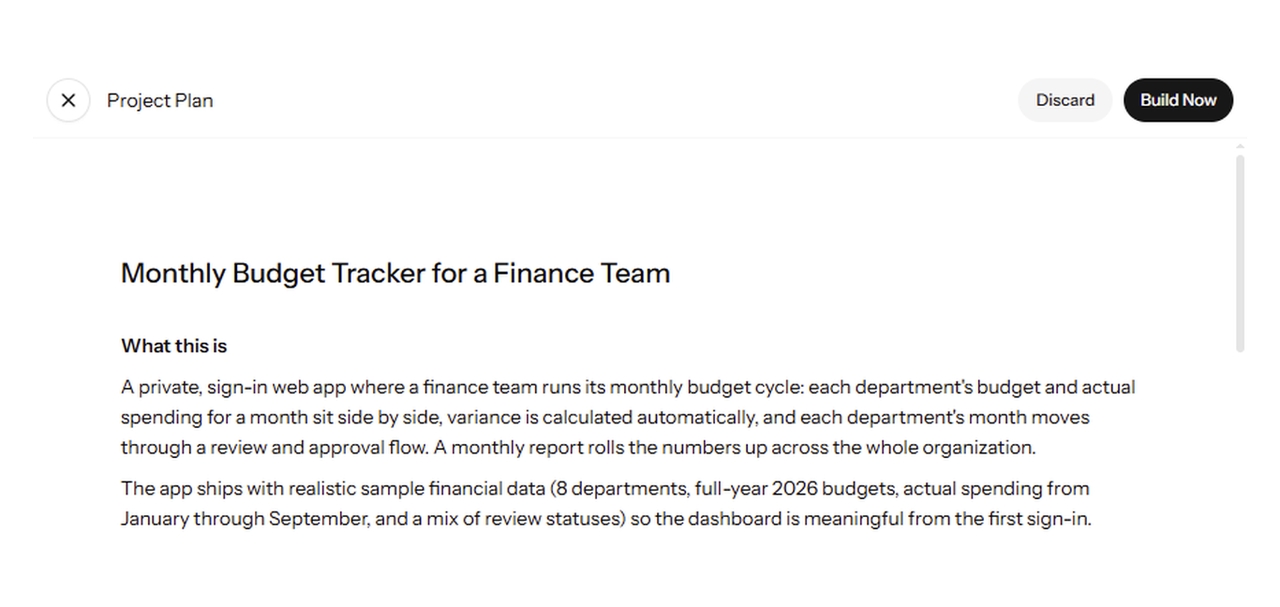
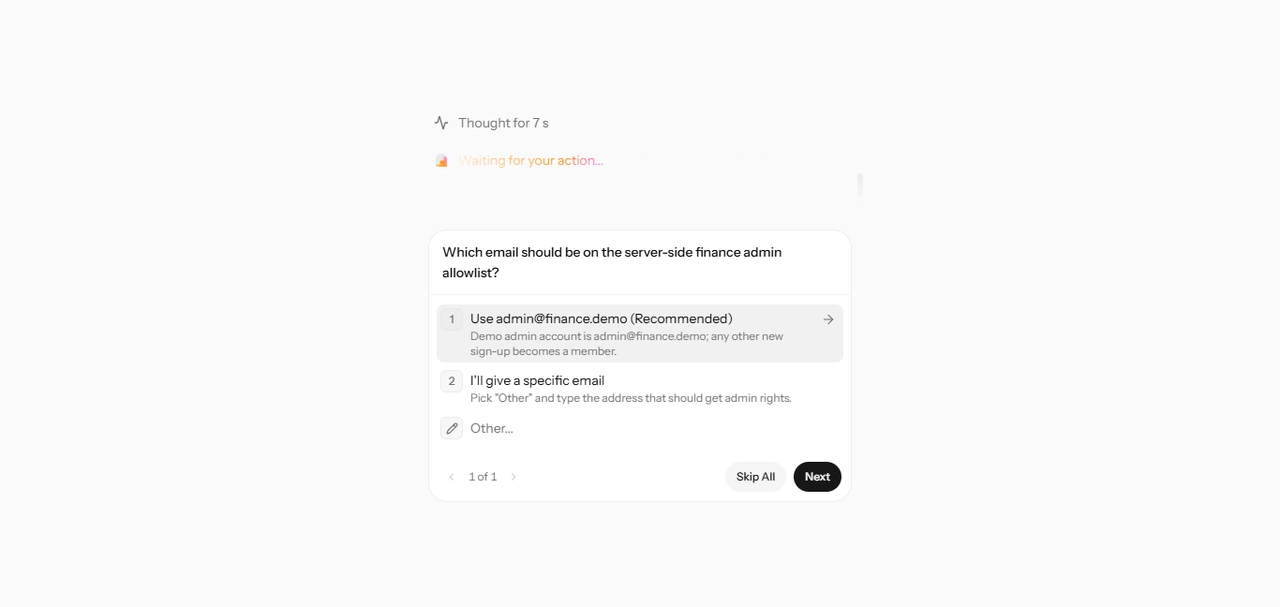
Enter Pro Plan Mode showing finance administrator access questions while planning a monthly budget tracking application.

Refine Financial Workflows Through Iterative AI Conversations

Finance requirements rarely fit in one prompt. Who approves an expense over $5,000? What counts as an exception? Which roles can see payroll figures? Enter Pro's Plan Mode asks follow-up questions like these before it writes any code, then lets you keep adjusting through chat. It's generative AI for finance that builds up step by step, instead of betting everything on one vague request.

Try Enter now

Organize Finance Operations with Cloud and Built-In Analytics

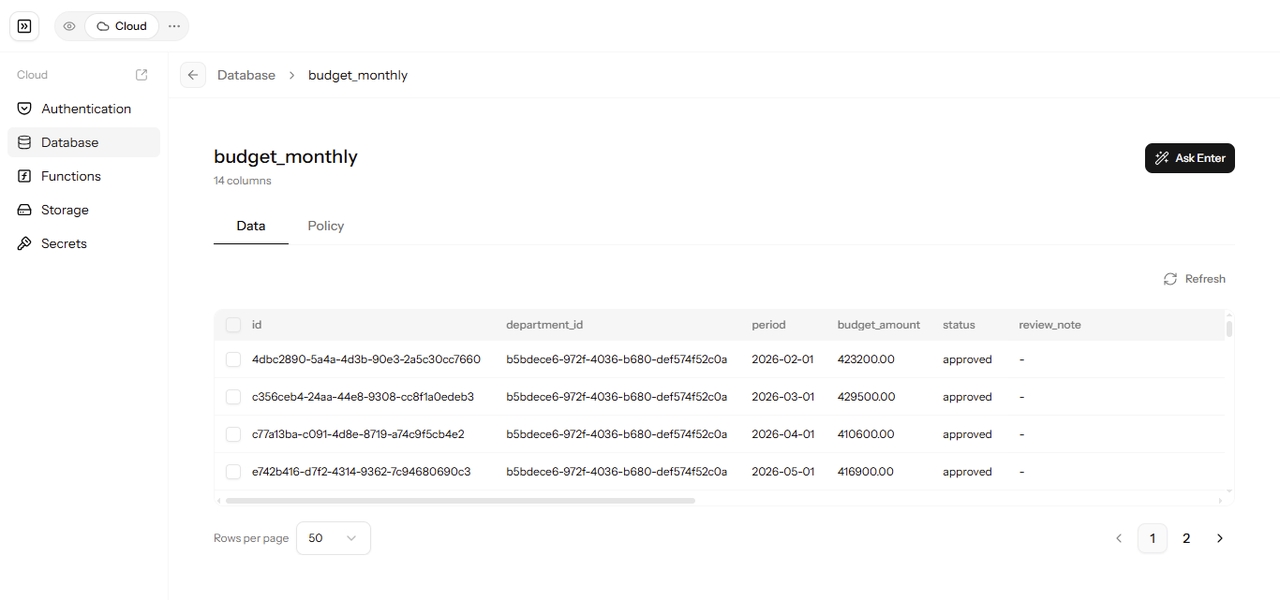
Once a tool works, it needs somewhere reliable to live. Enter Cloud gives your app a managed database, user sign-in, file storage, and server functions, so budget entries and approval records are saved properly. Enter Analytics then shows how the app is used, with page views, sessions, devices, and custom events like "report submitted." Think of it as usage visibility for your tool, not a replacement for your accounting system, data warehouse, or business intelligence platform.

Start for free
Enter Cloud PostgreSQL database showing monthly budget records, budget amounts, approval statuses, and review notes for a finance tracking application.
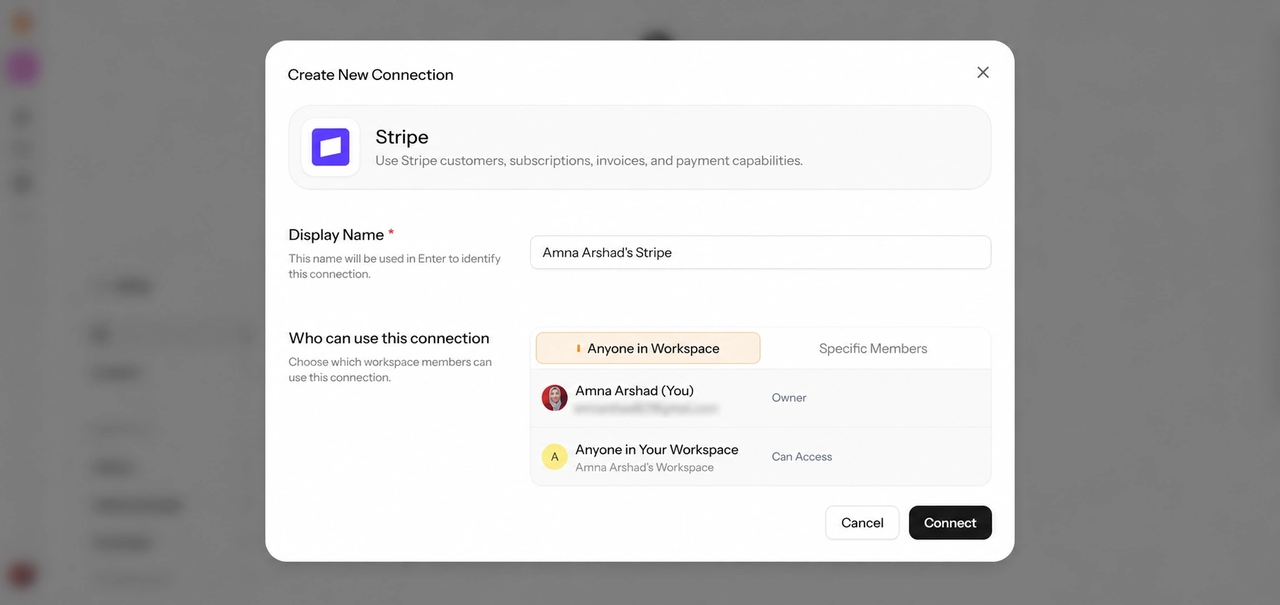
Enter Pro Stripe integration setup showing payment capabilities, connection settings, and workspace access permissions.

Build Tools That Support Payments and Business Processes

Some finance workflows include getting paid. With Enter Pro's Stripe integration, an app can collect one-time or subscription payments, for example through a client portal where customers settle an invoice by card. Keep the boundary clear, though. Stripe handles the payment itself, while recording it in your books, reconciling it, handling tax, and reporting on it still happen in your accounting process and software.

Start for free

Launch Faster with Pre-Built Financial Templates

1778055076518-20260506-161103
1778055109664-20260506-161138
1778055134264-20260506-161203
1778055076518-20260506-161103
1778055109664-20260506-161138
1778055134264-20260506-161203

Why Choose Enter Pro Over Generic AI Finance Tools?

1

Workflow-Specific Tool Creation

A generic AI finance tool gives you its workflow. Enter Pro starts with yours: the process, the fields, the review steps, and the labels your team actually uses. The result is a tool that matches how your month-end really runs, not how a vendor imagined it.
2

Iterative Requirement Discovery

Requirements get clearer the moment people see a first version. Enter Pro asks follow-up questions up front and keeps adjusting through chat, so the tool improves as your understanding does. There's no re-briefing a vendor and no rebuilding from scratch.

3

Flexible Business Applications

Build an internal tool for your finance team, such as a budget tracker or an approval queue. Or build something customer-facing, like an invoice portal with card payments. The same workspace handles both, and you own the code either way.

4

Built-In Product Capabilities

Enter Cloud stores your data and manages sign-in. Stripe collects payments. Enter Analytics shows how people use the app. Each one does a clear job, and none of them pretends to be your general ledger, so you always know where Enter Pro fits in your finance stack.

Three-Step Workflow: How to Build AI Tools for Finance

Here's how a finance manager might use AI for finance to build a monthly budget tracker, from the first prompt to a working app the whole team can open. The same three steps work for expense, invoice, or cash flow tools.

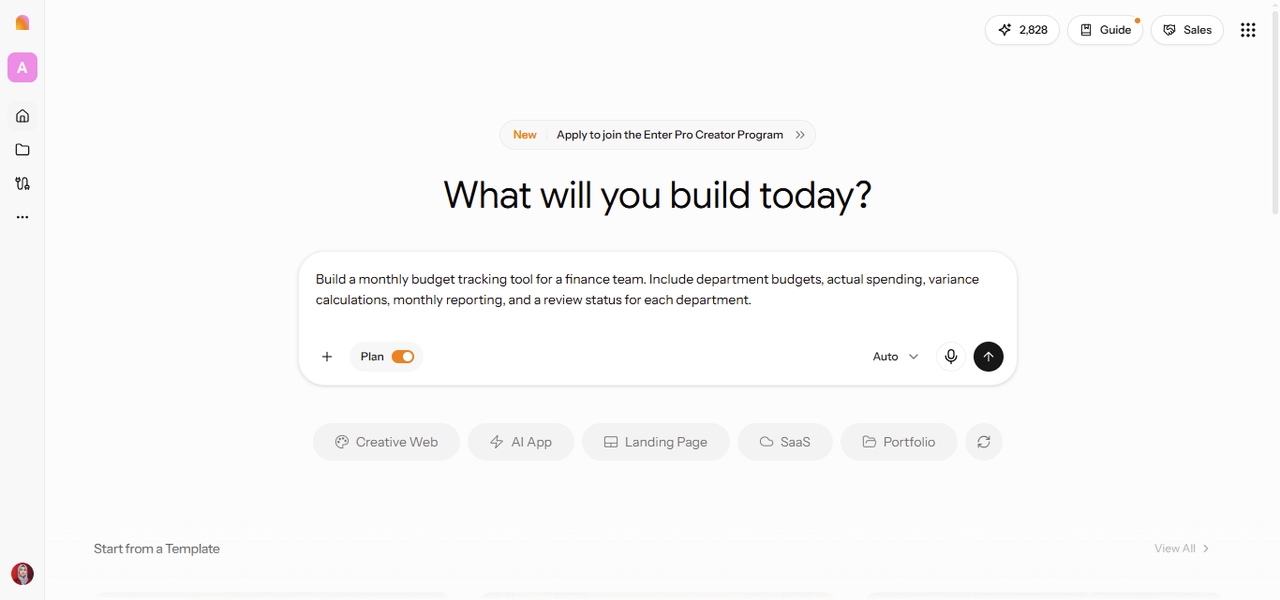
Enter Pro AI for finance workspace showing a monthly budget tracking tool prompt with Plan Mode enabled.

Step 1: Describe Your Finance Workflow

Start with the problem your team needs to solve, not the software you think you need. Open the Enter workspace, keep Plan Mode switched on, and describe what you track today and where it breaks down. Mention the data, the calculations, and who reviews what. A few clear sentences are plenty to begin. Example prompt: Build a monthly budget tracking tool for a finance team. Include department budgets, actual spending, variance calculations, monthly reporting, and a review status for each department. Enter Pro may come back with a few questions first, such as whether each department head should see only their own budget. Answer them, read through the plan, and click "Build now" when it looks right.

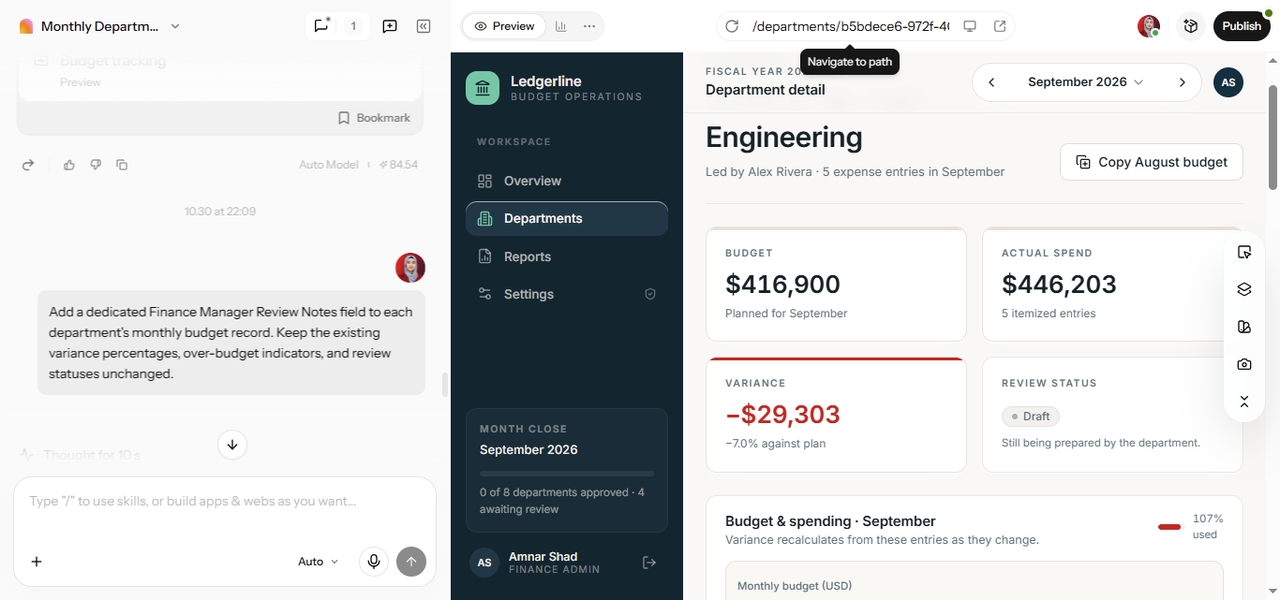
Enter Pro AI refining a monthly budget tracking application through chat, with an Engineering department budget preview showing spending, variance, and review status.

Step 2: Refine the Tool with AI

Open the first version and use it the way your team would. Enter a few sample figures, check one variance calculation by hand, and note what's missing or confusing. Then ask for changes in plain language, one or two at a time, for example: "Add a variance percentage for each department, flag spending above budget, and include a notes field for the finance manager's review." For layout tweaks, like column order, labels, or colors, the Visual Editor is often quicker than writing another prompt.

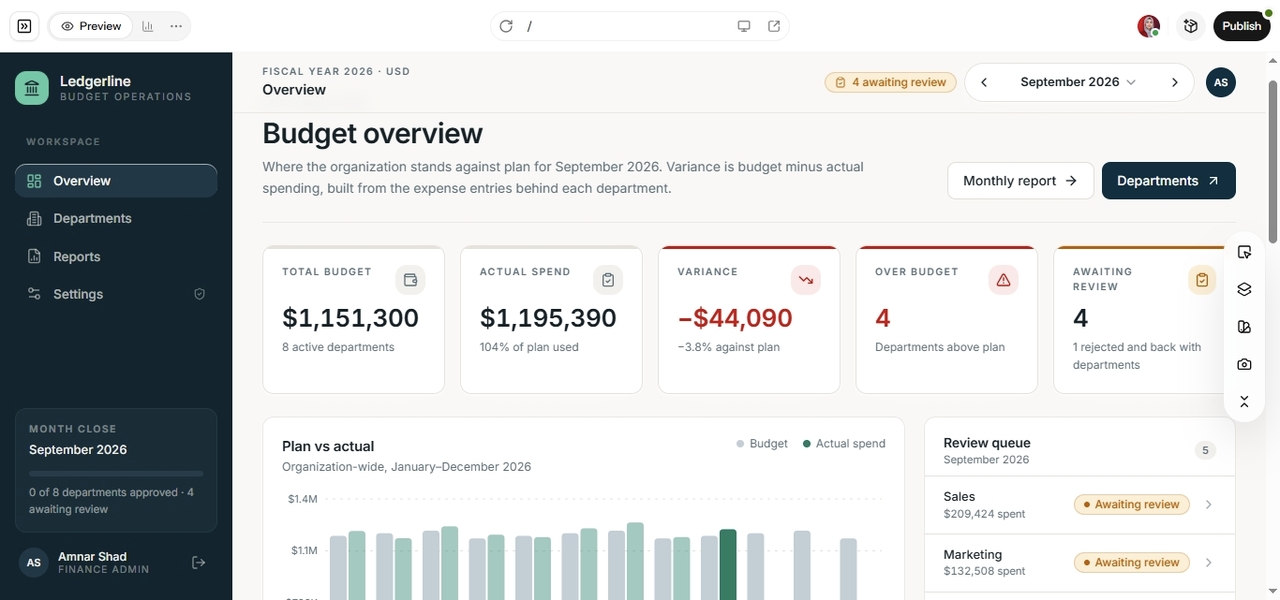
Enter Pro Ledgerline budget tracking dashboard showing department budgets, actual spending, variance calculations, and finance review statuses.

Step 3: Finalize and Put the Application to Work

Before anyone relies on it, test the tool against last month's actual figures and confirm the totals match your records. Set up sign-in so each person sees the right data, then publish and share the link with your team. Keep the source system as the record of truth, and treat the tracker as the place where review happens. What you end up with is a budget tracker built for your team, with department figures, spending variances, and review statuses together in one place. Need something outside finance? Our AI app builder works the same way for any business app.

AI for Finance Teams: Practical Use Cases

Every finance team runs a slightly different playbook. Here's where custom tools tend to help most, and where people still need to stay in the loop.

Budget Planning and Financial Reporting

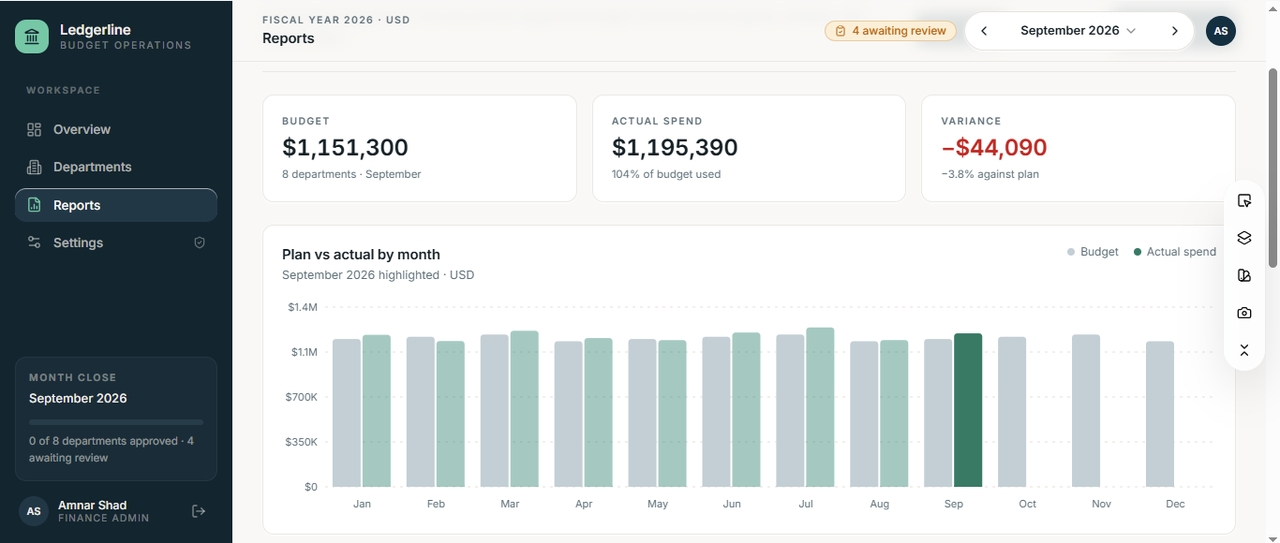
Finance managers can build tools that organize budgets, compare actuals against targets, track reporting deadlines, and collect variance explanations from department heads. Instead of chasing comments across email threads, everything lands in one consistent structure. The figures still come from your accounting records, so check calculations and source numbers before anything goes into a board pack. A monthly reporting tool, for instance, can show each department's budget, its variance, any missing explanations, and whether the report is done.

Enter Pro Ledgerline financial reporting dashboard showing monthly budgets, actual spending, variance calculations, and a plan-versus-actual chart
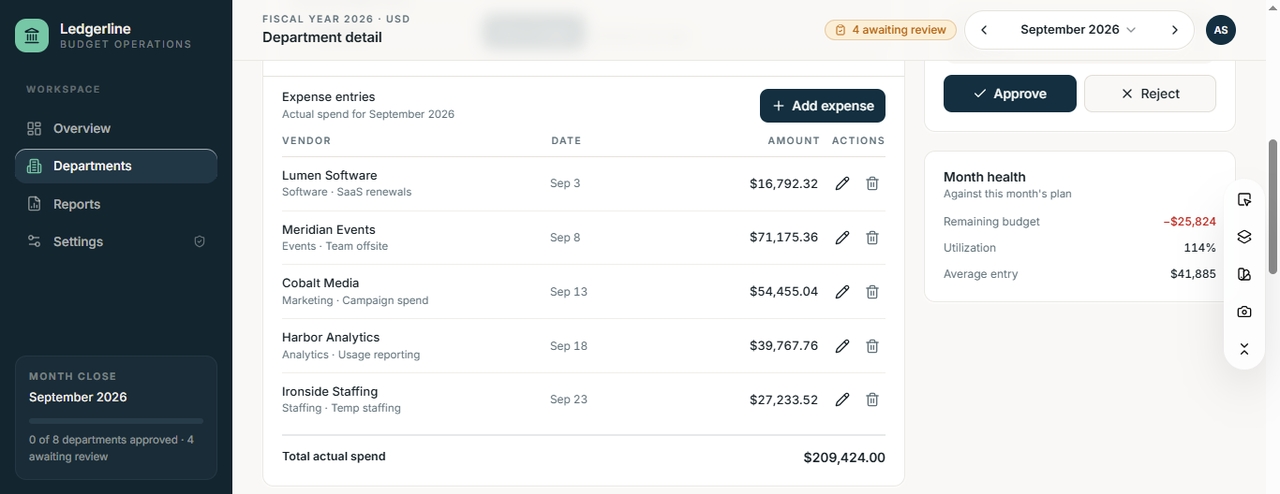
Enter Pro Ledgerline expense tracking dashboard showing vendor expenses, spending amounts, budget utilization, and finance approval and rejection controls.

Expense Tracking and Approval Workflows

Accounting and operations teams can create expense submission tools with structured fields, required receipt uploads, approval stages, and exception statuses. A clear form cuts down the "what was this charge for?" back-and-forth. Keep in mind that the tool organizes the process. It doesn't automatically verify receipts or guarantee every claim meets your expense policy, so reviewers still need to check. A typical setup sends each request to the employee's manager first and then to finance for final approval.

Invoice and Accounts Receivable Management

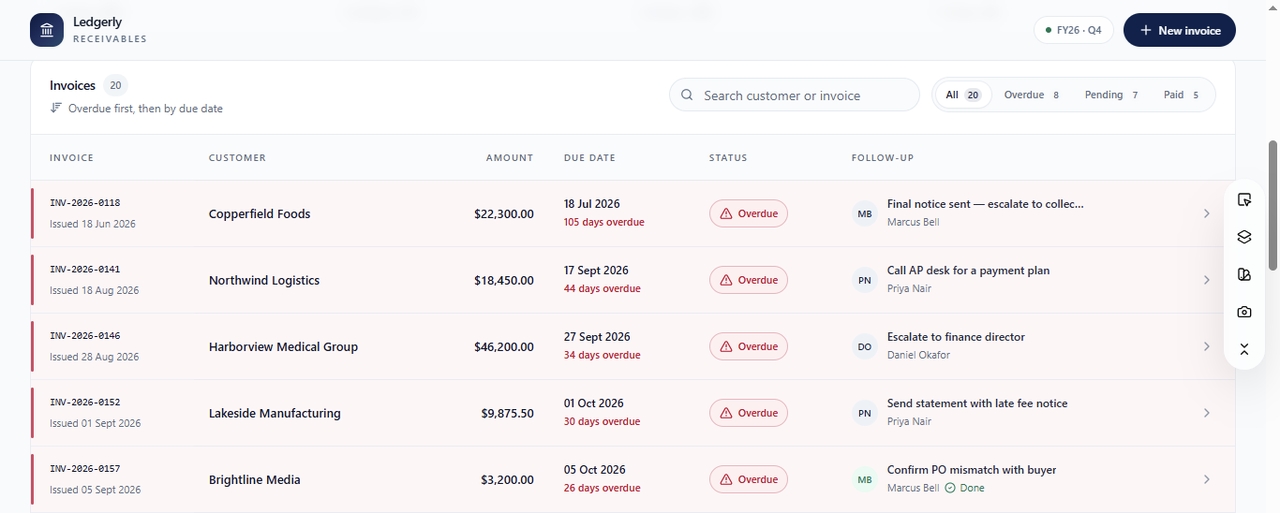
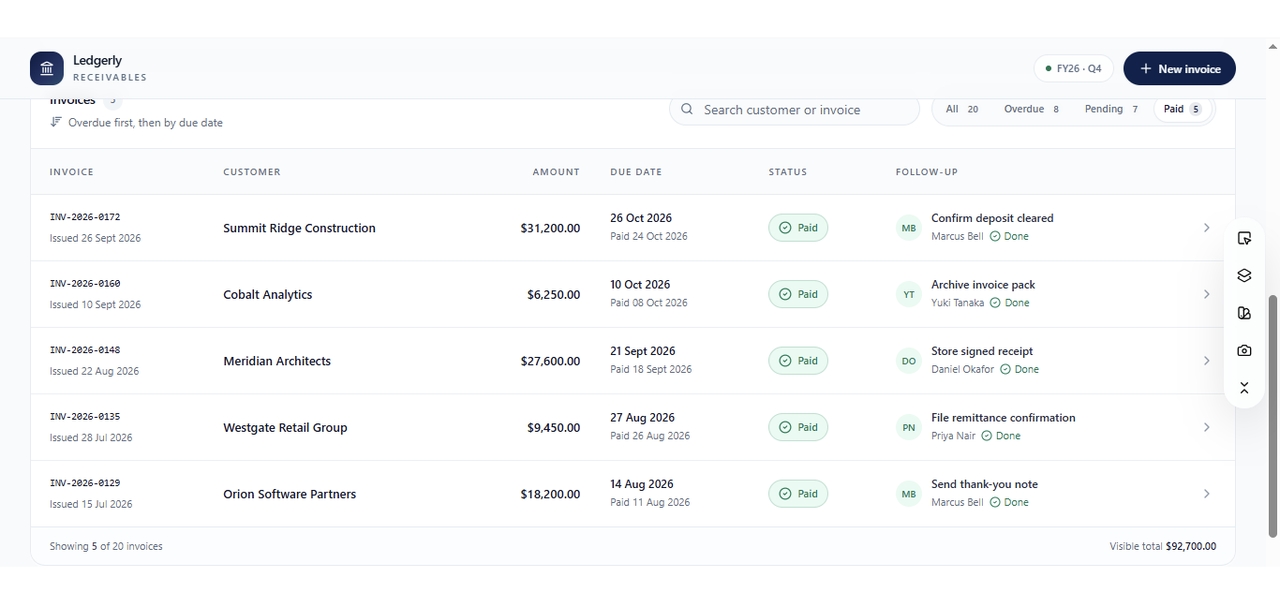
Businesses can build apps that track invoice statuses, due dates, outstanding balances, and follow-up tasks, with overdue items surfaced first. You can add invoices by hand or import a spreadsheet export from your accounting software. Automatic data extraction from invoice PDFs, or a live sync with your accounting system, is a separate piece of work, and the sync depends on what that system's API allows. Even a simple follow-up tracker that highlights overdue invoices and assigns collection tasks to named team members can save hours each month.

Enter Pro invoice and accounts receivable tracker showing overdue invoices, customer balances, payment due dates, and assigned collection follow-up tasks
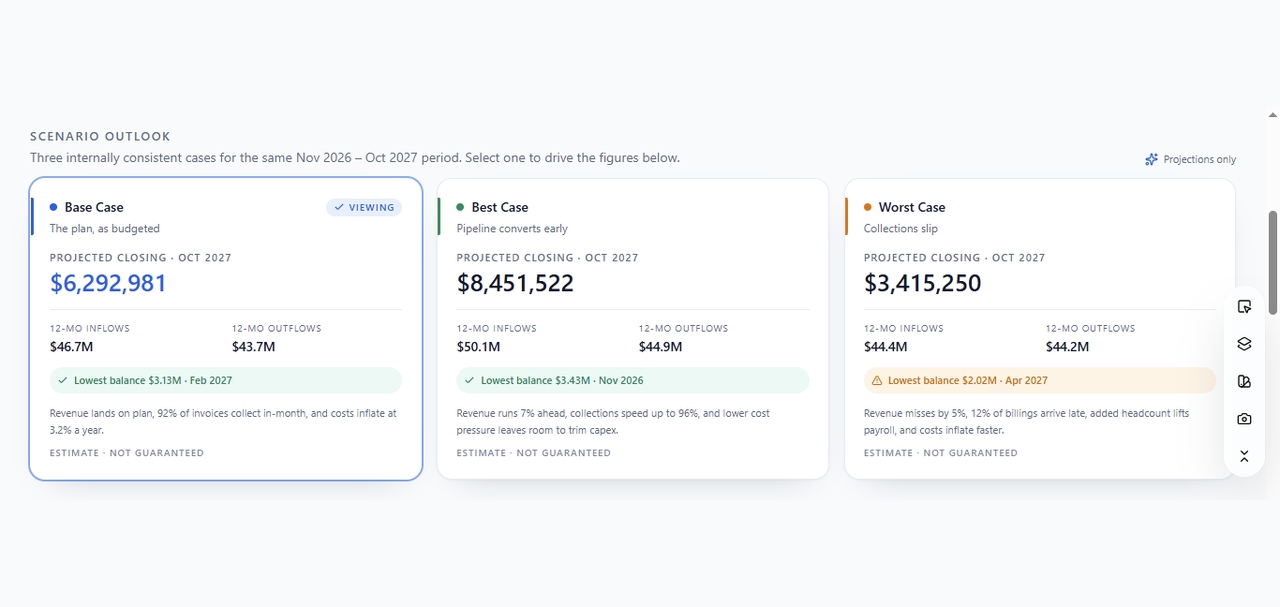
Enter Pro cash flow forecasting dashboard comparing Base, Best, and Worst-case scenarios with projected cash balances, inflows, outflows, and assumptions.

Cash Flow Monitoring and Forecasting Workflows

Finance teams can lay out expected inflows, planned outflows, forecast assumptions, and scenario inputs in one purpose-built view. Making assumptions visible is half the battle in any forecast review. Still, a forecast is only as good as the data and assumptions behind it, so a person should review the outputs before decisions are made. One useful version lets finance managers compare expected receipts and payments side by side across a base, best, and worst case.

Payments and Financial Operations

Businesses with payment-related processes can build apps that use Enter Pro's Stripe integration to collect payments, next to internal tools that track orders or billing status. Collecting a payment is one step in a longer chain, though. Reconciliation, refunds, tax treatment, and the financial close still run through your accounting process. Picture a service business with a customer-facing payment page on one side and an internal tracker for order and billing status on the other.

Enter Pro Ledgerly receivables tracker showing paid customer invoices, payment dates, billing amounts, and completed follow-up tasks.
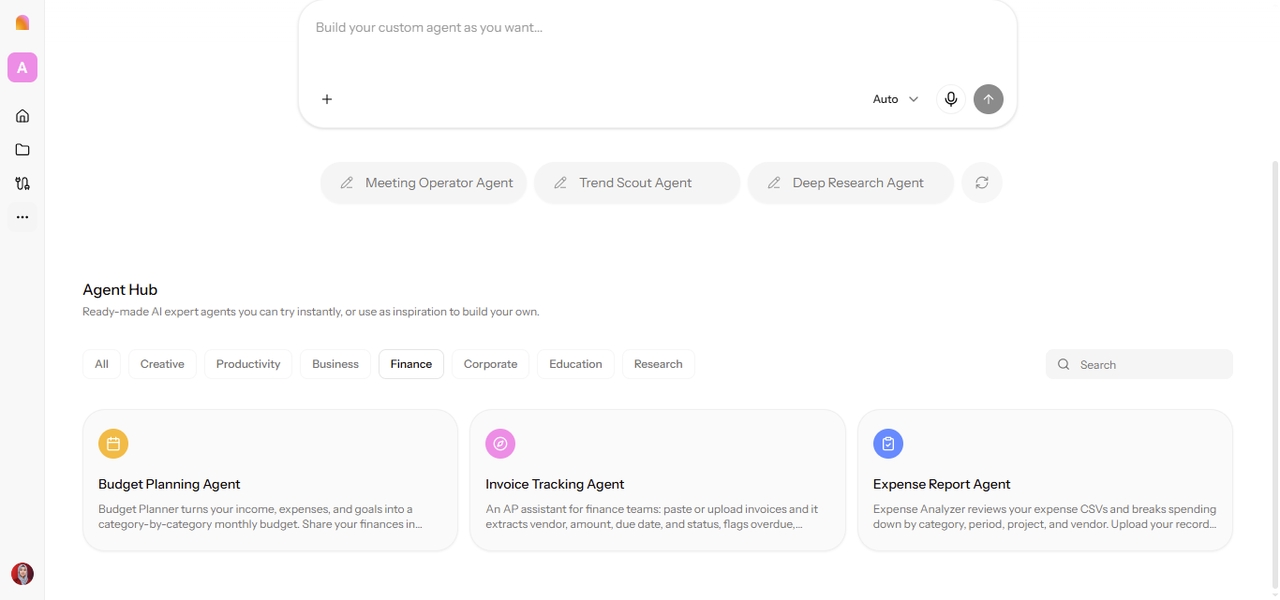
Enter Pro Finance Agent Hub showing Budget Planning Agent, Invoice Tracking Agent, and Expense Report Agent.

AI Agents for Finance: Where Automation Fits

AI agents are systems that carry out multi-step tasks with some degree of autonomy, and how much depends on their tools, permissions, and configuration. That's different from a workflow app. An app organizes information and processes so people can act on them, while an agent may take actions itself, such as drafting a reminder or updating a record, within whatever it's allowed to do.

FAQs

Build a Finance Tool Around the Way Your Team Works

Your finance team already knows how its work should flow. The hard part has been finding software that agrees. With Enter, you describe the process, review the plan, and get a working app you can test against real numbers before anyone relies on it. That's AI for finance shaped around your team, with people still making the calls that matter.