
Best AI Code Generator for Apps and Everyday Development
You can compare the best AI code generator for your tasks, budget, and tech stack. Review tools, free limits, and a practical Enter Pro app evaluation plan.
The best AI code generator fits the work you need to finish. GitHub Copilot suits suggestions inside your existing editor; Cursor, Cline, and Claude Code offer ways to work across a repository. For a new web application, v0 and Replit Agent are also worth considering. The useful distinction is the output you need: a function you can paste into a project, a patch you can review, or an application with its own data and deployment requirements.
A search for best AI code generator 2026 brings several different workflows into the same shortlist. Narrow that choice by checking stack compatibility, model access, free-plan limits, and the effort needed to verify the result. Later, the captured ScopeQuote project shows an Enter Pro estimator and a $450 request confirmation. It also makes the distinction between visible interface behavior and still-unverified storage, calculation, and owner-access requirements concrete.
What AI Code Generators Can Actually Create
Functions scripts and database queries
A focused request works well for a parser, SQL query, command-line utility, or test fixture because you can define its inputs and expected outputs precisely. Consider a Python expense importer: “read this CSV” leaves currency formats, duplicate records, missing values, and malformed rows unresolved. A useful specification states whether 03/04/2026 means March 4 or April 3 and what happens when a row is invalid. Test those decisions with fixed examples before processing the full dataset. A function that runs without an exception can still produce incorrect totals.
Changes across an existing repository
Repository agents can read project files, edit several modules, and run development commands. That gives them a broader role than a chat window that returns a snippet for you to copy. Updating a login flow, for example, may require changes to a form, request handler, validation schema, session logic, and integration tests. The important question is whether the complete path still works afterward. A large context window provides room for information; relevant file discovery and a runnable test environment determine whether the agent can use that information effectively.
Interfaces and complete applications
App builders can generate interfaces, connect data, and support publishing workflows. You still need to distinguish a convincing preview from a functioning application. A customer dashboard can display believable sample records while authentication or persistent storage remains unfinished. Reloading the page, opening the app in another session, and requesting another user’s record reveal more than the initial screen. These categories overlap: an editor agent can scaffold an application, and a builder can support existing code. Choose according to the development workflow and ownership you need afterward.
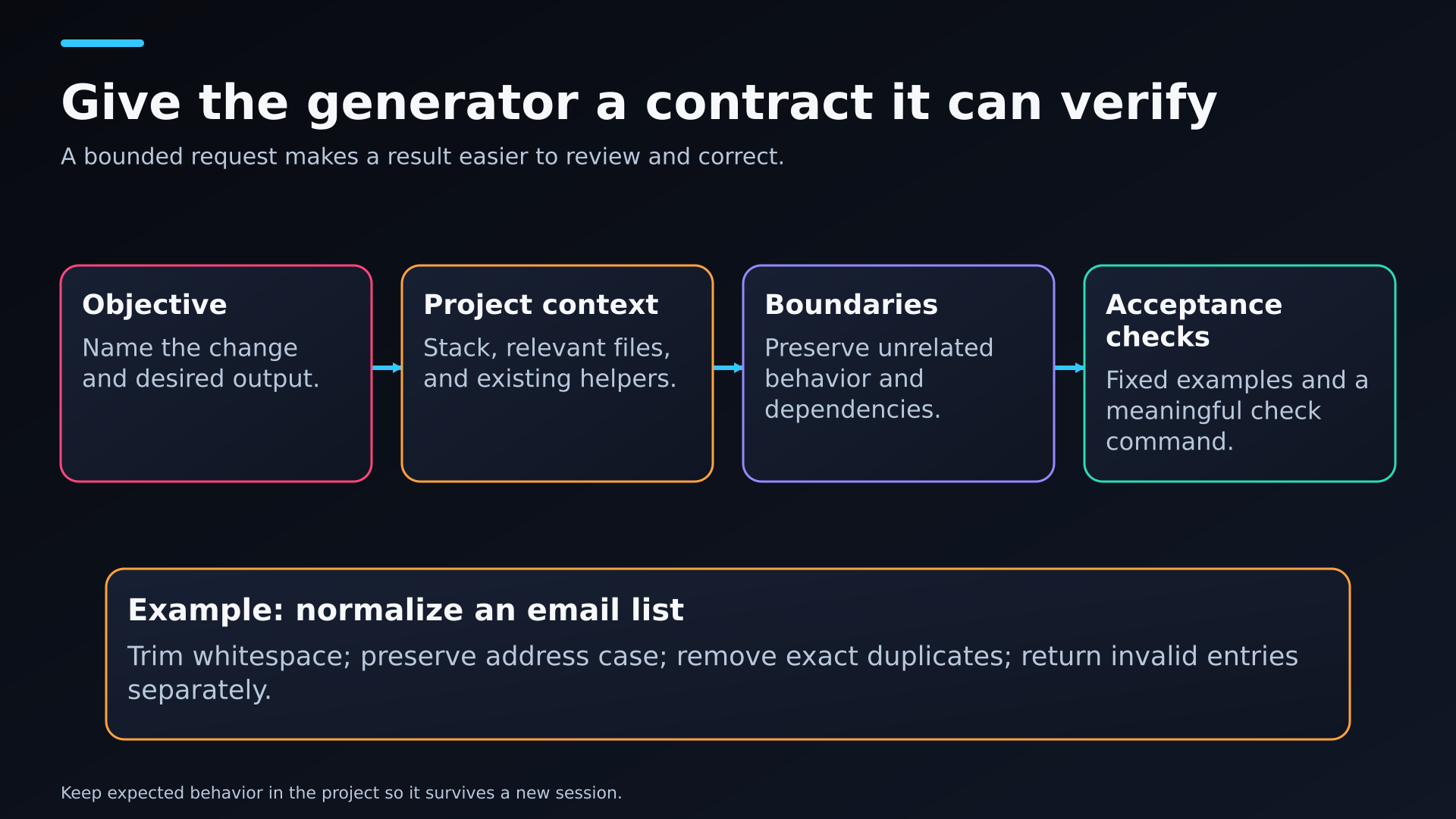
A four-part generation contract with an email-normalization example drawn from the article.
How to Compare the Best AI Code Generator for Your Project
Start with one deliverable and a clear definition of done. I would shortlist by workflow, then give the strongest candidates the same bounded task. A two-file validation fix should not require a new framework or a rewritten application. Good generation preserves the parts of your project that already work and makes the requested change easy to inspect. The best AI code generator for your project is the one that fits those constraints at an acceptable cost.
Language and runtime compatibility come first. Your Python version, TypeScript settings, framework release, package manager, and lockfile should remain consistent with the project you intend to maintain.
Context includes the relevant files, API contracts, project conventions, and boundaries. A generator should know which authentication helper to reuse and which configuration files it must leave untouched.
Reviewability matters after generation. Clear diffs, visible command output, appropriate permissions, and a reliable recovery path make it easier to accept or reject a change.
Total cost includes subscriptions, separately billed inference, app hosting, database resources, and correction time. Those charges can follow different billing rules even within one product.
A useful handoff includes accessible source code, a dependency manifest, licensing information, environment-variable names, and setup instructions. Another developer should be able to understand what the application needs to run.
Keep a short record for each candidate: the task, starting commit, supplied context, selected model, changed files, checks passed, retries, review time, and charges. This makes a failed attempt visible instead of letting an impressive final screenshot erase the work required to reach it. You can also spot recurring problems, such as dependency churn or tests that pass only after the agent changes their expected results.
Keep environment failures separate from code failures. A missing database connection or unavailable package registry can stop an otherwise plausible patch from being checked. Record that limitation without awarding a pass or assuming the patch is wrong. Then rerun from the same starting commit when the environment is usable. For a best AI code generator 2026 comparison, dated setup details are as valuable as a product name because plans, model access, and supported execution environments change.
Best AI Code Generator Options by Development Workflow
GitHub Copilot for generation inside an existing editor
GitHub Copilot is a practical starting point when you want suggestions inside an existing editor. Inline assistance supports local implementation, while chat and agent features can support broader changes where available. For a TypeScript validation helper, existing types and schemas are more useful context than a long product description. Check optional fields and the error shape callers expect. Copilot offers limited free access and paid plans with their documented usage arrangements; use the current plan page instead of carrying an old completion quota into a new comparison.
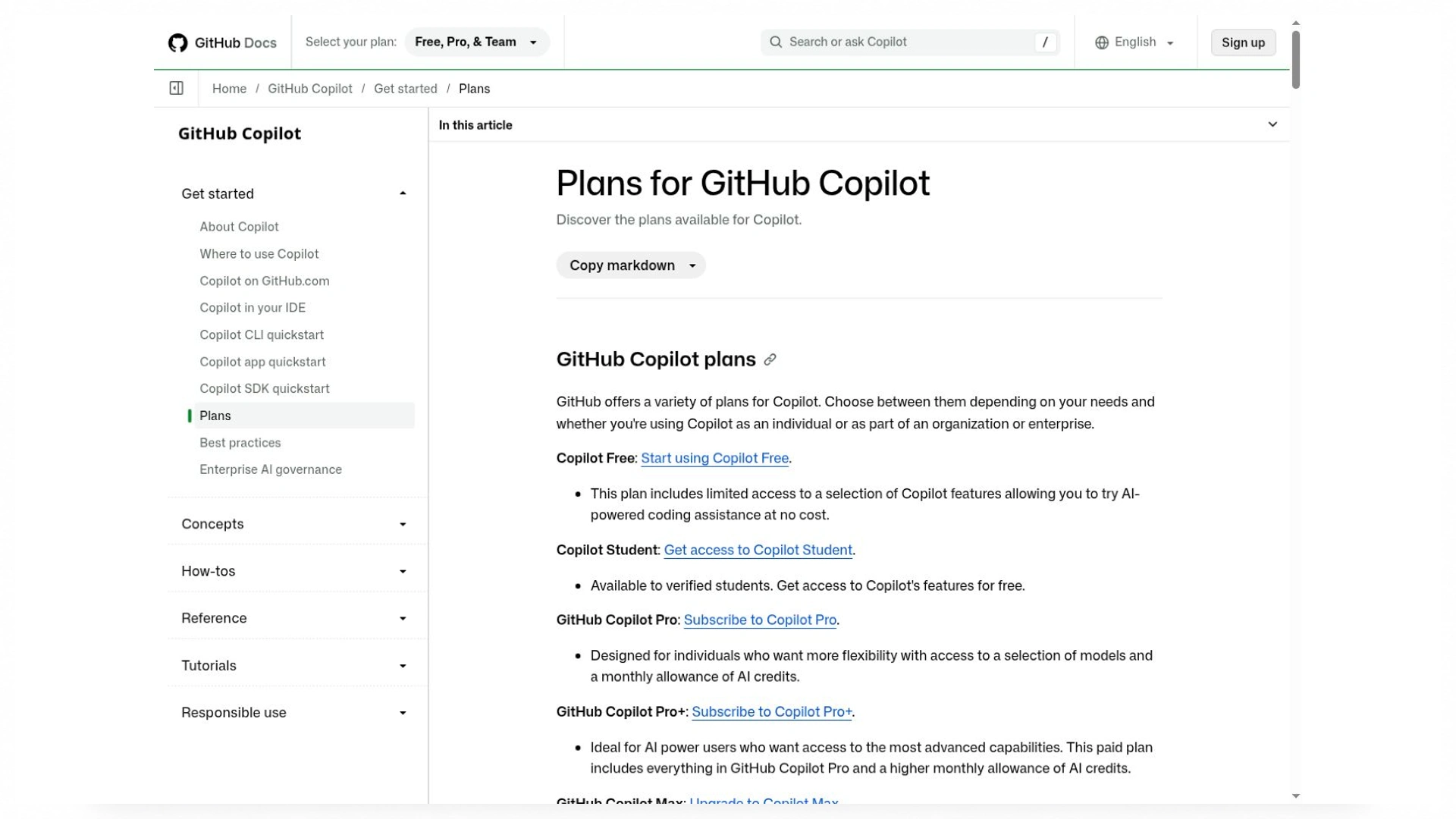
Compare the feature and allowance relevant to your task. Current plans are a better reference than old quota summaries.
Cursor for editing and generation across a project
Cursor combines predictive Tab suggestions with project exploration and agent-driven changes. That combination is useful when you move between small edits and a feature that touches several files. For example, adding a filter to an admin screen may involve component state, URL query parameters, a backend query, and a test fixture. The patch should preserve the existing navigation and data-fetching conventions. Cursor’s editor integration is the reason to consider it; speed and correctness still depend on your task, model, and review process. Its current plan and model charges also deserve attention before you compare it with older pricing summaries.
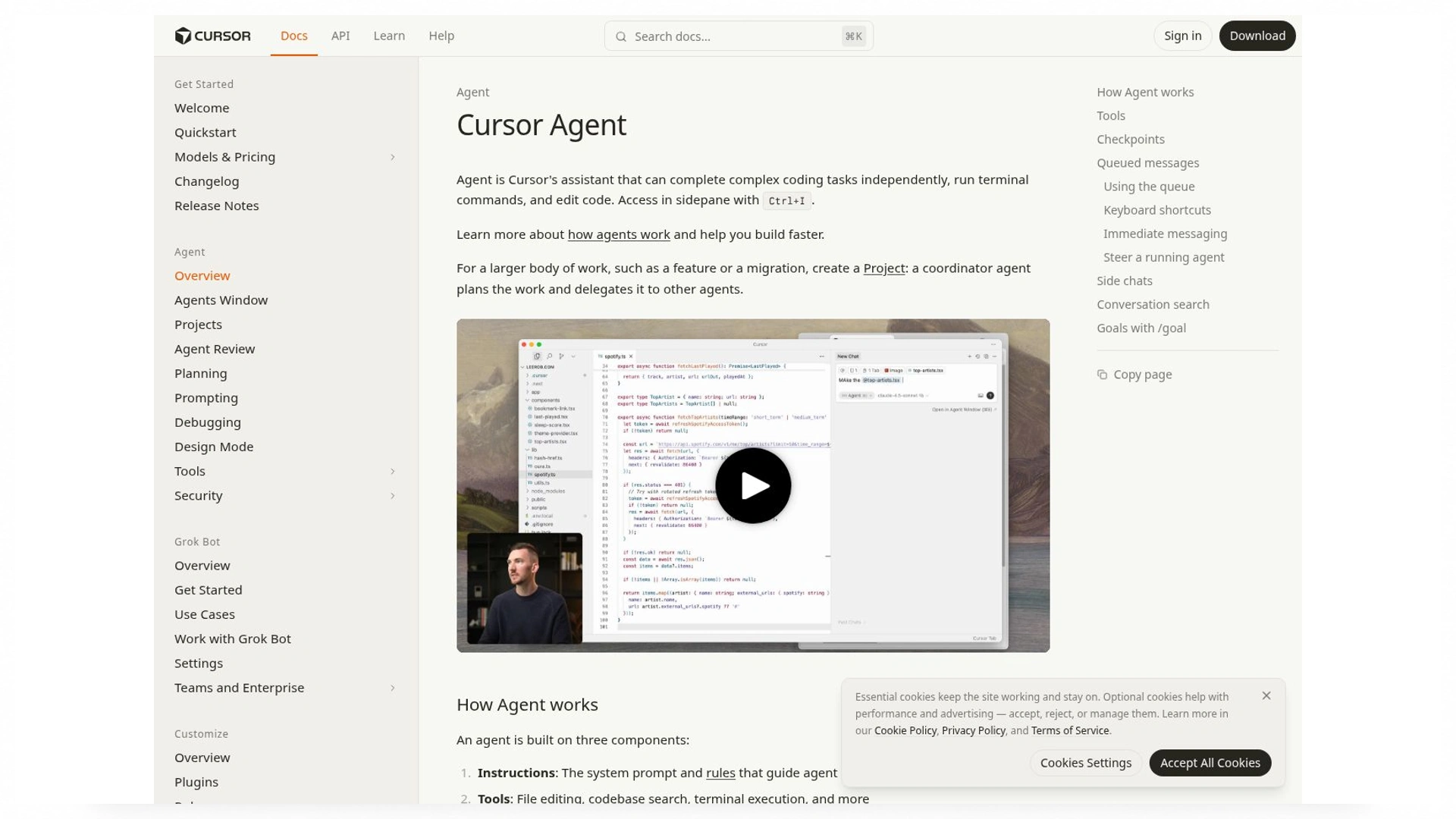
The agent overview describes planning, implementation, and related workflow capabilities. Documentation capture, not a measured coding result.
Cline for configurable agents and model access
Cline gives you several ways to run an agent, including an IDE extension and CLI, with configurable model access. You can inspect a service in Plan mode and move into Act mode once the proposed change matches your requirements. This is useful when you want to compare providers or keep control over the setup behind a generation task. Provider credentials, built-in usage billing, and the optional ClinePass subscription are different access routes. The agent software and the inference it invokes have separate costs. Model capability, approval settings, and the amount of context supplied all affect how the work proceeds.
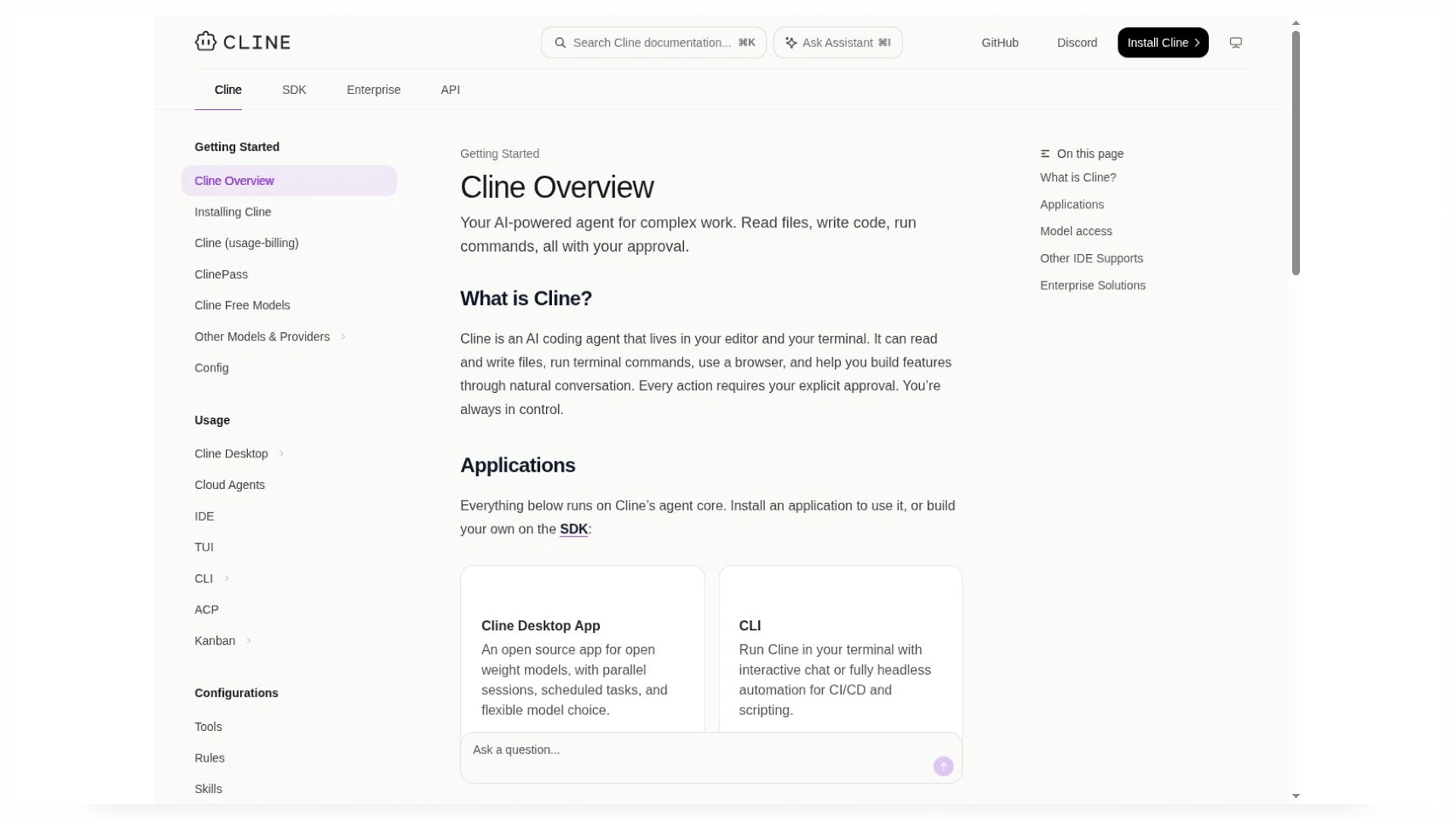
The overview describes the available agent surfaces and model-access routes. Documentation capture; no comparative test is implied.
Claude Code for terminal and repository work
Claude Code suits repository work where reading files, changing code, and running commands belong in the same session. It is available through terminal, IDE, desktop, and web workflows. When you add an endpoint to an existing service, the relevant details include its routing conventions, authentication middleware, response schema, and test command. A useful result follows those patterns and explains any configuration change it needs. Subscription and API access are separate billing routes, so confirm which one your session uses. The terminal workflow is particularly relevant if you already rely on local build tools and command-line debugging.
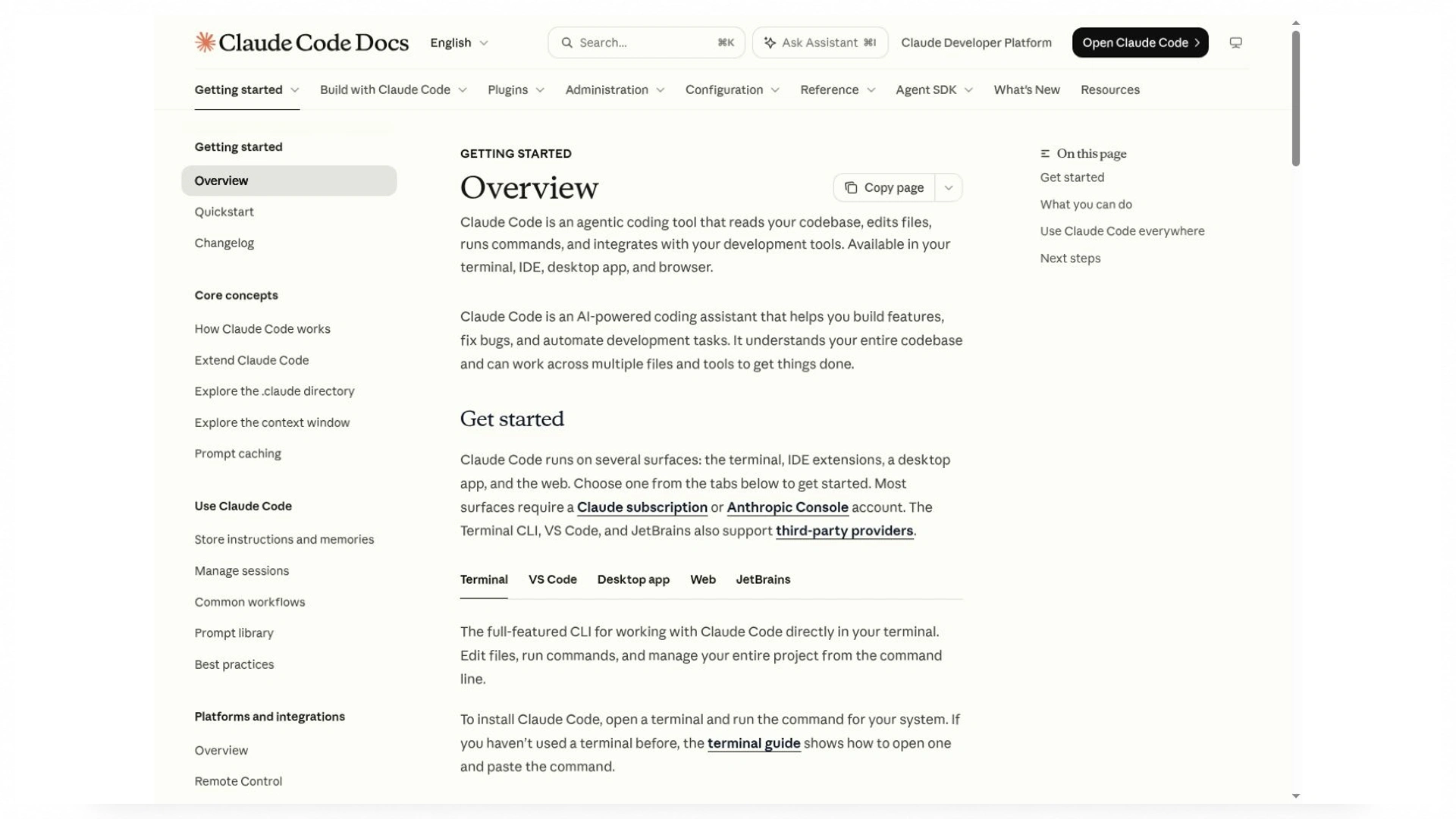
The overview explains its development surfaces and file-and-command workflow. It does not establish a performance ranking.
v0 for interfaces and Next.js application work
v0 is worth considering for interface-led web development, including a responsive pricing configurator or customer portal. Its current capabilities extend to full-stack applications, database connections, and backend logic. Next.js is the default, although other frameworks are possible. Your evaluation should cover accessible form labels, keyboard focus, mobile layouts, loading states, and the code that handles submitted values. A pricing control that looks correct can still trust a value supplied by the browser. Keeping calculation and authorization rules on the server is a separate requirement from reproducing a polished design.
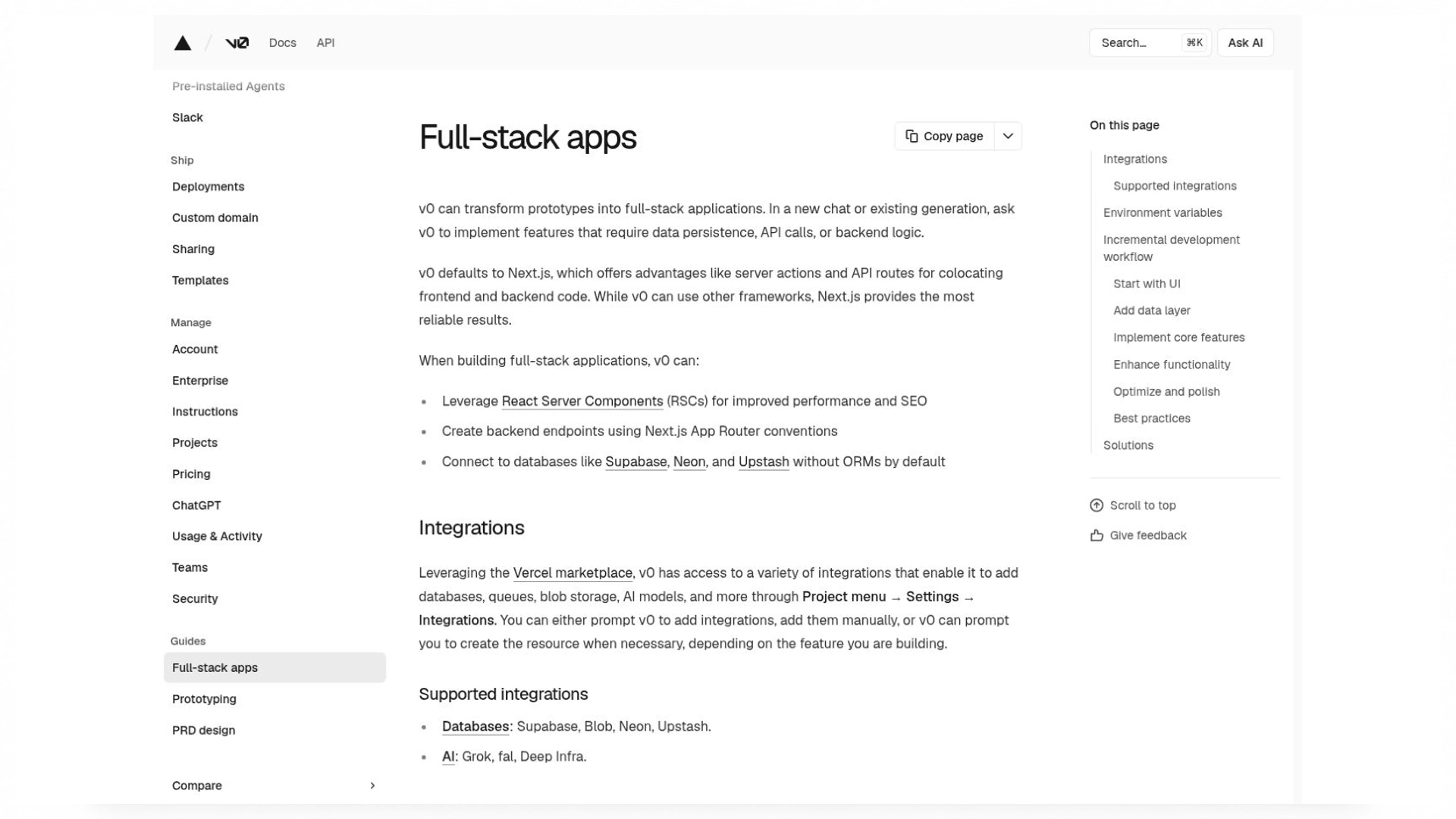
Official v0 documentation
Full-stack application guidance covers more than interface generation. Backend validation remains a separate acceptance requirement.
Replit Agent for a hosted development workflow
Replit Agent brings project setup, generation, iteration, and publishing into a hosted workflow. That reduces local setup when you want to build an internal dashboard and inspect a preview quickly. Check the current account's agent allowance and billing route rather than assuming development and hosting share one unlimited quota. Publishing adds configuration, persistent data, authentication redirects, and resource usage. A feature that works in preview can fail after publishing if an environment variable or callback URL differs. The hosted environment is a convenience; operational behavior still needs verification.
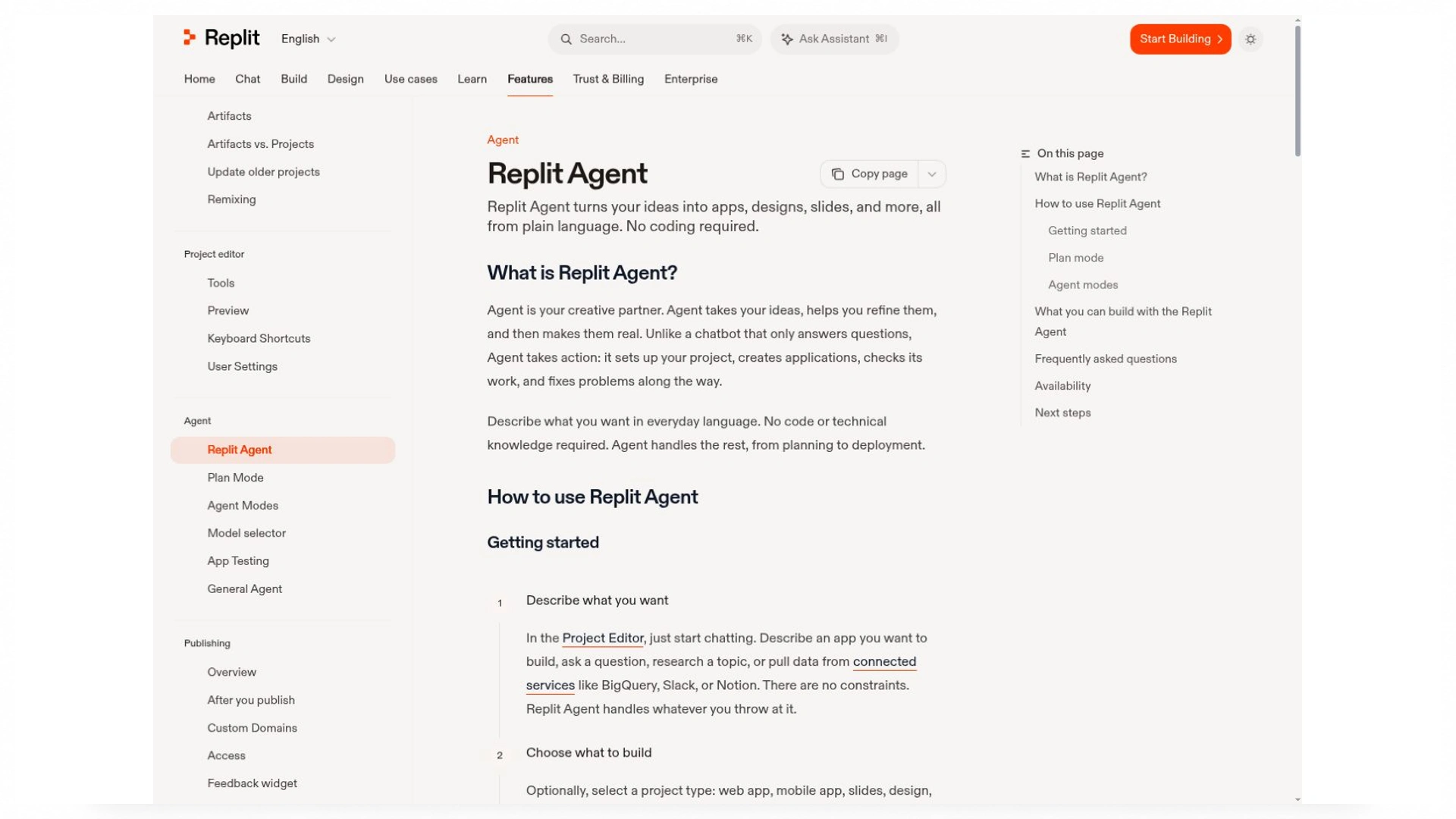
The documentation describes the hosted project workflow. Preview, publishing, and resource usage need their own checks.
Which Is the Best Free AI Code Generator
A free plan is useful when its allowance covers the task you need to complete. Limited hosted access, promotional models, and local inference offer different tradeoffs. A free extension may still call a paid provider; a local model avoids that provider charge but uses your hardware and takes time to configure. Completion limits also differ from chat or agent allowances. Before committing to a workflow, check which actions consume the allowance and whether publishing or maintaining the resulting application creates separate charges.
A small trial reveals more than a generous-looking quota. Generate one utility, run it with normal and invalid inputs, and make one targeted correction. Note whether the tool can inspect the failure itself or requires you to copy logs between windows. Then check the remaining allowance. A task can consume multiple model turns as the agent reads files, edits code, runs a check, and attempts a repair. Current quotas and promotional offers can change, so the account’s usage screen is a better planning reference than an old roundup.
The best free AI code generator is the one whose constraints you can work within for a complete, reviewable task. A high free allowance is less useful if the tool cannot read the relevant files or run your project's check. Keep the first evaluation small enough to finish, and retain the source locally or in your repository. Your next edit should not depend on recovering a long conversation or recreating an inaccessible preview.
Choose by Language Framework and Project Maturity
Python automation and data processing

Automate everyday tasks with Python and simplify your workflow.
Python automation benefits from predictable transformations and explicit error handling. For a CSV cleanup script, define the encoding, column types, duplicate policy, and treatment of missing values. Decide whether an invalid row stops the job or goes into a separate error report. If the file may be large, ask for streaming or chunked processing rather than loading everything into memory without a reason. Keep the original file intact and verify that a second run does not create duplicate output. These requirements make the generated utility easier to trust beyond a five-row demonstration.
Frontend and full-stack web development
Frontend work needs more than visual similarity. A React or Next.js form should have usable labels, predictable focus, appropriate loading states, and validation on the server as well as in the browser. Routing and state management should follow the existing application. If you use Vue, Django, Laravel, or another stack, the generated change should fit that stack and its current version. Introducing a preferred framework, duplicate component library, or second authentication system can turn a small feature into a migration you never requested.
Legacy services and team repositories
An established service usually needs a small, compatible patch. During an endpoint migration, existing callers may still depend on the previous field name or response shape. A generated change should account for that transition rather than replace one string everywhere and assume the work is complete. Review authorization, dependency changes, database migrations, and tests that protect older behavior. A focused patch is easier to review and revert. Familiar conventions also matter when another team member must debug the feature months after the generation session has ended.
Dependency changes deserve their own review. Check whether the generator added a package to avoid a helper already present, changed the lockfile unexpectedly, or introduced a runtime your deployment cannot run. For a schema migration, identify the forward change, compatibility window, and recovery path. A patch that requires a simultaneous update of every caller may be unsuitable for an independently deployed service even when its local tests pass.
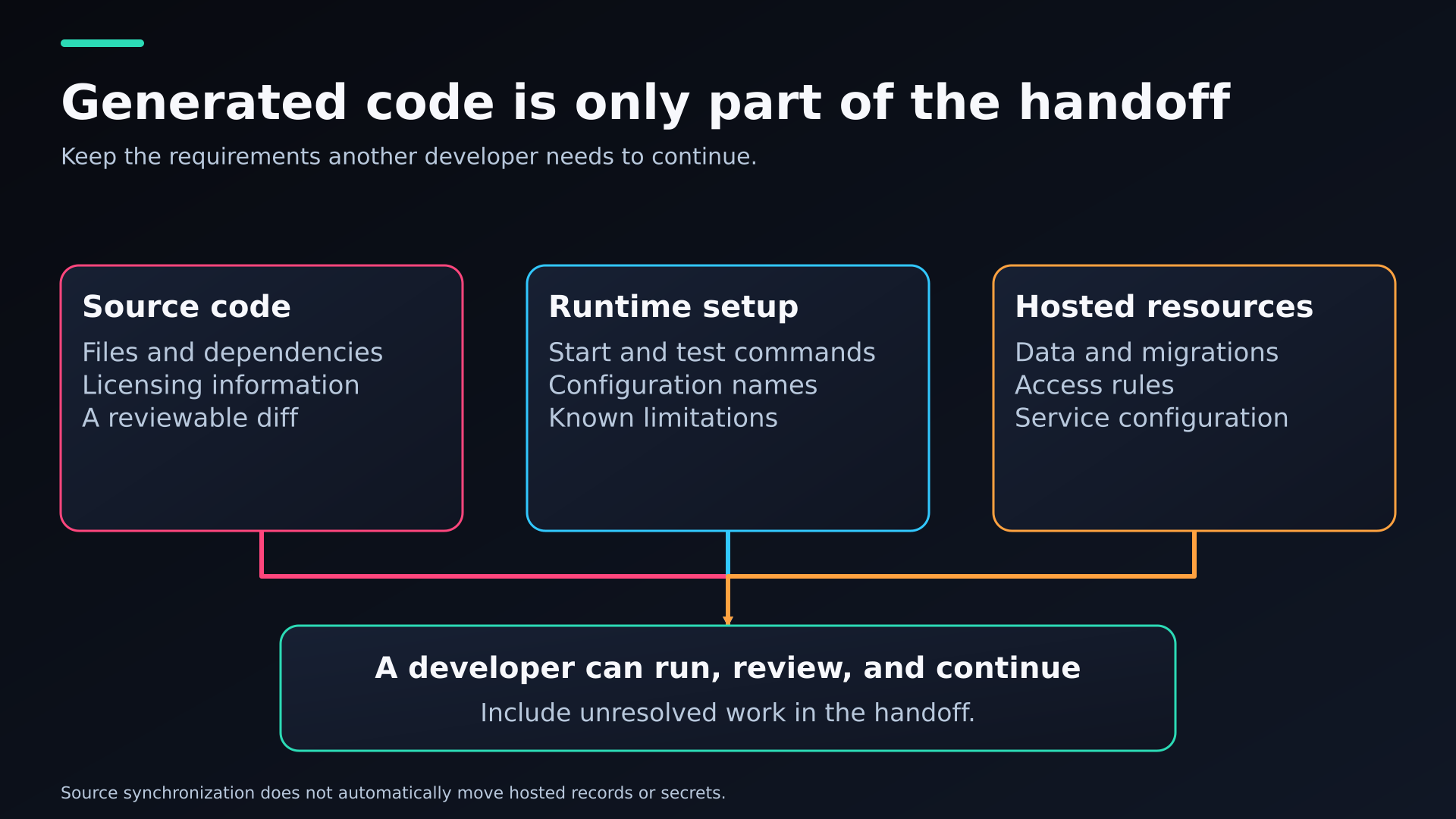
A handoff diagram separating source files, runtime setup, and hosted-resource configuration.
Give Your Generator a Contract It Can Verify
A strong generation prompt defines the objective, current stack, relevant files, examples, constraints, and a verification command. This gives the tool a contract it can check. For a parser, the contract might specify exact outputs for valid and malformed inputs. For an API, it might define the response fields, status codes, and access rules. Keep those requirements in the project so they survive a new session. The prompt should also require the agent to report which commands it ran and distinguish a successful check from one it could not execute.
Example prompt: “In this Python project, implement normalize_email_list using the existing dependencies. Trim surrounding whitespace, preserve address case, remove exact duplicates after trimming, reject empty values, and return invalid entries separately. Add cases for blank input, repeated addresses, and malformed values. Explain the patch and run the existing test command. Do not change unrelated files.”
A useful follow-up identifies a mismatch: 'The blank-input case returns a record, but the contract requires an empty list.' That gives the agent a reproducible failure and limits unnecessary edits. API tests should check unauthorized requests as well as successful ones. SQL generation needs parameterized queries, sensible result limits, and an execution plan when performance matters. Your generator becomes easier to judge when the same inputs, expected behavior, and verification process apply to every candidate.
The question 'what is the best AI code generator?' becomes more useful when followed by a specific constraint: for an existing Python service, a Next.js prototype, or an offline utility. Keep examples and expected outputs in a versioned task file. Ask the tool to preserve those expectations rather than rewrite them to match its first attempt. This makes later retries comparable and leaves another developer a clearer explanation of the change.
Measure Accepted Code and Total Cost
Accepted code is a better measure than lines generated. Track the requirements completed, correction rounds, regressions, and time needed to review the patch. Check whether a reviewer can explain the implementation and whether the original behavior still works. Tests written by the generator can help, but they may repeat the same mistaken assumption as its code. Keep a few independently defined acceptance cases, and inspect changes to existing tests. A passing result is less convincing if the agent removed the assertion that would have exposed the defect.
Productivity research also needs context. METR’s early-2025 experiment covered 16 experienced developers working on 246 issues in familiar open-source repositories and reported a 19% slowdown with AI access. Its February 2026 follow-up described selection effects and measurement difficulties that made the newer results hard to interpret. Those findings do not establish which tool will work best for your project today. They do show why perceived speed, benchmark scores, and completed work are different measures. Your own comparison should include review and repair time.
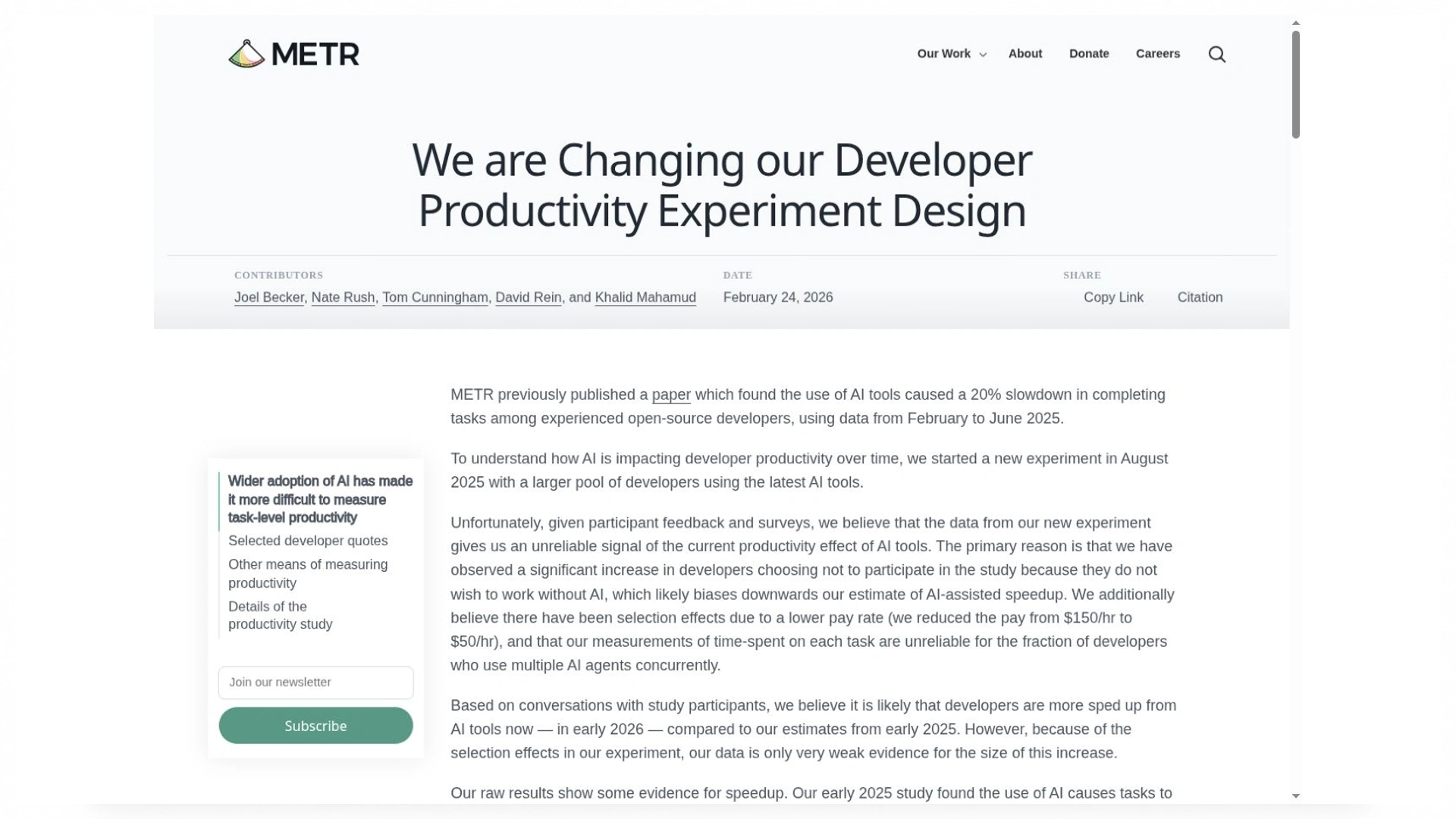
The February 2026 update discusses limitations in estimating the current productivity effect. This is a research-page capture.
Suppose a trial incurs $12 in generation charges and produces six accepted tasks. That is $2 per accepted task before subscriptions, hosting, and human review. If unsuccessful attempts are already included in the $12, keep them included; excluding them would make the tool look artificially cheaper. Compare equivalent tasks over the same billing period. I would also record review minutes separately, because a lower inference bill offers little benefit if every change requires substantially more debugging. This is an illustrative calculation, not a claim about any vendor’s results.
Evaluate Enter Pro by Building ScopeQuote
ScopeQuote is a fictional agency estimator captured in Enter Pro. A customer selects services, reviews a total, and sends a request for later agency review. The images show the plan, estimator, confirmation, and owner sign-in gate. That is enough to examine the visible journey and define the backend checks precisely. It is not a captured demonstration of an owner reading a stored request or a tampered browser price being rejected.
Step 1 Plan the Estimator and Its Data Contract
The plan starts with a landing-page package at 30,000 cents and an SEO review at 15,000 cents. Quantities are whole numbers from one to ten. In Plan Mode, keep the public estimate, request submission, and private owner review connected to the same data contract. Define service IDs, canonical prices, request line items, and authorization before generating. Payments, discounts, and automatic email delivery are separate features; this first journey is an enquiry with an estimate.
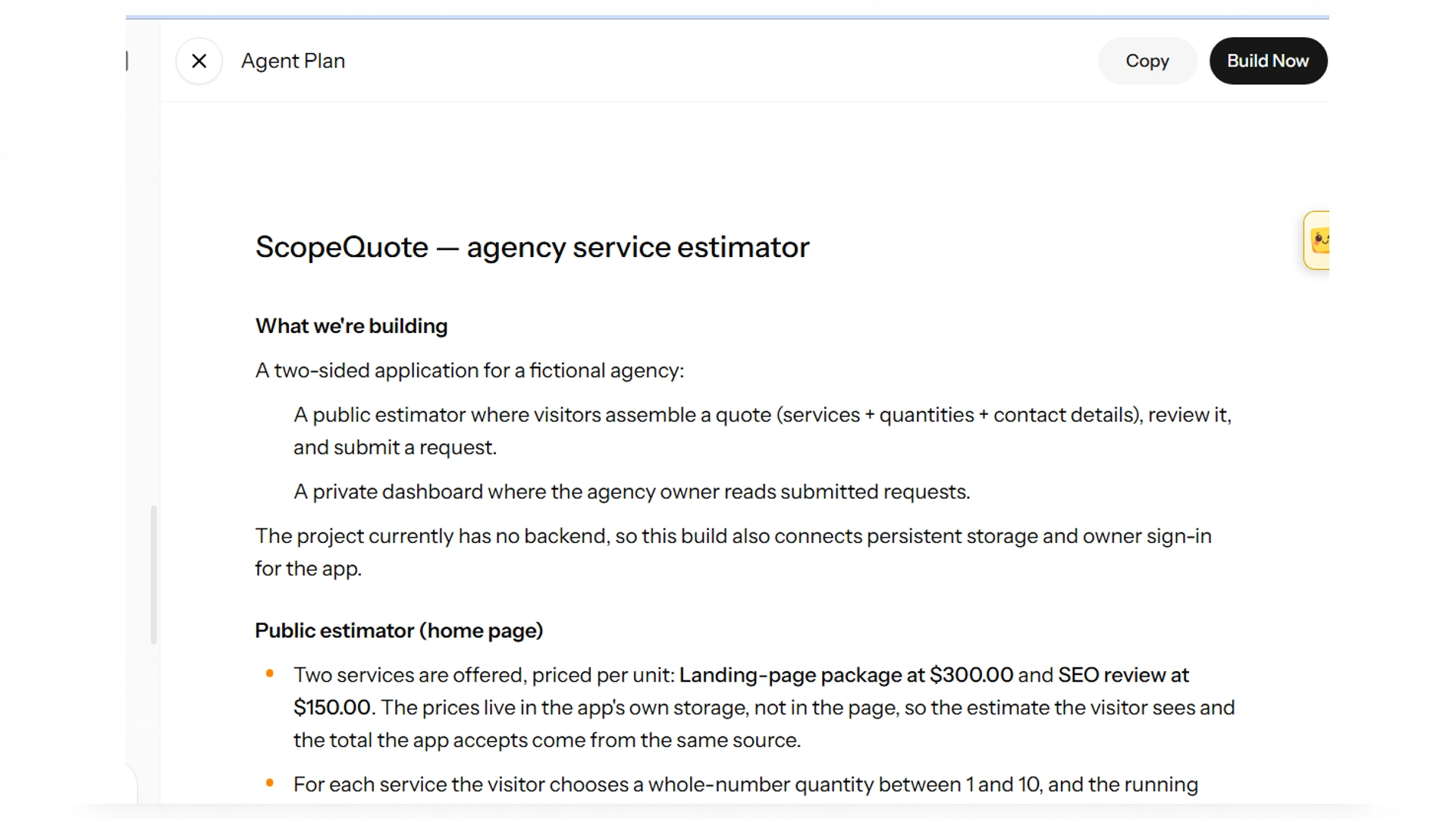
The plan connects a public estimator to private owner review. Storage and authorization require implementation checks.
Step 2 Build the Customer Journey and Secure Its Records
The captured estimator selects one landing-page package at $300 and one SEO review at $150, producing a visible total of $450. It labels the action Send request and explains that no payment is taken. This wording helps avoid confusing an estimate with a paid order. Check quantity controls, keyboard navigation, and loading and failure states alongside the preview. The image demonstrates the displayed arithmetic for this selection; it does not reveal where the authoritative total is calculated.
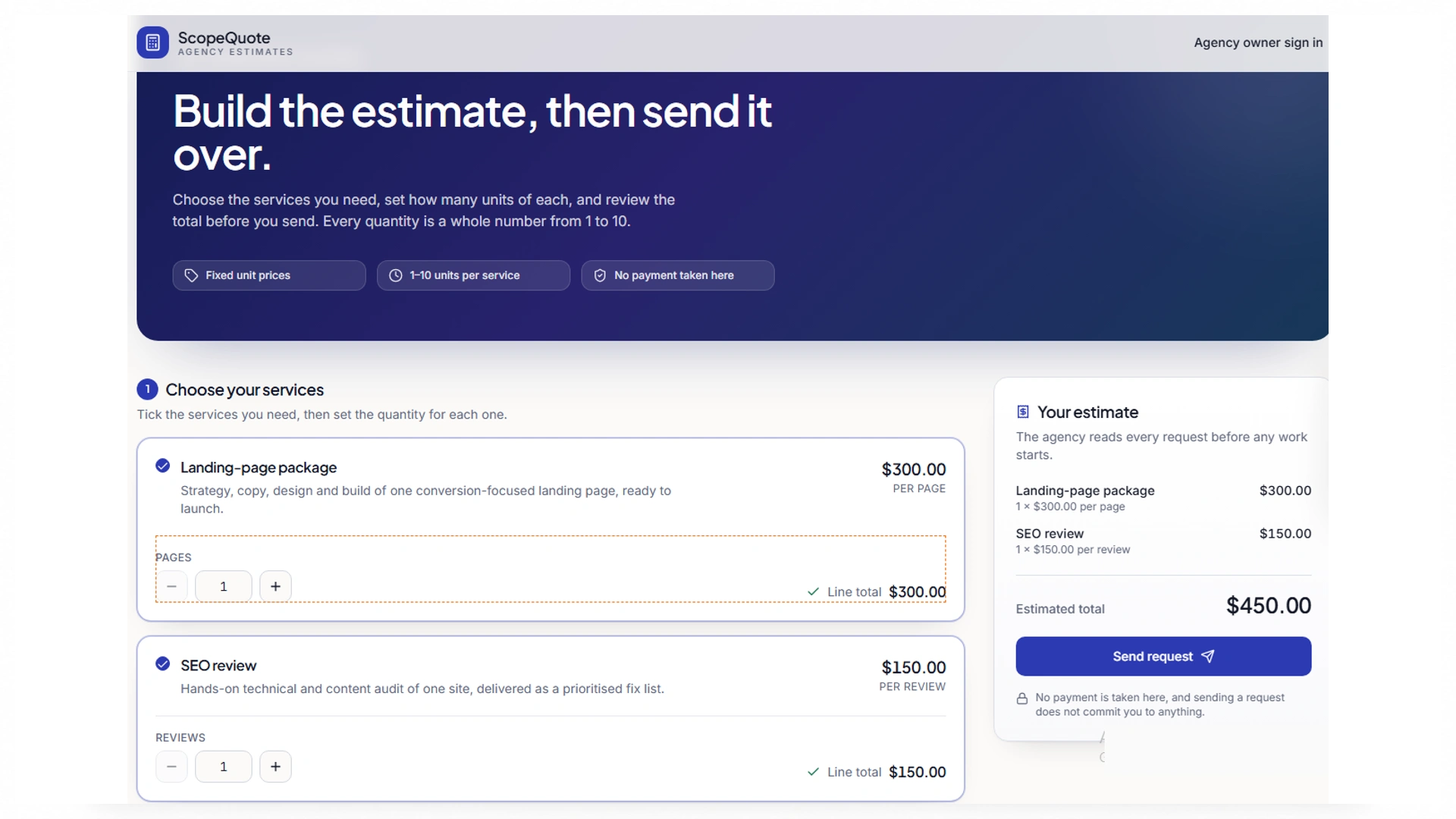
One $300 landing-page package plus one $150 SEO review displays $450. Native editor selection outlines are part of the supplied capture.
Enter Cloud supplies database, authentication, and function capabilities for an implementation of this workflow. The submission handler should load canonical service prices and calculate integer-cent totals server-side, rejecting unknown service IDs and invalid quantities even when the browser is bypassed. The supplied owner screen is a sign-in gate. A gate is useful interface evidence, but private-read rules must also protect the underlying request data. Do not treat a hidden dashboard as proof that direct requests are denied.
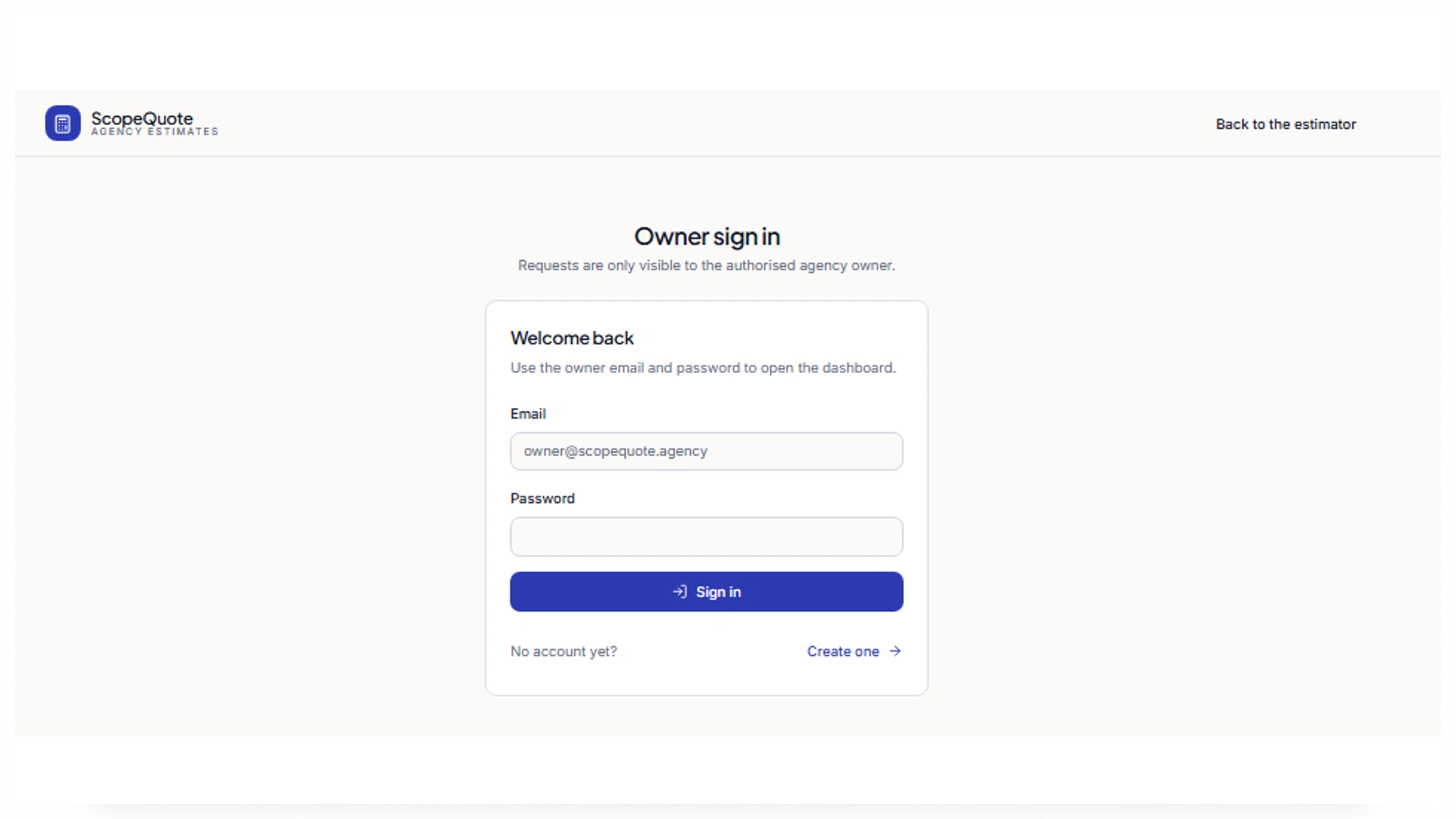
The owner gate is visible. Backend denial of unauthorized reads needs a separate check.
Step 3 Verify the Confirmation and Calculation Boundaries
The confirmation reads Request received and shows reference SQ-2026-1002 with a $450 total. That matches the visible one-plus-one selection. The reference is a useful handle for a later owner review, but it does not independently prove a durable database row. Next, inspect the corresponding stored request and its line items, refresh the owner view, and compare the server total. Test a controlled submission failure so a request rejected by the backend cannot still produce this success screen.
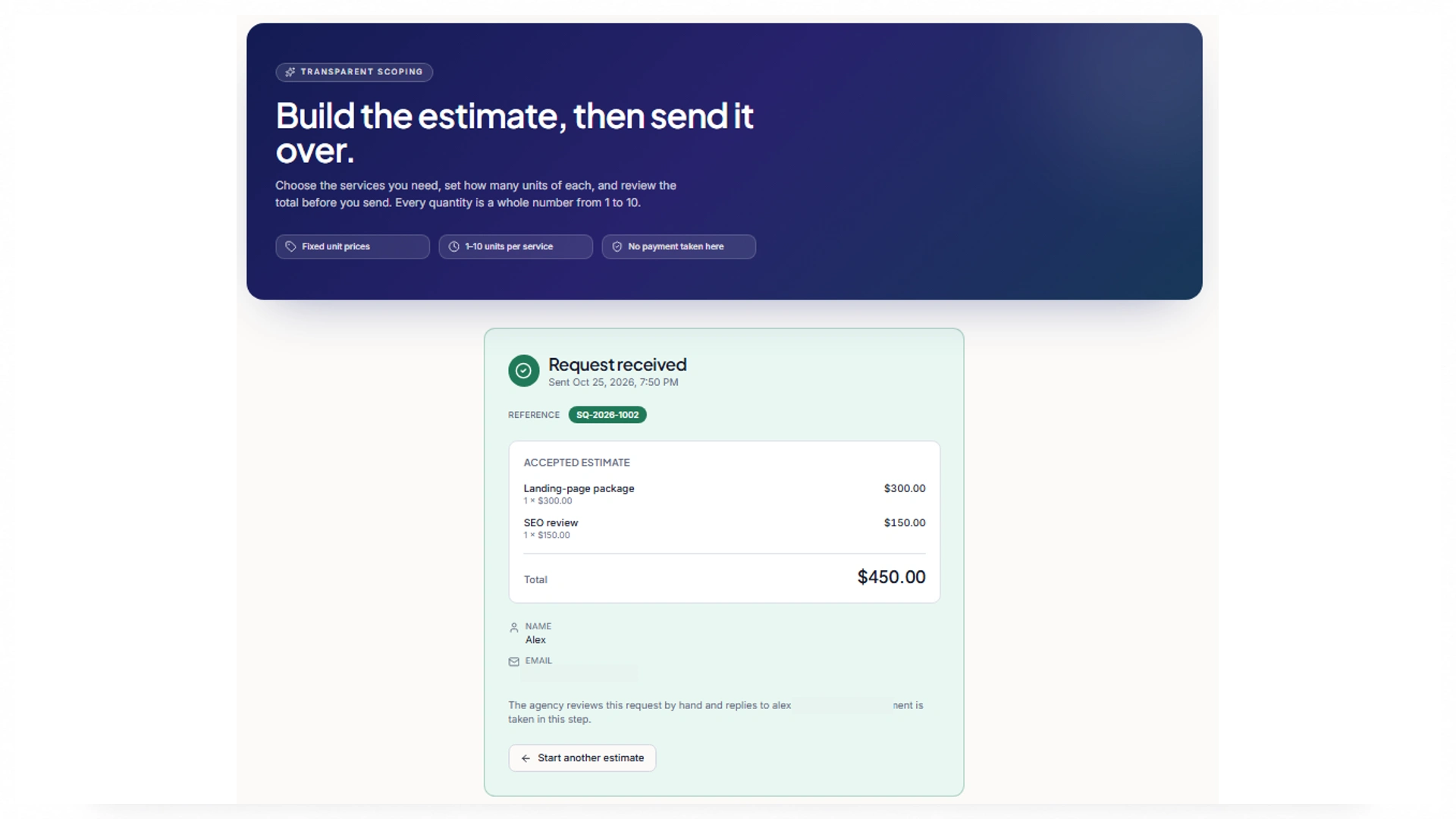
Request SQ-2026-1002 displays the same $450 total. Contact details are redacted; a saved database row is not shown.
Keep an additional calculation case distinct from the captured result: one landing-page package plus two SEO reviews should total 60,000 cents, or $600. Then try zero, negative, fractional, and excessive quantities. Tamper with the submitted price, repeat a service ID, and request an unknown service. Verify anonymous and non-owner reads through direct requests. For retries, use a deliberate submission identifier and decide whether the server returns the earlier accepted request or creates a new one. A success message alone cannot establish these properties.
Step 4 Review the Evidence and Prepare the Handoff
The final handoff should include source files, dependencies, setup commands, environment-variable names, schema changes, and unresolved defects. GitHub synchronization is a route for review, not a result demonstrated by these ScopeQuote images. Keep a short evidence record: the $450 estimate and matching confirmation are visible; server-side price enforcement, durable storage, owner retrieval, and retry behavior still need their own checks. Record actual charges and correction time when running those checks so your evaluation covers accepted behavior rather than only a polished screen.
Conclusion: Choosing the Best AI Code Generator
Choose the workflow that fits your task, then judge the result by correctness, review effort, total cost, and handoff quality. The best AI code generator helps you maintain accepted changes in your own environment. ScopeQuote gives that principle a concrete Enter Pro example: a visible estimate and matching confirmation, followed by clear backend checks to complete before wider use.
Frequently Asked Questions About Best AI Code Generator
What Is the Best AI Code Generator for a Beginner?
For a small web application, a hosted builder can reduce setup and make the result easier to inspect in a preview. If you are learning functions or working inside an existing repository, an editor assistant may fit better. Choose a first task you can understand and check independently. A tool that explains a small, correct change is more useful to a beginner than one that generates an application too complex to maintain.
Can the Best Free AI Code Generator Build a Complete App?
A limited prototype may fit within a free allowance, but a complete app also needs testing, hosting, data storage, and ongoing changes. Those resources may have separate limits or charges. Confirm what happens when the generation allowance runs out and whether the published app keeps working. Free access is a reasonable way to evaluate a workflow; it is not a guarantee of unlimited development or permanent free operation.
Can You Use AI-Generated Code Commercially?
Commercial use depends on the product terms and the licenses of the code and dependencies included in your project. You should review both rather than assume that generated output has no restrictions. Maintain dependency notices where required and inspect unfamiliar packages before adopting them. For a client handoff, document the relevant licenses and unresolved provenance questions. Commercial-use permission and security quality are separate issues.
Do You Need Programming Knowledge to Use These Tools?
You can begin by describing the behavior you want, especially in a builder with a visual preview. Maintaining the result requires more understanding: how requests move through the app, where data is stored, what authentication protects, and how to investigate a failure. A developer can help with architecture and security-sensitive changes. As a learner, work on changes you can explain before increasing the scope.
Can a Code Generator Update an Existing Repository?
Yes. Repository-aware agents can inspect an existing project and propose changes across its files. Their effectiveness depends on compatibility, relevant context, permissions, and a working development environment. Start from a known commit, run the existing checks, and request one bounded change. Review whether the patch follows current conventions and preserves unrelated behavior before allowing a larger refactor.
What Do ‘Best Code AI Generator’ and ‘Best Code Generator AI’ Mean?
Best code AI generator and best code generator AI are alternative search word orders for the same broad category. Neither identifies whether you need a snippet, repository patch, or hosted application. Start with the deliverable, runtime, and review process, then compare tools within that workflow. A search phrase cannot substitute for an acceptance test.
Can Enter Pro Generate the Backend as Well as the Interface?
Yes. Enter Cloud provides backend capabilities including a database, authentication, and functions. ScopeQuote's design uses those capabilities for stored requests and authoritative calculations. The supplied captures show the estimator, confirmation, and owner sign-in gate; they do not verify the handler or private records. Inspect backend validation and access policies before using the generated project for real enquiries.
Can a Developer Continue an Enter Pro Project Later?
Yes. Enter Pro’s GitHub integration provides a route for code review and developer collaboration. The handoff should also cover setup instructions, dependencies, environment variables, migrations, and backend services. Access to the repository does not automatically transfer hosted data or secrets. A developer should be able to run the project and understand its external requirements before taking responsibility for updates.