Bubble Pricing 2026: A Complete Cost Breakdown for App Builders
Unlock the secrets to Bubble pricing. Learn exactly how Workload Units work and compare the Free, Starter, Growth, and Team plans to find your perfect fit.
What is Bubble.io?
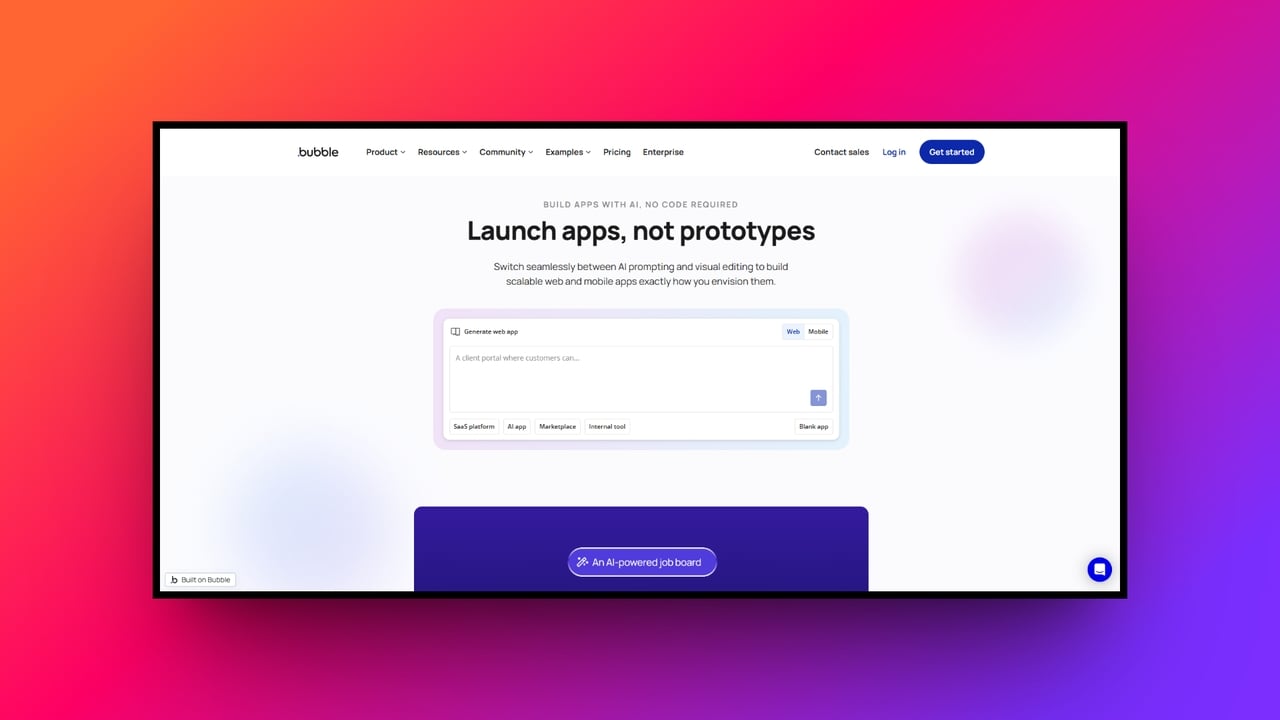
If you are diving into the world of no-code app development, Bubble.io is undoubtedly on your radar. As one of the most powerful visual programming platforms availale, Bubble empowers founders, freelancers, and businesses to build complex, full-stack web and native mobile applications without writing a single line of code. However, as your app ideas grow from simple prototypes to scaling software-as-a-service (SaaS) products, understanding how much it costs to run them becomes critical.
Bubble’s pricing model has evolved significantly, shifting toward a capacity-based framework. If you are planning to launch an application this year, you need to understand exactly what you are paying for, how the plans differ, and how to forecast your monthly expenses.
In this comprehensive guide, we will break down everything you need to know about Bubble pricing, decode the mystery of Workload Units, and share strategies to keep your app lean and cost-effective.
The core of Bubble pricing: what are workload units (WUs)?
To understand Bubble pricing, you first must understand the Workload Unit (WU). In the past, Bubble priced its plans based on arbitrary "server capacity." Today, the platform uses a usage-based consumption model.
Think of a Workload Unit as a measurement of the "fuel" your application consumes to operate. Every time Bubble’s servers perform a task for your app, it costs a specific fraction of a WU. Workload aggregates all the underlying server activities your app performs on a monthly basis.
Activities that consume "Workload Units" include:
-
Database operations: Creating, modifying, or deleting database records (e.g., creating a new user profile).
-
Searches and queries: Filtering through thousands of database rows to display specific information.
-
Backend workflows: Running complex, scheduled automations behind the scenes.
-
API integrations: Fetching or sending data to third-party services like Stripe, OpenAI, or Twilio.
Conversely, actions that happen purely on the "client side" (in the user’s browser), such as clicking a button to open a pop-up, changing the color of an element, or navigating between simple tabs, do not consume Workload Units.
Understanding this distinction is the key to mastering your Bubble budget. You only pay for the heavy lifting Bubble’s servers have to do.
Bubble io pricing plans breakdown: what you need to know
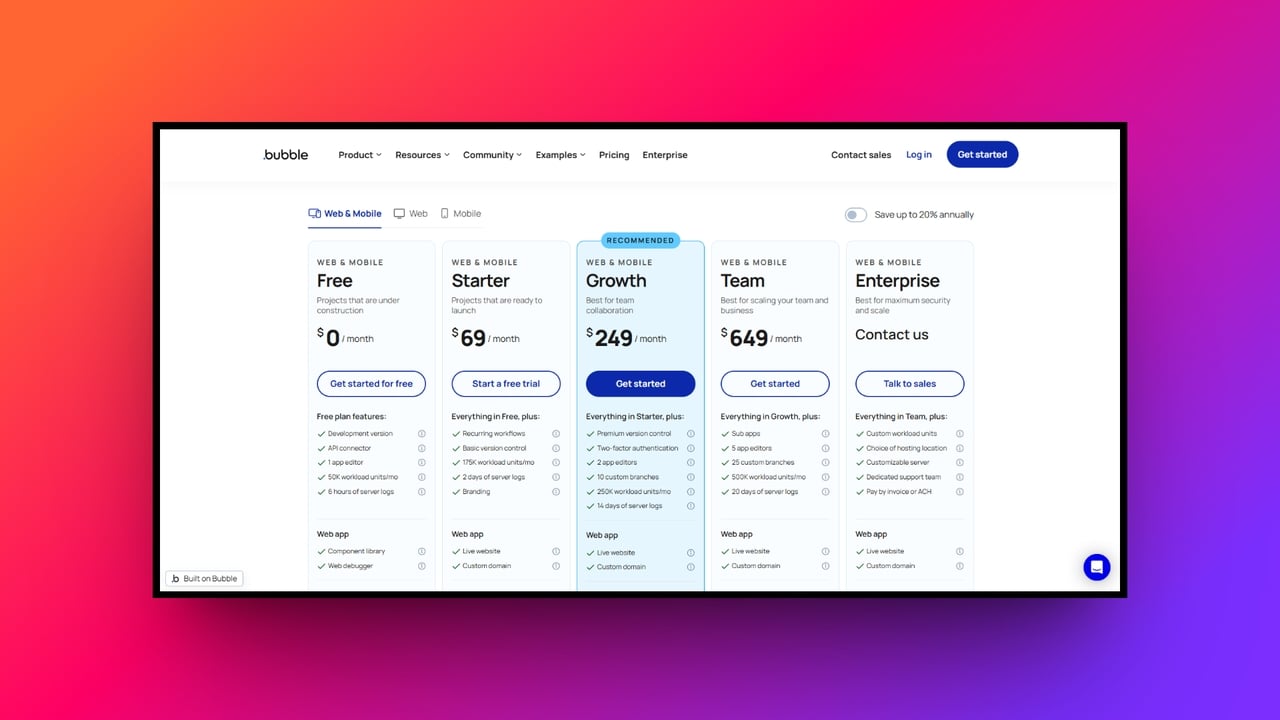
Bubble offers several tiers designed to support apps at different stages of their lifecycle. Notably, plans are purchased at the project level, and Bubble now offers segmented pricing depending on whether you are building a Web App, a Native Mobile App, or a combined Web & Mobile App.
For the sake of simplicity, we will look at the standard baseline pricing (billed monthly), but keep in mind that opting for annual billing can save you up to 20%.
| Plan | Best For | Web + Mobile Price | Web Only Price | Mobile Only Price | Included WUs/ Month | |---|---|---|---|---|---| | Free | Prototyping | N/A | $0/month | $0/month | 50,000 | | Starter | Launching | $69/month | $32/month | $49/month | 175,000 | | Growth | Scaling Startups | $249/month | $134/month | $199/month | 250,000 | | Team | Established Businesses | $649/month | $399/month | $549/month | 500,000 | | Enterprise | Custom Solutions | Custom | Custom | Custom | Custom |
- The Free Plan: best for prototyping
The "Free" plan is your sandbox. It comes with the full visual editor, allowing you to design your interface, set up your database, and build out your logic. It should be noted that Bubble pricing for the free plan is the perfect tier for learning the platform, building an MVP, or creating a proof of concept for investors.
-
Price: $0/month
-
Included WUs: 50,000 / month
-
Limitations: You cannot deploy a live app on a custom domain (your app will live on a
bubbleapps.iosubdomain), you cannot use recurring backend workflows, and Bubble's branding will be visible on your pages.
- The Starter Plan: best for launching
The "Starter" plan is the first tier suitable for real users. It is designed for early-stage MVPs, internal business tools, and small-scale apps that are ready for the public.
-
Price: $32/month (Web only) or $69/month (Web + Mobile)
-
Included WUs: 175,000 / month
-
Key Features: You can finally connect a custom domain, remove Bubble branding, utilize the Bubble API, and access 2 days of server log retention. You also unlock recurring workflows.
-
Limitations: It only allows for one application editor, making team collaboration difficult.
- The Growth Plan: best for scaling startups
Once your application gains traction and user activity increases, the "Growth" plan is the natural next step. This is the most common tier for actively growing SaaS products.
-
Price: $134/month (Web only) or $249/month (Web + Mobile)
-
Included WUs: 250,000 / month
-
Key Features: Growth increases your capacity to 250,000 WUs and bumps server log retention up to 14 days, which is invaluable for debugging complex user issues. Critically, it allows for two application editors and includes two-factor authentication for added security.
- The Team Plan: best for established businesses
For mature apps, development agencies, and larger teams, the "Team" plan offers enterprise-grade control without the custom enterprise price tag.
-
Price: $399/month (Web only) or $649/month (Web + Mobile).
-
Included WUs: 500,000 / month
-
Key Features: It provides a massive 500,000 WUs per month, 20 days of server logs, and supports up to five simultaneous app editors. It also unlocks the "Sub-apps" feature, which is absolutely essential if you are building a white-labeled, multi-tenant B2B application.
- Enterprise Plan: custom solutions
For massive applications requiring mission-critical security, HIPAA compliance, dedicated server instances, and unlimited workload units, Bubble offers custom-priced "Enterprise" plans tailored to organizational needs.
Managing costs for Bubble 2026: workload tiers and overages
One of the biggest concerns new developers have is the fear of unexpected bills if their app goes viral. Bubble handles scaling gracefully through a combination of Workload Tiers and Overages.
If your app uses up its allotted monthly WUs (for instance, the 175,000 units on the Starter plan), you have a choice to make:
-
Pay-as-you-go overages: By default, if you exceed your limit, Bubble charges a flexible overage rate of roughly $0.30 per 1,000 extra Workload Units. This ensures your app doesn't crash during a sudden traffic spike.
-
Pre-purchased workload tiers: If you know your app consistently requires more fuel, you can purchase add-on tiers. For example, you can buy an extra 200,000 WUs for about $29/month. Buying in bulk heavily discounts your per-unit rate compared to standard overages.
-
The safety net: If you are on a strict budget, Bubble allows you to simply turn off flexible overages. If your app hits its limit, server-side actions will pause until the next billing cycle, ensuring you never pay a penny more than your base subscription.
Best practices for optimizing Bubble no-code platform pricing
Because pricing is directly tied to server consumption, how you build your app matters just as much as what you build. A poorly optimized app will drain Workload Units rapidly. Here are a few ways to keep your costs low:
-
Rethink "Do a Search For": Placing database searches inside repeating groups can multiply your queries exponentially. Consolidate your searches and filter data as efficiently as possible.
-
Use client-side logic: Not everything needs to happen on the server. If you can perform calculations, sort lists, or toggle interface states using custom states in the user's browser, you will save massive amounts of WUs.
-
Limit API calls: Batch your API requests. Instead of making 1,000 separate API calls to update records, look for ways to process data in bulk.
-
Monitor app metrics: Use Bubble’s built-in App Metrics dashboard. It provides pie charts and graphs showing exactly which workflows and searches are consuming the most workload, allowing you to pinpoint and fix inefficiencies.
Moving beyond Bubble pricing: introducing Enter Pro
Enter Pro has emerged as a revolutionary "vibe coding" alternative to Bubble for building full-stack applications without any technical expertise. Instead of manually dragging and dropping elements or configuring complex database workflows, Enter Pro leverages powerful large language models like Claude and Gemini to automatically generate production-ready SaaS platforms, web apps, and databases directly from conversational text prompts.
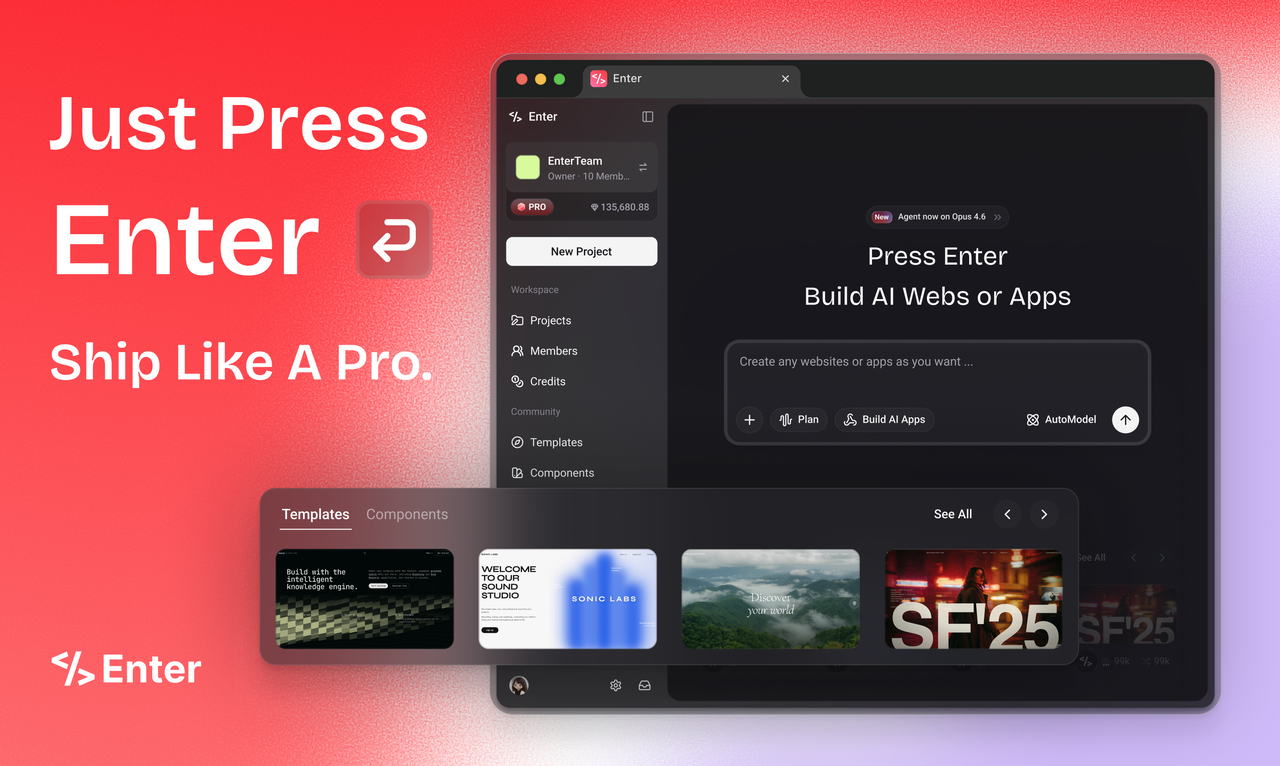
Key features of Enter Pro as a Bubble alternative:
-
AI-driven architecture: It acts as your lead software architect, mapping out and structuring your application's database, logic, and frontend before writing code.
-
**Conversational interface: **You do not need to learn complex visual editors; you simply modify features, layouts, and app behavior by chatting with the AI.
-
Seamless integrations: Natively connects with powerful backend services like Supabase for data storage and Stripe to process application payments instantly.
-
True code ownership: Unlike many proprietary platforms, Enter Pro allows you to build sophisticated web applications while maintaining complete ownership over the generated code.
Simple steps to build an app with Enter Pro:
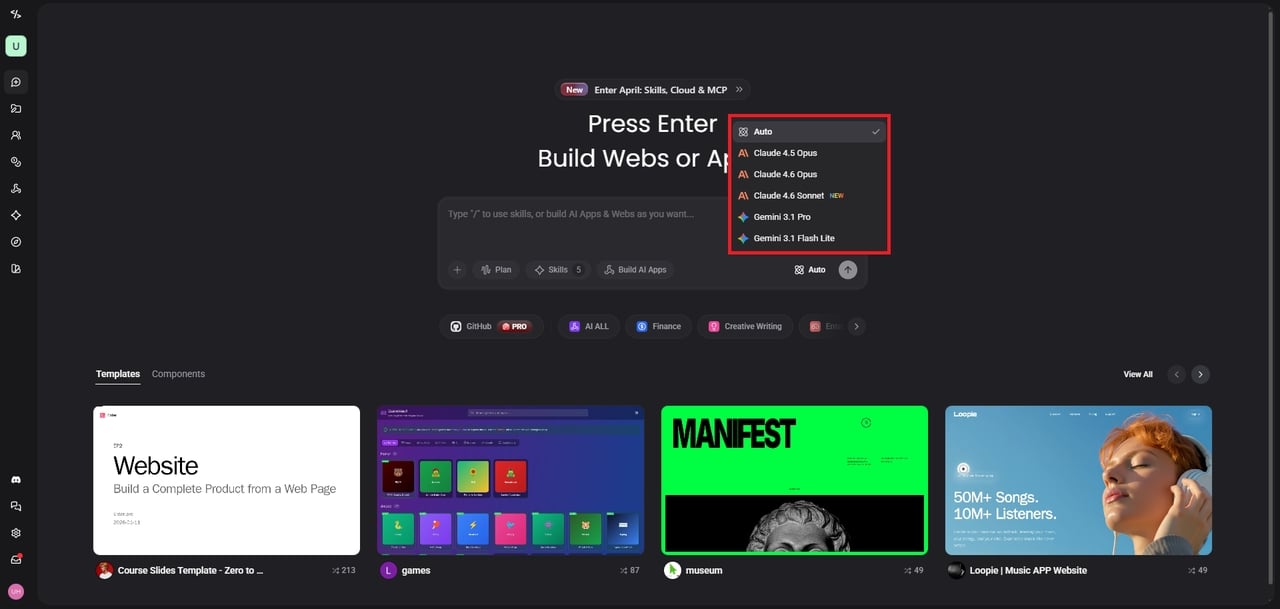
Step 1: Select your preferred AI coding model
Begin by choosing your preferred large language model to power the development process. Enter Pro seamlessly integrates with industry-leading AI models like Claude, Gemini, and GPT, allowing you to select the engine that best aligns with your project's specific reasoning needs.
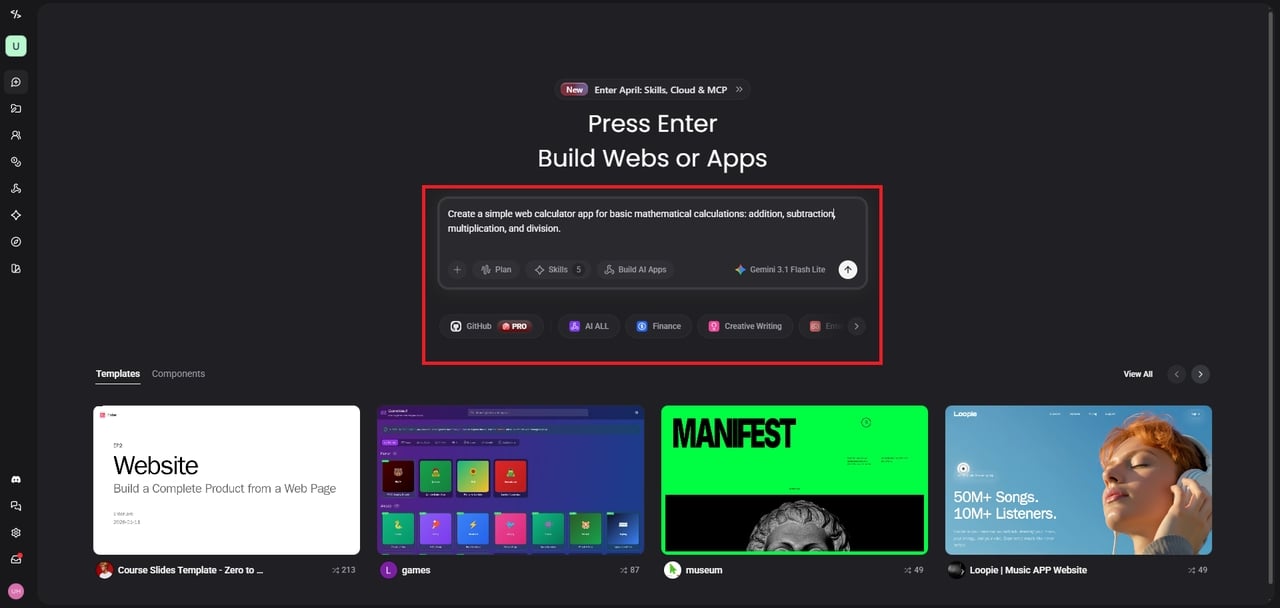
Step 2: Enter your app development prompt
Describe your application idea using natural language in the prompt box. The AI acts as your lead architect, transforming your detailed descriptions and feature requests into a comprehensive development roadmap, structuring the entire database, user interface, and backend logic effortlessly.
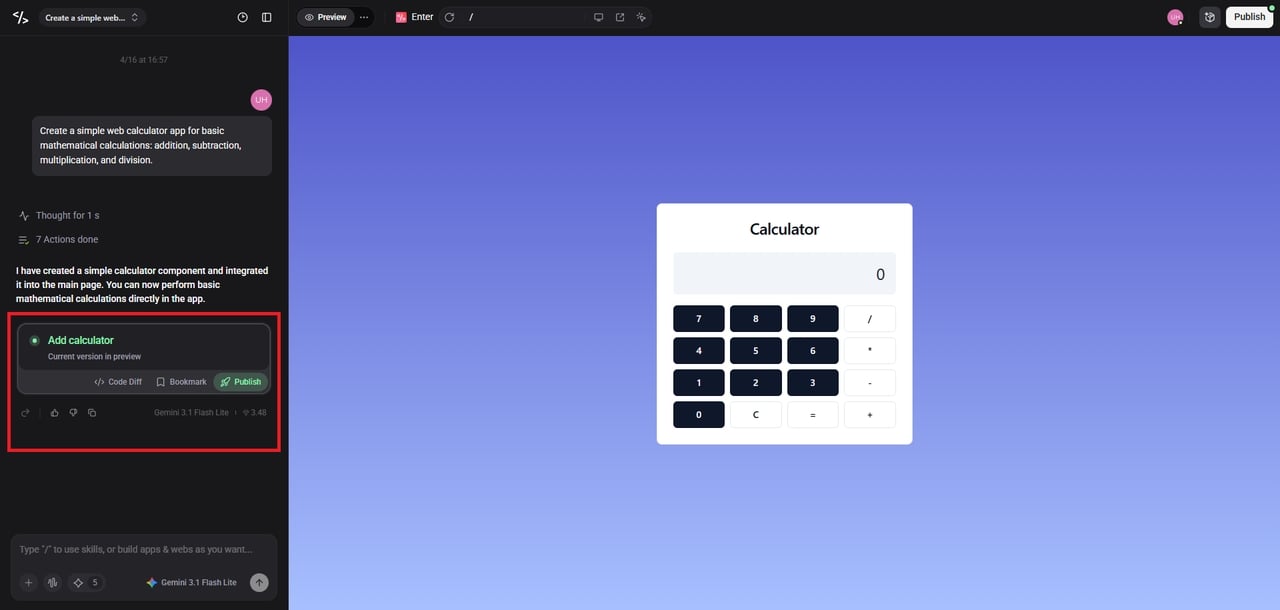
Step 3: Publish your app effortlessly
Once the AI generates the application, you can visually review and refine the final product. With a single click, instantly deploy your fully functional web app or SaaS platform to the cloud, complete with hosting and database connections ready for users.
Wrapping up
Bubble’s shift to a consumption-based pricing model aligns it closely with traditional cloud infrastructure providers like AWS or Google Cloud. While predicting exact costs can initially feel intimidating, the model is ultimately fair: you only pay for the success and usage of your app.
For founders, the $32/month Starter plan remains one of the most cost-effective ways to launch a fully functional software business. By understanding Workload Units, choosing the right tier, and building with efficiency in mind, you can scale your Bubble app to thousands of users without breaking the bank.
FAQs
Is Bubble.io actually free to use?
Yes, Bubble offers a completely free plan that provides 50,000 Workload Units per month. It is perfect for learning and prototyping, though you cannot connect a custom live domain.
What exactly is a Workload Unit (WU)?
A Workload Unit measures the server resources your app consumes. Every database query, API call, and server-side workflow costs a specific fraction of a WU, determining your total monthly usage.
Can I prevent surprise overage charges on Bubble?
Absolutely. Bubble allows you to disable flexible overages in your dashboard. If your app hits its Workload Unit limit, it will pause until the next cycle or until you upgrade.
How much do Workload Unit overages cost?
If you haven't purchased a discounted Workload Tier, standard overages cost $0.30 per 1,000 units. Buying a tier in advance significantly reduces this rate, saving money during traffic spikes.
Do I need a different plan for mobile apps?
Yes, Bubble has distinct pricing for Web, Mobile, or combined Web + Mobile projects. The combined plans start slightly higher but let both apps share a single, unified database.