Carrd Review 2026: Is This the Best Free One-Page Website Builder?
Discover Carrd, the top-rated one-page website builder. This review covers pricing, features, tutorials, and how it compares to AI alternatives like Enter Pro.
In a world full of complex website builders, Carrd stands out as the champion of simplicity. Launched as a tool for quick, fully responsive one-page sites, it powers everything from personal profiles and link-in-bio pages to professional landing pages and small business sites. No coding required, mobile-friendly by default, and incredibly budget-friendly.
Whether you're a solopreneur, creator, or freelancer, a Carrd can get you online fast. But with evolving needs in 2026, does it still deliver? This review covers Carrd free plan features, pricing, advantages, disadvantages, and a strong alternative Enter Pro — an AI-driven platform for building not just simple pages but full apps and dynamic sites.
What is Carrd?
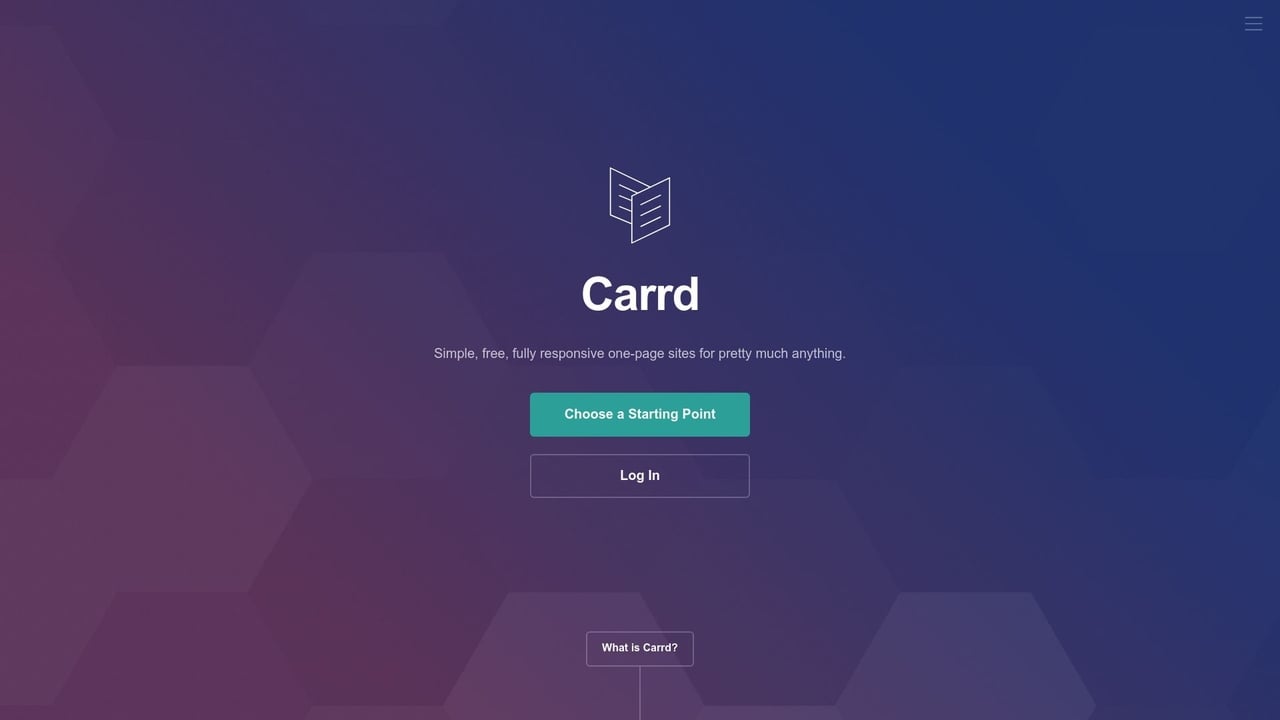
Carrd is a simple and lightweight website builder designed for creating responsive one-page websites without coding. It allows users to quickly build landing pages, portfolios, personal profiles, startup websites, and link-in-bio pages using an easy drag-and-drop editor. Carrd is popular among freelancers, creators, and small businesses because of its clean templates, fast loading speeds, and affordable pricing plans. Even beginners can publish a professional-looking website within minutes. While the free plan offers basic functionality, Carrd Pro unlocks advanced features like custom domains, forms, integrations, and enhanced customization options for growing brands and businesses.
Key features of Carrd website builder
-
Drag-and-drop editor: Build your entire site visually — no coding required. Carrd's intuitive editor lets you add, move, and style elements like text, images, buttons, and videos in real time, with instant previews, so you always know exactly how your site will look on any device.
-
Responsive templates: Every Carrd template is fully mobile-optimized from the start. Choose from dozens of professionally designed layouts — from portfolios to landing pages — that automatically adapt to any screen size, so your site looks polished on desktop, tablet, and phone without extra effort.
-
Custom domain support: Carrd allows you to move beyond the default subdomain and connect your one-page site to any custom domain you own. This feature includes full SSL support via Let's Encrypt, ensuring your site is secure and professional at no extra cost.
-
Forms & payment integration: Collect leads, signups, or payments directly from your Carrd site. Pro Standard users can build contact forms, embed Stripe or PayPal checkout, and connect to email tools like Mailchimp — all without writing code. Carrd charges zero transaction fees on every sale you make.
-
Affordable pricing plans: One reason Carrd remains popular is its budget-friendly pricing structure. Users can start with a free plan and upgrade to Pro plans for advanced features, making it a cost-effective solution for creators, freelancers, and startups.
Carrd tutorial: How to build your first site
Building a website with Carrd is simple and beginner-friendly. Follow these quick steps to launch your site fast.
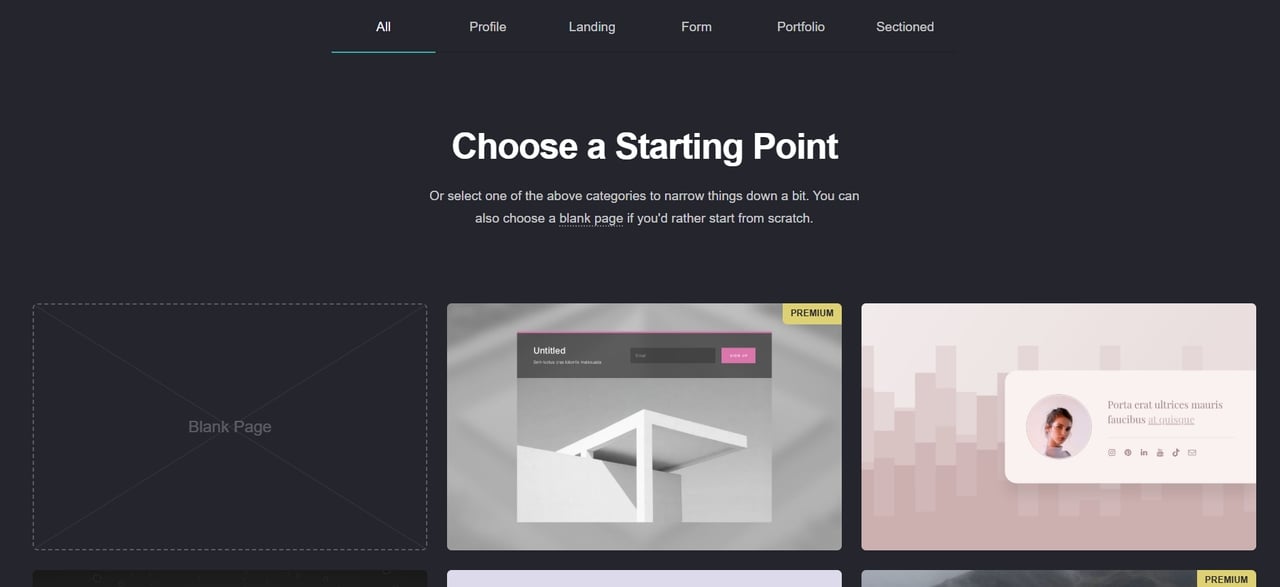
Step 1: Choose a starting point
Visit Carrd and select "Choose a Starting Point." You can start with a blank canvas or browse through dozens of categorized templates, including profiles, landing pages, and portfolios. Every template is fully responsive and customizable.
Step 2: Customize your content
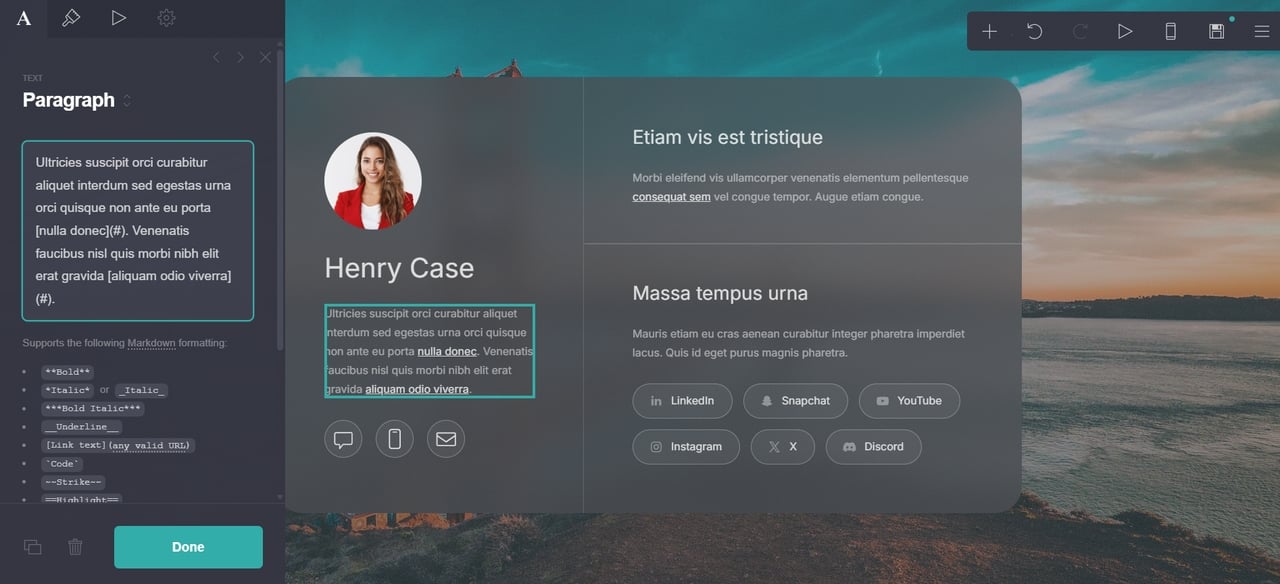
Click any element on the canvas to edit it directly. Swap out placeholder text, upload your images, adjust fonts and colors, and rearrange sections by dragging them into place. You can add new elements — buttons, forms, videos, social links — from the elements panel on the left side of the editor.
Step 3: Configure your settings
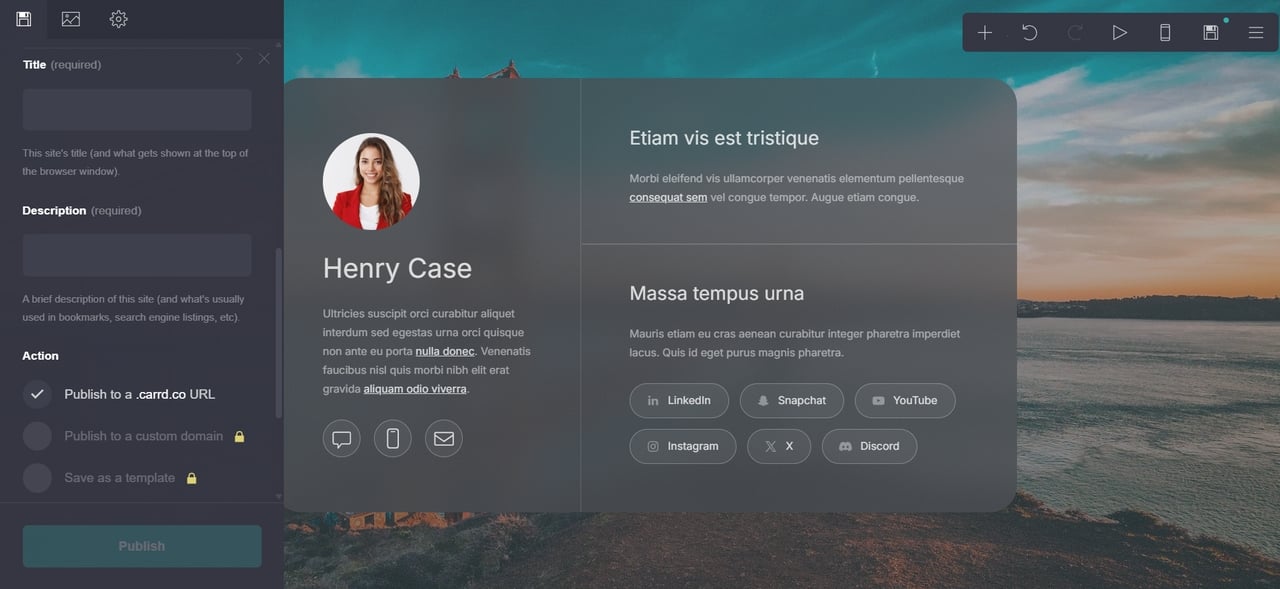
Before publishing, head to your site settings to set your page title, favicon, and SEO description. On a free plan, your site goes live on a carrd.co subdomain. Upgrading to a Pro plan lets you connect a custom domain, remove Carrd branding, and unlock forms and third-party integrations.
Step 4: Publish and share your site
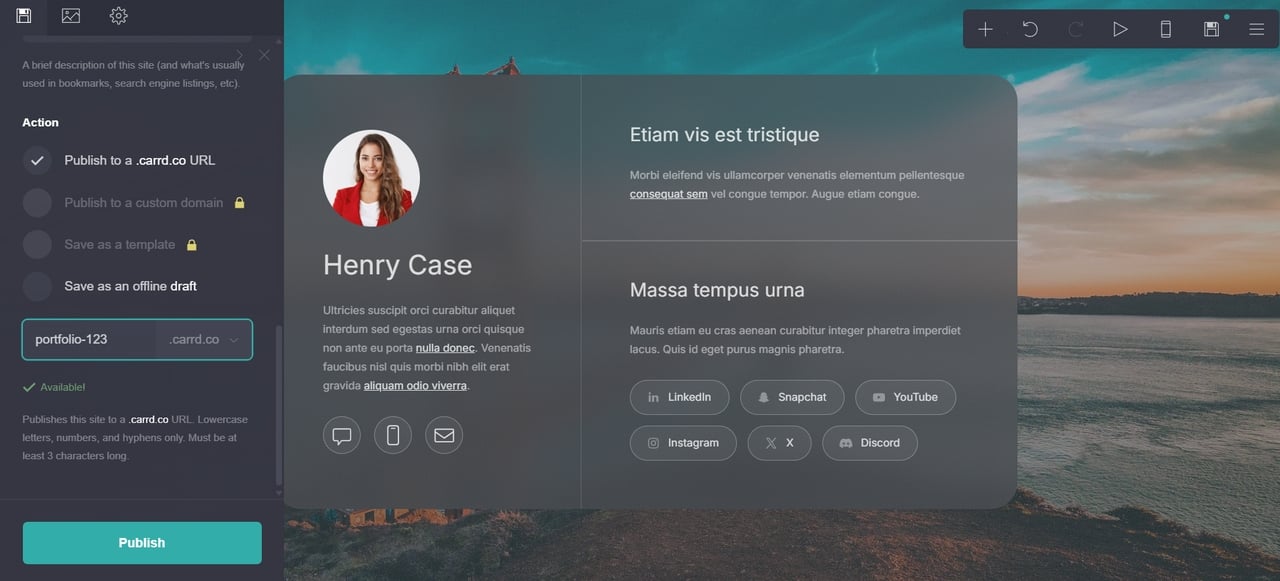
Hit the publish button and your site goes live instantly — no hosting setup, no technical configuration required. Share the link directly, add it to your social media bio, or embed it wherever your audience is. Any edits you make after publishing update live in real time.
Carrd pricing 2026
Carrd pricing is genuinely exceptional for what you get. There is no monthly billing option — all plans are annual, which keeps the cost very low.
Here's a breakdown of Carrd Pro pricing in 2026:
| Plan | Price (Annual) | Key Features |
|---|---|---|
| Free | $0 | Build up to 3 sites on carrd.co subdomains; includes "Made with Carrd" branding. |
| Pro Lite | $9 / year | Custom domains (up to 3 sites), high-quality image uploads, and no Carrd branding. |
| Pro Standard | $19 / year | Up to 10 sites, Forms (Contact, Signup, Payment), and Google Analytics integration. |
| Pro Plus | $49 / year | Up to 25 sites, custom templates, advanced settings, and Custom Code/CSS support. |
Advantages and disadvantages of Carrd website builder
While Carrd is widely considered the best value-for-money tool in the one-page market for 2026, it comes with specific trade-offs depending on your technical needs and business goals.
Pros
-
Unbeatable pricing: At just $19 per year for the Pro Standard plan, Carrd is one of the most affordable website builders available. You get custom domains, forms, and payment integrations for less than the cost of a single month on most competing platforms.
-
Blazing performance: Carrd sites are lightweight and hosted on high-performance infrastructure, consistently scoring high on speed tests (often loading in under 3 seconds).
-
Extreme ease of use: The "no-code" block-based editor is intuitive for beginners. You can launch a professional-looking site in less than an hour.
-
Reliable uptime: Maintains a stellar record of 99.9% uptime, making it a dependable choice for stable landing pages.
-
Built-in responsive design: The editor handles heavy lifting for mobile optimization, ensuring your "vibe" translates perfectly to smartphone screens.
Cons
-
Single-page only: Carrd is built exclusively for single-page sites. If you need a blog, a multi-page shop, or complex site architecture, Carrd is not the right fit.
-
Basic SEO capabilities: While you can edit meta tags, it is difficult to rank for multiple high-competition keywords with only a single URL and no content depth.
-
Limited customization for power users: While it supports custom CSS, the block-based grid can feel rigid if you want pixel-perfect, unconventional layouts.
-
No built-in analytics: Carrd doesn't include native traffic analytics. To track visitor behavior, page views, or conversions, you need to manually embed a third-party tool like Google Analytics — which requires at least a Pro plan to add custom code.
While Carrd is excellent for simple projects, it has notable restrictions. It only supports single-page websites, offers limited customization without coding, and struggles with SEO for content-heavy sites. Users often outgrow it when they need multi-page navigation, user accounts, databases, or complex functionality. If your project is starting to feel restricted by these limitations, it may be time to explore a more powerful solution.
Enter Pro: The AI-powered alternative to Carrd
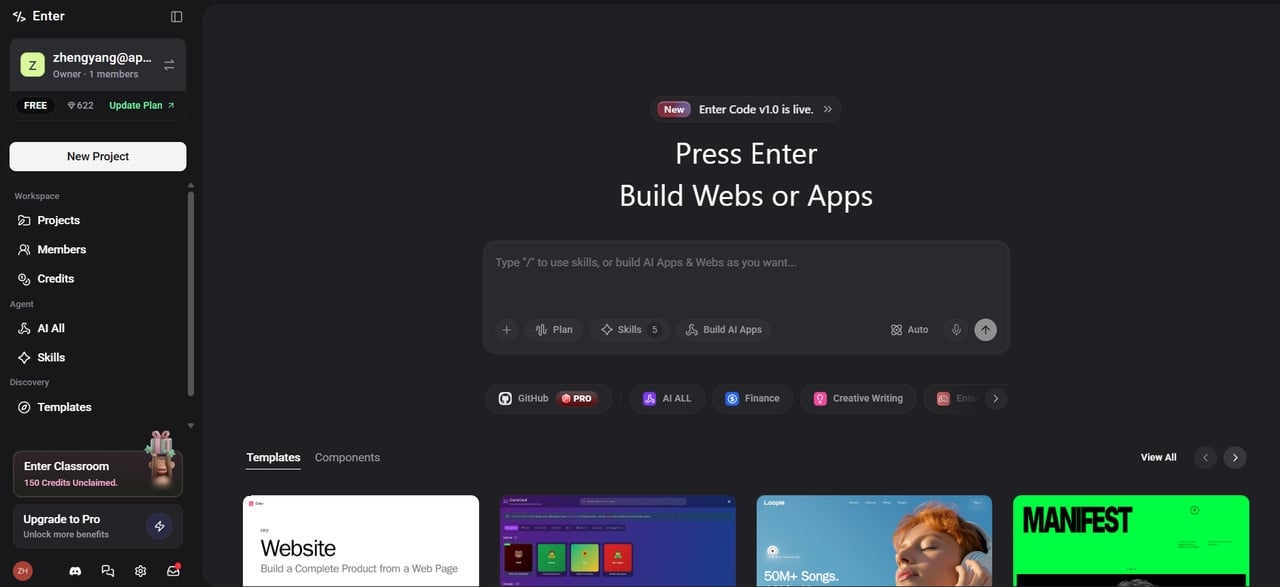
Enter Pro is a powerful AI-driven website and application builder designed for users who quickly outgrow Carrd's one-page limitations. Unlike Carrd, Enter Pro allows you to build complete multi-page websites, dynamic web apps, and even full SaaS products using simple chat prompts. It connects to leading AI models including GPT**, **Claude, and Gemini, and is built for non-technical users who want professional results without writing a single line of code. With its intelligent AI assistant, real-time visual editor, backend capabilities (databases, user authentication, payments), and full code export, you can create far more advanced and scalable projects.
Key features of Enter Pro
- AI-powered chat-to-build system
Build entire websites, web apps, and AI agents simply by chatting in natural language. Describe your idea, and Enter Pro's intelligent AI Dev Agent generates production-ready code using React + Tailwind. Switch between top models (GPT, Claude, Gemini, Grok) instantly for best results. Perfect for rapid prototyping and turning ideas into live products in minutes.
- Visual editor with real-time preview
Edit your project visually while seeing live changes. Tweak layouts, colors, fonts, and elements directly on the canvas with visual editor. Combine the power of AI generation with intuitive point-and-click editing. The AI can also make precise edits based on your instructions, giving you both speed and creative control.
- Built-in backend & cloud infrastructure
Go beyond static sites with full backend capabilities. Includes Supabase database, object storage, serverless functions, cron jobs, and user authentication. Easily integrate Stripe for payments, Google Analytics, GitHub, and more. Build dynamic SaaS products, dashboards, and apps without managing separate services.
- One-click deployment & custom domains
Deploy your project to a global edge network with a single click. Get instant hosting, automatic scaling, and professional custom domain support with free SSL. No complex DevOps required. Export 100% of your clean code anytime for full ownership and flexibility.
- Team workspaces & real-time collaboration
Create shared workspaces, invite team members, and assign roles (Owner, Manager, Editor, Viewer). Collaborate seamlessly with real-time editing, AI-assisted reviews, and comments. Ideal for freelancers, agencies, and startup teams building together.
- Full code ownership & export
You own 100% of the generated code. Export clean, standard React and Tailwind CSS code at any time and host it anywhere. No platform lock-in. Developers can continue editing in their favorite IDE while non-coders enjoy the AI and visual workflow.
Conclusion
Carrd remains an excellent choice in 2026 for anyone who needs a fast, beautiful, and affordable one-page website. Its simplicity, low pricing, and generous free plan make it ideal for landing pages, portfolios, and personal brands.
However, if you need multi-page websites, dynamic functionality, user accounts, or advanced features, Carrd's limitations become clear. That is where Enter Pro steps in — bringing AI-powered building, multi-page support, web app creation, and built-in automation to users who need more without the complexity of traditional platforms.
FAQs
- Is Carrd free to use?
Yes, Carrd has a free plan that lets you build up to three websites on a .carrd.co subdomain. It is free forever with no credit card required, though features like custom domains and forms require a paid Pro plan.
- Can I build a multi-page website with Carrd?
No. Carrd is designed exclusively for single-page sites. You can simulate navigation using anchor links to page sections, but there are no true separate pages. For a genuine multi-page website, Enter Pro is a strong alternative that supports full site structures without requiring code.
- Can I sell products on a Carrd website?
Yes, you can accept payments using Stripe or PayPal integrations on the Pro plan. It works well for simple sales but lacks a full shopping cart. For complex e-commerce, Enter Pro provides stronger backend capabilities.
- Do I need coding skills to use Carrd?
No, Carrd is beginner-friendly with a simple drag-and-drop editor. No coding is required. If you want AI assistance to build more complex sites quickly, Enter Pro is an excellent next step.
- How good is Carrd for SEO?
Carrd is decent for simple landing pages due to fast loading and mobile optimization. However, one-page sites have limited SEO potential. For better SEO and content-heavy sites, Enter Pro offers more advanced options.