
Cline vs Cursor Compared for Real Coding Workflows in 2026
Compare Cline vs Cursor by workflow, model access, costs, and review. Use a captured Enter Pro inventory project to plan a fair coding-agent comparison.
A workflow decision guide for provider control, integrated editing, and a matched repository trial.
Cline vs Cursor is a choice between development workflows as much as AI models. Cline is worth considering when provider choice and a configurable agent setup matter most. Cursor is especially relevant when predictive editing and an integrated editor are central to your day. Both can inspect a repository, change files, and help with broader development tasks, so the useful question is which setup produces a change you can review and maintain in your own project.
Your decision also depends on the work around generation: finding relevant code, controlling commands, recovering from a bad edit, and paying for repeated attempts. The comparison below separates those practical differences. Later, the captured StockNote project gives you an Enter Pro starting point for a matched enhancement trial. Its inventory screen is available, but its GitHub connector is still disconnected, so the proposed agent comparison remains a next step rather than a completed result.
Cline vs Cursor: The Short Answer
Choose Cline when provider and workflow control matter most
Cline is an open-source coding agent with editor, terminal, desktop, and cloud options. You can use provider credentials, built-in usage billing, or the optional ClinePass subscription, depending on the model access you want. This flexibility matters when your team already has provider accounts or you want to evaluate local inference. It also means you are responsible for choosing a workable combination of model, permissions, and environment. The configuration effort belongs in the comparison alongside the cost of model calls.
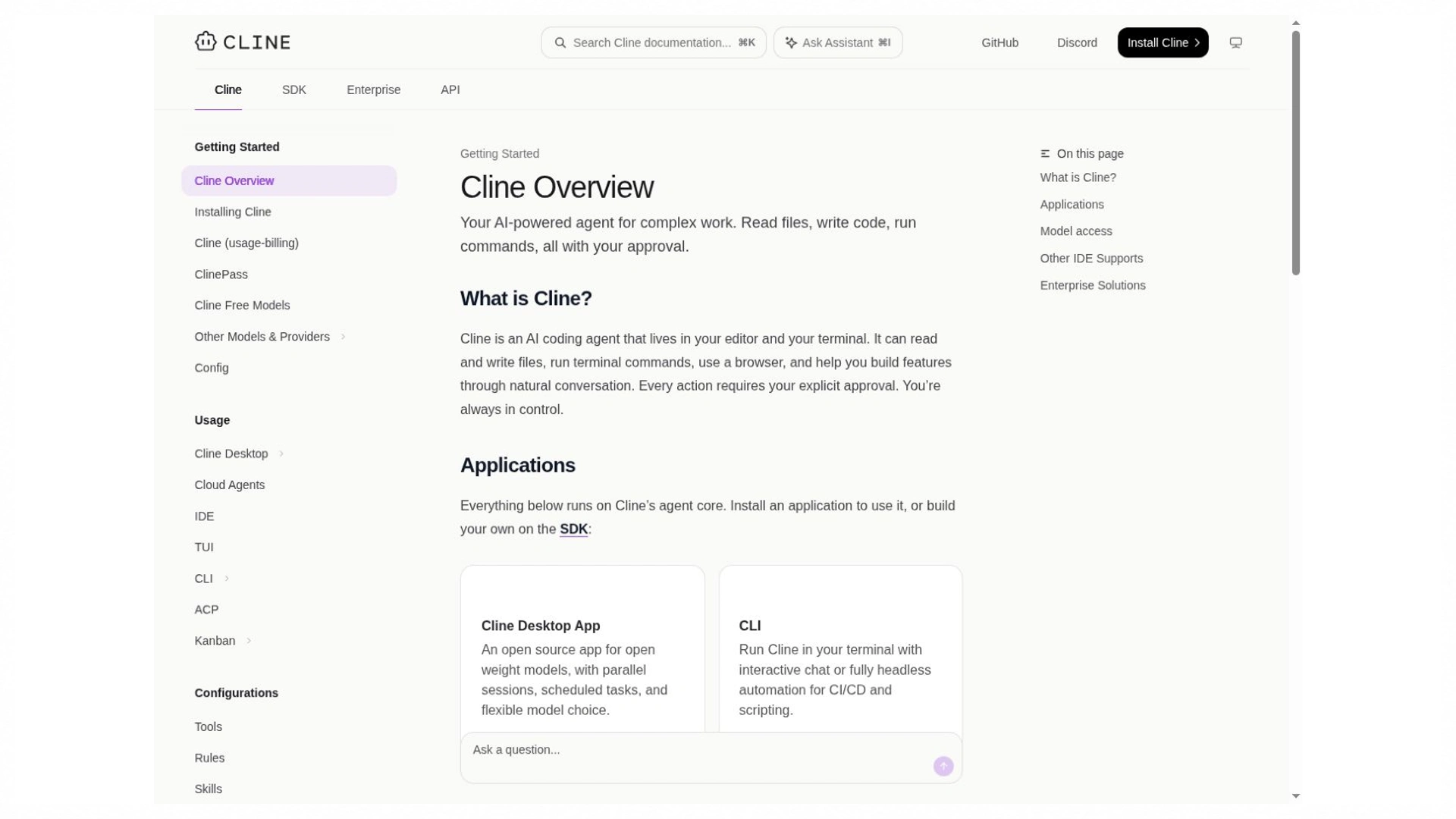
The overview describes the available agent surfaces and model-access routes. Documentation capture; no comparative test is implied.
Choose Cursor when integrated editing is central to your day
Cursor combines predictive Tab suggestions with agent-driven work, planning, and review. You can accept a small edit while coding normally, then move to an agent session for a change that spans several files. That continuity is a reason to consider the editor, especially if frequent navigation and local edits make up much of your day. I would evaluate an ordinary editing session as well as a larger agent task. A benchmark for autonomous issue resolution cannot tell you how useful continuous suggestions will be in your own workflow.
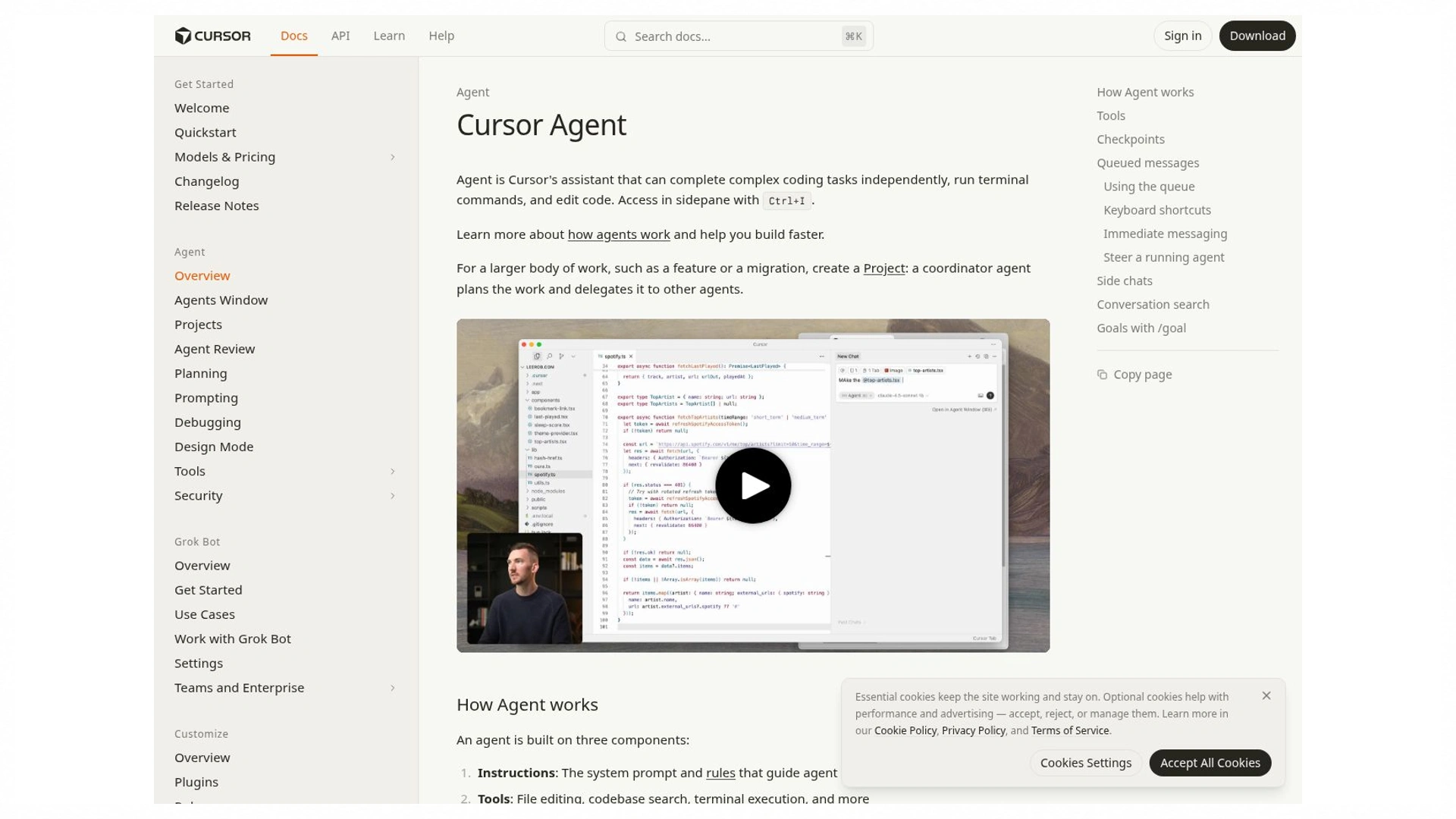
The agent overview describes planning, implementation, and related workflow capabilities. Documentation capture, not a measured coding result.
What Changed in the 2026 Comparison
A Cline vs Cursor 2026 comparison needs more than the familiar extension-versus-editor distinction. Current documentation describes several development surfaces and agent workflows for both products. Cursor documents MCP, checkpoints, planning, cloud agents, and a JetBrains integration; Cline also documents multiple surfaces and configurable tools. Those capabilities are no longer useful as simple claims of exclusivity. Compare where a capability runs, which settings it inherits, and how its work returns to your repository.
Availability can differ within a product. A local agent with your editor extensions and configured tools does not automatically have the same environment in a hosted session. Cursor's JetBrains route connects through Agent Client Protocol and requires the documented account and IDE setup; it does not reproduce every aspect of the Cursor editor. Check the exact integration you intend to use. Product and pricing references in this article were checked on 25 October 2026; account-specific limits still need confirmation in your own workspace.
Cursor vs Cline for Editors Models and Context

Editor support and the cost of changing your setup
Cline’s IDE extension adds an agent to a supported editor, while Cursor offers its own editor alongside CLI and ACP access routes. The installed experience matters because your debugger, language server, remote environment, and extensions are already part of how you work. An agent that handles a demo well can still be inconvenient if the setup disrupts those tools. Before switching, open the actual project, run its normal development command, attach the debugger, and check that essential extensions behave as expected.
A Python developer who relies on JetBrains debugging has different migration costs from a frontend developer already working in Cursor. The first needs to verify the agent integration without losing the existing IDE workflow; the second may be evaluating whether Cline adds useful provider flexibility inside a familiar editor. In either case, installing the product is only the beginning. Setup is complete when you can run the application, inspect a failure, and finish a small change without workarounds that would become a daily burden.
Model choice and provider access
The agent, model, and billing route are separate choices. Cline supports multiple providers and local runtimes, while Cursor offers model access that depends on its current plans and supported routes. Even when two sessions show the same model name, context handling, available tools, and execution settings can affect the result. Consumer chat subscriptions and API accounts also have distinct terms. Confirm the authentication route and usage account before assuming that a subscription already covers the calls made by your agent.
For a fair trial, record the selected model, automatic routing, effort setting where available, and tool permissions. If one tool uses a different model or has more execution access, the result compares those complete setups rather than the agent software alone. That can still be useful: you may care about the best configuration you can actually buy and use. It simply changes the conclusion you can draw. A stronger model in one session does not prove that its editor or orchestration is inherently better.
Repository context and project instructions
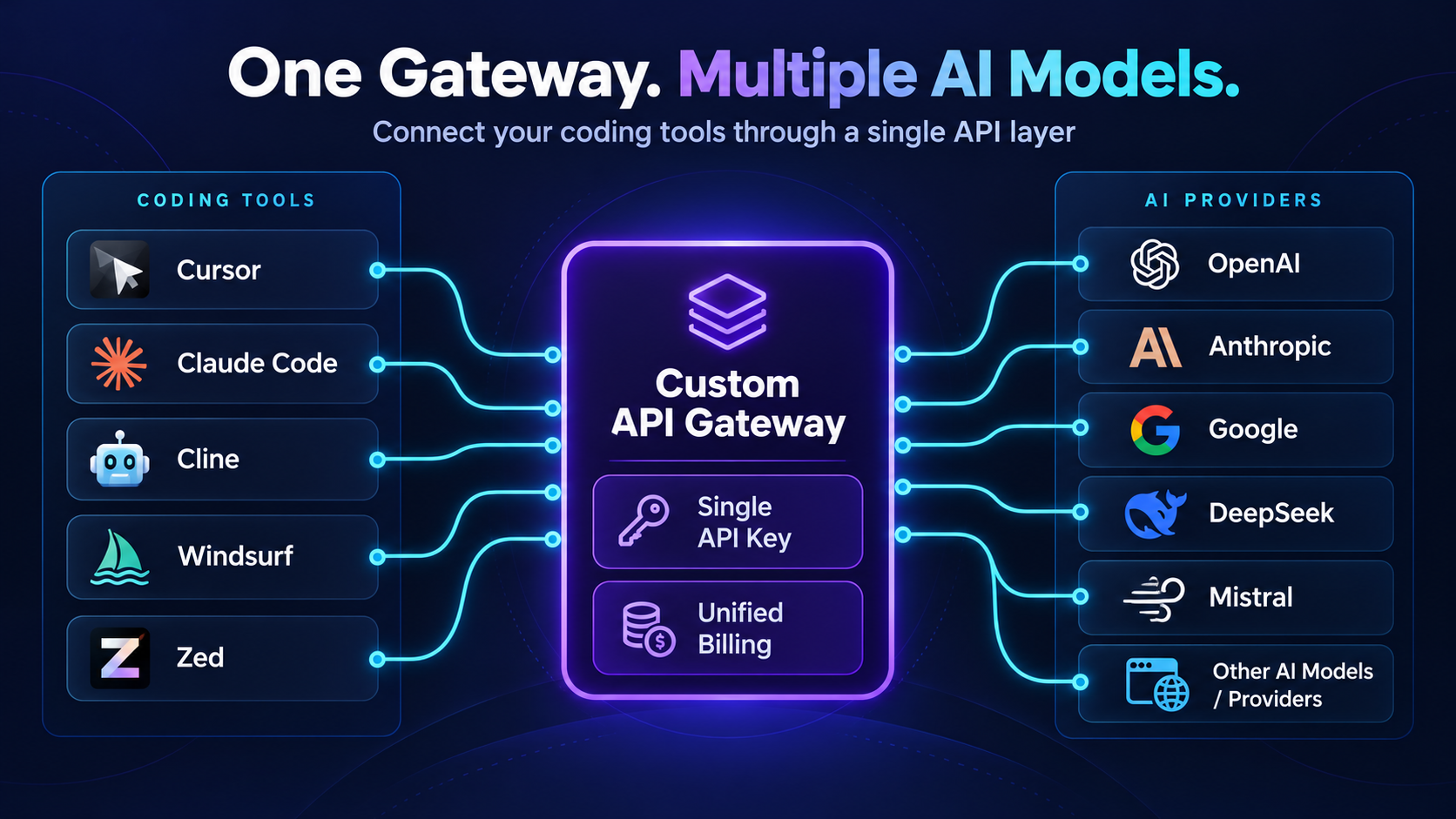
Connect your favorite coding tools to AI providers through a custom API gateway—with a single API key and unified billing.
Repository context is about finding the dependency chain behind a request. Renaming an API field may touch a backend serializer, request schema, frontend form, generated client, and test fixture. A patch that changes only the visible component can leave the application broken elsewhere. Project instructions help the agent follow your conventions, but they need to be current and relevant. Before a broad edit, ask which files depend on the field and how backward compatibility will be preserved. The answer should point to actual project files.
Context-window size tells you how much information a model can receive, not whether it receives the right information. Retrieval, file selection, conversation history, and tool output all compete for attention. A long terminal log or repeated copies of unrelated files can crowd out the details that matter. Useful instructions identify the architecture, existing helpers, constraints, and verification command concisely. When a session becomes confused, a clear task summary and known starting commit can be more effective than adding another page of explanation.
Make the first inspection request concrete: 'Trace the settings form from its submit handler to the API validator and stored record. Identify existing helpers before proposing changes.' You can then verify whether the named paths exist and whether the agent noticed generated types or shared validation. This is a better context check than asking it to summarize every directory. For monorepos, state the relevant package and working directory so the agent does not run an unrelated root command.
How the Agents Plan Edit and Verify Code
Planning before a multi-file change
Both tools support planning before implementation. Cline separates Plan and Act modes; Cursor’s Plan Mode produces a plan you can review and refine before building. This is useful for a role-restricted export endpoint because the work spans the interface, data query, authorization, and file output. The plan should identify where those responsibilities already live. A typo or missing import rarely needs the same process. Planning is valuable when it resolves uncertainty or catches a missing requirement before that omission spreads across the patch.
A good plan is specific enough for you to disagree with. It names the files, dependencies, data flow, and checks rather than promising to “improve the architecture.” If you change an assumption during review, the implementation should follow the revised decision. You should also be able to return to planning when a hidden dependency appears. These behaviors are more useful to compare than whether an agent’s conversational tone sounds cautious or confident.
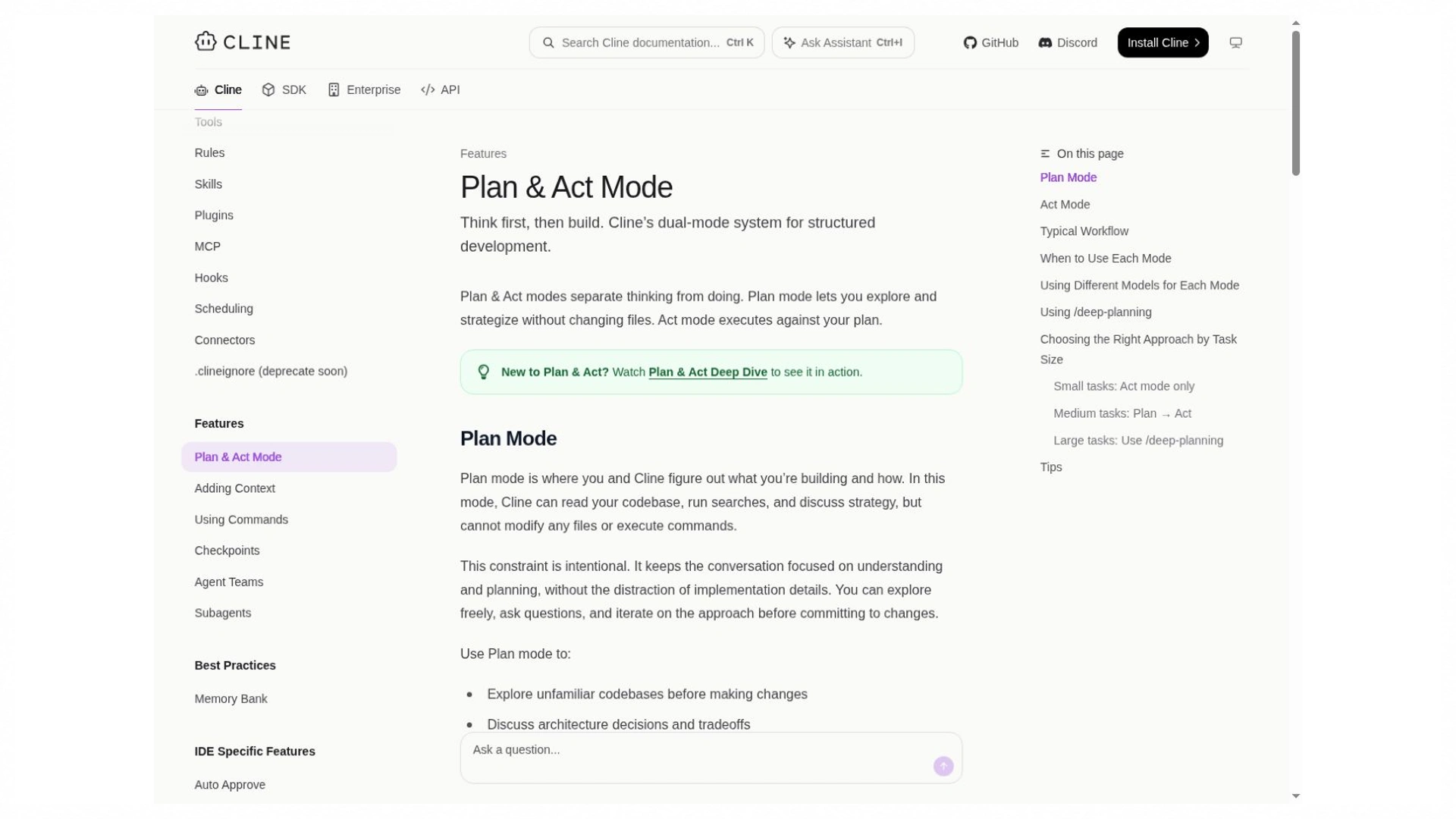
Plan and Act describe stages of the documented workflow. Inspect the resulting plan against the actual repository.
File changes terminal commands and approvals
Cline’s auto-approval settings determine which categories of action can proceed without another prompt. Cursor also provides execution and tool controls. Compare the settings you would actually use, including file access, edits, dependency installation, terminal commands, network access, and external tools. An approval button is useful only if you can understand the proposed operation. A command that runs tests has different consequences from one that changes a database or pushes a branch, even when both appear in the same terminal panel.
A disposable database and an existing production database illustrate why execution permissions matter. The same migration command can be appropriate in one environment and disruptive in the other. Keep trial credentials scoped to test resources, and inspect the destination before approving a mutation. More prompts can interrupt your flow; broader auto-approval can let a mistake progress further before review. The sensible setting depends on the task and environment. Count the review effort and recovery work rather than treating the number of prompts as a quality score.
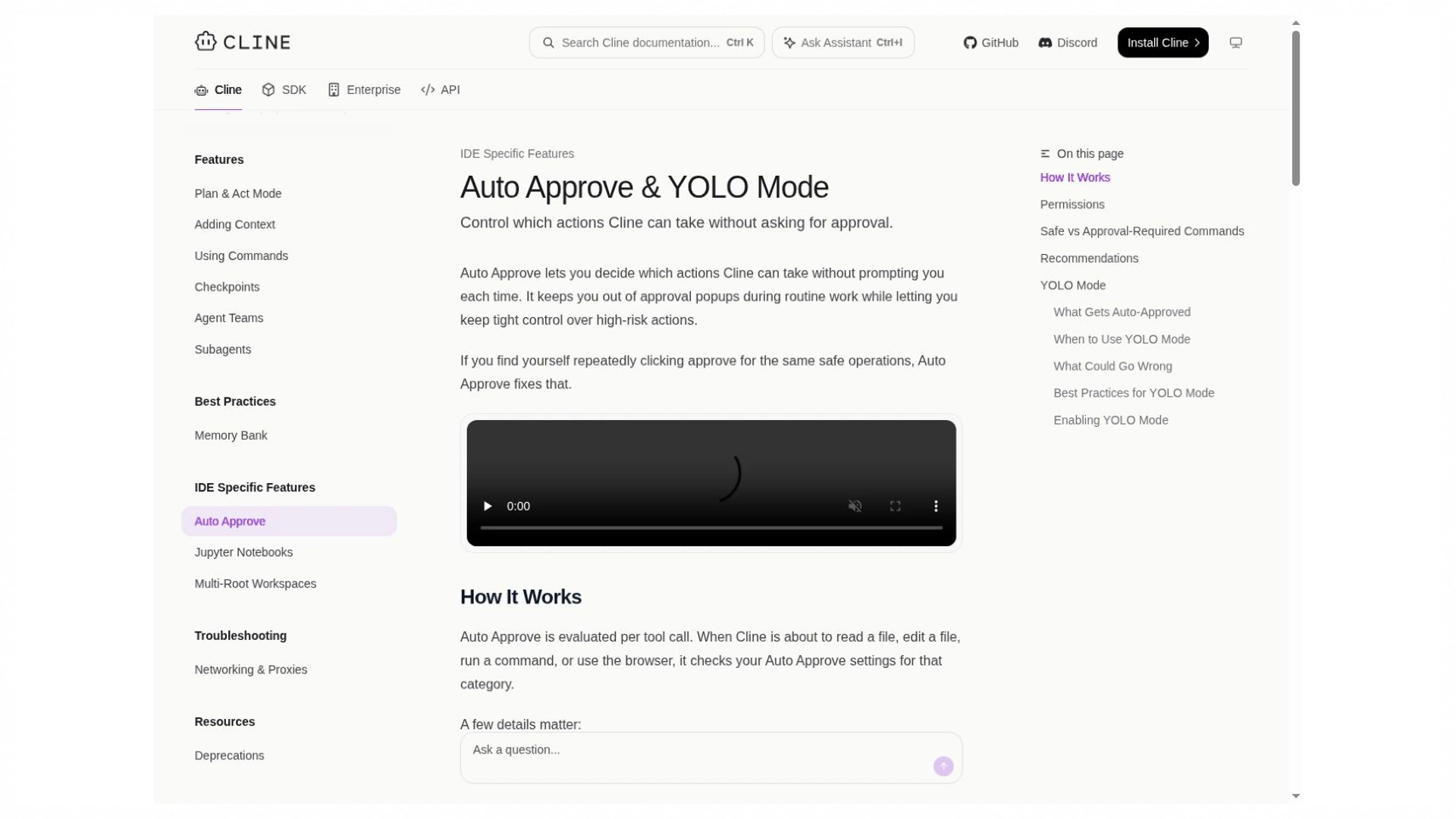
Auto-approval settings describe which actions can proceed. Compare the settings and environment you would actually use.
Diff review checkpoints and recovery
Both products provide checkpoints, but the recovery behavior deserves attention. Cline offers ways to restore files, conversation state, or both; Cursor’s documented checkpoint restoration reverts files while retaining conversation messages. Check the diff after restoring so you know which state is on disk. Neither a local snapshot nor a Git commit reverses an email, external API operation, or already-applied remote migration. Checkpoints help with iteration, while Git provides durable project history and a clear baseline for comparing implementations.
Before a trial, create one harmless edit and exercise recovery. Inspect which files return to their original state and which terminal or database effects remain. Also check untracked files and generated artifacts; a restored source file does not guarantee a clean working tree. Keep the baseline commit identifier in your notes. This short rehearsal makes a later failed change easier to diagnose without confusing recovery behavior with model quality.
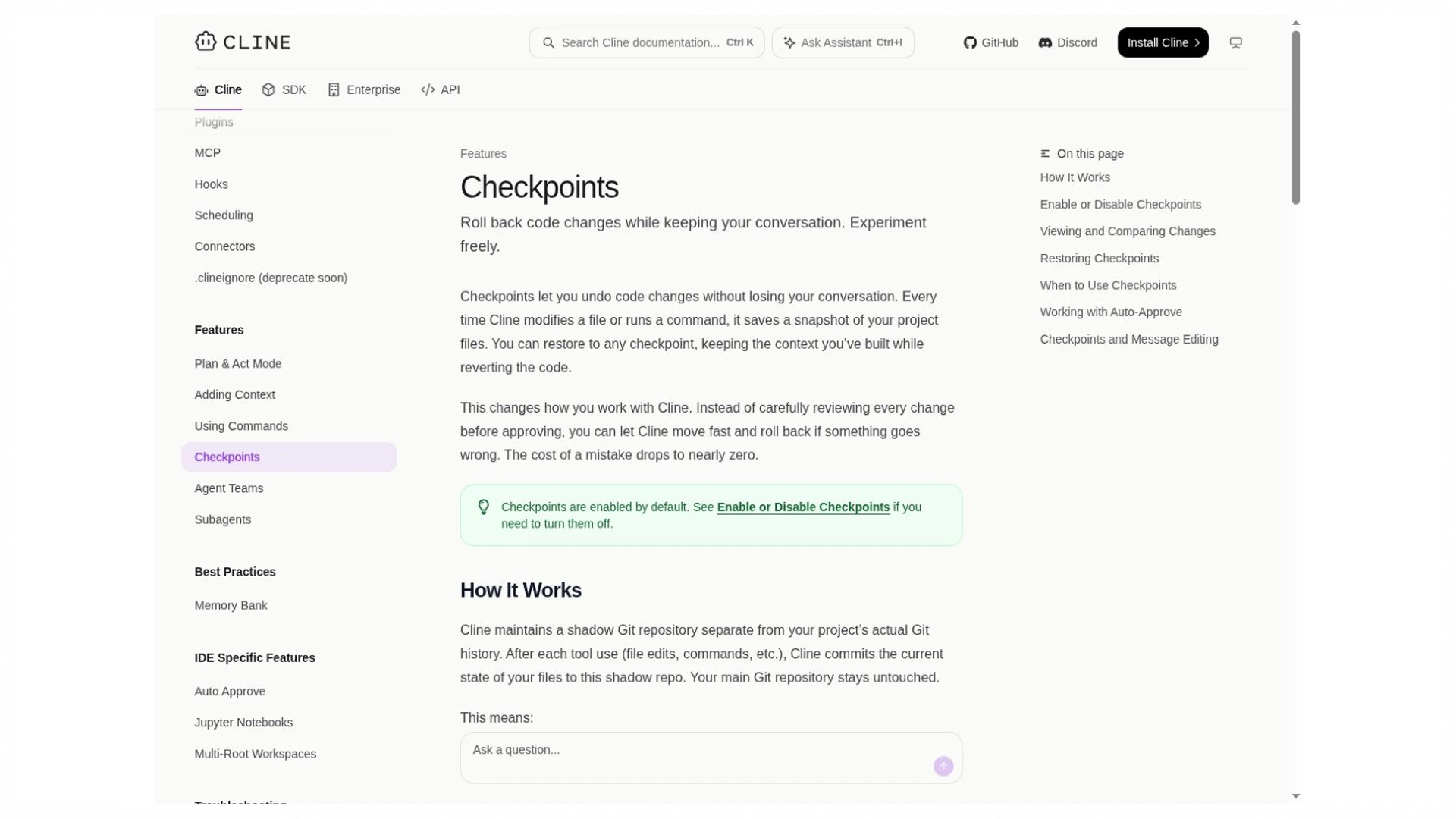
Checkpoint recovery is a documented feature. File restoration and reversal of external operations remain separate questions.
MCP browser work and cloud agents
Model Context Protocol connects an agent to external tools and data sources, such as a project API or database service. Both products support MCP in documented contexts, but local and cloud sessions can differ. The important questions are whether your intended server is supported, which credentials it uses, and which operations it can perform. A read-only database lookup and a write-capable administrative tool create very different workflows. Tool access should match the task instead of inheriting every permission available to your account.
Cloud agents add another environment to the comparison. They need repository access, dependency setup, test credentials, and a way to return their work for review. Cline’s cloud workflow can work on an isolated repository copy and return a branch and pull request; Cursor also documents cloud-agent workflows. Before delegating a task, verify the required integrations and how the environment handles secrets. A successful local run does not establish that the same task has the same tools, rules, or network access in the cloud.
Cline vs Cursor Costs Beyond the Monthly Price
Understand the current access routes
As of 25 October 2026, ClinePass is an optional $9.99-per-month subscription for selected open coding models. It is separate from built-in usage billing and calls made through your own provider credentials. You can use Cline without subscribing to ClinePass, but paid inference still needs a billing route. A subscription covering a selected model collection does not automatically pay for calls to an unrelated provider. Check its current allowance and supported models against the tasks you plan to run.
Cursor’s public page currently lists Free at $0, Plus at $8, Premium at $30, Super at $100, and Ultra at $200 per month. Plus is limited to Grok models. Eligible higher plans provide access to third-party models billed separately by usage. Those prices exclude applicable taxes and fees, and an existing account or organization may have different contract terms. Compare the current model access and allowances you need; the older $20 Pro figure is not an adequate basis for a new purchasing decision.
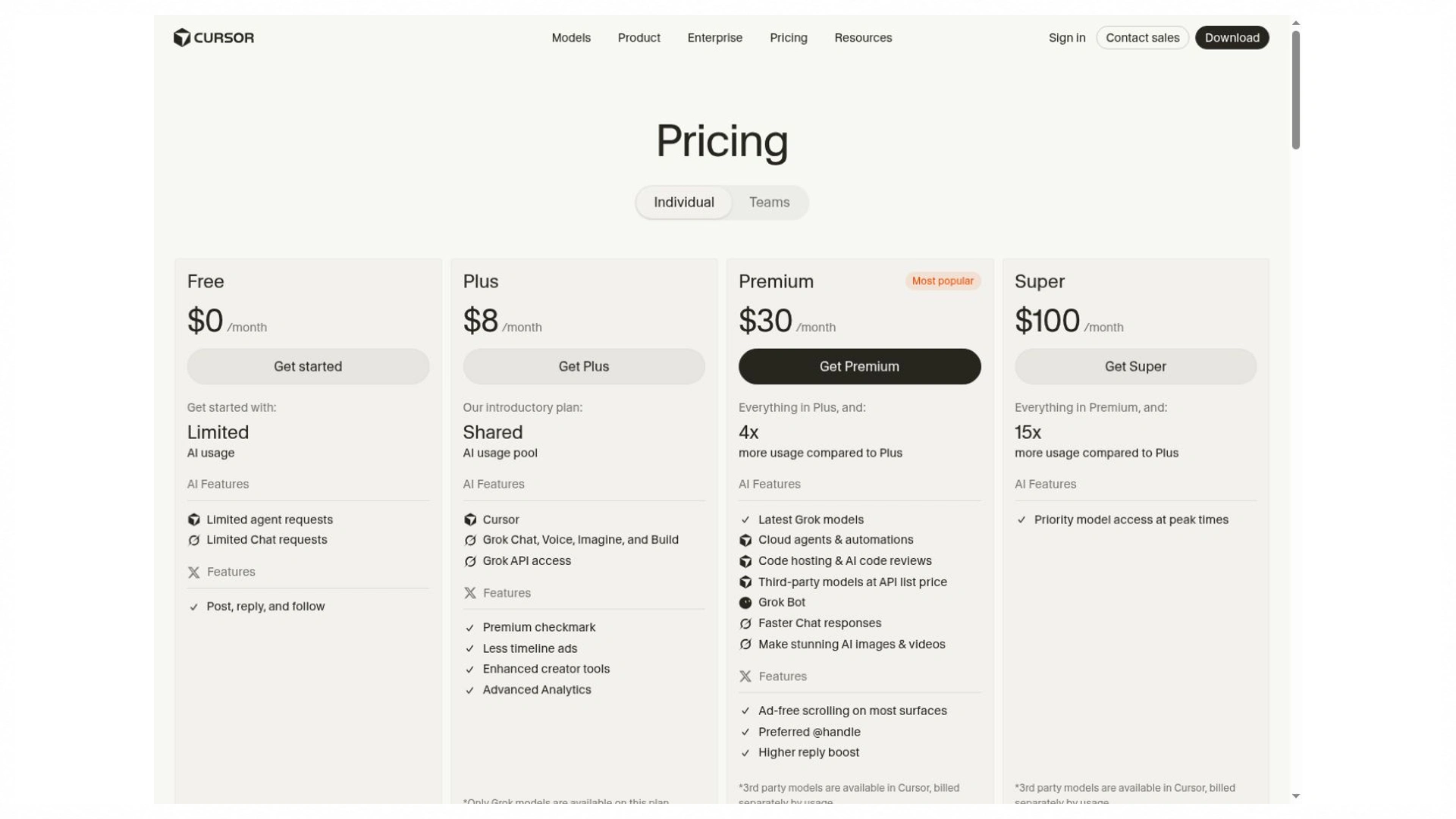
Public access and pricing information captured on 25 October 2026. Confirm account-specific allowances and separately billed usage.
Budget for retries context and review
Agent costs grow with the work done between your prompt and the final response. File reading adds input context, generated patches add output, and a failed test can trigger another sequence of model calls. Long sessions and repeated repair attempts can therefore cost more than the short initial request suggests. Prompt caching may affect charges where supported, but the actual account bill remains the useful reference. Keep included usage separate from overage or separately billed inference so the same work is not counted twice.
Monthly tool spend equals subscription fees plus separately billed inference and other paid resources. Cost per accepted task is that total divided by the tasks that meet your acceptance criteria, with failed attempts included in the spending total. Review minutes should remain visible alongside the bill. If a cheaper setup produces larger patches or needs more debugging, its lower inference cost may not make it the better choice. ClinePass, BYOK, and Cursor’s included-model access are different offerings, so sticker prices alone cannot establish equal value.
Compare Code Quality and Data Handling Separately
Evaluate the setup on a matched task
A meaningful Cline vs Cursor AI coding comparison specifies the model, versions, task, permissions, environment, and scoring method. Otherwise a score can reflect a stronger model, a different tool setup, or an easier task. Comparing results from different benchmarks creates another problem: terminal execution, repository issue resolution, and interactive editing measure different work. Your evaluation should resemble the task you need to finish. Predictive suggestions during daily coding deserve their own assessment rather than being inferred from an autonomous-agent score.
Fixed acceptance checks keep the comparison grounded. Record completed requirements, regressions, unnecessary changes, correction prompts, review time, and charges. Do not let the implementation redefine the expected behavior after it fails. When results are close, repeat the exercise from the same baseline and look at the range rather than announcing a winner from one unusually good attempt. I would also inspect the final diff: a patch that passes today but duplicates existing logic may create maintenance work that a simple pass rate misses.
A useful scorecard separates must-pass requirements from preferences. Correct owner authorization and complete CSV escaping are release conditions; fewer correction prompts or a smaller diff are comparison signals. Do not average a security failure away with a high score for explanation quality. The final decision can still include convenience, but convenience should be considered after both patches satisfy the same required behavior.
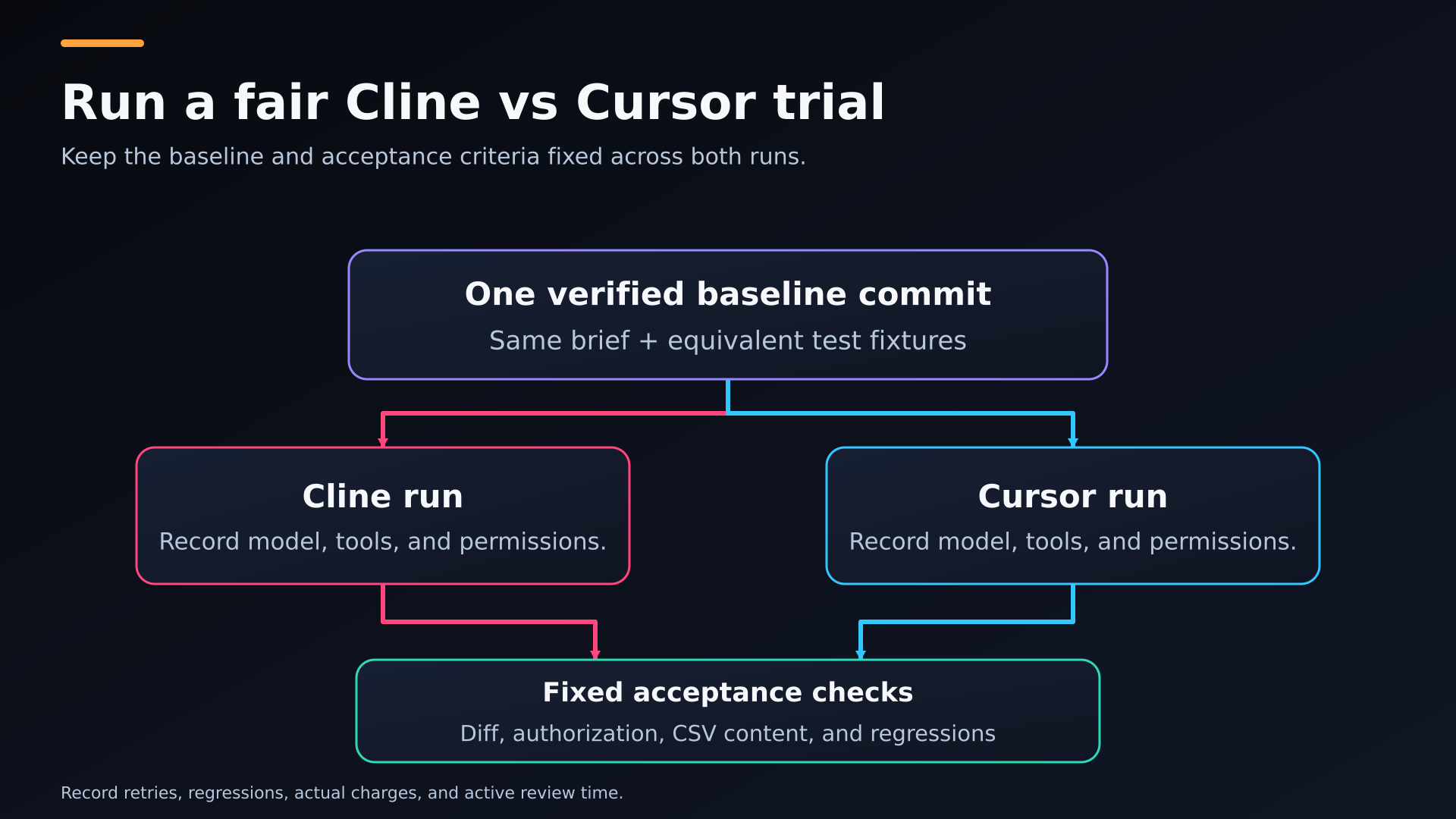
A matched-trial diagram connecting one baseline to independent Cline and Cursor runs and a shared review.
Trace where code and credentials travel
Source-code openness, local execution, cloud inference, telemetry, retention, and training policy answer different questions. An open-source agent can still send repository content to a remote provider. A local editor does not imply a local model. Cursor’s Privacy Mode addresses data-use protections within its documented scope, including its commitment not to train on your data when enabled. You still need to understand the selected model route and any connected services. Each additional integration can introduce its own credentials and data flow.
For a proprietary repository, trace the information needed for the task and which services receive it. Test fixtures can use fictional records rather than customer data, and narrowly scoped credentials can limit access to disposable resources. Cline supports local-model configurations, but you must still consider hardware requirements, model capability, telemetry settings, and tools that contact the network. A privacy control is one part of a workflow. It cannot, by itself, establish that the full setup meets your organization’s security or retention requirements.
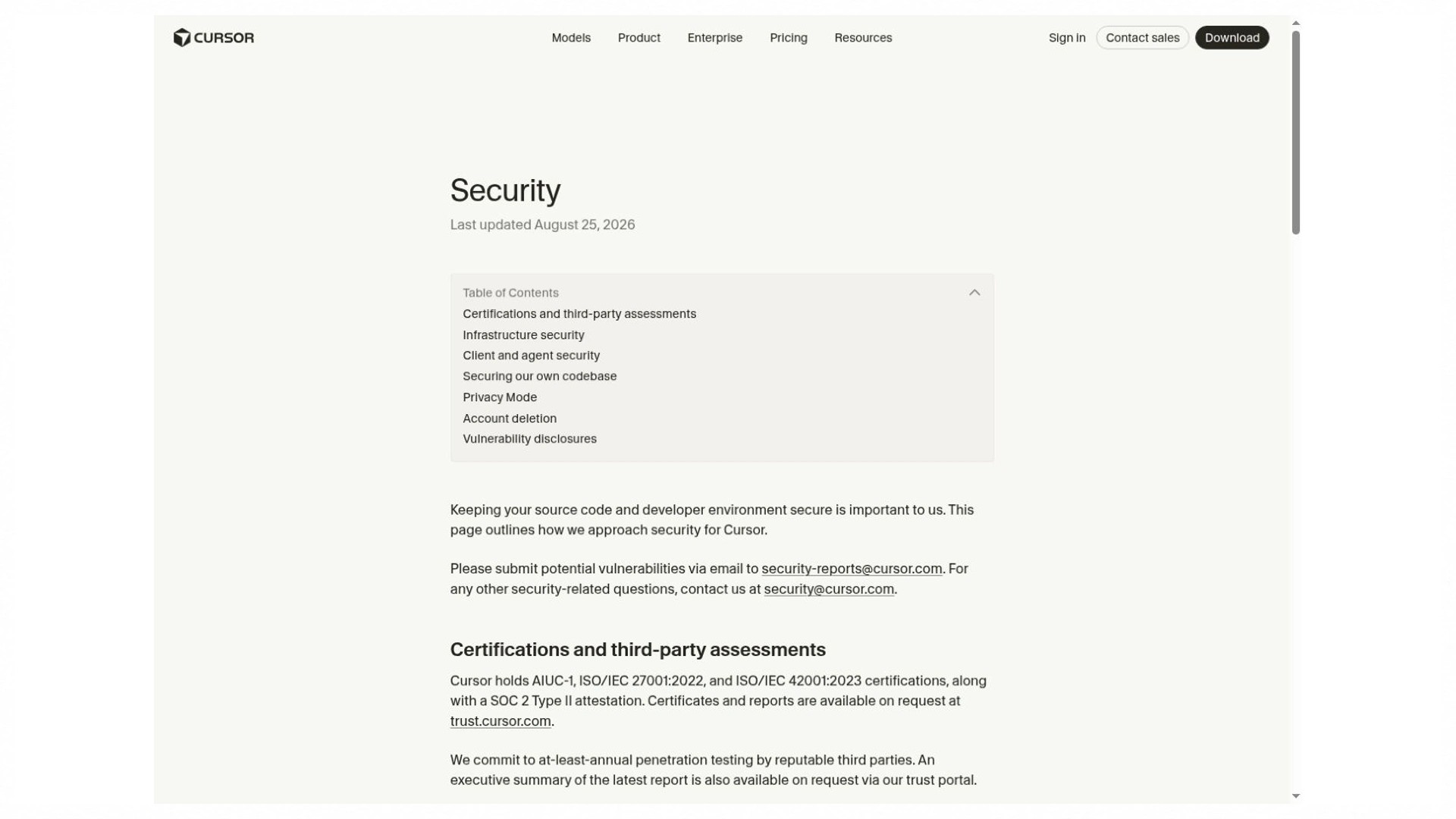
The vendor describes its data-handling and security controls. This capture is a source reference, not an independent compliance assessment.
Which Setup Fits Your Development Work
If you spend much of the day writing and revising code directly, Cursor’s Tab workflow is a reason to consider it. Compare it with the completion tools already available in your editor alongside Cline, including how often suggestions are useful and how much review they require.
If provider choice or local inference is the priority, Cline’s configuration options are relevant. The chosen model still needs to handle tool calls, project instructions, and the target language reliably; access to a model is different from a successful implementation.
For an established repository, the stronger choice is the setup that handles a representative cross-file change with less correction and review. A complete dependency update and a narrow diff are more informative than a fluent explanation of an incomplete patch.
For parallel or unattended tasks, both products deserve a current cloud-workflow check. Environment setup, supported integrations, repository permissions, and the pull-request review process matter more than the mere presence of a cloud-agent feature.
For a new business application, Enter Pro can provide a generated starting project before you choose an editor agent. You can then use the same repository to assess how each tool extends the application, instead of comparing two unrelated demos.
A React developer already comfortable in Cursor may value integrated editing enough to accept its subscription and model charges. A team with established provider accounts may prefer Cline’s configuration choices. Neither preference establishes a general code-quality advantage. Your repository, access requirements, and accepted-task results provide the deciding evidence. A second tool is worthwhile when it solves a specific gap; maintaining two overlapping subscriptions and configurations without that benefit adds avoidable cost.
For a Cline vs Cursor 2026 purchasing decision, revisit the shortlist when your task mix changes. More maintenance work may make continuous editing support valuable; more isolated automation may favor a configurable agent. Keep one representative task and its checks so you can repeat the comparison after a major product or model change without inventing a new benchmark each time.
Build a Shared Test Project in Enter Pro
StockNote is a small inventory application captured in Enter Pro. Its plan and interface give you a concrete baseline for an owner-scoped CSV export exercise. The supplied images show an inventory item, its update dialog, and a GitHub connector marked Not Connected. They do not show two agents completing the export. Use the following sequence to turn this visible starting project into a fair comparison, keeping preparation separate from results.
Step 1 Plan and Verify the Inventory Baseline
The StockNote plan describes sign-in, user-owned inventory, SKU, item name, quantity, and reorder threshold. Keep CSV export outside the baseline so each coding agent receives the same unfinished enhancement. Before generation, define nonnegative integer quantities and the reorder rule explicitly: an item needs attention when quantity is less than or equal to its threshold. Plan Mode helps expose these decisions before they become assumptions spread across the interface and backend.
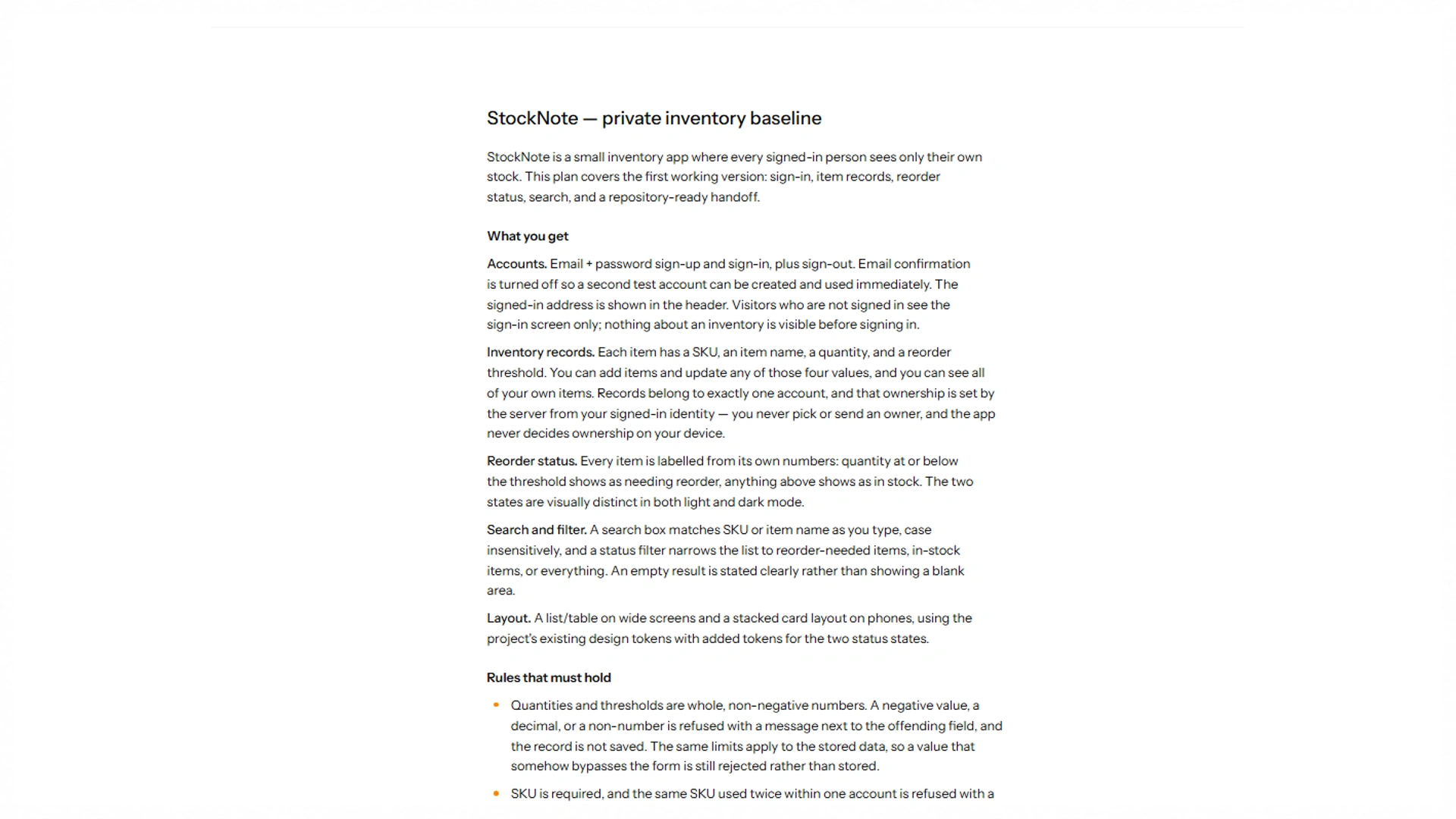
The returned plan defines the inventory application. A plan is not a completed implementation test.
The captured inventory contains one water bottle, SKU 12901929, with quantity 2 and reorder threshold 2. The screen reports one tracked item, one needing reorder, and zero at a healthy level. That is a useful visible check of the equality boundary. The notice that records belong to your account states the intended behavior; it does not prove backend isolation. Before using this as a benchmark baseline, verify refresh persistence, negative-quantity rejection, and access from a separate account through direct requests.
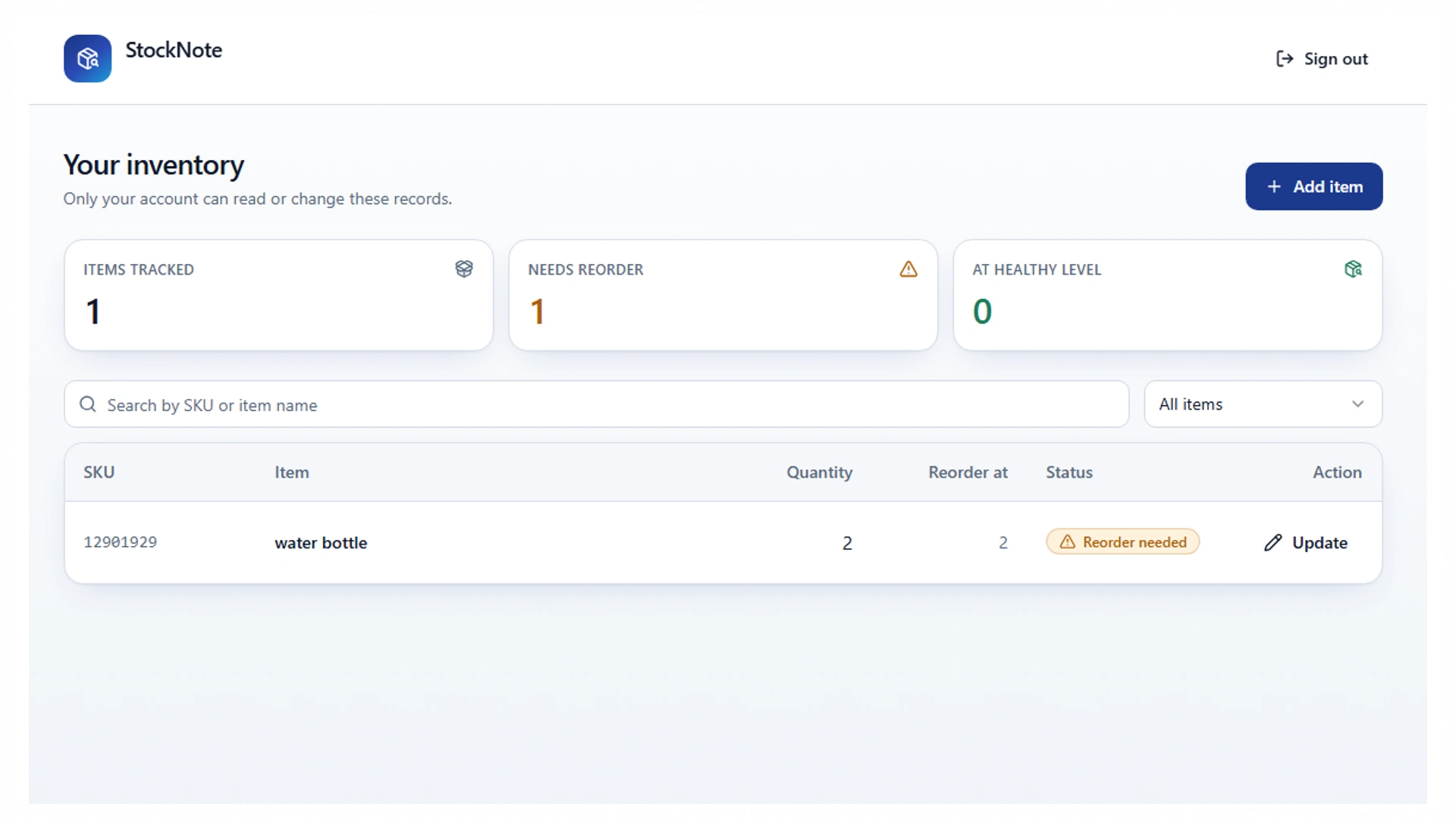
One water bottle, SKU 12901929: quantity 2, threshold 2, Reorder needed. Account details are redacted.
Step 2 Prepare an Equivalent Trial in Both Tools
The integration capture shows GitHub as Not Connected, with no connections listed. The repository handoff therefore remains unfinished in this evidence set. Connect the appropriate repository, review the generated files, and commit the baseline only after its checks pass. Create separate Cline and Cursor branches or worktrees from that same commit. Give both equivalent disposable data and setup instructions; application code synchronization does not itself transfer hosted records, secrets, or access policies.
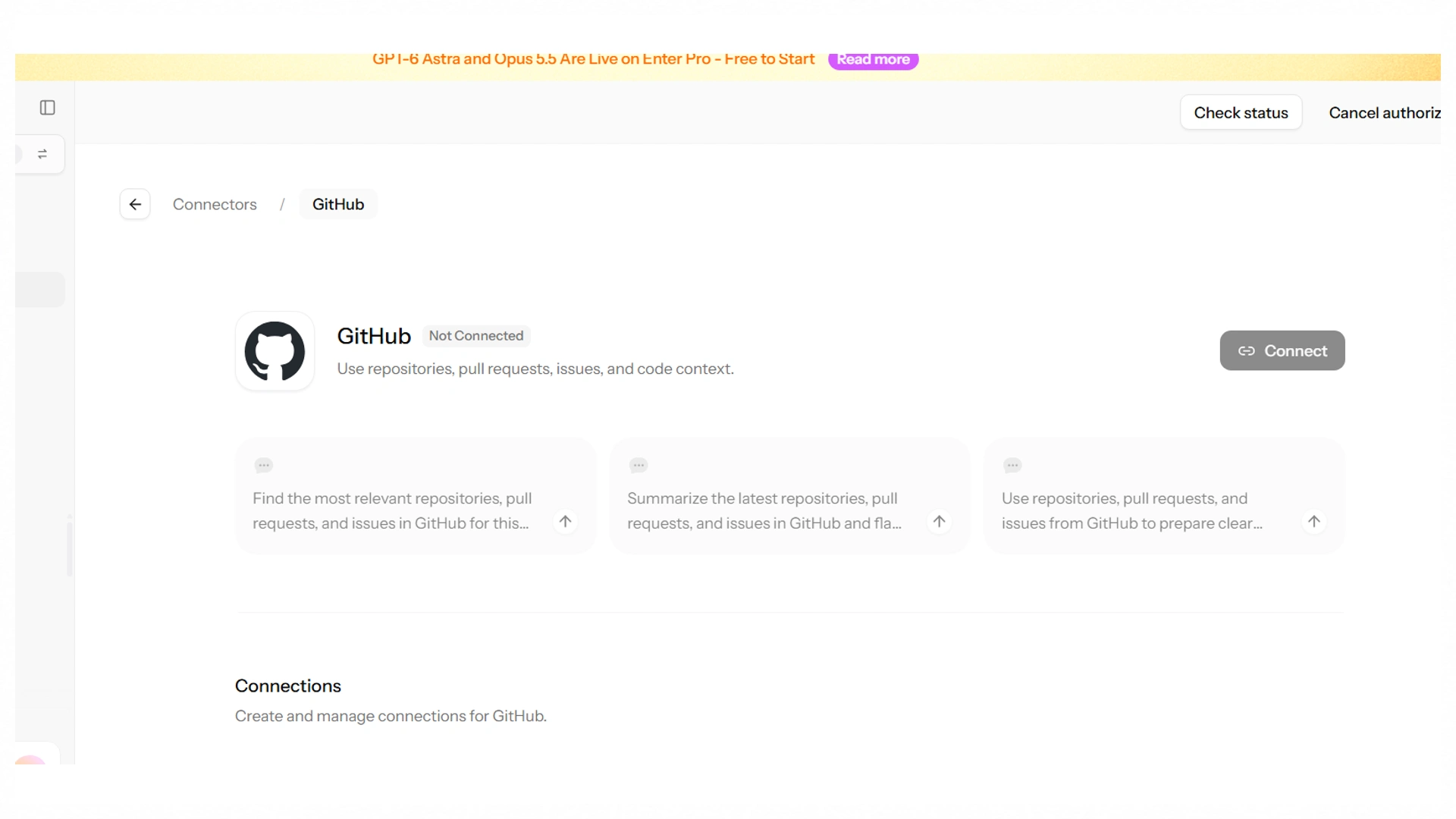
Not Connected is the captured integration state. No completed export, branch trial, or synchronization is claimed.
Once the repository runs in both environments, match the model where supported, project instructions, execution permissions, spending budget, and time limit. Record unavoidable differences, including automatic model routing. Begin each session with inspection and a plan, then keep the runs independent. This is a Cline vs Cursor AI coding trial of the configurations you actually use. If one has a stronger model or more tool access, report that difference rather than attributing the result solely to the editor.
Step 3 Request the Same Bounded CSV Enhancement
Send the same request to each tool: “Add CSV export for the signed-in owner’s currently filtered inventory. Include SKU, name, quantity, and reorder status. Preserve the existing filters and authorization. Escape commas, quotes, and line breaks, and treat spreadsheet-formula prefixes safely under a documented policy. Include empty results and UTF-8 names. Do not change dependencies unless necessary. Explain the diff and run the existing checks.”
Step 4 Review the Results and Continue With the Accepted Patch
The supplied update dialog still shows quantity 2 and threshold 2; it is a baseline editing view, not evidence of a finished CSV patch. For the later export trial, seed identical records containing commas, quotes, a line break, UTF-8 names, and formula-like text. Check column order, escaping, empty results, active filters, and the agreed reorder rule. Try anonymous and cross-owner export requests. Keep the expected output independent of the agent's implementation so a successful download cannot conceal a wrongly scoped query.
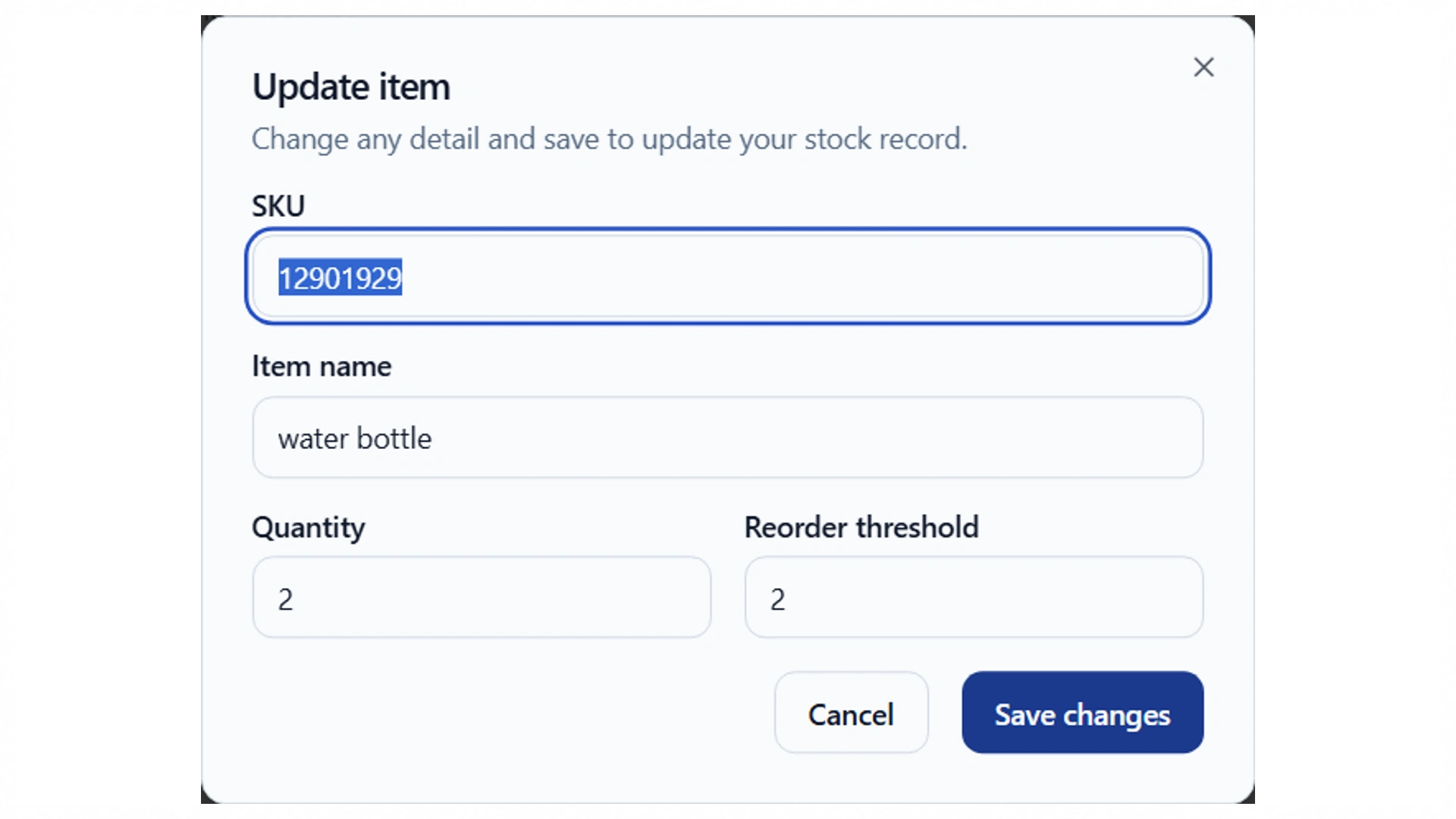
The editing view retains quantity 2 and threshold 2. This is a baseline screen, not evidence of a finished CSV enhancement.
Only select an implementation after its diff and acceptance results have been reviewed. Record regressions, correction rounds, review minutes, and actual charges, including unsuccessful attempts. If a patch is accepted, merge it through the branch connected to Enter Pro and recheck the preview and backend behavior after synchronization. The current captures do not establish a winner, export success, or a completed GitHub round trip. They provide a concrete starting application and the checks needed to reach those conclusions.
Conclusion: Use Your Cline vs Cursor Results to Decide
Choose according to your editor habits, provider requirements, review needs, and observed cost per accepted change. A Cline vs Cursor decision becomes clearer when you compare the same task and record the differences you cannot remove. StockNote supplies a visible Enter Pro starting point; completing its repository handoff and fixed acceptance checks turns that starting point into useful evidence for your own choice.
Frequently Asked Questions about Cline vs Cursor
Which Wins for Everyday Coding: Cline vs Cursor?
Cursor is a strong candidate when predictive editing and an integrated editor fit your daily habits. Cline is relevant when provider choice and a configurable agent workflow matter more. For broader changes, compare both on the same repository and acceptance checks. The better choice is the setup that produces maintainable results with acceptable review effort and costs in your environment.
Is Cline Free While Cursor Is Paid?
Cline’s agent software is free, but paid models can create inference charges. ClinePass is optional, and other billing routes are available. Cursor also has a limited free plan and several paid plans, with some model usage billed separately. Compare the exact route you plan to use. “Free software” and “free model usage” are different claims.
Can You Install Cline Inside Cursor?
Yes. Cline documents support for use inside Cursor. That lets you keep Cursor’s editing workflow while opening Cline for tasks where its provider or agent configuration is useful. The sessions have separate settings and billing routes. Avoid having both agents modify the same files at the same time; separate branches or worktrees make overlapping work easier to review.
Does the Cursor vs Cline Difference Matter for Beginners?
Yes, because setup and feedback affect how easily you can understand the result. The cursor vs cline difference includes editor integration, model configuration, permissions, and billing. A beginner benefits from visible changes, useful explanations, and a small task that can be checked independently. A builder can reduce initial application setup, but you still need to verify the behavior and understand what you are maintaining.
Can Either Setup Work Completely Offline?
Local editing and offline AI inference are separate capabilities. Cline supports local runtimes, which can provide inference on your own hardware when correctly configured. Cloud models, web tools, hosted agents, and remote integrations still need network access. A locally running model also needs enough memory and the ability to handle the task’s tools. Cursor’s privacy settings should not be mistaken for an offline mode.
Which Is Better for an Existing Large Repository?
Choose based on a representative change rather than repository size alone. A useful trial touches a real dependency chain and has known acceptance checks. Compare file discovery, project instructions, patch completeness, regressions, and review time. Large context windows help only when relevant information reaches the model. The setup that preserves your architecture and produces a narrow, correct patch is the stronger candidate for that repository.
Can Enter Pro Provide the Application for This Comparison?
Yes. You can generate an application in Enter Pro and use its GitHub integration as the handoff route for a matched coding-agent trial. In the supplied StockNote capture, that connector is still disconnected. Complete the connection, verify persistence and owner access, and freeze a known commit before giving either agent the task. A common starting repository makes the later results easier to interpret.
Can Enter Pro Receive Reviewed Changes Through GitHub?
Enter Pro documents GitHub synchronization for the connected project workflow. After a developer reviews the implementation, confirm the intended branch and inspect the received changes in Enter Pro. The StockNote screenshots do not show this round trip completed. Database migrations, secrets, hosted settings, and deployment behavior can require additional work beyond synchronizing source files.