
Cross-Platform Mobile App Development: A Practical Guide
Explore cross-platform app development services, key benefits, and the best frameworks. Learn how to ship iOS and Android apps from a single codebase.
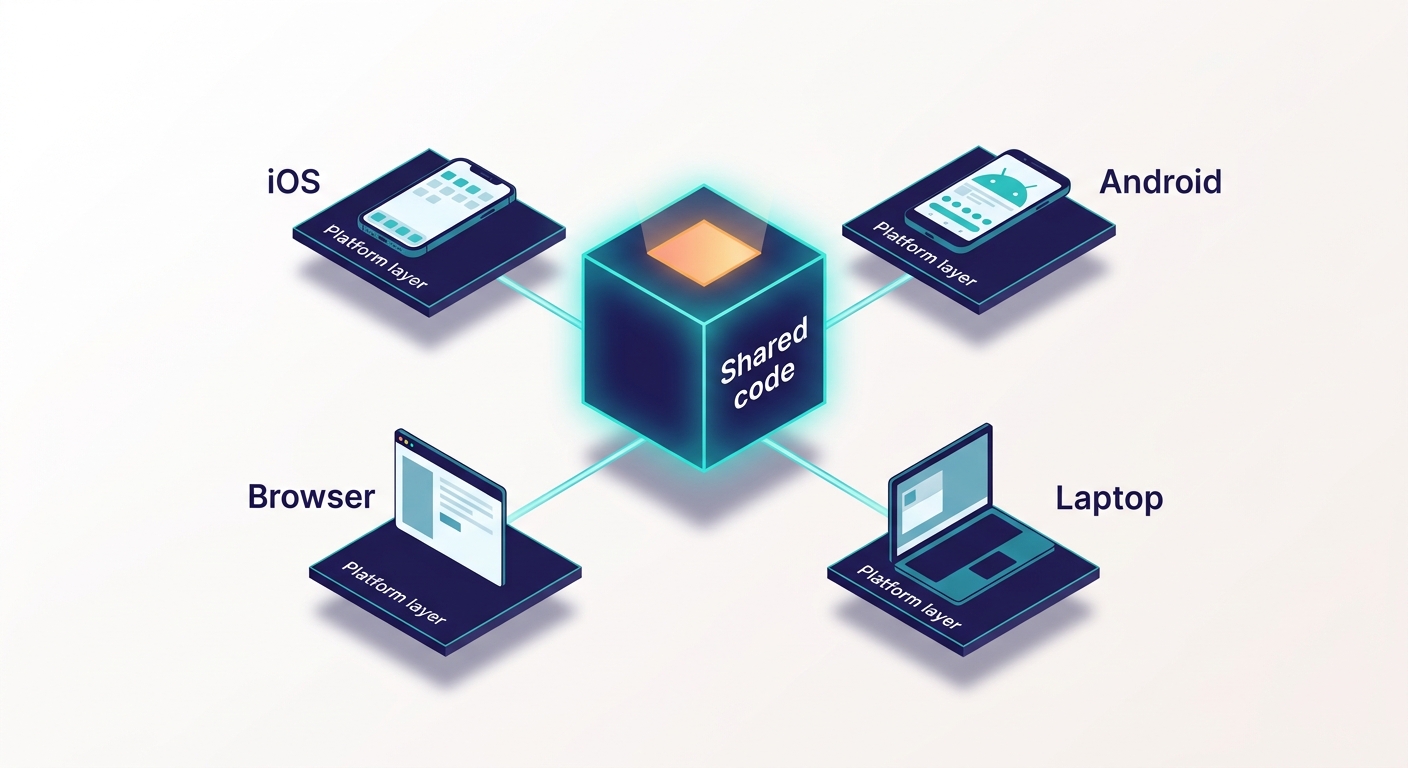
Cross-platform app development involves creating a single app from a shared codebase. It should work on iOS, Android, and often on web and desktop platforms. This method can save time and costs compared to developing separate native apps, but it may compromise performance and access to certain platform features.
This guide highlights the benefits, key frameworks, and tips for deciding between cross-platform, native, and web development. It also discusses when to hire an agency and offers guidance on building your first app with Enter Pro. Want to skip the setup? Jump to the Enter Pro walkthrough.
What Is Cross-Platform App Development?
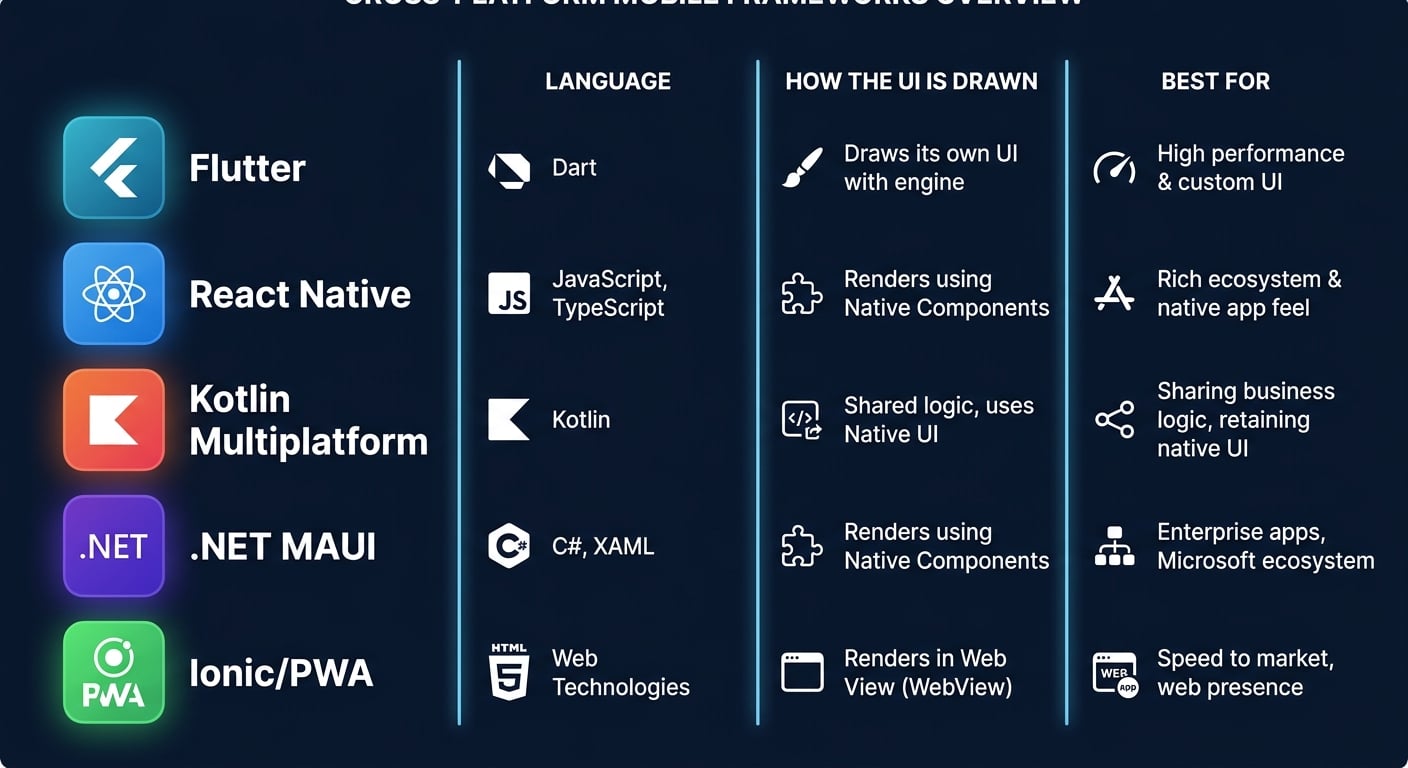
Cross-Platform app development means one team, one codebase, and multiple operating systems. The phrase “write once, run everywhere” can be misleading. Flutter creates its own user interface, while React Native translates to native components. Kotlin Multiplatform allows for shared business logic while retaining a native UI. In practice, most real applications still require a small platform-specific layer.
| Approach | How it’s built | Best for | Watch-outs |
|---|---|---|---|
| Native | Swift or Kotlin per OS | Deep hardware access | Two codebases, two teams |
| Cross-platform frameworks | Flutter, React Native, Kotlin Multiplatform, .NET MAUI | Business apps in both stores | Extra runtime layer, late OS features |
| Web-based | PWAs, Ionic with Capacitor | Content-first products | Limited device access |
Interest keeps growing. At Google I/O 2024, Google announced official Kotlin Multiplatform support for sharing business logic. Code sharing is now mainstream, not a workaround.
Benefits of Cross-Platform App Development
Every benefit comes with a limit. Here are both.
Lower Cost With One Team
One team maintains one codebase instead of two. CircleCI cites up to 30-40% lower development cost than separate native apps. Treat that as an estimate. Cash App and Philips (HealthSuite) both appear on JetBrains’ list of Kotlin Multiplatform users. The catch is that the savings shrink when the app needs many native modules.
Faster Launch and Quicker Iteration
Flutter’s hot reload and React Native’s Fast Refresh show changes without a full rebuild. The edit-test loop gets shorter. But each store still reviews every release separately. And new OS features can reach a framework late.
Consistent Experience and Simpler Maintenance
A bug fix or security patch ships everywhere with one change. My BMW App is built with Flutter. The catch is that React Native uses native components, so LeanCode notes that small visual differences can remain between iOS and Android.
Trade-Offs to Plan For
Be upfront about these: bigger app size, an extra runtime layer, hardware features that need native code (GPU-heavy work), and delayed access to new OS APIs. More on this in “When Native Still Wins.” See real multiplatform case studies.
Best Cross-Platform Mobile App Development Frameworks
There’s no single winner. Each framework fits a different team. For popularity numbers, use the Stack Overflow Developer Survey. Blogs quote different percentages for the same year.
Flutter
Google backs Flutter. It runs Google Ads, My BMW App, and eBay Motors. It works best for UI-heavy, brand-led apps that must look identical on both platforms. Dart is new to most teams, and senior hires are scarcer. LeanCode also says Flutter Web is weak for SEO-driven pages. If you want to dig deeper, the official Flutter site is the place to start.
React Native
Meta built React Native. Its New Architecture (Fabric and TurboModules) reduced bridge overhead. Instagram, Walmart, and Coinbase use it. It suits teams that already know React. Apps with many native modules take more upkeep. The React Native docs cover setup and the New Architecture.
Kotlin Multiplatform
JetBrains developed Kotlin Multiplatform, which has been stable since November 2023. Companies like Cash App, Philips, and 9GAG utilize it. This framework is well-suited for Android-focused teams looking to create native user interfaces while sharing logic across platforms. However, compared to Flutter or React Native, the ecosystem for Kotlin Multiplatform is smaller, and the setup is more challenging, according to LeanCode.
NET MAUI, Ionic, and PWAs
.NET MAUI fits Microsoft-centered teams. NBC Sports Next and the World Bank are cited examples. Ionic powers T-Mobile and BBC education apps. PWAs skip the app stores and rank well in search. But LeanCode notes that NFC is unavailable on iOS, and background work is limited.
How to Choose the Right Cross-Platform Approach
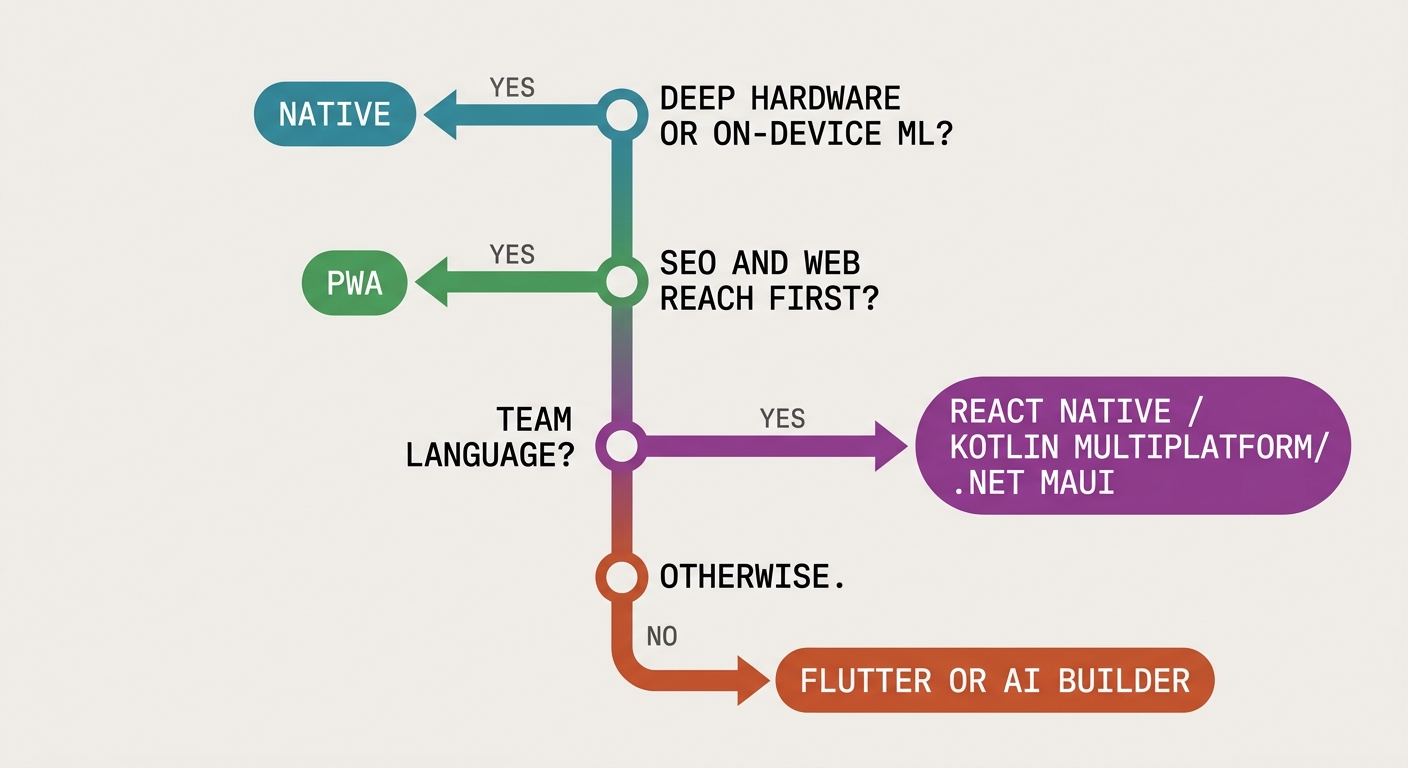
Pick the right cross-platform based on your team and your app, not on hype.
Match the Framework to Your Team and Your App
- JavaScript or React team: lean React Native.
- Kotlin or Android team: lean Kotlin Multiplatform.
- .NET team: lean .NET MAUI.
- UI-heavy branded app, new team: lean Flutter.
- Content-first with SEO needs: consider a PWA.
Then check four more things: UI customization needs, vendor longevity, framework maturity, and budget or timeline.
When Native Still Wins
CircleCI says native often fits high-compute games, heavy on-device AI (CoreML on iOS), and security-critical apps like banking. Security isn’t only a cross-platform problem, though. The OWASP Mobile Top 10 risks, like insecure data storage and weak authentication, apply to every approach.
Cross-Platform Mobile App Development Agency vs. In-House Team vs. AI Builder
Not sure who should build it? Cross-platform app development services, an in-house team, and an AI builder each fit a different budget and timeline. Here’s how they compare.
| Option | Best for | Timeline driver | Cost driver | Code control |
|---|---|---|---|---|
| Agency | Clear scope, no mobile team | Scope clarity | Team size, features, QA | Set by contract |
| In-house team | Long-lived products | Hiring time | Salaries, QA devices | Full |
| AI app builder | MVPs, internal tools | Prompt and review rounds | Plan tier | Readable generated code |
How to Build a Cross-Platform App With Enter Pro
Frameworks are tools your team codes in. Enter Pro is different. It’s an AI app builder that generates the app from a plain-language prompt. The example here is a class-booking app for a small yoga studio: scheduling, sign-up, booking confirmation, and an admin page to add classes.
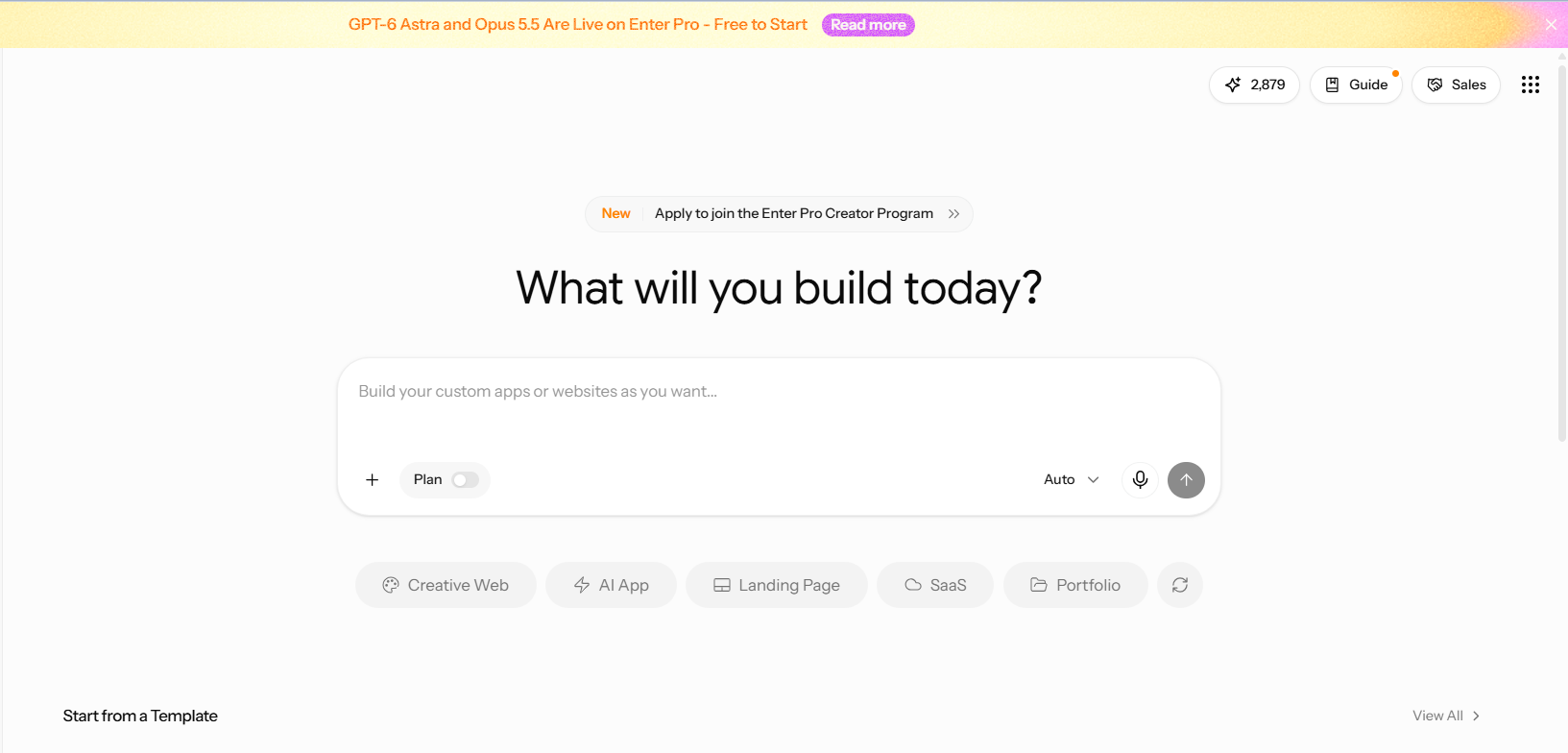
Step 1: Open the Enter Pro Workspace
Sign in and open a new chat in the workspace.
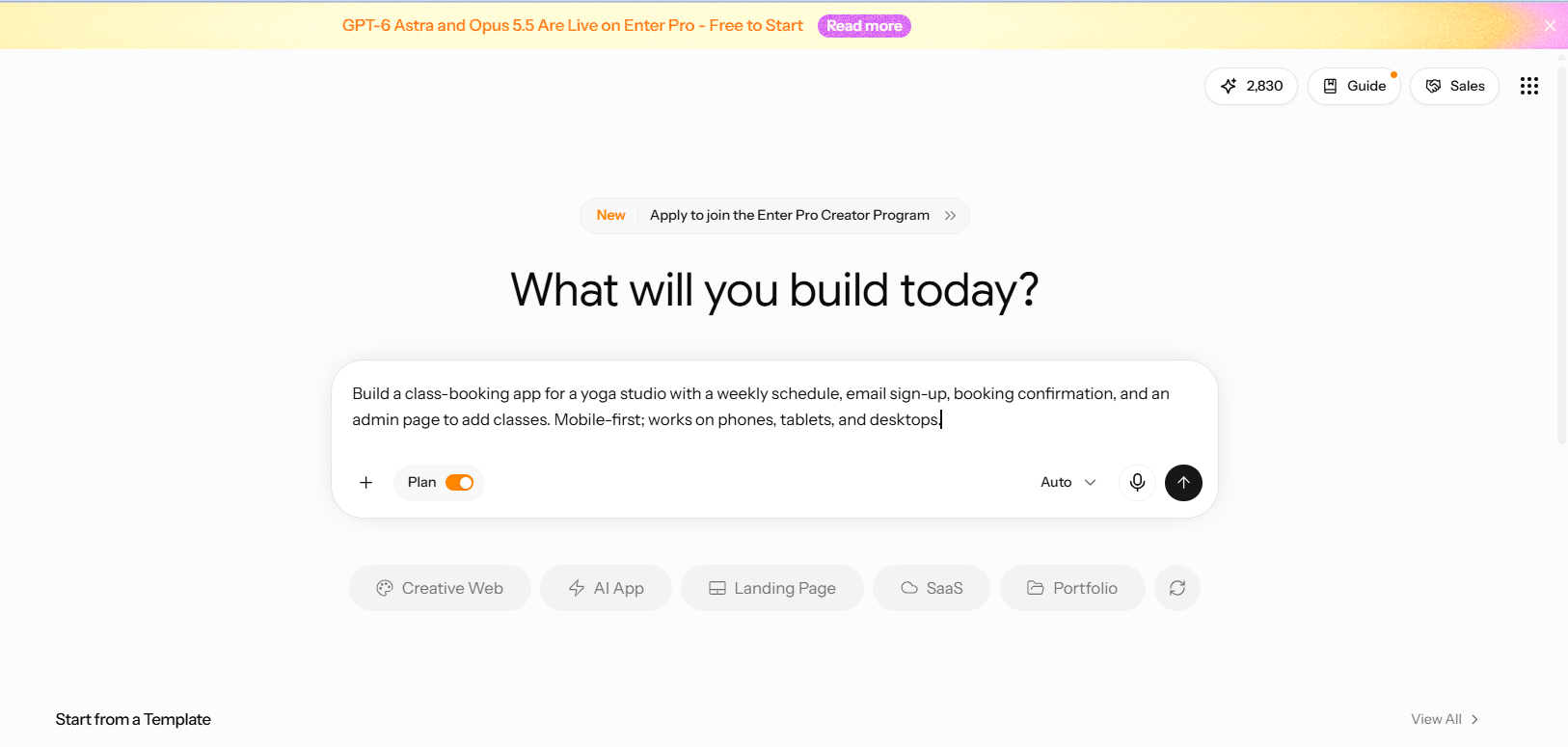
Step 2: Write Your App Prompt
Cover what the app does, who uses it, the screens, the data it stores, and the devices it must work on. Example: “Build a class-booking app for a yoga studio with a weekly schedule, email sign-up, booking confirmation, and an admin page to add classes. Mobile-first; works on phones, tablets, and desktops.”
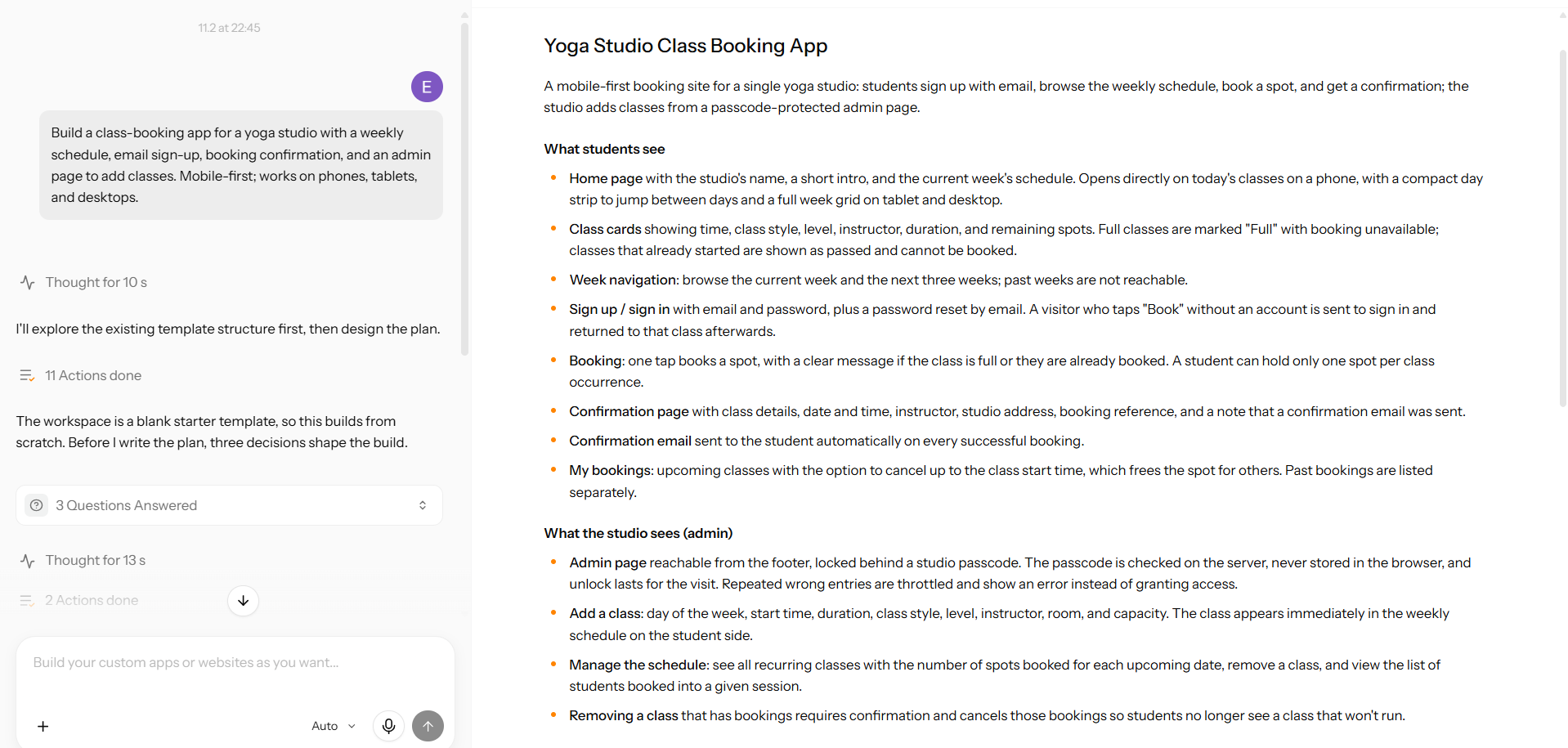
Step 3: Review the Plan
Check these things before building. Does the screen list match your prompt? Is anything missing?
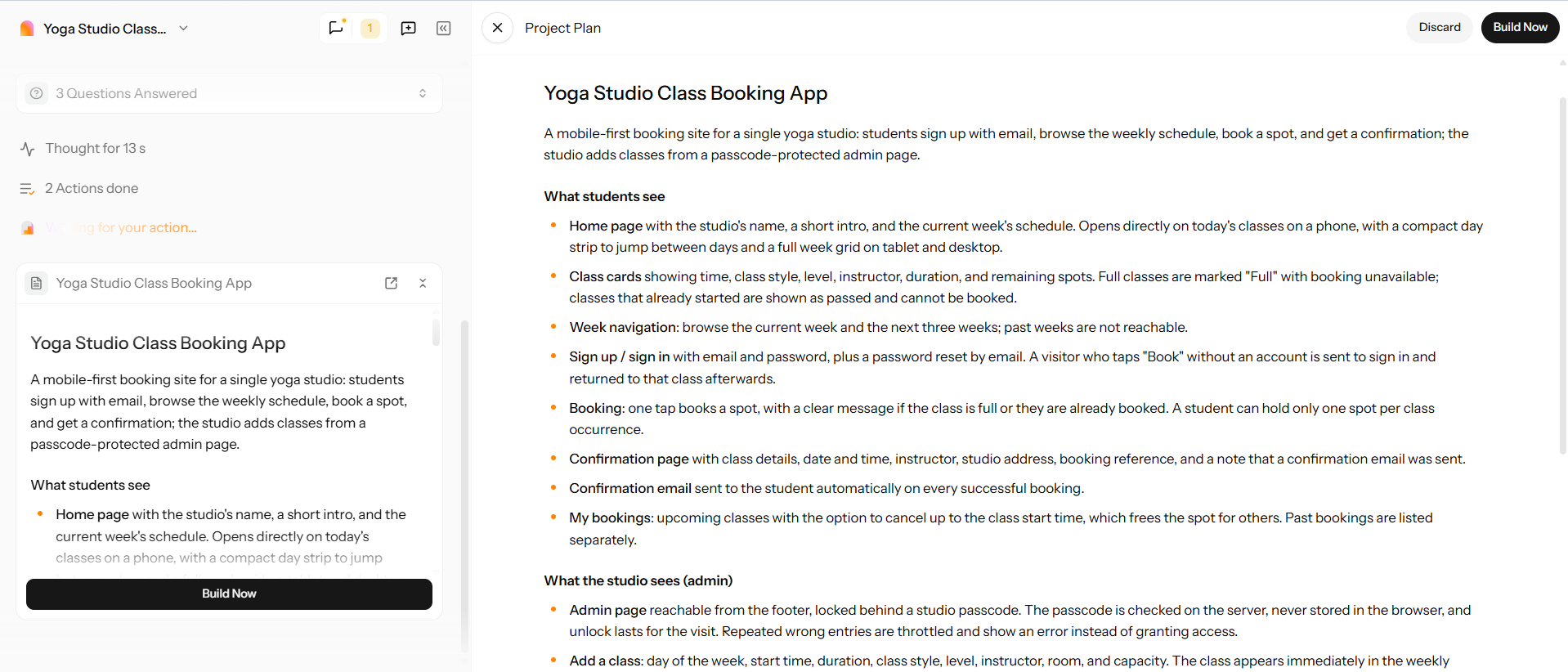
Step 4: Click Build Now
Build Now turns the approved plan into the running app. A successful build ends with a working preview.
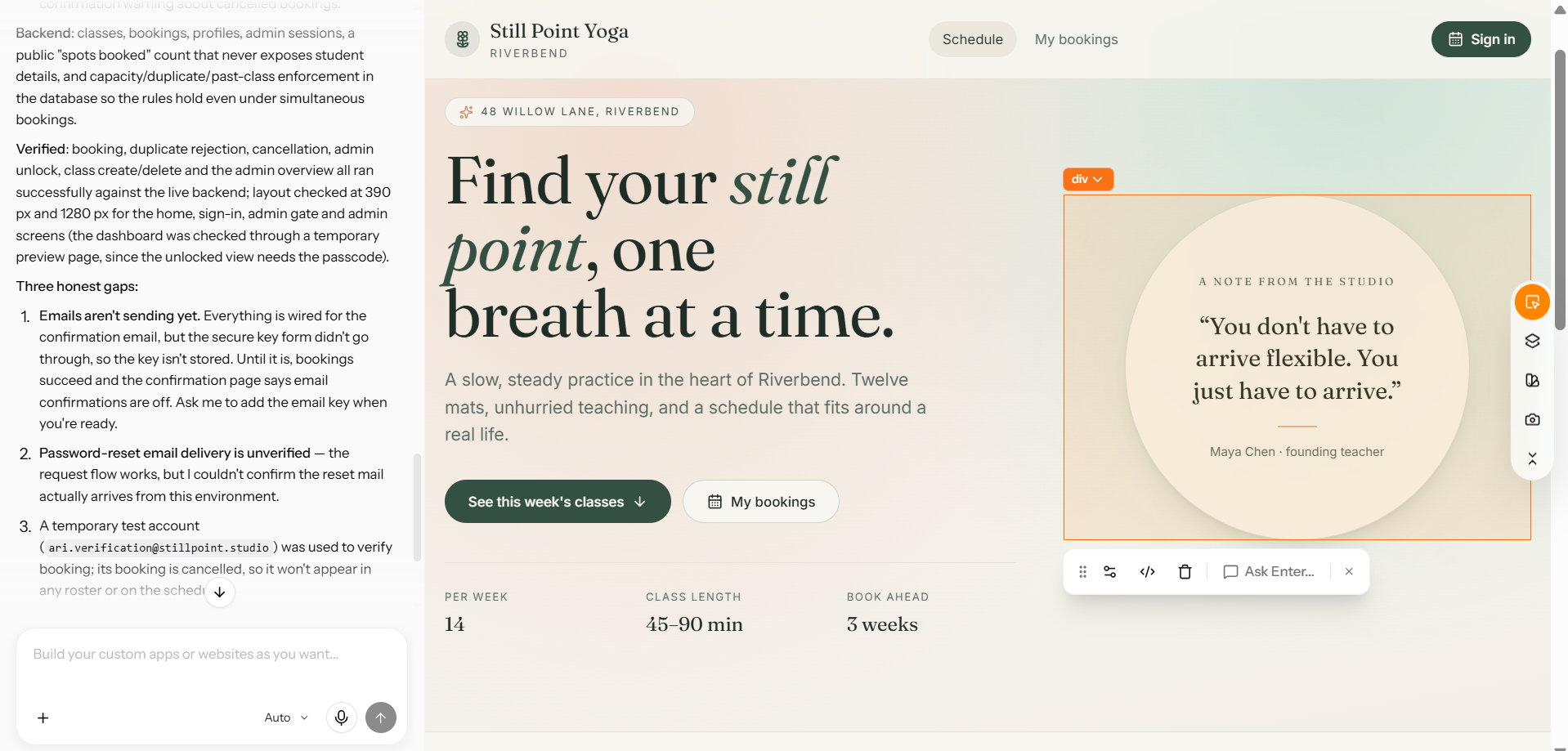
Step 5: Preview and Refine in the Visual Editor
Preview at phone, tablet, and desktop widths. Then change one thing without touching code, like the booking button’s text and color in the visual editor. This is where the cross-platform promise gets tested, so check the same screen at all three sizes.
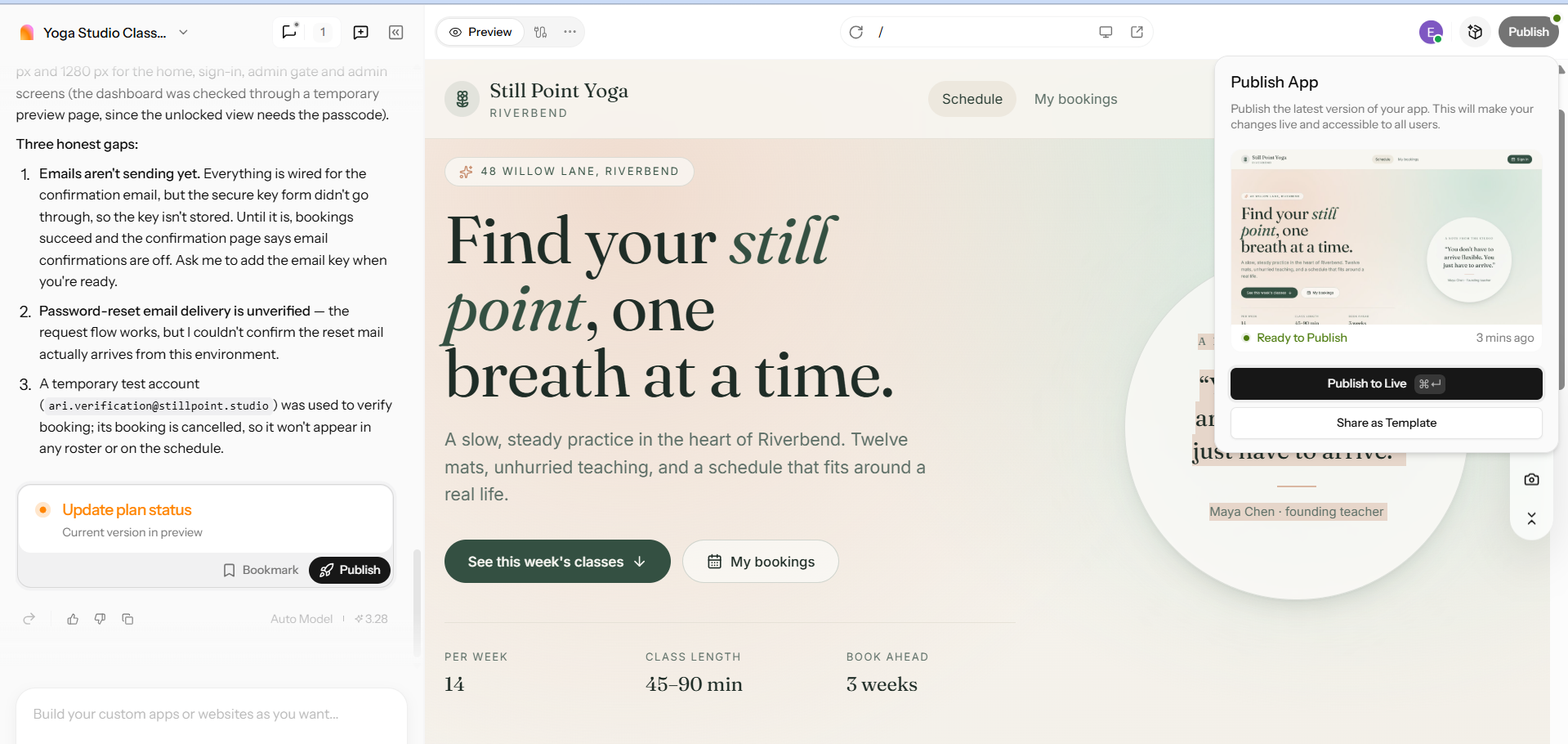
Step 6: Publish Your App
Publish, then open the live link on a real phone next to a desktop browser. Same app, two screens. One caution: don’t assume App Store or Play Store binaries. Check what your plan actually outputs for mobile phones.
Best Practices for Shipping Cross-Platform Apps
One codebase doesn’t mean one-size-fits-all. These practices help your app feel at home on iOS and Android, and stay safe after launch.
Respect Each Platform's Design Rules
Follow Material Design on Android and Apple’s Human Interface Guidelines on iOS. Back navigation and system gestures differ between the two.
Test on Real Devices and Automate With CI
Layer your testing approach by starting with unit tests for logic, followed by automated UI tests, and real-device checks on at least one low-end Android phone. Implement Continuous Integration (CI) using resources like CircleCI’s mobile CI guide. Remember, Flutter apps typically target 60 to 120 frames per second (FPS), so establish your budget and profile accordingly.
Use Native Modules Where They Pay Off
Share most of the code. Drop to native for camera pipelines, AR, or heavy on-device ML.
Protect User Data
Store tokens in the OS keychain or keystore, not plain app storage. Review the OWASP Mobile Top 10 before launch.
Conclusion
Cross-platform development is more cost-effective and faster for most business applications. However, native development is preferable for hardware-intensive, security-sensitive, or on-device AI products. The skills of your team should determine which framework to choose. Consider hiring an agency when you have a clear project scope but lack the necessary team resources. For products that will be used for a long time, it's better to build in-house. If you're just looking to create a first version, using an AI builder like Enter Pro can be a good option. Ready to try it? Open the Enter Pro workspace and build your first app.
FAQS About Cross-Platform App Development
What is the difference between native and cross-platform apps?
Native apps are written separately per OS: Swift or Objective-C for iOS, Kotlin or Java for Android. They get full platform access on day one. Cross-platform apps share one codebase through a framework like Flutter, React Native, or Kotlin Multiplatform. You trade some native depth for lower cost and faster delivery.
Is cross-platform development cheaper than native?
Usually, because one team maintains one codebase. CircleCI cites up to 30-40% savings. That’s an estimate, not a guarantee. Savings shrink when the app needs many native modules. Compare itemized quotes for both routes. An AI builder like Enter Pro can cut prototype costs further.
What is the best cross-platform mobile app development framework?
There’s no single winner. Flutter suits UI-heavy branded apps. React Native suits JavaScript teams. Kotlin Multiplatform suits Kotlin and Android teams. .NET MAUI suits Microsoft shops. Choose by team skills, UI needs, and app requirements. Then build a small prototype before committing.
Is Flutter or React Native better?
The decision depends on need. Flutter fits pixel-consistent custom UI. React Native fits teams that know React and want a deeper hiring pool. The performance gap has narrowed with React Native’s New Architecture and Flutter’s Impeller engine. Check the Stack Overflow Developer Survey for usage figures.
Are cross-platform apps slower than native apps?
They can be, since many frameworks add a runtime layer. But modern Flutter and React Native deliver near-native performance for most business apps. Native keeps the edge for games, AR, and heavy on-device ML. Profile your actual app. Don’t trust generic benchmarks.
When should you not use cross-platform development?
Skip it for high-compute games, deep hardware or AR features, on-device ML with strict latency needs, and security-critical apps like banking. Also skip it for single-platform products. A hybrid approach with native modules can still work.
How do I choose a cross-platform mobile app development agency?
Ask for shipped apps in your framework with store links, named senior engineers, real-device QA, CI/CD, written code ownership, and post-launch support. Request an itemized estimate. Start with a small paid discovery phase before signing a full contract.
Can I build a cross-platform app without coding?
Yes, for many apps. With Enter Pro, you describe the app, review the plan, click Build Now, refine in the visual editor, and publish. It suits MVPs and internal tools. Custom native hardware features may still require developers.