
Custom Software Development Guide: Types, Process, and Cost
Thinking about custom software development? Our guide covers types, process, real costs, and when a DIY AI builder beats hiring an agency for your project.
Custom software development is the process of designing, building, and maintaining software for one organization's workflows, users, and integrations, instead of buying a packaged product that thousands of other companies also use. It can be a patient portal for a clinic group, an inventory system wired into a retailer's point of sale, or a five-screen approvals dashboard for a finance team. This guide explains the main types of custom software, what development services include, the build process step by step, how requirements change in healthcare, retail, insurance, and enterprise settings, realistic cost ranges, how to choose a development partner, and when an AI app builder is enough to build the tool yourself.
What is custom software development?
Custom software is built for one organization's specific processes, users, and systems. It's also called bespoke or tailor-made software, and custom software application development refers to the same thing: an application designed around how a particular business works rather than around the average customer of a software vendor.
- Ownership: The business that commissions the software usually owns the code, the data model, and the product roadmap. That ownership should be written into the contract, not assumed.
- Fit: The software follows your workflow, approval rules, and terminology, so teams don't need spreadsheets and workarounds to fill the gaps.
- Real examples: a patient-intake portal for a clinic group, an inventory system tied to a retailer's POS, and an internal purchase-approvals dashboard that replaces email chains.
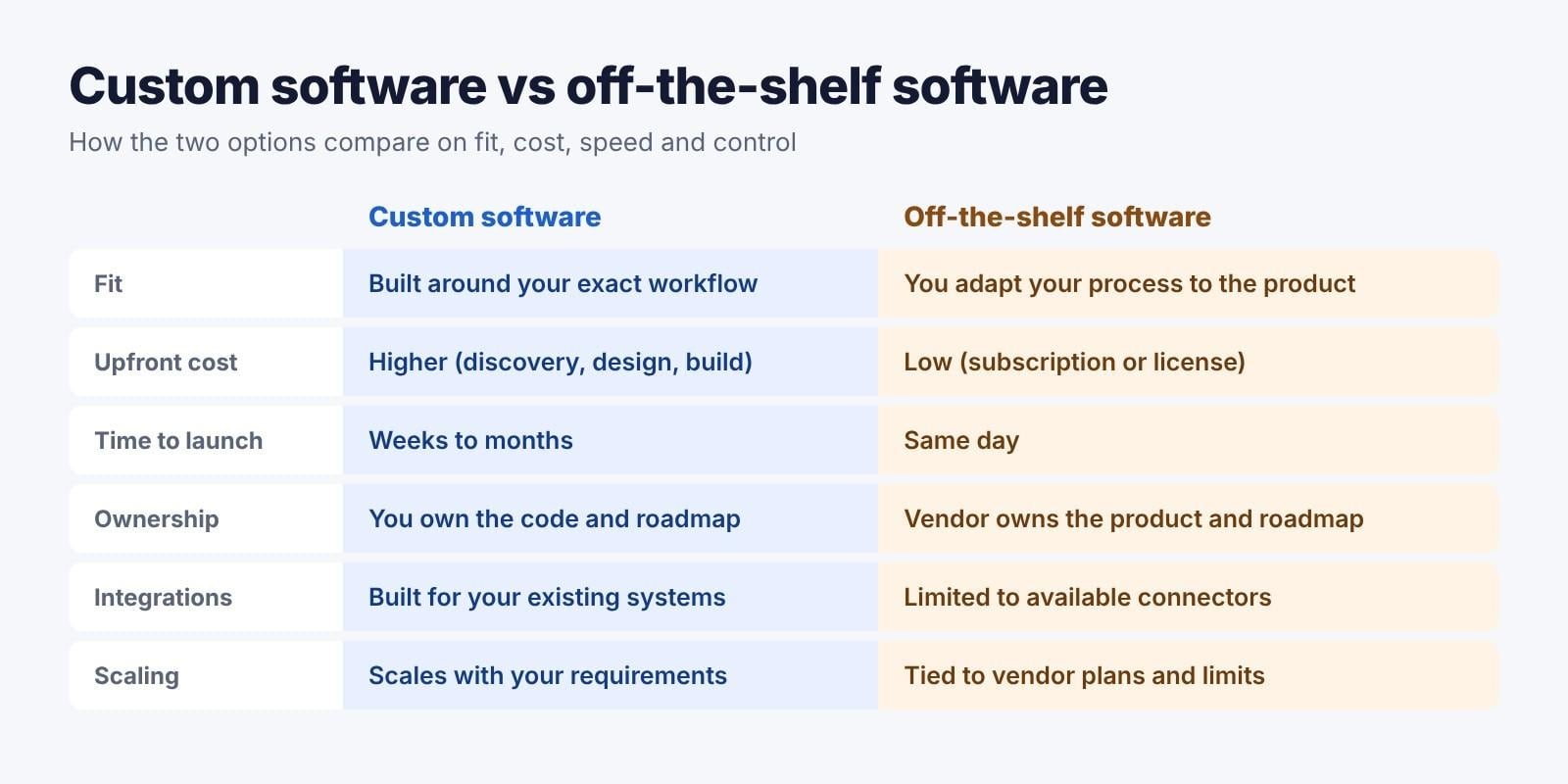
Custom software vs off-the-shelf software
Off-the-shelf tools such as Salesforce, QuickBooks, and Shopify are fast to adopt and cheap to start. Custom software costs more upfront but fits exactly. Here is how the two compare.
| Factor | Custom software | Off-the-shelf software |
|---|---|---|
| Fit | Built around your exact workflow | You adapt your process to the product |
| Upfront cost | Higher (discovery, design, build) | Low (subscription or license) |
| Time to launch | Weeks to months | Same day |
| Ownership | You own the code and roadmap | Vendor owns the product and roadmap |
| Integrations | Built for your existing systems | Limited to available connectors |
| Scaling | Scales with your requirements | Tied to vendor plans and limits |
| Examples | Custom ERP module, patient portal | Salesforce, QuickBooks, Shopify |
Many companies end up with a mix: packaged tools for common jobs like accounting and email, and custom software for the processes that set them apart.
Types of custom software solutions
Most real projects combine two or more of the types below. A customer portal, for example, usually needs a process-automation layer and a reporting dashboard behind it.
- Enterprise systems: Custom ERP, CRM, HR, and resource-planning modules. Example: a CRM whose pipeline matches the company's own deal stages and approval rules instead of a vendor's default stages.
- Customer-facing applications: Web portals, mobile apps, booking flows, and e-commerce experiences. Example: a customer account portal with order tracking and downloadable invoices. For the web side of these projects, see this guide to web app development.
- Process-automation tools: Approvals, data entry, reporting, and invoicing workflows. Example: an invoice-approval flow that replaces email chains and shared spreadsheets.
- Industry-specific platforms: Claims processing for insurers, patient intake for clinics, and fleet tracking for logistics companies.
- Cloud and SaaS products: Multi-tenant software built on AWS, Azure, or Google Cloud, including products a company sells to its own customers.
- Data and analytics dashboards: BI views that pull data from internal databases and third-party tools into one reporting layer.
What custom software development services include
A full-service engagement covers far more than writing code. When you compare proposals, check which of these custom software development services are included and which are billed separately.
- Discovery and requirements: Stakeholder interviews, user stories, technical constraints, and a written scope document that both sides sign off on.
- UX and UI design: Wireframes, a clickable prototype, and a basic design system so screens stay consistent as the product grows.
- Development: Frontend, backend, database, and APIs, delivered in sprints with regular demos.
- QA and testing: Functional, security, performance, and user acceptance testing (UAT) before anything reaches real users.
- Deployment and data migration: The production release, moving data out of legacy systems, and training the people who will use the software every day.
- Maintenance and support: Bug fixes, security patches, and feature updates, usually billed separately from the initial build.
Firms also differ in how they charge. The three common engagement models are:
| Engagement model | How it works | When it fits |
|---|---|---|
| Fixed price | One agreed price for a defined scope | Small projects with clear, stable requirements |
| Time and materials | You pay for hours worked, usually monthly | Projects where the scope will evolve as you learn |
| Dedicated team | A team works only on your product, billed monthly | Long-term product development and ongoing roadmaps |
The custom building process, step by step
Most firms follow some version of the six stages below. Knowing them helps you judge whether a proposal is realistic.
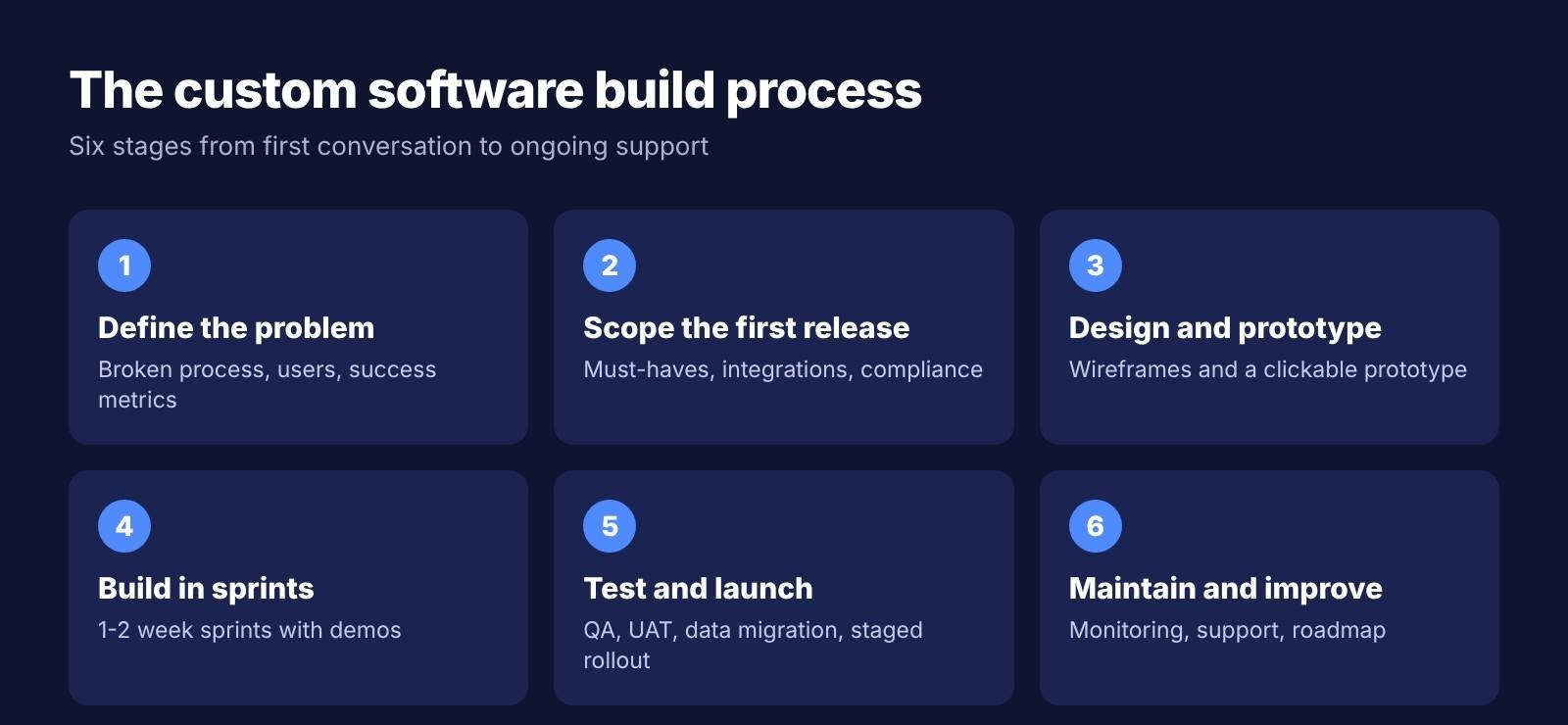
Step 1: Define the problem and goals
Write down which process is broken, who uses it, and what success looks like: hours saved, errors reduced, or revenue enabled. A clear goal keeps every later decision grounded.
Step 2: Gather requirements and scope the first release
Separate must-have features from ones that can wait, list every system the software has to integrate with, and note compliance requirements early. Scoping a smaller first release is the most reliable way to control cost.
Step 3: Design and prototype
Wireframes and a clickable prototype are tested with real users before any code is written. Changing a prototype costs hours; changing finished code costs weeks.
Step 4: Build in sprints
Development runs in one- to two-week sprints, each ending with a demo. The client should be able to see the prioritized backlog at all times.
Step 5: Test and launch
QA, user acceptance testing, and data migration come next, followed by a staged rollout to one team or location before the whole company switches over.
Step 6: Maintain and improve
After launch, the software needs monitoring, a support agreement with defined response times, and a roadmap for the next set of features.
Custom software by industry
Requirements change a lot depending on the industry. Regulated sectors add compliance work to every stage, while retail and enterprise projects are driven by integrations and scale.
Custom healthcare software development
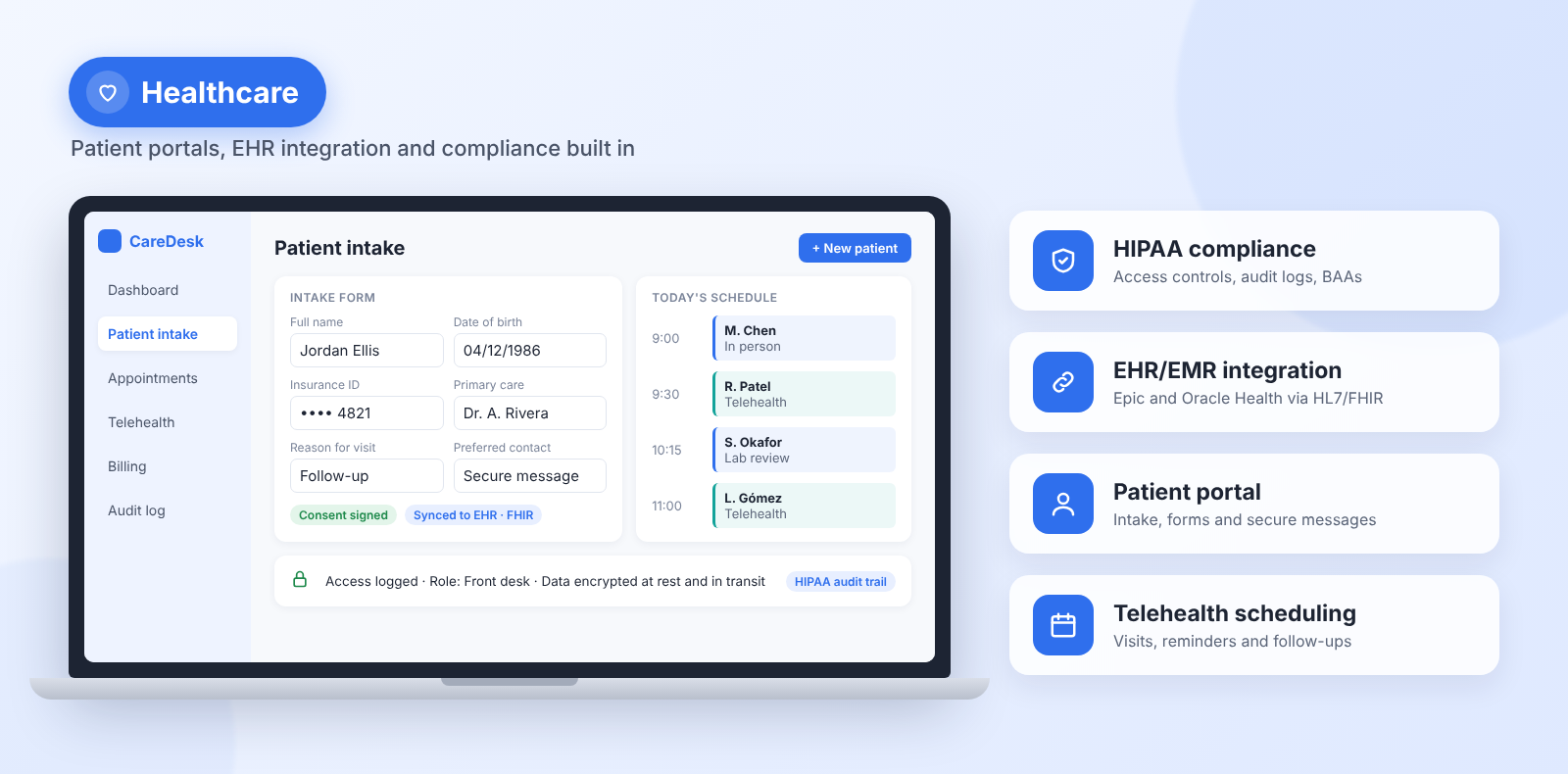
- Compliance: In the US, HIPAA applies to any software that handles protected health information. The HHS Security Rule requires access controls and audit controls, and expects encryption (currently an "addressable" safeguard that HHS has proposed making mandatory). Every vendor that touches patient data, including the development firm, needs a business associate agreement (BAA).
- EHR/EMR integration: Connecting to systems such as Epic or Oracle Health (formerly Cerner) usually runs through the HL7 and FHIR interoperability standards.
- Common builds: Patient intake portals, telehealth scheduling, care-coordination dashboards, and billing tools.
- Why practices go custom: Off-the-shelf tools rarely fit specialty workflows or a practice's exact compliance setup, which is the main reason custom software development for healthcare is in demand.
Custom retail software development
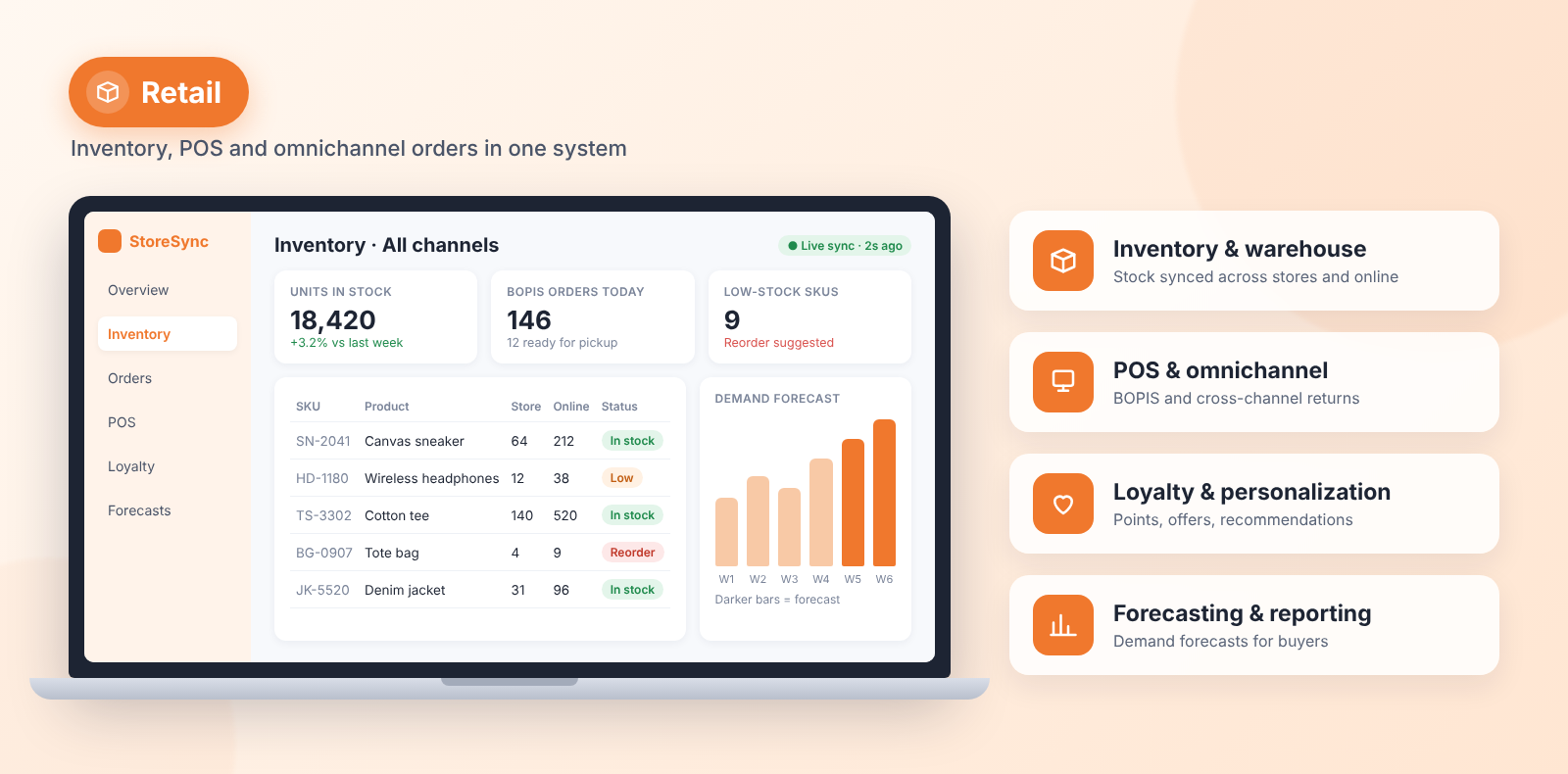
- Inventory and warehouse management: Stock levels synced across physical stores and online channels in real time.
- POS integration and omnichannel orders: Buy online, pick up in store, and cross-channel returns, connected to POS systems such as Square, Lightspeed, or Shopify POS.
- Loyalty and personalization: Points programs, targeted offers, and recommendations based on purchase history.
- Forecasting and reporting: Demand forecasts and dashboards for buyers and store managers.
Custom insurance software development
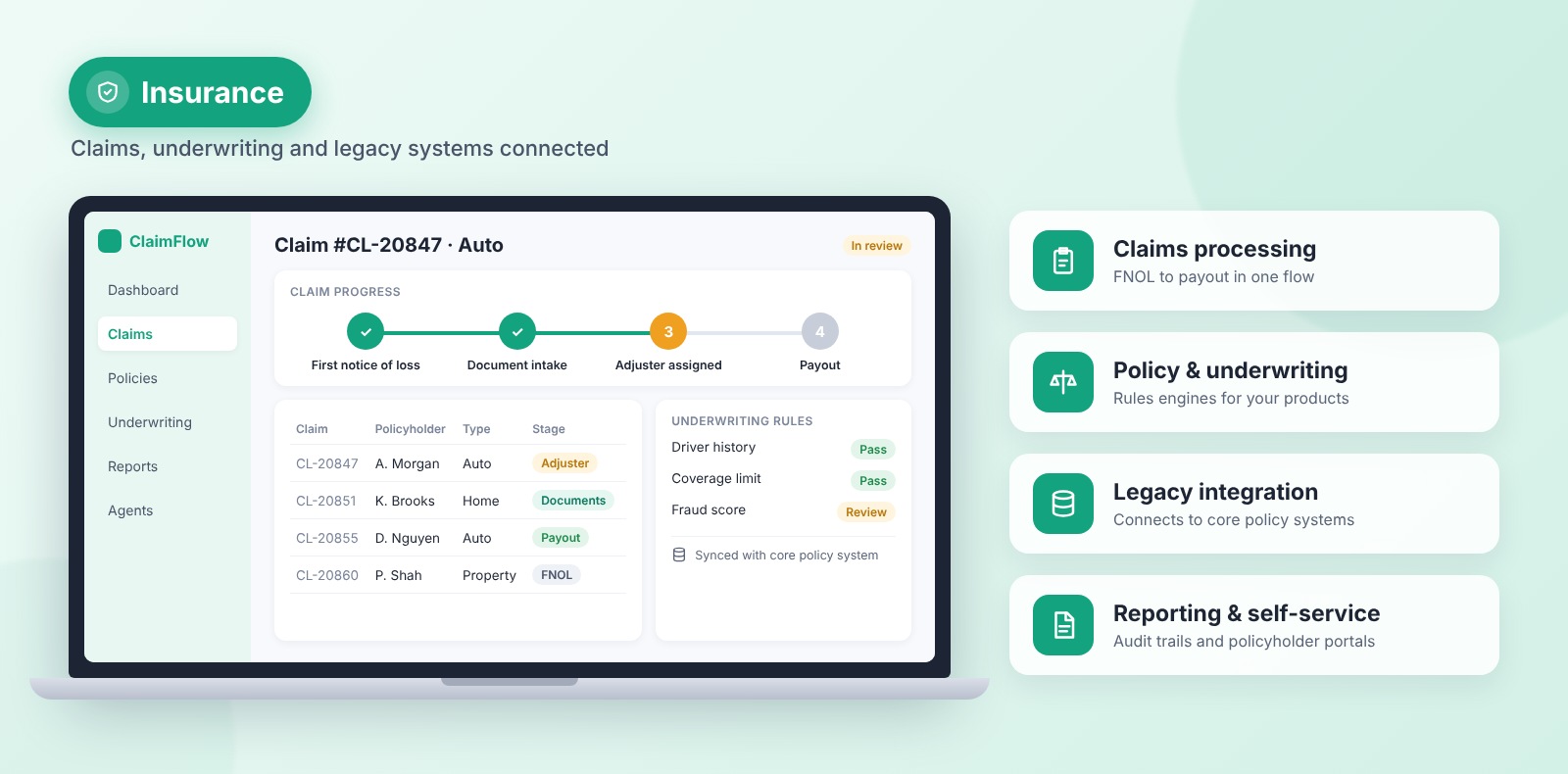
- Claims processing: First notice of loss, document intake, adjuster assignment, and payout tracking in one flow.
- Policy administration and underwriting: Rules engines tailored to the insurer's own products and risk criteria.
- Legacy integration: Connecting new portals and tools to older core policy systems that can't be replaced overnight.
- Reporting and self-service: Regulatory reporting, audit trails, and self-service portals for policyholders and agents.
Custom enterprise software development
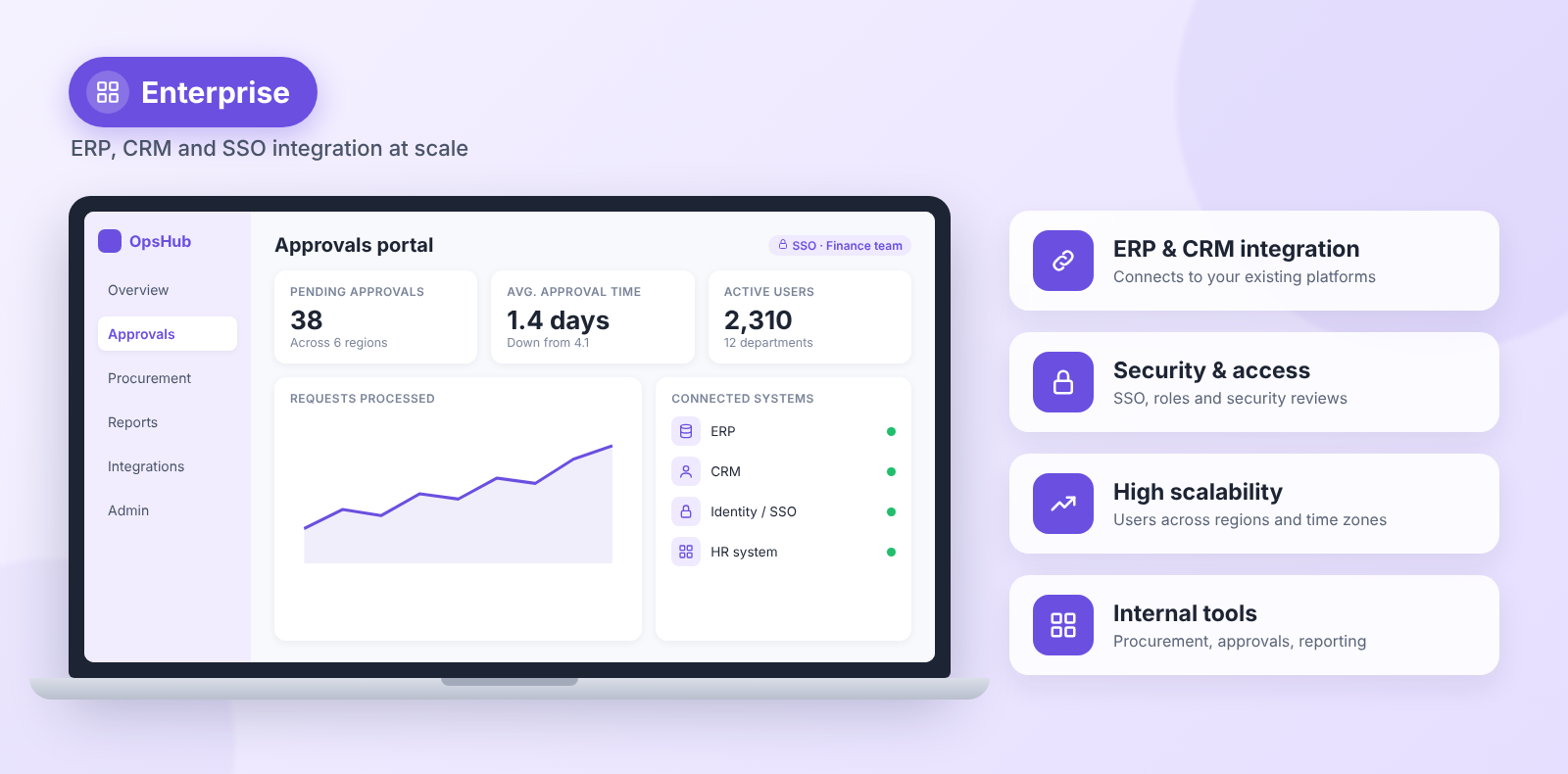
- ERP and CRM integration: Connecting to platforms such as SAP, Oracle, Salesforce, and Microsoft Dynamics.
- Security and access: Single sign-on, role-based permissions, and internal security reviews before launch.
- Scale: Many concurrent users across departments, regions, and time zones.
- Internal tools: Procurement, approvals, and reporting portals built around the company's own processes.
How much does custom software development cost?
Agency-built projects range from about $20,000 for a small internal tool to $500,000 or more for a regulated enterprise platform. Clutch's pricing data puts the average reviewed software project at $132,480, with an average duration of about 13 months. Six factors drive most of the difference:
- Complexity and feature count: A five-screen internal tool costs a fraction of a multi-role platform with complex business logic.
- Integrations: Each payment processor, CRM, or legacy database adds engineering and testing time.
- Compliance: Healthcare and insurance builds add security audits, documentation, and review cycles.
- Design depth: Fully custom, branded interfaces cost more than template-based ones.
- Team location and seniority: US and Western European agencies often charge roughly $100-$200+ per hour, compared with about $35-$80 in Eastern Europe, $30-$75 in Latin America, and $20-$50 in India and South Asia.
- Maintenance: Ongoing upkeep is commonly estimated at 15-20% of the initial build cost per year, and some firms quote up to 25%.
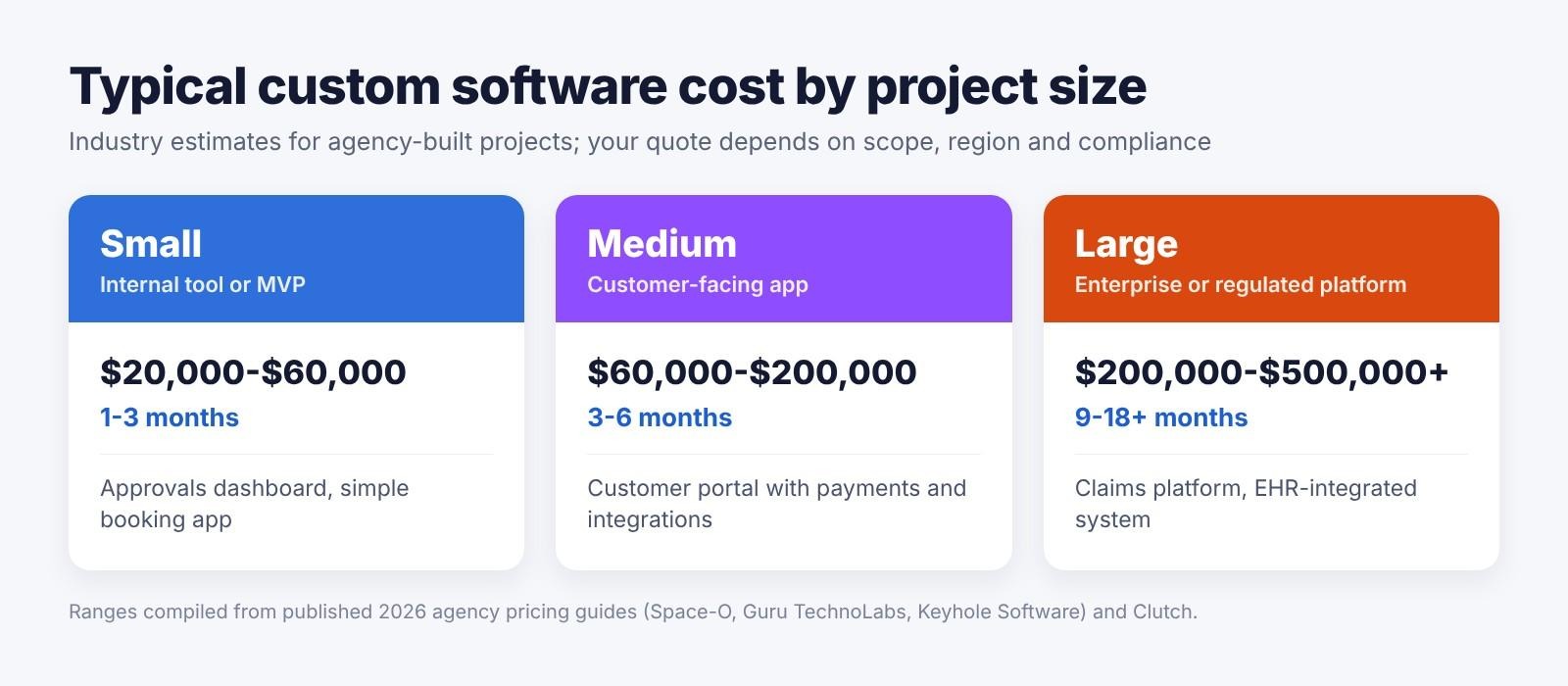
| Project size | Example | Typical timeline | Estimated cost |
|---|---|---|---|
| Small (internal tool or MVP) | Approvals dashboard, simple booking app | 1-3 months | $20,000-$60,000 |
| Medium (customer-facing app) | Customer portal with payments and integrations | 3-6 months | $60,000-$200,000 |
| Large (enterprise or regulated platform) | Claims platform, EHR-integrated system | 9-18+ months | $200,000-$500,000+ |
Note: Figures and data are current as of October 2026. Budget for costs that rarely appear on the first quote, too: hosting, third-party licenses and API fees, security audits, and staff training. Overruns are common on large projects. A McKinsey and University of Oxford study of more than 5,400 IT projects (2012) found that large projects ran 45% over budget on average, which is why a tightly scoped first release matters.
Pros and cons of custom software
Custom software solves real fit problems, but it also moves cost, risk, and upkeep onto your business. Weigh both sides before you commit to a build, especially if a packaged tool already covers most of what you need.
ProsConsExact fit: The software follows your workflow, so teams stop relying on workarounds and duplicate data entry.Ownership: The business owns the code and decides what gets built next.Direct integrations: It connects to your existing systems instead of depending on whatever connectors a vendor offers.Scales on your terms: Growth isn't capped by a vendor's plan limits or per-seat pricing.Competitive advantage: A process that competitors can't buy off the shelf is hard for them to copy.Higher upfront cost: Discovery, design, and development cost far more than a monthly subscription.Longer time to launch: Weeks to months, compared with same-day access to a packaged tool.Ongoing responsibility: Maintenance, security patches, and hosting become your job or your vendor's paid contract.Partner risk: Quality depends heavily on the development team you choose.Scope creep: New requests during the build can push budgets and timelines past the original estimate.
How to choose a custom software development firm
Price matters, but the cheapest proposal is rarely the cheapest project. Use this checklist when you compare firms:
- Relevant portfolio: Live examples or case studies in your industry, not just screenshots.
- Verified reviews and references: Reviews on Clutch or G2, plus two or three past clients you can call.
- Compliance experience: Proven HIPAA, SOC 2, or PCI DSS work if your project needs it.
- Discovery before quoting: A paid or free discovery phase and a written scope, not a price from a single sales call.
- Transparent pricing: A clear engagement model and a defined process for change requests.
- Code and IP ownership: Written into the contract, including access to the repository.
- Communication: A named project manager, overlapping working hours, and demos at the end of each sprint.
- Post-launch support: A support agreement with response times and maintenance pricing agreed upfront.
Custom software development firm vs building it yourself with AI
Not every project needs an agency. AI app builders can now generate a working web app from a plain-language description, which changes the math for smaller projects such as MVPs and internal tools.
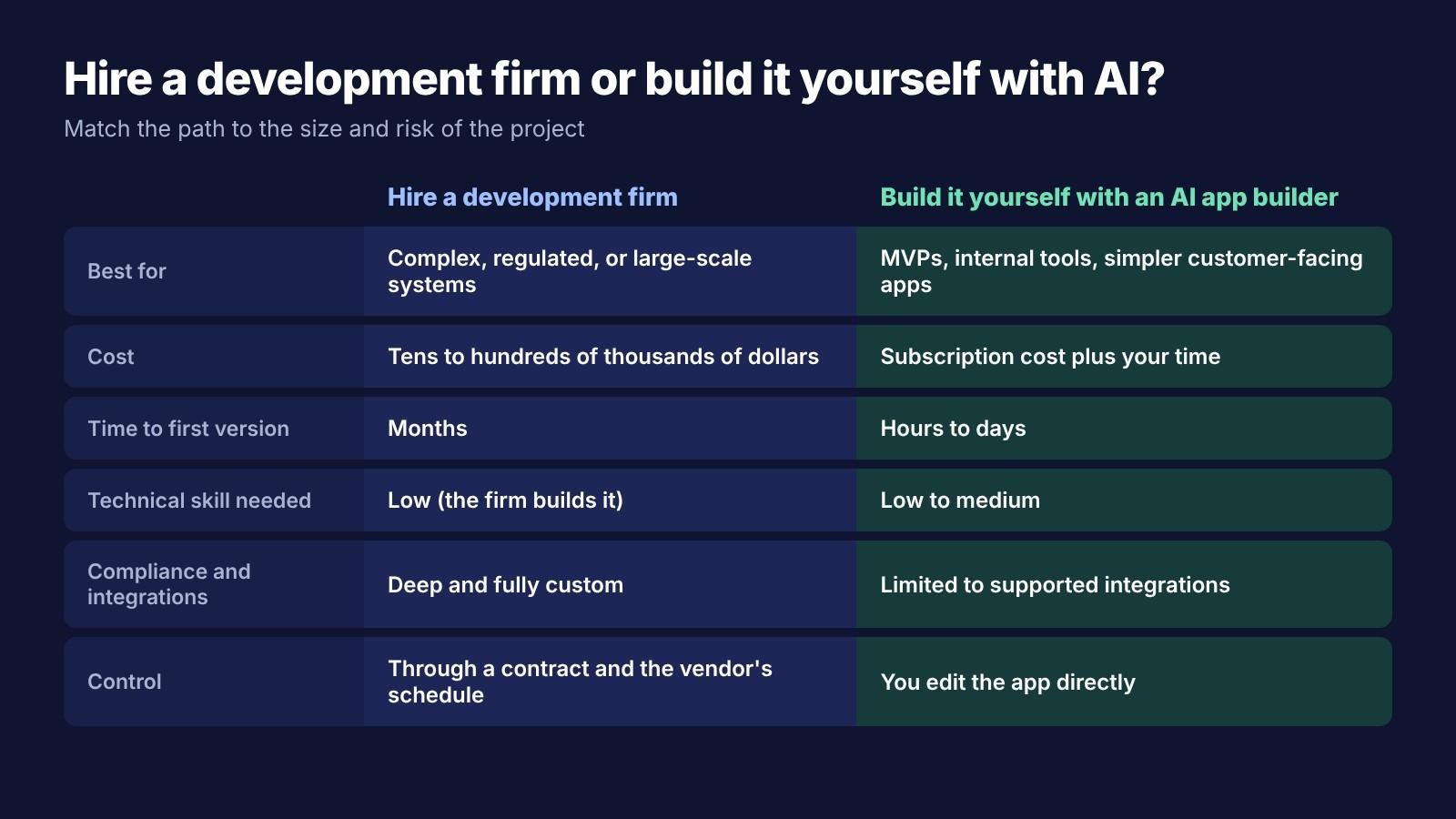
| Factor | Hire a development firm | Build it yourself with an AI app builder |
|---|---|---|
| Best for | Complex, regulated, or large-scale systems | MVPs, internal tools, simpler customer-facing apps |
| Cost | Tens to hundreds of thousands of dollars | Subscription cost plus your time |
| Time to first version | Months | Hours to days |
| Technical skill needed | Low (the firm builds it) | Low to medium |
| Compliance and integrations | Deep and fully custom | Limited to supported integrations |
| Control | Managed through a contract and the vendor's schedule | You edit the app directly |
- Choose a firm if: You handle regulated data such as health records or insurance claims, need integrations with legacy systems, serve many concurrent users, or need specialized engineering.
- Build it yourself if: You're validating an idea with an AI MVP builder, need an internal tool for a small team, want a simple customer-facing app, or have a limited budget.
If your project sits in the second group, the next section shows what building it yourself looks like.
Build custom internal tools and apps with Enter Pro
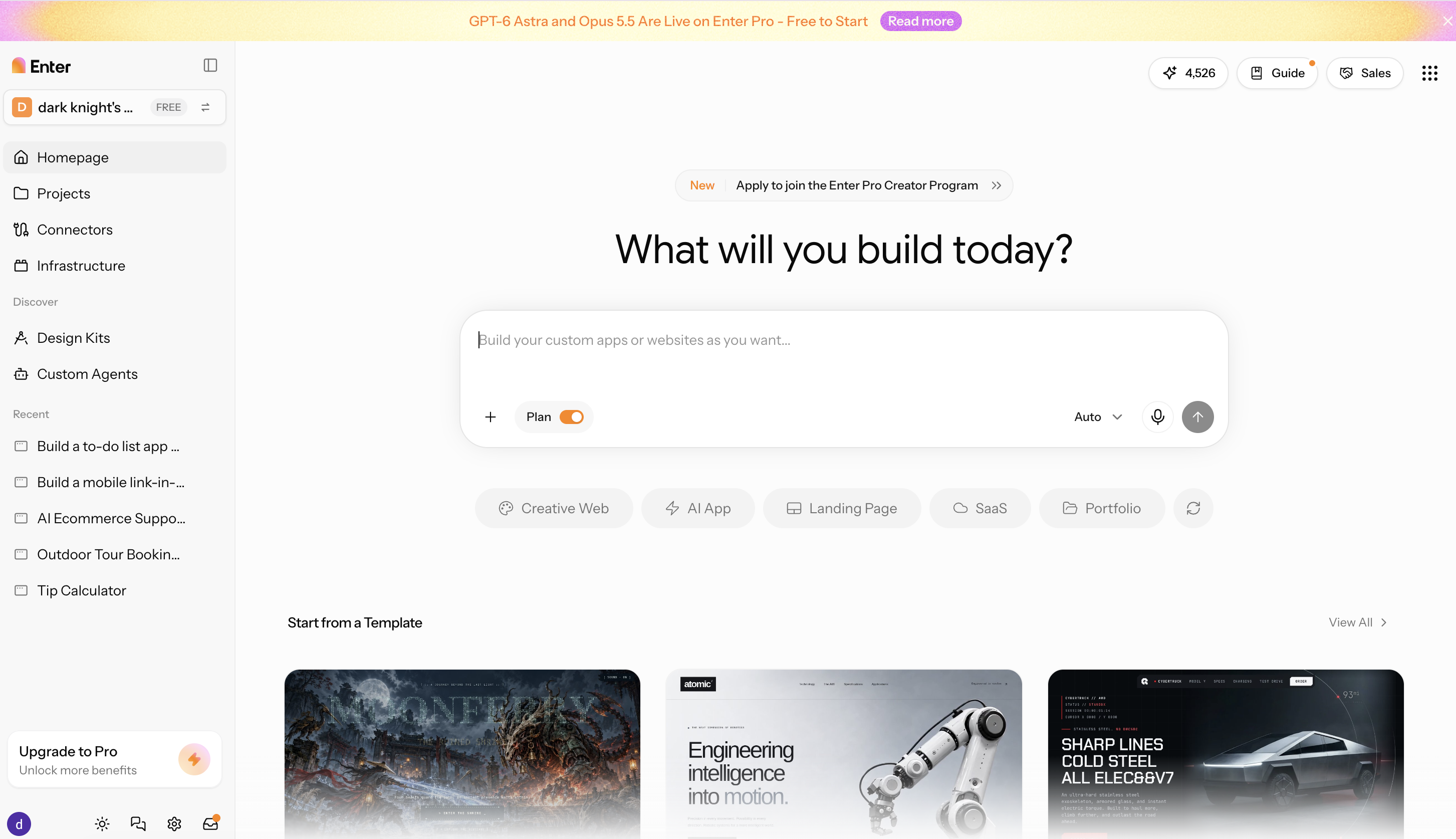
Enter Pro is an AI app builder for projects in the build-it-yourself column. You describe the tool in plain language, Enter Pro plans the pages, data model, and user roles, and then generates a working, editable web app you can refine and publish. Its internal tool builder is designed for dashboards, approval flows, and CRMs. It doesn't replace a development firm for compliance-heavy or large-scale systems, but it can get an MVP or internal tool to a working version in days rather than months.
Key features
- Visual editor: Click any element in the preview to change its text, font, color, spacing, or images with the visual editor, and use chat for larger changes.
- Pre-wired integrations: Connect Enter Cloud for a built-in backend, Supabase for data and authentication, Stripe for payments, and GitHub for your code from the project's integrations menu.
- Ready-for-use models: Pick from leading AI models in one workspace, including GPT-5.4 and Claude Opus 4.7, without separate subscriptions.
- Editable code: The generated app is real code you can review, connect to GitHub, and keep developing, so a simple tool can grow or be handed to a developer later.
How to build an internal tool with Enter Pro
Step 1: Describe the tool
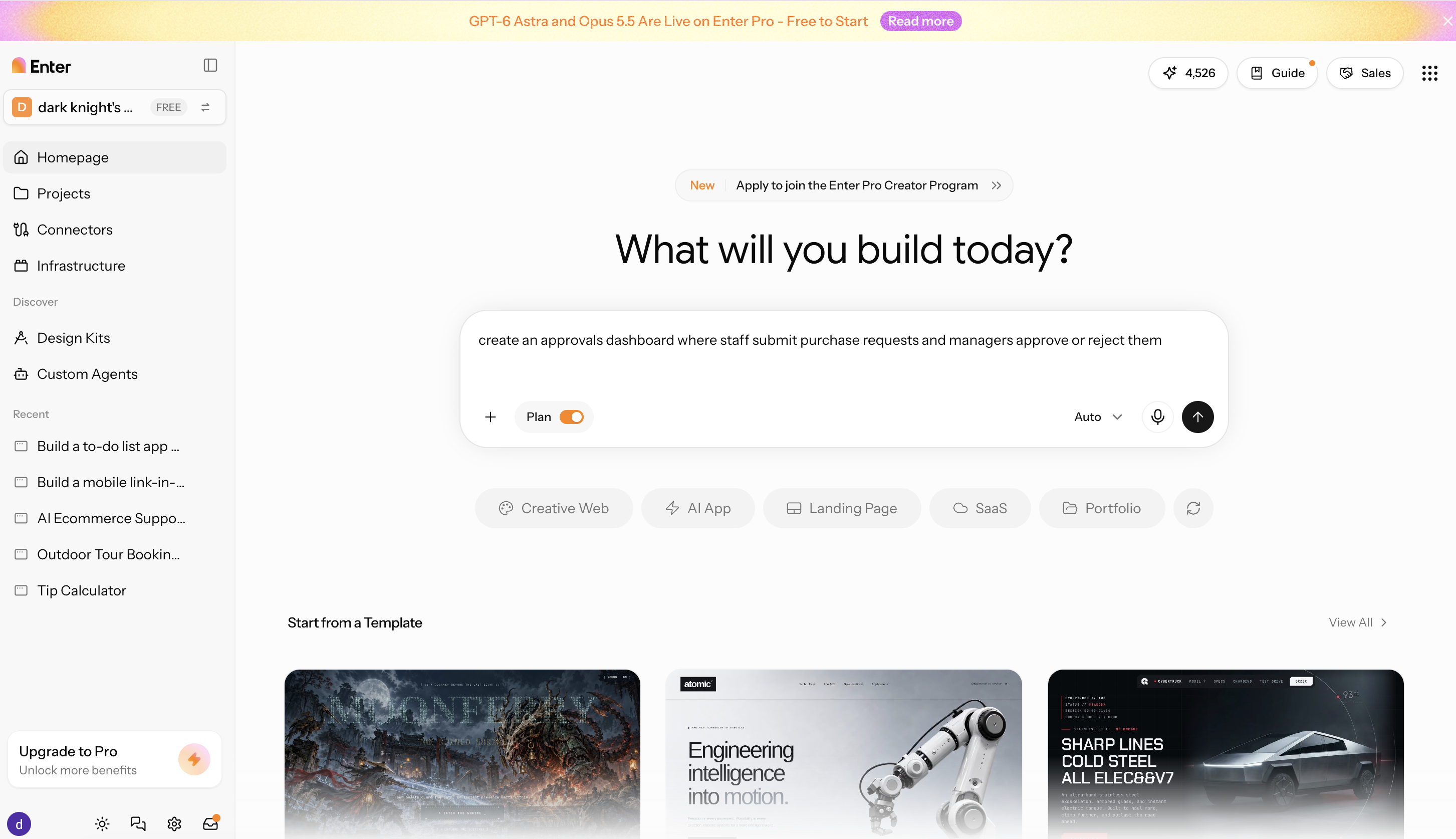
Use a real brief, for example: "an approvals dashboard where staff submit purchase requests and managers approve or reject them." Include the users, the data each request needs, and any statuses.
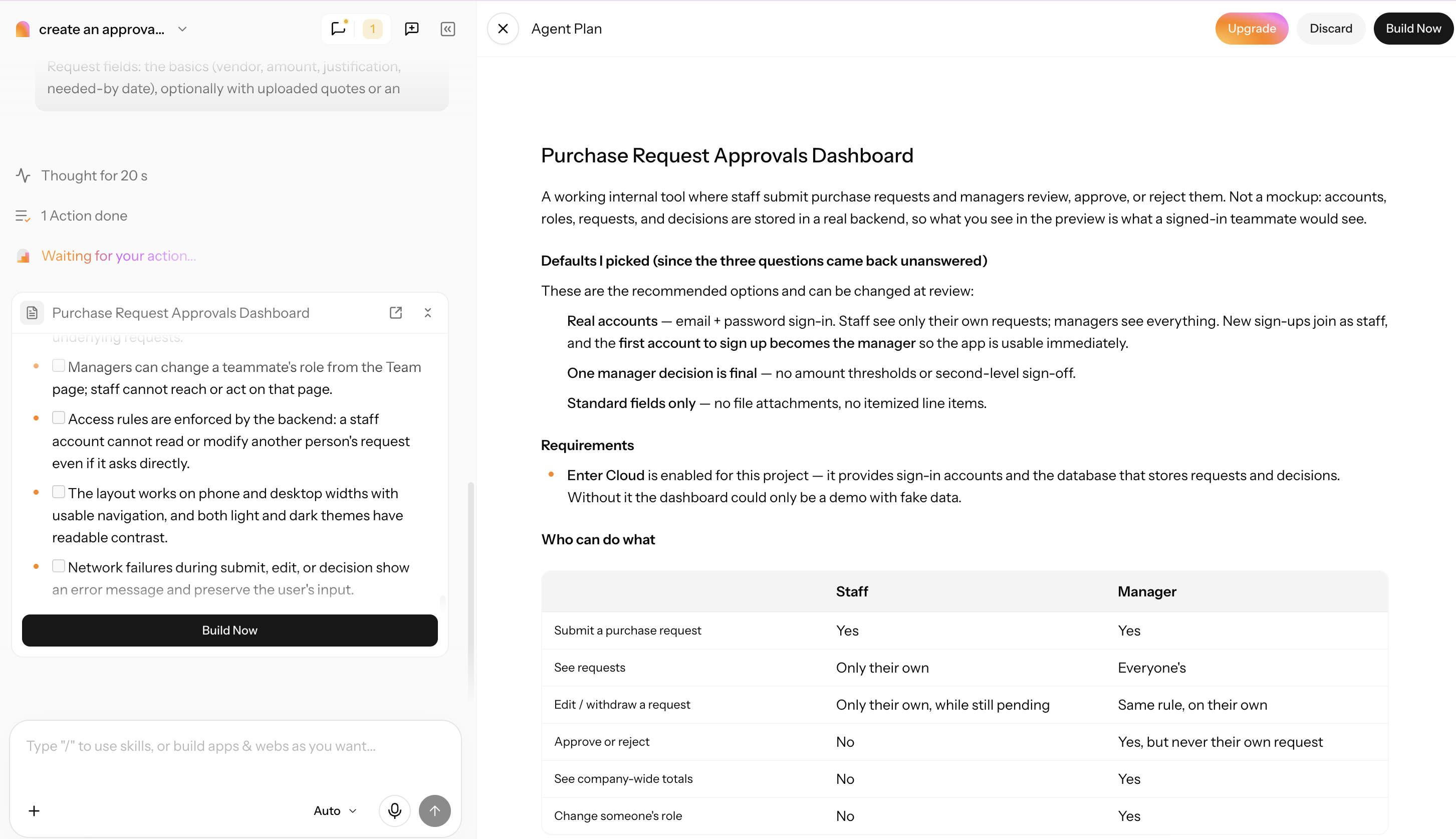
Step 2: Review the plan and generate the app
Check the proposed pages, data model, and user roles in Plan Mode, adjust anything that's missing, then generate the app.
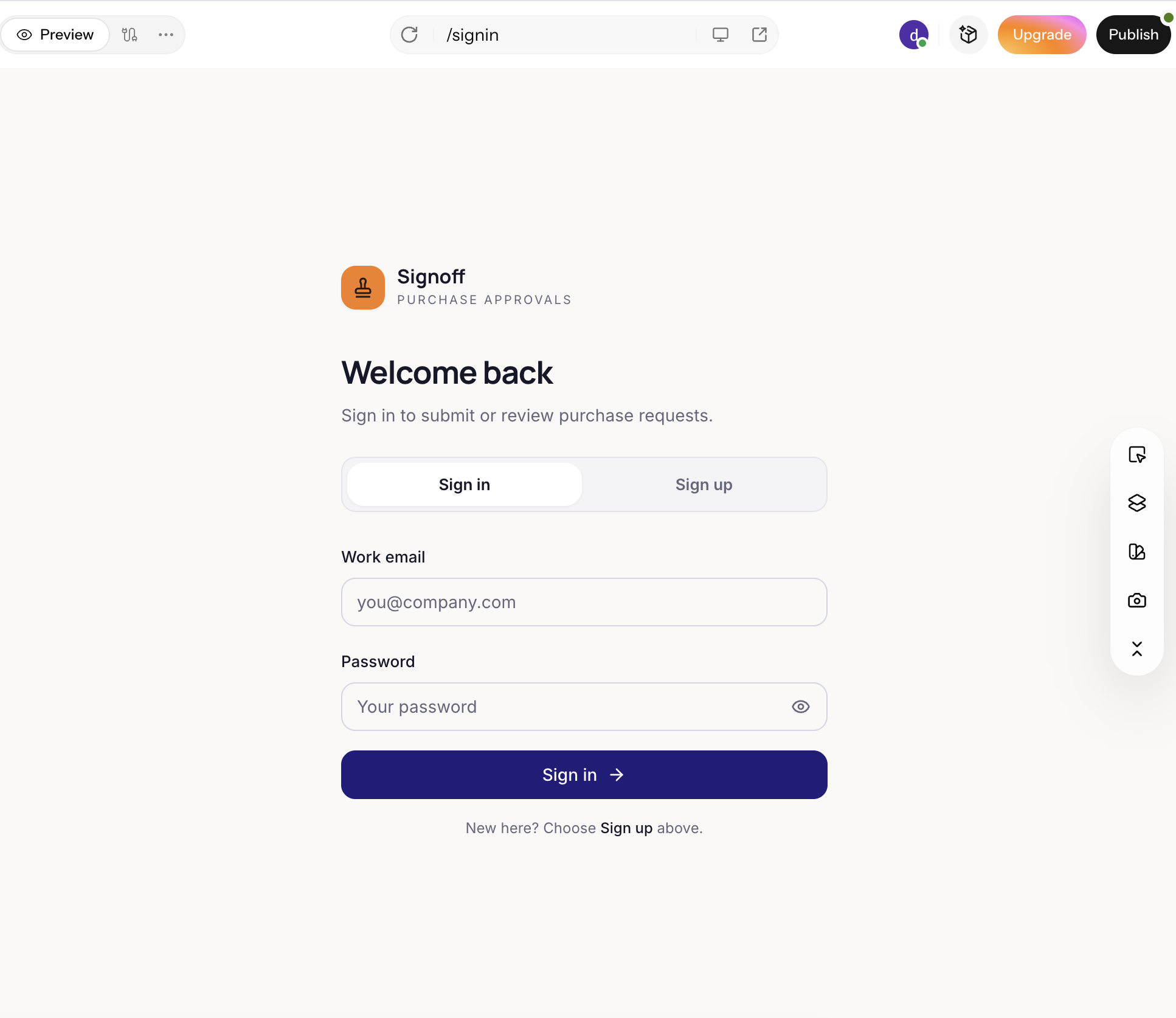
Step 3: Publish the app
Refine the layout and wording in the visual editor, test the main workflow from request to approval, then publish and share it with your team.
Conclusion
Custom software development makes sense when packaged tools can't fit how your business works. For healthcare and insurance systems with real compliance stakes, large enterprise integrations, or highly specialized products, a development firm's expertise is worth the cost and the longer timeline. For internal tools, MVPs, and simpler customer-facing apps, an AI app builder like Enter Pro can get you to a working version in days instead of months. Whichever path you take, define your requirements first, get a realistic cost range, and choose the option that fits the size and risk of the project. Try it today to customise your tool for different uses!
FAQs about custom software
How long does custom software development take?
A small internal tool or MVP typically takes one to three months with an agency, a customer-facing app three to six months, and a large enterprise or regulated platform nine to 18 months or more. Scoping a smaller first release is the most reliable way to shorten the timeline.
What is the difference between custom software and off-the-shelf software?
Custom software is built for one organization's workflows and owned by that organization. Off-the-shelf software is a packaged product sold to many customers, so it's cheaper and faster to adopt, but you adapt your process to it and the vendor controls the roadmap.
Does a healthcare business need custom software?
Not always. Many practices run well on established EHR and scheduling products. Custom healthcare software makes sense when specialty workflows, integrations, or patient-facing portals aren't covered by existing tools, and any build that handles patient data must follow HIPAA and be covered by business associate agreements.
What should I look for in a development firm?
Look for a relevant portfolio, verified reviews and references, compliance experience where you need it, a discovery phase before a firm quote, transparent pricing, code ownership in the contract, and a clear post-launch support agreement.
Can I build custom software myself without hiring a firm?
Yes, for smaller projects. AI app builders such as Enter Pro can turn a plain-language description into a working web app, which suits MVPs, internal tools, and simple customer-facing apps. Projects with heavy compliance, legacy integrations, or very large user bases still benefit from an experienced development team.
Is custom software worth it for a small business?
It is when a repetitive, business-specific process costs your team hours every week, and no packaged tool fits it well. Start with the smallest version that solves the problem, either a small agency build or a tool you create yourself with an AI app builder, and expand once it proves its value.