How to Build a Website from Scratch (10 Easy Steps For Beginners)
Discover exactly how to build a website from scratch. We explore manual coding, WordPress, and using Enter Pro's AI agent to launch your full-stack site for free.
Wondering exactly how to build a website from scratch? You are certainly not alone. For many beginners, launching a digital space feels incredibly overwhelming. It is often filled with confusing technical jargon and endless platform choices that make you want to give up before you even start. But here is the good news: creating a professional online presence no longer requires a computer science degree or years of training.
Whether you want to roll up your sleeves and hand-code your pages, utilize a traditional content management system like WordPress, or leverage a modern AI agent to deploy full-stack applications instantly, there is a clear, manageable path forward tailored to your specific skill level. In this complete guide, we will break down the different methods available, walk through the exact 10 steps you need to get your ideas live on the internet, and uncover exactly what you can expect it all to cost. Let's dive in.
Different Ways to Build Your Site
Before we get into the "how," we need to look at the "what." Not every website is built the same way. Depending on your goals—whether you want a simple blog or a complex app—you have three main paths to choose from.
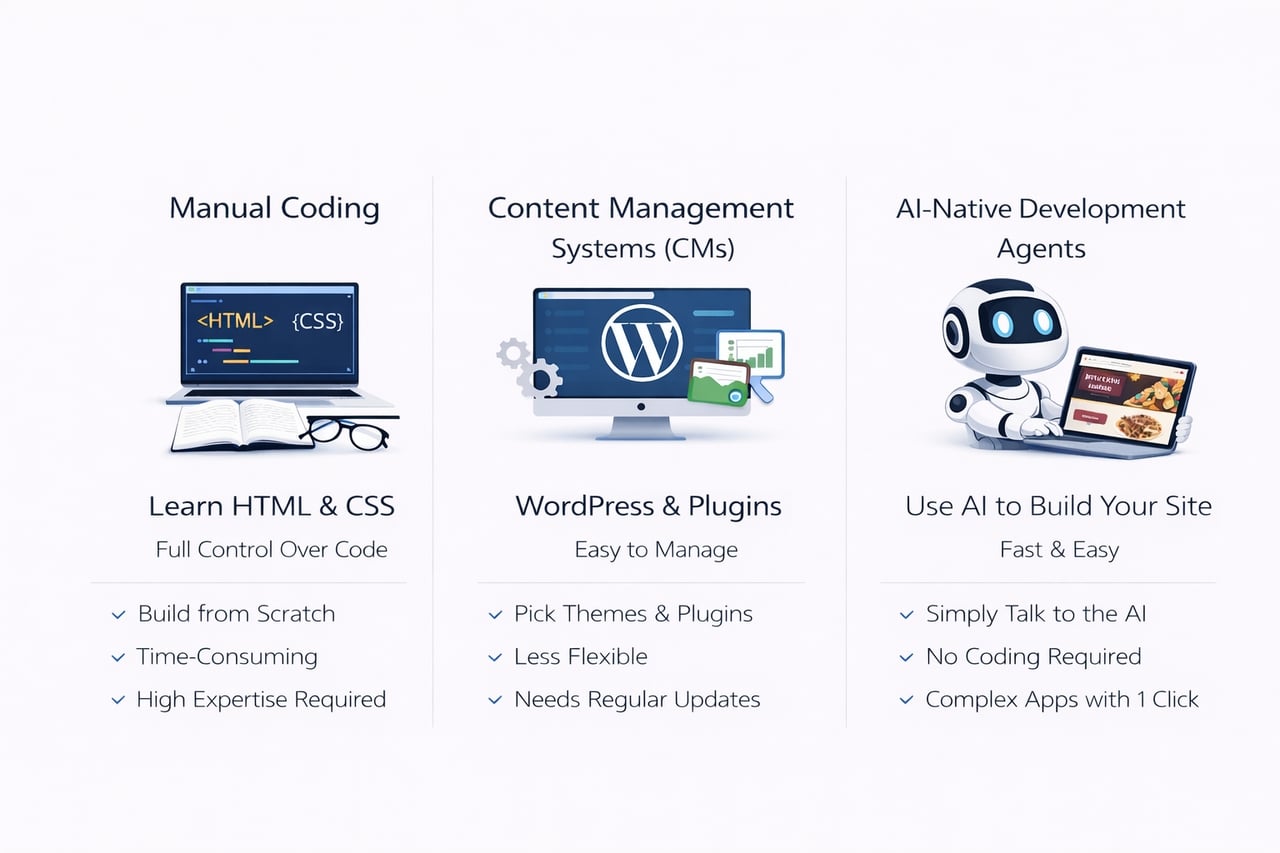
- Manual Coding
Learning how to build a website from scratch with code is the most traditional route. This involves using "languages" that computers understand. The two most important ones are HTML and CSS. Think of HTML as the skeleton of your house (the walls and floors) and CSS as the interior design (the paint, the furniture, and the decorations).
While this offers you maximum control over every single pixel on the screen, it requires a significant investment of time. You have to learn the logic behind the code, and if something breaks, you are the one who has to fix it.
- Content Management Systems (CMS)
If coding sounds too difficult, you might look into how to build a WordPress website from scratch. A CMS is a software that sits on the internet and lets you manage your content without looking at code. You pick a "theme" (a pre-made design) and add "plugins" (extra features like contact forms or image galleries).
This is very popular for bloggers and small business owners. However, it can become frustrating because you are often limited by what the theme allows you to do. Also, you have to constantly update your plugins to make sure your site doesn't get hacked or break down.
- AI-Native Development Agents
This is the newest and fastest way to build. Platforms like Enter Pro act as your technical "co-founder." Instead of writing code or dragging boxes around a screen, you simply talk to the AI. You tell it, "I want a website for a pizza shop that takes orders," and the AI builds it.
Whether you are a project manager, a designer, or a founder, you can lean on these platforms for custom app development, allowing you to construct professional-grade apps with complex backend logic (the "brain" of the site) and deploy them with a single click. This path removes the technical wall entirely, letting you focus on your business instead of the technology.
The 10-Step Guide to Launching Your Website
Now that you know your options, let's look at the actual roadmap. No matter which method you choose, these ten steps will guide you from a blank screen to a live website.
Step 1: Establish Your Core Objective
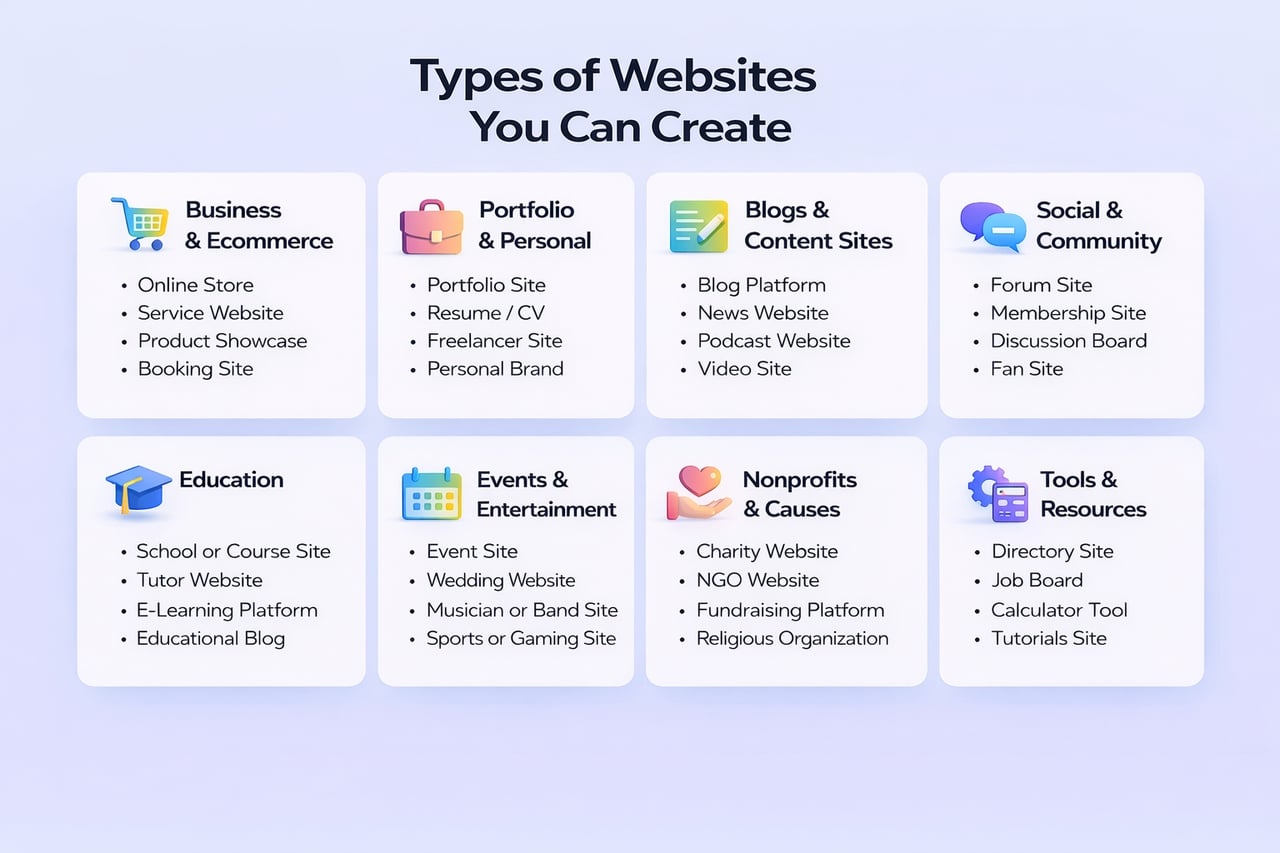
The biggest mistake beginners make is starting to build before they know why they are building. You need a plan. Are you making a site to show off your photography? Or are you trying to learn how to build a social media website from scratch where thousands of people can chat and share photos?
A simple portfolio is like a digital business card; it only needs a few pages. A social network, however, needs a "database" to store user passwords and posts. By defining your goal early, you save yourself weeks of wasted work.
Step 2: Select the Ideal Creation Platform
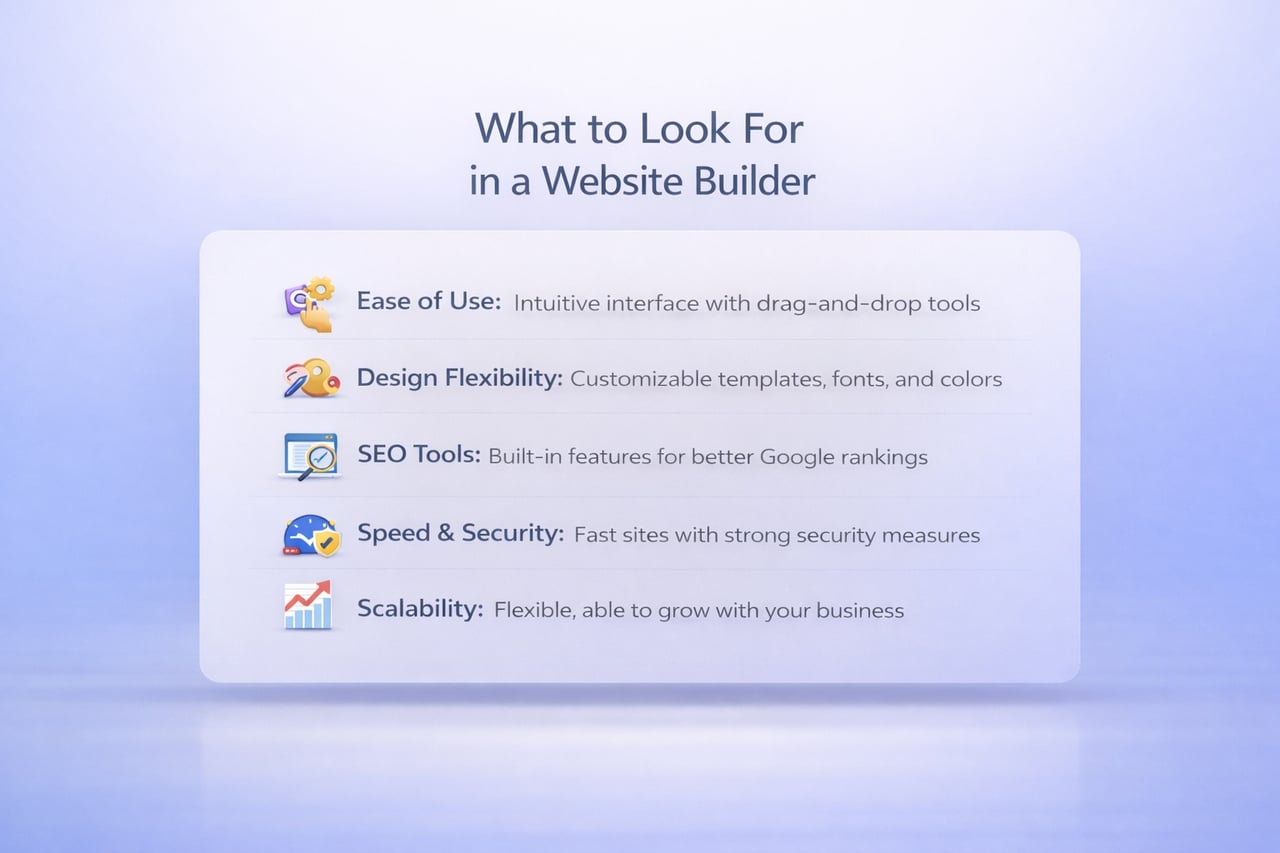
Once your objective is clear, you must select your technological toolkit. To help you visualize the best path for your specific needs, here is a fresh comparison of how the three main development ecosystems stack up against each other today:
| Platform characteristic | Traditional CMS | Drag-and-drop builders | AI-native (Enter Pro) |
|---|---|---|---|
| Design flexibility | Restricted by theme choices | Locked to visual grids | 100% unrestricted control |
| Time to launch | Weeks to months | Days to weeks | Minutes |
| AI automation | Requires external plugins | Basic text assistance | Full-stack code generation |
| Maintenance required | High (frequent updates) | Low | Zero (fully managed) |
| Scaling capability | Strong (via paid add-ons) | Moderate | Enterprise-grade built-in |
| Code ownership | Tied to your server setup | Locked to their platform | 100% fully exportable |
Once you know your goal, pick your tool. If you choose the AI route, look for a platform that offers "Model Freedom." Not all AI is the same. Some are better at design, while others are better at logic. Enter Pro is unique because it lets you switch instantly between top-tier models like Claude 4.6 Sonnet and** Gemini 3.1 Pro**. This ensures you always have the smartest "brain" powering your project, giving you better code and fewer bugs.
Step 3: Secure Your Custom Domain Name
Your domain name is your address on the internet (like www.YourName.com). It is how people find you. You want a name that is short, easy to spell, and easy to remember. Avoid using hyphens or numbers if you can.
Once you find a name you like, you have to "register" it. This usually costs a small yearly fee. Having your own custom domain makes you look much more professional and trustworthy to your visitors.
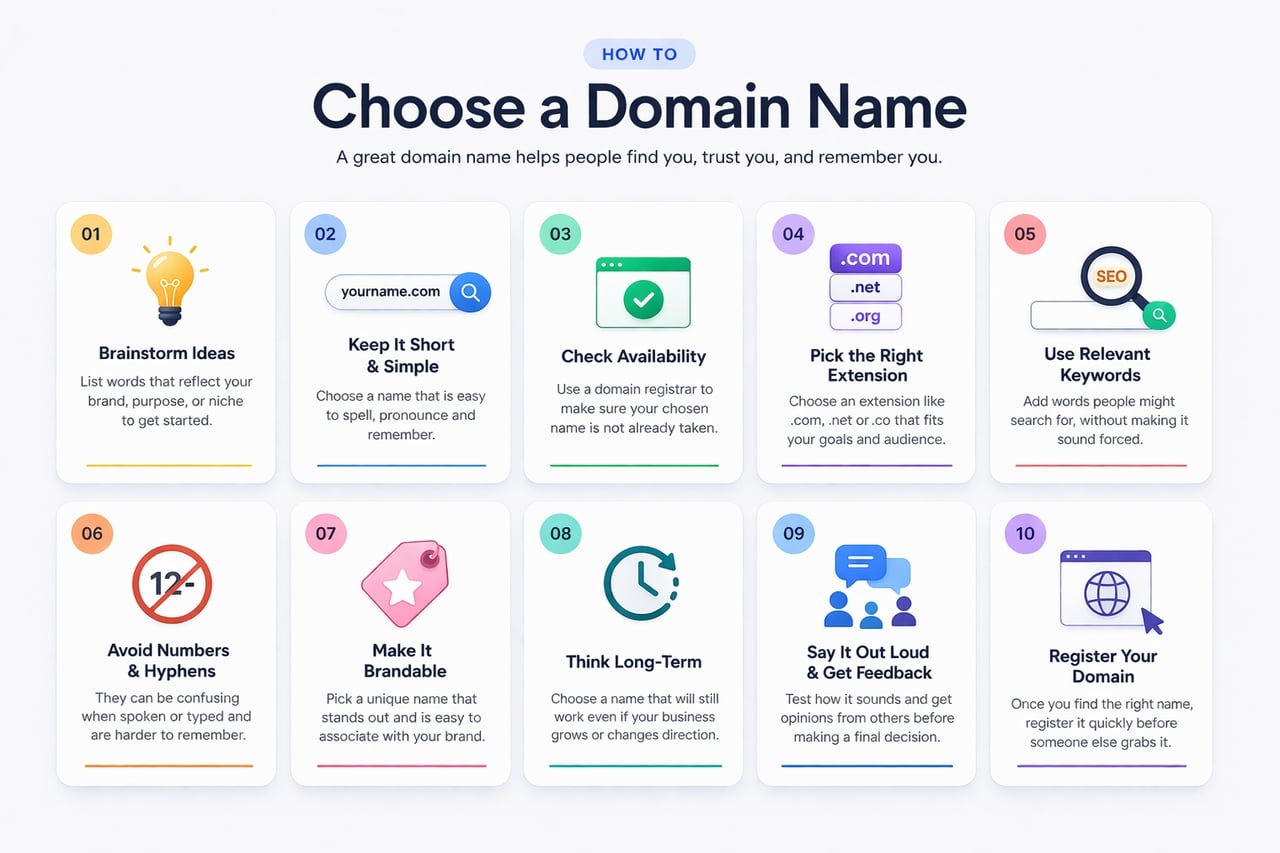
Pro Tip: If your preferred .com is already taken, do not resort to using confusing hyphens. Instead, explore modern domain extensions like .io or .co, or simply add an action word to the front of your brand.
Step 4: Organize Your Web Hosting
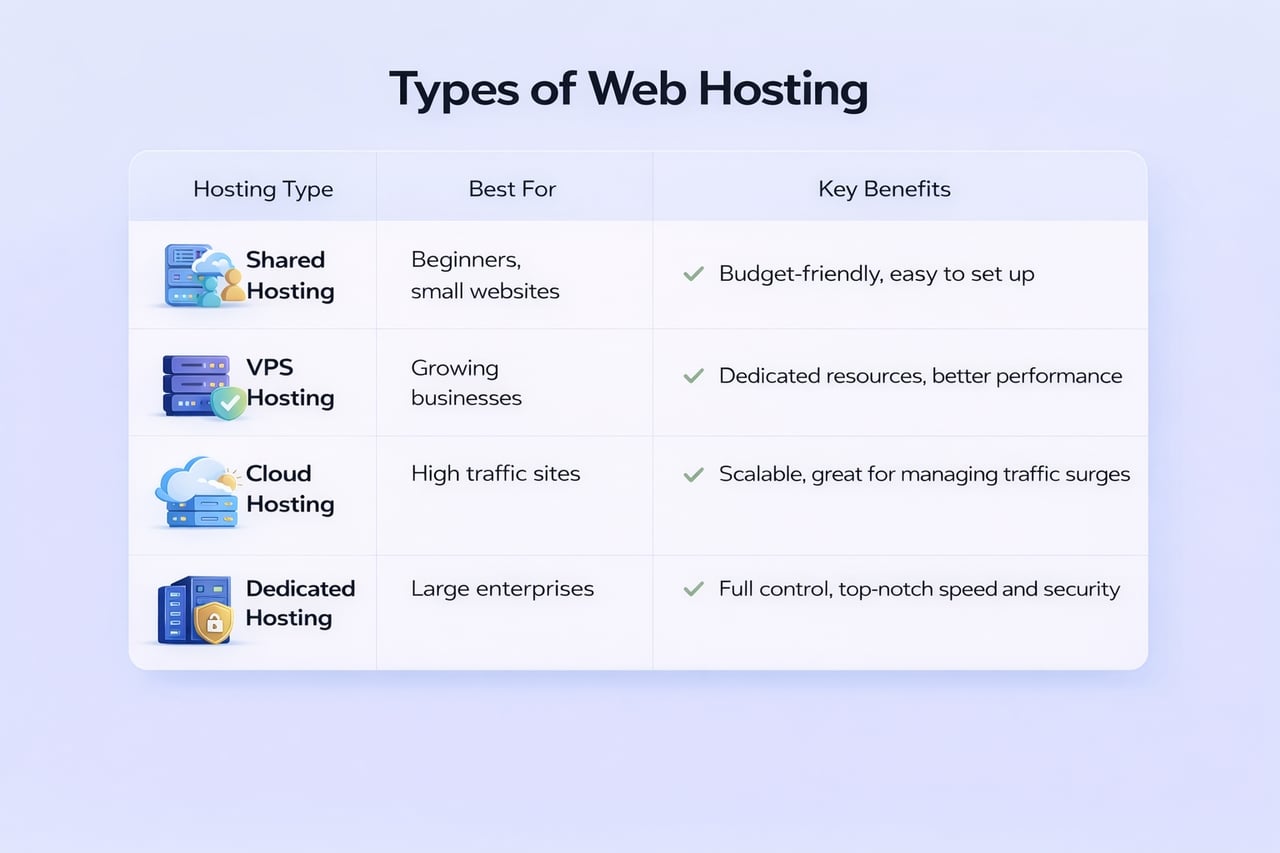
If your domain is your address, hosting is the "land" your house sits on. It is a computer (called a server) that stays turned on 24/7 so people can visit your site anytime.
Many beginners type how to build a website from scratch HTML into a search engine, hoping for a simple, completely free answer. However, if you choose that manual coding route, you will quickly learn that you still have to find a hosting company, pay a monthly fee, and manually move your files onto their server using developer tools. Modern AI platforms like Enter Pro eliminate this headache. They include secure hosting directly in their service. The moment the AI finishes building your site, it pushes it live to the web for you with zero extra setup.
Step 5: Structure Your Site Map
Think of a site map as the table of contents for your website. You need to decide which pages are essential. Most websites need:
-
Home: The front door.
-
About: Who you are and what you do.
-
Services/Products: What you are offering.
-
Contact: How people can reach you.
A logical flow ensures that a visitor can find what they need in three clicks or less. If your site is confusing, people will leave (this is called a "bounce"), and Google will stop showing your site in search results.
Pro Tip: Grab a piece of paper and literally draw boxes to represent your pages. This low-tech "wireframing" strategy helps you physically visualize the user's journey before you ever touch a digital tool.
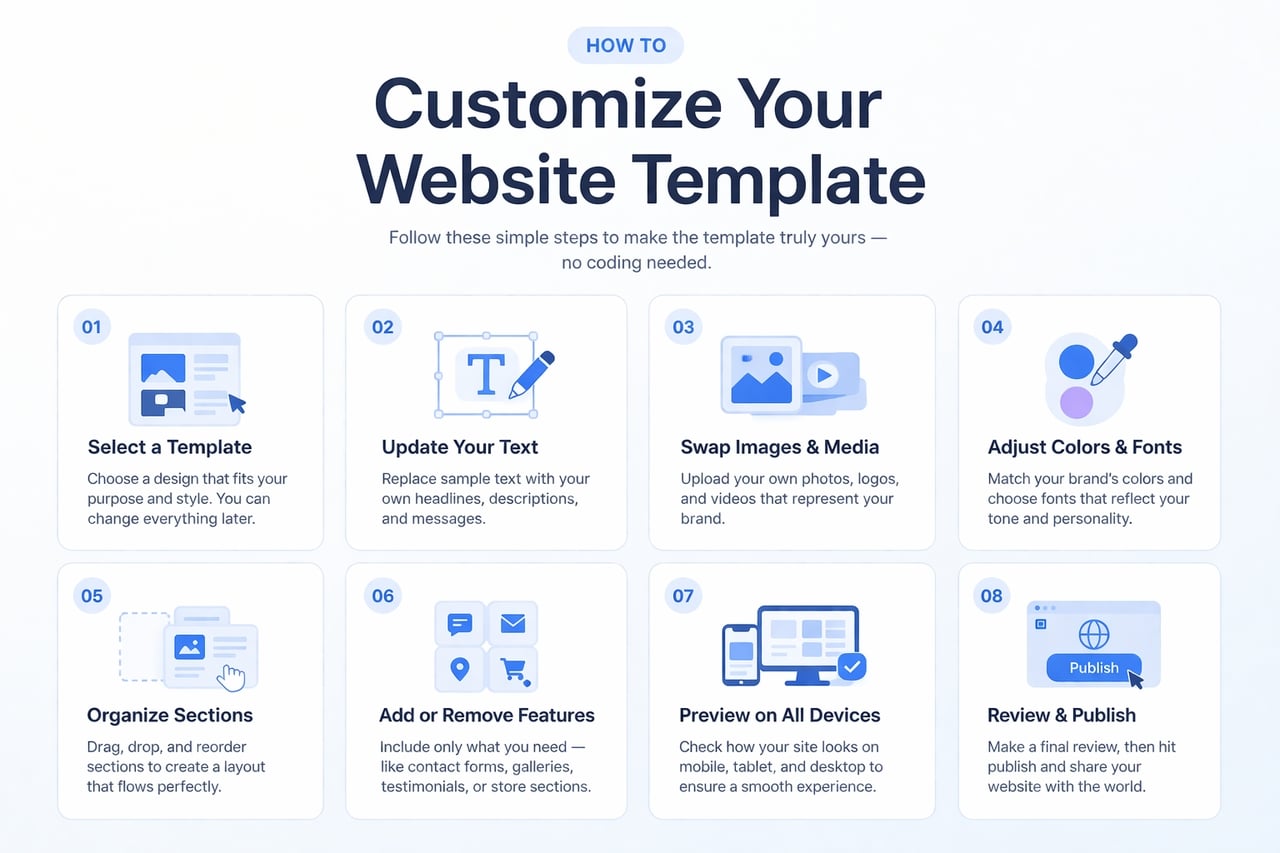
Step 6: Pick a Responsive Layout or Template
In 2026, more people use their phones to browse the web than computers. This means your site must be "responsive"—it needs to look good on a tiny phone screen and a giant monitor.
When learning how to build a HTML website from scratch, making a site responsive is one of the hardest parts. You have to write special "Media Queries" in your CSS code. A faster way is to use an ultimate template marketplace. You can take a professional design that is already proven to work and "remix" it. With Enter Pro, you aren't just getting a "shell" or a picture of a site; you get a "full-stack clone." This means you get the design, the database, and the logic all at once.
Step 7: Generate Essential Web Pages
Now it is time to populate your site with compelling content. This phase involves drafting your text, integrating multimedia, and refining the overall aesthetic. If you are utilizing an AI agent, you do not have to settle for its initial output.
Instead of relying solely on text prompts, use a** **visual editor. This interface allows you to click on any element of your website—such as a call-to-action button or a header—and modify it instantly. This mechanism provides the granular precision of a professional coder combined with the rapid execution of artificial intelligence, empowering you to tweak elements until they align perfectly with your vision.
Step 8: Connect Third-Party Integrations
A "static" website merely displays information, whereas a "functional" website actually executes tasks. To transform your site into a scalable business tool, you require external integrations.
-
Do you need to process financial transactions? Connect Stripe.
-
Do you need to manage complex user profiles? Connect Supabase.
-
Do you want to analyze your traffic demographics? Connect Google Analytics.
Enter Pro features production-ready integrations, meaning these vital tools are seamlessly woven into your site from your very first prompt. You are not just constructing a conceptual demo; you are deploying a legitimate business infrastructure that is primed for growth.
Step 9: Review Mobile Compatibility and QA
Before broadcasting your site to the public, rigorous Quality Assurance (QA) testing is mandatory. You should evaluate your site on your personal smartphone, a colleague's device, and across multiple web browsers to ensure universal compatibility.
Because inspiration frequently strikes away from the office, platforms featuring mobile-first creation are incredibly advantageous. They allow you to access your project directly from your smartphone, where you can converse with the AI agent, preview recent modifications, and rectify minor errors whether you are commuting or sitting in a café. Your virtual development team is perpetually accessible.
What Makes a Great Website? (Your QA Checklist)
As you click through your new pages during this testing phase, use this checklist to ensure your site meets modern professional standards:
| Essential element | The user impact |
|---|---|
| Defined objective | Immediately communicates your core value to new visitors, so they know they are in the right place. |
| Intuitive navigation | Prevents frustration by helping users find menus and information effortlessly. |
| Optimized performance | Fast loading speeds drastically reduce bounce rates and keep your audience engaged. |
| Unified brand identity | Consistent colors and typography establish professional credibility and build trust. |
| Actionable content | High-quality text provides real value, solves the user's problem, and encourages them to return. |
| Engaging visual hierarchy | Strong visual design captures attention and clearly differentiates you from competitors. |
| Search engine visibility | Proper SEO optimization ensures your target audience can actually find you on Google. |
| Strategic calls-to-action (CTAs) | Directs users precisely on what to do next (e.g., "Buy Now," "Subscribe," "Contact Us"). |
| Robust security & accessibility | Protects sensitive data and ensures all users, regardless of physical ability, can navigate your site. |
Pro Tip: Do not just test the website yourself. Send the preview link to a friend who is not particularly tech-savvy. If they can easily navigate your menus and use your contact forms without your help, you are ready to launch!
Step 10: Go Live and Iterate
The final milestone involves executing the deployment. Once you hit "Deploy," your website is officially live! However, professional web development is an iterative process; an effective website must continuously evolve to meet user demands.
Utilize a collaborative workspace to invite business partners or colleagues into the project environment. They can assist by reviewing the generated code, publishing new content, or proposing layout optimizations. In this way, the AI platform serves as a virtual technical co-founder that facilitates ongoing management long after the initial launch.
How Much Does It Cost?
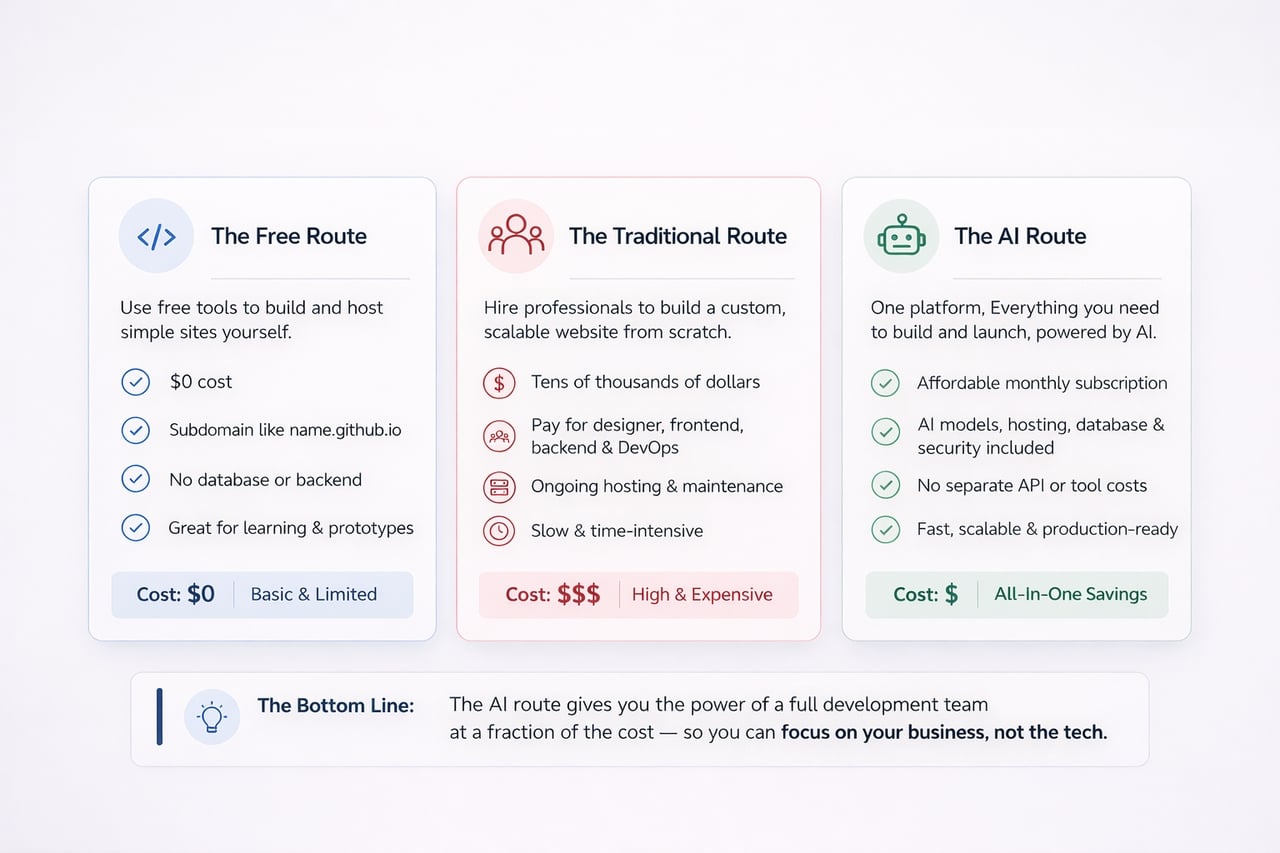
Now that you know the steps, let's talk about the money. Building a website can be as cheap or as expensive as you want it to be.
The Free Route
If you are a student or on a very tight budget, discovering how to build a website from scratch for free is possible. You can use free tools like GitHub Pages to host simple HTML files. The downside? You usually can't have a custom domain (your URL will look like name.github.io), and you won't have a database for complex features. It is great for learning, but hard for growing a business.
The Traditional Route
If you decide to go the traditional route by hiring a professional developer to build a custom site—especially if you are researching how to build a social network website from scratch—the costs explode quickly. You have to pay for a web designer, a frontend coder, a backend coder, and expensive monthly hosting fees. This path can easily cost tens of thousands of dollars before the site even launches, because complex databases and user profiles require hundreds of hours of manual programming.
The AI Route
Platforms like Enter Pro function as an intuitive AI app builder that consolidates all these costs into one subscription. You get the AI models, hosting, database, and security all in one place. You don't have to worry about paying for separate "API keys" (the bridge that lets apps talk to AI). The platform handles the expensive computing power, and you focus on the creativity. It is the most cost-effective way to get a "big business" website on a "small business" budget.
Conclusion
Mastering the art of web development in 2026 is about choosing the right shortcut. Whether you take the time to learn the foundations of HTML and CSS, navigate the world of WordPress, or use an AI agent to do the heavy lifting, the goal remains the same: sharing your vision with the world.
If you are a beginner who wants to bypass the steep learning curves and the expensive mistakes of traditional coding, an AI development agent is your best friend. It allows you to focus on your ideas while the technology follows your lead.
Stop coding from zero. Build your full-stack app with Enter Pro today!
Frequently Asked Questions
1. Do I need to know how to code to build a website from scratch?
No! While knowing code is a great skill, it is no longer a requirement. Modern AI agents can write the code for you based on your simple instructions. You can see the AI think and plan in real-time through a transparent agent workflow, which helps you learn how it works as you go.
2. How long does it take to create a website from scratch?
In the past, it took weeks. Today, if you use an AI agent, you can have a "first draft" of your website ready in under five minutes. Adding your custom images and text might take an afternoon, but the technical part is now almost instant.
3. Can I build a business website for free?
You can start for free, but to have a truly professional business site, you will eventually want to invest in a custom domain name and a professional platform. This ensures your site is fast, secure, and ready to accept customer payments.
4. Do I own the source code if I use an AI website builder?
This is a very important question. Some builders "lock" you into their system. However,** **Enter Pro gives you 100% code ownership. This means you can "export" your code at any time and move it to your own server. You are never trapped.
5. What is the difference between a CMS and an AI development agent?
A CMS (like WordPress) is like a box of Lego bricks; you still have to put the pieces together yourself, and sometimes the pieces don't fit perfectly. An AI agent is like having a master builder who does the work for you while you give the orders. It is faster, more flexible, and more powerful for building modern apps.