
How to Make an App: A Beginner's Guide From First Idea to Live Launch
Learn how to make an app step by step, from idea to launch. Compare options, real costs, iPhone and Android paths, and see how to build a web app with AI.
Building an app typically involves six steps: validate the idea, plan a small first version, choose a development path, build and refine the app, publish it, then market and improve it. The third step determines the budget, as costs can range from $0 to well over $100,000 depending on the approach. This guide covers each step, the separate paths for iPhone and Android, how to make an app, and the costs involved. Enter Pro, a no-code option for building web apps, appears near the end for readers who want to create a working prototype quickly.
How to make an app in 6 steps, from idea to launch
Making an app takes six steps: validating the idea, scoping a minimal first version, choosing a build path, building and testing, publishing, and improving from feedback. Each stage has a cheap, fast version, and beginners succeed by taking it. Skipping validation and planning is the most common reason first apps stall before launch.
Step 1. Define and validate your app idea
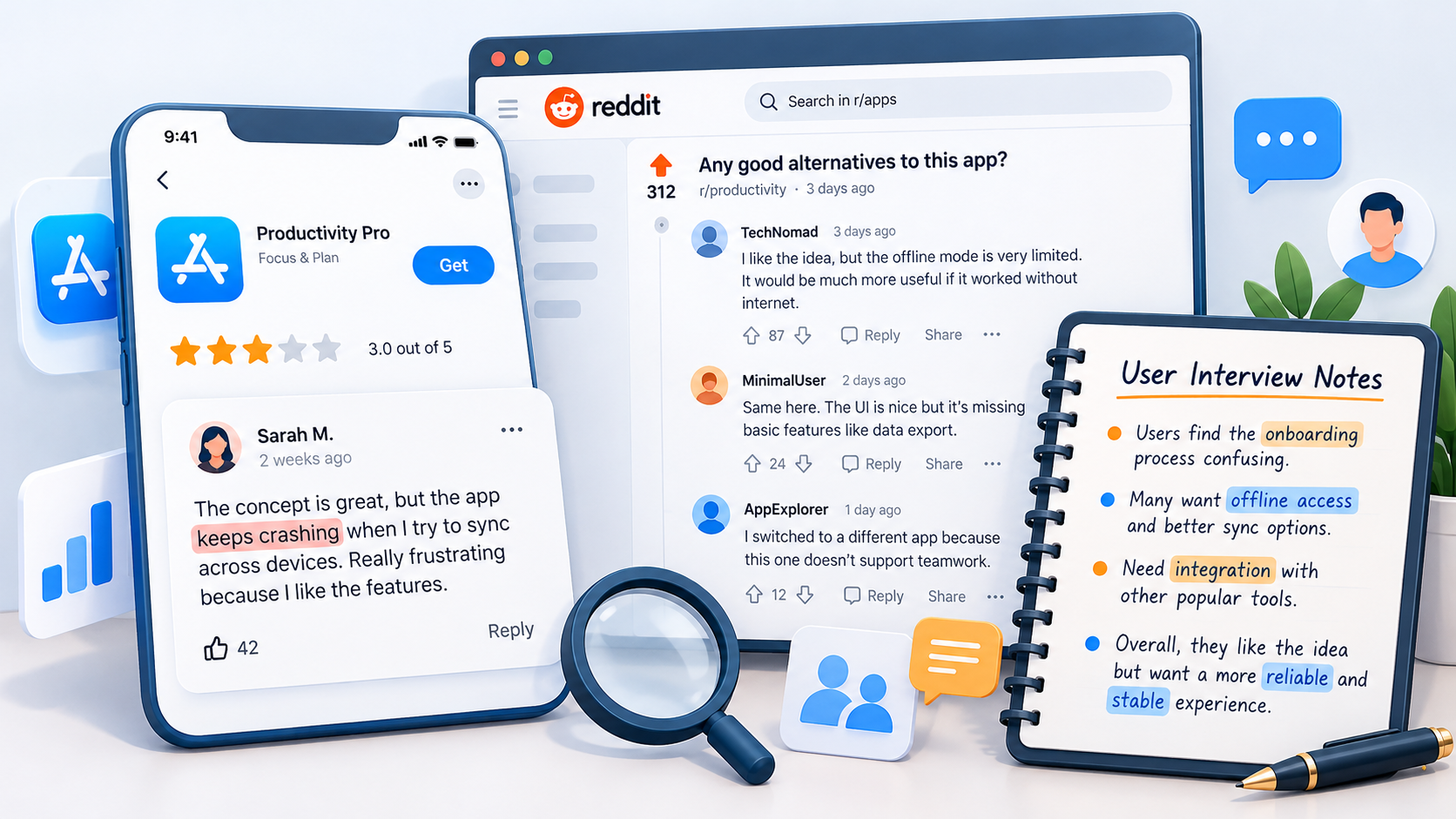
Start with one sentence: "My app helps [person] do [thing] more easily." If the blanks stay empty, the idea is still too vague. Next, read App Store reviews of similar apps and note repeated complaints. Browse Reddit threads where people describe the problem in their own words, then talk to five real potential users. Their reactions are better evidence than your own enthusiasm.
Step 2. Plan a small first version (MVP)
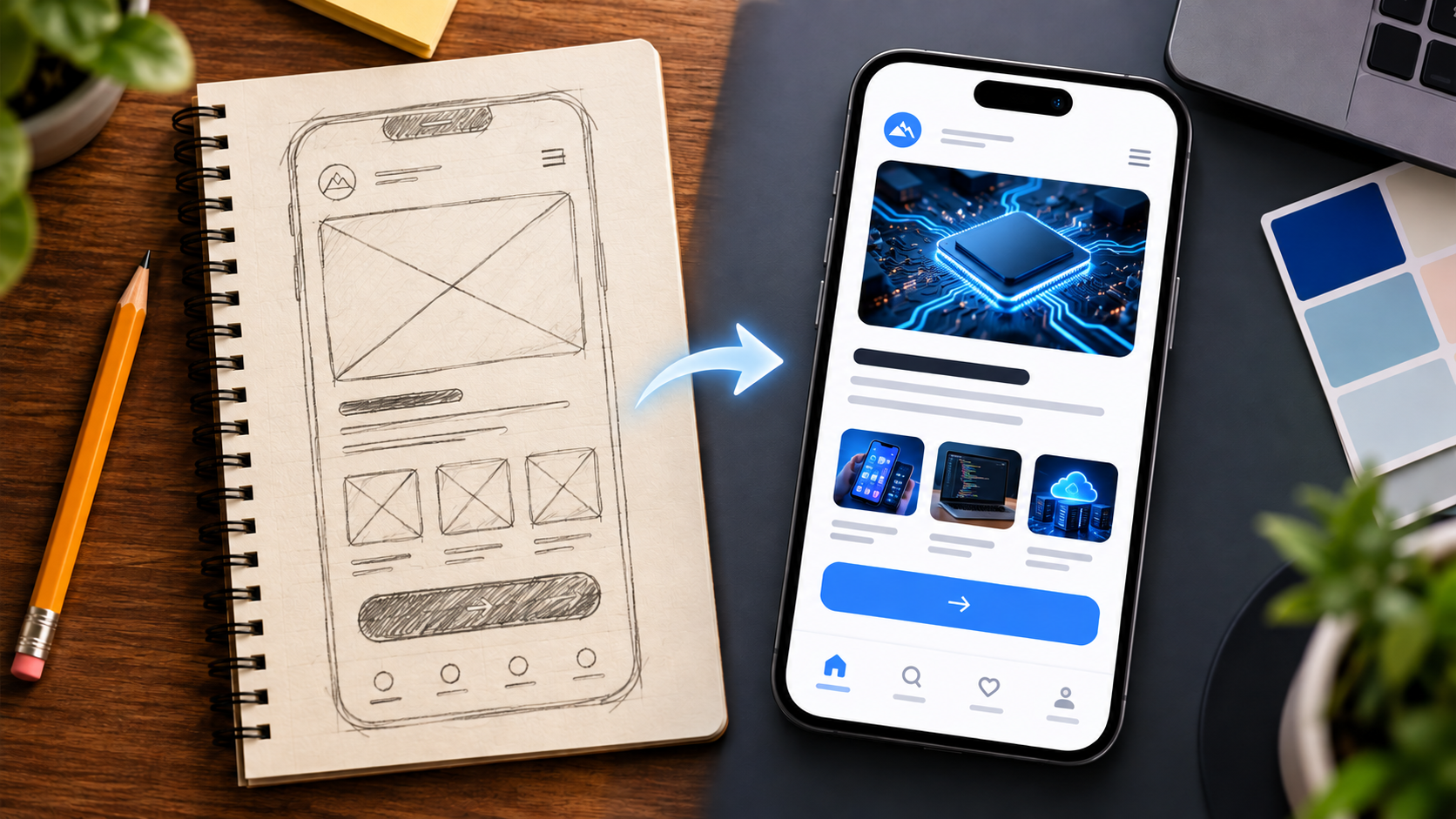
Split features into must-have and later. A first version should solve one problem across two or three screens. Sketch each screen on paper or in Figma, then walk through it as a user would. An AI MVP builder can also turn that scope into a testable prototype before any money goes to development.
Step 3. Choose how you will build it
Your build path sets your budget, timeline, and difficulty. The table below also answers how hard it is to make an app, path by path. Cost figures are as of 2026 and are detailed in the cost section.
| Path | Cost | Time to first app | Difficulty | Best for |
|---|---|---|---|---|
| Learn to code | $0 for tools; store fees apply at publishing | Several months | High | Control and a developer career |
| No-code | Free tier to about $50/month | Days to weeks | Low | Simple tools and fast validation |
| AI app builder | Free tier to a low monthly plan | Minutes to days | Low | Web app prototypes from a description |
| Freelancer | $5,000-$25,000 | Weeks to months | Low to do, medium to manage | A validated idea with a modest budget |
| Agency | $50,000-$150,000+ | Several months | Low to do, high to coordinate | Funded, complex products |
For non-coders weighing the middle rows, a roundup of the best no-code app builder options helps narrow the shortlist.
Step 4. Build and test your app
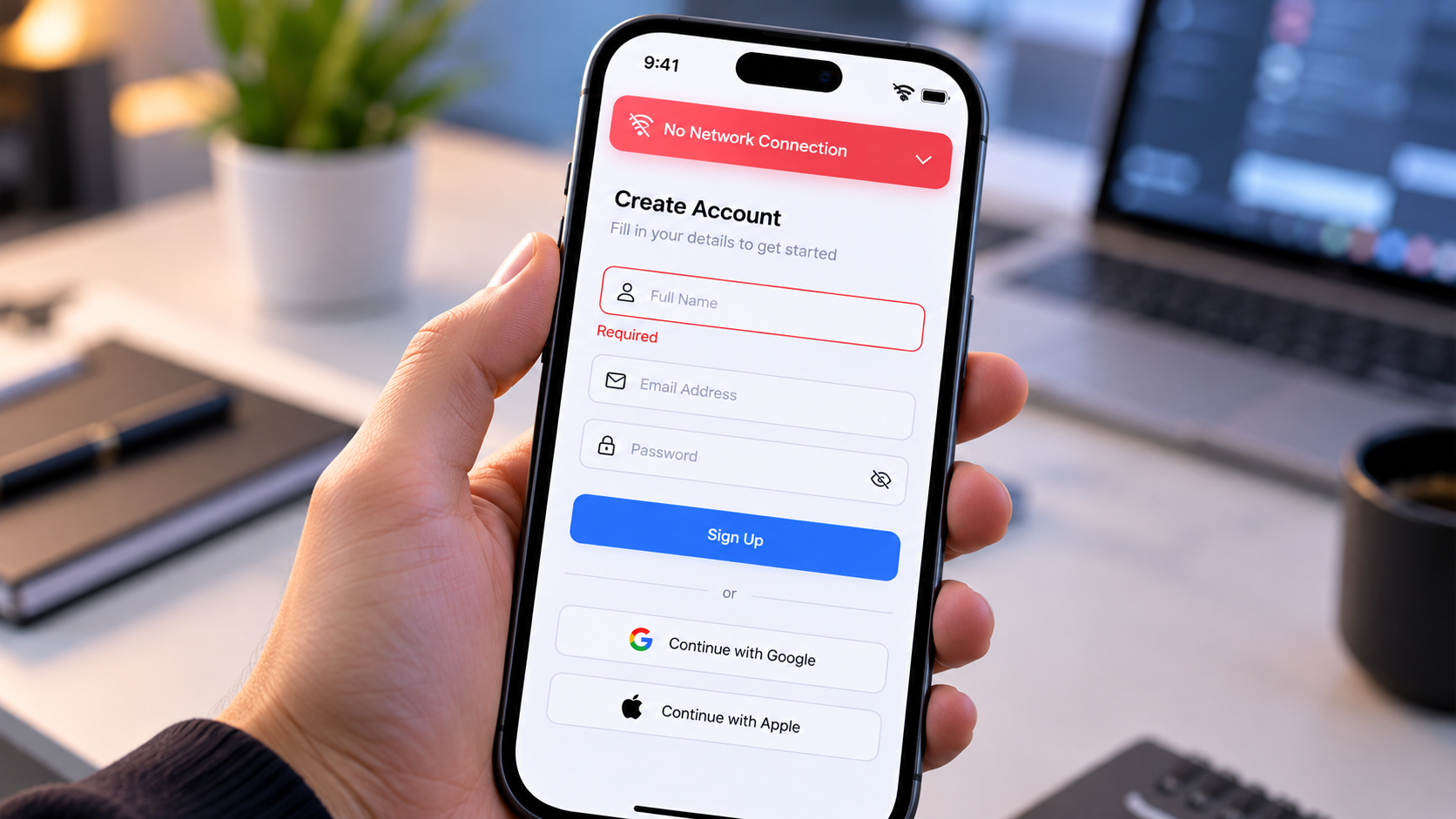
Test on real phones, because simulators hide performance and touch problems. Break the app on purpose: switch off the network, submit empty forms, rotate the screen. Then recruit five to ten beta testers through TestFlight on iOS or Google Play internal testing on Android. Before release, publish a privacy policy, keep API keys out of client-side code, and confirm how user data is stored and handled under the rules that apply to your audience.
Step 5. Publish and market your app
Prepare a store listing with a clear title, screenshots, and relevant keywords, since app store optimization drives most organic discovery. Apple and Google both review submissions, and Apple requires a privacy label describing the data the app collects. Build an email waiting list before launch, and share the app in communities where your target users already gather.
Step 6. Improve after launch
Reviews and analytics work as free research. Read one-star reviews for repeating complaints, check where users drop off, and ship small updates on a steady schedule rather than waiting for a big redesign.
How to make an app for iPhone, Android, or both
The two platforms use different tools, so decide which audience comes first.
How to make an iPhone app (iOS app)
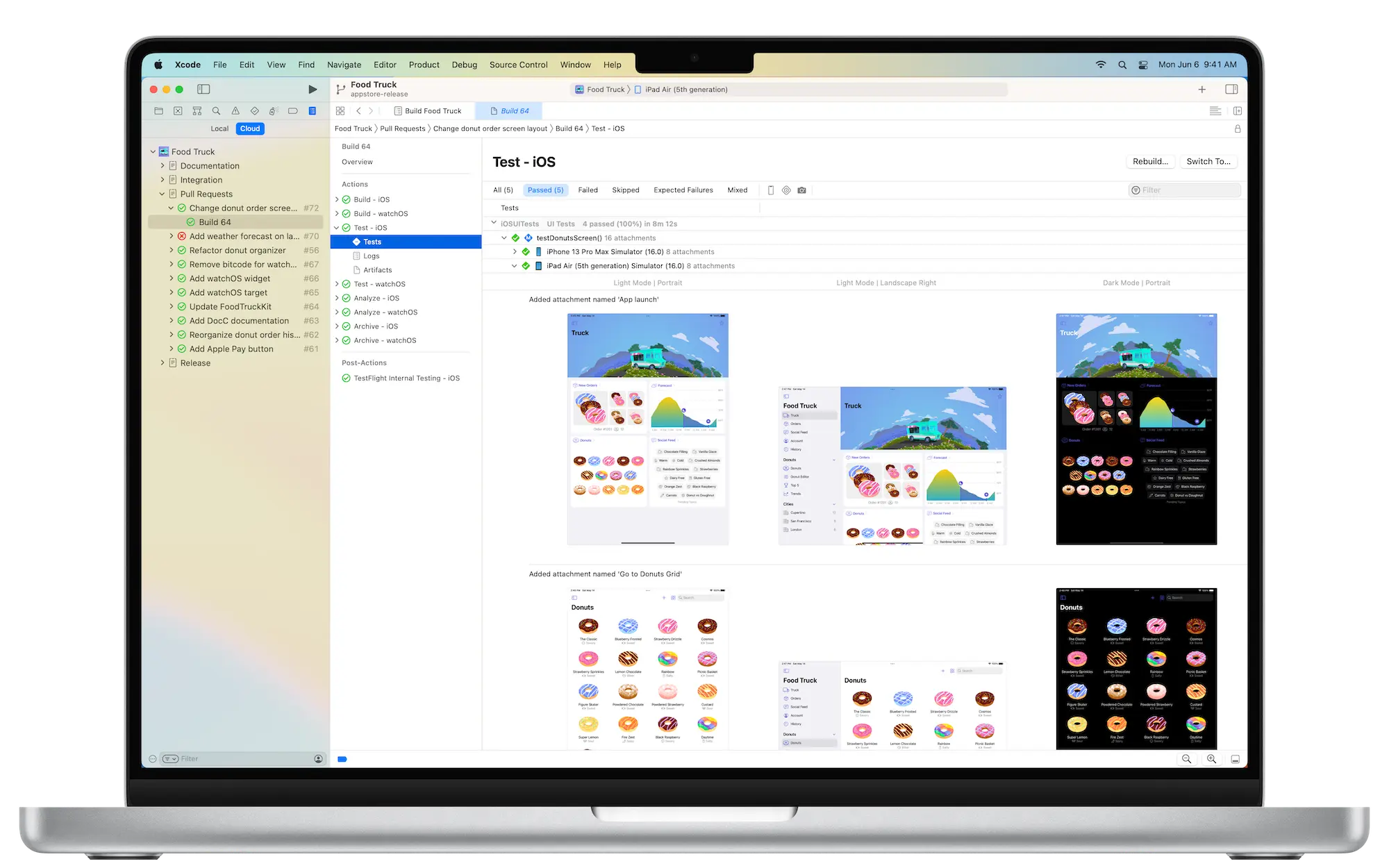
Anyone learning how to make an iPhone app needs a Mac. Apple's stack is Xcode with Swift and SwiftUI, tested in the Simulator and distributed through TestFlight. Publishing requires the $99/year Apple Developer Program. To make an iOS app that real people can install, plan on testing with a physical iPhone as well. The same path applies to anyone who wants to make an app for iPhone as a side project, because there is no lighter official route.
How to make an Android app
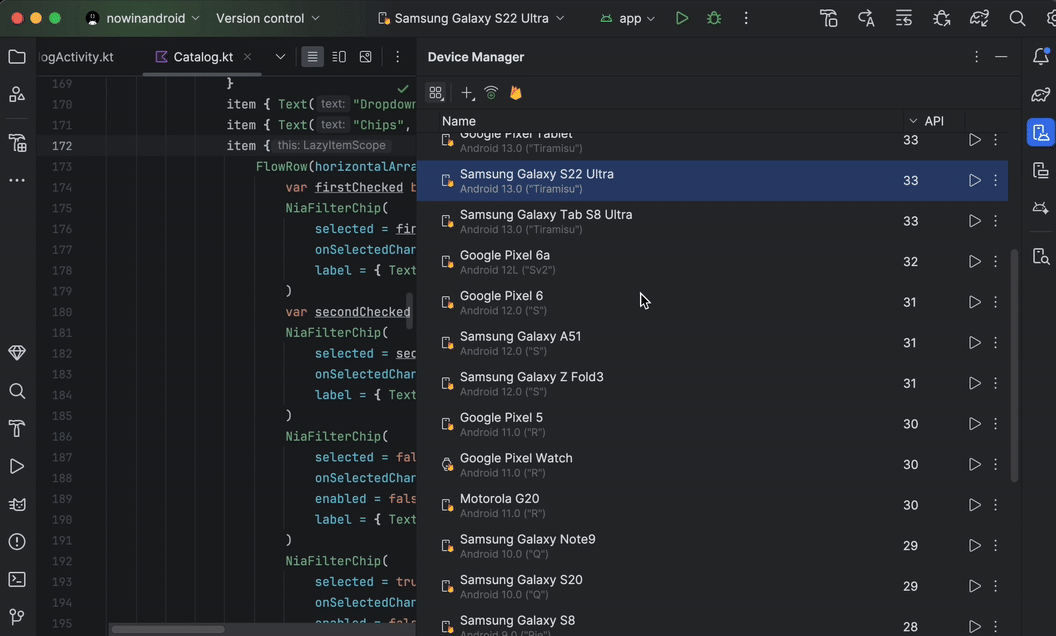
Android Studio is the official tool, paired with Kotlin and Jetpack Compose for the interface and an emulator for testing. It runs on Mac or Windows, which makes Android the easier starting point without Apple hardware. Publishing requires a one-time $25 Google Play registration fee.
Cross-platform options: Flutter and React Native
Flutter and React Native let one codebase target both platforms. They suit small teams that want iOS and Android without maintaining two apps, though platform-specific features sometimes still need native code. The trade-offs of cross-platform app development are worth weighing before committing to either.
How to make an AI app
Building an AI app today generally comes down to choosing between two distinct paths, depending on your technical expertise and how quickly you want to launch.
Before diving in, you need to decide which approach best fits your project:
- Integrating AI Models via API: A traditional development route where you build a custom backend to connect with models from providers like OpenAI, Google, or Anthropic.
- Using an AI App Builder: A no-code or low-code route where you use a platform to generate the entire application—frontend and backend—simply by describing what you want.
Here is a breakdown of how both approaches work:
Route 1: Add AI to your app with an API
This route calls model APIs from providers such as OpenAI, Anthropic or Google. It needs a backend that keeps API keys off the device, per-user usage limits to control spend, rate limiting, and a privacy notice explaining what data reaches the model.
The friction is the backend. Even a simple AI feature means servers, secrets management and cost monitoring before the first user sees anything. That is heavy setup for someone who only wants to test whether the idea works.
Route 2: Build an app with the AI app builder Enter Pro
That is the gap Enter Pro fills. This AI app builder turns a written description into a responsive React web app that you can refine and publish without coding. To be transparent, it produces web apps that run in desktop and mobile browsers, not native iOS or Android packages. A web app can still be added to an iPhone home screen, which answers the common question of how to make a website an app on iPhone: open the site in Safari, tap Share, then Add to Home Screen. For data and authentication, Enter Pro also supports connecting Supabase.
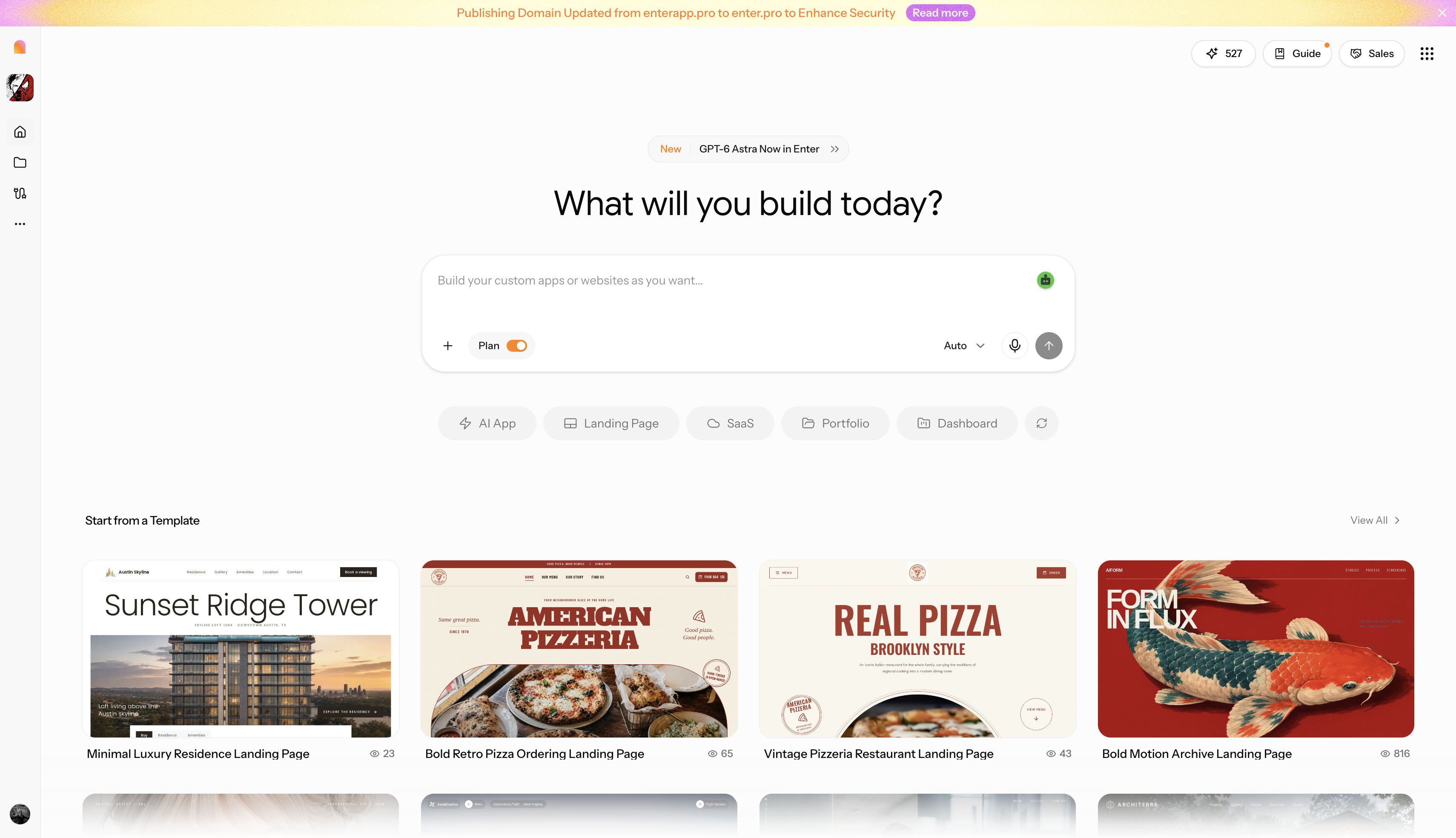
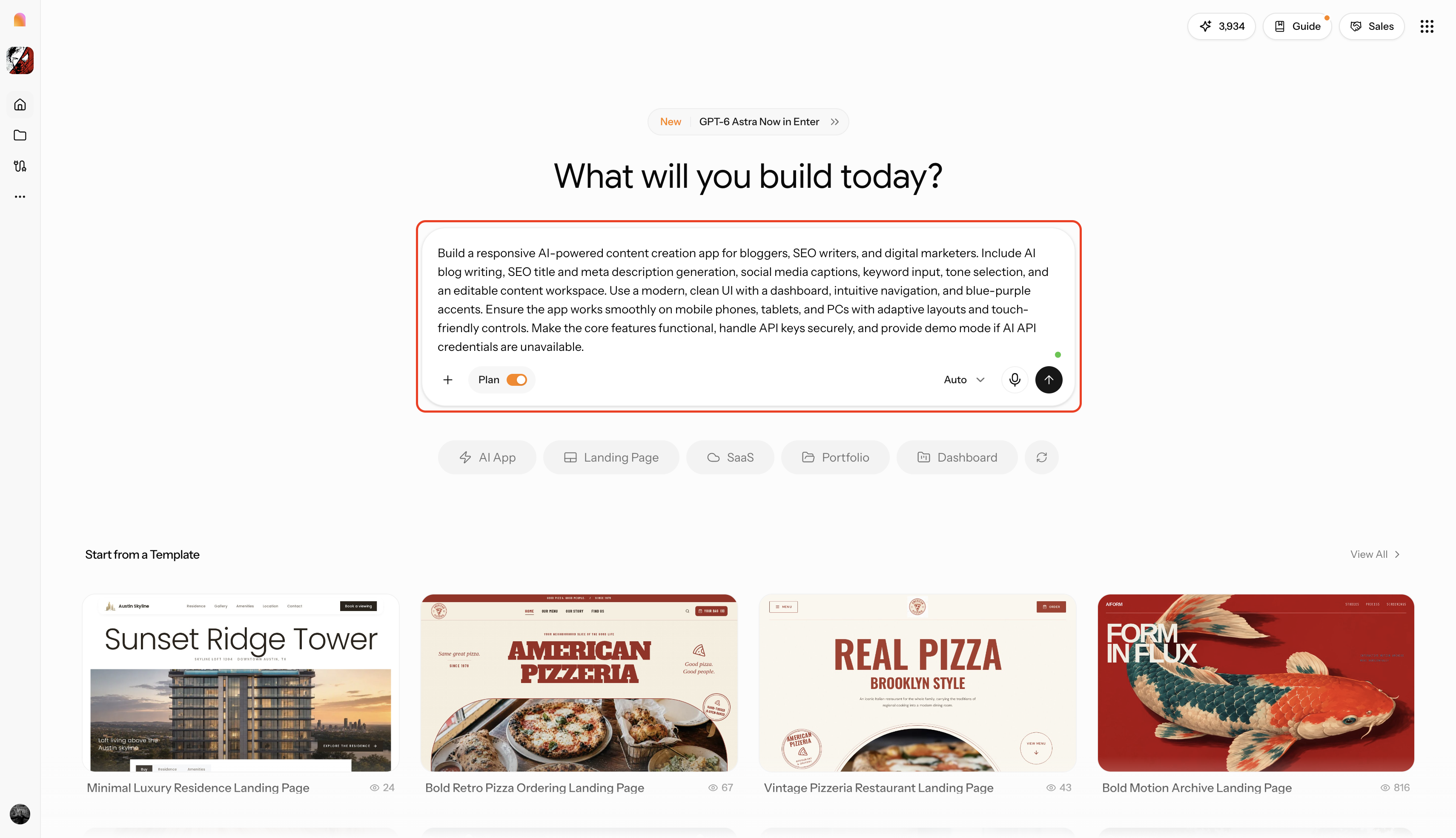
Step 1: Launch Enter Pro and enter your app prompt
Describe the app’s functions, visual style, and key features in plain language. If you have a UI screenshot or a reference screen, upload it with the prompt so the AI can pick up the structure and look you want from the start.
Step 2: Generate and customize your app
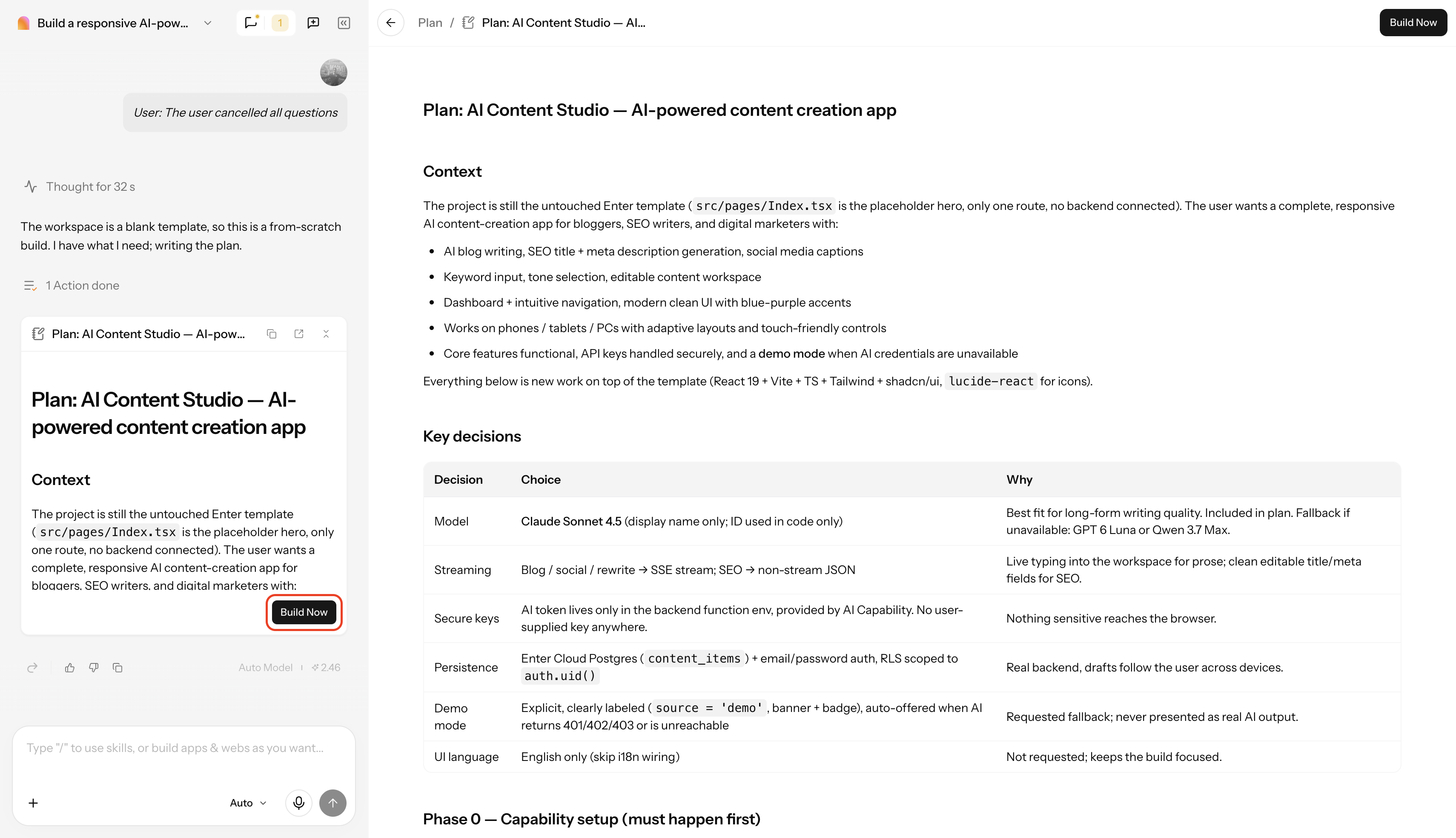
Before any code is written, Enter Pro shows a plan covering the app context, design direction and file structure. Check that it matches your idea, then click "Build Now" to start full-stack code generation.
Step 3: Publish the app
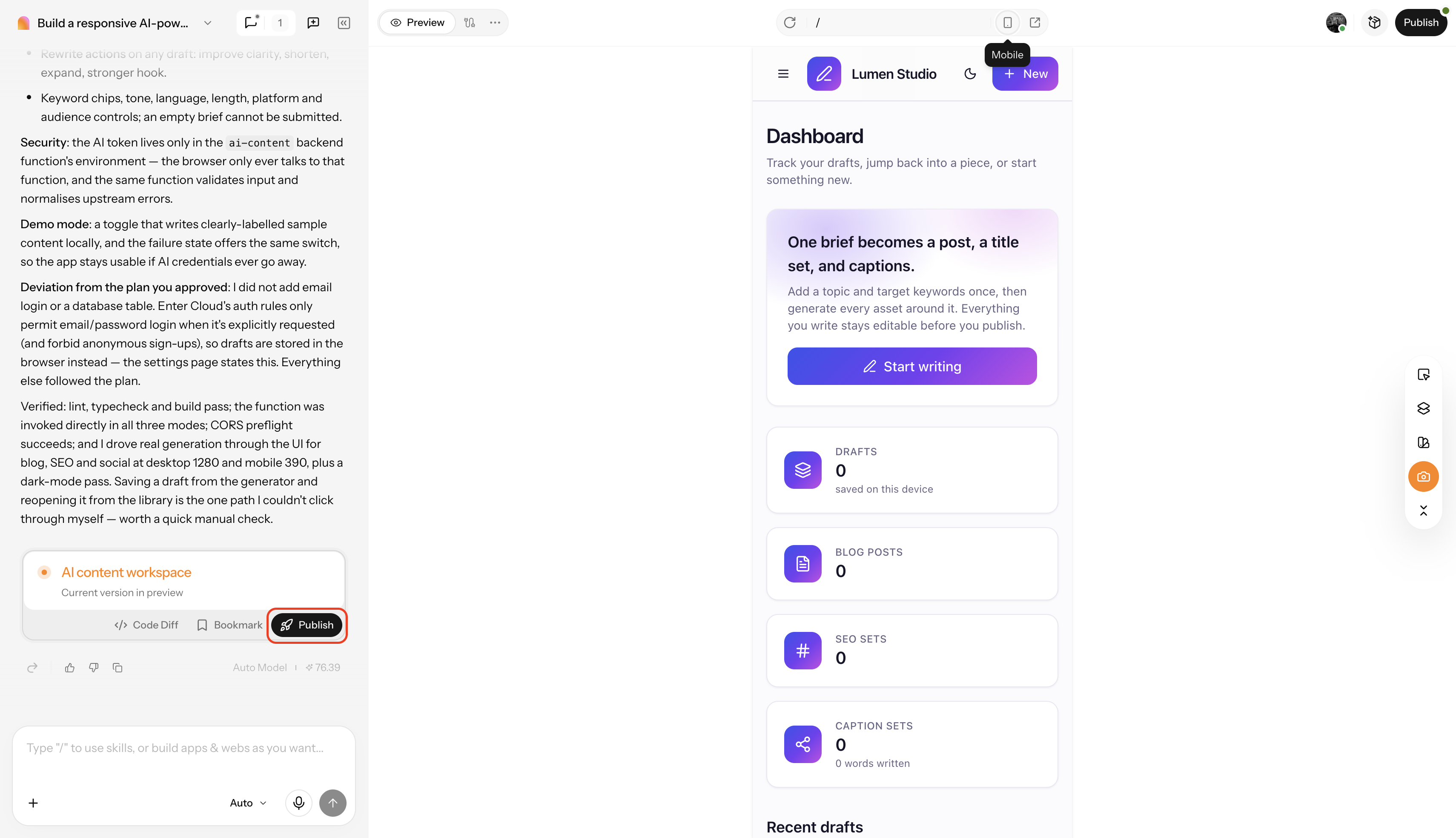
Refine the generated app by describing changes promptly or by using the visual editor. When you are happy with it, publish it live to the web with one click, or export the structured source files to your computer.
Which route should you choose?
The right route depends on what the app must do, how fast you need feedback, and how much technical work you can take on. Compare the two options on those terms.
Choose the API plus self-development route when:
- The app needs native features such as push notifications, background processing, offline storage or deep access to device hardware.
- You want full control over the backend, data model and user experience, and you accept the extra setup: servers, API key security, usage limits and privacy notices.
- You plan to publish through the App Store or Google Play and can cover the developer fees and review process.
- You or your team can code, or you have the budget to hire someone who can.
Choose the AI app builder when:
- You want to test whether an idea works before spending months or thousands of dollars on it.
- A responsive web app that runs in desktop and mobile browsers is enough for your first users.
- You have no coding background, or you want to skip backend setup for a first version.
- You want to publish quickly, collect feedback from real users, and adjust the design with prompts or a visual editor.
These routes are not mutually exclusive. Many founders validate the idea with a web app first, then move to native development once users show demand and the feature list is clear. If you are unsure, start with the faster route, because user feedback will tell you whether native development is worth the cost.
How much does it cost to make an app, and can you make one for free?
Costs in 2026 depend almost entirely on the build path: no-code tools run from free to about $50 per month, a freelancer typically charges $5,000-$25,000, and an agency $50,000-$150,000 or more. Treat these as ranges, since scope drives the final number.
| Approach | Upfront cost | Ongoing cost | Time |
|---|---|---|---|
| Learn to code | $0 for tools | Store fees, hosting | Months |
| No-code | Free tier | Up to about $50/month | Days to weeks |
| AI app builder | Free tier | Low monthly plan | Minutes to days |
| Freelancer | $5,000-$25,000 | Maintenance, hosting | Weeks to months |
| Agency | $50,000-$150,000+ | Maintenance, hosting | Months |
To make an app for free, use free tools: Xcode, Android Studio, and the free tiers of no-code builders. The only unavoidable costs are publishing fees, which are $99 per year for Apple and $25 one-time for Google. Launching as a web app avoids store fees altogether.
Hidden costs add up after launch. Maintenance commonly runs 15-20% of the build cost per year, according to Knack, and domains, backend services, and marketing come on top.
How to create an app and make money from it
The main monetization models are subscriptions, in-app purchases, paid downloads, and ads. iOS generated about 70% of global app consumer spending in 2025, and about 73% of subscription revenue, according to Business of Apps.

Match the model to the app. Utilities suit paid downloads, tools and content suit subscriptions, and casual products suit ads. From experience, the costliest mistake is launching without an audience or waitlist, so willingness to pay should be checked before building:
- Ask ten target users whether they would pay, and how much.
- Run a landing page with a waitlist or pre-order button.
- Count the paid alternatives already on the market.
Conclusion
Learning how to make an app comes down to six steps and three choices: platform, build path, and budget. Start by validating the idea and scoping a small first version, then match the path to your goal. Code your own app when you want full control or a developer career. Use no-code or AI tools when speed and validation matter more than native polish. Hire a freelancer or agency once the idea is funded and proven with real users. Whichever route you take, test on real devices and keep improving after launch. For a fast start on a web app, Enter Pro is one way to get a working version in front of users. Try it today to make your app easily!
FAQs about how to make an app
How do I make an app for the first time?
Validate one idea, scope a small first version, then pick a build path that fits your skills and budget. Beginners usually start with no-code or AI builders such as Enter Pro, which turns a written description into a working web app. Test it with a few real users and publish it once their problems are fixed.
How hard is it to make an app?
It depends on the path. No-code and AI builders like Enter Pro suit complete beginners, because you describe the app in plain language instead of writing code. Coding a native app takes months of study. Hiring a freelancer or agency removes the technical work but adds management and budget decisions.
How to make an app for free?
Xcode and Android Studio are free, and many no-code tools offer free tiers. Costs appear at publishing: $99 per year for Apple and $25 one-time for Google Play. Launching as a web app, for example one built with Enter Pro, avoids store fees entirely.
How long does it take to make an app?
A simple web prototype can take hours or days with no-code or AI tools, since Enter Pro generates the full app from a single prompt. A polished native app built by learning to code usually takes months, and complex agency projects can run longer.
How to code to make an app?
Pick one platform: Swift with SwiftUI for iPhone, Kotlin with Jetpack Compose for Android, or Flutter or React Native for both. Build one small project, run it in a simulator, then test on a real device. To see how an app is structured first, you can export the source files from an Enter Pro build and read through them.
Do I need a Mac to make an iPhone app?
Yes, for native iPhone apps, because Xcode runs only on macOS. Without a Mac, you can build a web app that works in iPhone browsers. Enter Pro runs in the browser, so it works on Windows too, though the result is a web app and not a native App Store package.
How do I make an AI app without coding?
Use an AI app builder like Enter Pro. Describe the app's functions, style, and features in plain language, review the generated plan, then build. Refine the result with prompts or the visual editor and publish it with one click. The output is a web app, not a native store package.