
How to Start a Blog Step by Step in 2026 - A Guide for Beginners
Learn how to start a blog in 2026, step by step: pick a niche, choose a platform, set up your site, publish your first post, and grow it, with free options too.
Learning how to start a blog in 2026 begins with choosing a niche, selecting a platform, registering a domain, and publishing useful content. You can start with a free blogging platform or build a self-hosted website for more control. This guide covers six steps to launch your blog, compares popular platforms, shares tips for six blog niches, and explains how to use Enter Pro to build a blogging website.
What is a blog?
A blog is a website where an individual or team publishes articles on a particular topic. Posts often appear in reverse chronological order, with the newest content first. People start blogs to share personal experiences, teach skills, build a professional portfolio, attract customers, or earn money through content. Your goal matters because it influences the platform you choose, the topics you cover, and how you plan to reach readers.
How to start a blog - 6-step guide
Publishing a post does not guarantee that people will find it. If you're learning how to start a blog and promote on social media, choose a few channels that suit your audience and use them consistently.

Step 1: Choose your blog's niche and purpose
A niche defines what you write about and who you want to reach. A specific focus gives readers a reason to visit your blog instead of a larger website covering the same broad subject. For example, a general travel blog could cover everything from luxury resorts to city breaks. A blog about budget-friendly solo travel in Southeast Asia for travelers over 40 has a clearer audience and a more focused set of topics. Before settling on a niche, ask yourself three questions:
- Can you write about it consistently? List 20 article ideas. If you struggle to get past five, narrow the topic or choose something you know better.
- Are people looking for this information? Check Google search suggestions, relevant forums, YouTube, and competing blogs to see what readers ask.
- Could the blog support your goals? If you want to earn money, look for relevant products, services, affiliate programs, or digital products you could offer.
Your niche can come from professional experience, a personal interest, a life stage, or something you are learning and documenting. Decide whether the blog is mainly for personal expression, career growth, or business. That decision will help you choose the right platform.
Step 2: Decide where to build your blog
The blogging platform you use will determine what you pay, how much you set up, and how much control you have over the site. Compare these options before you decide.
| Platform | Starting cost | Best for | Main trade-off |
|---|---|---|---|
| WordPress.org with hosting | Paid hosting and domain | Blogs that need flexibility and room to grow | You manage hosting, backups, and maintenance |
| WordPress.com | Free plan available | Beginners who want a hosted WordPress setup | Advanced features depend on the plan |
| Blogger | Free | Personal blogs and simple hobby sites | Limited design flexibility |
| Substack | Free to start | Writers who want to publish newsletters | Less control over a traditional website design |
| Wix | Free plan and paid plans | Visual, drag-and-drop website building | Custom domains and other features may require payment |
| Squarespace | Paid plans | Design-focused blogs and portfolios | Less suitable if you want a low-cost starting point |
WordPress.org suits bloggers who want more control over their website and plan to expand their content or monetization options. You will need to arrange hosting and handle maintenance. WordPress.com and Blogger are easier to set up, while Substack suits writers who want to combine articles with email newsletters. Wix and Squarespace are worth considering if visual design and a website builder are priorities. If you want to generate an initial layout from a description, Enter Pro's AI website builder offers another option. Choose a platform that fits your needs and budget now, and check the cost of any features you may need later.
Step 3: Pick a blog name and register your domain
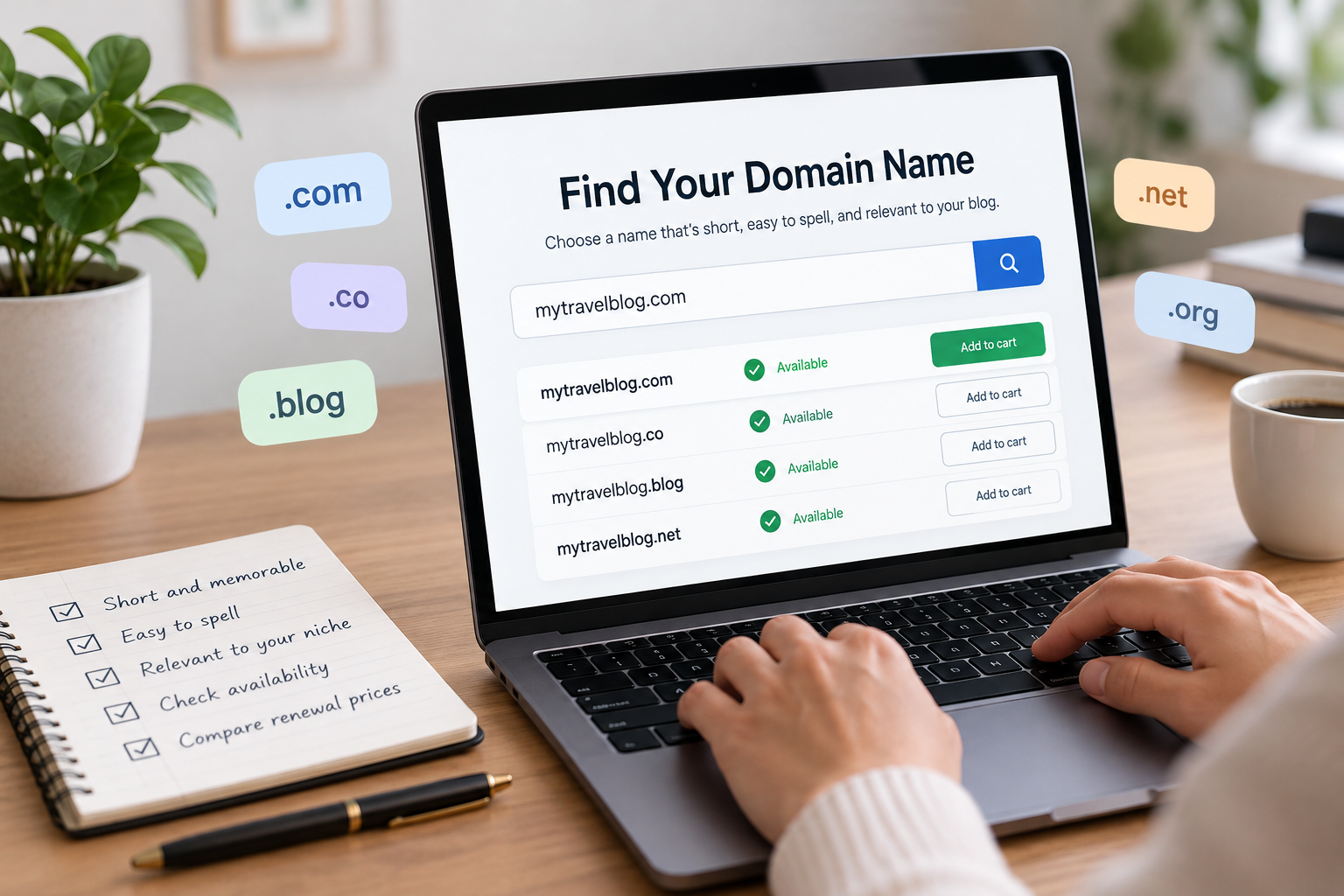
Your domain name is the web address readers use to find your blog. Choose a name that is short, easy to spell, and relevant to your subject. Keep these points in mind:
- Avoid unnecessary numbers, hyphens, and unusual spellings.
- Check whether the name is already used by another website or business.
- Look for matching social media handles if you plan to promote your posts there.
- Check domain availability through a registrar or your website platform.
- Compare renewal prices, not only the introductory price.
A .com domain is a familiar choice, but it is not your only option. Extensions such as .co or .blog may work if the name you want is unavailable. You can register your domain through a separate registrar or your hosting provider. If privacy protection is available, review the option to keep your personal registration details from appearing in public domain records.
Step 4: Set up and design your blog
After setting up your platform and domain, build a site where readers can easily find your articles and get a sense of what your blog is about. Begin with a clean, mobile-friendly theme or template. No need for fancy animations or a complex homepage. What is more important is good navigation, readable text, and a consistent layout. Create the following basic pages:
- Home: Introduce the blog and direct readers to recent or important posts.
- About: Explain who you are, what you cover, and why you created the site.
- Contact: Give readers, potential clients, or collaborators a way to reach you.
- Privacy policy: Explain relevant data collection and tracking practices, particularly if you use analytics, advertising, or affiliate links.
Next, connect your domain and confirm that HTTPS works. If you use WordPress, consider an SEO plugin and connect Google Search Console so you can monitor how your pages appear in Google Search. Add an email signup form if building a subscriber list is part of your plan. If you build with a visual website editor, review the page layout on both desktop and mobile before publishing. Enter Pro's Visual Editor is one option for making visual changes to a website.
Step 5: Write and publish your first blog post
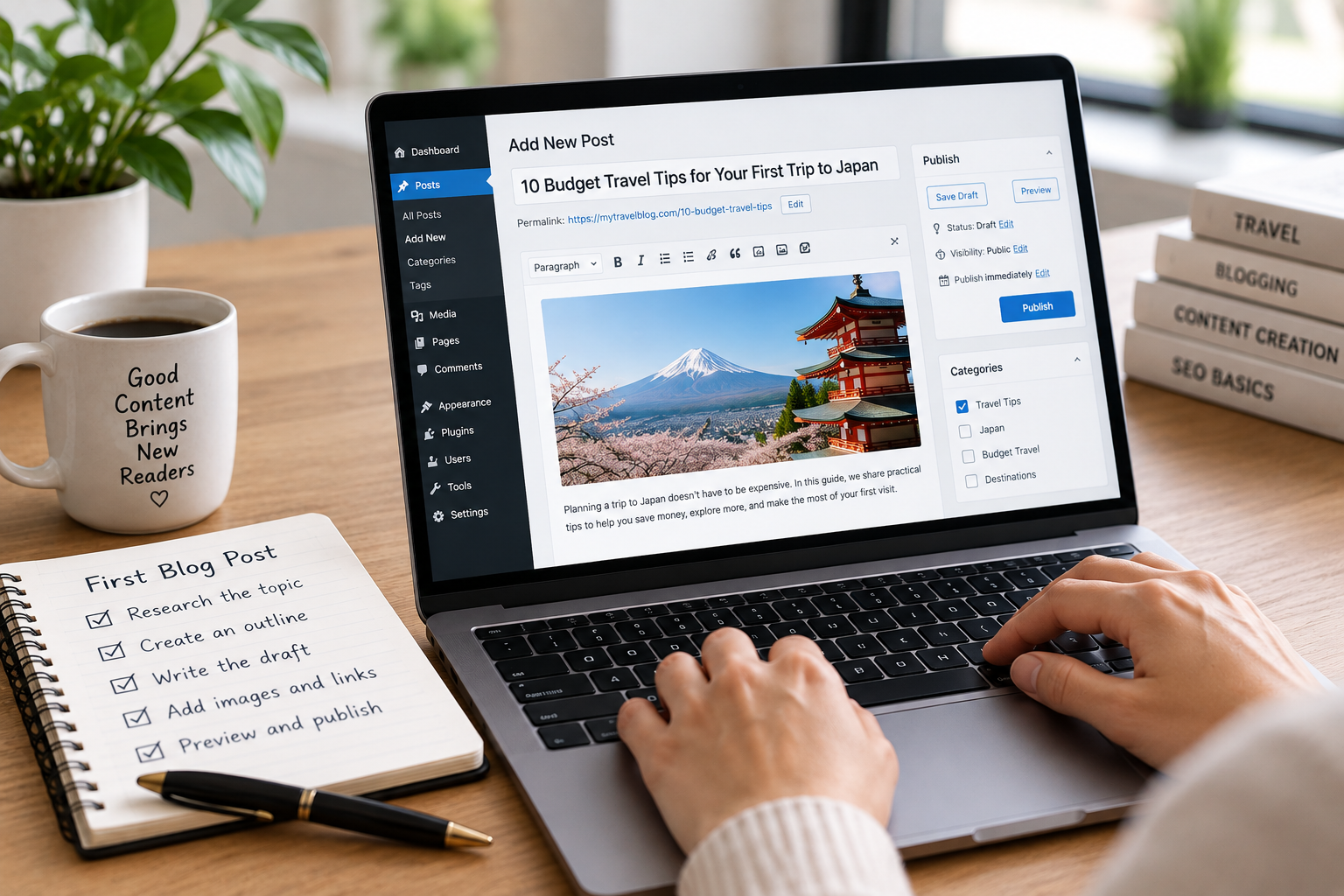
Choose a topic that answers a specific question or helps your intended readers solve a problem. Your first post does not have to cover everything about your niche. It needs to deliver on its title. Use this process to prepare it:
- Research the topic. Check search suggestions, competing articles, and relevant discussions to understand what readers want to know.
- Create an outline. Organize the main points in a logical order, using descriptive headings to help readers scan the page.
- Write the draft. Use direct language, practical examples, and short paragraphs. Remove points that repeat information already covered.
- Check the page. Add relevant images, descriptive image alt text, internal links, and useful external sources. Write a clear page title and meta description.
- Preview and publish. Check the formatting, links, and mobile layout before making the post public.
After publishing, prepare a small group of related articles. Having three to five useful posts gives early visitors more to explore and helps establish the blog's main subject. You can publish them over time rather than delaying your launch until everything is finished.
Step 6: Promote and monetize your blog
Publishing a post does not guarantee that people will find it. Choose a few channels that suit your audience and use them consistently.
How to promote your blog on social media and beyond
Promote each post through channels that help you reach your target readers. Combine search visibility with social sharing, email, and relevant communities rather than relying on a single source of traffic.
- Search engines: Write helpful articles around real reader questions, use clear headings, and link related posts together.
- Social media: Share useful takeaways from each article on platforms where your audience spends time. Pinterest can suit visual topics such as food and travel, while LinkedIn may fit professional subjects.
- Email newsletters: Invite readers to subscribe so they can hear about new posts without relying on social media feeds.
- Relevant communities: Participate in forums and groups where your topic comes up naturally. Answer questions instead of posting links without context.
Submit your sitemap through Google Search Console if your platform provides one. This helps Google discover your URLs, although it does not guarantee indexing or rankings.
How to make money from your blog
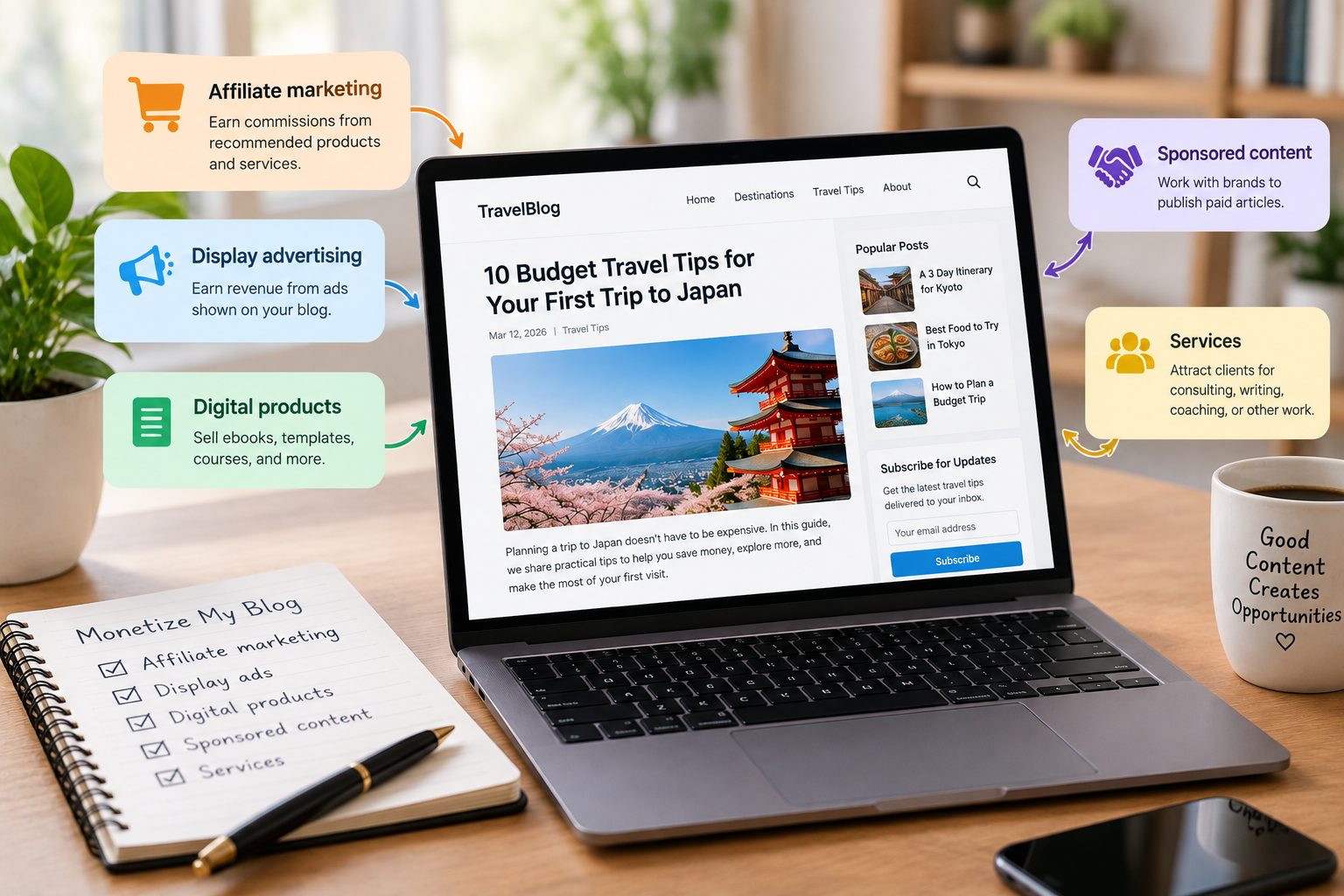
If you're wondering how to start a blog and make money, begin by choosing a monetization method that fits your niche, audience, and traffic. Common options include:
- Affiliate marketing: Earn commissions when readers buy through qualifying links to products or services you recommend.
- Display advertising: Earn revenue from ads shown on your pages, subject to network requirements and traffic levels.
- Digital products: Sell ebooks, templates, courses, or other resources related to your expertise.
- Sponsored content: Work with relevant brands to publish paid articles or other agreed content.
- Services: Use the blog to attract clients for consulting, writing, coaching, or other professional work.
You do not need to use every method. Start with the option that fits your audience, and make paid relationships clear to readers.
How to start a blog for free
You can begin writing without paying for hosting by using a platform with a free plan. The main trade-off is that you may have a branded subdomain, fewer customization options, or restrictions on monetization.
| Free platform | Example address | Suitable for |
|---|---|---|
| WordPress.com | yourname.wordpress.com | Personal blogs and general writing |
| Blogger | yourname.blogspot.com | Simple hobby blogs |
| Substack | yourname.substack.com | Articles and email newsletters |
| Wix | A platform-provided site address | Trying out a visual website builder |
Check each platform's current plan details before signing up, as advertising, storage, design controls, and monetization rules can differ. Starting with a free plan makes sense if you are testing an idea. If you plan to build a business around your blog, compare the cost of a custom domain, hosting, and the features you will need before choosing a long-term setup.
Blogging tips by niche
Your niche dictates the topics you cover, the level of detail your readers expect, and the questions your posts should answer. Utilise the tips below to choose a suitable format, offer practical information, and give readers a reason to return to your blog.
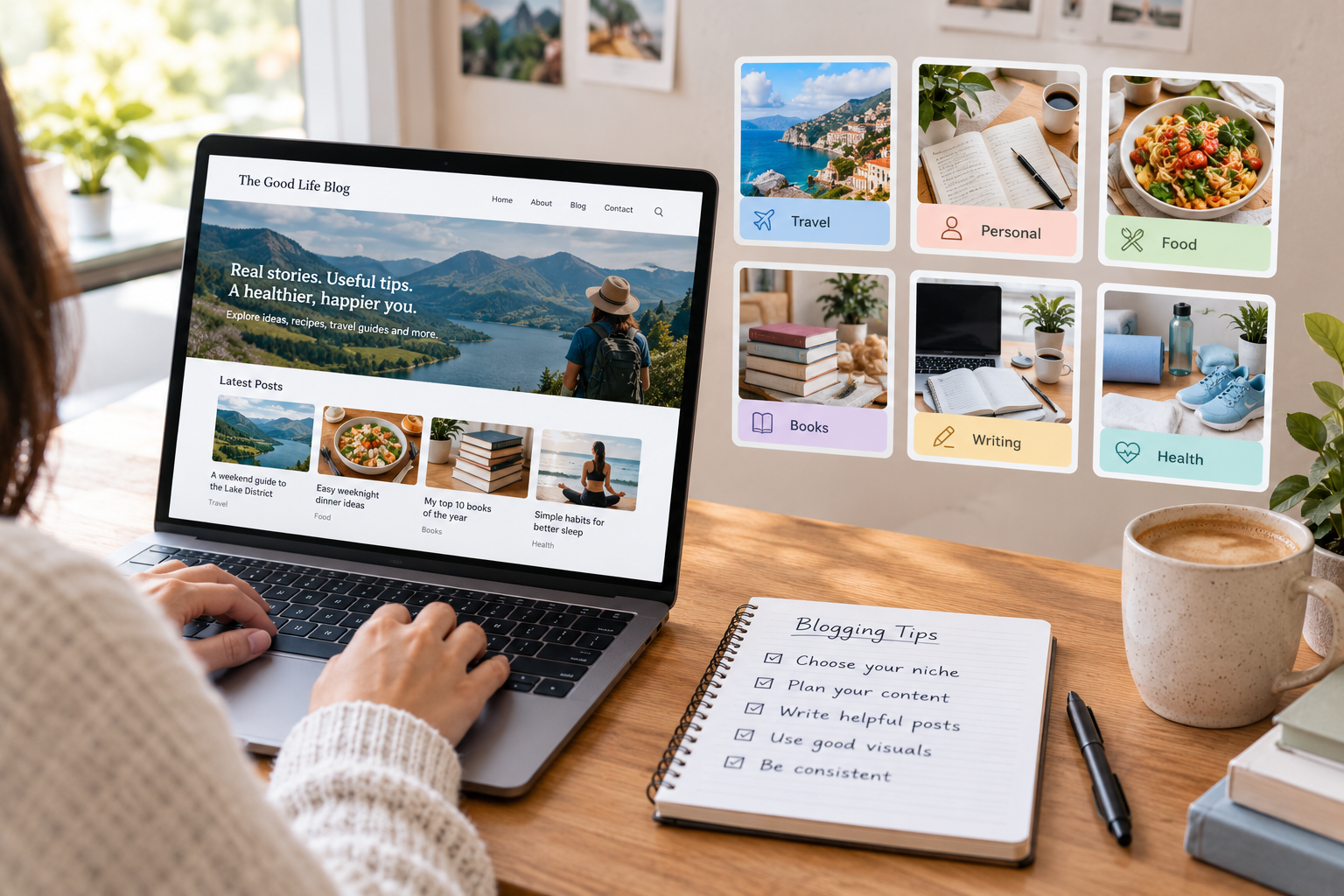
How to start a travel blog
Pick a niche like budget travel, weekend breaks, solo travel, or destination guides. This is a guide to planning your own trip to the Lake District based on my own experience, with practical information about transport, daily budgets, accommodation and suggested itineraries. Utilise original photos and maps to aid in explaining a location or route. Refresh articles as prices, transport links or local rules change.
How to start a personal blog for beginners
First, decide on two or three themes you want to write about. These themes might be career changes, family life, personal growth, or learning a new skill. You don't have to live your whole life with them. Decide what you are comfortable with making public, especially when stories involve other people. Keep the format simple, write conversationally, and draw on experiences or lessons your readers can relate to.
How to start a food blog
Choose a clear focus, such as quick weeknight meals, baking, regional dishes, or budget-friendly recipes. Include ingredient quantities, preparation steps, cooking times, and photos that show important stages of the process. Test recipes before publishing so readers can follow them with confidence. A recipe plugin can help organize ingredients and instructions, while structured data may help search engines understand eligible recipe pages.
How to start a book blog
Choose a genre or reading niche you enjoy, such as fantasy, romance, thrillers, or nonfiction. Use a consistent review format that covers the premise, writing style, intended audience, and your own assessment. You can also publish reading lists, genre guides, author spotlights, and comparisons of books on similar topics. Add clear categories so readers can find reviews that match their interests.
How to start a blog as a writer
Think of the blog as an entry in your writing portfolio. Publish samples in the style of the work you want to do, whether that's copywriting, personal essays, technical writing, or reviews. Include a brief introduction about your focus, sort posts by topic, and ensure your contact details or hiring information is easy to locate. Focus on your writing, and make articles easy to read with a simple layout.
How to start a health blog
Choose a specific focus, such as healthy eating, fitness, sleep, or general wellness. Use reliable medical sources and link to evidence that supports your advice. Explain the limits of your knowledge, distinguish personal experiences from established medical guidance, and avoid presenting individual results as universal recommendations. Keep articles clear and practical, and review them regularly to ensure the information remains accurate.
Bonus: Create a website with Enter Pro to help you write blogs
If you want to build a blog without assembling every page manually, Enter Pro offers an AI-assisted approach to website creation. Its AI website builder lets you describe the site you want and generates a starting layout to customize before publishing. You can also explore Enter Pro's free blog maker to get started with a blog-focused website. Review the structure, wording, navigation, and content before making the site public.
Build A Blogging Website Now →
Key features of Enter Pro
- Prompt-based website creation: Describe your blog's topic, audience, preferred layout, and the pages you need. Enter Pro uses your prompt to generate a starting point for the website.
- Different AI planning modes: Enhanced Plan Mode helps you plan a website before building it, giving you more room to define its structure and requirements.
- Visual customization: Use the Visual Editor to refine your website's appearance after generating the initial layout. Adjust page sections, layout, and other visual elements to match your blog's style and make navigation easier for readers.
- Code editing: The Code Editor lets you access and modify the generated code when you need more control over your website. Use it to make specific adjustments to the structure, styling, or functionality that go beyond the available visual editing options.
Build a blogging site with Enter Pro
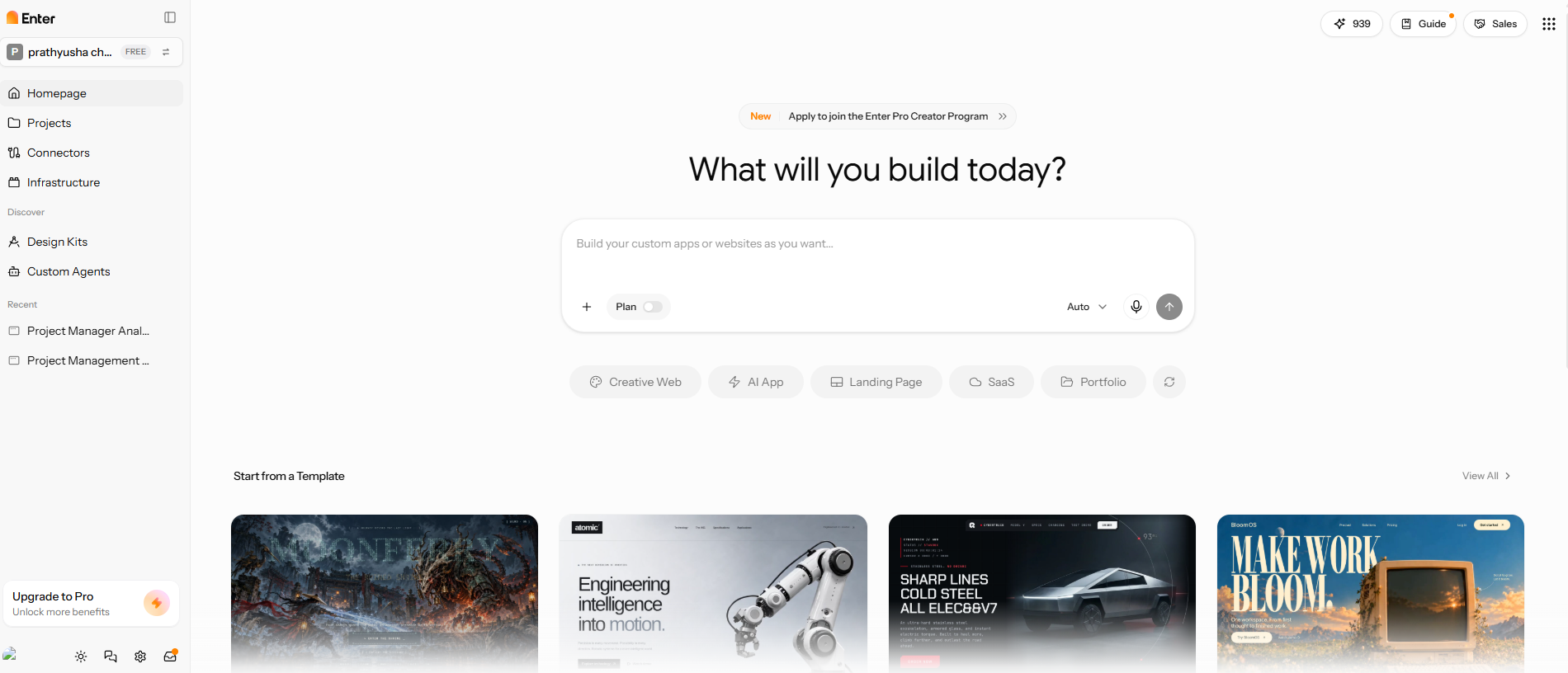
Step 1: Enter your blogging site prompt
Describe your blog's niche, target audience, preferred visual style, and required pages, such as Home, About, Blog, and Contact. For example, a food blog prompt could include featured recipes, category navigation, and a section for recent posts.
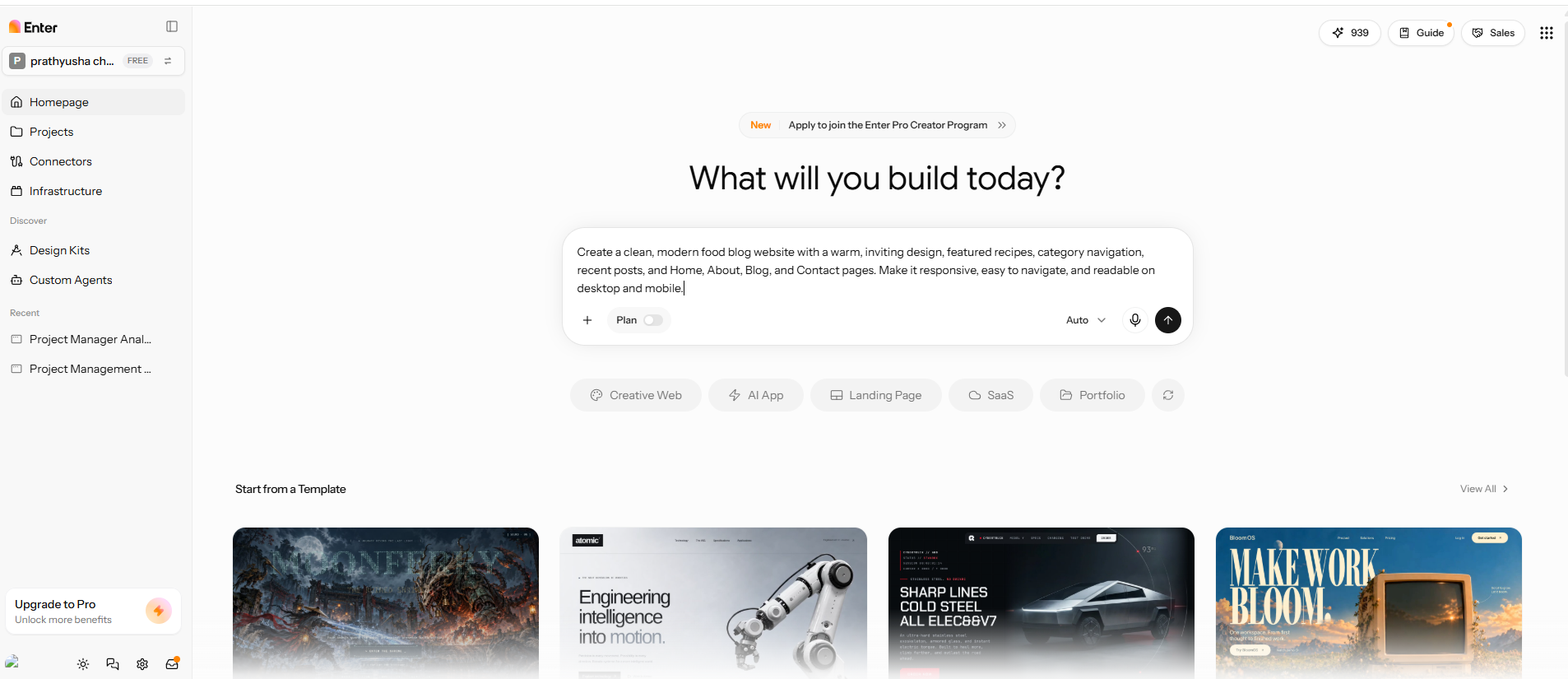
Step 2: Generate and edit the blogging site
Use the Visual Editor to adjust the generated layout, typography, page sections, and navigation. Check that the design suits your topic and that readers can browse posts easily. Use the Code Editor if you need to make more specific changes to the generated code.
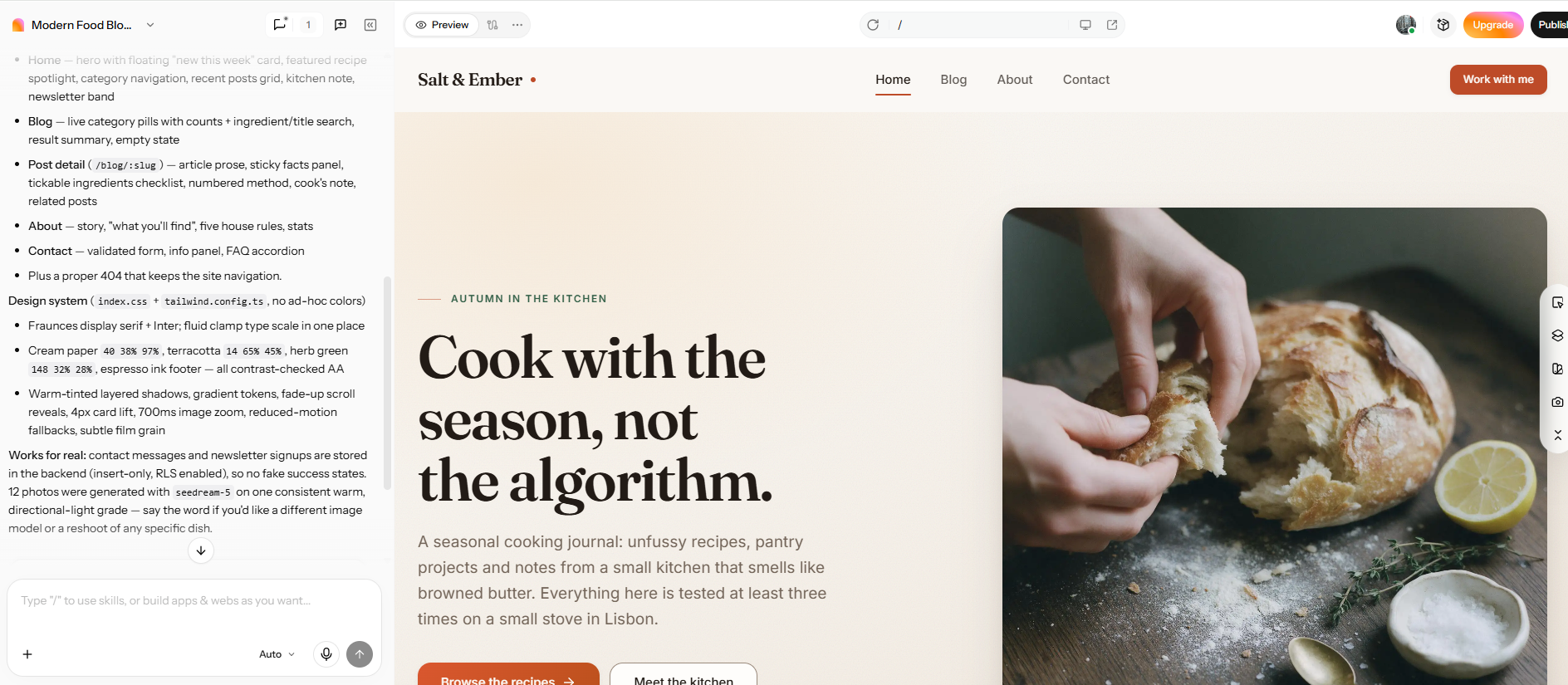
Step 3: Review and publish your blogging site
Review the blog on desktop and mobile, test navigation links, and proofread the page text and headings. Make sure the essential pages are in place, and the content is easy to read before following Enter Pro's publishing workflow.
Build A Blogging Website Now →
Conclusion
Learning how to start a blog in 2026 is manageable when you make the main decisions in order. Choose a niche you can write about regularly, select a platform that fits your budget and goals, register a suitable domain, and publish a helpful first post. You can begin with a free platform while testing your idea or choose a self-hosted setup for more control. Once your blog is live, focus on publishing useful articles, promoting them to the right readers, and exploring ways to monetise your content as your audience grows. Ready to start your blog? Use Enter Pro to build your blogging website quickly and customize it to match your needs.
FAQs about how to start a blog
Is it still worth starting a blog in 2026?
Yes. A blog can help you share expertise, build a portfolio, attract clients, or earn income from useful content. If you want to launch a blog without building every page manually, Enter Pro can help you create a website from a prompt and customize the result.
How much does it cost to start a blog?
You can begin for free with platforms like Blogger or Substack. You'll usually have to pay for a domain, hosting, and any premium themes or plugins you want to buy on a self-hosted blog. Another choice is Enter Pro if you want to build a custom website with the help of AI. Evaluate its current plans and features before choosing.
How long does it take to start a blog?
A simple blog can be set up in less than an hour with a simple design. In my WordPress test, it was about 45 minutes from signing up to publishing the first post. Enter Pro gives you a different way to work: tell it what website you want, get a first draft of the layout, and then edit it before you publish.
How do I promote my blog on social media?
Share useful takeaways from your posts as short updates, images, or videos on platforms your audience uses. Link to the full article when it gives readers more detail. Focus on the channels where your target readers are most active.
How long does it take to make money from a blog?
There is no fixed timeline. Earnings depend on your niche, audience, traffic, publishing consistency, and monetization method. Enter Pro can help you create the website, but earning money still requires useful content, a clear audience, and a suitable approach, such as affiliate marketing, services, or digital products.
How often should I publish new blog posts?
Create a schedule you can stick to, such as one thoroughly researched post each week or every other week. Consistent publishing gives you time to research, write, and promote each article well. Publish content that is useful and do it regularly, and not just for the sake of hitting a quota.