Mobile App Development Cost: Is It Worth It in 2026?
Wondering about mobile app development costs in 2026? See real price ranges by complexity, platform, and region, plus the hidden costs agencies rarely lead with.
Wondering how much does mobile app development costs in 2026? Most apps range from $15,000 to $300,000+, depending on their features, complexity, and technical requirements. A simple utility or content app may cost $15,000–$40,000, while an enterprise application can exceed $150,000. The biggest cost drivers are app complexity, platform choice, development team location, and compliance requirements. This guide breaks down typical pricing by app type and platform, explains where the budget goes, and covers the expenses that continue after launch. It also looks at practical ways to reduce the initial cost without cutting features your users need.
Mobile app development cost at a glance
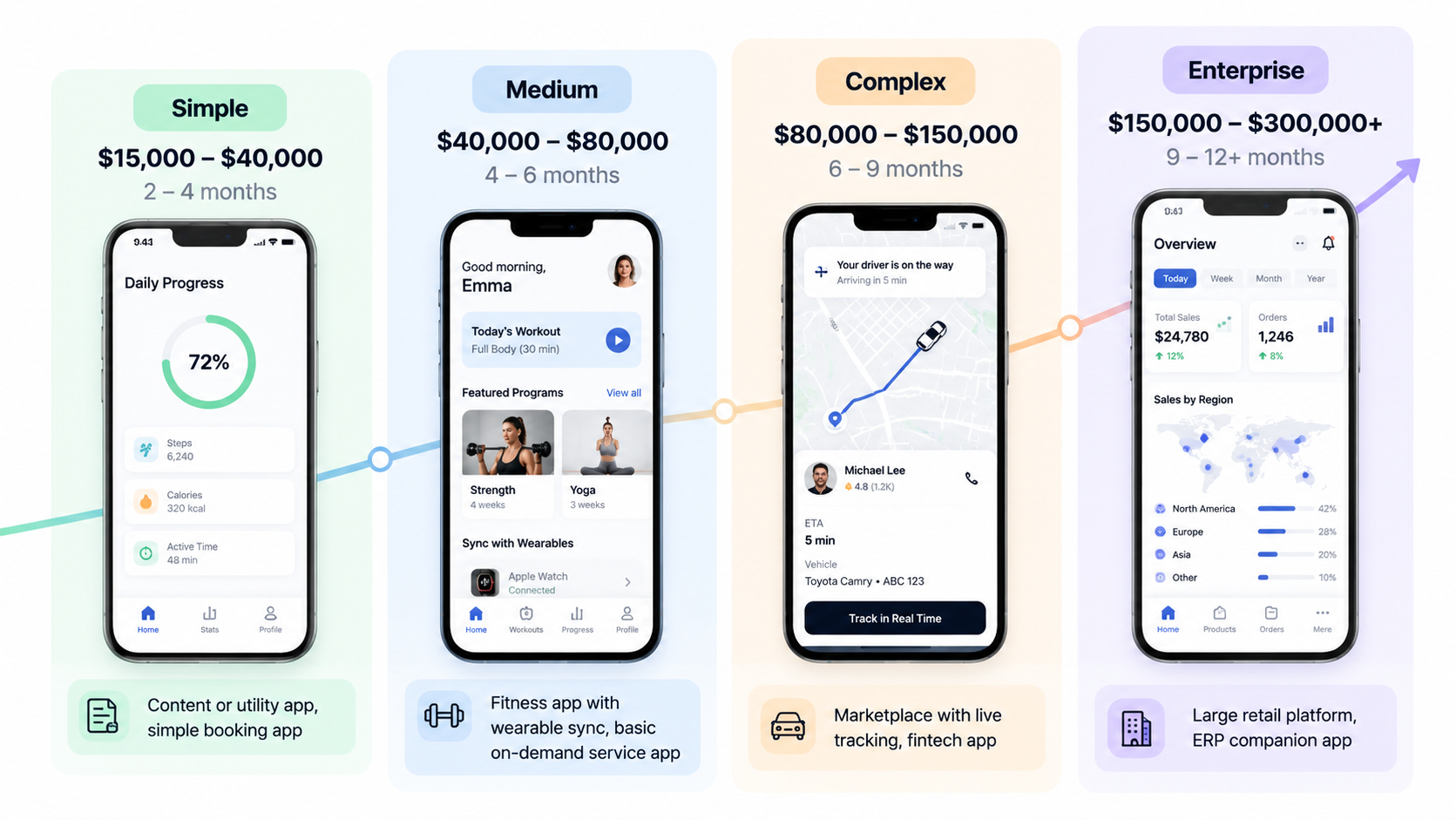
The following ranges give you a starting point for estimating the cost of mobile app development. Your final budget will depend on the features, integrations, and technical requirements.
| Tier | Cost range | Timeline | Example apps |
|---|---|---|---|
| Simple | $15,000-$40,000 | 2-4 months | Content or utility app, simple booking app |
| Medium | $40,000-$80,000 | 4-6 months | Fitness app with wearable sync, basic on-demand service app |
| Complex | $80,000-$150,000 | 6-9 months | Marketplace with live tracking, fintech app |
| Enterprise | $150,000-$300,000+ | 9-12+ months | Large retail platform, ERP companion app |
A simple app usually has a limited number of screens and a narrow set of functions. Costs rise as you add user accounts, payments, messaging, live data, integrations, and more demanding security requirements. Enterprise projects also need to account for larger user volumes, multiple systems, and ongoing maintenance.
Mobile app development cost breakdown: 6 factors that set the price
App development costs depend on several decisions, and these factors can compound. A complex app with strict compliance requirements, built by an onshore team, can cost five to ten times more than a simple cross-platform app developed by a smaller offshore team.
1. App complexity and features
A single-function app will take 200–400 development hours. Apps with user accounts, payments, push notifications, and chat can take anywhere from 1,500 to 3,000+ hours. Features like real-time data synchronisation, offline access, in-app payment, camera, GPS, or biometric support require extra development. Each feature also means testing, bug fixes, and continued maintenance.
2. Platform (iOS, Android, or both)
Building for one platform is generally the cheapest option. When developing native apps for iOS (Swift) and Android (Kotlin) separately, you can roughly double the development cost. Cross-platform frameworks like React Native and Flutter allow developers to share code between the two platforms. They are usually 30–40% cheaper than two separate native builds.
3. Design and UX
A standard interface with familiar layouts and UI patterns usually costs 5–10% of the total app development budget. Custom screens, animations, and a branded design system could increase the design cost to around 15-20%.
4. Backend and third-party integrations
Generally, the cost of building and maintaining apps with no or a lightweight backend is lower. Integrating payment processors, CRM or ERP systems, maps and analytics will cost you between $3,000 and $15,000 each, and you will also have to pay for API usage.
5. Team location and hiring model
Developer rates vary by region and hiring arrangement. The following hourly ranges offer a general comparison.
| Region | Typical hourly rate |
|---|---|
| North America | $100-$250 |
| Western Europe | $80-$200 |
| Eastern Europe | $40-$100 |
| India/Southeast Asia | $20-$60 |
The hiring model also affects the total cost:
- Freelancers: Usually have the lowest upfront cost, but one person may not cover every skill a larger project needs.
- Agencies: Typically cost more than individual freelancers but include project management and accountability.
- In-house teams: Offer more control over the work but have higher fixed costs, including salaries and benefits.
6. Compliance and security
Apps that handle payments, health records, or personal information need extra security and compliance work. Depending on the requirements, PCI-DSS, HIPAA, or GDPR related reviews can add $10,000-$40,000 or more. These may include secure design, audits, data protection measures, and legal reviews. After the launch, compliance is an ongoing process as regulations, security requirements, and application features evolve. That is why two applications that look very similar can have very different development budgets.
Mobile app development cost by app type and platform
The app category will also give you a sense of the budget. Two apps with the same amount of features may have different costs because of the security requirements, integrations, and technical needs.
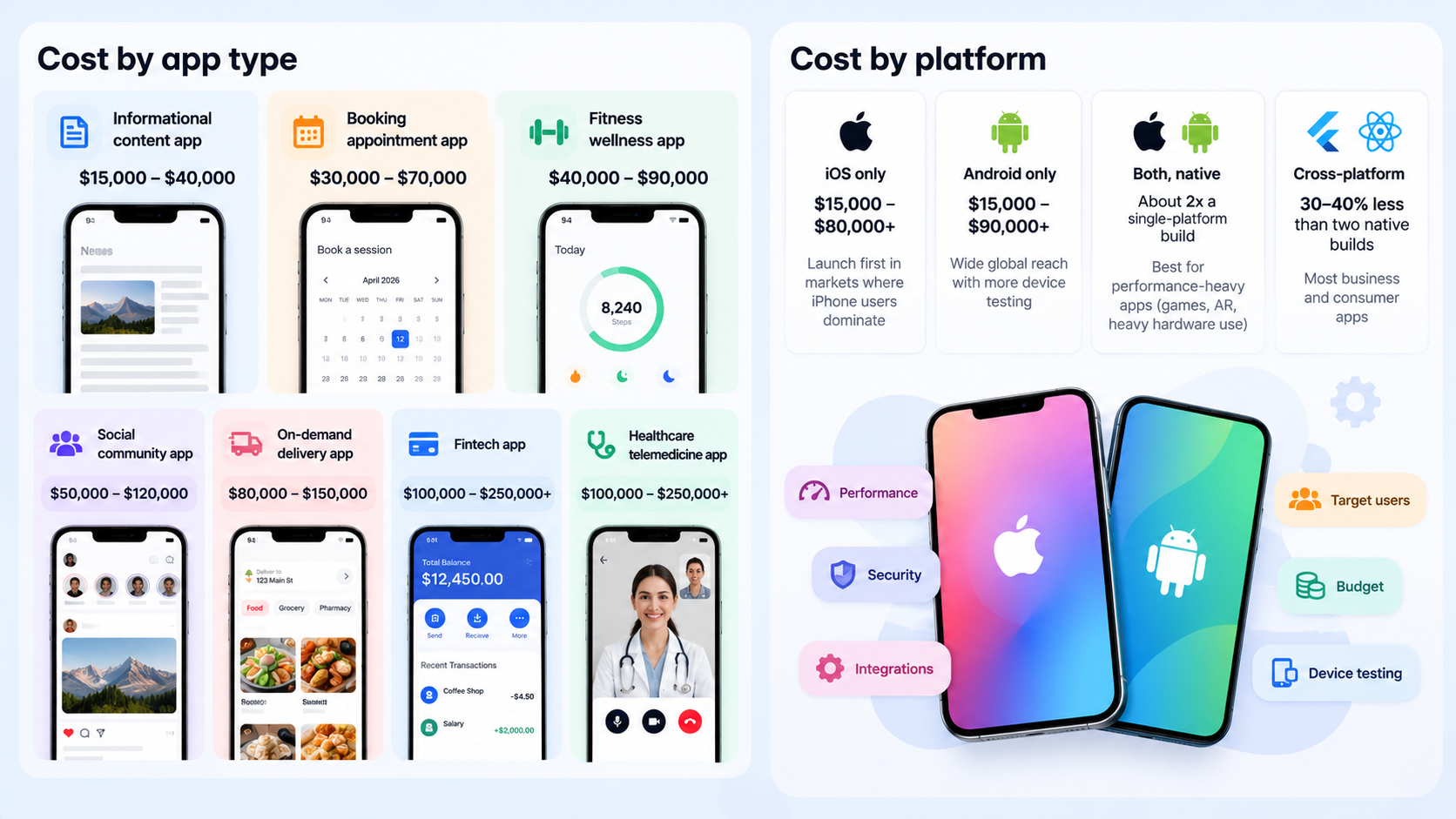
Cost by app type
| App type | Typical cost | Main cost drivers |
|---|---|---|
| Informational/content app | $15,000-$40,000 | Content management, basic UI |
| Booking/appointment app | $30,000-$70,000 | Calendar logic, notifications, payments |
| Fitness/wellness app | $40,000-$90,000 | Wearable sync, user profiles, progress tracking |
| Social/community app | $50,000-$120,000 | Feeds, messaging, moderation |
| On-demand/delivery app | $80,000-$150,000 | Live tracking, multiple user roles, payments |
| Fintech app | $100,000-$250,000+ | Security, compliance, banking integrations |
| Healthcare/telemedicine app | $100,000-$250,000+ | HIPAA compliance, video, EHR integration |
These are planning ranges, not fixed quotes. A basic booking app with a calendar and payment option will have a different scope from one that supports multiple locations, staff accounts, and complex scheduling. The ecommerce mobile app development cost also depends on the scope. A straightforward shopping experience and a larger platform with more complex integrations require different levels of development. Use the feature, platform, and integration costs above to estimate the work before setting a budget.
Cost by platform
| Platform | Typical cost | Best for |
|---|---|---|
| iOS only | $15,000-$80,000+ | Launching first in markets where iPhone users dominate |
| Android only | $15,000-$90,000+ | Wide global reach; slightly higher testing cost across many devices |
| Both, native | About 2x a single-platform build | Performance-heavy apps (games, AR, heavy hardware use) |
| Cross-platform (React Native/Flutter) | 30-40% less than two native builds | Most business and consumer apps |
Android development may need more device testing because of the range of supported devices. The best starting platform depends on your target users, budget, and app requirements. If you need both platforms but do not require extensive native features, cross-platform development may keep the initial cost lower.
Development stages and hidden costs after launch
The initial quote will usually include the work to plan, build, test, and launch the app. You'll want to plan for expenses post-launch as well.
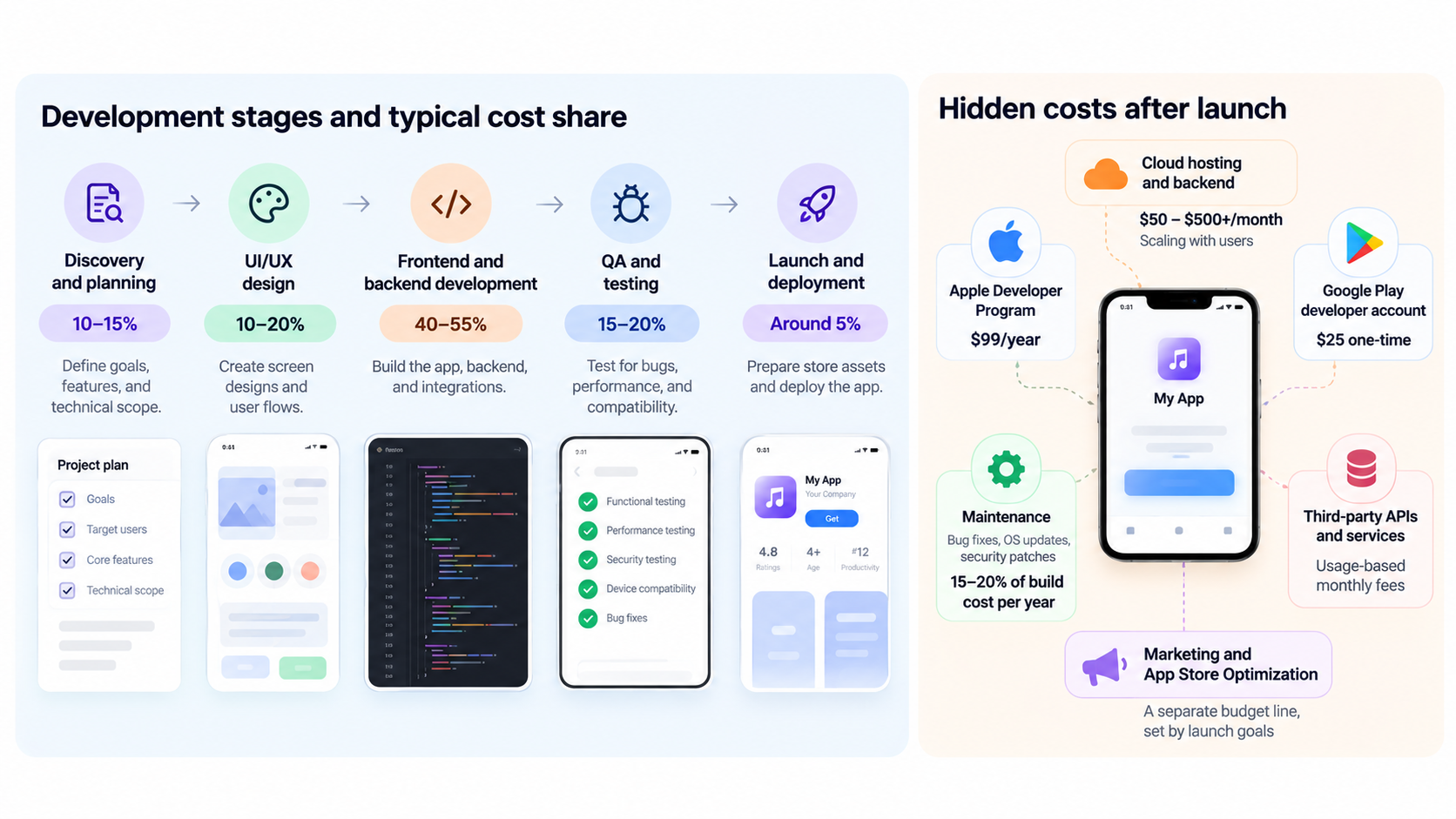
Cost by development stage
Each stage takes a share of the total project budget. The exact split changes with the app's scope and technical requirements.
| Development stage | Approximate share of budget |
|---|---|
| Discovery and planning | 10–15% |
| UI/UX design | 10–20% |
| Frontend and backend development | 40–55% |
| QA and testing | 15–20% |
| Launch and deployment | Around 5% |
Planning covers requirements, scope, and wireframes. Design establishes the screens and user flows. Development accounts for the largest share because the team builds the frontend, backend, and integrations. QA checks the app for bugs and compatibility issues before deployment.
Hidden costs after launch
Publishing the app is not the end of the spending. Store accounts, maintenance, hosting, and third-party services all need a place in your ongoing budget.
| Cost | Typical figure |
|---|---|
| Apple Developer Program | $99/year |
| Google Play developer account | $25 one-time |
| Maintenance (bug fixes, OS updates, security patches) | 15-20% of the build cost per year |
| Cloud hosting and backend | $50-$500+/month, scaling with users |
| Third-party APIs and services | Usage-based monthly fees |
| Marketing and App Store Optimization | A separate budget line, set by launch goals |
Maintenance covers bug fixes, operating system updates, and security patches. Hosting costs can rise as more people use the app or as the app stores and processes more data. API charges also depend on usage and the provider's pricing. Marketing and App Store Optimization (ASO) need separate budgets. Development costs do not automatically cover the work required to attract users after release.
How to reduce your mobile app development cost
You can lower the initial cost for mobile app development by controlling the scope and choosing a build approach that fits the product.
- Start with core features: Build the functions users need first. Move secondary features to a later release after you have feedback.
- Consider cross-platform development: React Native or Flutter may reduce costs by 30–40% compared with two separate native builds, provided the app does not need platform-specific performance or hardware features.
- Test during development: Start QA early so the team can catch problems before they affect other parts of the app.
- Keep the team small while validating the idea: Add specialists and expand the team when the product requirements justify the expense.
- Choose a suitable pricing model: Fixed-price contracts work better when the scope is stable. Time-and-materials contracts can suit projects where requirements are likely to change.
- Consider a responsive web app first: For an MVP, internal tool, or early customer-facing experience, a web app may help you test the idea before paying for native development.
These decisions can reduce early spending, but they should not remove features the product needs to work reliably. For example, an app that depends on offline access or device hardware may need native or cross-platform development from the start.
Build a lower-cost app version with Enter Pro
Building a native mobile app can require a significant upfront investment. If you want to validate an idea, create an internal tool, or launch a customer-facing web experience first, Enter Pro offers another starting point. Its AI app builder turns a plain-language description into a working, editable app, so you can create an early version without starting with a full native development project. Enter Pro builds responsive web apps that run in a browser. It does not generate native packages for the Apple App Store or Google Play. If your app depends on push notifications, offline-first access, or device hardware such as GPS and the camera, you will still need native or cross-platform development.
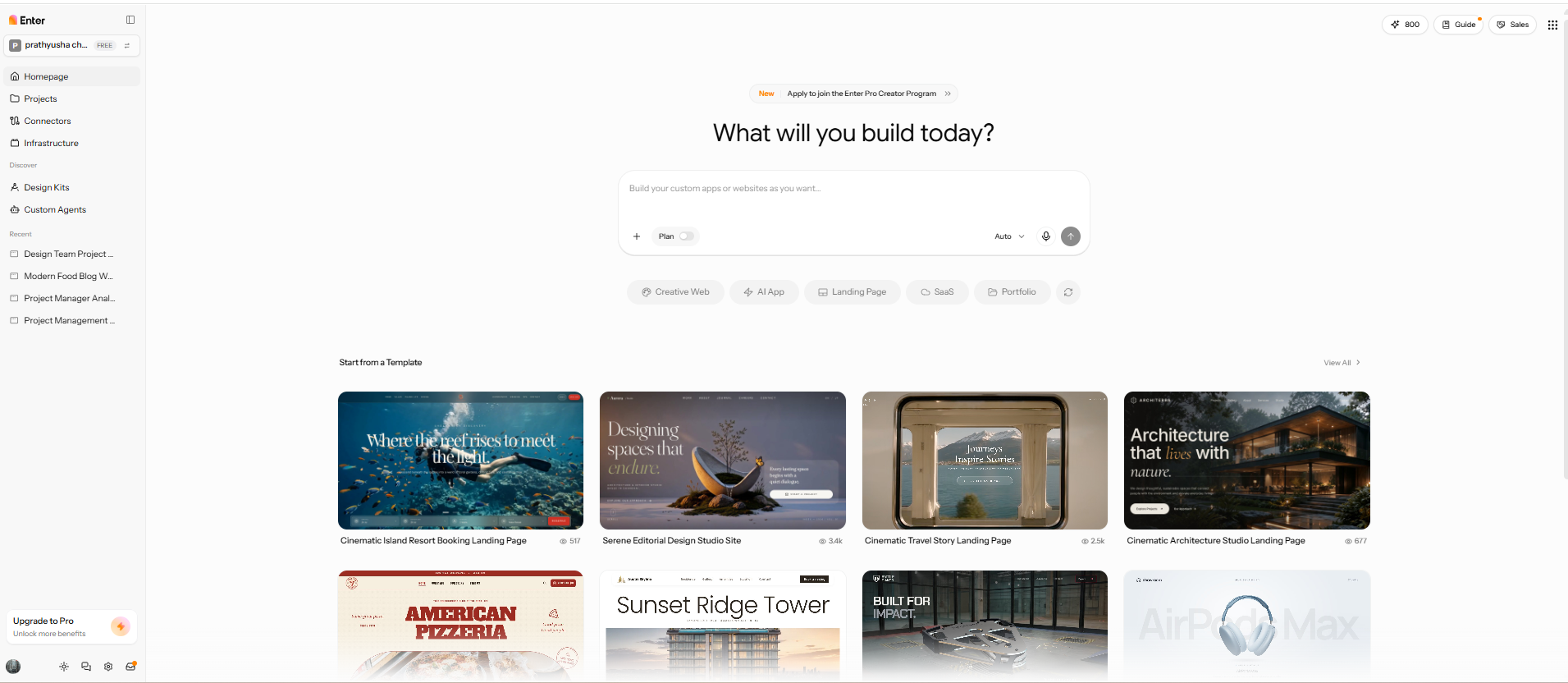
Key features
- AI app builder: Describe your app's purpose, target users, and required features in plain language. Enter Pro turns your description into a working app that you can continue refining. Explore how the AI app builder can help you create an app without starting from a blank project.
- AI architectural Plan Mode: Before generating the app, review its proposed pages, data structure, and features. This gives you a chance to adjust the app's structure before moving into development.
- Visual Editor: Make changes to the app's layout and components through a visual interface. You can refine the appearance of your app as your requirements change. See how the Visual Editor supports visual app editing.
- Editable code: Access the code behind your generated app and make further changes when needed. This gives developers more room to adjust the application as the project grows, rather than relying only on prompts.
How to build an app with Enter Pro
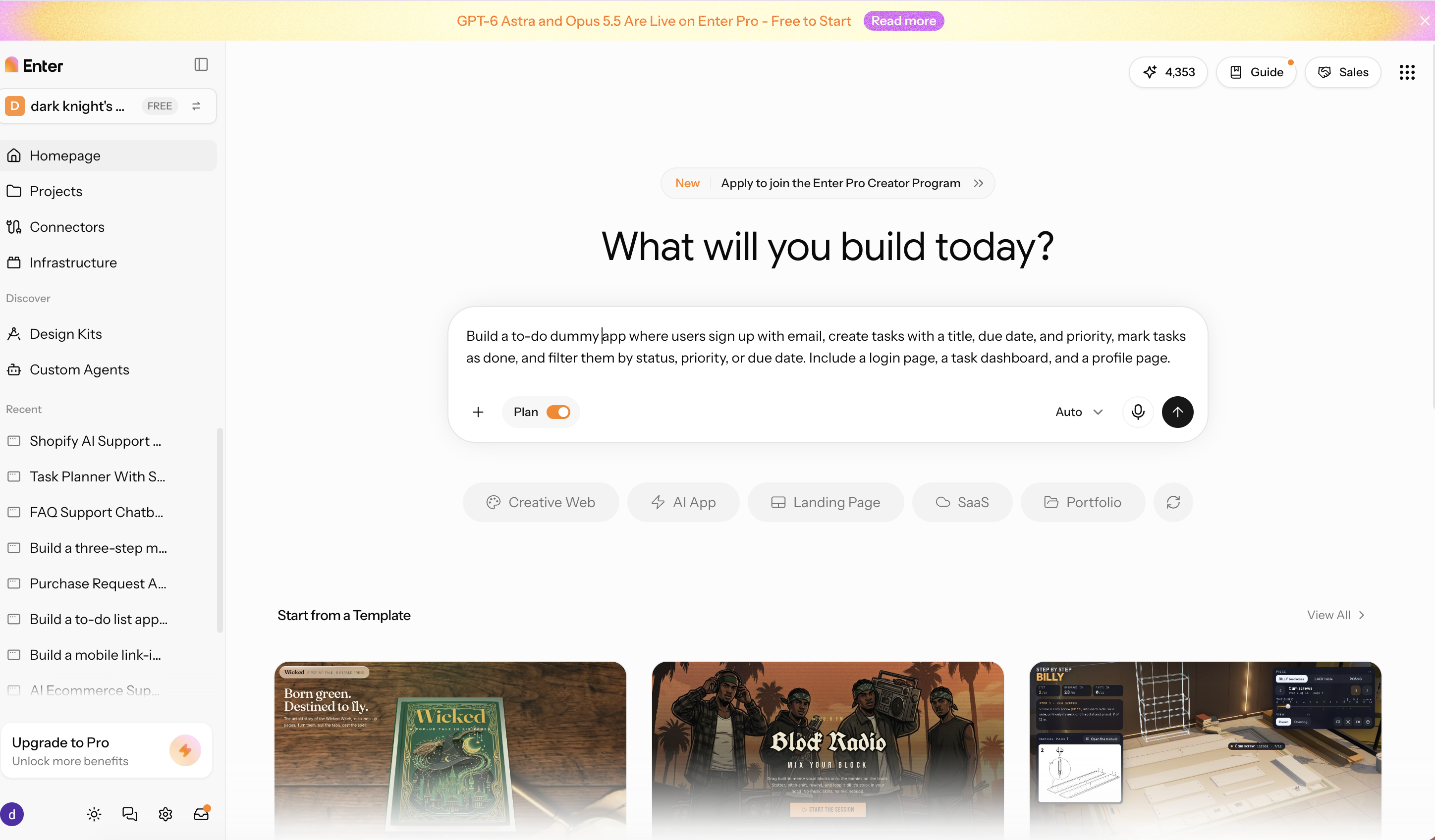
Step 1: Describe the app in plain language
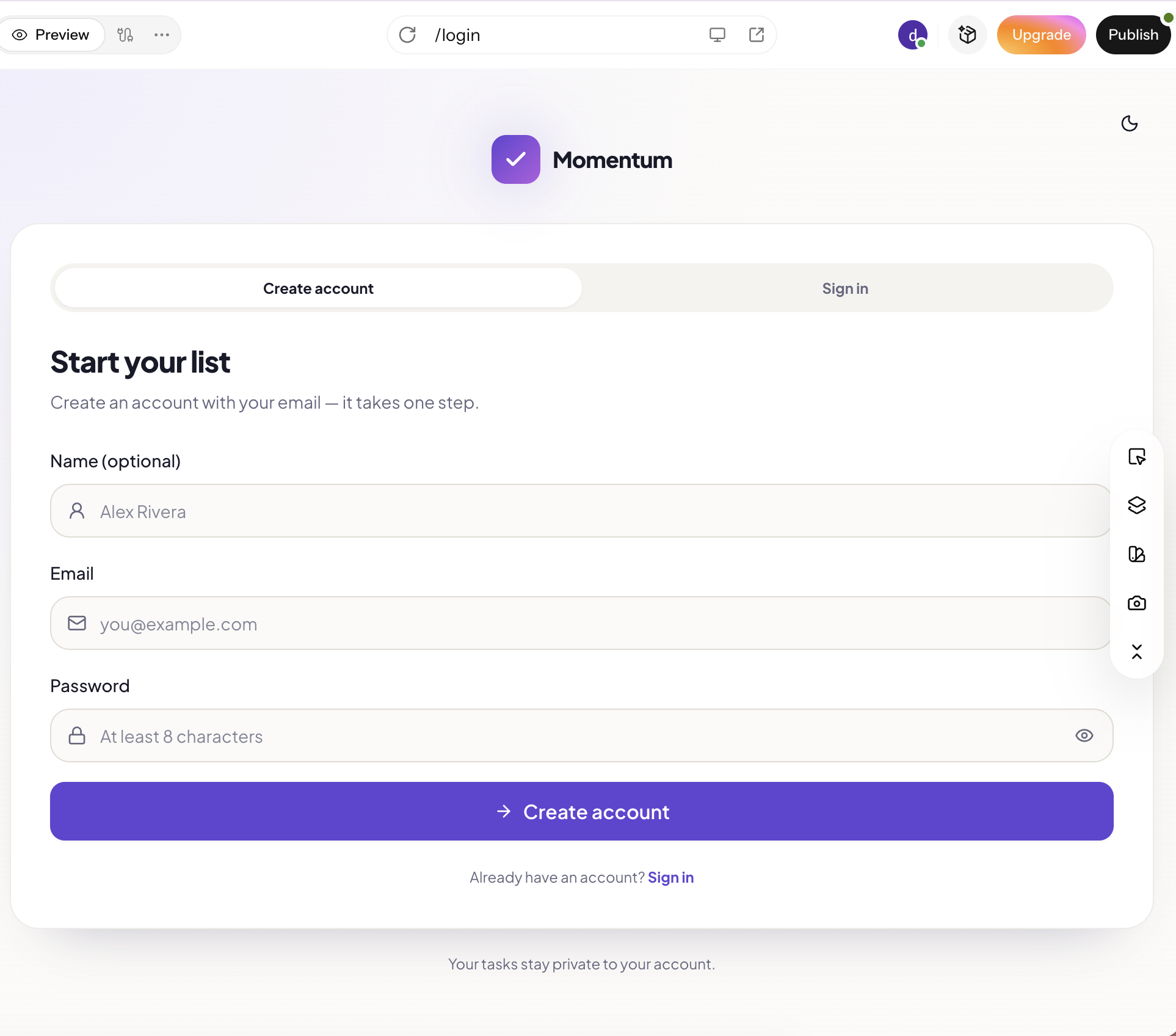
Start by explaining what you want the app to do, who will use it, and which features it should include. For example, you could describe a to-do app with user accounts, task creation, due dates, and filters. Enter Pro uses your description to prepare the app structure.
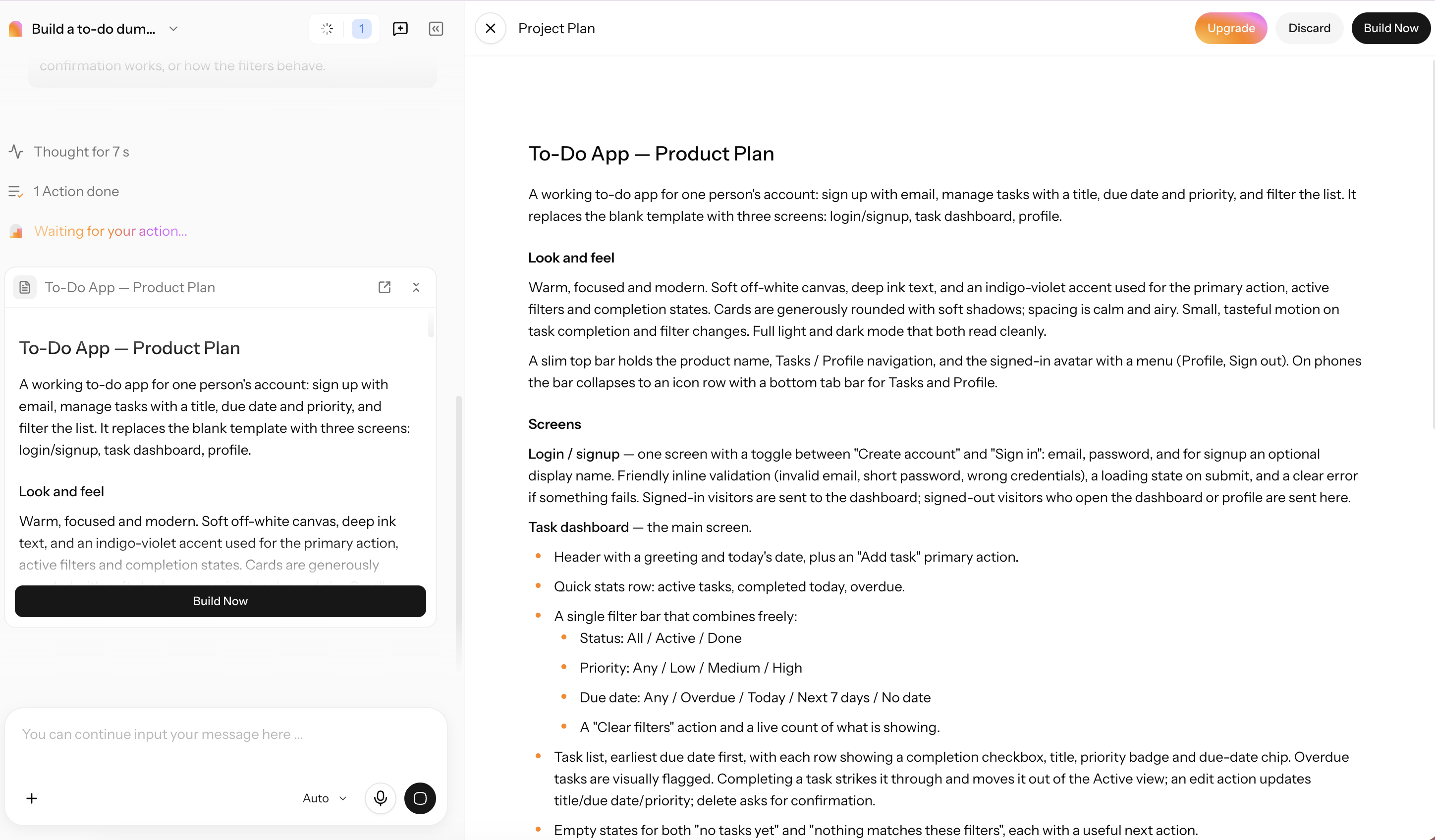
Step 2: Review the plan and generate the app
Before building, review the proposed pages, features, and data structure. Check whether the plan covers the functions you requested and make changes if needed. Once the structure looks right, generate the app.
Step 3: Publish the app
Open the generated app and test its main features to check that they work as expected. Make any final adjustments, then publish it so users can access the responsive web app through their browsers.
Conclusion
The average cost of mobile app development depends on the scope. A simple app could cost $15,000-$40,000, while a complex or enterprise project could easily exceed $150,000 when integrations, compliance, and ongoing maintenance are factored in. Budget has the biggest impact on features, platform choice, team location, and security requirements. If you are trying to validate an idea or build an internal tool, a responsive web app built with Enter Pro can be a cheaper first step. If your product needs app-store distribution, push notifications, offline access, or device hardware, go native or cross-platform. Use Enter Pro to keep development costs down and start with a working web app.
FAQs about mobile app development
Is there a mobile app development cost calculator?
Yes. A mobile app development cost calculator estimates expenses based on features, platforms, design, and integrations. Treat the result as a starting point, not a final quote. For early idea validation, Enter Pro can help you build a responsive web app before investing in native development.
What is the average cost of mobile app development?
A simple app typically costs between $15,000 and $40,000. A medium-complexity app is priced between $40,000 and $80,000. Complex apps can cost between $80,000 and $150,000. Enterprise apps can cost over $300,000. If you need a cheaper way to test an idea, try building a web app with Enter Pro first.
What factors affect mobile app development cost the most?
The main factors are the complexity of the app, the platform chosen, the location of the team, and compliance requirements. The design, backend infrastructure, integrations, and testing also impact the budget. Enter Pro is great for building browser-based apps, but if you need native device features, you should go for native or cross-platform development.
How much does it cost to build an e-commerce mobile app?
It is contingent upon features, platform, payment integrations, design, and backend requirements. A simple shopping app will be cheaper than one with complex inventory systems and multiple integrations. With Enter Pro, you can try out a responsive web-based shopping experience without the commitment of a native app.
Is it cheaper to build for iOS or Android?
It is generally cheaper to build for a single platform than to develop separate native apps for both. iOS apps alone typically run $15,000–$80,000+ and Android apps alone cost $15,000–$90,000+. Cross-platform frameworks like Flutter and React Native can save you 30–40% of the cost as compared to two native builds.
How can I estimate my app's cost without requesting a quote?
List the essential features, platforms, integrations, and security requirements, then account for design, testing, hosting, and maintenance. Compare the scope with typical development ranges to set an initial budget. If you are validating an idea or building an internal tool, Enter Pro can help you start with a responsive web app.