
Rapid Application Development Tools: Compare, Choose, Build
Compare rapid application development tools for web and enterprise apps, see AI and open-source options, and follow a step-by-step Enter Pro build.
Rapid application development tools speed up software delivery with visual builders, reusable components, automation, and AI generation. This guide compares four groups: AI app builders, enterprise low-code suites, no-code business platforms, and open-source or developer-first frameworks.
Picture a small team running on a shared spreadsheet and email approvals. Rows get overwritten. Requests get lost. A simple web app would fix it. Below, you can learn how to choose and compare nine tools for pricing and code ownership, explore open-source options, and follow a full Enter Pro build. If you want to see the build first, jump right to the Enter Pro walkthrough.
What Are RAD Tools and How Do They Work?
RAD is the method. RAD tools are software. Just keep them apart, and the rest gets easier.
RAD Methodology vs RAD Tools
RAD, or Rapid Application Development, is a development approach that emphasizes prototyping and user feedback. RAD tools are designed to keep each feedback cycle brief. It's important to note that RAD refers to a methodology rather than a specific tool or programming language. History reminds us that James Martin formalized the RAD approach in his 1991 book, building on earlier concepts, including Barry Boehm’s spiral model.
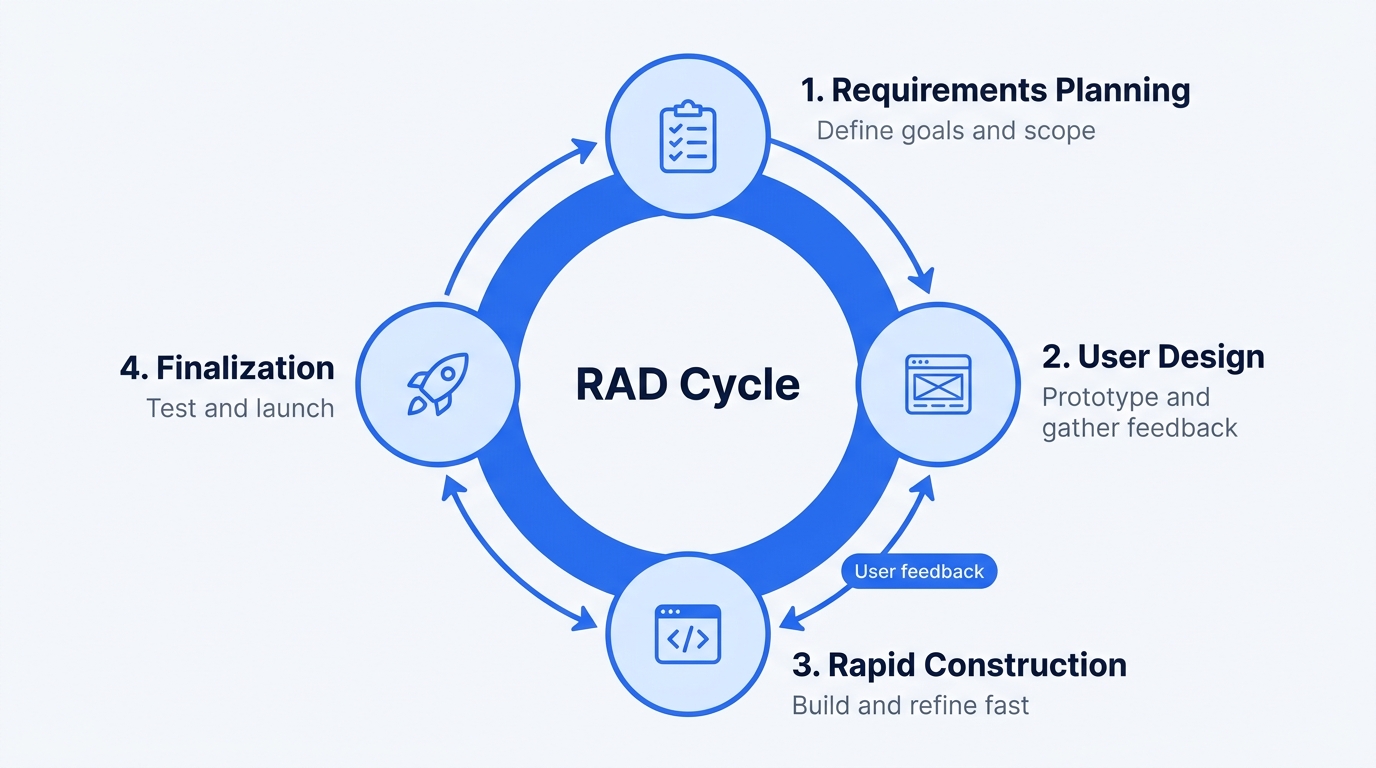
The Four RAD Phases
The phases of development include requirements planning, user design, rapid construction, and finalization. Here’s an example scenario. An operations team conducts planning on Monday, and five users test a prototype on Wednesday. The inventory app is launched two weeks later. In contrast, a waterfall approach for the same app could take several months to complete.
RAD vs Low-Code, No-Code, and AI App Builders
| Type | Who builds | Code access | Typical use | Example tools |
|---|---|---|---|---|
| AI app builder | Anyone who can write a prompt | Full, editable project | First version of a prompt | Enter Pro |
| Low-code suite | IT plus citizen developers | Partial, platform-bound | Governed enterprise apps | Power Apps, Mendix, OutSystems |
| No-code platform | Business users | Little to none | Internal tools, MVPs | Bubble, Knack, AppSheet |
| Open-source framework | Developers | Full | Self-hosted, custom apps | Appsmith, Jmix |
How to Choose Rapid Application Development Tools
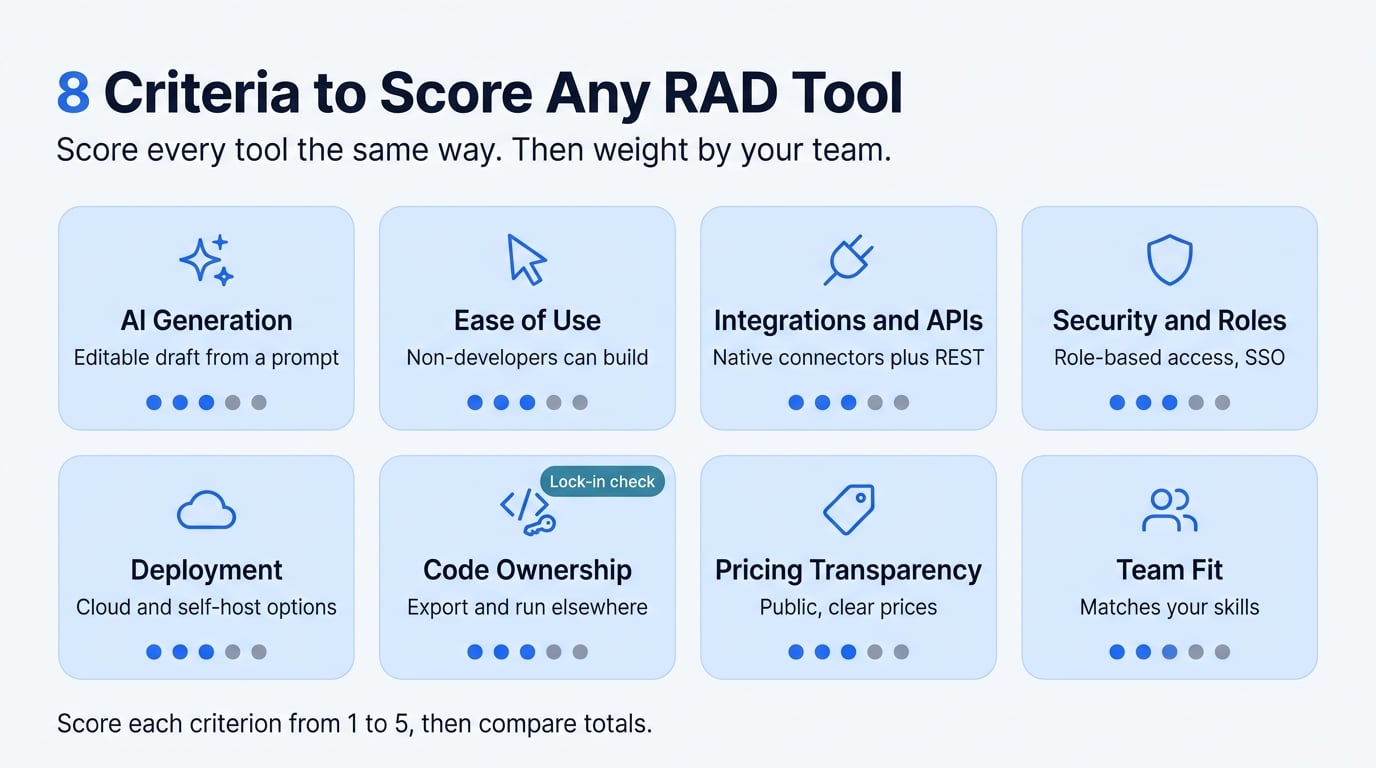
Score every tool on the same eight criteria. Then weigh them for your team. A two-person ops team cares most about ease of use and price. An engineering lead cares about code ownership and lock-in.
AI Generation:
A good tool should let you create a working draft you can edit later. Be cautious of AI tools that only demonstrate their functionality without offering real examples.
Ease of Use:
A non-developer should be able to complete a form within a day. If the tool requires extensive training before use, that may be a warning sign.
Integrations and APIs:
Look for tools that provide native connectors along with REST APIs. If basic functionality requires paid add-ons, consider that a red flag.
Security and Roles:
It's important to have role-based access and Single Sign-On (SSO) capabilities. Sharing one login among multiple users is also a red flag.
Deployment:
A good solution should offer both cloud and self-hosted deployment options. If the tool only operates on a locked host, that should raise concerns.
Code Ownership and Lock-In:
You should have the ability to export your data and run the application elsewhere. A proprietary runtime is a potential red flag.
Pricing Transparency:
Clear and public pricing is essential. If the pricing requires you to "contact sales" for everything, that's not ideal.
Team Fit:
The tool should align with your team's existing skills rather than requiring expertise that your team lacks.
Top RAD Platforms Compared: 9 Picks for 2026
These are the best rapid application development tools for 2026, grouped by type and compared with price and code ownership.
| Tool | Best for | AI generation | Code ownership | Free plan or trial | Deployment | Starting price |
|---|---|---|---|---|---|---|
| Enter Pro | Web apps from a prompt | Prompt-to-app | Editable React project | Free plan, daily credits | Hosted, custom domain | From $16/mo |
| Bubble | MVPs, SaaS prototypes | AI-assisted | No full export | Free plan | Hosted | $29/mo |
| Knack | Database-style apps | AI app building | Platform-bound | Free trial | Hosted | $59/mo |
| Zoho Creator | Zoho users | AI-assisted | Platform-bound | Free trial | Hosted | $8/user/mo, annual |
| Google AppSheet | Sheet-based apps | AI-assisted | Platform-bound | Free prototype tier | Google cloud | $5/user/mo |
| Power Apps | Microsoft 365 shops | Copilot | Platform-bound | Free developer plan | Microsoft cloud | $20/user/mo |
| Mendix | Custom enterprise apps | AI assistant | Platform-bound | Free edition | Cloud, on-premises | From $75/mo |
| OutSystems | Scalable enterprise apps | AI assistant | Proprietary runtime | Free personal edition | Cloud, on-premises | About $36,300/yr |
| Appian | Process automation | AI assistant | Platform-bound | Free community edition | Cloud | $75/user/mo |
AI-First App Builders: Enter Pro
Enter Pro generates a responsive React web app from a prompt, with a built-in database and authentication. You refine it via chat and the visual editor. But it is limited to web apps only; no native iOS or Android packages are included.
No-Code and Business-User Platforms: Bubble, Knack, Zoho Creator, Google AppSheet
Bubble suits MVPs but has no full code export. Knack fits database-style apps. Zoho Creator works best inside the Zoho suite. AppSheet turns Google Sheets or Excel data into apps, with limited design control.
Enterprise Low-Code Suites: Power Apps, Mendix, OutSystems, Appian
Power Apps fits Microsoft 365 shops, but licensing is confusing. Mendix suits custom enterprise apps. OutSystems scales well but uses a proprietary runtime. Appian leads to workflow automation at a higher implementation cost.
Rapid Web Application Development Tools for Browser-Based Apps
Web applications have specific requirements, including responsive layouts, hosting, custom domains, authentication, and browser performance. Four primary approaches cover most needs:
- Prompt-to-React: Suitable for those comfortable with coding.
- Visual No-Code: Platforms like Bubble, ideal for non-developers.
- Java-Based Web Rapid Application Development (RAD): Tools such as WaveMaker and Jmix with Vaadin, which require developers and provide full control.
- Spreadsheet-Driven: A solution like AppSheet.
AI for Application Development: What Changes for RAD
AI changes the first draft, not the review. You get a working version faster, but a person still decides what ships. Here’s how that splits across platforms, what AI can cover, and what to check.
AI Application Development Platform: Prompt-to-App vs AI-Assisted Low-Code
An AI application development platform uses AI to generate or assist in building apps. There are two models:
- Prompt-to-app tools like Enter Pro generate the plan, screens, data flow, and code. You set the requirements and review the result. The export is an editable React project.
- AI inside low-code tools (Power Apps, Mendix, OutSystems) suggests components and formulas. You still decide structure and logic. The export stays platform-bound.
AI Custom Application Development: When Generation Is Enough
AI custom application development covers forms, dashboards, CRUD screens, and standard integrations. Engineers still matter for complex business logic, regulated data, and performance. Previously, creating a custom approval tool required a developer to go through a sprint. Now, with a well-structured prompt, a working version can be generated initially, although a person still needs to review it.
Checks Before You Trust AI-Generated Apps
- Review authentication and roles.
- Test edge cases.
- Confirm the code is editable and owned by you.
- Review how data is handled.
Don’t call it production-ready without evidence. Learn more about the AI app builder.
Open-Source and Developer-First RAD Tools
Looking for open-source rapid application development tools? Start here.
| Tool | License | Best for | Catch |
|---|---|---|---|
| Appsmith | Apache 2.0 | Admin panels, dashboards | Needs developers to run it |
| Budibase | GPL v3 | Internal apps, forms | Copyleft terms |
| ToolJet | AGPL v3 | Internal tools | Source-disclosure rules |
| Joget DX | GPL v3 (Community) | Workflow apps | Enterprise edition is commercial |
| Jmix | Apache 2.0 | Spring Boot teams | Studio features are commercial |
| OpenXava | Free core | Java CRUD apps | XavaPro is commercial |
Open source rapid application development tools give you self-hosting and data control, but check each license and paid edition first.
How to Build an App With Enter Pro: Step by Step
Enter Pro is an AI app builder that creates an editable React web project. It stands apart from traditional enterprise low-code suites. Additionally, it comes with a built-in database and authentication features, eliminating the need to connect a separate backend. I will use the example of an equipment check-out tracker for a small team throughout.
Step 1: Create an Account and Open the App Builder
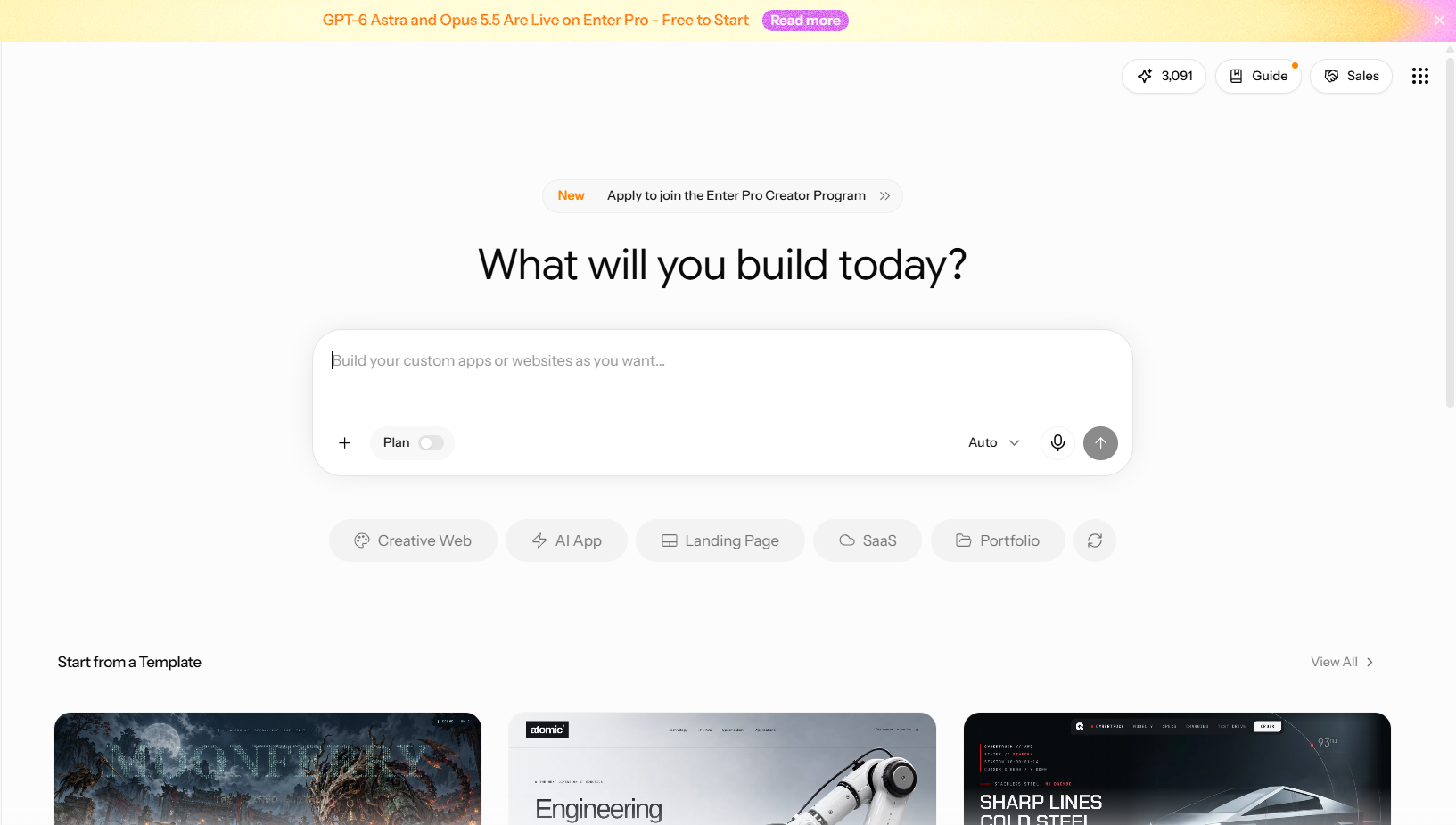
Sign up. Open the workspace. Find the prompt box. The free plan includes daily credits, so you can build this tracker without paying.
Step 2: Write a Build-Ready Prompt
Use six parts: target users, pages, core actions, content, data, visual direction.
Weak: “Build an equipment tracker.”
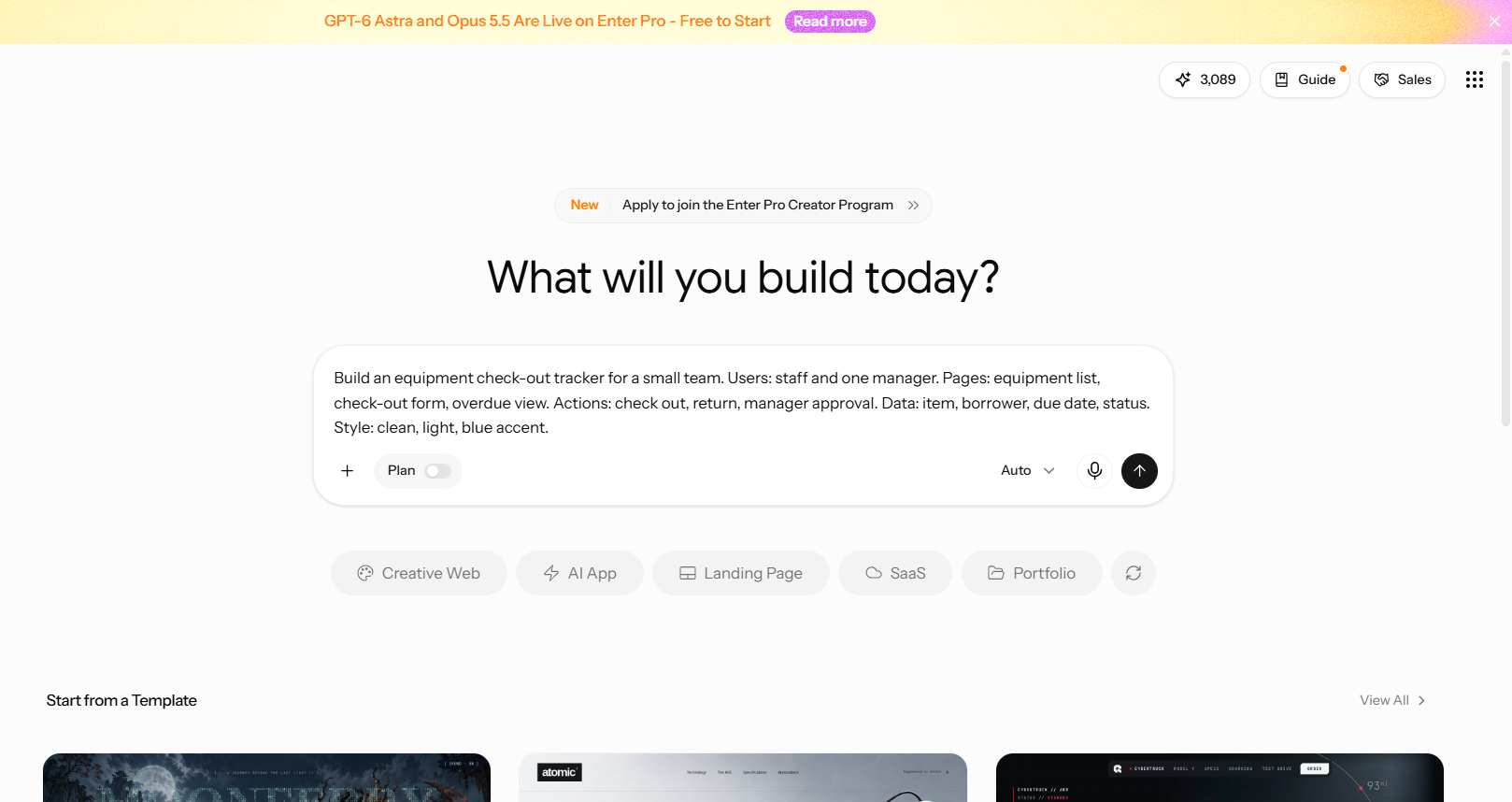
Strong: “Build an equipment check-out tracker for a small team. Users: staff and one manager. Pages: equipment list, check-out form, overdue view. Actions: check out, return, manager approval. Data: item, borrower, due date, status. Style: clean, light, blue accent.”
The weak prompt forces Enter Pro to guess. The strong one doesn’t.
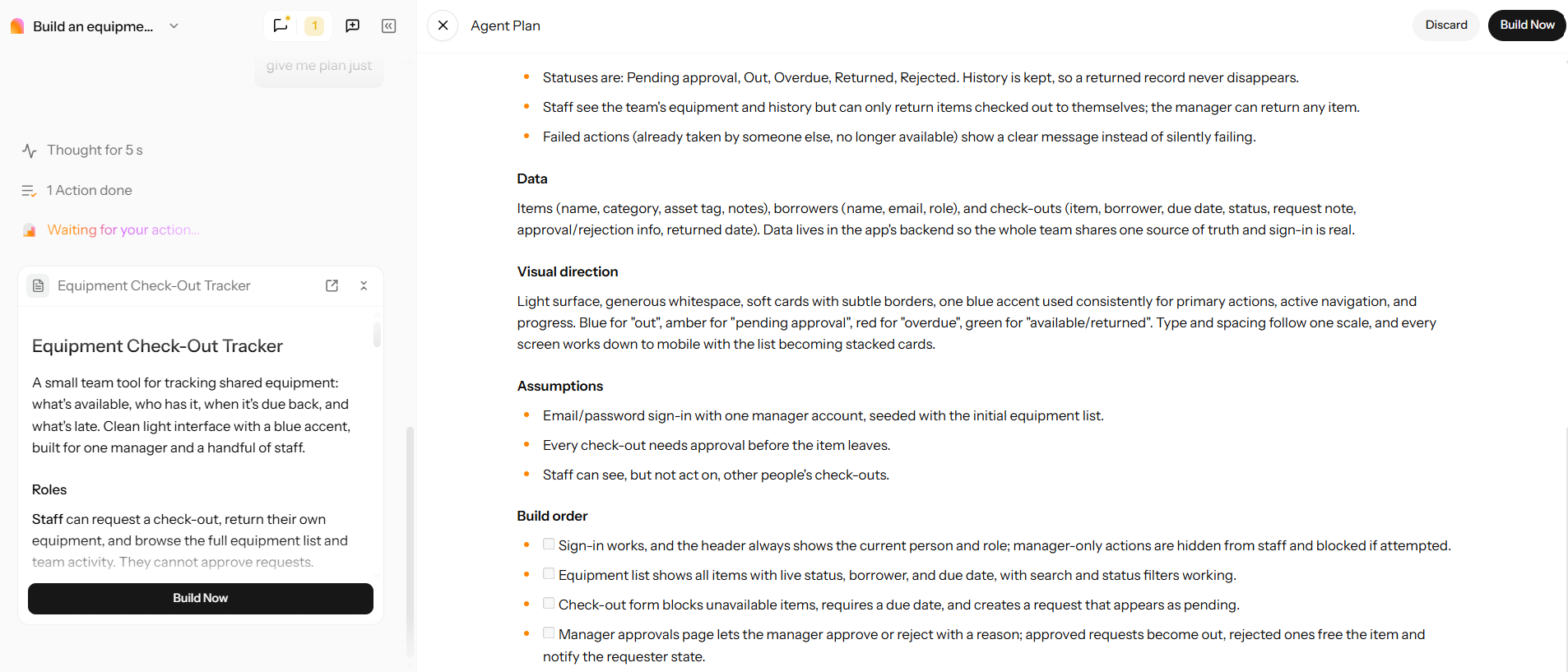
Step 3: Review the Plan
Enter Pro’s Plan Mode maps the build before it starts. It lists pages, main features, and how data is organized. Fix mistakes here. One edit now beats a rebuild later.
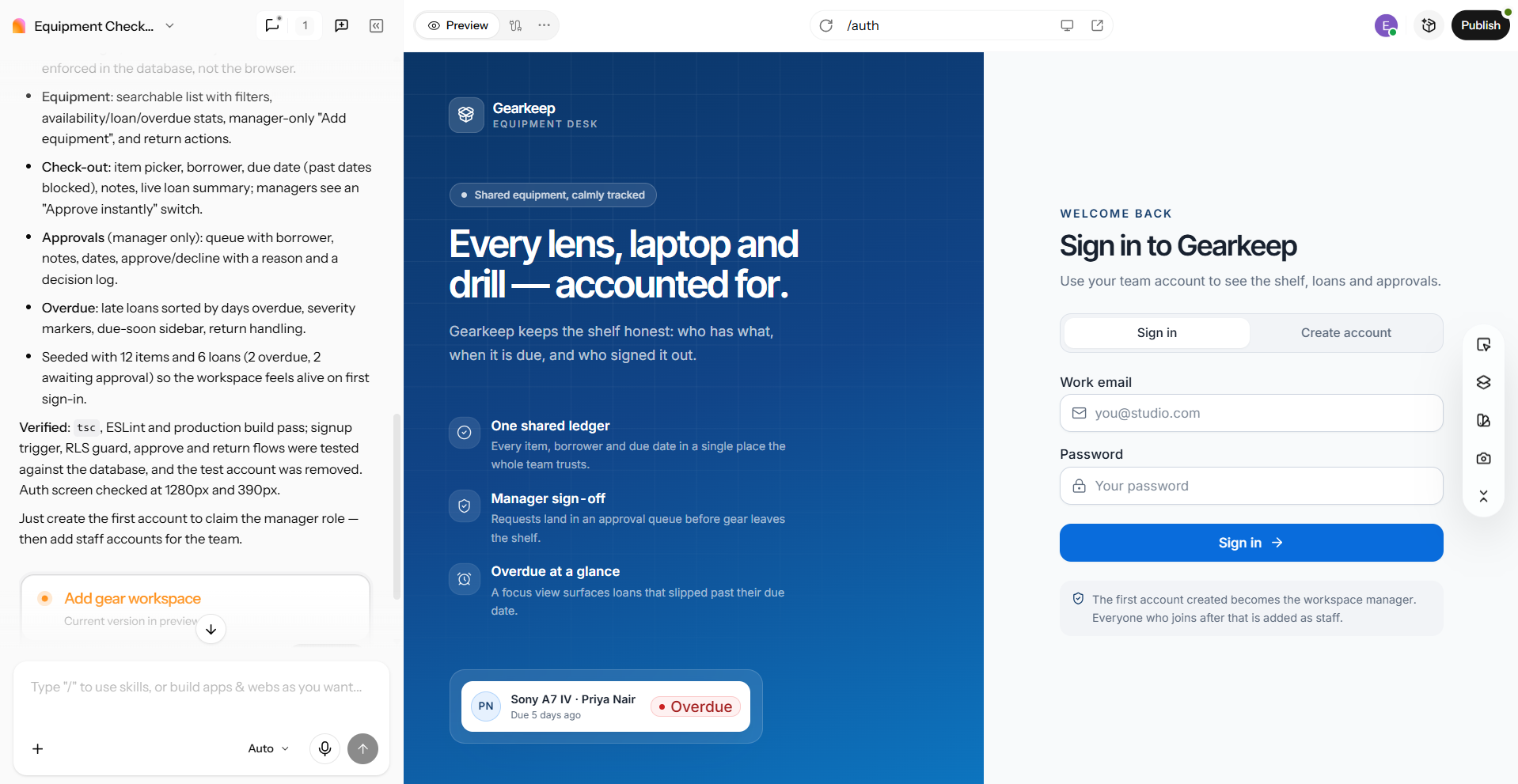
Step 4: Preview the Generated App
Once you approve the plan, the app appears. Check the pages, the navigation, and the first working data flow. Test checkout end to end.
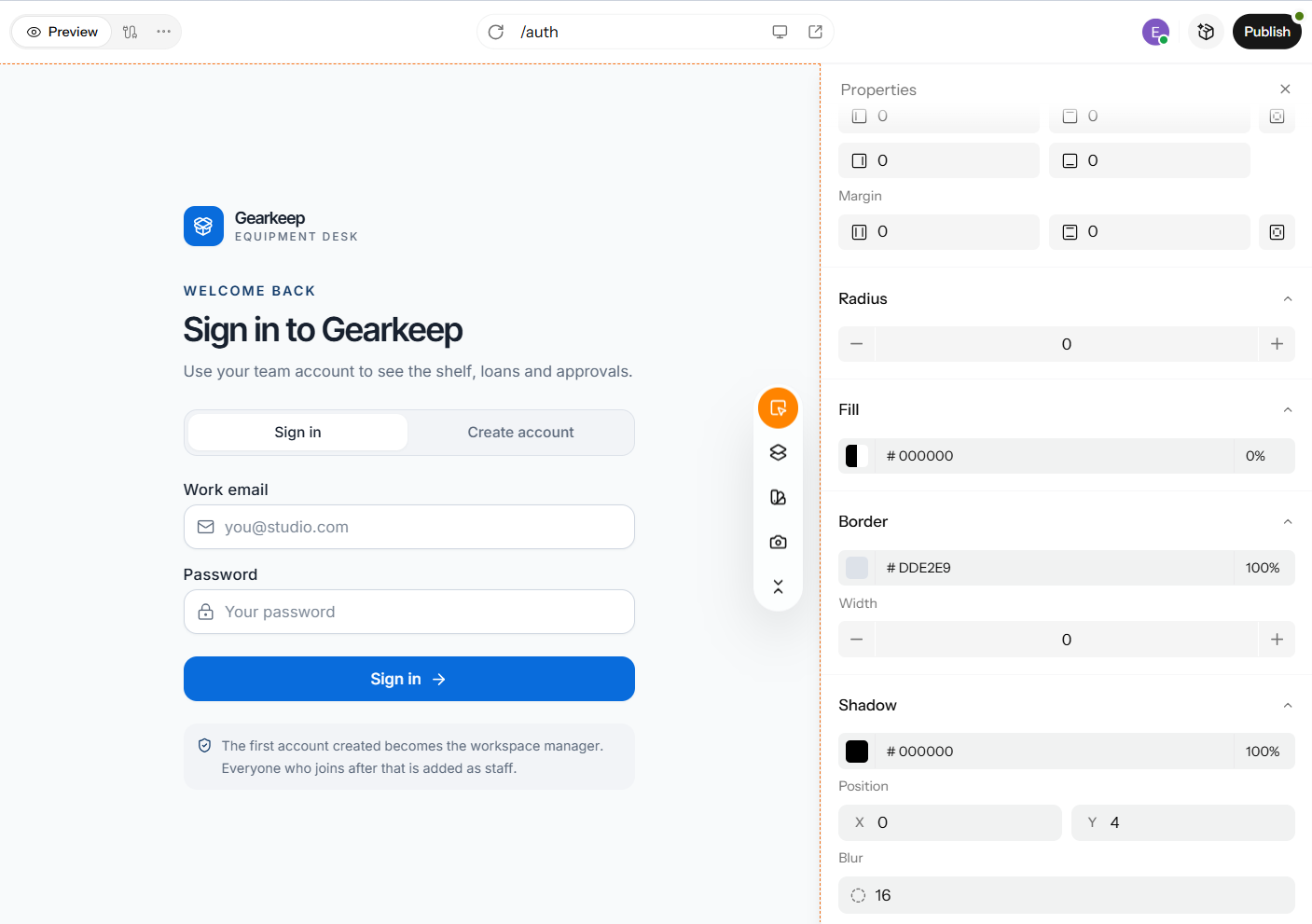
Step 5: Polish With the Visual Editor
Edit text, spacing, colors, and layout directly. Check the responsive previews. See the visual editor.
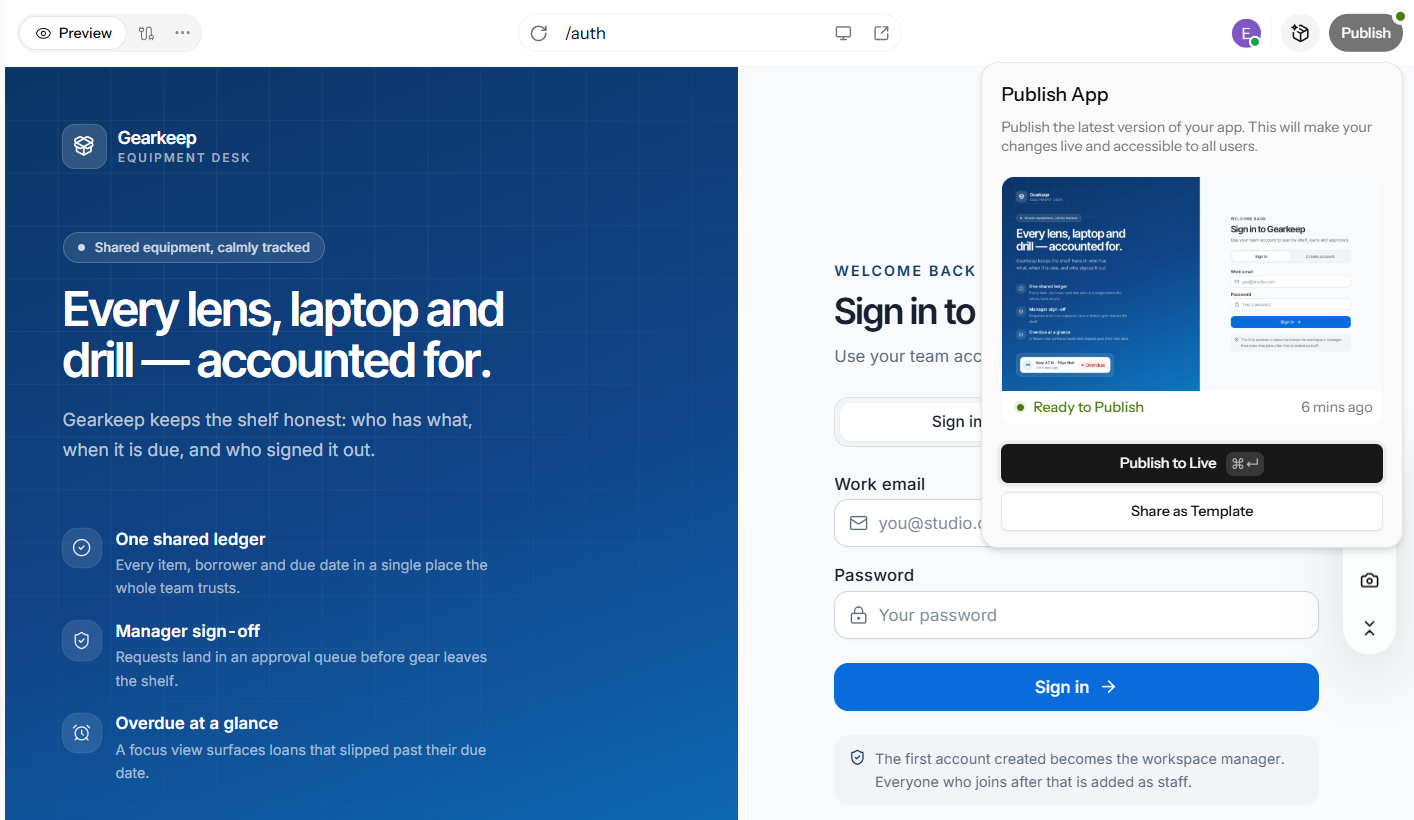
Step 6: Test and Publish
Run the test checklist once more. Click Publish. Share the link. Add a custom domain if you want. This publishes a web app, not an App Store or Google Play package. Going further? See the Enter Code docs and the internal tool builder.
Real-World Use Cases for RAD Tools
RAD tools earn their keep on specific jobs. Here are four common ones, with a real example and a limit for each.
Internal Tools and Inventory Tracking
A spreadsheet can become a check-out app that tracks who has what. Knack shows a manufacturing inventory scenario as a vendor example. Plan your data migration and permissions first, or the move gets messy.
MVPs and SaaS Prototypes
You can ship a testable first version to ten users in days. Bubble and Enter Pro both target this job, so compare export and ownership before you commit. A prototype isn’t a scaled product, and it shouldn’t be treated like one.
Customer Portals and Client Onboarding
A portal needs login, document upload, and a status page. All three are standards for RAD tools. Review compliance and data residency for each tool before you put client data in it.
Workflow Automation in Larger Organizations
Larger teams use Appian or Power Apps for approval chains and case management. Appian shares customer stories on its site, though they’re vendor-reported. Licensing and implementation can cost a lot, so budget for both.
Benefits and Limitations of RAD Tools
RAD tools help most when speed and feedback matter. They help least when you need full control. Here are both sides.
- RAD tools give you faster prototypes and earlier feedback. Rework costs less, and more people in your team can build.
- The tradeoffs are real. RAD fits very large teams and full-control projects less well. Architecture and non-functional requirements get neglected. Constant iteration can scatter management. Proprietary platforms can lock you in.
Conclusion
When choosing development tools, match your needs to the platform: low-code suits large enterprises, no-code empowers business teams, and open source offers greater control. For rapid app development, AI app builders are the quickest way from idea to deployment. When you compare tools for rapid application development, test a couple with the same feature set and watch out for vendor lock-in. If you need a quick, editable, and publishable web app, Enter Pro provides an efficient workspace to kickstart your project.
FAQs About Rapid Application Development Tools
What are RAD tools?
RAD tools are software applications that accelerate app development by utilizing visual builders, templates, automation, and artificial intelligence. Enter Pro can generate a web application from a simple prompt, and the outcome remains editable through both a visual editor and code.
Which RAD tool is best for building an app fast?
It depends on the need. AI builders win on speed, no-code on business-team access, enterprise low-code on governance, open source on control. Enter Pro is the fastest route from idea to a working web app. It builds web apps only, not native iOS or Android packages.
What are the best tools for building web apps quickly?
Compare prompt-to-app builders, no-code web builders, and Java web RAD tools like WaveMaker and Jmix. Enter Pro outputs a responsive React project. It publishes with a shareable link and an optional custom domain.
Is there an open-source RAD tool?
Yes. Open source rapid application development tools include Appsmith, Budibase, ToolJet, Joget DX, and Jmix, each with its own license and paid options. Choose Enter Pro when you want hosted speed instead of running servers. Its output is a standard React project you can inspect.
Can AI build a complete application?
AI can generate a working first version of many web apps. Review, testing, and complex logic still need people. Enter Pro generates the plan and the app for you to review and preview. Enter Code handles developer-level changes.
Is AI custom application development better than hiring developers?
For prototypes, internal tools, and standard workflows, yes. For complex or regulated systems, developers win. Enter Pro shortens the first draft. It hands developers an editable codebase, not a black box.
What is an AI application development platform?
A platform that uses AI to generate or assist in building apps is an AI application development platform. That ranges from prompt-to-app builders to AI helpers inside low-code tools. Enter Pro is a prompt-to-app example. It differs from enterprise low-code suites by producing editable code.
What are the disadvantages of RAD?
RAD may not be suitable for very large systems due to its weaker fit and potential neglect of overall architecture. Additionally, the constant iterations required for management can be challenging. There is also a risk of lock-in with proprietary platforms. However, Pro’s inspectable code helps mitigate this lock-in risk. It's important to note that RAD primarily focuses on building web applications, rather than native mobile apps.