
Relume Review: Will This AI Site Builder Finally Fix Design Delays?
Read our comprehensive 2026 Relume review. Explore Relume AI features, pricing, and pros/cons for Webflow designers, plus see the best alternative to Relume.
The digital design environment has moved past the era of manual pixel-pushing into a world where automation dictates the speed of production. If you are a designer or developer operating within the Webflow and Figma ecosystem, you have undoubtedly encountered Relume. But as we navigate 2026, the question remains: does this tool still provide enough value to justify its cost, or have more integrated solutions surpassed it? In this comprehensive Relume review, we will dissect the platform's current capabilities, its pricing structure, and how it compares to the next generation of full-stack development agents.
Whether you are trying to understand what Relume is for the first time or you are a seasoned pro looking for a more efficient Relume site builder experience, this analysis covers every technical angle. We will also explore why some teams are shifting their focus toward more comprehensive platforms like Enter Pro to handle the heavy lifting of modern web applications.
Relume at a Glance
| Feature | Details |
|---|---|
| Best For | Webflow & Figma designers looking for rapid wireframing and standardized components. |
| Key Capability | AI-driven sitemap and wireframe generation with a library of 1,000+ components. |
| Platform Compatibility | Deeply integrated with Webflow and Figma. |
| Pricing Model | Freemium (Free, Starter, Pro, and Team tiers). |
| Ease of Use | High; utilizes Intelligent Mode for intuitive prompt-based building. |
What is Relume and Why Are Web Designers Using It Today?
To get started, we need to answer the fundamental question: What is Relume in today's context? Far from being just a static library, Relume io has evolved into a sophisticated planning and wireframing engine. Unlike a traditional AI website builder that creates fully styled final pages immediately, it essentially provides a structured framework for designers who want to move from a client brief to a functional layout without the typical "blank canvas" anxiety.
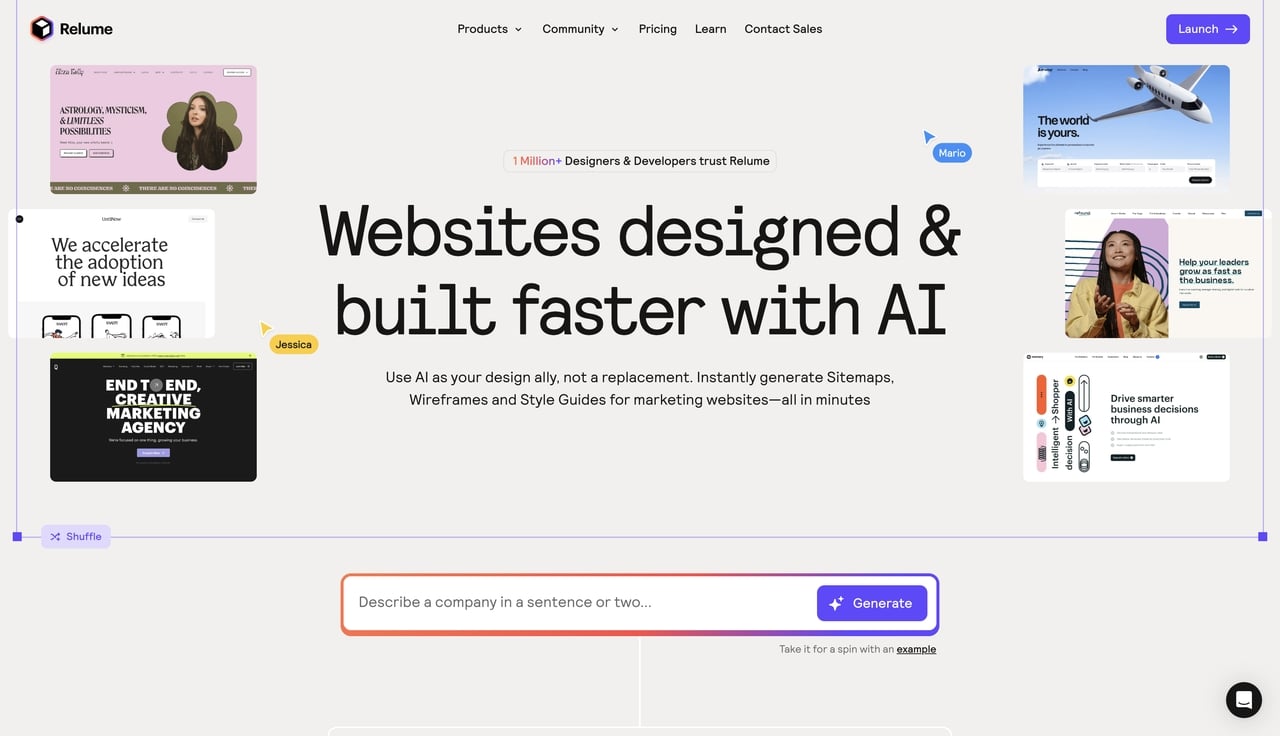
The core philosophy of the Relume site builder is based on standardization. By utilizing the "Client-First" methodology, the platform ensures that every component you use is built with clean, scalable code. This is a massive win for SEO strategists and developers alike. When you perform a Relume review of your internal projects, you'll notice that the code quality is often superior to what a junior developer might produce manually. The tool acts as a bridge, allowing high-level design thinking to manifest into production-ready components instantly.
Relume Core Features: What Can Relume Actually Do?
To truly evaluate the platform, we must examine the specific tools it provides. The Relume AI website builder is not a single tool but a suite of integrated features designed to eliminate the repetitive tasks of web development.
-
**AI Sitemap Builder: This feature allows users to generate comprehensive sitemaps using simple text prompts. It uses Relume AI **to suggest a logical page and section flow based on a business's specific needs.
-
AI Wireframe Builder: Once your sitemap is set, this tool automatically populates the pages with low-fidelity components. It transforms abstract ideas into a tangible structure within seconds.
-
Relume Library: The heart of Relume io, this is an extensive collection of over 1,000 pre-built Webflow components. Every section is designed to be responsive and follows professional coding standards.
-
Figma & Webflow Plugins: These plugins facilitate a seamless workflow. You can copy wireframes directly into Figma for styling or paste them straight into Webflow for final development.
-
Relume Ipsum: This intelligent copy generator replaces "Lorem Ipsum" with relevant, industry-specific text, helping you visualize the final messaging early in the design phase.
Step-by-Step Guide: How to Use the Relume Site Builder
If you decide to stick with the design-first approach, using the platform is a straightforward four-step process.
1. Initiate a New Project and Generate a Sitemap
Log in to your dashboard and click "New Project" to begin. Navigate to the Sitemap tab and enter a detailed description of your project. For example, describe "a SaaS platform specializing in renewable energy analytics." Select the number of pages you require and click "Generate Sitemap." The Relume AI website builder will instantly create a structured outline, showing how pages connect and listing essential sections like heroes, testimonials, and CTAs.
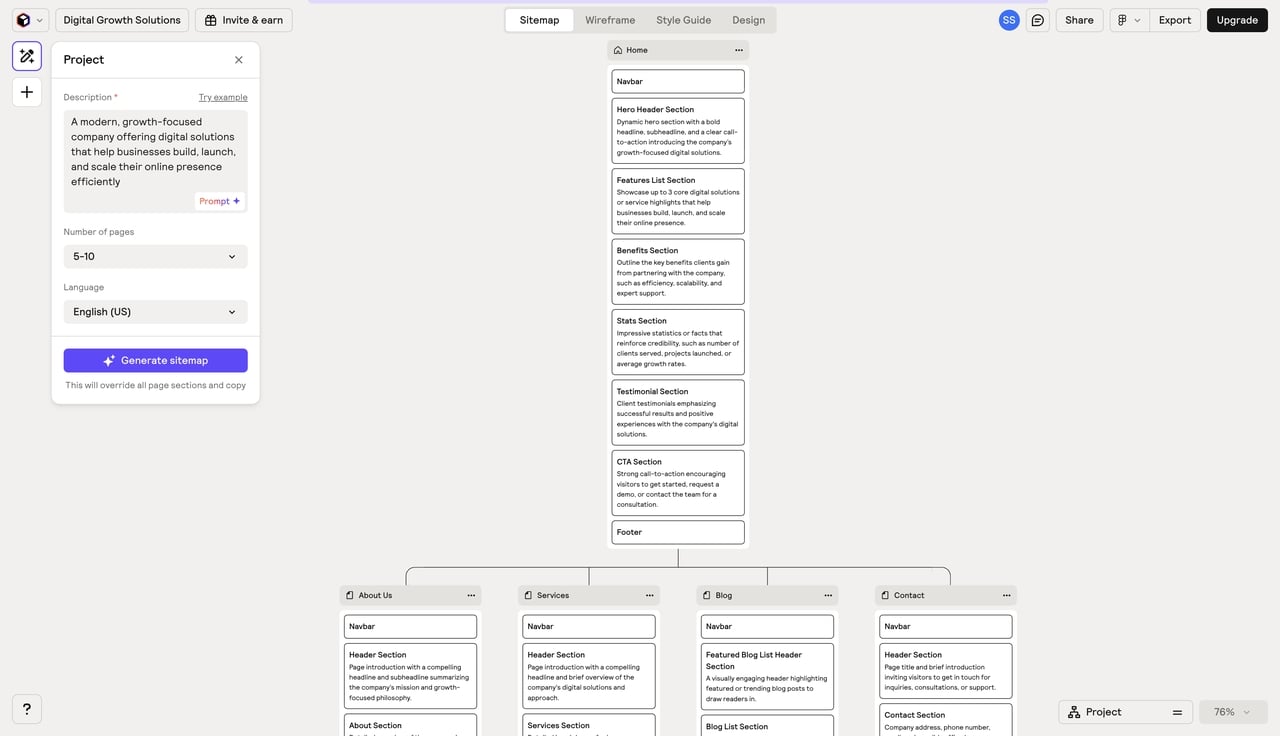
2. Personalize and Customize Your Intelligent Sitemap
Once the layout is generated, you can refine it to match your specific content needs. Simply click on any section title or description to edit or rewrite the text. You can also drag and drop sections to rearrange the order. If you need more variety, use the plus (+) icon to add pre-built templates from the Relume library. This ensures the sitemap reflects your business goals before you move into the visual phase.
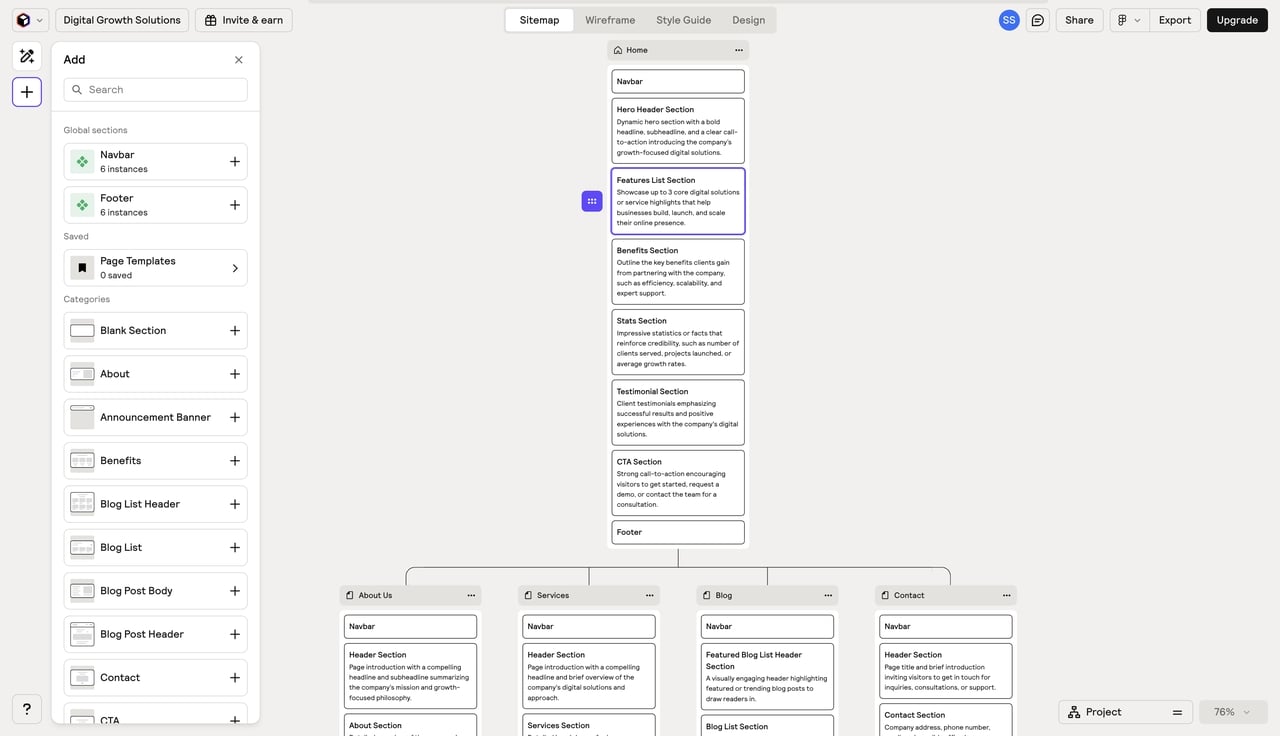
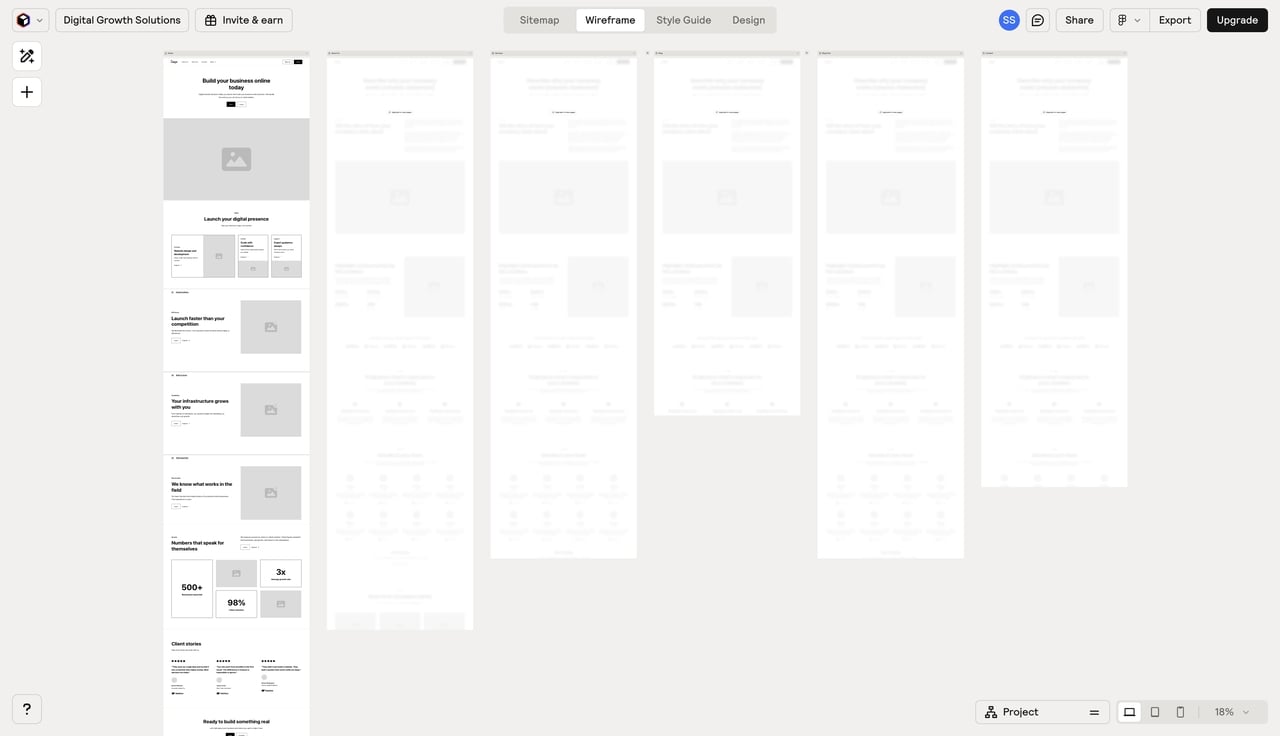
3. Convert Your Sitemap into Visual Wireframes
Once your layout is set, head to the Wireframe tab. One click triggers Intelligent Mode to transform your text outline into low-fidelity visuals. By populating pages with actual components like headings and buttons, you get a solid first draft. It's the fastest way for your team to grasp the site's flow before the heavy design work begins.
4. Refine Design Directions with Pitch Concepts
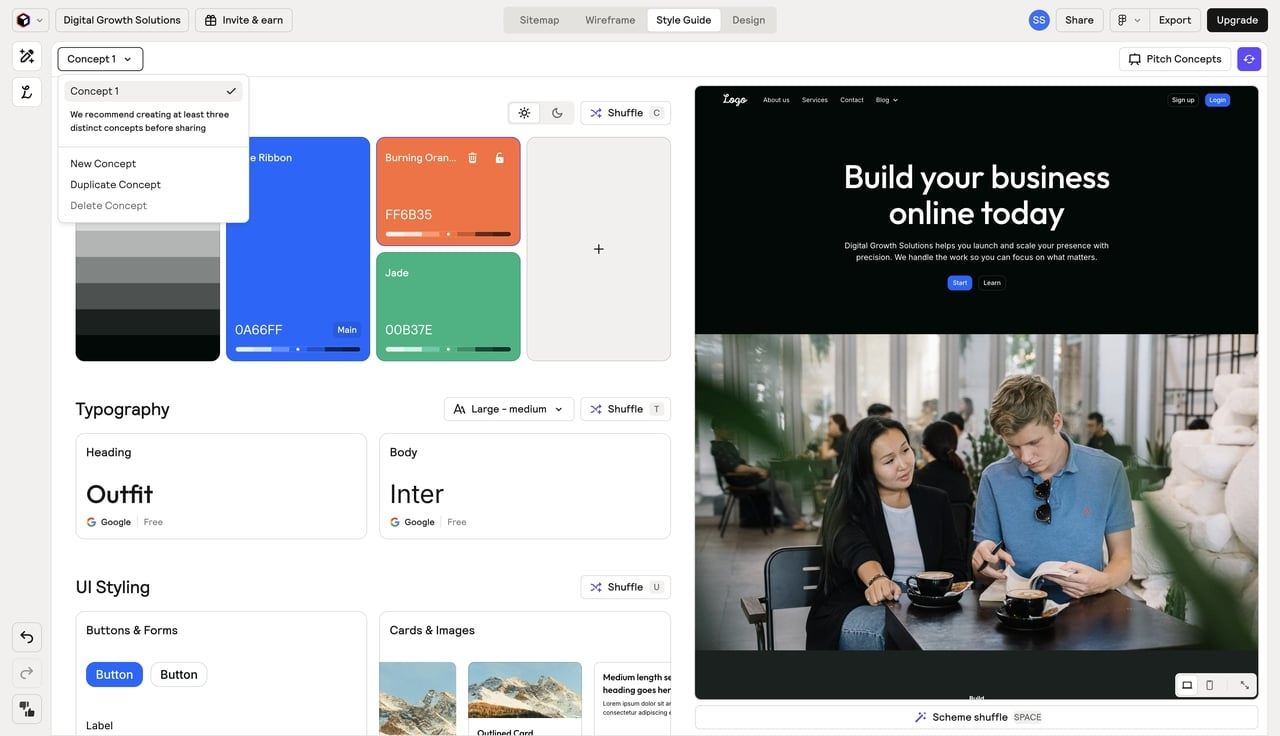
Head over to the Style Guide tab to play with visual identities. Hit "New Concept" to dial in your typography and colors; the tool even handles the accessibility math for your shades automatically. When the system feels right, use "Pitch Concepts" to whip up three distinct visual vibes. It's the perfect way to show clients different creative paths without ever touching the underlying wireframe.
Breaking Down Relume Pricing Plans for Teams and Agencies
One of the most critical aspects of any software choice is the financial commitment. Relume pricing has undergone several shifts to accommodate the growing demand for automated design. The pricing tiers are structured to serve everyone from solo freelancers to large agencies.
| Plan | Pricing (Annual) | Best For |
|---|---|---|
| Free | $0 | Beginners testing the sitemap logic. |
| Starter | $18/mo | Solo designers with 1 active project. |
| Pro | $40/mo | Freelancers with unlimited projects. |
| Team | $36/mo/user | Agencies requiring collaboration. |
When analyzing Relume pricing, you must consider the "time-to-market" factor. If the Relume AI website builder saves your team ten hours per project, the $40 monthly fee is negligible. However, for those who need more than just a wireframe—such as those building functional apps with backends—this price point can feel steep for a tool that strictly handles the design and layout phase.
The Pros and Cons of Using Relume for Professional Work
No tool is perfect, and Relume io is no exception. While it offers unparalleled speed for a specific niche, it also comes with limitations that might frustrate certain types of creators.
The Advantages (Pros)
-
Extreme Efficiency: The ability to go from a prompt to a full sitemap and wireframe in minutes is a game-changer for agency workflows.
-
Clean Code Standards: Every component follows the Client-First naming convention, making the transition to Webflow seamless and SEO-friendly.
-
Massive Component Library: With over 1,000 human-designed sections, you rarely have to build a common layout from scratch.
-
Figma Synchronization: The Figma plugin is highly refined, allowing for easy styling of the low-fidelity wireframes.
The Disadvantages (Cons)
-
Limited to Frontend Design: It does not handle databases, authentication, or complex backend logic.
-
Platform Lock-in: The tool is heavily optimized for Webflow; if you use other platforms like Shopify or Framer, the utility decreases.
-
Generic Aesthetics: If you don't spend time customizing the UI in Figma, your sites can end up looking very similar to other "Relume-built" projects.
-
Steep Pricing for Designers: Compared to all-in-one builders, paying $40/month just for wireframing can feel restrictive for some.
Why Enter Pro is the Best Full-Stack Alternative to Relume
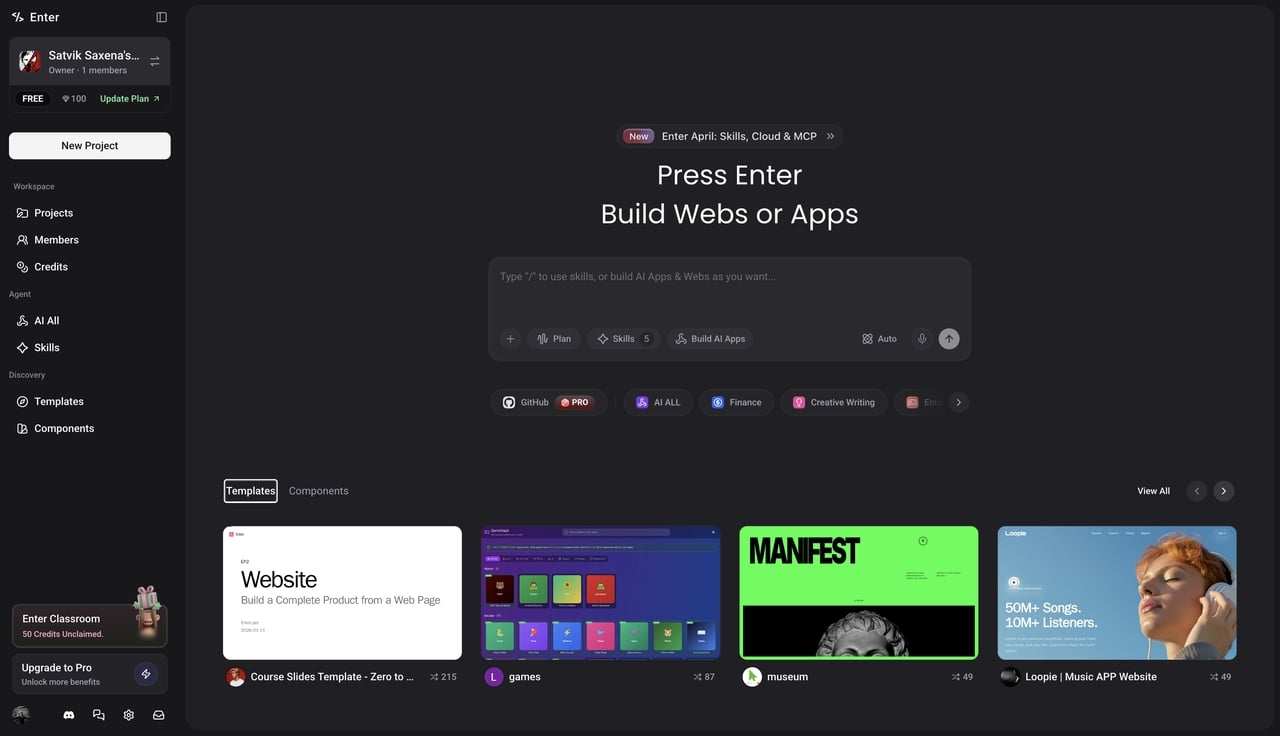
While the Relume AI** **tools are excellent for the design phase, many professionals are finding that they need a tool that can do more than just plan. They need a tool that can build. This is where Enter (Enter Pro) enters the picture. Enter Pro is a "vibe coding" agent designed to turn anyone into a full-stack developer. While Relume gives you the "shell," Enter Pro builds the entire living, breathing application.
Professional Apps from Scratch, No Coding Required
One of the most significant selling points of Enter is its ability to turn words into deployed applications. Whether you are a PM or a founder, the Enter Agent handles the backend logic and frontend deployment with a single click. Unlike a standard Relume site builder that leaves you with a Figma file, Enter leaves you with a live URL.
AI-Native Core with Universal Model Access
Enter Pro offers one subscription that grants access to all top-tier LLMs. You can switch instantly between Claude 3.5 Sonnet, Gemini Pro, and other cutting-edge models. You don't have to worry about managing multiple API keys; Enter handles the compute while you handle the creativity. This "Model Freedom" ensures that your app is always powered by the smartest available brain.
The Ultimate Remix Capability for Rapid Building
Don't want to start from zero? Enter Pro features a revolutionary Template Marketplace where you can "Remix" the community's best projects. When you remix an app, you aren't just getting a pretty UI; you get the full-stack clone, including the database, backend, and integrated logic. It's like having a library of functional apps ready for your customization.
Transparent Workflow and 100% Code Ownership
Enter Pro believes in a transparent process. You can watch the Enter Agent think, plan, and debug in real-time through the Chat Queue. Most importantly, you maintain 100% code ownership. You can export your full source code at any time and deploy it to your own servers. We are your launchpad, not your cage—giving you the freedom that many proprietary builders simply cannot offer.
Conclusion
The choice between Relume and its alternatives often comes down to the complexity of your project. For high-speed web design, the Relume AI** **engine is hard to beat. For those who want to build the future of full-stack applications with an Intelligent Mode dev agent at their side, Enter Pro offers a level of freedom and power that traditional design tools simply cannot match. Evaluate your workflow, consider your budget, and choose the builder that aligns with your goals.
Frequently Asked Questions
- Does Relume generate a live, hosted website?
No. Relume generates sitemaps and wireframes. You still need to export these designs to a platform like Webflow to host and launch your site. For a tool that handles deployment and hosting automatically, you might prefer a platform like Enter Pro.
- Can I use Relume for mobile app design?
Relume is primarily optimized for web design. While its components are responsive, it does not currently offer a native "mobile-first" builder for iOS or Android apps. Enter Pro AI app builder, on the other hand, supports mobile-first creation and full-stack app logic.
- Is the Relume AI website builder good for SEO?
Yes, because it uses the Client-First naming convention and clean HTML structure, the output is very SEO-friendly. However, you will still need to manually optimize your copy and metadata once you export the design to Webflow.
- What happens if I cancel my Relume pricing plan?
If you cancel your paid subscription, you will typically lose access to the premium library and the ability to manage unlimited projects. However, any designs you have already exported to Figma or Webflow remain yours.
- How does Enter Pro compare in terms of code ownership?
Unlike many builders that keep your code on their servers, Enter Pro provides 100% code ownership. You can export the entire source code at any time, allowing you to move your project to your own hosting environment whenever you wish.