
5 Best Responsive Website Builders for Modern Websites
Looking for the best responsive website builder? Compare 5 platforms for mobile editing, AI generation, design flexibility, pricing, and ease of use in 2026.
Selecting a responsive website builder requires more than just templates that are compatible with smaller screens. I tried out 5 platforms and then compared their responsive controls, AI, customization, price, and ease of use. This comparison shows the differences in screen sizes, design changes, and website creation workflows for each of these tools. These findings are useful for finding the best responsive website builder for business, client projects, or personal websites, depending on your needs.
What makes a website truly responsive?
A mobile-friendly design is not just a scaled-down desktop layout. A truly responsive design adapts layout, spacing, and content to each screen size. A responsive design website builder provides more control to ensure a consistent layout for the following devices:
- Mobile and tablet responsiveness: Look for layouts that adjust naturally across different screen sizes. Elements should remain readable without awkward scrolling or overlapping content.
- Breakpoint and layout controls: A good builder offers flexible breakpoints for devices. These controls allow you to make some fine-tuning adjustments to spacing, columns, typography, and the positioning of elements.
- Mobile editing and preview: Mobile editing allows you to make changes to designs directly on smaller screens. Preview tools can also help you see layout problems before you publish your site.
- Design flexibility: Responsive builders should support flexible grids, sections, images, and typography. Greater control helps create consistent designs without sacrificing your desktop layout.
- Ease of use: A great builder makes responsive editing accessible for beginners. There is less need for technical coding knowledge with clear controls and visual previews.
- Performance: Responsive design should not compromise loading speed across devices. Optimized images, clean code, and lightweight elements help pages load faster.

5 Best responsive design website builders
Below, I have listed a comparison table of the 5 best responsive website design service tools to help you make a preliminary judgment.
Note: The following price data is from October 2026. Please check the latest prices on the official website before subscribing.
| Builder | AI generation | Responsive editing | Mobile Editing | Customization richness | Starting price | Ease of use |
|---|---|---|---|---|---|---|
| Enter Pro | AI-powered workspace with multiple models (Claude Sonnet 4.6, DeepSeek V4 Pro) | Prompt-based plus visual editor refinements | Visual editor and Preview tab to check layouts | Very high – full source code access, export, and self-hosting | $16/mo | Easy |
| Wix Studio | Responsive AI, AI code assistant, AI content generation | Canvas editor with custom breakpoints and one-click Responsive AI | Custom mobile breakpoints for tablet and mobile views | High – custom CSS, animations, JavaScript, npm, backend functions | $17/mo | Moderate |
| Webflow | Webflow AI and MCP server (included in free Starter plan) | Breakpoint-level control over CSS, flexbox, and grid | Per-breakpoint adjustments to spacing and positioning | Very high – GSAP animations, interactions, CMS, ecommerce, code export | $0/mo | Moderate |
| Squarespace | AI-assisted drafting for content and layouts | Fluid Engine grid-based editor | Mobile-responsive templates with adjustable grid layouts | Moderate – polished templates with flexible layouts | $19/mo | Moderate |
| Hostinger Website Builder | Conversational AI Builder and Hostinger Agent | Automatically responsive output, refined via chat prompts | Responsive sites generated by AI | Basic to moderate – best for simple sites | $2.99/mo | Moderate |
Enter Pro
Enter Pro helps you create websites with minimal manual coding. You can use its AI-powered workspace to shape responsive website projects with more flexibility than typical drag-and-drop builders. The standout benefit is 100% code ownership, giving you control beyond the platform itself. Generated source code can be downloaded, exported, and self-hosted for greater flexibility. Explore the Enter Pro responsive website maker to start building and customize your workflow.
Build a Responsive Website Now →
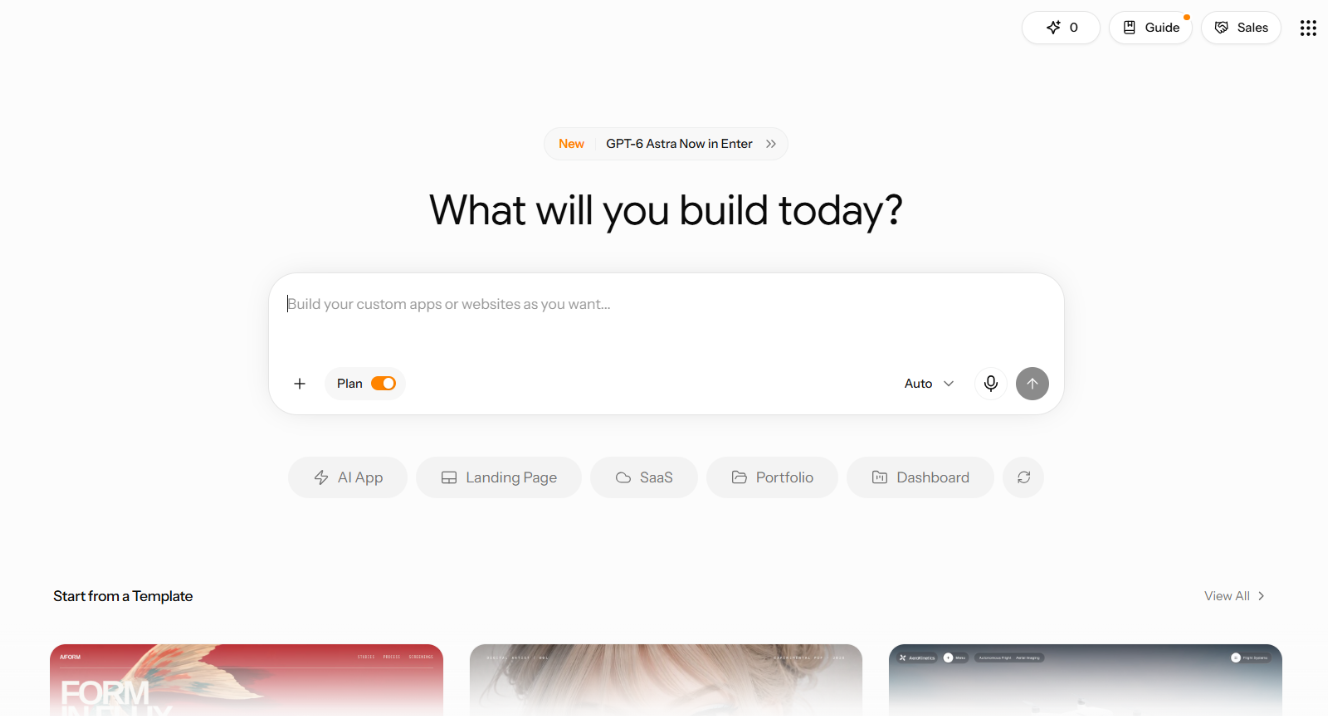
Key features of Enter Pro
- AI-powered website development: Enter Pro helps build websites through AI-assisted development. You can describe your requirements and turn ideas into functional web applications.
- Multiple AI models: Enter Pro gives developers access to multiple AI models for different coding needs. These include Claude Sonnet 4.6 and DeepSeek V4 Pro.
- Visual application editing and customization: The visual editor lets you modify applications without relying entirely on code. You can make changes directly through the Enter Pro visual editor interface.
- Full source code access: Enter Pro provides access to the generated source code. This lets you inspect, modify, and extend your application as needed.
- Simplified, one-click deployment: Enter Pro streamlines the deployment process after development. Its simplified workflow helps you move applications from editing to a live environment faster.
Pricing
For insights on the key pricing plans of Enter Pro you can visit here. You can explore the available pricing options and compare plan features to understand which option best fits your project requirements and budget.
Steps to create a responsive website with Enter Pro
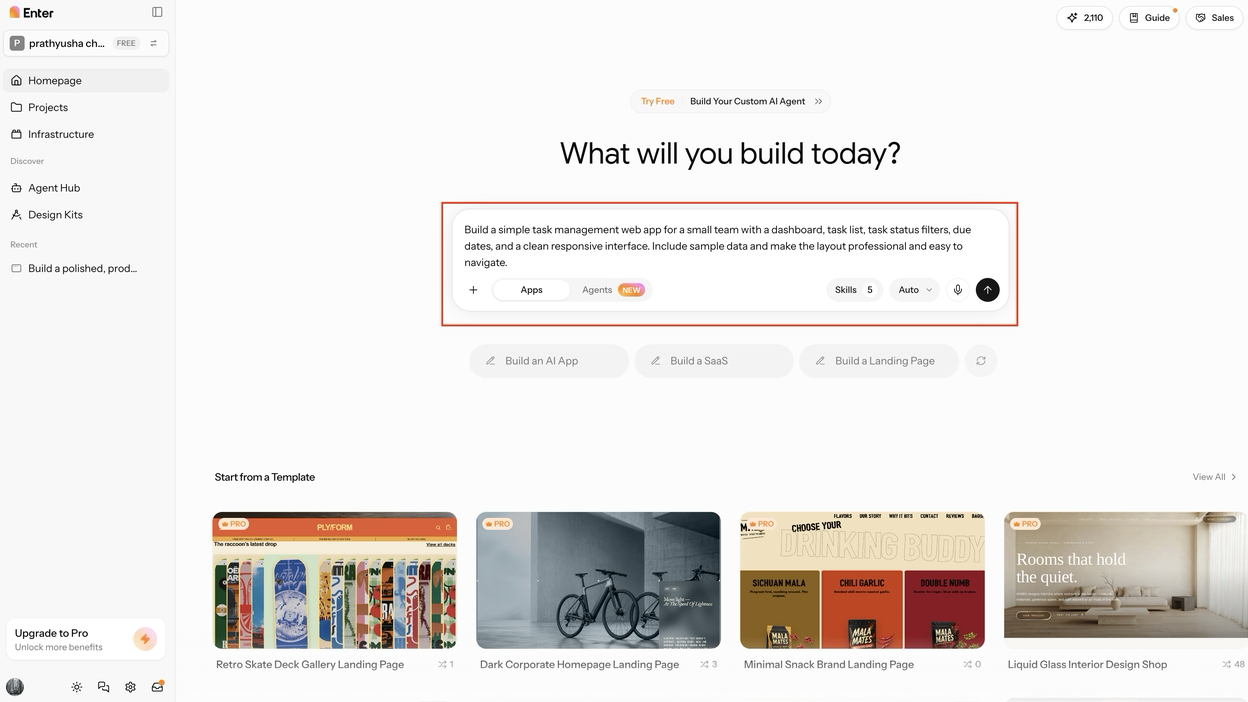
Step 1: Describe your website
Provide a detailed prompt describing the website you want to build. Explain its purpose, target users, required pages, key features, preferred design, navigation, technical requirements, and workflow. Giving Enter Pro this context helps it understand your goals and generate a more suitable website. Once your instructions are ready, click "Generate" to begin the development process.
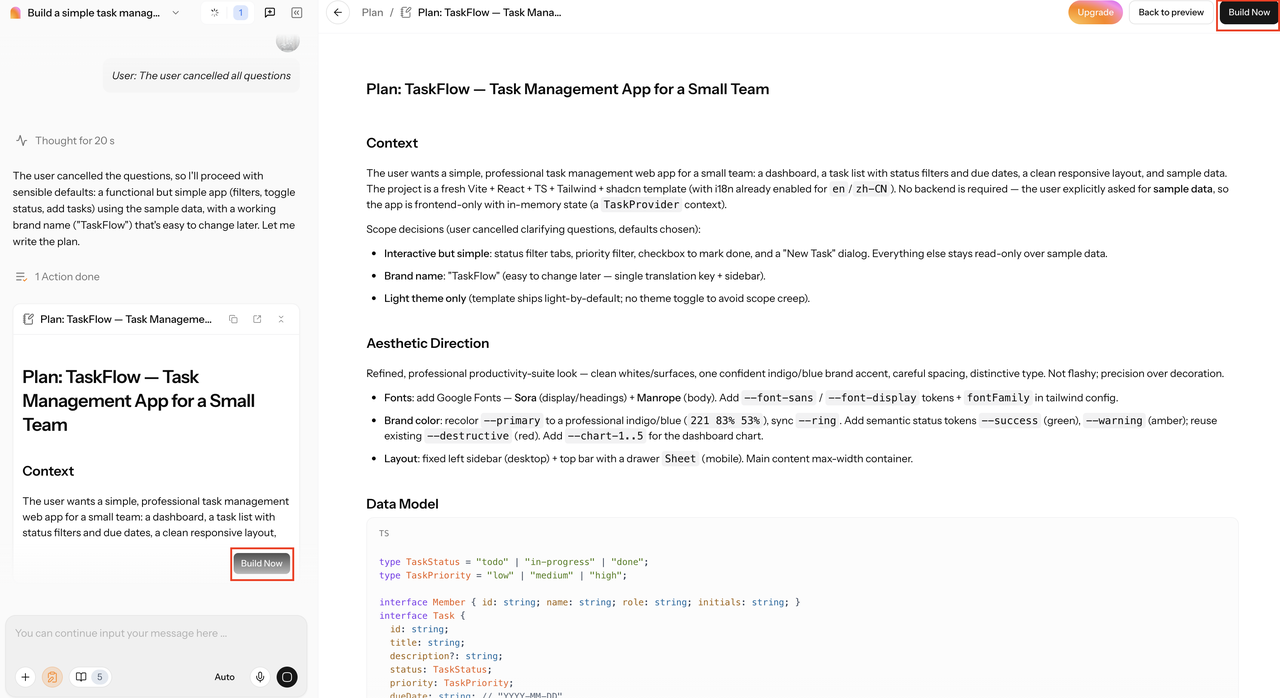
Step 2: Customize the site
Enter Pro may ask extra questions during site creation. Answer them to influence the first draft. Select "Build Now" to start building the app. Once generated, refine the site visually, change layout, text, colors, fonts, images, and sections without coding manually.
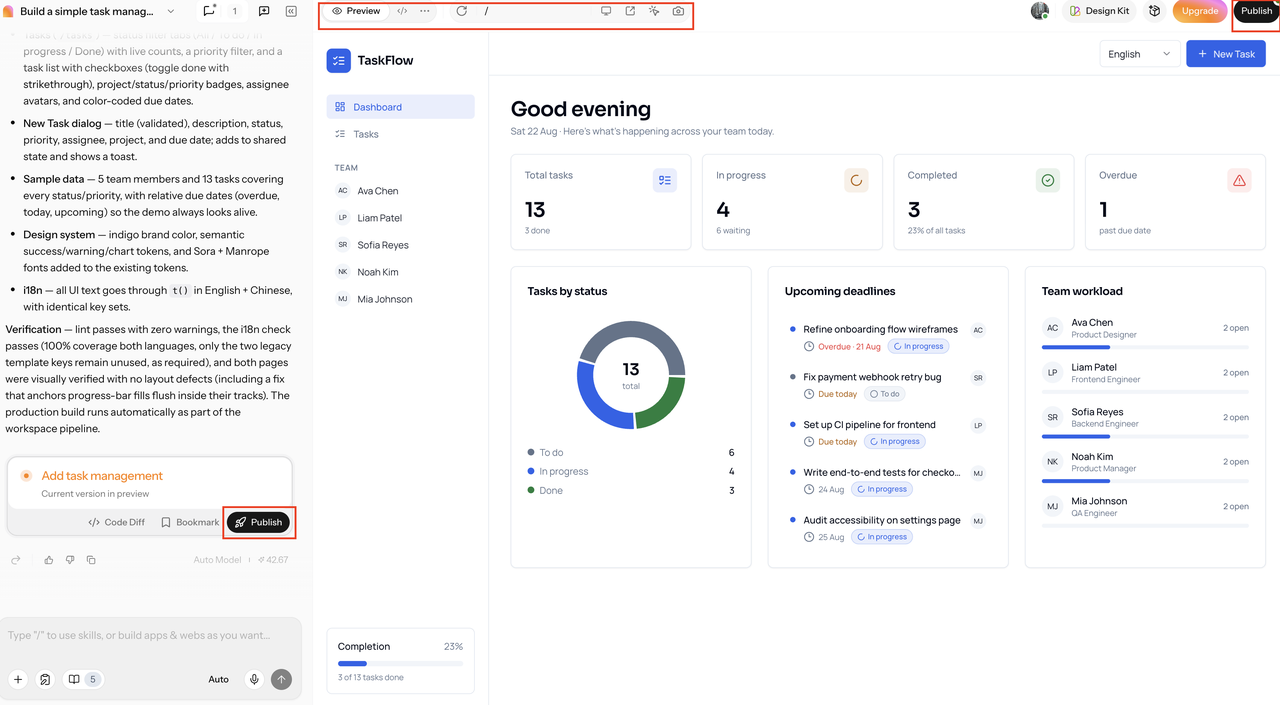
Step 3: Test and publish
Select the "**Preview" **tab to inspect the completed website before publishing. Check each page, navigation path, interactive element, and key function to identify potential issues. If you notice design, usability, or performance problems, make the necessary changes through the top menu and test them again. Once everything functions as expected, choose the available "Publish" option to deploy your website.
Best for whom: Enter Pro is best suited for developers, creators, and businesses that want AI-assisted website development with flexible customization and full source-code access.
Wix Studio
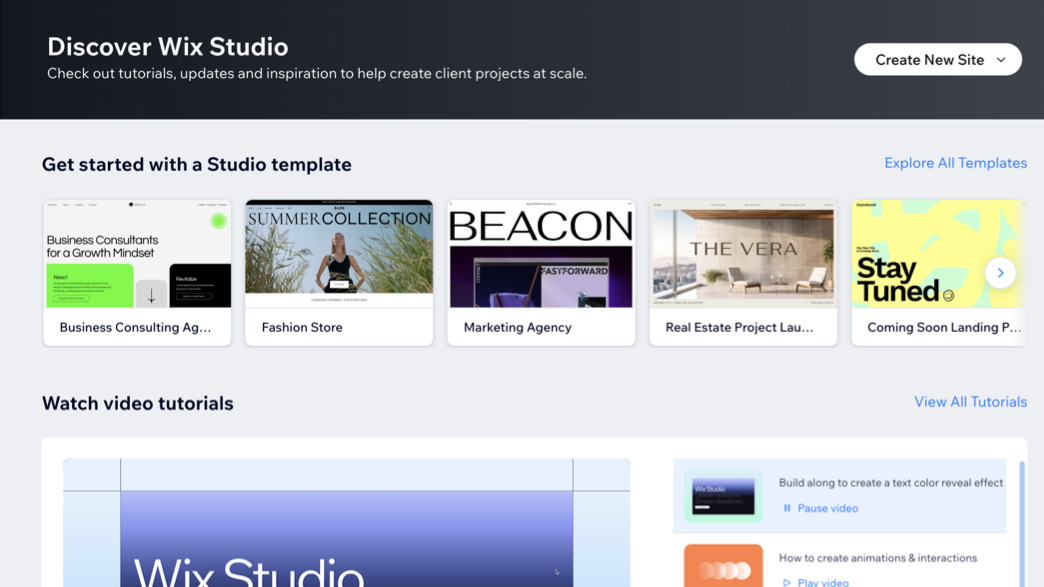
Wix Studio responsive design website builder provides a professional web platform for designers, developers, and marketers. Its canvas-based responsive editor helps you create and refine websites across different screen sizes. AI-assisted breakpoint tools can also simplify responsive adjustments during the design process. If you manage client projects, Wix Studio combines visual editing with development-focused controls for more flexible workflows.
Features
- Canvas editor: Build layouts on a flexible canvas with automatic scaling. Set custom breakpoints for desktop, tablet, and mobile views. This helps maintain consistent designs across different screen sizes.
- Responsive AI: Simplify complex responsive adjustments with one click. Responsive AI automatically configures behaviors across different screen sizes. You can refine these settings when specific layouts need additional control.
- Animations and CSS: Add scroll, loop, hover, and click animations without coding. Access custom CSS when standard styling options cannot achieve your desired design.
- Development environment: Work directly with JavaScript, npm packages, and backend functions. An AI code assistant helps you build and modify technical features faster.
- Multi-site management: Manage multiple websites from one centralized workspace. Real-time collaboration lets teams work together efficiently. Client handoff tools also simplify sharing completed projects with clients.
- No-code CMS: Manage website content through an integrated no-code CMS. AI-assisted content generation helps you create and update website copy more efficiently.
Pricing
Note: As prices are subject to change due to various factors, please check the official website for the latest prices before finalising your plan.
- Lite: $17/mo
- Core: $29/mo
- Business: $39/mo
- Business Elite: $159/mo (billed annually)
Best for whom: Freelance designers and agencies managing multiple client sites who need breakpoint-level control plus team workflows.
Webflow
Webflow gives you a visual environment for building websites while maintaining detailed control over CSS, flexbox, and grid layouts. Its responsive controls let teams adjust positioning and spacing across different breakpoints without relying entirely on developers. You can visually structure pages while working with familiar web layout properties and responsive settings.
Features
- Full design control: You can customize interactions, GSAP animations, Shared Libraries, CMS, and ecommerce features. This gives you greater control over website structure, appearance, and functionality.
- Webflow AI and MCP: The free Starter plan includes Webflow AI and MCP server access. You can use these tools while developing and refining your website.
- Site export and self-hosting: Paid Workspace plans let you export your website files. You can then host the exported site using your preferred hosting provider.
- Optional add-ons: Optimize supports A/B testing, while Analyze provides website analytics. Localize helps you create and manage multilingual website experiences.
Pricing
Note: As prices are subject to change due to various factors, please check the official website for the latest prices before finalising your plan.
- Starter: $0/mo
- Basic: $15/mo
- Premium: $25/mo (billed annually)
- Team: from $2,500/mo (annual contract)
- Enterprise: custom
Best for whom: Developers and technical designers who want pixel-perfect, code-level responsive control.
Squarespace
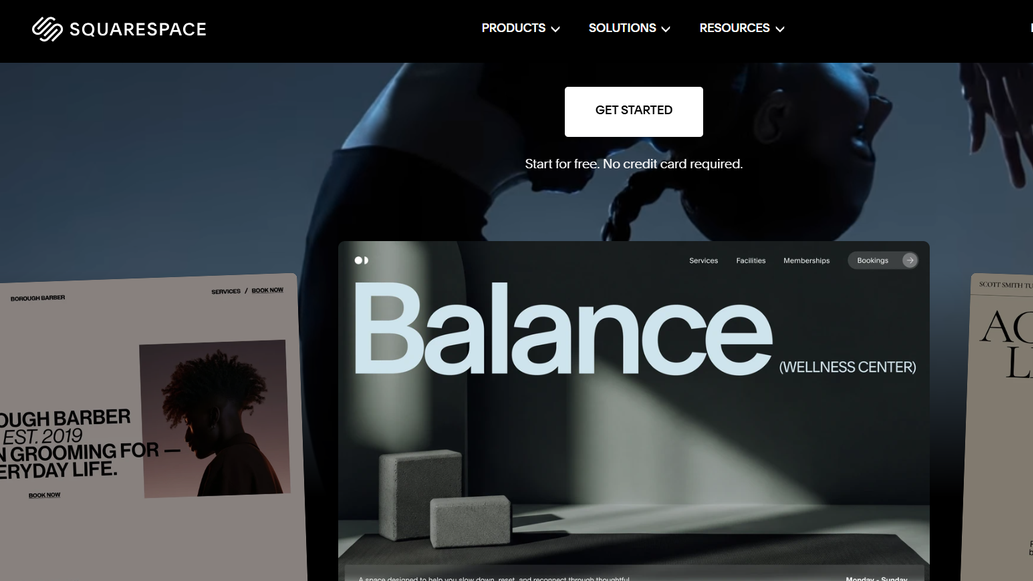
Squarespace responsive web page builder offers a design-first, all-in-one platform that combines website hosting, domains, ecommerce, SEO, and analytics. Its professionally designed, mobile-responsive templates help you create polished websites without managing separate services. You can customize layouts, add content, and build online stores within one integrated workspace. The platform also provides built-in tools for improving search visibility and monitoring website performance. If design and simplicity matter, Squarespace gives you a streamlined foundation for building and managing your website.
Features
- Fluid engine editor: Build custom page layouts with Fluid Engine's grid-based editor. You can position content elements across flexible grid areas. This approach gives you more control over spacing, alignment, and page structure.
- AI-assisted drafting: Use AI-assisted tools to speed up the initial website drafting process. They can help shape content and layouts from your ideas. You can then refine the generated elements to match your brand.
- Business tools: Manage more of your online operations through built-in ecommerce, invoicing, and marketing tools. These features help you sell products, handle payments, and promote your website without relying on separate services.
- 14-Day free trial: Explore the platform before choosing a paid subscription. The 14-day free trial lets you test its features and workflow. This gives you time to decide whether it suits your website requirements.
Pricing
Note: As prices are subject to change due to various factors, please check the official website for the latest prices before finalising your plan.
- Basic: $19/mo
- Core: $29/mo
- Plus: $49/mo
- Advanced: $99/mo (billed annually)
Best for whom: Creatives, portfolios, and small businesses that want a polished, responsive site without deep configuration.
Hostinger
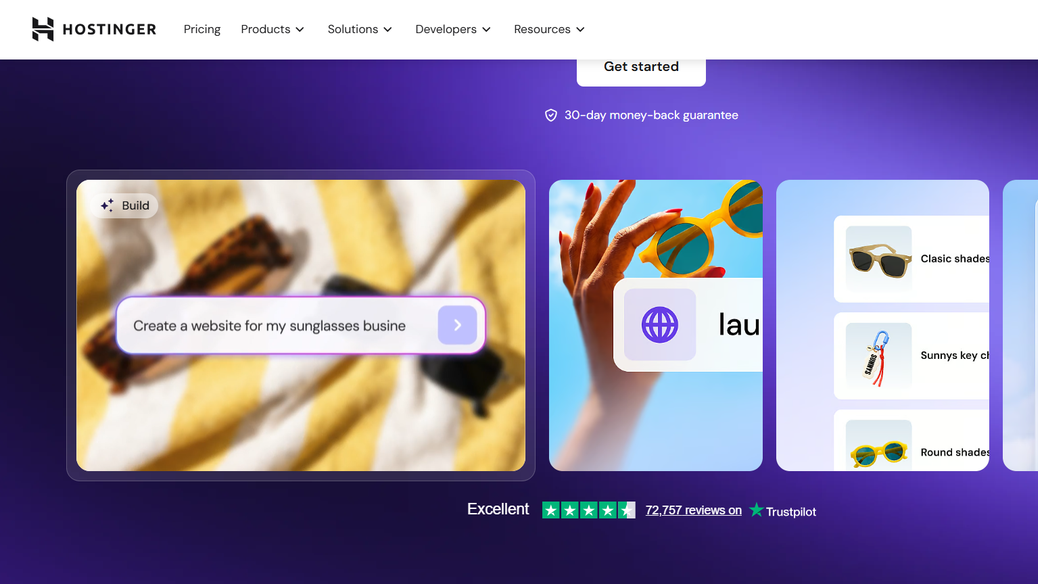
Hostinger's responsive website builder helps you turn an initial website idea into a responsive online presence with AI assistance. You can describe your concept, and Hostinger's AI-powered website builder generates a complete site from your prompt. The platform combines website creation with hosting, giving you an integrated setup for launching online. Its approach suits users who want to move quickly from planning to publishing without handling every technical detail.
Features
- AI builder: You can create websites through conversational prompts and refine them through continued instructions. This approach lets you adjust layouts, content, and features without rebuilding everything from scratch.
- Hostinger agent: Every plan includes Hostinger Agent at no extra cost. You can use chat-based assistance for migrations, fixes, edits, and routine website management tasks.
- Ecommerce: Built-in ecommerce tools help you launch and manage an online store. You also get 0% transaction fees and AI-powered email marketing features for customer outreach.
- Hosting extras: Depending on your selected plan, you can receive a free domain, backups, and CDN access. These additions support website availability, recovery, performance, and everyday management.
Pricing
Note: As prices are subject to change due to various factors, please check the official website for the latest prices before finalising your plan.
- Premium: $2.99/mo
- Unlimited: $3.99/mo
- Cloud Startup: $7.99/mo
Best for whom: Budget-conscious users with some experience in website development.
Which responsive website builder should you choose?
Choosing the right responsive website builder depends on your technical skills, design needs, budget, and project complexity:
- For business owners or freelancers, Enter Pro or Hostinger offers a straightforward approach to website creation.
- Designers and agencies needing detailed breakpoint control can consider Wix Studio for greater layout flexibility.
- Developers seeking comprehensive CSS access may prefer Webflow for deeper customization.
- For creatives, portfolios, and small businesses that want a polished, design-first site without deep configuration, Squarespace is a strong fit.
- If budget matters most, Hostinger suits solo creators and simple one-page websites.
Conclusion
Choosing a responsive website builder depends on your design goals, technical skills, budget, and customization needs. I compared five platforms across responsiveness, AI tools, editing controls, pricing, and usability. Wix Studio and Webflow provide detailed responsive controls, while Squarespace and Hostinger simplify website creation. Enter Pro stands out for AI-assisted development, visual customization, and source-code access. Consider your project requirements carefully, then select the platform that best matches your workflow and website goals.
FAQs about responsive website builder
What is the best AI responsive website builder?
Enter Pro is a strong AI responsive website builder for creating customized sites with minimal manual coding. Its AI-powered workspace helps you shape layouts and functionality while retaining access to generated source code.
How do I pick a responsive design website builder for agencies?
For agencies that need detailed breakpoint control and client workflows, Wix Studio is a strong fit. For agencies that want AI-assisted development and full source-code access, Enter Pro is a better option.
How fast can a responsive website maker launch a site?
AI and no-code builders can produce basic responsive sites within minutes when your content is ready beforehand. More complex stores or corporate websites usually require substantially longer development and review cycles.
What features define the best responsive website builder?
The strongest responsive builders combine fluid layouts, multiple breakpoints, mobile controls, touch-friendly interactions, and performance optimization. AI-assisted tools can also speed up layout creation while helping maintain consistent designs across different screen sizes. Discover Enter Pro to harness these features and more.
Which responsive web page builder needs no coding skills?
Enter Pro supports AI-assisted development and visual editing, making website creation accessible without requiring extensive coding knowledge. You can describe your requirements, refine generated pages, and customize layouts through its visual development workflow.
Which easy responsive website builder has drag-and-drop tools?
Wix Studio provides an intuitive drag-and-drop experience, while Hostinger and Squarespace offer comparable visual editing approaches. These platforms let you arrange page elements visually, making responsive website creation more approachable for beginners.