Web Design for Small Business: Ditch the Agency Fees
Stop overpaying agencies. Explore the top platforms for web design for small businesses, including drag-and-drop editors and smart Intelligent Mode agents for 2026.
Getting your company online used to feel like a massive hurdle. A few years ago, if you wanted to handle web design for small business operations, you basically had two choices. You could either spend months trying to learn HTML and CSS on your own, or you could hand over a massive check to a local agency and hope they understood your vision. Neither option was great for a founder trying to keep their overhead low.
But things have shifted dramatically. Consumers absolutely still expect you to have a polished, fast-loading digital storefront—they will judge your credibility on it before they ever pick up the phone to call you. The difference today is how you build that storefront.
Instead of dealing with endless back-and-forth emails with a developer, you can take control of the process yourself. The market is now flooded with smart software, visual canvas editors, and Intelligent Mode agents that handle the heavy technical lifting behind the scenes. Let's break down the landscape, look at the exact tools that can get you launched by this weekend, and walk through the layout rules you simply cannot ignore.
How a Solid Website Builder Transforms Your Business
Before we get into specific software names, let's talk about why investing time in these tools matters. A modern platform—whether a standard** drag and drop website builder **or an advanced generative agent—does a lot more than host a few photos and a contact form.
When you set up a site correctly, it acts as a tireless employee. It captures leads at two in the morning, processes transactions while you are in meetings, and answers common customer questions automatically.
-
Drastic Cost Reduction: Traditional custom builds require massive upfront capital. Modern platforms run on predictable monthly subscriptions, which keeps your overhead remarkably low.
-
Instant Brand Authority: A beautifully structured, fast-loading site tells visitors that your company has its act together. People trust brands that look polished.
-
Agility and Control: When you own the building process, you don't have to wait three weeks for a developer to change a pricing tier or update a product photo. You log in, make the edit, and hit publish.
Quick Comparison: Top Site Builders at a Glance
If you are short on time and just want to see how the heavy hitters stack up against each other, here is the cheat sheet.
| Platform | The Main Draw | Best Fit For |
|---|---|---|
| Wix | Massive template library and total visual freedom | First-timers needing a standard site fast |
| Enter Pro | Intelligent Mode app generation & full code export | Founders wanting custom logic without coding |
| Shopify | Unmatched inventory and checkout mechanics | Dedicated online retailers shipping daily |
| WordPress | Total open-source control and massive plugin library | Content creators willing to manage servers |
| Squarespace | Highly curated, minimalist aesthetic templates | Creatives, photographers, and local diners |
| Webflow | Clean code generation directly from a visual canvas | Design professionals wanting granular control |
| Weebly | Flawless syncing with in-person Square registers | Brick-and-mortar shops using Square POS |
| Framer | Complex scroll animations and smooth interactions | Teams focused on high-end interactive UI |
Top Site Creation Tools You Need to Test in 2026
Finding the best web design for small business growth comes down to matching a tool to your actual daily workflow. A local plumber needs something entirely different than a startup launching a new software product. Here is a closer look at the platforms defining the internet right now.
- Wix
Wix has been around for a long time, and it has spent years perfecting its visual editor. Their core philosophy is absolute freedom. If you want a text box perfectly centered over an image, you just drag it there with your mouse.
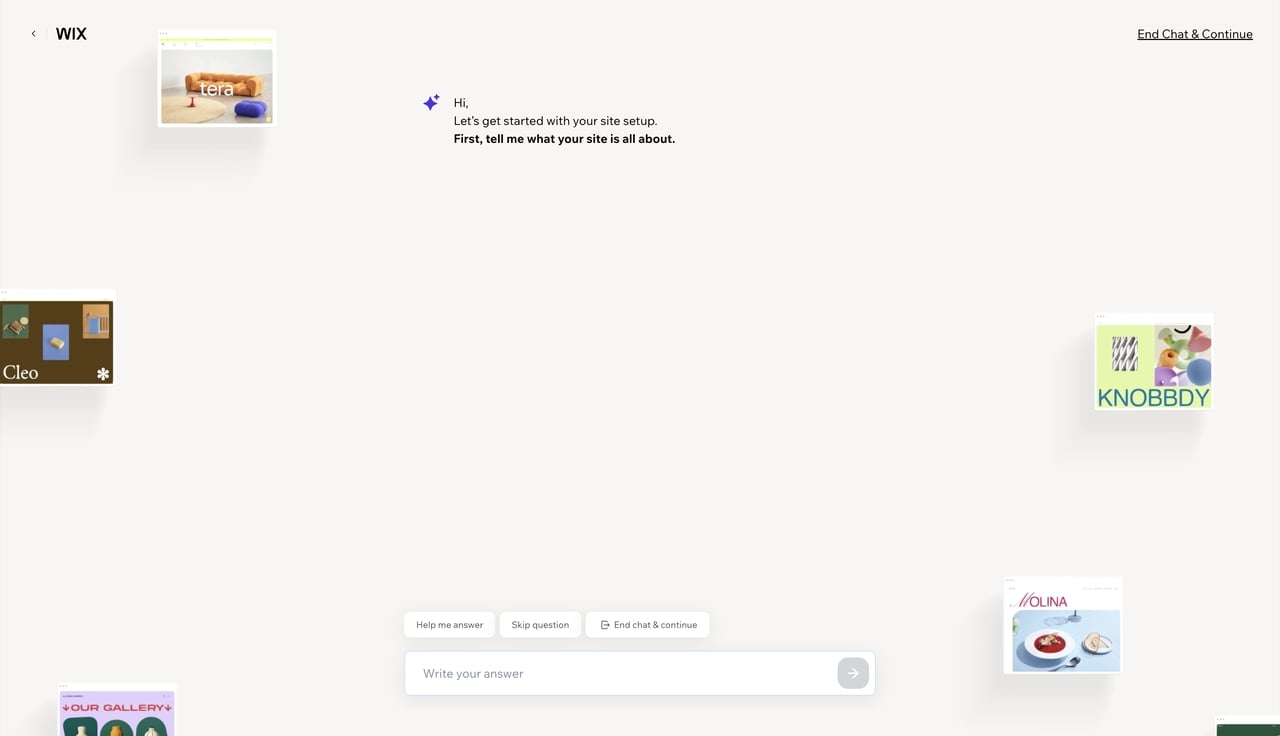
Let's say you run a local landscaping company. Wix likely has fifty templates designed specifically for landscapers, complete with service menus and contact forms ready to go. You just swap out their placeholder text for your own, upload a few photos of your trucks, and you are basically done. It can get a little sluggish if you overload it with third-party widgets, but for a straightforward, attractive digital brochure, it is incredibly hard to beat.
- Enter Pro
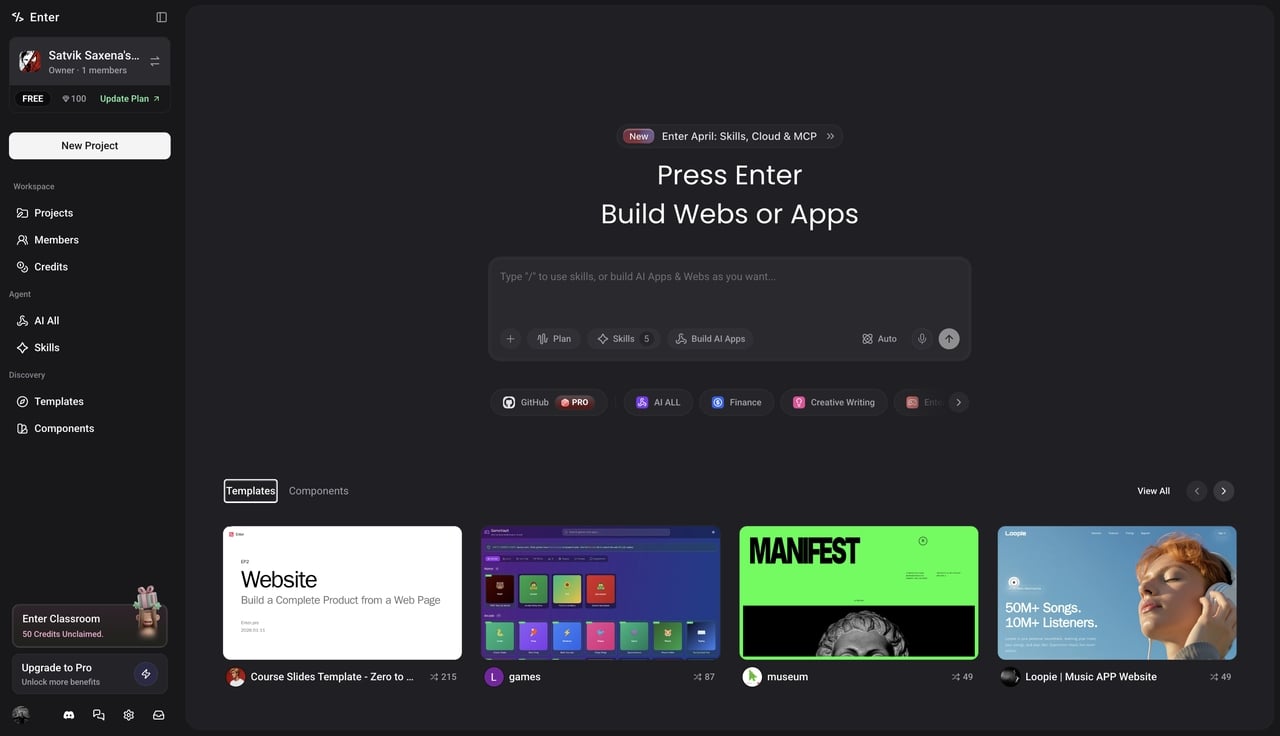
While drag-and-drop builders are great for standard pages, they fall apart when you need actual backend logic or a database. That is where Enter Pro steps in. Instead of just giving you a visual shell, Enter Pro acts as an Intelligent Mode development agent. You describe what you need, and the engine builds a real, functioning web application from scratch. It is built for folks who want the power of a custom engineering team without actually having to hire one.
-
Professional Apps from Scratch, No Coding Required: Whether you are a PM, designer, or founder, the Enter Agent turns your words into deployed applications. Build professional-grade apps with backend logic and deploy with one click.
-
The Ultimate Template Marketplace & App Remix: Don't start from zero. Remix the community's best templates with a single click. You get a full-stack clone—database, backend, and frontend included.
-
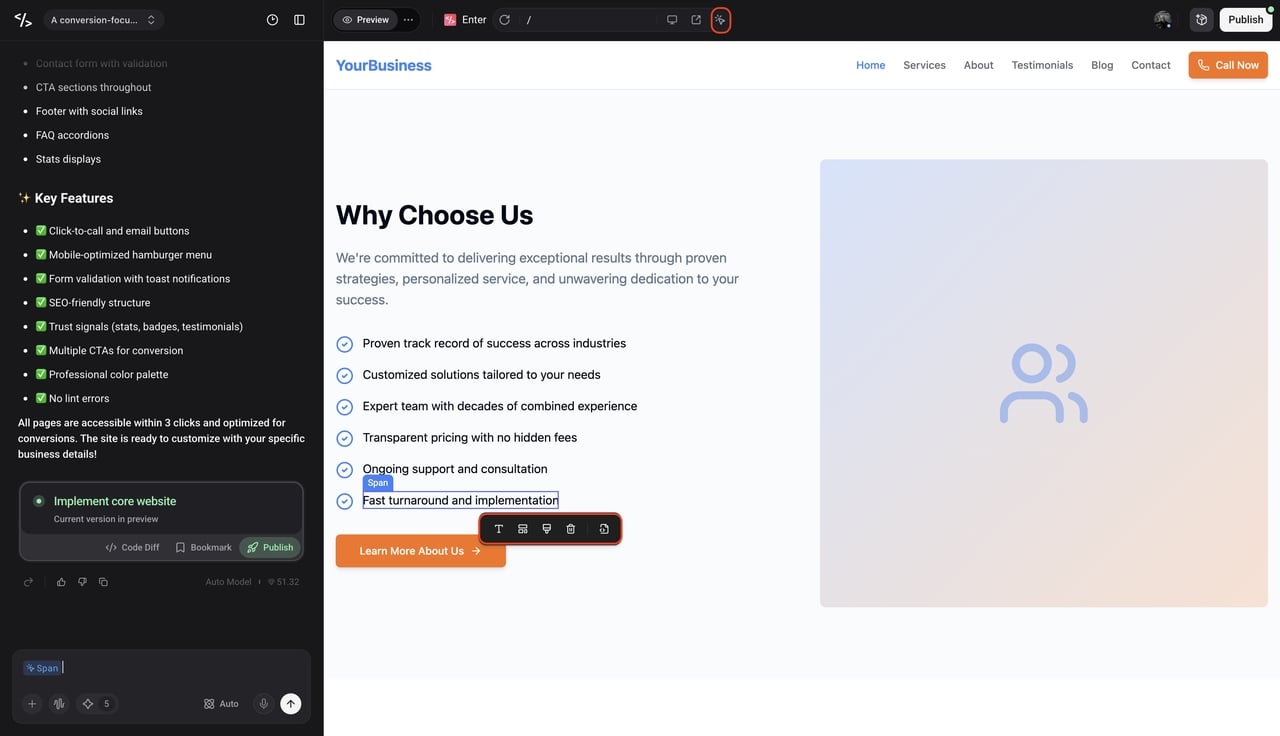
**Visual Editor - Precision Control, Real-Time Results: **Stop guessing with text prompts. With our Visual Editor, you can click any element on the canvas to tweak styles and code instantly. It's the precision of hand-coding with the speed of intelligent generation.
-
Production-Ready Integrations Ecosystem: Build real businesses, not just demos. Enter seamlessly integrates with Stripe, Supabase, Google Analytics, and more right out of the gate.
-
Model Freedom - Always the Best-in-Class: Switch instantly between top-tier language models. We ensure you always have the smartest engine powering your code, so you never have to worry about your tech becoming outdated.
- Shopify
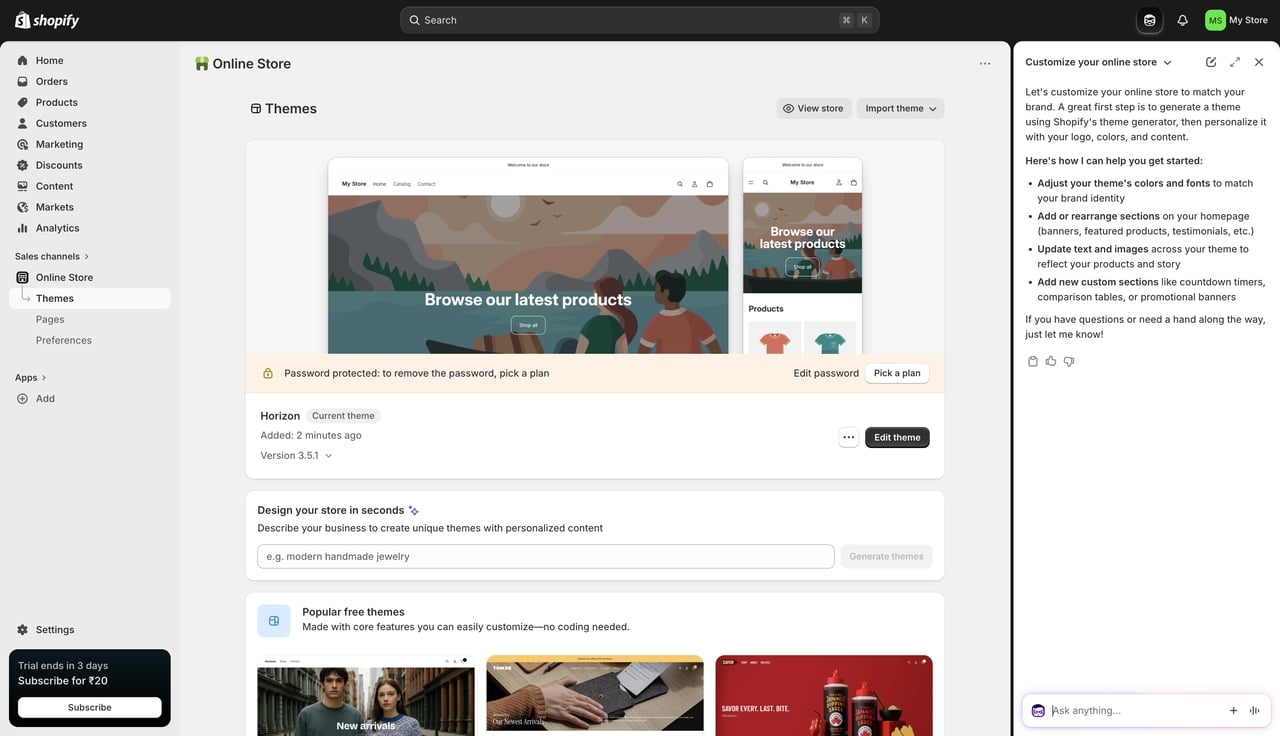
If your primary goal is putting boxes in the mail, Shopify is basically mandatory at this point. It is purpose-built for e-commerce. It handles the incredibly complex math of dynamic shipping rates, state taxes, and inventory tracking across multiple warehouses without breaking a sweat. The platform integrates seamlessly with almost every drop-shipping supplier and social media marketplace. The blogging tools are a bit stiff, but nobody uses Shopify to write essays; they use it to sell.
- Squarespace
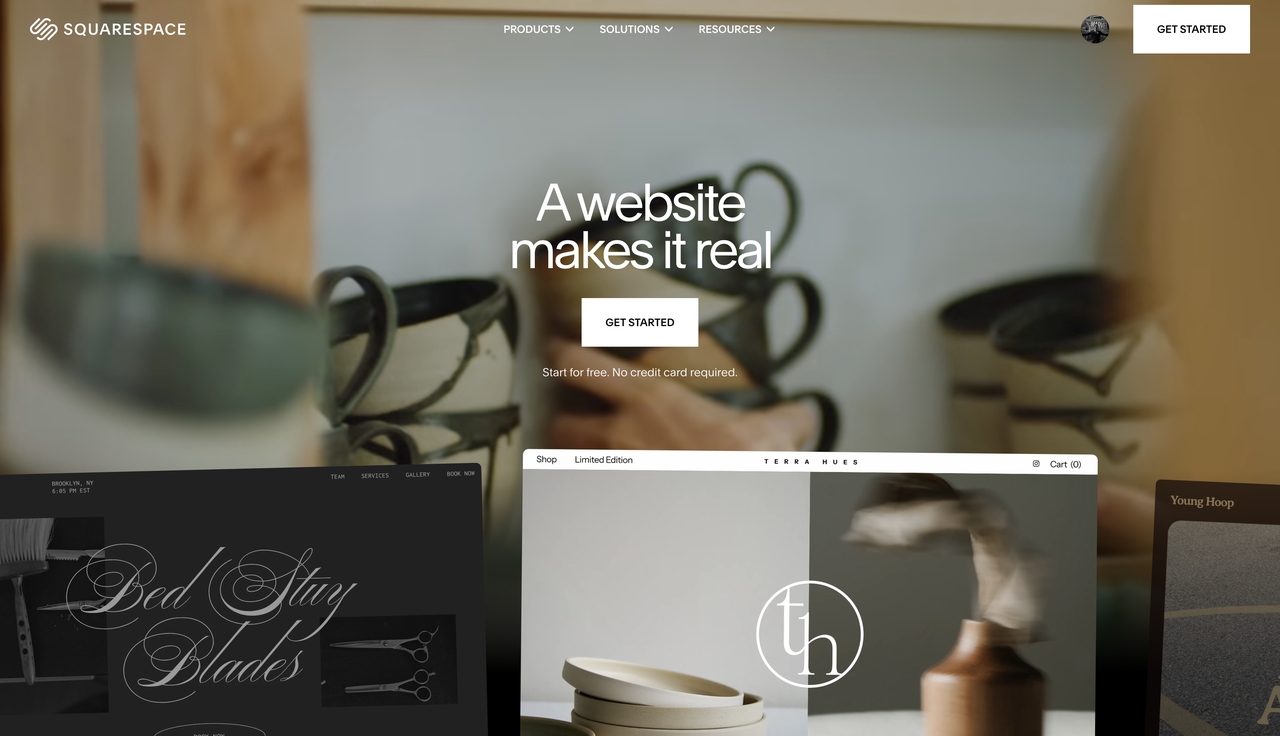
When your brand relies heavily on looking expensive and curated, Squarespace is usually the answer. Photographers, boutique coffee shops, and creative agencies flock to this platform. Their templates rely heavily on negative space, massive high-resolution imagery, and gorgeous typography. It is a "walled garden"—meaning you can only use their approved tools and integrations—but because they control the whole ecosystem, things rarely break.
- WordPress (.org)
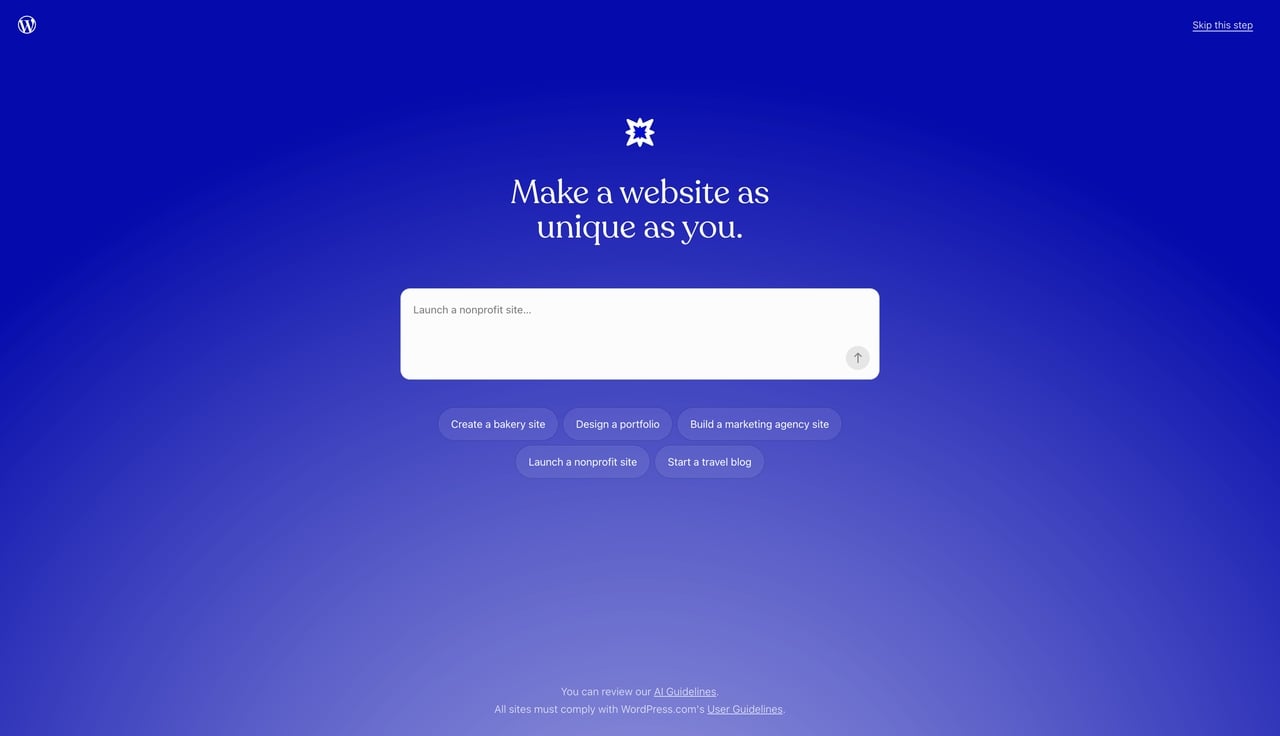
We can't talk about web building without mentioning the giant in the room. WordPress powers a massive chunk of the entire internet. Because it is open-source, it gives you absolute, unfiltered control. If you can dream it up, there is a WordPress plugin that can do it. But that freedom is a double-edged sword. You have to buy your own hosting, install your own security patches, and fix things when two plugins decide they hate each other. It is incredibly powerful, but it requires patience.
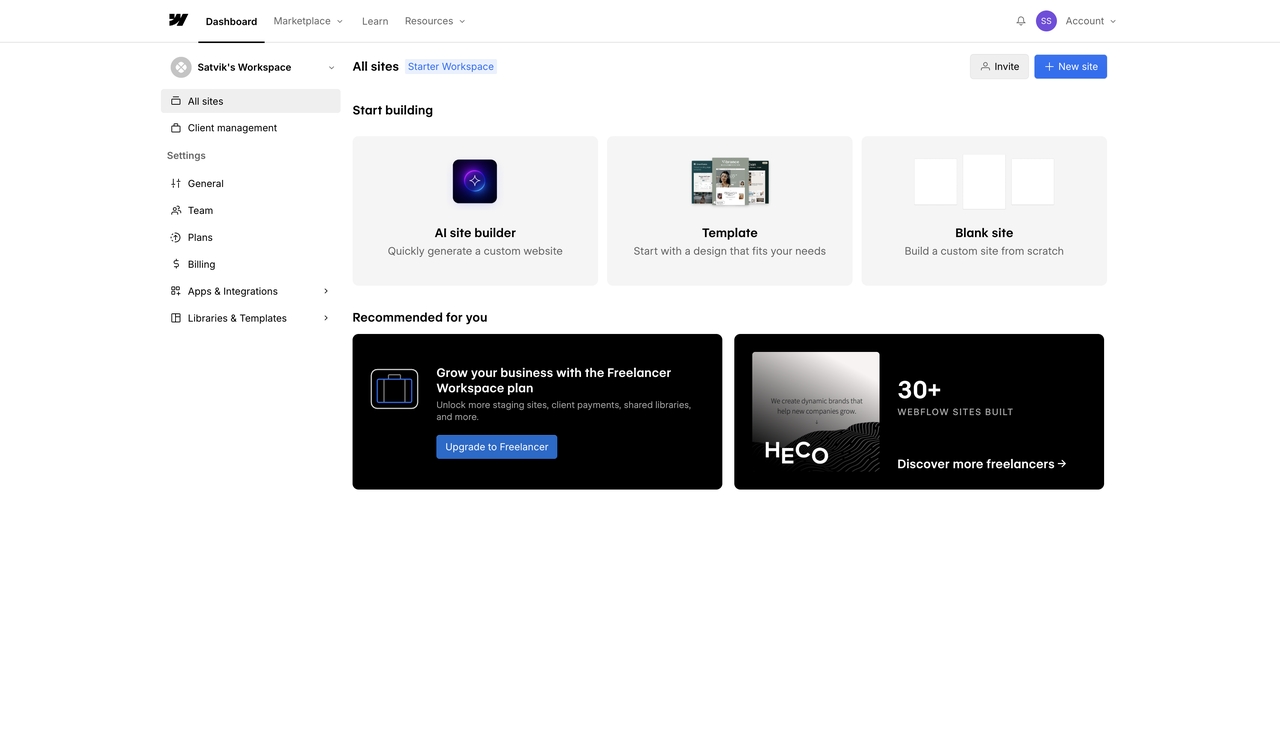
- Webflow
Webflow is fascinating because it bridges the gap between typing code and drawing shapes. To use it well, you actually need to understand how the box model of CSS works, but it saves you from having to type the syntax out manually. You design on a visual canvas, and the platform generates exceptionally clean, fast-loading code in the background. It is a favorite among professional designers who want to hand off a perfectly optimized site to their clients.
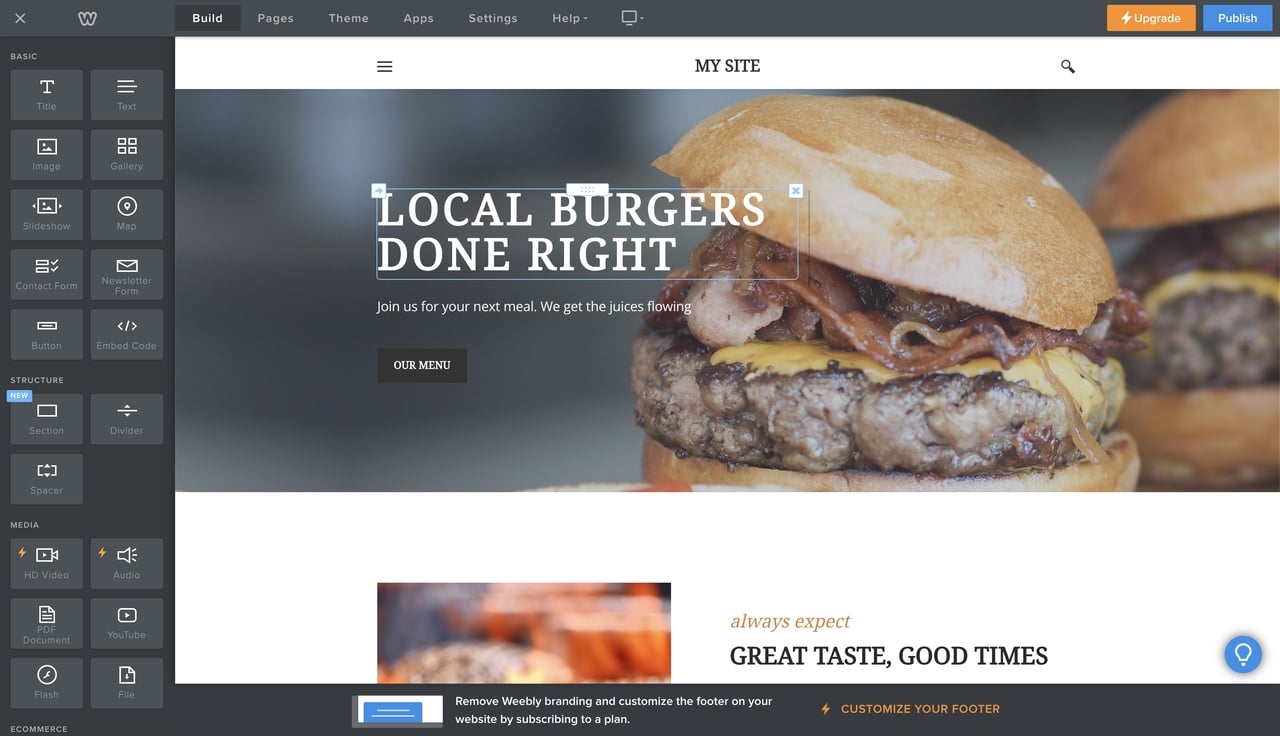
- Weebly
Acquired a few years ago by Square (the company that makes the little white credit card readers), Weebly is all about simplicity. It has the gentlest learning curve on this list. Its absolute best feature is how it talks to physical storefronts. If you use a Square register in your coffee shop, your online Weebly store and your physical inventory sync up automatically. Sell a bag of beans in person, and it disappears from the website inventory instantly.
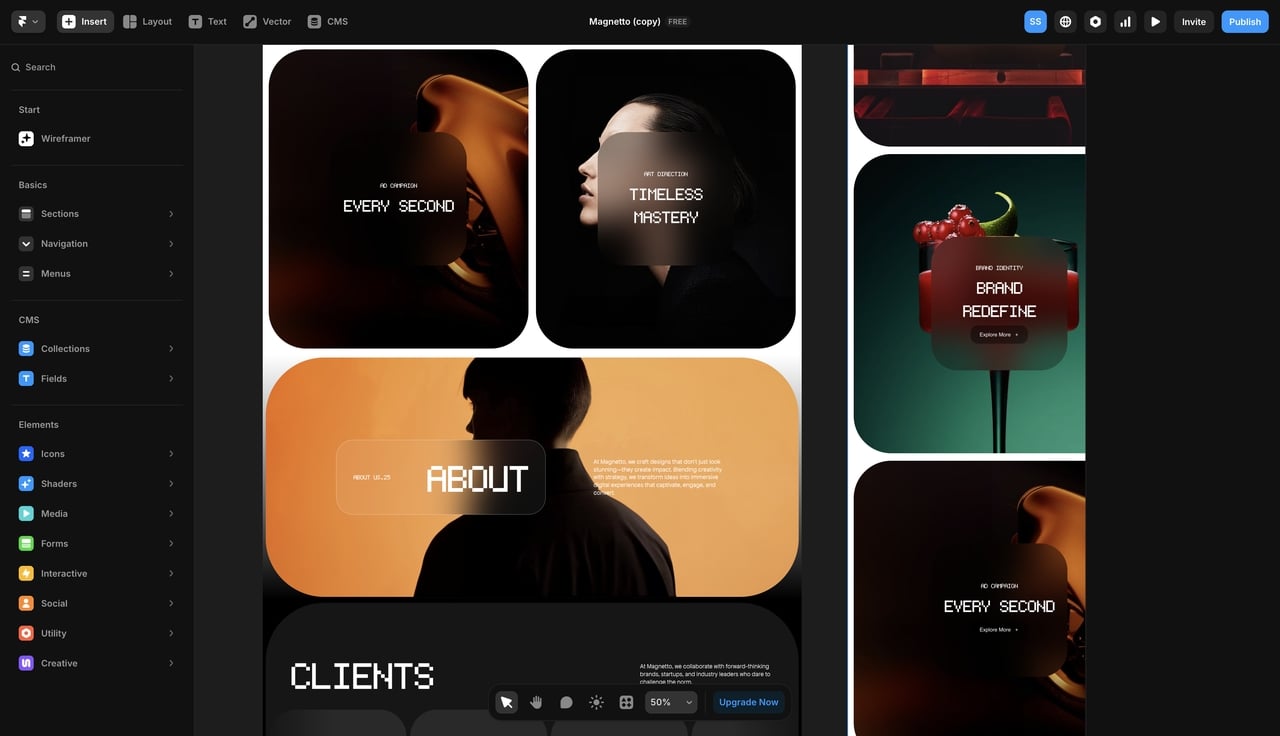
- Framer
Framer originally started as a tool for designers to build interactive prototypes, but it recently pivoted into a full-fledged website builder. If you want a site that feels alive—with elements that slide in smoothly as you scroll, or buttons that react beautifully when you hover over them—Framer makes that process painless. It operates a lot like traditional graphic design software, making it incredibly intuitive for visual thinkers.
5 Non-Negotiable Design Rules for Growing Brands
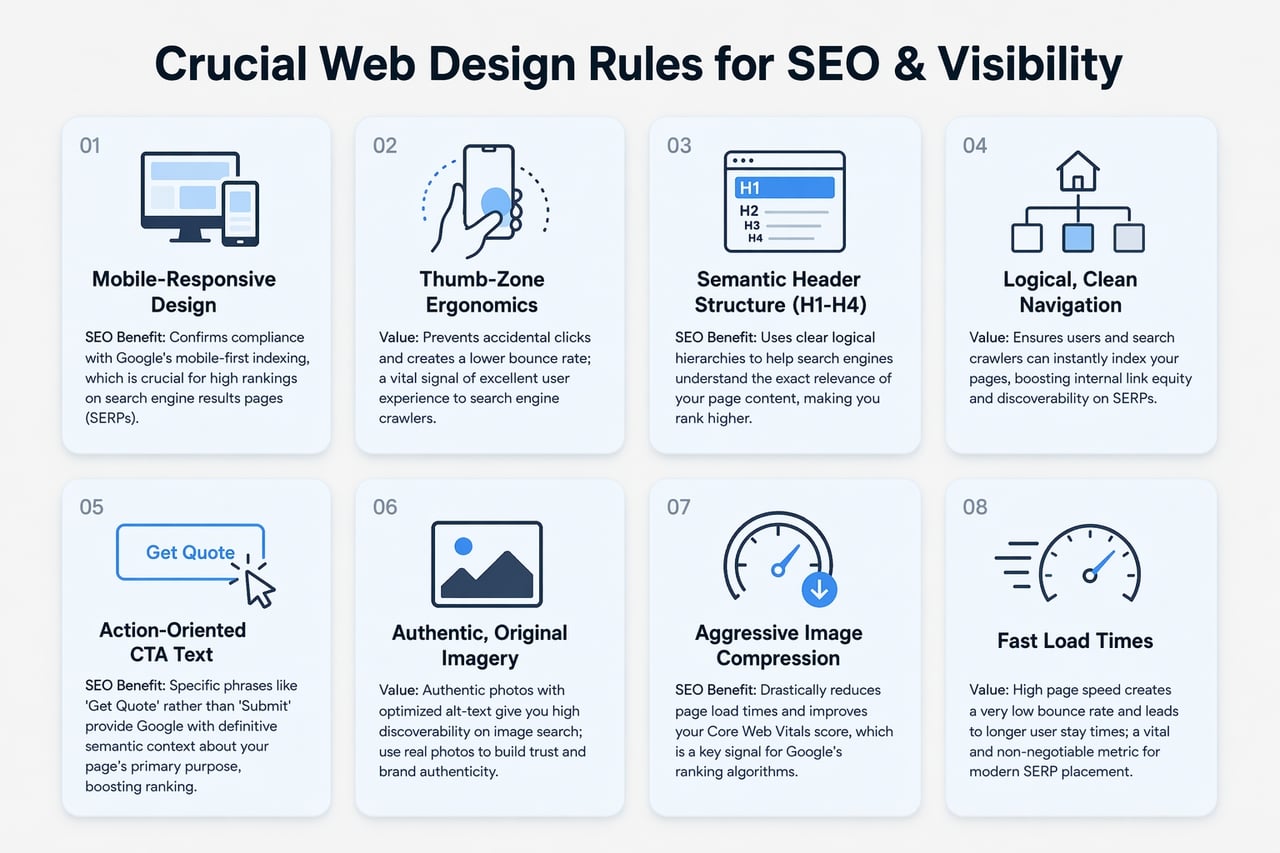
Picking the software is only the first step. You still have to arrange the content in a way that actually converts visitors into paying customers. Excellent web design for small businesses always follows a few non-negotiable rules.
- Think Mobile First, Desktop Second
More than half of the people looking at your site will be holding a phone. When learning how to make a website mobile friendly, remember this: if they have to pinch and zoom to read your service menu, they will leave immediately. Always check your mobile preview mode before hitting publish. Buttons need to be large enough to tap with a thumb, and text needs to scale up automatically.
- Make Navigation Painless
Don't try to be clever with your menu titles. People expect standard naming conventions. Stick to things like "About," "Services," "Pricing," and "Contact." If you bury your pricing behind three different dropdown menus, you are actively frustrating your potential buyers. Keep the top navigation bar clean and push secondary links down to the footer.
- Tell Them Exactly What to Do
Every single page needs a job. If someone finishes reading your homepage, what happens next? You need clear, highly visible buttons—known as Calls to Action (CTAs). Use a color that contrasts sharply with your background so the button pops. Instead of a generic "Submit," use action verbs like "Get Your Free Quote" or "Book a Consultation."
- Ditch the Generic Stock Photos
Consumers are incredibly good at spotting fake office photos. Using a generic picture of people shaking hands in a boardroom actually hurts your credibility. Use real photos of your workspace, your team, and your actual products. Even if the lighting isn't studio-perfect, the authenticity builds trust much faster.
- Speed is Non-Negotiable
A slow site destroys your search rankings and your sales. Keep things fast by compressing your images before you upload them. Avoid loading three different massive video files on the same page. When you use modern Intelligent Mode agents or clean-code builders, the underlying structure handles a lot of this optimization for you, but you still need to be mindful of how much heavy media you stack on a single page.
Bonus: Launch Web Design for Your Small Business in Minutes
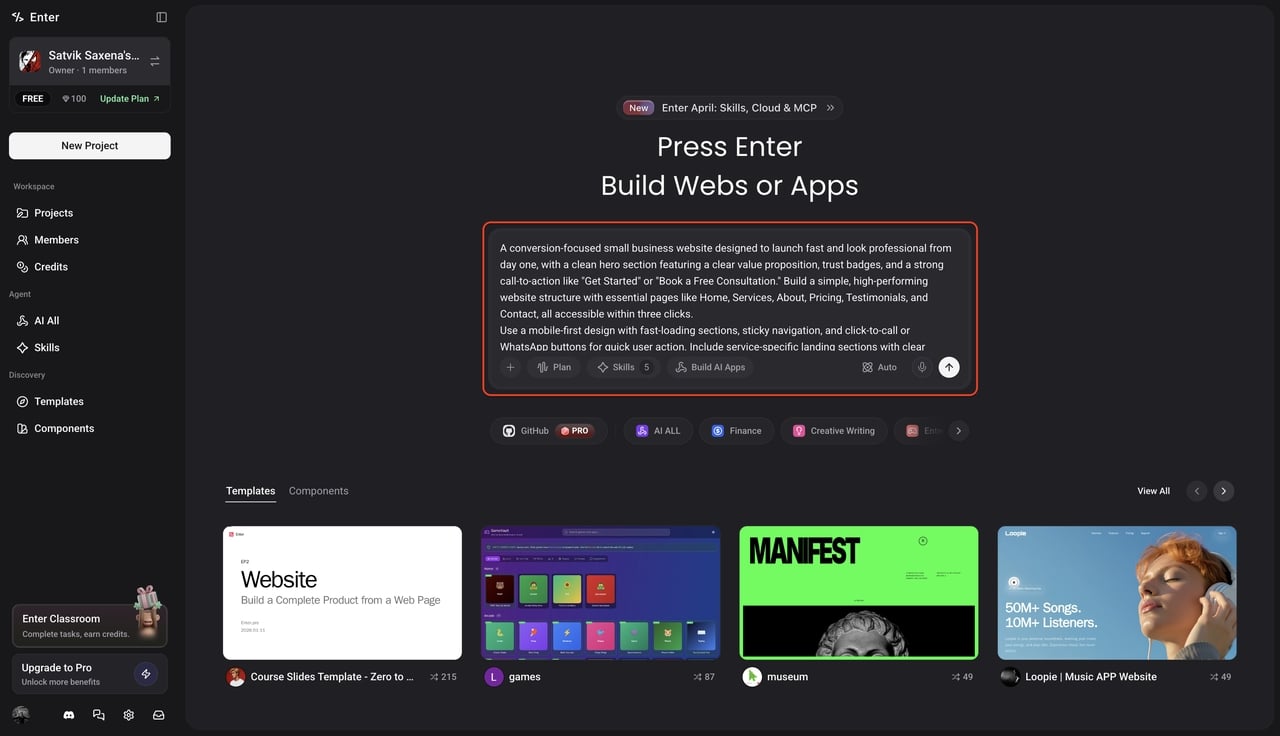
Here is how to use Agent Mode to turn your business concept into a fully functional, live website without writing any code.
Step 1: Open the Workspace and add a text prompt
First, launch the Enter Pro workspace in your browser and start a new project. Type a clear, descriptive prompt about your business needs, mentioning essential details like your preferred color scheme and specific page layouts. Select your choice of model and click to generate the build; the Agent Mode instantly handles all the backend and frontend coding for you.
Step 2: Use the Visual Editor to adjust the layout
Once your project is generated, review the structure across various device previews. Click the "Visual Editor" at the top to refine the design, swap icons, or adjust typography. This tool gives you total creative control, allowing you to click any element on the canvas to tweak styles or logic without ever having to write code manually.
Pro Tip: Browse the template section to find high-converting layouts used by other successful businesses; you can "Remix" these professional designs with one click to get a full-stack starting point that already includes optimized database structures and backend logic.
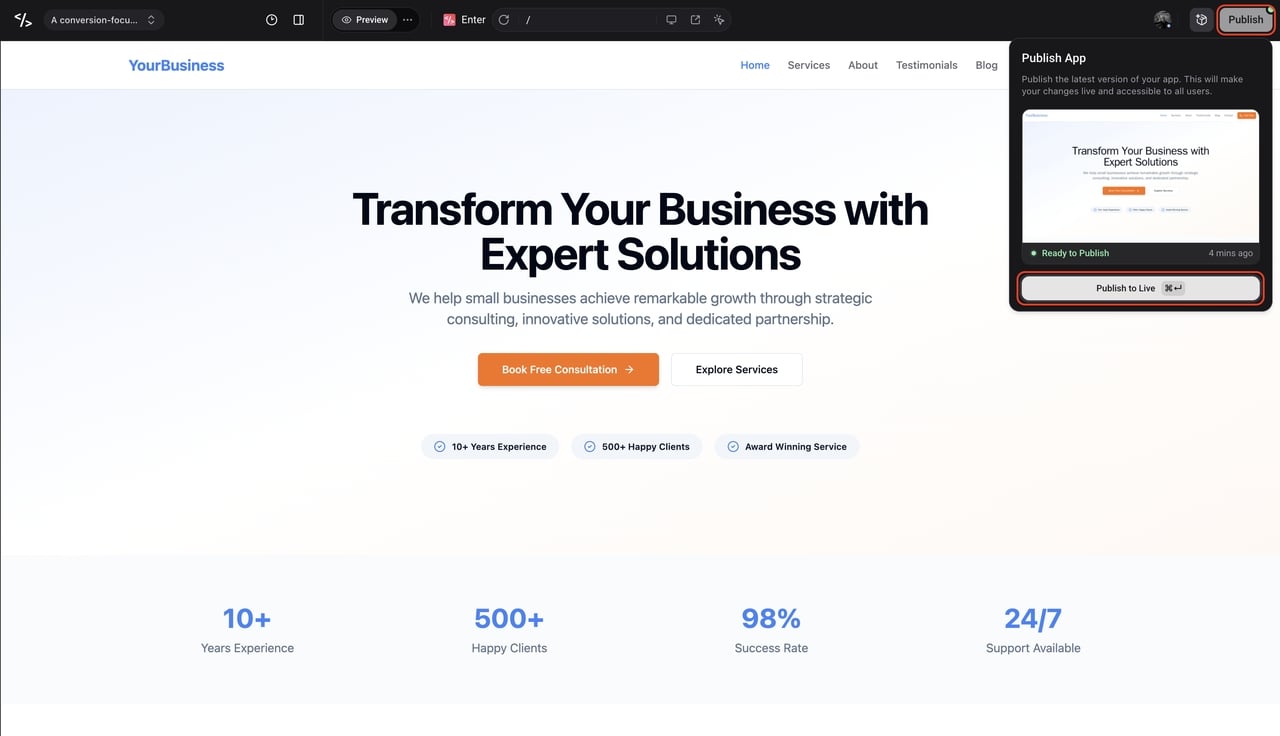
Step 3: Publish and go live
If you are satisfied with the final edit and the mobile-responsive preview, click the "Deploy" button in the top-right corner to go live. It automatically hosts your optimized website on high-performance infrastructure, meaning you can stop worrying about server configurations and start capturing digital traffic for your business immediately.
Wrapping It Up
Getting your brand properly represented online doesn't have to be a painful, expensive grind anymore. While you might have previously felt the need to hire a dedicated web designer for small business projects, the days of being held hostage by a single developer's schedule are over.
Whether you want to physically drag text boxes around a canvas or leverage an Intelligent Mode agent to write the backend code for you, the power is entirely in your hands. Take an afternoon, figure out exactly what functions your business actually needs to operate smoothly, and pick the platform that aligns with that vision. Focus on keeping the layout clean, making it lighting-fast on mobile, and clearly guiding your customers to the checkout page. Launch your business faster. Start building with Enter Pro today.
Frequently Asked Questions
How much should I really expect to spend on a new site?
It varies wildly based on your approach. Hiring an agency will easily run you anywhere from $3,000 to over $15,000. However, if you use a modern builder or a smart development agent, you are generally looking at a monthly subscription ranging from $20 to $100. It is a fraction of the cost with a much faster turnaround.
Do I need to go out and buy website hosting separately?
Usually, no. The vast majority of the platforms we discussed (like Enter Pro, Wix, and Squarespace) are "hosted solutions." That means the cost of keeping the servers running and maintaining security certificates is already baked into your monthly fee.
Does using a builder hurt my chances of ranking on Google?
Not at all, provided you use the platform correctly. The core of good SEO is having clear page titles, descriptive headers, and fast loading speeds. Most modern platforms automatically generate clean, semantic code that search engines love. You just have to make sure you are writing valuable, relevant content for your readers.
What if I outgrow the platform I start with?
This is the single most important question you can ask. Many drag-and-drop builders trap your data in their ecosystem; if you leave, you have to start over from scratch. To protect your investment, look for platforms that offer 100% code ownership. This allows you to export your entire site's source code and migrate it to your own custom servers whenever you are ready to scale up.
Is coding going to be completely obsolete soon?
While custom coding will always have a place for highly specialized enterprise software, the reality for small businesses is that writing manual code is no longer necessary. Visual editors and Intelligent Mode agents have advanced to the point where they can handle standard web applications, databases, and e-commerce setups flawlessly without you ever needing to touch a keyboard.