What Is Webflow? Eliminate Developer Bottlenecks in Web Design
Discover what Webflow is in 2026. Explore features, pricing, and reviews. Learn how this powerful website builder compares to modern alternatives like Enter Pro.
Let's be completely honest about the traditional web design process: it is usually full of friction. You spend weeks crafting a pixel-perfect mockup in Figma, only to hand it off and discover that half of your creative vision is suddenly "out of scope" for the development phase.
If you find yourself asking exactly what is Webflow, you are basically looking at the tool that decided to fix this exact broken pipeline.
It is a visual development platform that acts as a translator. Instead of forcing you to write lines of code or settle for rigid, cookie-cutter templates, it gives you a blank canvas. As you drag, drop, and style elements visually, the platform writes clean, semantic HTML, CSS, and JavaScript in the background. It bridges the gap between the creative freedom of a design tool and the structural integrity of a hand-coded site.
As client expectations continue to rise, agencies and freelancers are walking away from clunky content management systems. They want the ability to launch bespoke digital experiences without keeping a developer on retainer for every minor tweak. Let's break down exactly how this ecosystem works, what the real costs look like, and how it stacks up against next-generation platforms like Enter Pro.
What is Webflow? Unpacking Visual Builder Mechanics
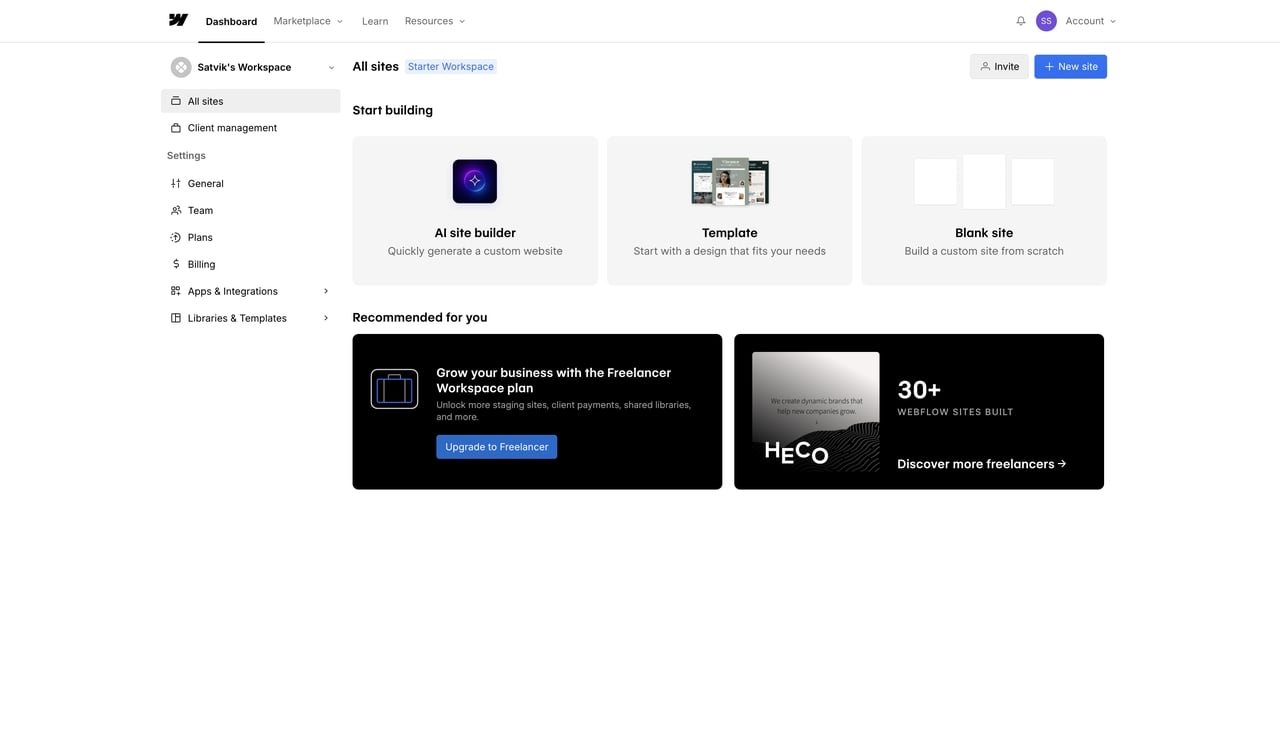
Unlike basic editors like Squarespace or Wix that confine you to a "sandbox," this platform embraces professional web development best practices. By interacting directly with the CSS box model through a visual interface, you manage layouts with the precision of a front-end engineer, specifically controlling:
-
Margins and Padding: Defining exact spacing to ensure elements breathe.
-
Flexbox & Grid: Aligning items dynamically into complex structures.
The Designer interface mirrors professional creative software, utilizing the Navigator to map the site's structural hierarchy and Styling Controls for direct CSS customization. Because the platform generates clean, semantic code in real-time, it ensures lightning-fast load times. This offers a significant edge in technical SEO, as search engines prioritize lean architecture over sites weighed down by bulky plugins.
Furthermore, the CMS replaces rigid templates with custom database collections. This efficient workflow allows you to:
-
Define Fields: Select specific data points like text or images for your collection.
-
Design Templates: Create a master layout that pulls data automatically.
-
Automate Content: Populate the design instantly with new entries, keeping the site dynamic and easy to manage.
How This Platform Transforms Modern Design Workflows
For a digital agency, time is literally money. The traditional waterfall workflow—wireframing, designing, and then developing—is notoriously slow.
Utilizing a visual Webflow website builder reshapes this timeline by merging design and development into one seamless motion. Because the design is the code, there is no manual handoff. This unified approach eliminates the "lost in translation" phase where subtle animations or responsive behaviors often get watered down.
Managing breakpoints is where this visual development truly shines, transforming a usually massive headache into an intuitive process:
-
Responsive Control: Simply adjust the canvas width to tweak styles for 4K monitors, tablets, or mobile phones.
-
Style Cascading: Changes flow down from desktop to smaller devices automatically, ensuring layout consistency.
Furthermore, the platform handles the tedious technical overhead. You no longer need to worry about provisioning servers, updating security patches, or configuring global Content Delivery Networks (CDNs). The hosting infrastructure is enterprise-grade right out of the box. By stripping away these friction points, creative teams can spend their energy obsessing over user experience and conversion optimization rather than server maintenance.
Exploring Intelligent Mode and Modern Automation Tools
The landscape of web creation is shifting rapidly toward automation. We are moving past the era of doing everything manually.
When people search for terms like Webflow AI, they are usually looking for ways to speed up the mundane parts of the job. The platform has started introducing smarter tools aimed at doing exactly that. These include features that automatically generate alt text for images to boost accessibility, or systems that help translate and localize content for different global markets on the fly.
However, the real future lies in what we call Intelligent Mode workflows. True intelligent development isn't just about writing a quick paragraph of text; it is about understanding the context of the entire project. It is about systems that can look at your design system and automatically apply the correct CSS classes to a new section, or predict how a specific layout should wrap when it hits a mobile breakpoint.
While the incumbent platform is taking steps in this direction, creators who want to push the boundaries of automated logic and truly intelligent site architecture are increasingly looking toward specialized alternatives, such as an** **AI app builder, that natively integrate autonomous capabilities.
Navigating the Complexities of Webflow Pricing Tiers
If there is one thing that confuses newcomers, it is figuring out exactly what they need to pay. The billing structure is notoriously dense.
To make sense of Webflow pricing, you have to understand that they split their fees into two distinct buckets: Site Plans and Workspace Plans.
Site Plans are essentially your hosting fees. You need one of these for every single custom domain you want to take live. However, Workspace Plans are the administrative layer that allows freelancers and agencies to actually build those sites and collaborate with team members or clients.
Instead of getting bogged down in endless feature descriptions, here is a clear, concise snapshot of how the current yearly billing tiers stack up against each other and what they actually deliver for your standard digital projects:
| General Site Plan | Monthly Cost (Yearly) | Core Infrastructure Limits | Best Suited For |
|---|---|---|---|
| Starter | Free | Branded domain, 2 pages, 50 CMS items, Intelligent Mode | Experimenting and initial prototyping |
| Basic | $14 / month | Custom domain, 150 pages, No CMS features, 10GB bandwidth | Simple landing pages and static portfolios |
| CMS | $23 / month | Custom domain, 2,000 CMS items, 50GB bandwidth, Site search | Standard blogs and content-driven pages |
| Business | $39 / month | Custom domain, 10,000 CMS items, 100GB bandwidth, File uploads | High-traffic, scalable marketing platforms |
For teams planning to actually sell products or digital downloads directly, you have to ignore those standard options completely. You are routed into a separate, dedicated Ecommerce track. These plans bundle in secure checkout infrastructure and inventory management, but they naturally carry a much higher monthly premium.
| Ecommerce Plan | Monthly Cost (Yearly) | Inventory & Transaction Fees | Best Suited For |
|---|---|---|---|
| Standard | $29 / month | 500 items, 2,000 CMS items, 2% transaction fee | New businesses just getting off the ground |
| Plus | $74 / month | 5,000 items, 10,000 CMS items, 0% transaction fee | Higher volume storefronts scaling up |
| Advanced | $212 / month | 15,000 items, 10,000 CMS items, 0% transaction fee | Massive online businesses reaching new heights |
If you are building sites for others, the Workspace Plan becomes your primary operational cost. This determines how many staging sites you can have active at once and what level of collaboration you can offer your clients.
| Workspace Plan | Monthly Cost (Yearly) | Staging & Collaboration Limits | Best Suited For |
|---|---|---|---|
| Starter | $0 / month | 2 staging sites, includes 1 full seat | Getting started and learning the basics |
| Freelancer | $16 / month | 10 staging sites, full CMS access on staged sites | Professionals with a few active clients |
| Agency | $35 / month | Unlimited staging sites, advanced roles/permissions | Scaling teams with many active clients |
Keep in mind that these costs are strictly for the site hosting itself. If you operate an agency and need multiple team members collaborating on the exact same project file, you will also need to factor in separate Workspace Plans. These layered costs can stack up aggressively across a roster of clients, which is why evaluating alternative platforms that bundle hosting and intelligent logic more efficiently is becoming a standard practice for scaling agencies.
Analyzing What Real Users Say About the Experience
If you spend an afternoon reading through authentic Webflow reviews on developer forums or design communities, a very clear consensus emerges.
The community is incredibly passionate, but they are also realistic about the learning curve. People who migrate from simple drag-and-drop editors often hit a wall of frustration during their first week. Because the platform relies on actual web development logic, you cannot just drag a button anywhere on the screen and expect it to stay there when the browser window shrinks. You have to understand why it sits in that container.
However, once that "aha!" moment hits, users rarely go back. Reviews frequently highlight the absolute freedom of the interactions engine. Building complex, scroll-triggered animations that bring a page to life—without writing custom JavaScript—is often cited as a game-changer for agency portfolios.
On the flip side, critical feedback usually points out the limitations regarding backend logic. It is a brilliant tool for marketing sites, but if you want to build a complex web application with user authentication, custom dashboards, and heavy third-party API integrations, the native functionality starts to show its limits.
Evaluating Top Alternatives for Next-Gen Web Projects
While visual development has permanently changed the game, no single tool is perfect for every possible job. Depending on the exact scope of your upcoming project, you might find that other platforms align much closer with your specific goals.
Framer
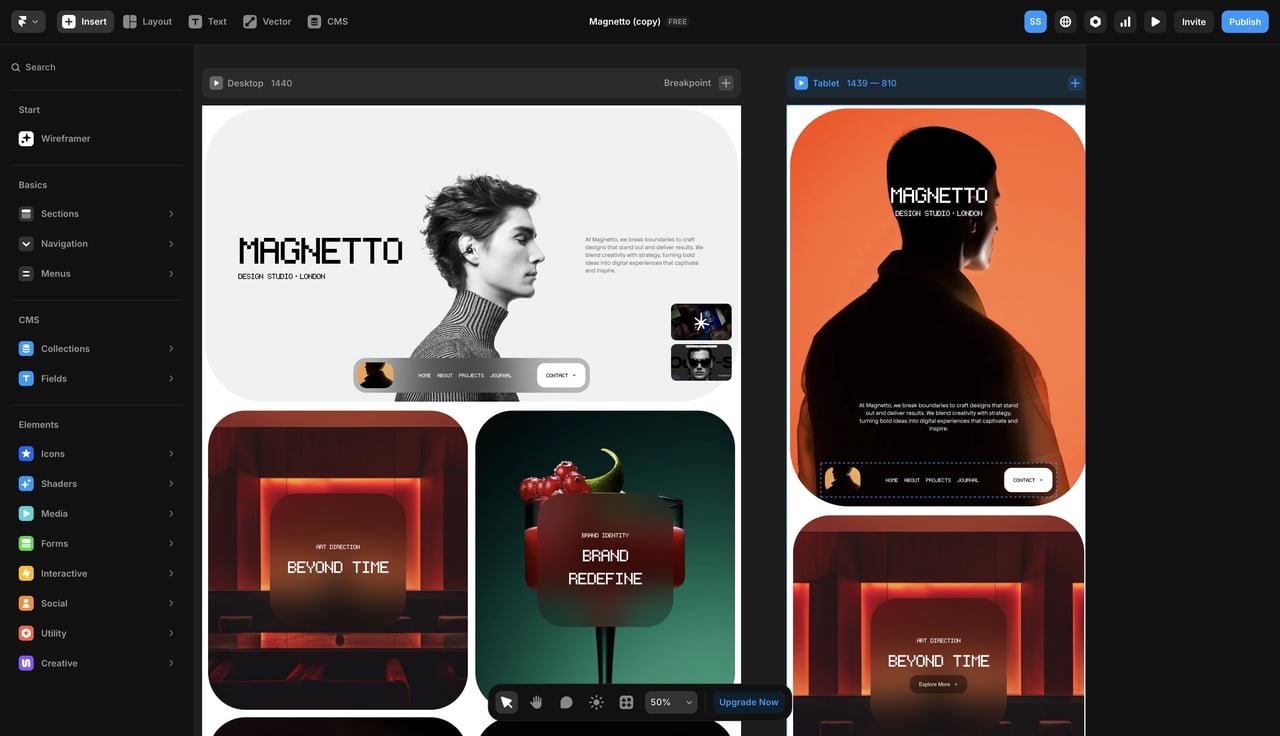
Framer has exploded in popularity recently, particularly among UI designers who already spend their days in Figma. It is heavily focused on rapid deployment and buttery-smooth, cinematic micro-animations. If you need to spin up a gorgeous, interactive splash page by tomorrow morning, it is fantastic. But its database capabilities are notoriously light.
WordPress (with Visual Builders)
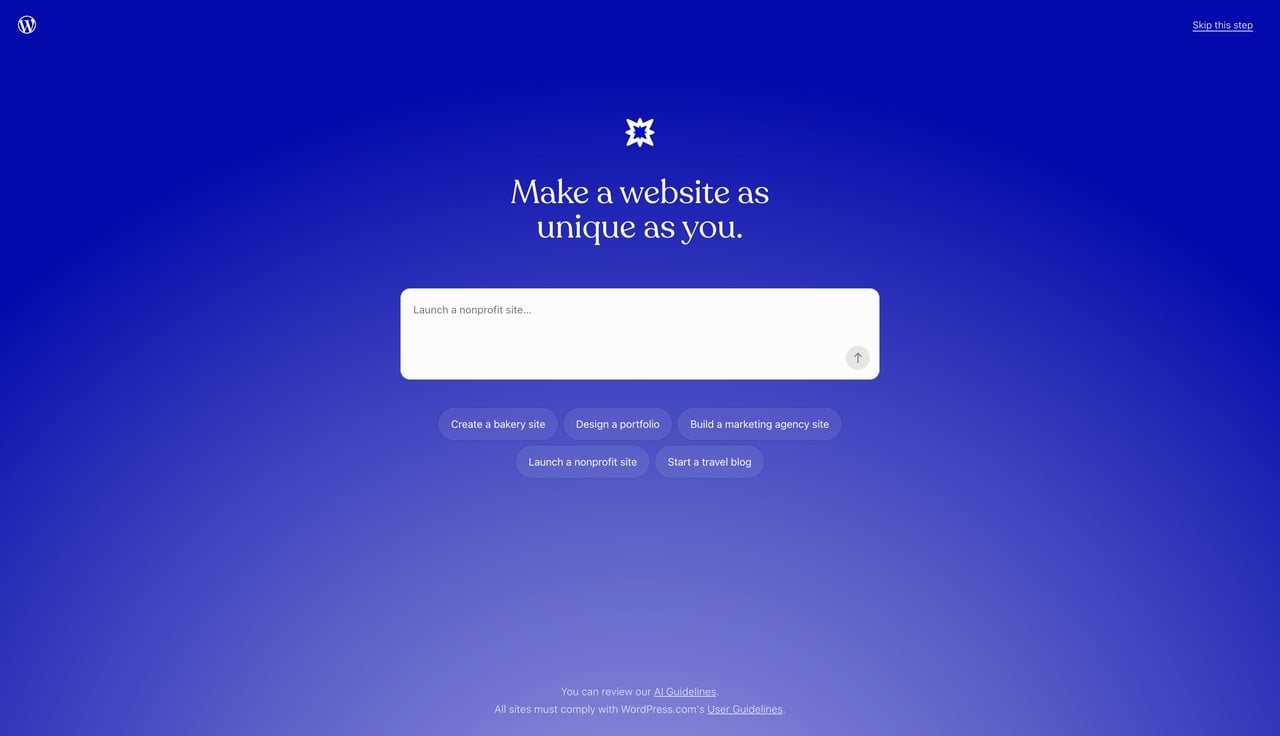
You cannot talk about the web without mentioning the giant that powers nearly half of it. WordPress is open-source and free, though you pay for your own hosting. By pairing it with modern visual builders like Bricks or Elementor, you can get a visual workflow. The main drawback? WordPress relies heavily on third-party plugins for functionality. This often leads to "plugin bloat," which can tank your site speed and open up frustrating security vulnerabilities.
Enter Pro
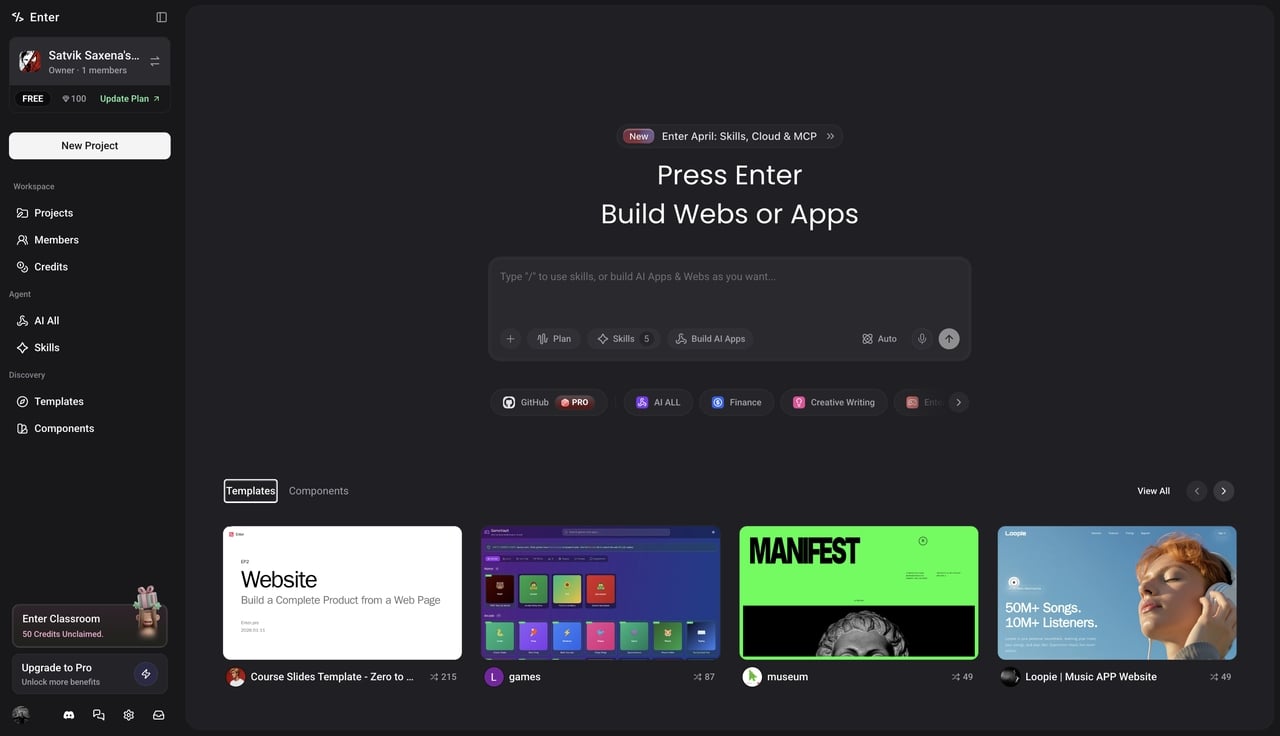
For teams that are hitting the ceiling of traditional visual builders, Enter Pro (enter.converge.ai) is rapidly becoming the go-to alternative. It is built from the ground up as an "Intelligent-Native" platform. While standard builders focus entirely on how a site looks, this platform focuses heavily on how a site works.
| Core Feature Focus | Webflow Ecosystem | Enter Pro Platform | WordPress & Builders | Framer |
|---|---|---|---|---|
| Primary Strength | Professional Marketing | Intelligent App Logic | Endless Customization | Rapid Prototyping |
| Learning Curve | Very Steep | Highly Intuitive | Moderate to High | Moderate |
| Code Output | Clean & Semantic | Lightweight & Fast | Often Heavy/Bloated | Clean |
| Database Style | Visual CMS Centric | Integrated Logic Hub | Plugin Dependent | Light CMS |
Why Enter Pro Is the Smarter Choice for 2026 Agencies
If you are a professional creator currently evaluating your technical stack for the coming year, you need tools that offer more than just visually appealing layouts. You need genuine, full-stack capabilities without the massive developer overhead.
This is exactly where Enter Pro distances itself from the rest of the pack.
-
First, the platform heavily integrates its exclusive Intelligent Mode throughout the entire building lifecycle. Instead of forcing you to manually adjust every single padding metric for mobile responsiveness, the intelligent architecture anticipates the layout shifts naturally. This saves hours of tedious, mind-numbing tweaking per project.
-
Second, it prioritizes integrated, native logic. Most visual builders force you to patch together clunky third-party connectors (like Zapier or Make) if you want your site to actually do something complex, like process specific user data flows. Enter Pro handles much of this logic natively inside the platform, allowing you to operate as a full-fledged internal tool builder to create functional digital products, not just static brochures.
-
Finally, the deployment ecosystem is engineered specifically for agency velocity. You can move from a structural wireframe to a styled, fully functional, and live application significantly faster than traditional visual builders allow. For an agency, turning projects around faster without sacrificing an ounce of quality is the ultimate key to scaling revenue.
Conclusion
The era of choosing between a restrictive template and an expensive, hand-coded build is over. Visual development platforms have successfully democratized professional web creation. They allow designers to own the entire process from the first pixel to the final published URL.
Choosing the right ecosystem ultimately comes down to what you are trying to build. If you are focused strictly on marketing websites with heavy, cinematic animations, the incumbent platforms offer incredible tools.
But if you are looking to build smarter, faster, and push into the realm of functional web applications without losing that visual ease, adopting an intelligent-native platform like Enter Pro is the sharpest move you can make for your workflow right now.
Frequently Asked Questions
1. Is visual development better than WordPress for search engine optimization?
In many ways, yes. Visual builders generate clean, semantic HTML and CSS without relying on dozens of bulky plugins to function. This results in much faster page load speeds and cleaner site architecture, both of which are critical ranking factors for search engines today.
2. Can I export my code and host the website somewhere else?
Most premium visual development platforms do offer a code export feature. This allows you to build the site visually, download the HTML/CSS package, and host it on your own servers. Keep in mind that CMS content and native form handling usually break when you export, as they rely on the platform's proprietary hosting infrastructure.
3. Do I need to know how to write code to use these modern builders?
You absolutely do not need to write manual code. However, having a baseline understanding of how the web works—specifically CSS concepts like flexbox, grid, and the box model—is incredibly helpful. Tools equipped with Intelligent Mode help flatten this learning curve by handling the complex logic for you.
4. What makes Enter Pro different from traditional website builders?
The primary difference is the depth of functionality. While traditional platforms are amazing for designing static marketing pages and blogs, Enter Pro is an intelligent-native environment. It acts as a full-stack alternative, giving you the visual ease of a site builder combined with the logical power needed to build robust, interactive web applications.
5. How long does it realistically take to learn visual web development?
If you already have a background in graphic design or UI/UX, you can comfortably learn the interface within a couple of weeks. However, mastering the intricacies of complex animations, data structures, and responsive logic can take a few months. Platforms that heavily utilize smart automation features tend to get new users up to speed much faster.