AI for Health: Build Smarter Health Applications

Build AI-powered health apps around your needs, from wellness tracking to organized workflows, with a flexible, conversational process.

What You Can Build with Enter Pro

Fitness & Wellness Apps

Create engaging fitness and wellness apps in Enter Pro to help people track, reach, and maintain their health goals. With AI code generation, you can customize every step of the journey for users of all skill levels.

Start for free
Fitness & wellness apps
1778065323447-e08679fb-f65b-4648-9498-a6f767d847c8

Mental Health Apps

Mental health is getting more attention, and well-designed apps can make private, tailored support easier to reach. With Enter Pro, you can build a mental wellness app for journaling, mood check-ins, or guided exercises that works alongside professional care rather than replacing it.

Try Enter now

Personal Care Apps

Enter Pro lets you create personal care apps that track your calorie intake, body type, skin type, current health, and everything related to your wellness journey. It mainly improves accessibility to healthcare knowledge and reduces unnecessary clinical visits.

Try Enter now
Personal care apps
Medical & clinical apps

Medical & Clinical Apps

With Enter Pro, you can build medical and clinical apps that help healthcare professionals track patients, data, and workflows more efficiently. These platforms make clinical operations easier and improve the patient experience. Any app that handles patient records needs privacy and compliance checks before it goes live.

Try Enter now

Key Features for Building AI Applications for Health

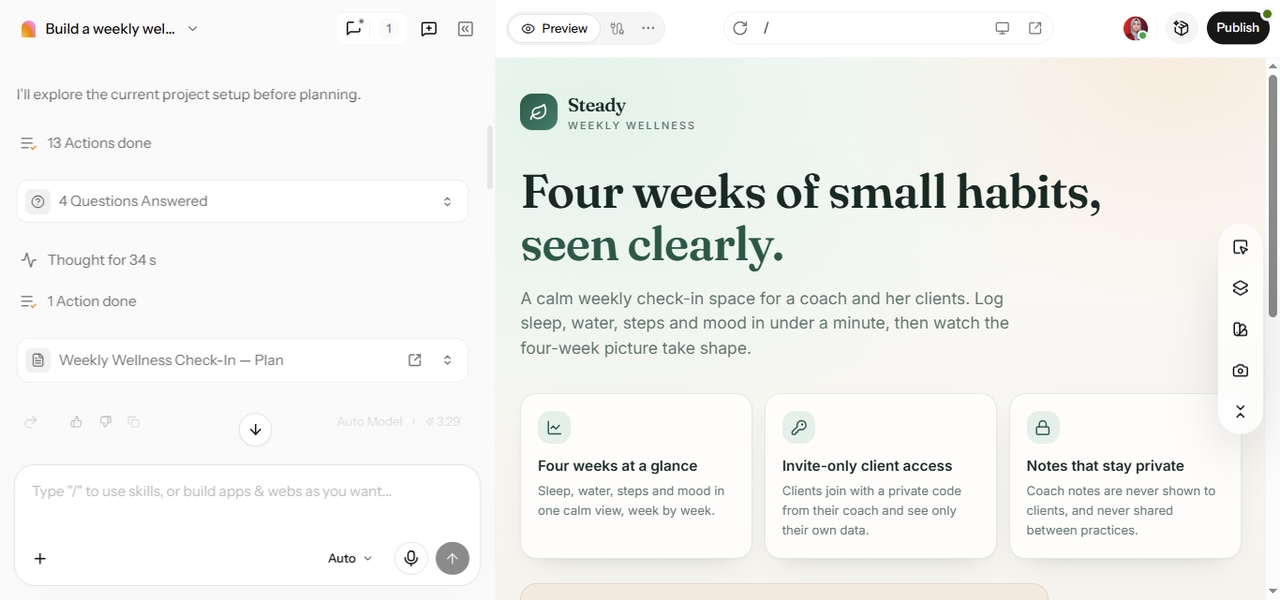
Enter Pro workspace displaying a wellness application plan alongside the generated Steady health app preview.

Create Custom Health Applications from Natural Language

Got a health app idea but no developer? Describe it in plain words, including who it's for, what they need to track, and what each screen should do, and Enter Pro turns it into a structured app that follows your intended workflow. That's where AI for health gets practical. Instead of searching through generic tools for the best AI for health, you build one around the way your clients or team actually work.

Start for free

Refine Health Workflows Through Conversational AI

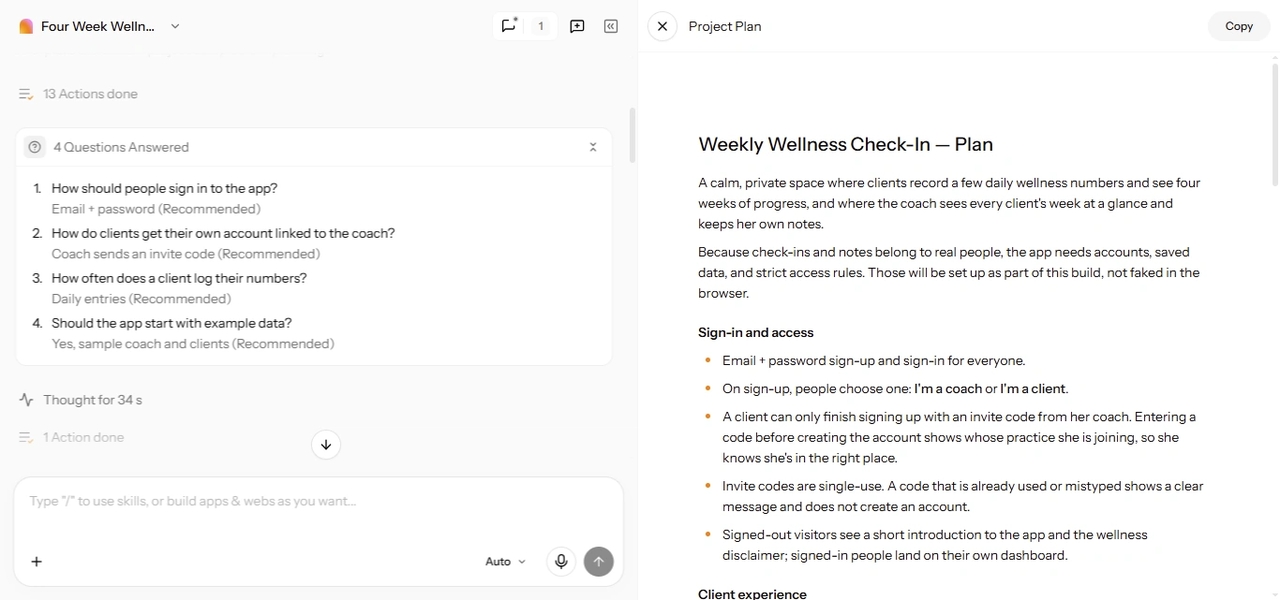
You don't have to get every detail right in the first prompt. Enter Pro's Plan Mode asks follow-up questions, like whether clients log data daily or weekly or who can see coach notes, then drafts a plan before it builds. After that, you keep shaping the app through chat. Using AI for health projects this way means the app grows step by step, the way most good ideas actually develop.

Try Enter now
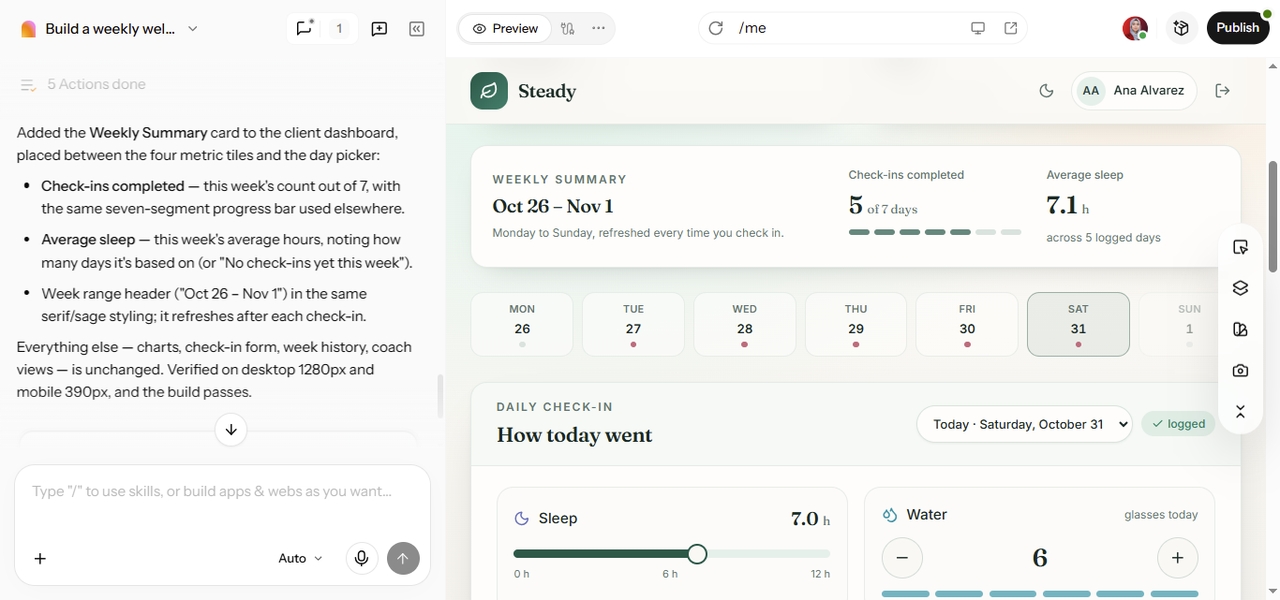
Enter Pro AI chat showing a completed wellness app refinement alongside the updated dashboard with weekly check-ins and average sleep tracking.
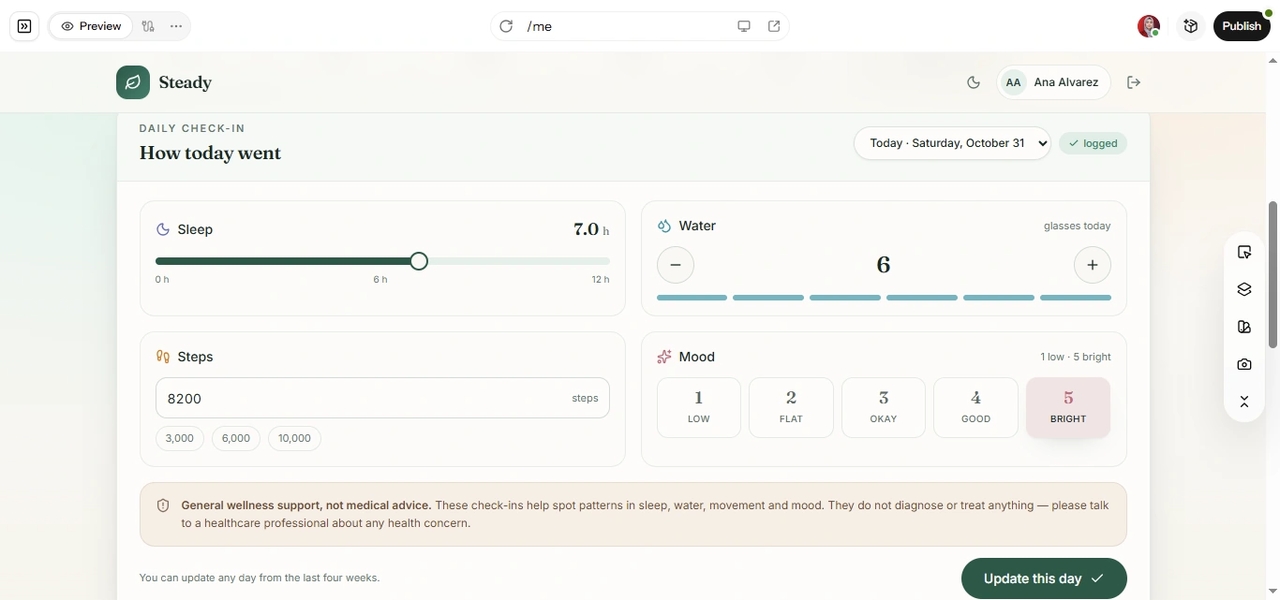
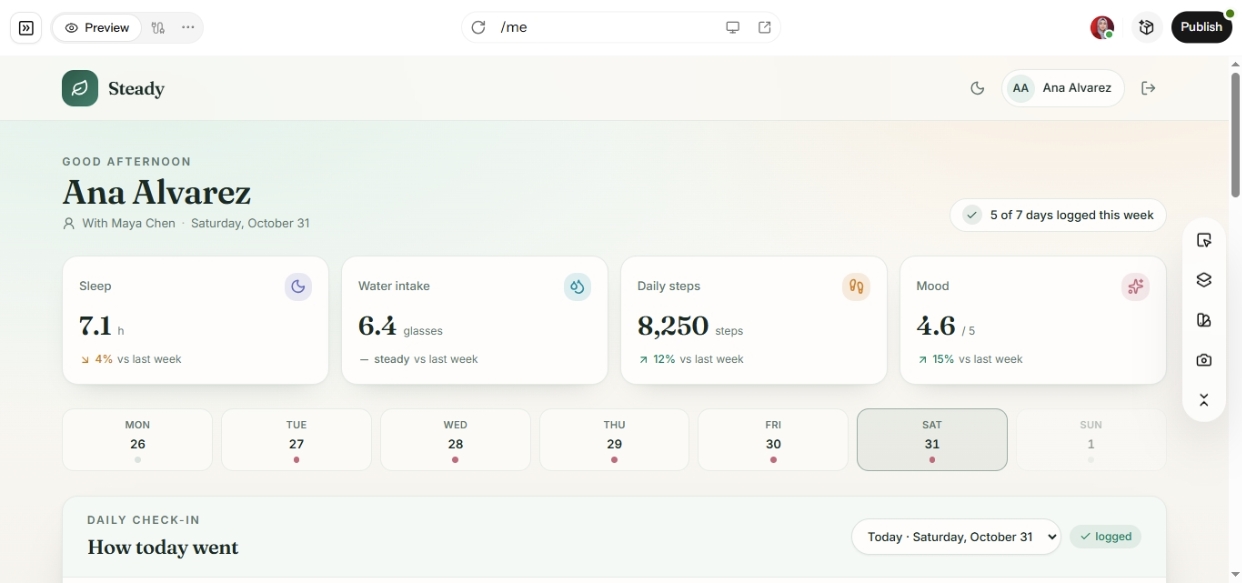
Enter Pro wellness app showing daily sleep, hydration, step tracking, mood check-ins, and a general wellness disclaimer.

Build Wellness and Mental Health Support Tools

Shape a wellness experience around a specific audience, whether that's new runners, busy parents, or students during exam season. AI for mental health works best here as everyday support: mood journals, breathing exercises, sleep logs, and clear links to real help. Teams working in AI for behavioral health can also build non-clinical tools, such as habit trackers or check-in forms, that sit alongside professional care.

Start for free

Organize Health Information and Everyday Tasks

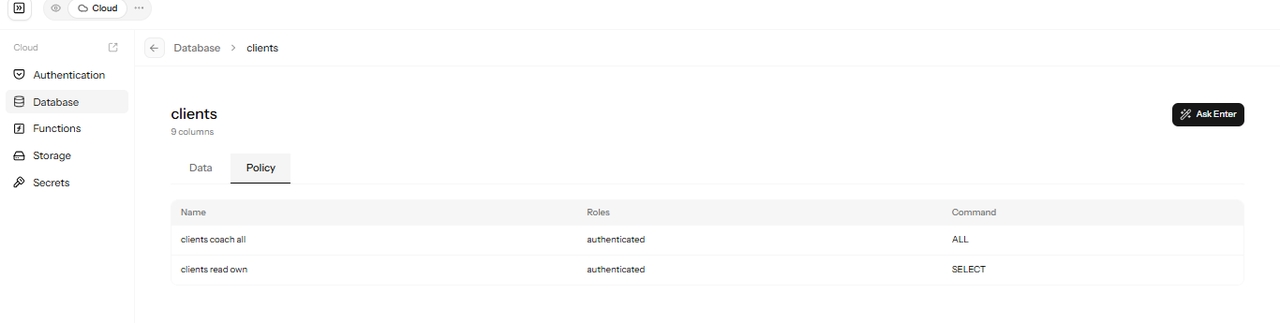
A lot of health work is simply staying organized. Build an app that keeps medication reminders, appointment lists, meal plans, or resource libraries in one place, so recurring tasks are easier to manage and review. With Enter Cloud, that information lives in a managed database with user sign-in, and you can set it up so each person sees only their own records.

Try Enter now
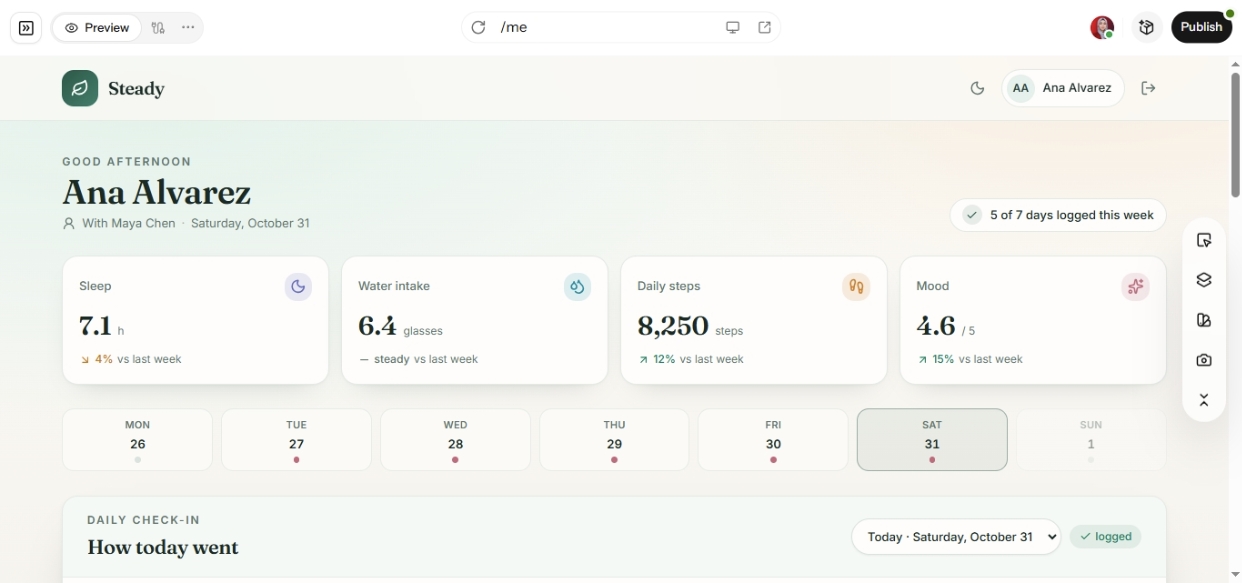
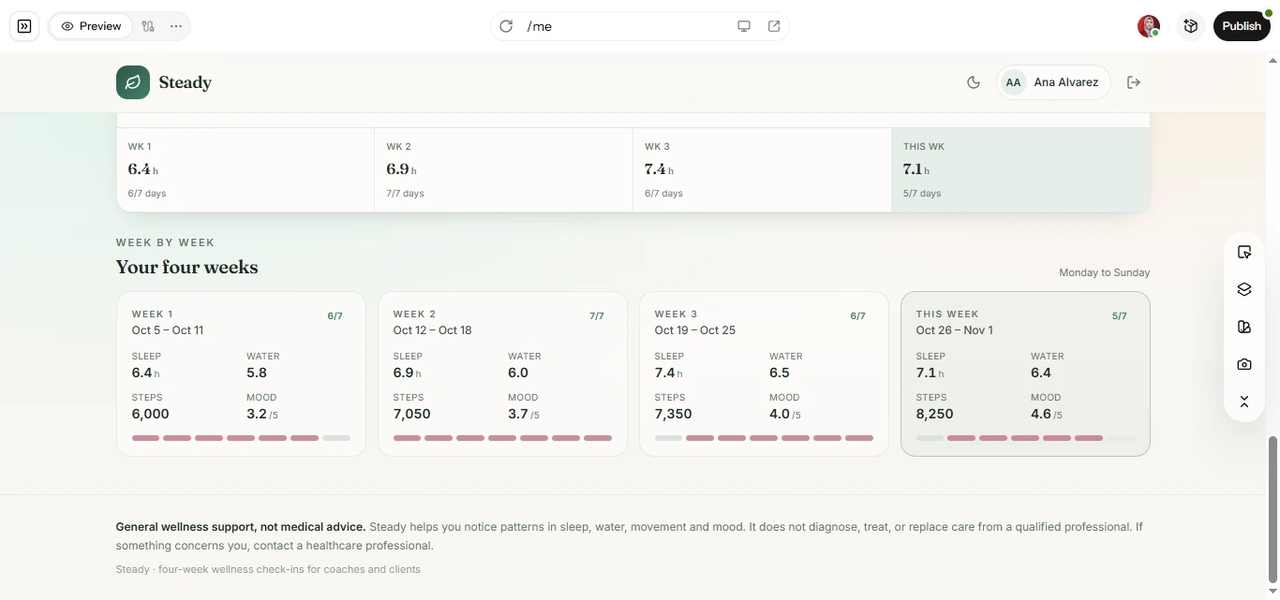
Enter Pro wellness app dashboard showing organized four-week records of sleep, water intake, daily steps, mood ratings, and check-in progress.
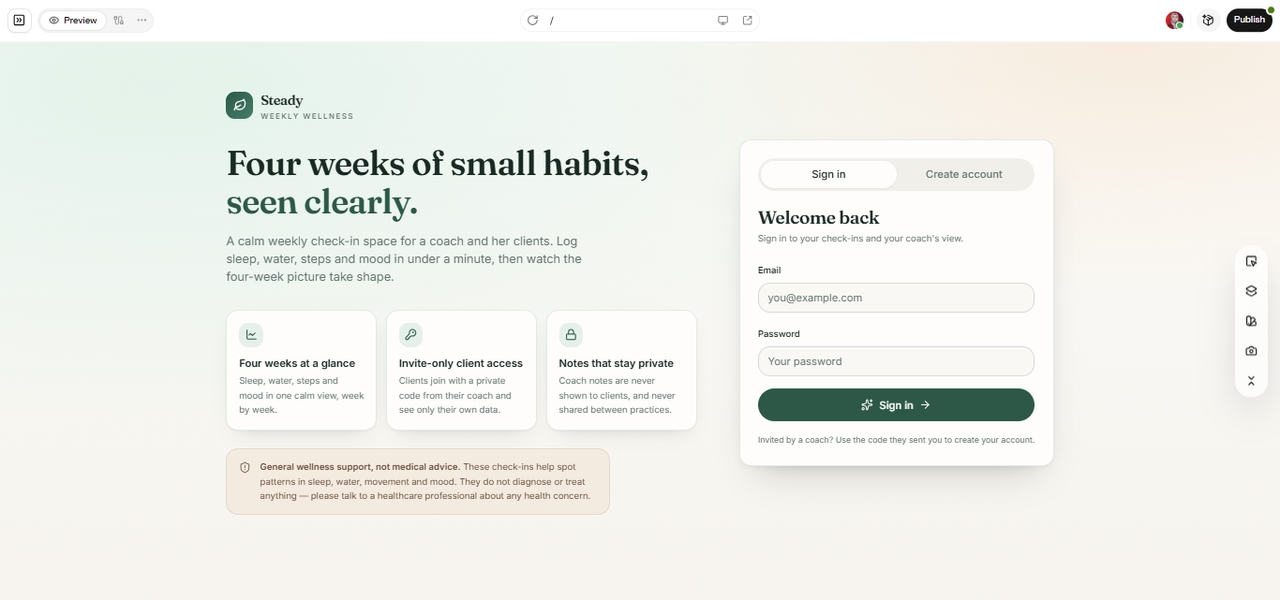
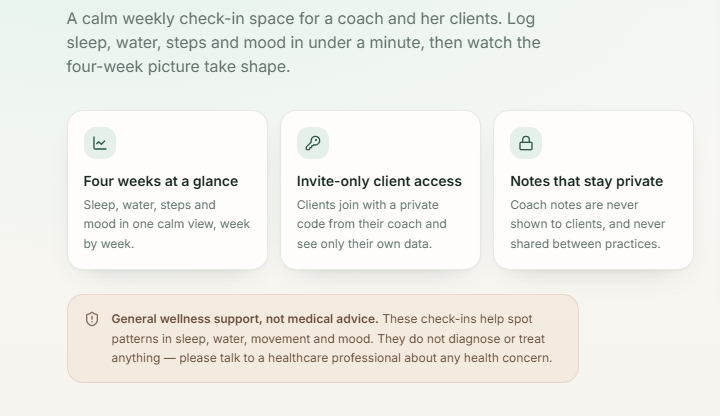
Enter Pro wellness app showing invite-only client access, private coach notes, and a disclaimer that the app does not provide medical advice.

Design Responsible Health Experiences with Clear Boundaries

Good AI governance for health care starts with the product itself. Tell Enter Pro what the app is for and what it isn't, then make those limits visible to users with a clear disclaimer, no diagnosis-style wording, and an easy route to professional help. Collect only the data you need, and decide early who on your team can access it.

Start for free

How to Build an AI-Powered Health Application with Enter Pro

Here's how a wellness coach might use AI for health to build a weekly client check-in app, from the first prompt to a version ready for real clients. The same three steps work for fitness, nutrition, or clinic tools.

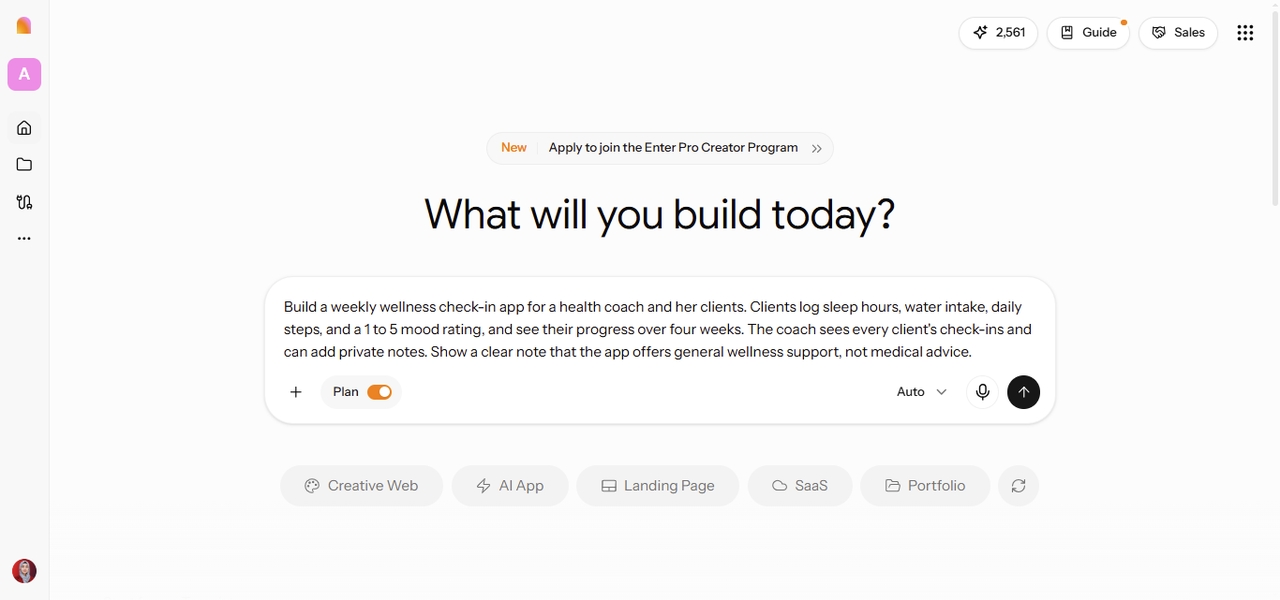
Enter Pro workspace showing a weekly wellness check-in app prompt with Plan Mode enabled.

Step 1: Describe Your Health Application Idea

Begin by explaining the app's purpose, who will use it, and what it needs to do. Open the Enter workspace, keep Plan Mode switched on, and describe what users should track, which information they need to see, and how the screens should work. Plain language is fine. You're describing a workflow, not writing a technical spec. Example prompt: Build a weekly wellness check-in app for a health coach and her clients. Clients log sleep hours, water intake, daily steps, and a 1 to 5 mood rating, and see their progress over four weeks. The coach sees every client's check-ins and can add private notes. Show a clear note that the app offers general wellness support, not medical advice.
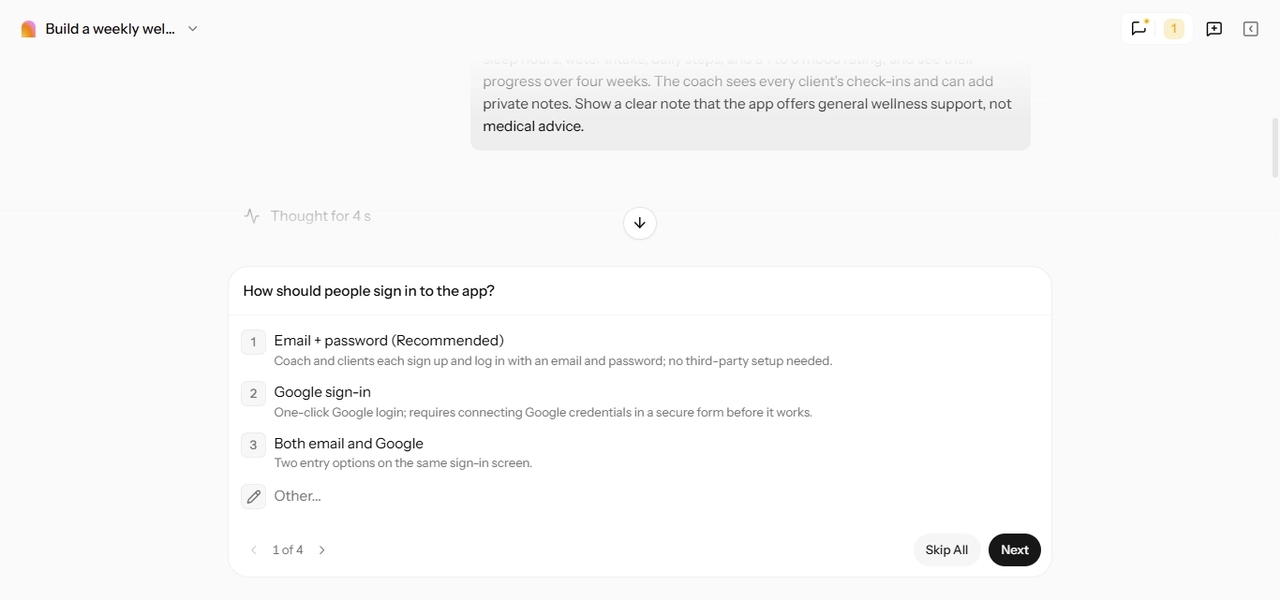
Enter Pro Plan Mode asking a follow-up question about user sign-in options while planning a wellness check-in application.

Step 2: Clarify Requirements and Refine the Application

Enter Pro may ask follow-up questions first, such as whether clients can edit past entries or whether the coach needs reminders for missed check-ins. Answer them, review the plan, and click "Build now." Then use the first version the way a client would. Adjust the fields, navigation, progress views, and flow through chat, one or two changes at a time. For example: "Add a weekly summary card and let clients skip a day without breaking their streak." For quick visual changes, like colors, labels, or spacing, the Visual Editor is often faster than another prompt.

Enter Pro preview showing a wellness check-in dashboard with sleep tracking, water intake, daily steps, mood ratings, and weekly progress.

Step 3: Review and Prepare the Application for Use

Before real clients use the app, test every function with sample data and check calculations, such as weekly averages, by hand. Confirm who can see what. Clients should see only their own entries, and coach notes should stay private. If the app will handle protected health information, review your privacy and regulatory requirements, such as the HIPAA Privacy Rule in the US, before you publish and share the link.

Why Choose Enter Pro for Custom Health Workflows?

Enter Pro coach dashboard showing multiple client wellness check-ins with sleep, water, step, mood, and weekly progress summaries.

Adapt Applications to Specific Health Workflows

A wellness coach may need progress tracking, a health educator may need an organized resource library, and a health tech team may need a prototype to test a new user journey. Enter Pro lets each of them build the structure they actually need, instead of assuming one standard app fits everyone.

Start Without a Fully Specified Technical Design

Plain-language requirements and step-by-step refinement help you clarify the idea as you go. That's especially useful in early prototyping, when the fields, screens, and workflow steps aren't settled yet.

Enter Pro Plan Mode showing four answered requirement questions alongside a generated wellness application plan with sign-in and client access details.
Enter Pro wellness app homepage showing wellness tracking features, invite-only client access, private notes, and a clear non-medical disclaimer.

Keep Users Focused on the Intended Purpose

You decide what the app shows, which tasks it supports, and what actions users can take. For health projects, that also means stating the app's limits clearly and never presenting general wellness information as a personal diagnosis or treatment plan.

Build with Responsible Data Practices

Collect only the data the app needs, set access controls so people see only what they should, and keep secrets like API keys out of the front end. Be open with users about what you store and why, and keep a person in the loop for anything sensitive.

Enter Pro Cloud database showing client access policies, authenticated roles, and SELECT and ALL permissions for a wellness application.
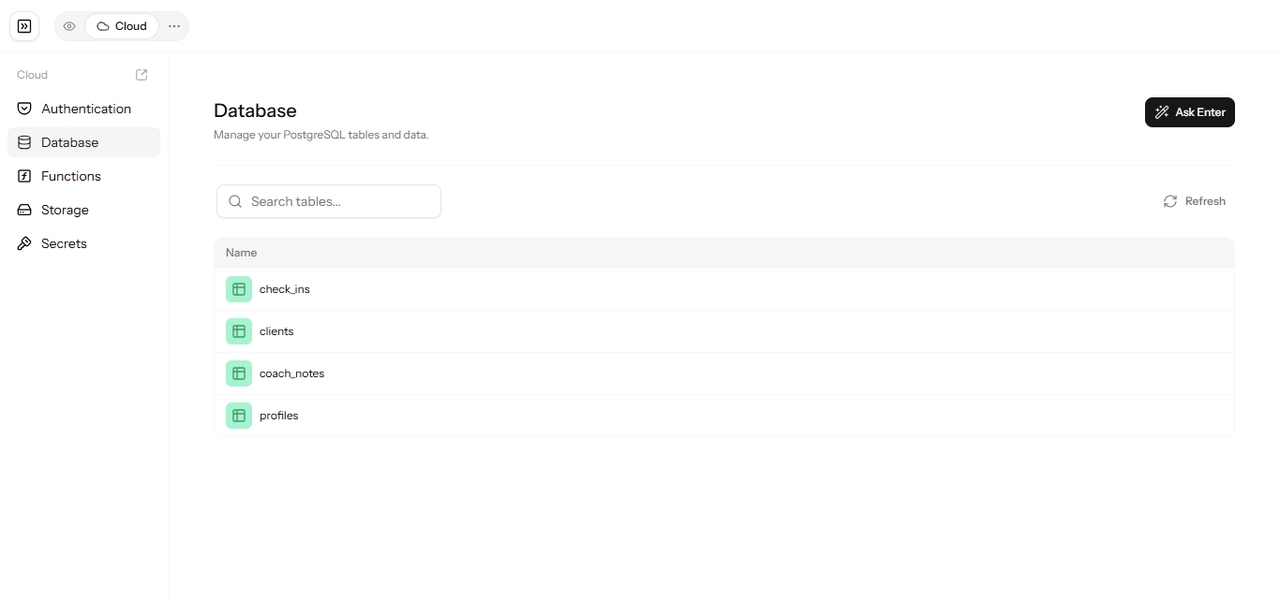
Enter Pro Cloud backend showing PostgreSQL database tables for wellness check-ins, clients, coach notes, and user profiles, alongside authentication, functions, and storage options.

Built-In Backend Support

Enter Cloud gives your app a database, user authentication, file storage, and server functions without any manual server setup. The agent can create tables and set up sign-in for you, so you can focus on what the app should actually do.

FAQs

Turn Your Health App Idea into a Custom Application

You already know what your clients, patients, or team need to stay on track. With Enter, you can describe that idea, refine it through conversation, and test a working app before anyone relies on it. Used with clear limits and careful data handling, AI for health can turn a good idea into a tool people actually use.