
AI for Developers

AI for developers is not about autocomplete anymore. It is about getting software out the door faster. Enter Pro is an AI development agent that takes English prompts and turns them into deployed full-stack applications. It plans the build, writes the code, and links your database and payments. Then you make the changes you want. This page explains how it works, where it fits, and how to get started for free.

Enter Pro for Modern AI Development Workflows

Modern developers don’t just need code suggestions. They need systems that understand context, automate workflows, and scale across projects. Enter Pro is built around those three needs. Below, I’ll show what each one looks like in practice.

Context-Aware Code Generation

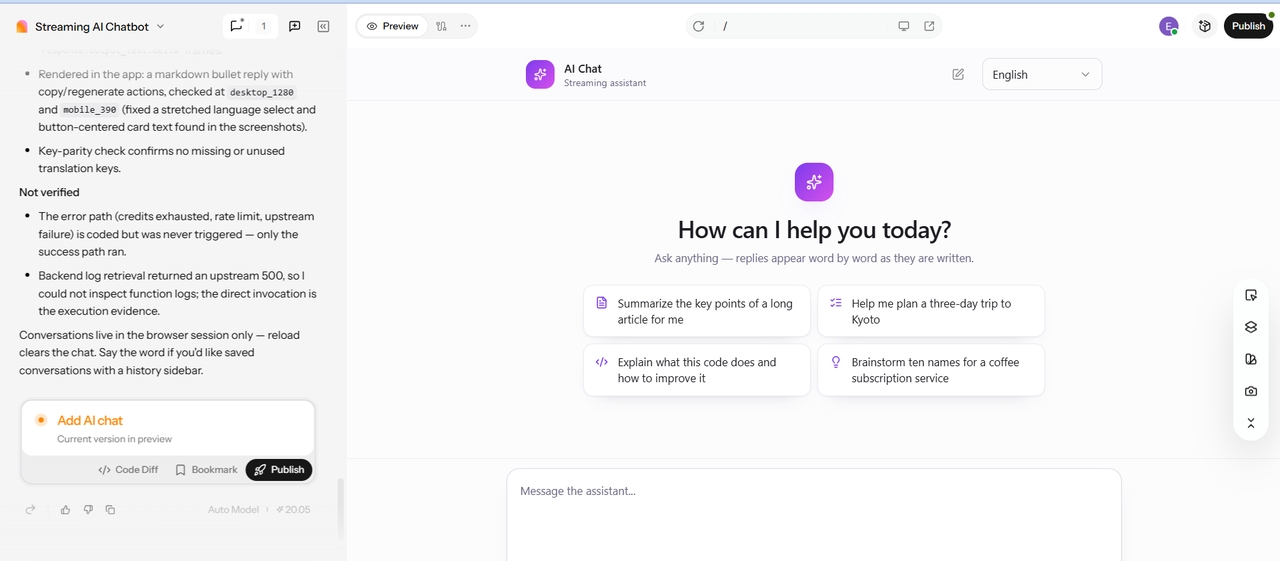
Isolated snippets only help a little. Enter Pro reads your project before it writes anything. It looks at the structure, the logic, and the dependencies. It generates the code that actually fits what you have built. You receive suggestions, auto-completions, and function-level generation directly within your workflow. You skip the setup grind. No API key management. You don't need environmental configuration. Enter Pro’s AI-native core generates your code so you can focus on business logic. It works across stacks. That's why there is no need to switch tools or environments.

Start for free
Isolated snippets only help a little. Enter Pro reads your project before it writes anything. It looks at the structure, the logic, and the dependencies. It generates the code that actually fits what you have built. You receive suggestions, auto-completions, and function-level generation directly within your workflow. You skip the setup grind. No API key management. You don't need environmental configuration. Enter Pro’s AI-native core generates your code so you can focus on business logic. It works across stacks. That's why there is no need to switch tools or environments.
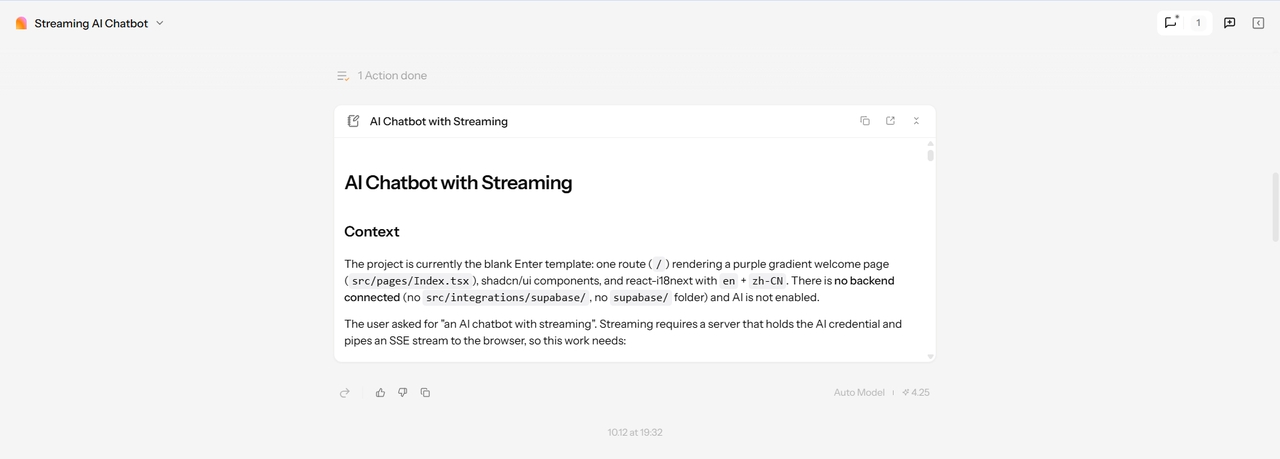
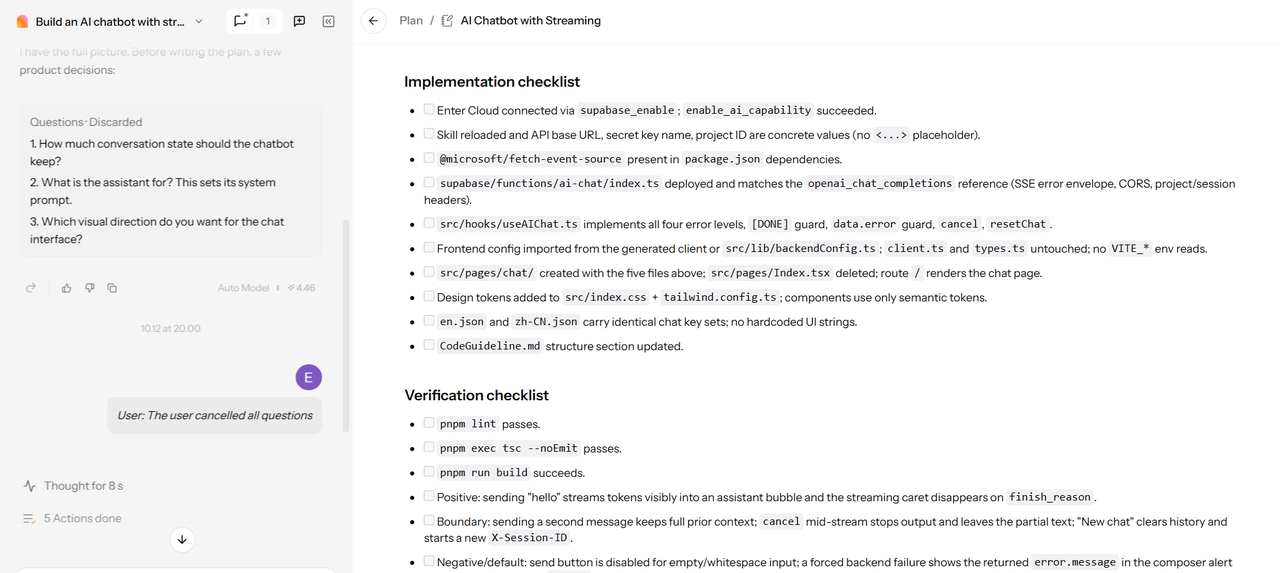
Enter Pro agent plan for a chatbot build

Multi-Step Task Execution

Real work rarely fits in one prompt. Refactoring, testing, and feature building all take steps. Enter Pro’s AI agents run them one at a time, in order. They also take repetitive jobs off your plate: documentation, test generation, bug detection. These run asynchronously, so you keep coding while they work. Everything coordinates across your tools, APIs, and environments in one system. There’s a free plan, too. If you’re sorting through free ai tools for developers, it’s an easy way to test agents on a real task.

Try Enter now

Rapid Prototyping and App Development

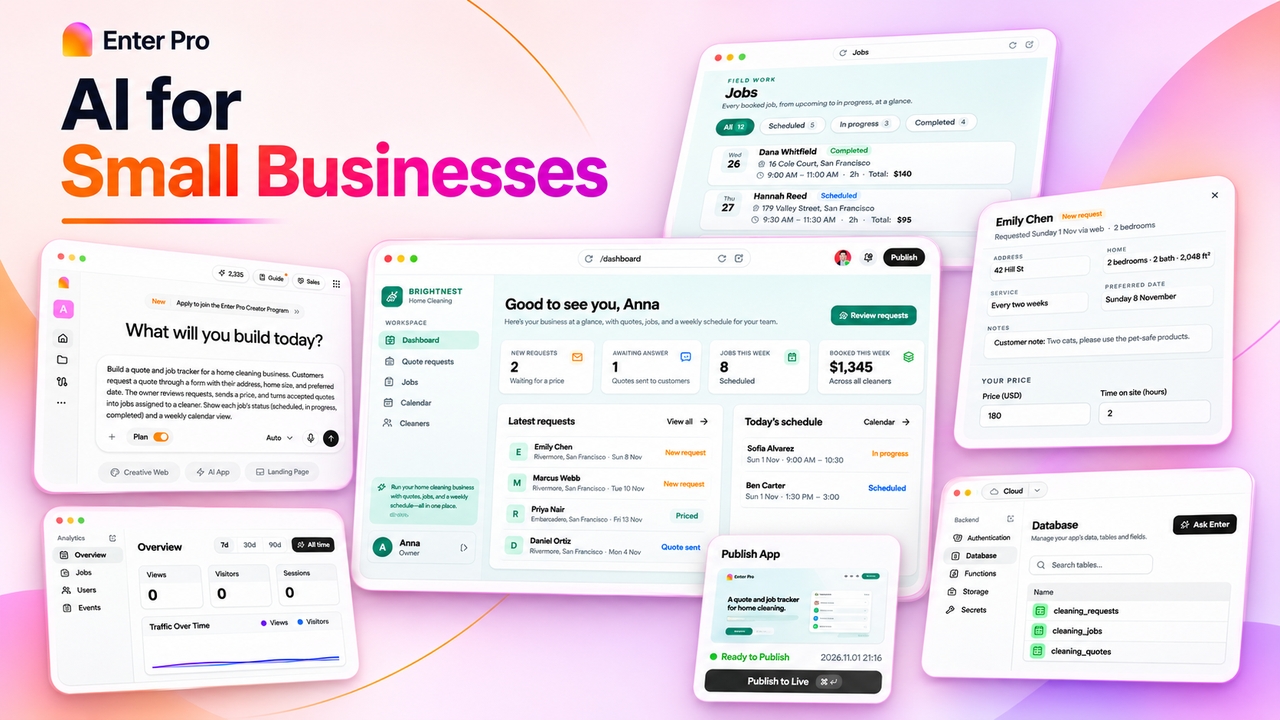
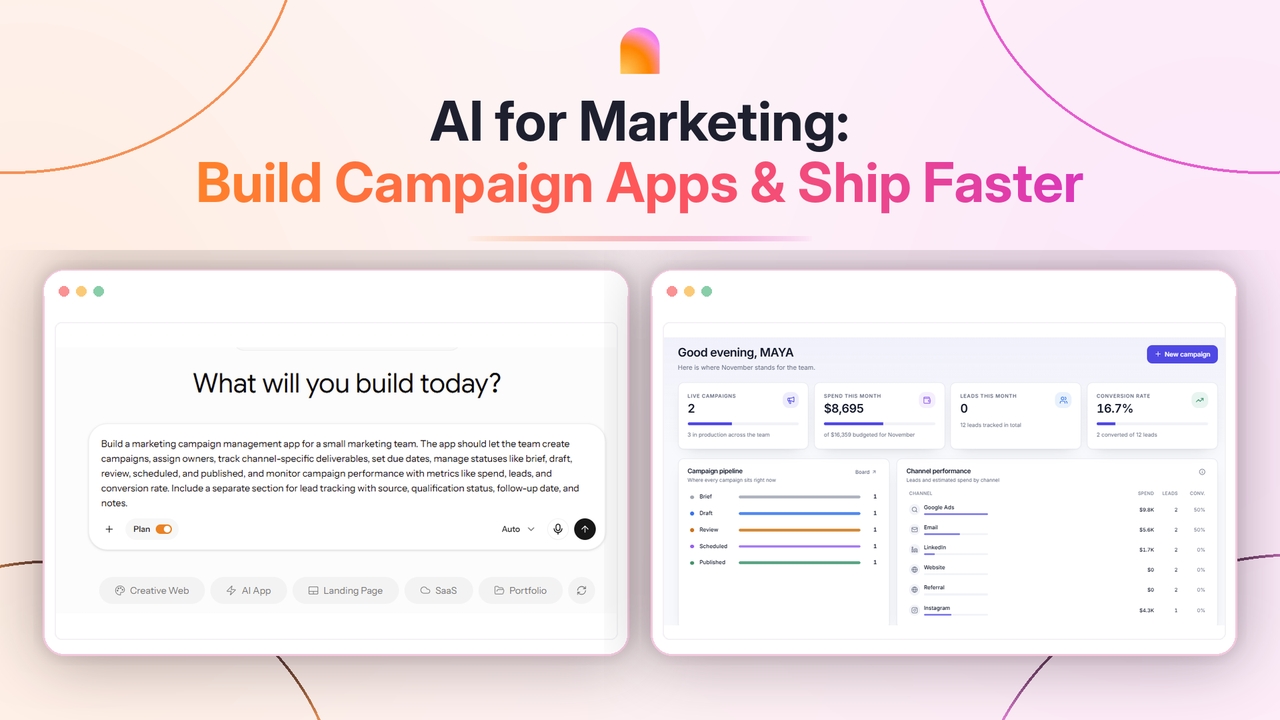
Describe what you want in words. Enter Pro builds an application. Then you make changes with questions until it is perfect. This helps you quickly check an idea, create a basic version of a product, or make a tool for your team. You can also ask the AI questions. See changes on your phone when you are not at your computer. All the things you need for a real app are included. Enter Pro automatically connects tools like Stripe, Google Analytics, and Supabase from the first question. Your app is ready for users, real data, and payments. Most AI tools for developers stop at snippets. This one gives you a running app.

Start for free
Describe what you want in words. Enter Pro builds an application. Then you make changes with questions until it is perfect. This helps you quickly check an idea, create a basic version of a product, or make a tool for your team. You can also ask the AI questions. See changes on your phone when you are not at your computer. All the things you need for a real app are included. Enter Pro automatically connects tools like Stripe, Google Analytics, and Supabase from the first question. Your app is ready for users, real data, and payments. Most AI tools for developers stop at snippets. This one gives you a running app.

How to Build AI Tools for Developers with Enter Pro

Three simple steps can take you from idea to live app.

Enter Pro template picker

Choose Your Environment

Kickstart your project by picking a full-stack template. Or you can also start with a blank canvas. Enter Pro sets up your database, backend, and frontend architecture so you can concentrate on the main goals. Changing a template clones the whole stack, not just the user interface.
Enter Pro agent writing code live

Command the Agent

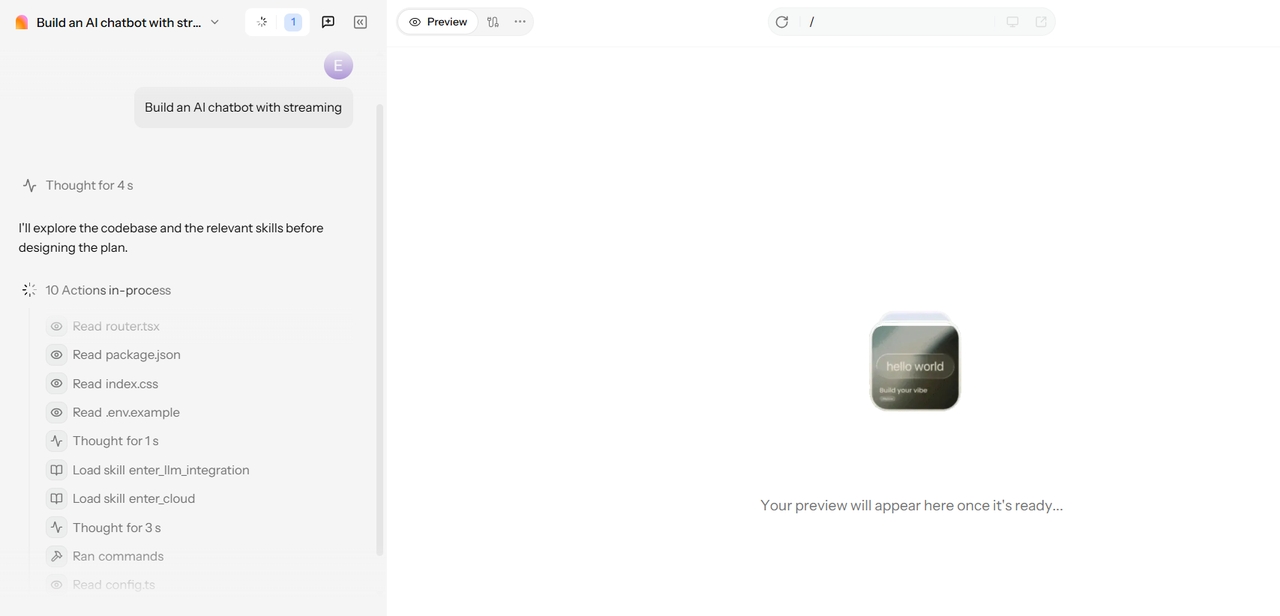
Describe your vision in simple words. Watch our agent plan and code in real time. Switch between industry-leading models like Claude 4.6 Sonnet and Gemini Pro to handle complex logic with 98% accuracy. Not sure what to ask for? Try “Build an AI chatbot with streaming” or “Design an AI model comparison dashboard.”

3. Refine with the Visual Editor

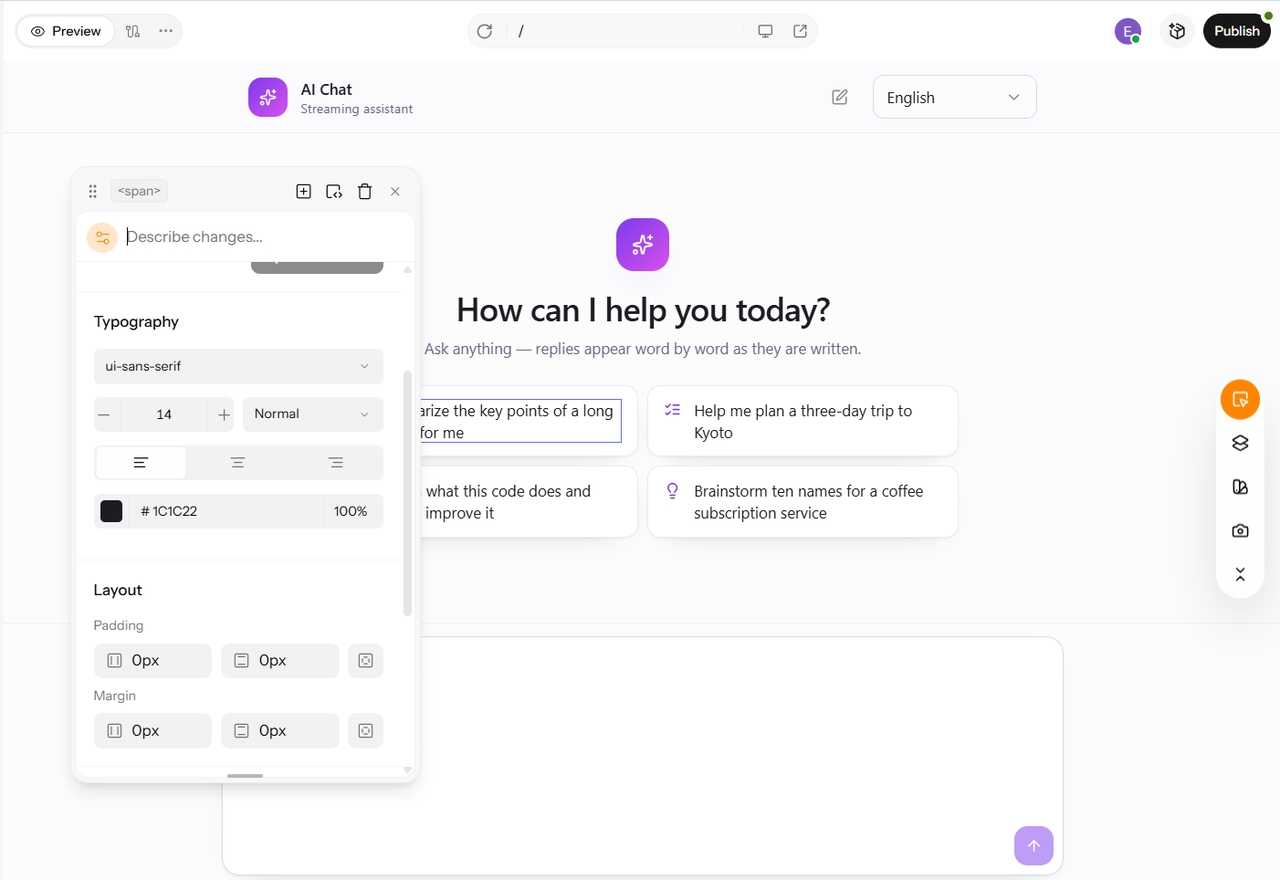
Refine with the Visual Editor

Use the integrated Visual Editor to click any element and tweak styles, layouts, or code. You get the speed of AI with the precision of hand-coding. And if you are happy with it, hit “Deploy” to go live. Or you can also export your 100% owned source code.

Built for Real Development Use Cases

Feature lists don’t ship products. The best AI tools for developers earn their place on real problems.

1

Large Codebase Navigation & Refactoring

When you get a legacy codebase that lacks documentation, it can be overwhelming to know where to begin. Enter Pro is designed to help you understand how the system is structured, analyze its dependencies, and modernize it gradually. This tool minimizes the need for extensive manual exploration. Additionally, because it interprets your project context, its suggestions are tailored to align with your existing framework.

2

Debugging and Error Resolution

Bugs eat afternoons. Enter Pro’s AI-powered analysis can quickly identify issues and suggest proactive fixes. This means you can start from a probable cause rather than facing a blank page. Simply click on the element in the Visual Editor to adjust the code directly. This is the true value of the best AI for developers. It streamlines your troubleshooting process.

3

Feature Development & Prototyping

Transform your idea into a working feature with minimal manual effort. First, describe the feature you want. Then, review what the agent creates. Make any necessary adjustments and deploy it. Your team can collaborate in the same workspace, allowing for collective code review. Plus, since you own 100% of the code, you have the freedom to export it and host it wherever you choose.

Real Voices from Our Community

Enter completely removed our engineering bottleneck. We went from waiting weeks for developer resources to simply typing out our requirements and deploying a live MVP that same afternoon. It's like having a technical co-founder on standby.

Alex P.

Alex P.

PRODUCT MANAGER

We were struggling with connecting different no-code tools and paying multiple subscriptions just to get a product working. Enter gave us a unified platform with native Stripe and Supabase integrations, saving us thousands and simplifying our entire stack.

Maria S.

Maria S.

STARTUP FOUNDER

I built our entire customer portal using the Enter Agent. The visual editor is a game-changer—it let me manually tweak the exact CSS and layouts for a perfect design while the AI seamlessly handled all the complex backend routing.

David K.

David K.

LEAD DESIGNER

FAQs

Ship Your Next Big Idea with Enter Pro

Stop comparing AI platforms for developers based on their feature lists. Instead, choose one and start building. With Enter Pro, you can simply tell it what you want, and it will automatically set up the database, backend, and frontend for you. It comes pre-connected with Stripe, Google Analytics, and Supabase. You can customize anything you like using the Visual Editor, have a teammate review the code, and then deploy. There are no API keys required and no lengthy setup processes. Plus, the code belongs to you, so you can take it anywhere. The free plan is sufficient to get started.