Build Your Online Store with an AI Shopify Store Builder

Turn your store idea into a tailored website with Enter Pro. Describe your goals, refine requirements with AI, and customize your brand.

Powerful Features of Our AI Shopify Store Builder

Generate Your Store in Minutes

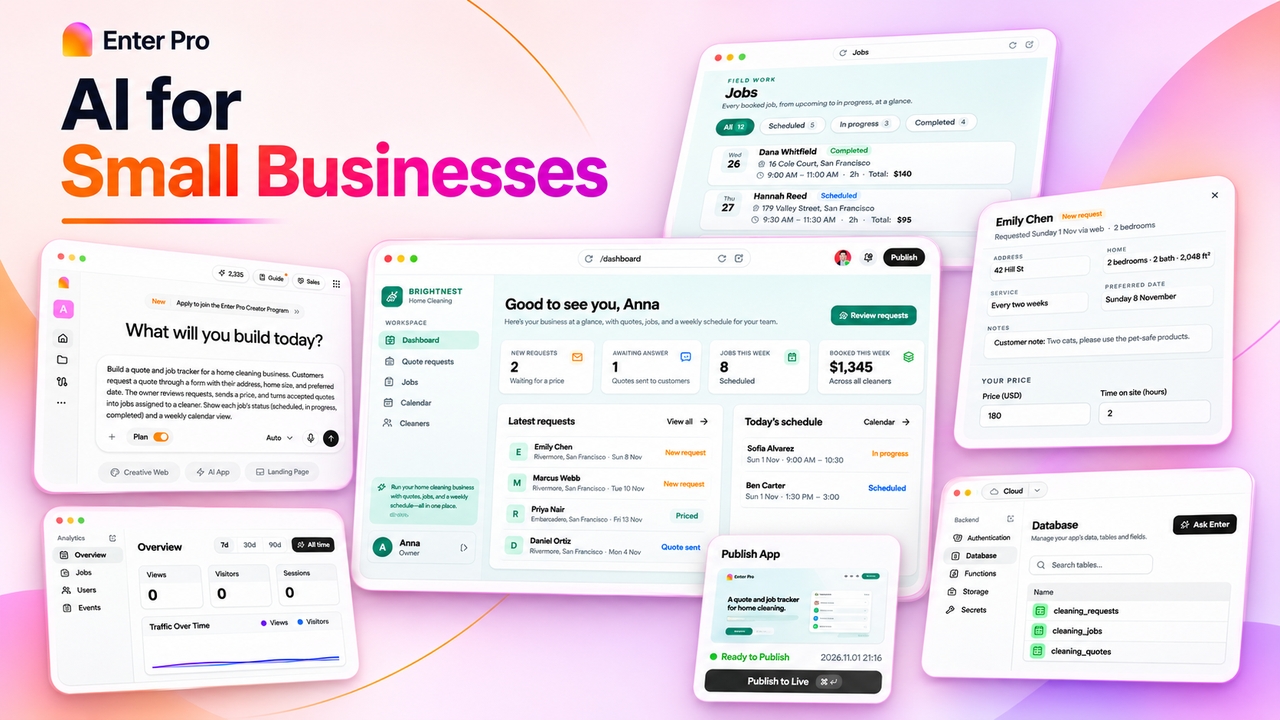
Build and launch a complete Shopify-style ecommerce store quickly using simple prompts. Enter Pro handles layouts, structure, and essential store functionality automatically without requiring technical knowledge or developers.

Start for free
1. Generate your store in minutes
2. Craft product descriptions using AI

Craft Product Descriptions with AI

Generate persuasive product descriptions for your inventory instantly using AI-powered writing tools. Improve engagement, highlight product value clearly, and create consistent ecommerce copy designed to support higher conversions.

Try Enter now

Design Mobile-Ready Storefronts

Create responsive storefronts that automatically adapt across smartphones, tablets, and desktops. Deliver delightful shopping experiences on every device without manually adjusting layouts or building separate mobile websites.

Start for free
Design mobile ready storefronts easily
Manage your inventory automatically today

Manage Your Inventory Automatically

Track inventory, organize product categories, and monitor stock levels from one centralized dashboard. Simplify store management workflows while reducing the manual tasks involved in maintaining growing ecommerce operations.

Try Enter now

Optimize pages for search engines

Improve search rankings with Enter Pro, which automates metadata creation and keyword placement. Increase organic visibility, attract more shoppers, and support long-term ecommerce traffic growth.

Start for free
Optimize pages for search engines

How to Use Our AI Shopify Store Builder?

Here's how Mia, who runs a small handmade ceramics shop called Fern & Clay, used Enter Pro to build her first online store, from the first prompt to a live link she could share with customers.

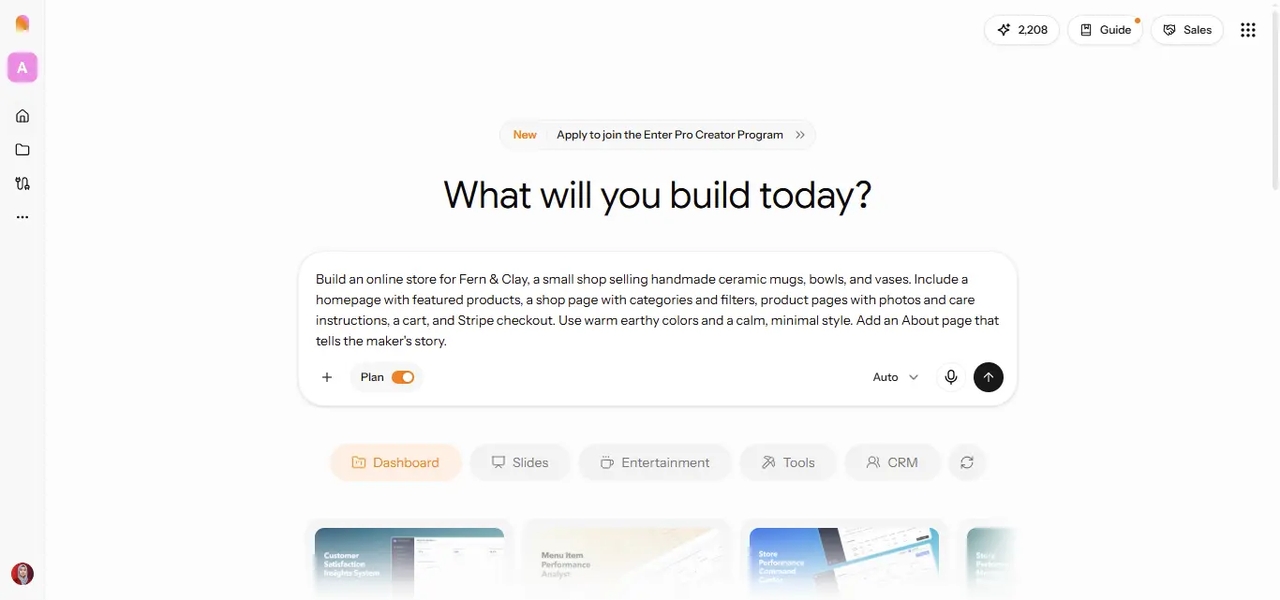
Enter Pro AI store builder showing a natural-language prompt to create a handmade ceramics ecommerce store for Fern & Clay.

Step 1: Describe Your Store Idea

Open the Enter workspace, keep Plan Mode switched on, and describe your business type, products, target customers, brand style, and the pages you want. Enter Pro asks follow-up questions about anything that's missing, such as shipping regions, product variants, or whether you need customer accounts. Example prompt: Build an online store for Fern & Clay, a small shop selling handmade ceramic mugs, bowls, and vases. Include a homepage with featured products, a shop page with categories and filters, product pages with photos and care instructions, a cart, and Stripe checkout. Use warm earthy colors and a calm, minimal style. Add an About page that tells the maker's story.
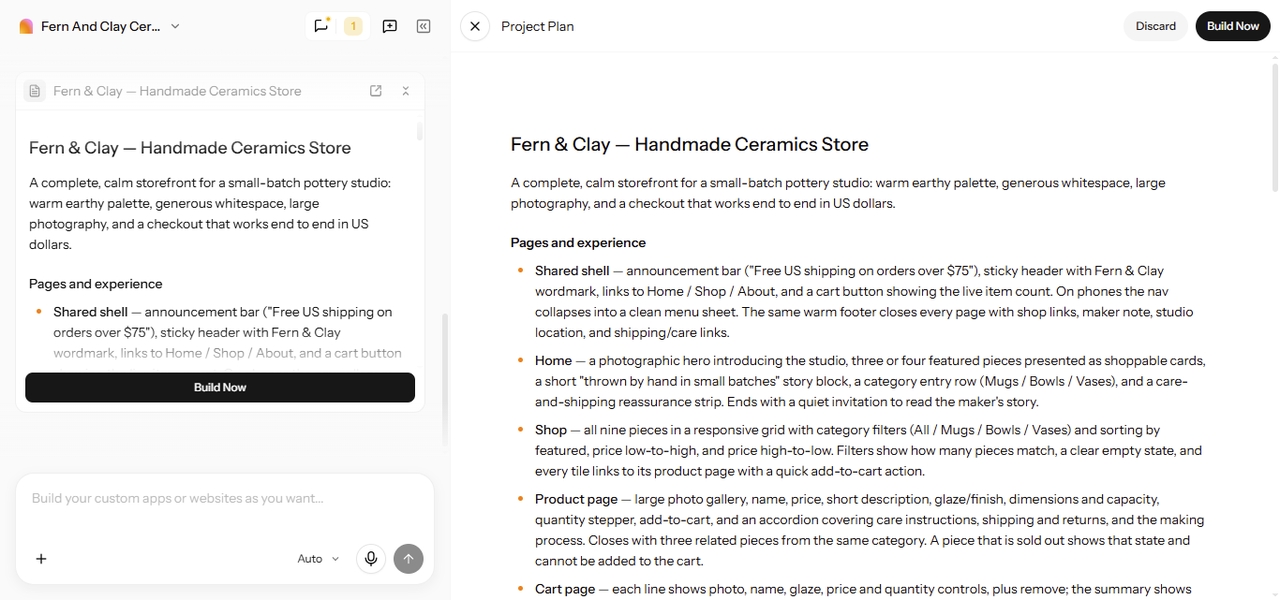
Enter Pro AI store builder showing the Fern & Clay handmade ceramics store project plan, including homepage, product pages, shopping cart, and Build Now option.

Step 2: Generate and Review Your Website

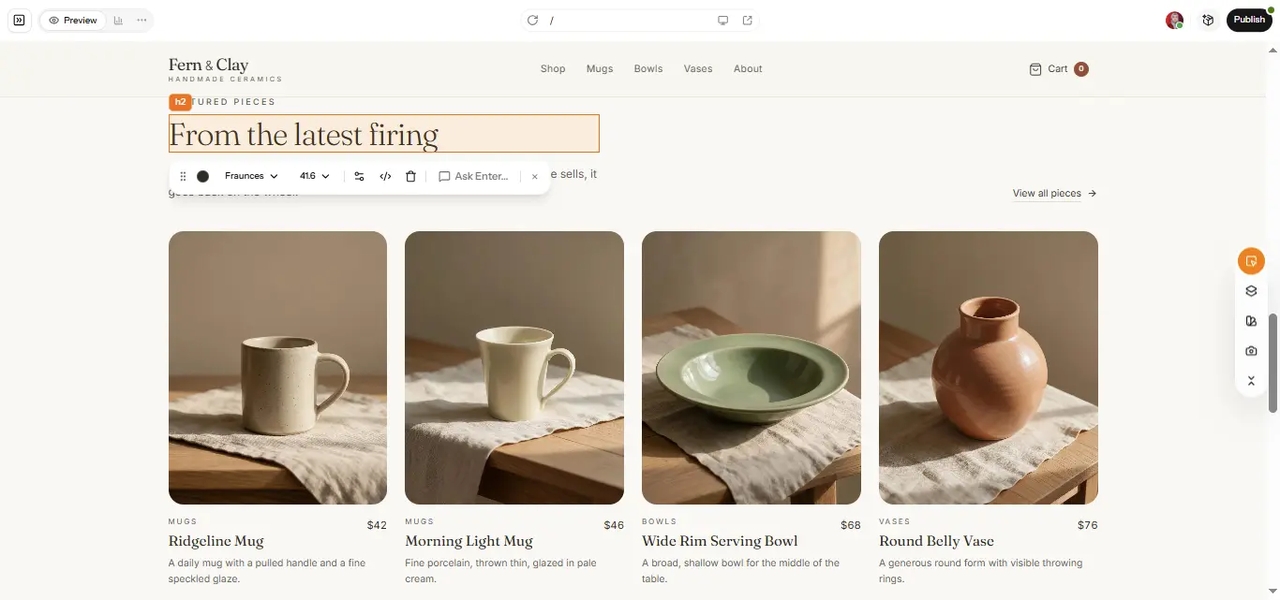
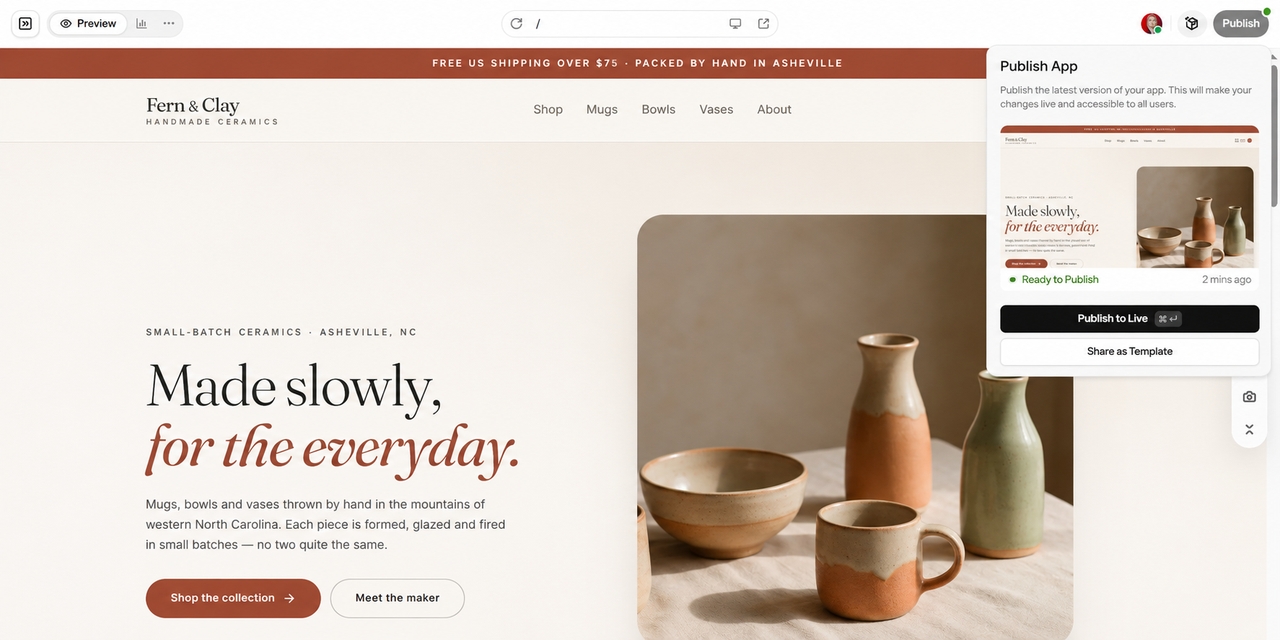
Review the plan, click "Build now," and explore the first version in the live preview. Check whether the page structure, layouts, and product content match the shopping experience you had in mind. Then refine through chat, for example: "Add a 'Back in stock' badge to sold-out items and a size guide on the vase pages." For quick changes to colors, fonts, and images, use the Visual Editor.

Enter Pro AI store builder showing the publishing interface alongside the generated Fern & Clay handmade ceramics ecommerce storefront.

Step 3: Prepare and Publish Your Store

Before launch, test the store on your phone, place a test order, and check your product details, payment setup, and shipping rules. Your product data lives in Enter Cloud, and checkout runs through Stripe. When everything works, click "Publish" to go live on a free .enter.pro link, or connect a custom domain like fernandclay.com. Already selling on Shopify? You can build custom pages or a new storefront with Enter Pro, but linking it to your existing Shopify store's products or checkout depends on Shopify's APIs and needs technical setup, so plan for that before you switch.

Why Choose Enter Pro as Your Shopify AI Store Builder?

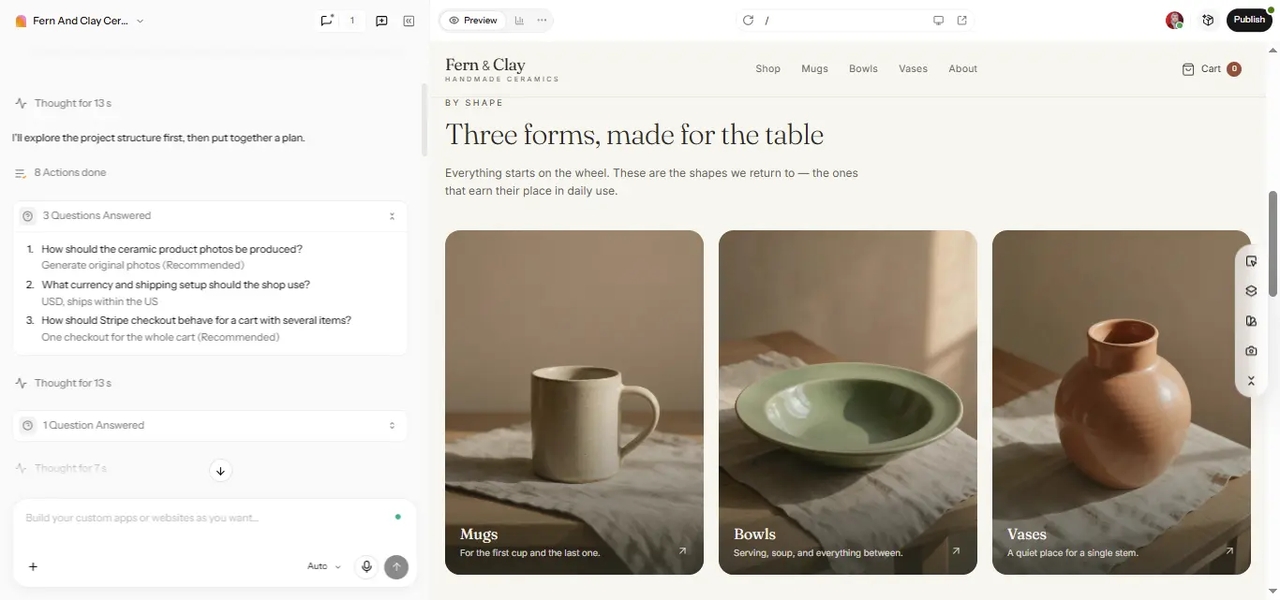
Enter Pro AI store builder showing business-specific planning questions about product photography, shipping, and checkout alongside the Fern & Clay ceramics storefront.

Tailored to Your Business Requirements

Enter Pro's follow-up questions help you clarify your goals before anything is built. That's useful when you need more than a generic storefront, like custom product options, a wholesale page, or a booking add-on.

More Control Over the Final Result

Keep refining the store with new instructions, adjusting its structure, content, and look until it matches your brand. You also own the code, so your store isn't locked into one template or platform.

Enter Pro Visual Editor showing typography and design customization controls on the Fern & Clay ecommerce storefront with handmade ceramic products.
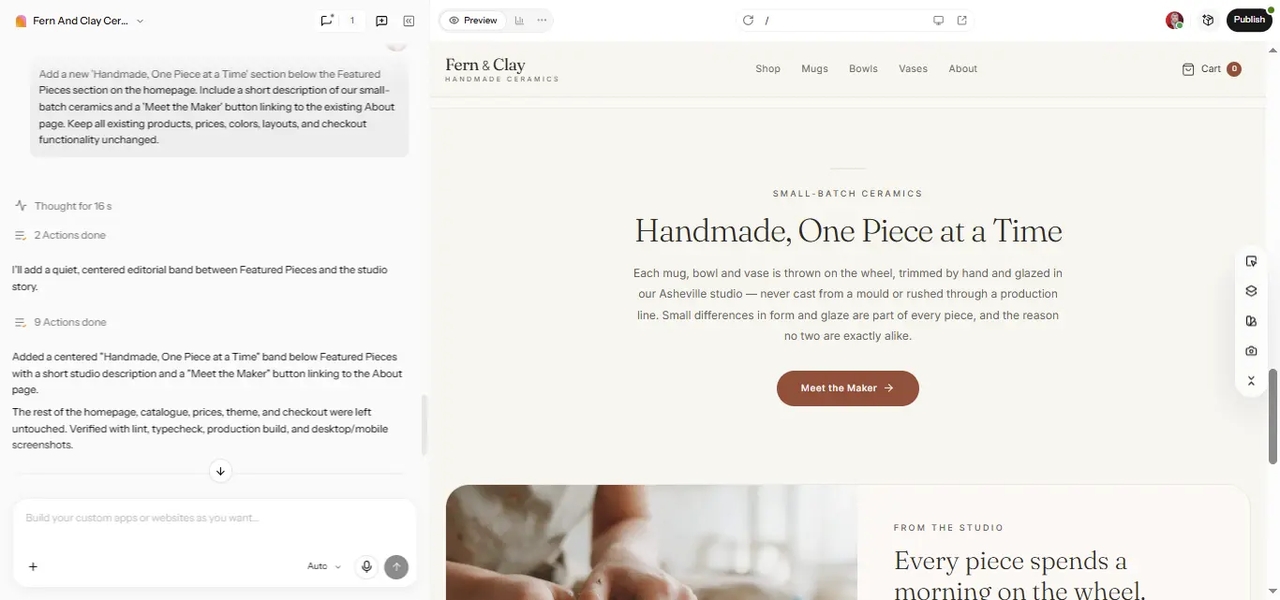
Enter Pro AI store builder showing a completed AI customization request alongside the new Handmade, One Piece at a Time section on the Fern & Clay ecommerce storefront.

A More Flexible Website Creation Process

Start with a simple version, review it, and improve one piece at a time as your needs get clearer. Need a broader online shop? Our AI ecommerce website builder follows the same flexible process.

Ideal Use Cases of Enter Pro Shopify Shop Builder

1778575720375-9._Launching_a_first_time_dropshipping_website

Launching a First Time Dropshipping Website

Use Enter Pro to quickly generate professional website and sales-focused product descriptions for your new inventory. It allows you to build and edit your entire storefront through simple chat commands, making your first launch fast and easy.

1778575726635-10._Migrating_brick_and_mortar_stores_online

Migrating Brick and Mortar Stores Online

Move your physical inventory into the digital space with Enter Cloud, which provides built-in database and storage support for all your product data. This integrated backend ensures your new online presence stays synced and runs smoothly.

1778575732899-11._Upgrading_outdated_boutique_e-commerce_sites

Upgrading Outdated E-commerce Sites

Refresh your old site using our latest UI components and agentic editing skills to create a more modern, production-ready aesthetic. By switching to the Enter ecosystem, you replace sluggish legacy code with a high-performance infrastructure.

Why do Shopify Website Owners Love Enter Pro?

I struggled with coding for weeks before trying this platform. Within days of launching my new site, my daily sales skyrocketed beyond my highest expectations.

Oliver Smith

Oliver Smith

Founder

The automated content generation is pure magic. We saved hundreds of hours on product descriptions, allowing our team to focus purely on strategic marketing campaigns.

Eleanor Davie

Eleanor Davie

Marketing Director

Taking my local shop online seemed terrifying initially. This incredible tool guided me through every step flawlessly, making the entire digital transition surprisingly stress free.

Harry Taylor

Harry Taylor

Boutique Owner

Our old website looked terrible on mobile phones. After switching over to this intelligent platform, our mobile revenue literally doubled during the very first month.

Sophie Brown

Sophie Brown

E-commerce Manager

I launch multiple niche stores monthly to test different concepts. This software eliminates all the boring repetitive work, letting me validate winning ideas incredibly fast.

Jack Wilson

Jack Wilson

Dropshipper

We could not afford expensive agency fees to build our brand. Utilizing these powerful artificial intelligence features delivered a premium website on a tight budget

Charlotte Evans

Charlotte Evans

CEO

FAQs

Start Building Your AI Shopify Store

Your products deserve a store that fits your brand, not the other way around. With Enter, you can describe your shop, answer a few questions, and test a working store before your first customer arrives. Start with a free AI Shopify store builder plan, refine as you go, and publish when every page feels right.